eco TOYOTA PROACE 2018 Owners Manual
[x] Cancel search | Manufacturer: TOYOTA, Model Year: 2018, Model line: PROACE, Model: TOYOTA PROACE 2018Pages: 516, PDF Size: 90.91 MB
Page 255 of 516
255
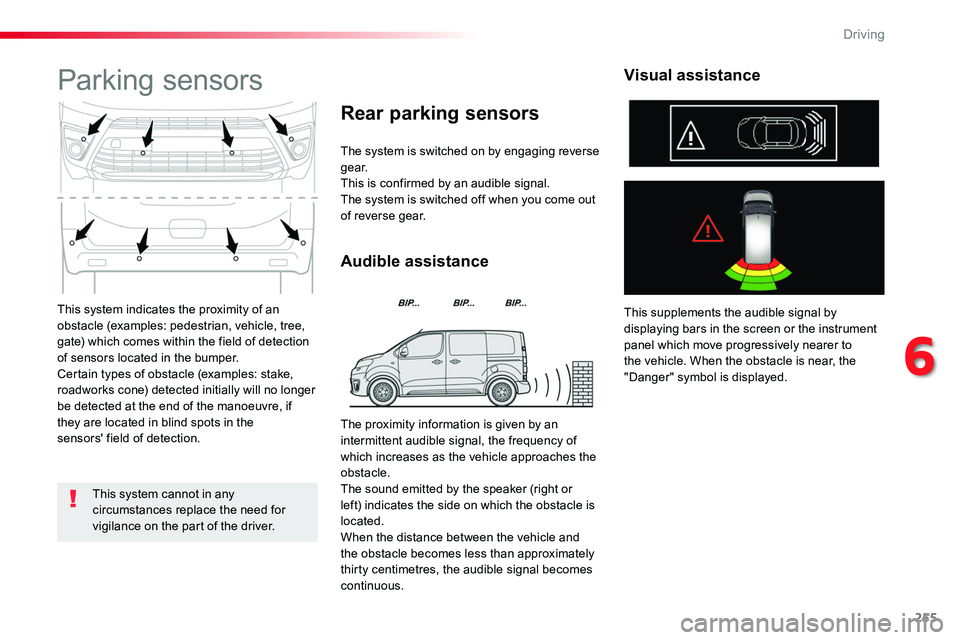
This system indicates the proximity of an obstacle (examples: pedestrian, vehicle, tree, gate) which comes within the field of detection of sensors located in the bumper.Certain types of obstacle (examples: stake, roadworks cone) detected initially will no longer be detected at the end of the manoeuvre, if they are located in blind spots in the
sensors' field of detection.
Parking sensors
The system is switched on by engaging reverse g e a r.This is confirmed by an audible signal.The system is switched off when you come out of reverse gear.
Audible assistance
Rear parking sensors
This supplements the audible signal by displaying bars in the screen or the instrument panel which move progressively nearer to the vehicle. When the obstacle is near, the "Danger" symbol is displayed.
Visual assistance
This system cannot in any circumstances replace the need for vigilance on the part of the driver.
The proximity information is given by an intermittent audible signal, the frequency of which increases as the vehicle approaches the obstacle.The sound emitted by the speaker (right or left) indicates the side on which the obstacle is located.
When the distance between the vehicle and the obstacle becomes less than approximately thirty centimetres, the audible signal becomes continuous.
6
Driving
Page 256 of 516
256
Front parking sensors
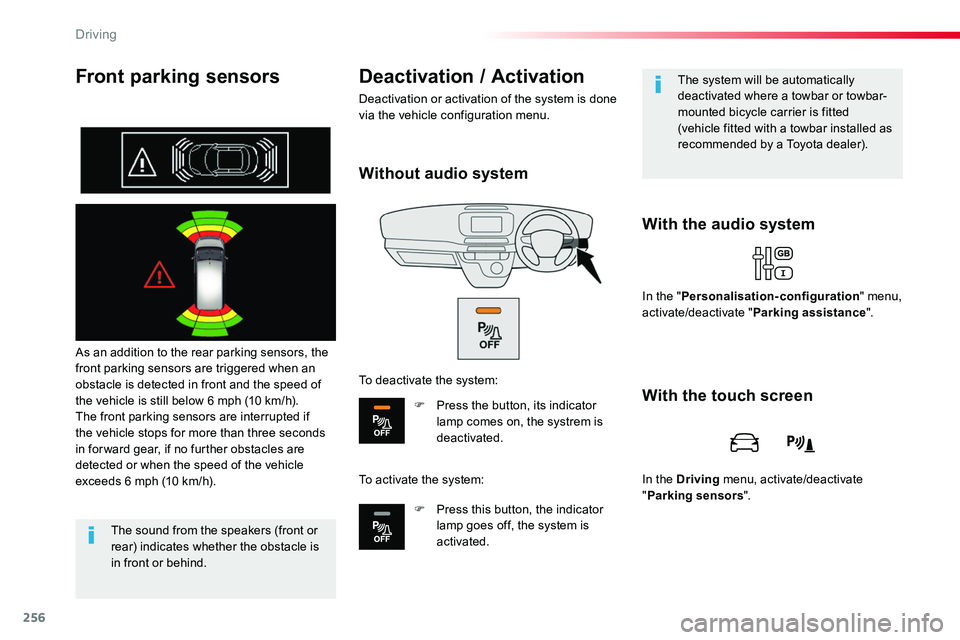
As an addition to the rear parking sensors, the front parking sensors are triggered when an obstacle is detected in front and the speed of the vehicle is still below 6 mph (10 km/h).The front parking sensors are interrupted if the vehicle stops for more than three seconds in for ward gear, if no further obstacles are detected or when the speed of the vehicle exceeds 6 mph (10 km/h).
With the audio system
Deactivation / Activation
Deactivation or activation of the system is done via the vehicle configuration menu.
The sound from the speakers (front or rear) indicates whether the obstacle is in front or behind.
The system will be automatically deactivated where a towbar or towbar-mounted bicycle carrier is fitted (vehicle fitted with a towbar installed as recommended by a Toyota dealer).
In the "Personalisation-configuration" menu, activate/deactivate "Parking assistance".
With the touch screen
In the Driving menu, activate/deactivate "Parking sensors".
Without audio system
To deactivate the system:
F Press the button, its indicator lamp comes on, the systrem is deactivated.
To activate the system:
F Press this button, the indicator lamp goes off, the system is activated.
Driving
Page 259 of 516
259
180° rear vision
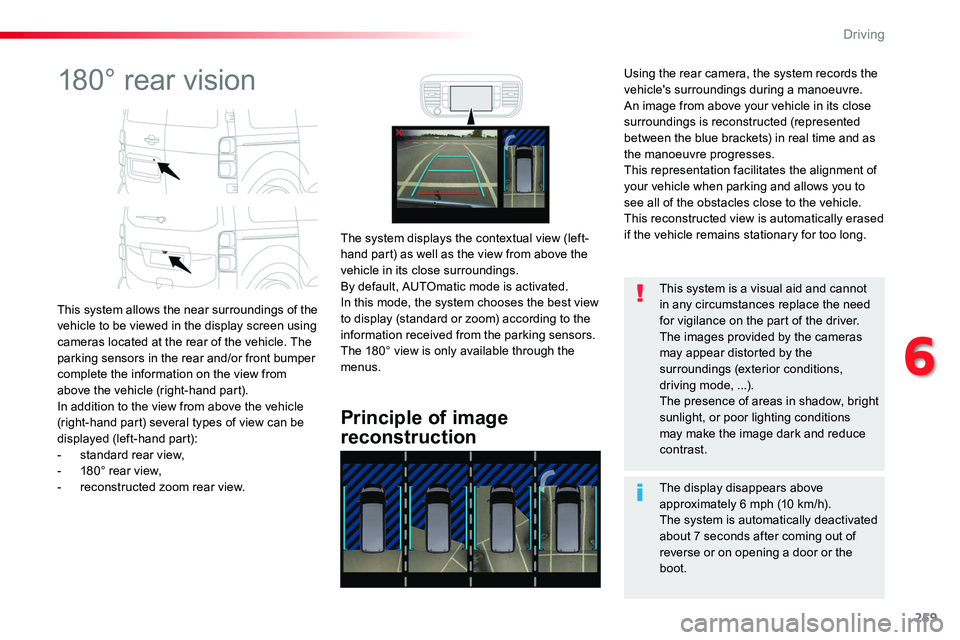
This system allows the near surroundings of the vehicle to be viewed in the display screen using cameras located at the rear of the vehicle. The parking sensors in the rear and/or front bumper complete the information on the view from above the vehicle (right-hand part).In addition to the view from above the vehicle (right-hand part) several types of view can be displayed (left-hand part):- standard rear view,- 180° rear view,- reconstructed zoom rear view.
Principle of image
reconstruction
The system displays the contextual view (left-hand part) as well as the view from above the vehicle in its close surroundings.By default, AUTOmatic mode is activated.In this mode, the system chooses the best view to display (standard or zoom) according to the information received from the parking sensors.The 180° view is only available through the menus.
The display disappears above approximately 6 mph (10 km/h).The system is automatically deactivated
about 7 seconds after coming out of reverse or on opening a door or the boot.
This system is a visual aid and cannot in any circumstances replace the need for vigilance on the part of the driver.The images provided by the cameras may appear distorted by the surroundings (exterior conditions, driving mode, ...).The presence of areas in shadow, bright sunlight, or poor lighting conditions may make the image dark and reduce contrast.
Using the rear camera, the system records the vehicle's surroundings during a manoeuvre. An image from above your vehicle in its close surroundings is reconstructed (represented between the blue brackets) in real time and as the manoeuvre progresses.This representation facilitates the alignment of your vehicle when parking and allows you to see all of the obstacles close to the vehicle.This reconstructed view is automatically erased if the vehicle remains stationary for too long.
6
Driving
Page 260 of 516
260
"Standard view"
"180° view""Zoom view" (reconstructed)
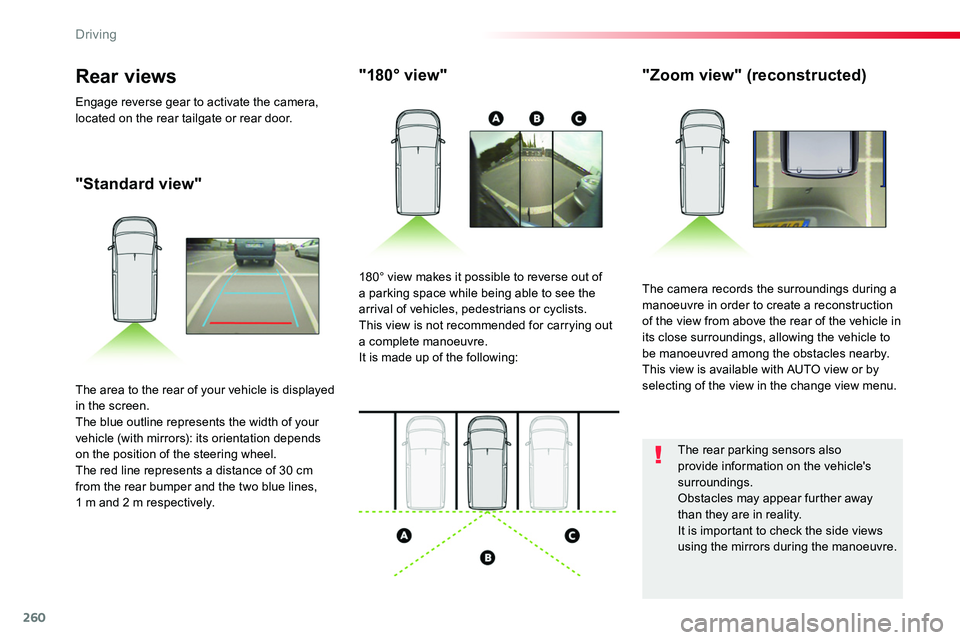
The camera records the surroundings during a manoeuvre in order to create a reconstruction of the view from above the rear of the vehicle in its close surroundings, allowing the vehicle to be manoeuvred among the obstacles nearby.This view is available with AUTO view or by selecting of the view in the change view menu.
180° view makes it possible to reverse out of a parking space while being able to see the arrival of vehicles, pedestrians or cyclists.This view is not recommended for carrying out a complete manoeuvre.It is made up of the following:
The area to the rear of your vehicle is displayed in the screen.The blue outline represents the width of your vehicle (with mirrors): its orientation depends on the position of the steering wheel.The red line represents a distance of 30 cm from the rear bumper and the two blue lines, 1 m and 2 m respectively.
Rear views
Engage reverse gear to activate the camera, located on the rear tailgate or rear door.
The rear parking sensors also provide information on the vehicle's surroundings.Obstacles may appear further away than they are in reality.It is important to check the side views using the mirrors during the manoeuvre.
Driving
Page 261 of 516
261
Activation
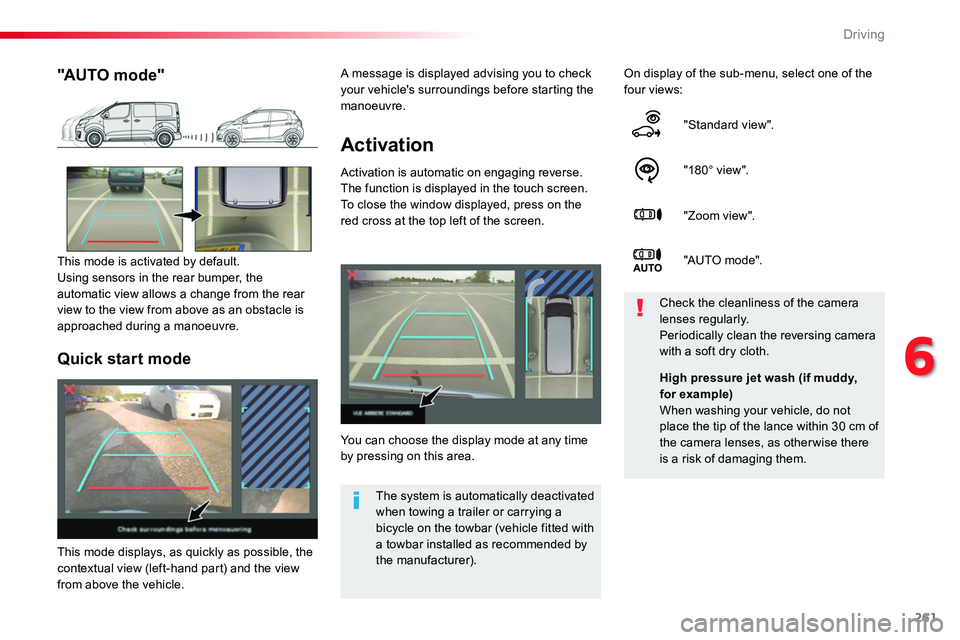
Activation is automatic on engaging reverse.The function is displayed in the touch screen. To close the window displayed, press on the red cross at the top left of the screen.
On display of the sub-menu, select one of the four views:
"Standard view".
"180° view".
"Zoom view".
"AUTO mo de".
You can choose the display mode at any time by pressing on this area.
Check the cleanliness of the camera lenses regularly.Periodically clean the reversing camera with a soft dry cloth.
"AUTO mode"
This mode is activated by default.Using sensors in the rear bumper, the automatic view allows a change from the rear view to the view from above as an obstacle is approached during a manoeuvre.
The system is automatically deactivated when towing a trailer or carrying a bicycle on the towbar (vehicle fitted with a towbar installed as recommended by the manufacturer).
Quick start mode
This mode displays, as quickly as possible, the contextual view (left-hand part) and the view from above the vehicle.
High pressure jet wash (if muddy, for example)When washing your vehicle, do not place the tip of the lance within 30 cm of the camera lenses, as otherwise there is a risk of damaging them.
A message is displayed advising you to check your vehicle's surroundings before starting the manoeuvre.
6
Driving
Page 263 of 516
263
Tyre Pressure WarningReinitialisation
Before reinitialising the system, ensure that the pressures of the four tyres are correct for the use of the vehicle and in line with the recommendations on the tyre pressure label.The tyre pressure warning can only be relied on if the reinitialisation of the system has been done with the pressures in the four tyres correctly adjusted.The tyre pressure warning system does not give a warning if a pressure is incorrect at the time of reinitialisation.
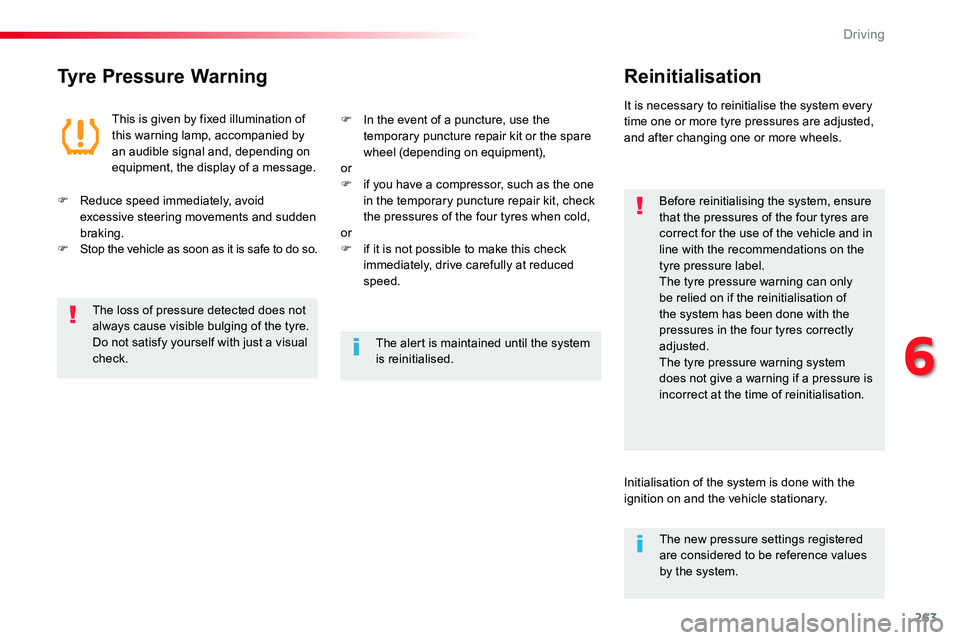
This is given by fixed illumination of this warning lamp, accompanied by an audible signal and, depending on equipment, the display of a message.
It is necessary to reinitialise the system every time one or more tyre pressures are adjusted, and after changing one or more wheels.
F Reduce speed immediately, avoid excessive steering movements and sudden braking.F Stop the vehicle as soon as it is safe to do so.
F In the event of a puncture, use the temporary puncture repair kit or the spare wheel (depending on equipment),orF if you have a compressor, such as the one in the temporary puncture repair kit, check the pressures of the four tyres when cold,
orF if it is not possible to make this check immediately, drive carefully at reduced speed.
The loss of pressure detected does not always cause visible bulging of the tyre. Do not satisfy yourself with just a visual check.The alert is maintained until the system is reinitialised.
Initialisation of the system is done with the ignition on and the vehicle stationary.
The new pressure settings registered are considered to be reference values by the system.
6
Driving
Page 264 of 516
264
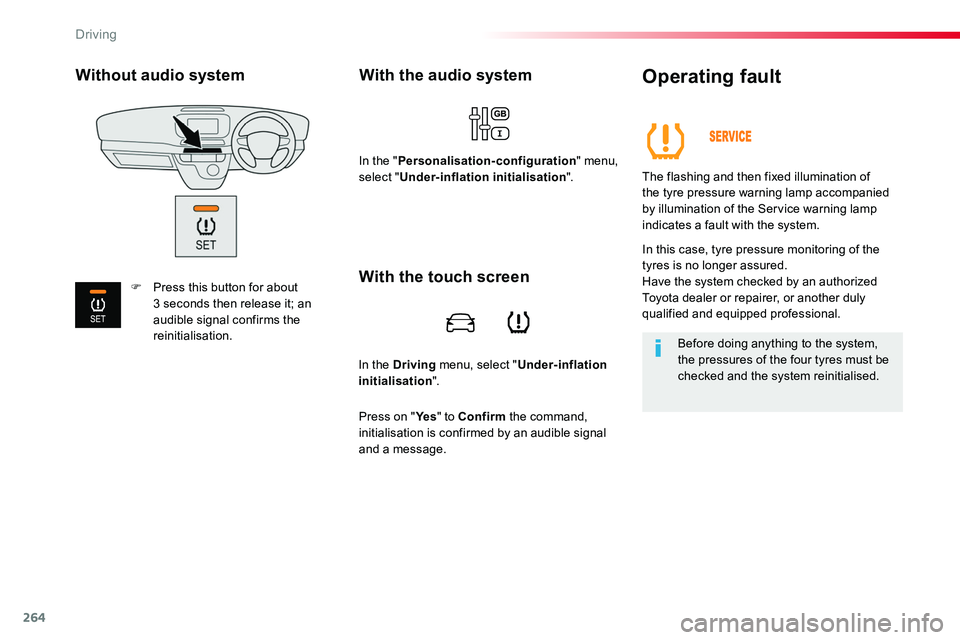
In the Driving menu, select "Under-inflation initialisation".
With the audio system
In the "Personalisation-configuration" menu, select "Under-inflation initialisation".
Operating fault
The flashing and then fixed illumination of the tyre pressure warning lamp accompanied by illumination of the Service warning lamp
indicates a fault with the system.
In this case, tyre pressure monitoring of the tyres is no longer assured.Have the system checked by an authorized Toyota dealer or repairer, or another duly qualified and equipped professional.
Before doing anything to the system, the pressures of the four tyres must be checked and the system reinitialised.
With the touch screen
Press on "Ye s" to Confirm the command, initialisation is confirmed by an audible signal and a message.
Without audio system
F Press this button for about 3 seconds then release it; an audible signal confirms the reinitialisation.
Driving
Page 267 of 516
267
Fuel used for Diesel
engines
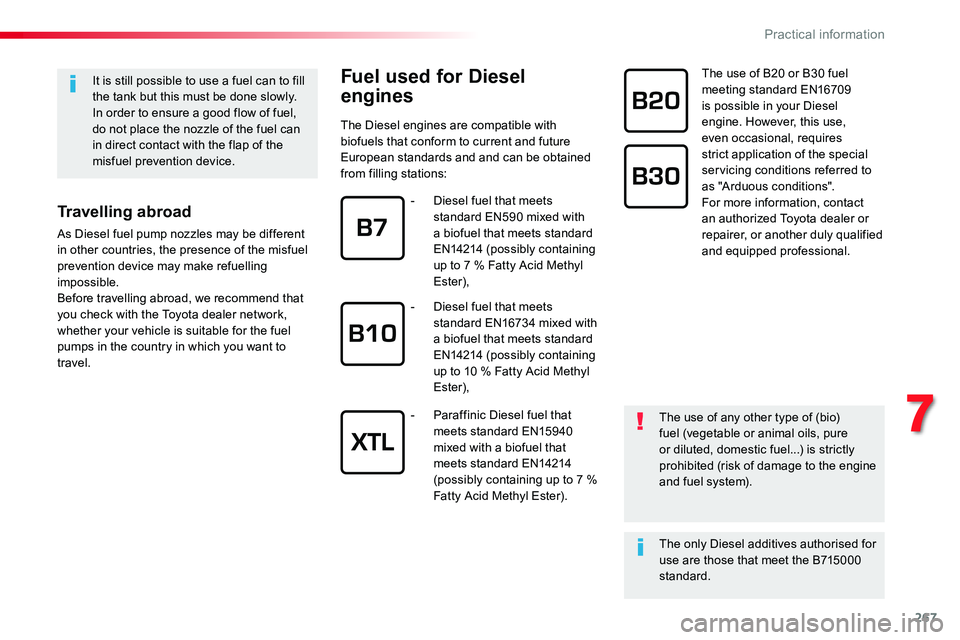
The Diesel engines are compatible with biofuels that conform to current and future European standards and and can be obtained from filling stations:
The use of B20 or B30 fuel meeting standard EN16709 is possible in your Diesel engine. However, this use, even occasional, requires strict application of the special servicing conditions referred to as "Arduous conditions".For more information, contact an authorized Toyota dealer or repairer, or another duly qualified and equipped professional.
It is still possible to use a fuel can to fill the tank but this must be done slowly.In order to ensure a good flow of fuel, do not place the nozzle of the fuel can in direct contact with the flap of the misfuel prevention device.
Travelling abroad
As Diesel fuel pump nozzles may be different in other countries, the presence of the misfuel prevention device may make refuelling impossible.Before travelling abroad, we recommend that
you check with the Toyota dealer network, whether your vehicle is suitable for the fuel pumps in the country in which you want to travel.
The use of any other type of (bio)fuel (vegetable or animal oils, pure or diluted, domestic fuel...) is strictly prohibited (risk of damage to the engine and fuel system).
The only Diesel additives authorised for use are those that meet the B715000 standard.
- Diesel fuel that meets standard EN590 mixed with a biofuel that meets standard EN14214 (possibly containing up to 7 % Fatty Acid Methyl Ester),
- Diesel fuel that meets standard EN16734 mixed with a biofuel that meets standard EN14214 (possibly containing up to 10 % Fatty Acid Methyl Ester),
- Paraffinic Diesel fuel that meets standard EN15940 mixed with a biofuel that meets standard EN14214 (possibly containing up to 7 % Fatty Acid Methyl Ester).
7
Practical information
Page 268 of 516
268
Snow chains
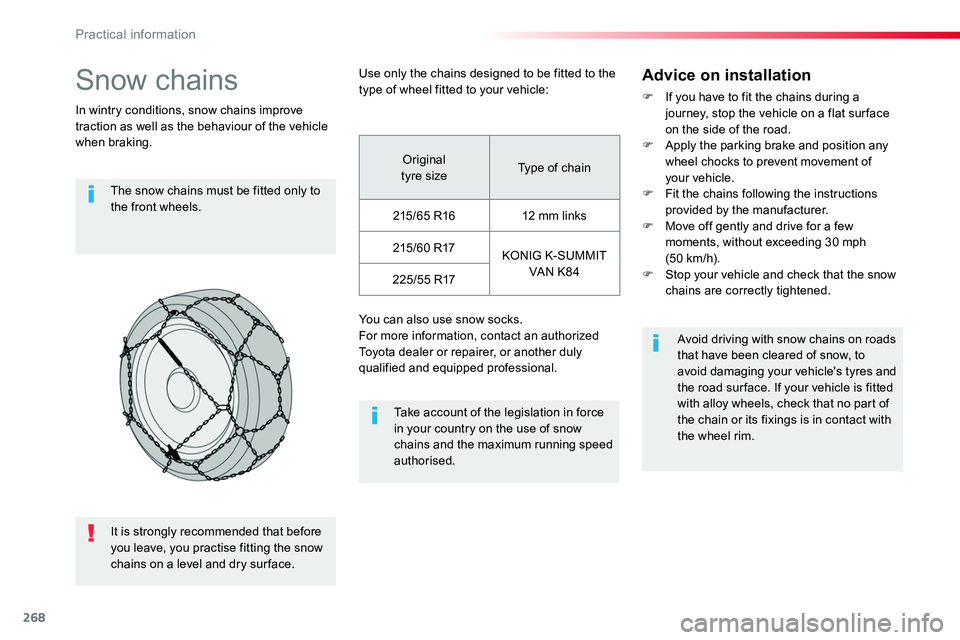
In wintry conditions, snow chains improve traction as well as the behaviour of the vehicle when braking.
The snow chains must be fitted only to the front wheels.
Take account of the legislation in force in your country on the use of snow chains and the maximum running speed authorised.
Avoid driving with snow chains on roads that have been cleared of snow, to avoid damaging your vehicle's tyres and the road sur face. If your vehicle is fitted with alloy wheels, check that no part of the chain or its fixings is in contact with
the wheel rim.
Use only the chains designed to be fitted to the type of wheel fitted to your vehicle:
You can also use snow socks.For more information, contact an authorized Toyota dealer or repairer, or another duly qualified and equipped professional.
Advice on installation
F If you have to fit the chains during a journey, stop the vehicle on a flat sur face on the side of the road.F Apply the parking brake and position any wheel chocks to prevent movement of your vehicle.F Fit the chains following the instructions provided by the manufacturer.F Move off gently and drive for a few moments, without exceeding 30 mph (50 km/h).F Stop your vehicle and check that the snow chains are correctly tightened.
Original tyre sizeType of chain
215/65 R1612 mm links
215/60 R17KONIG K-SUMMIT VAN K84225/55 R17
It is strongly recommended that before
you leave, you practise fitting the snow chains on a level and dry sur face.
Practical information
Page 269 of 516
269
Towing a trailer
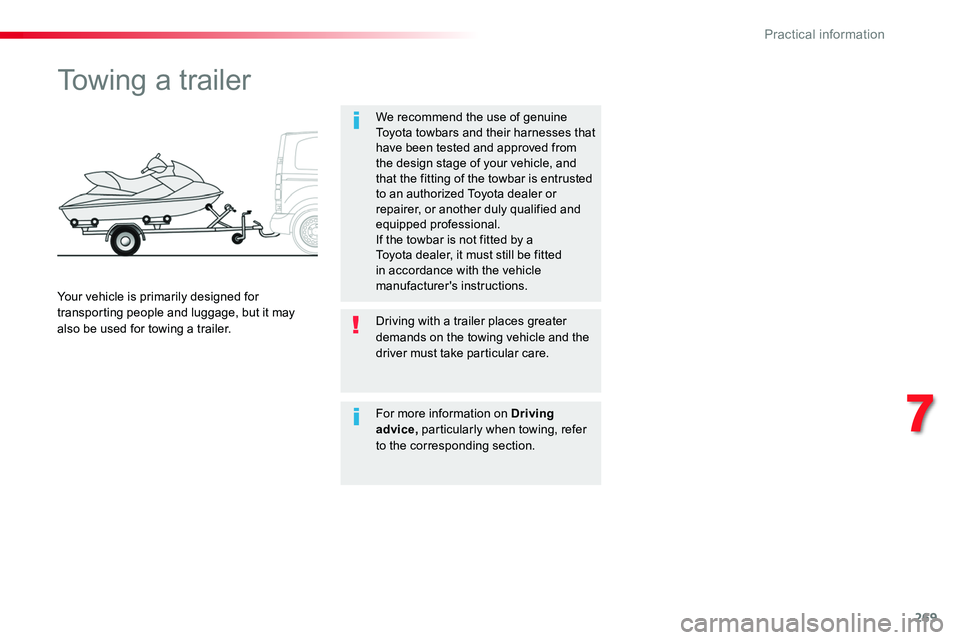
We recommend the use of genuine Toyota towbars and their harnesses that have been tested and approved from the design stage of your vehicle, and that the fitting of the towbar is entrusted to an authorized Toyota dealer or repairer, or another duly qualified and equipped professional.If the towbar is not fitted by a Toyota dealer, it must still be fitted in accordance with the vehicle manufacturer's instructions.Your vehicle is primarily designed for transporting people and luggage, but it may also be used for towing a trailer.Driving with a trailer places greater demands on the towing vehicle and the driver must take particular care.
For more information on Driving advice, particularly when towing, refer to the corresponding section.
7
Practical information