Time set TOYOTA PROACE 2018 User Guide
[x] Cancel search | Manufacturer: TOYOTA, Model Year: 2018, Model line: PROACE, Model: TOYOTA PROACE 2018Pages: 516, PDF Size: 90.91 MB
Page 150 of 516
150
Temporarily keeping the dipped beam headlamps on after the vehicle's ignition has been switched off makes the driver's exit easier when the light is poor.
Manual guide-me-home
lighting
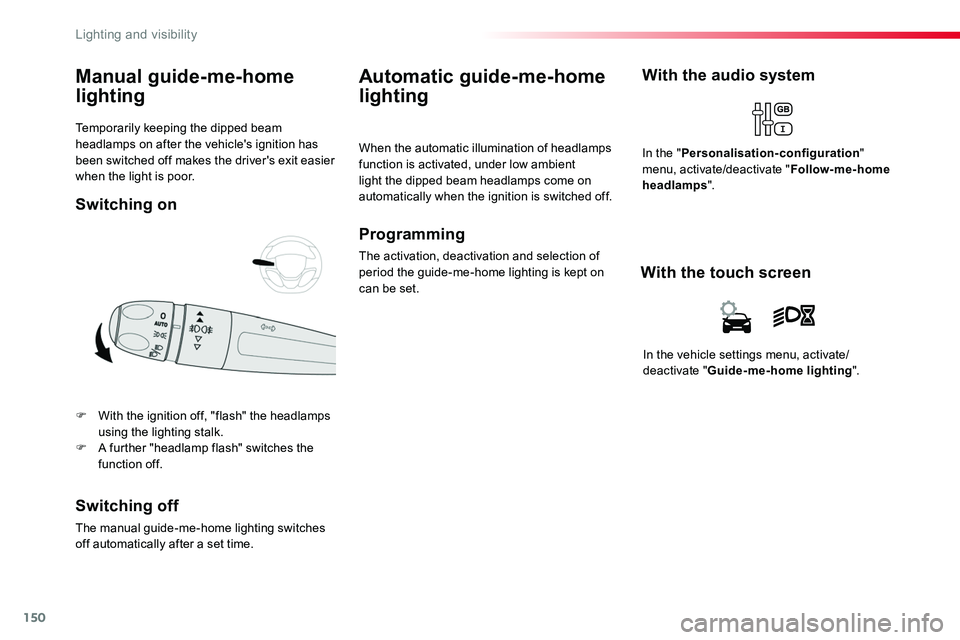
F With the ignition off, "flash" the headlamps using the lighting stalk.F A further "headlamp flash" switches the function off.
Switching off
The manual guide-me-home lighting switches off automatically after a set time.
Automatic guide-me-home
lighting
When the automatic illumination of headlamps function is activated, under low ambient light the dipped beam headlamps come on automatically when the ignition is switched off.
Programming
The activation, deactivation and selection of period the guide-me-home lighting is kept on can be set.
With the audio system
In the "Personalisation-configuration" menu, activate/deactivate "Follow-me-home headlamps".
In the vehicle settings menu, activate/deactivate "Guide-me-home lighting".
With the touch screen
Switching on
Lighting and visibility
Page 151 of 516
151
Exterior welcome lighting
The remote switching on of the lighting makes your approach to the vehicle easier in poor light. It is activated when the lighting control is in the "AUTO" position and the level of light detected by the sunshine sensor is low.
Switching on
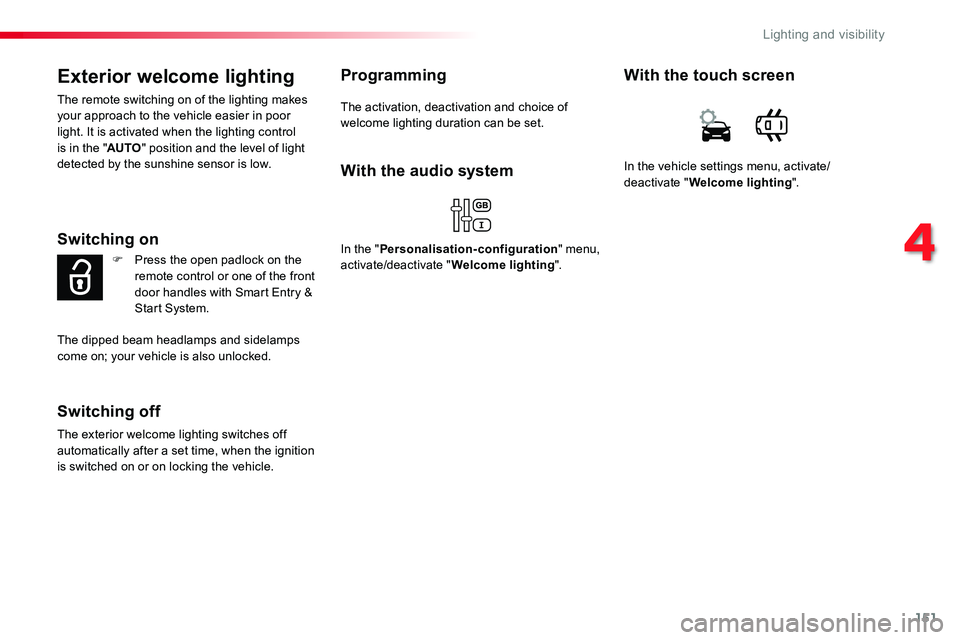
F Press the open padlock on the remote control or one of the front door handles with Smart Entry & Start System.
Switching off
The exterior welcome lighting switches off automatically after a set time, when the ignition is switched on or on locking the vehicle.
Programming
The activation, deactivation and choice of welcome lighting duration can be set.
The dipped beam headlamps and sidelamps come on; your vehicle is also unlocked.
In the vehicle settings menu, activate/deactivate "Welcome lighting".
With the touch screen
With the audio system
In the "Personalisation-configuration" menu, activate/deactivate "Welcome lighting".
4
Lighting and visibility
Page 153 of 516
153
Automatic headlamp dipping
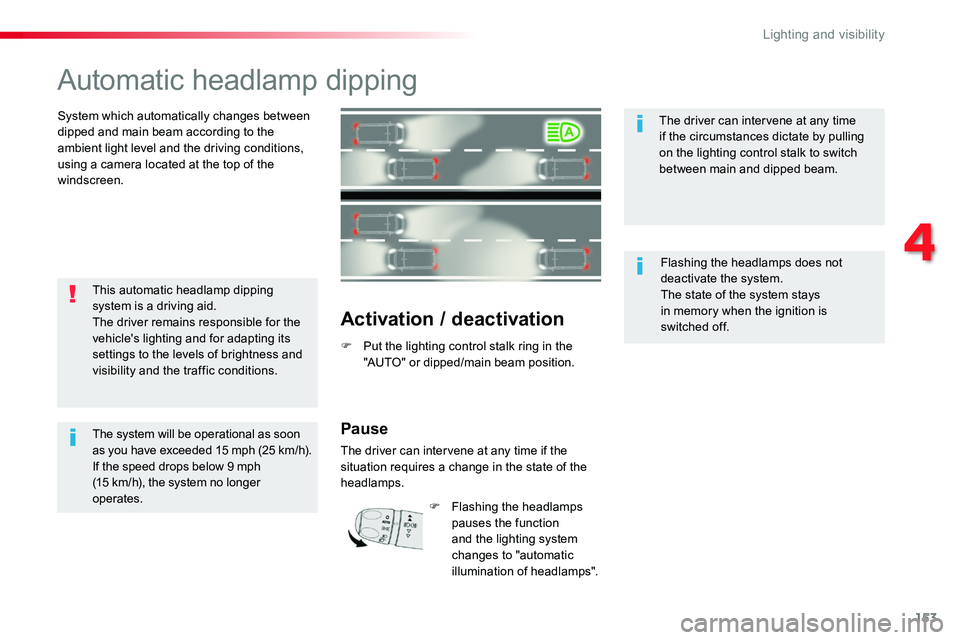
System which automatically changes between dipped and main beam according to the ambient light level and the driving conditions, using a camera located at the top of the windscreen.
Activation / deactivation
F Put the lighting control stalk ring in the "AUTO" or dipped/main beam position.
This automatic headlamp dipping system is a driving aid.The driver remains responsible for the vehicle's lighting and for adapting its settings to the levels of brightness and visibility and the traffic conditions.
The system will be operational as soon as you have exceeded 15 mph (25 km/h).If the speed drops below 9 mph (15 km/h), the system no longer operates.
The driver can intervene at any time if the circumstances dictate by pulling on the lighting control stalk to switch between main and dipped beam.
Flashing the headlamps does not deactivate the system.The state of the system stays in memory when the ignition is switched off.
Pause
The driver can intervene at any time if the situation requires a change in the state of the headlamps.
F Flashing the headlamps pauses the function and the lighting system changes to "automatic illumination of headlamps".
4
Lighting and visibility
Page 158 of 516
158
If a significant accumulation of snow or ice is present, or when using a bicycle carrier on the boot, deactivate the automatic rear wiper.
This function is activated by default.
Reverse gear
When reverse gear is engaged, the rear wiper will come into operation automatically if the windscreen wipers are operating.
In the vehicle settings menu, activate/deactivate "Rear wiper in reverse".
With the audio system
In the "Personalisation-configuration" menu, activate/deactivate "Rear wipe in reverse gear".
With the touch screen
Activation / Deactivation
Activation or deactivation of the function is done in the vehicle configuration menu.
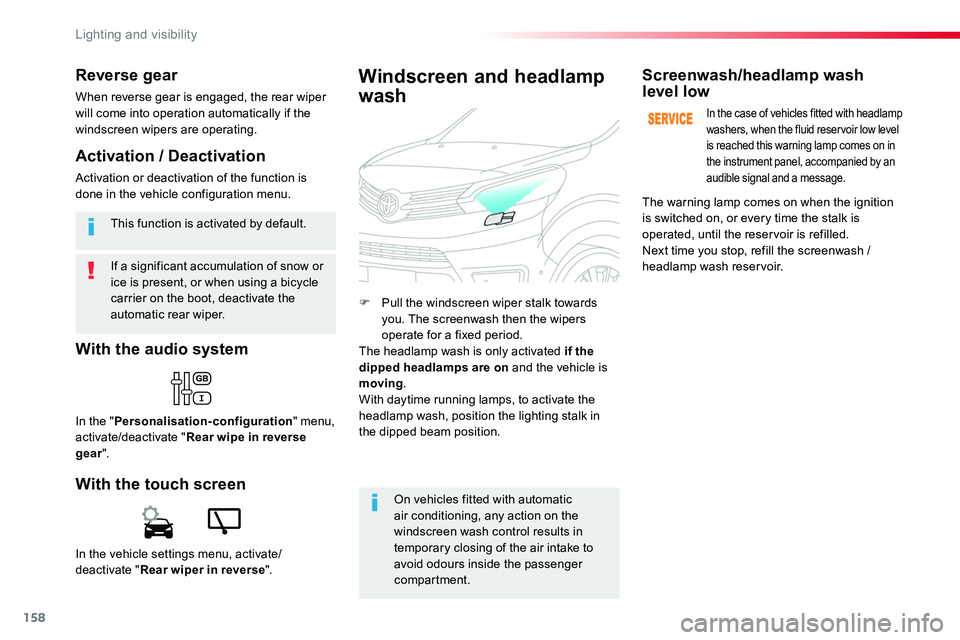
F Pull the windscreen wiper stalk towards you. The screenwash then the wipers operate for a fixed period.The headlamp wash is only activated if the dipped headlamps are on and the vehicle is moving.With daytime running lamps, to activate the headlamp wash, position the lighting stalk in
the dipped beam position.
Windscreen and headlamp
wash
On vehicles fitted with automatic air conditioning, any action on the windscreen wash control results in temporary closing of the air intake to avoid odours inside the passenger compartment.
Screenwash/headlamp wash level low
In the case of vehicles fitted with headlamp washers, when the fluid reservoir low level is reached this warning lamp comes on in the instrument panel, accompanied by an audible signal and a message.
The warning lamp comes on when the ignition is switched on, or every time the stalk is operated, until the reservoir is refilled.Next time you stop, refill the screenwash / headlamp wash reservoir.
Lighting and visibility
Page 164 of 516
164
To y o t a Tr a c t i o n
Select
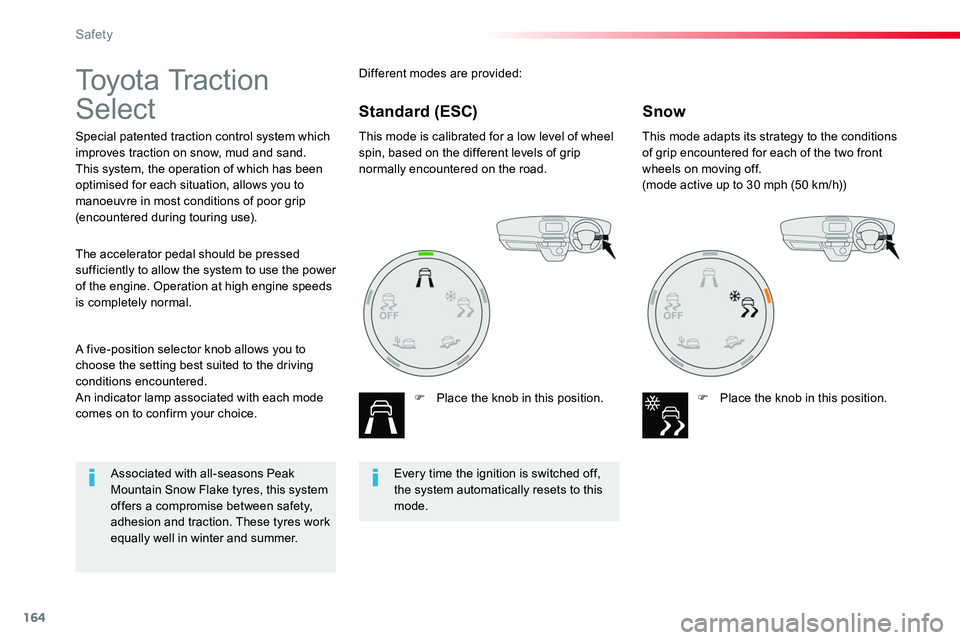
Special patented traction control system which improves traction on snow, mud and sand.This system, the operation of which has been optimised for each situation, allows you to manoeuvre in most conditions of poor grip (encountered during touring use).
This mode is calibrated for a low level of wheel spin, based on the different levels of grip normally encountered on the road.
F Place the knob in this position.
This mode adapts its strategy to the conditions of grip encountered for each of the two front wheels on moving off.(mode active up to 30 mph (50 km/h))
F Place the knob in this position.
A five-position selector knob allows you to choose the setting best suited to the driving conditions encountered.An indicator lamp associated with each mode comes on to confirm your choice.
The accelerator pedal should be pressed sufficiently to allow the system to use the power of the engine. Operation at high engine speeds is completely normal.
Different modes are provided:
SnowStandard (ESC)
Every time the ignition is switched off, the system automatically resets to this mode.
Associated with all-seasons Peak Mountain Snow Flake tyres, this system offers a compromise between safety, adhesion and traction. These tyres work equally well in winter and summer.
Safety
Page 218 of 516
218
Stop & StartGoing into engine
STOP mode
If your vehicle has a manual gearbox, its speed must be below 12 mph (20 km/h) or stationary (depending on engine); the "ECO" indicator lamp comes on in the instrument panel and the engine goes into standby automatically when you place the gear lever in
neutral and you release the clutch pedal.
For your comfort, during parking manoeuvres, STOP mode is not available for a few seconds after coming out of reverse gear.Stop & Start does not affect the functionality of the vehicle, such as for example, braking, power steering...A slight delay between the vehicle stopping and the engine cutting out may be noticed.
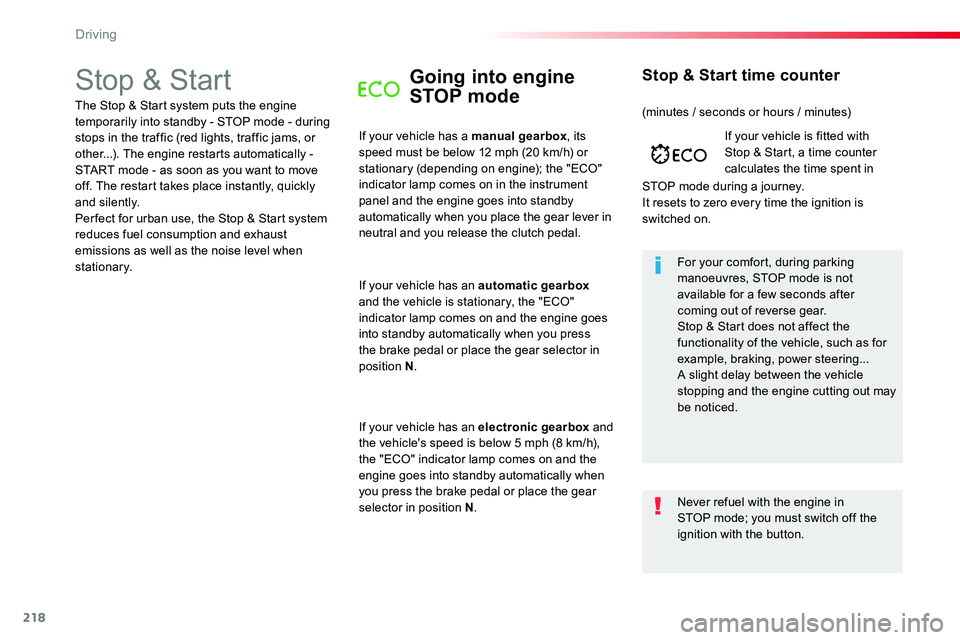
If your vehicle is fitted with Stop & Start, a time counter calculates the time spent in
STOP mode during a journey.It resets to zero every time the ignition is switched on.
Stop & Start time counter
The Stop & Start system puts the engine temporarily into standby - STOP mode - during stops in the traffic (red lights, traffic jams, or other...). The engine restarts automatically - START mode - as soon as you want to move off. The restart takes place instantly, quickly and silently.Per fect for urban use, the Stop & Start system reduces fuel consumption and exhaust emissions as well as the noise level when stationary.
If your vehicle has an automatic gearbox and the vehicle is stationary, the "ECO" indicator lamp comes on and the engine goes into standby automatically when you press the brake pedal or place the gear selector in position N.
If your vehicle has an electronic gearbox and the vehicle's speed is below 5 mph (8 km/h), the "ECO" indicator lamp comes on and the engine goes into standby automatically when you press the brake pedal or place the gear selector in position N.
(minutes / seconds or hours / minutes)
Never refuel with the engine in STOP mode; you must switch off the ignition with the button.
Driving
Page 232 of 516
232
MEM
MEM
Cruise control ("CRUISE")
System which automatically maintains the speed of the vehicle at the value programmed by the driver, without any action on the accelerator pedal.
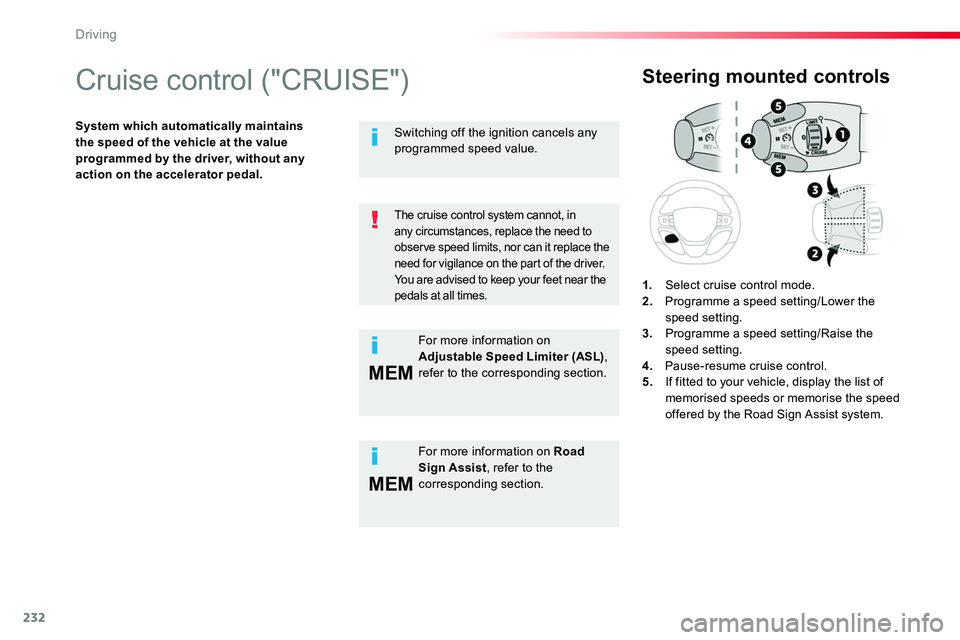
Steering mounted controls
1. Select cruise control mode.2. Programme a speed setting/Lower the speed setting.3. Programme a speed setting/Raise the speed setting.4. Pause-resume cruise control.5. If fitted to your vehicle, display the list of memorised speeds or memorise the speed offered by the Road Sign Assist system.
The cruise control system cannot, in
any circumstances, replace the need to observe speed limits, nor can it replace the need for vigilance on the part of the driver.You are advised to keep your feet near the pedals at all times.
For more information on Road Sign Assist, refer to the corresponding section.
Switching off the ignition cancels any programmed speed value.
For more information on Adjustable Speed Limiter (ASL), refer to the corresponding section.
Driving
Page 234 of 516
234
Pause
The cruise control is paused manually or by pressing the brake or clutch pedal or on triggering of the ESC system for safety reasons.
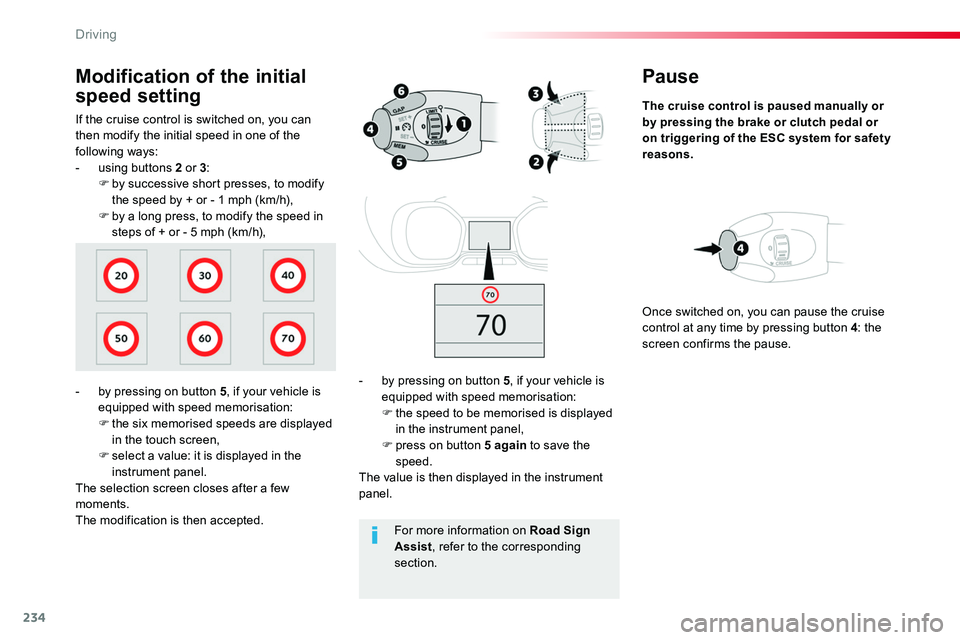
- by pressing on button 5, if your vehicle is equipped with speed memorisation:F the speed to be memorised is displayed in the instrument panel,F press on button 5 again to save the speed.The value is then displayed in the instrument panel.
Once switched on, you can pause the cruise control at any time by pressing button 4: the screen confirms the pause.
If the cruise control is switched on, you can then modify the initial speed in one of the following ways:- using buttons 2 or 3:F by successive short presses, to modify the speed by + or - 1 mph (km/h),F by a long press, to modify the speed in steps of + or - 5 mph (km/h),
Modification of the initial
speed setting
- by pressing on button 5, if your vehicle is equipped with speed memorisation:F the six memorised speeds are displayed in the touch screen,F select a value: it is displayed in the instrument panel.The selection screen closes after a few moments.The modification is then accepted.For more information on Road Sign Assist, refer to the corresponding section.
Driving
Page 240 of 516
240
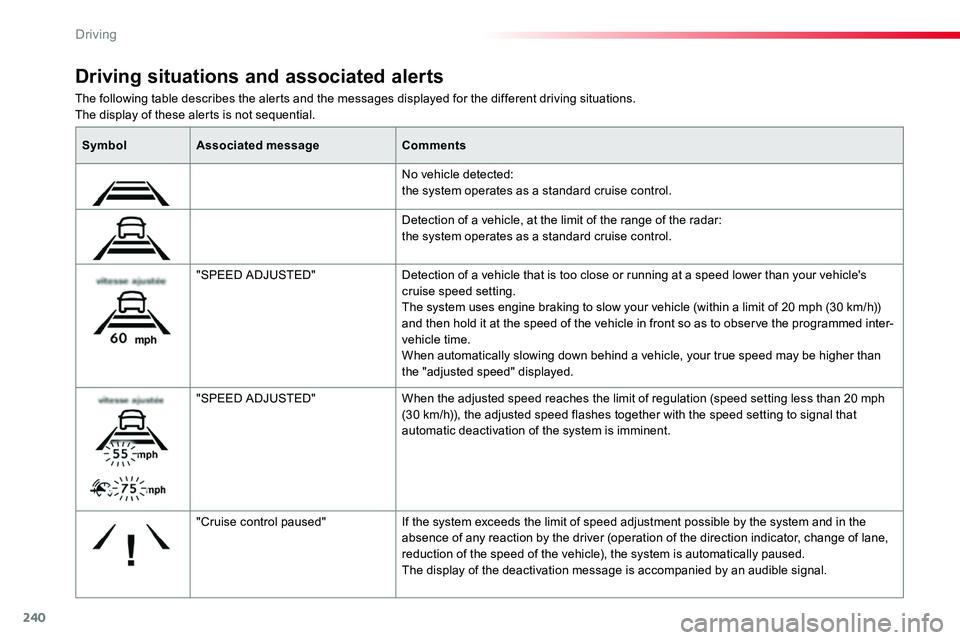
The following table describes the alerts and the messages displayed for the different driving situations.The display of these alerts is not sequential.
Driving situations and associated alerts
SymbolAssociated messageComments
No vehicle detected: the system operates as a standard cruise control.
Detection of a vehicle, at the limit of the range of the radar: the system operates as a standard cruise control.
"SPEED ADJUSTED"Detection of a vehicle that is too close or running at a speed lower than your vehicle's cruise speed setting.The system uses engine braking to slow your vehicle (within a limit of 20 mph (30 km/h)) and then hold it at the speed of the vehicle in front so as to observe the programmed inter-vehicle time.When automatically slowing down behind a vehicle, your true speed may be higher than the "adjusted speed" displayed.
"SPEED ADJUSTED"When the adjusted speed reaches the limit of regulation (speed setting less than 20 mph (30 km/h)), the adjusted speed flashes together with the speed setting to signal that automatic deactivation of the system is imminent.
"Cruise control paused"If the system exceeds the limit of speed adjustment possible by the system and in the absence of any reaction by the driver (operation of the direction indicator, change of lane, reduction of the speed of the vehicle), the system is automatically paused.The display of the deactivation message is accompanied by an audible signal.
Driving
Page 245 of 516
245
This level of alert is based on the time before collision. It takes account of the vehicle dynamics, the speed of your vehicle and the
one in front, the environmental conditions, the operation of the vehicle (cornering, pedals pressed, etc.) to trigger the alert at the best moment.
Level 2: visual and audible alert, warning you that a collision is imminent.A message indicating that you should brake is displayed.
Where the speed of your vehicle is too high approaching another vehicle, the first level of alert may not be displayed: the level 2 alert may be displayed di r e c t l y.Furthermore, the level 1 alert is never displayed with the "Close" threshold.Poor weather conditions (very heavy rain, accumulation of snow in front of the radar and the camera) may hinder the operation of the system, with the display of an operating fault message. The system remains out of service until the message disappears.
Programming the alert thresholds
The thresholds for triggering an alert determine how you wish to be warned of the presence of a vehicle moving or stationary ahead of you, or a pedestrian in your traffic lane.You can select one of three thresholds:- "Distant", to be warned early (cautious driving).- "Normal".- "Close", to be warned later.
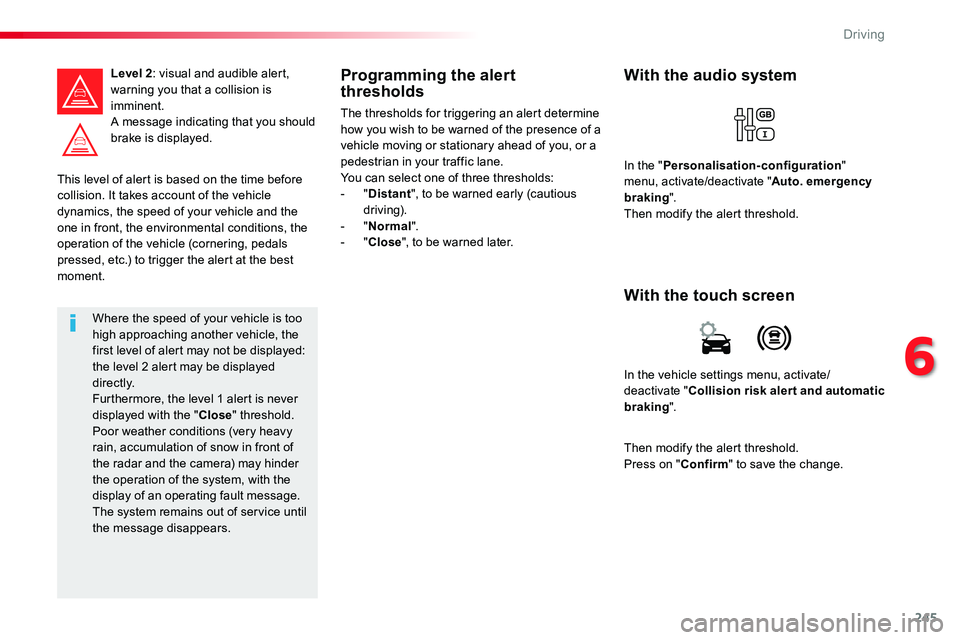
In the vehicle settings menu, activate/deactivate "Collision risk alert and automatic braking".
With the touch screen
With the audio system
In the "Personalisation-configuration" menu, activate/deactivate "Auto. emergency braking".Then modify the alert threshold.
Then modify the alert threshold.Press on "Confirm" to save the change.
6
Driving