change time TOYOTA PROACE 2020 (in English) Owner's Manual
[x] Cancel search | Manufacturer: TOYOTA, Model Year: 2020, Model line: PROACE, Model: TOYOTA PROACE 2020Pages: 430, PDF Size: 48.01 MB
Page 370 of 430
370
Select "Date".
Press this button to define the date.
Press "OK" to confirm.
Select the display format of the date.
Adjustment of the time and date is only available if "GPS synchronisation" is deactivated.
Setting the time
Press Settings to display the primary page.
Press the "OPTIONS" button to go to the secondary page.
Select "Set time-date".
Select "Time".
Press this button to adjust the time using the virtual keypad.
Press "OK" to confirm.
Press this button to define the time zone.
Select the display format for the time (12 h / 24 h).
Activate or deactivate summer time (+1 h o ur).
Activate or deactivate synchronisation with GPS (UTC).
Press "OK" to confirm.
The system does not automatically manage the change between winter and summer time (depending on the country of s a l e).
Colour schemes
Depending on equipment/Depending on version.
As a safety measure, the procedure for changing the colour scheme is only possible when the vehicle is stationary.
Press Settings to display the primary page.
Select "Colour schemes".
Select a colour scheme in the list then press "OK" to confirm.
Every time the colour scheme is changed, the system restarts, temporarily displaying a black screen.
Frequently asked
questions
The following information groups together the answers to the most frequently asked questions concerning the system.
Toyota Pro Touch with navigation system
Page 373 of 430
373
QUESTIONANSWERSOLUTION
Playback of my USB memory stick starts only after a very long wait (around 2 to 3 minutes).Some files supplied with the memory stick may greatly slow down access to reading the memory stick (multiplication by 10 of the cataloguing time).
Delete the files supplied with the memory stick and limit the number of sub-folders in the file structure on the memory stick.
The CD is ejected every time or is not played.The CD is upside down, cannot be read, does not contain audio files or contains audio files of a format not recognised by the audio system.The CD has been recorded in a format that is not compatible with the player (udf, etc.).The CD is protected by an anti-pirating system not recognised by the audio system.
Check that the CD is inserted in the player the right way up.Check the condition of the CD: the CD cannot be played if it is too badly damaged.Check the content if it is a burned CD: consult the advice in the "AUDIO" section.The audio system CD player does not play DVDs.Due to poor quality, certain burned CDs will not be played by the audio system.
Media
I cannot find some radio stations in the list of stations received.The name of the radio station changes.
The station is not received or has changed its name in the list.Some radio stations send other information in place of their name (the title of the song for example).The system interprets these details as the station name.
Press on the "Update list" button in the "Radio stations" secondary menu.
.
Toyota Pro Touch with navigation system
Page 377 of 430
377
To y o t a P r o To u c h
Multimedia audio system -
Applications - Bluetooth®
telephone
For safety reasons and because they require continued attention on the part of the driver, the following operations must be carried out with the vehicle stationary and the ignition on:- Using a smartphone.- Pairing a Bluetooth mobile phone to the hands-free Bluetooth system of the car radio.- Smartphone connection operations for CarPlay®, MirrorLinkTM or Android Auto (certain applications interrupt their display when the vehicle starts to move again).- The configuration of profiles.
The system is protected in such a way that it will only operate in the vehicle.The display of the message Energy Economy Mode signals that a change to standby is imminent.
First steps
With the engine running, a press mutes the sound.With the ignition off, a press turns the system on.
Increase or decrease the volume using the wheel or the "plus" or "minus" buttons (depending on the equipment).
Use the buttons on either side of or below the touch screen for access to the menus, then press the virtual buttons in the touch screen.
Depending on the model, use the "Source" or "Menu" buttons on the left of the touch screen for access to the menus, then press the virtual buttons in the touch screen.
At all times it is possible to display the rolling menus by pressing the screen briefly with three fingers.
All of the touch areas of the screen are white.For pages with multiple tabs at the bottom of
the screen, it is possible to switch between pages either by tapping the tab for the desired page, or by using a finger, sliding the pages to the left or to the right.Press in the grey zone to go back up a level or to confirm.
Table des matièresFirst steps 377Steering mounted controls 378Menus 379Applications 381Radio 381DAB (Digital Audio Broadcasting) radio 383Media 384Telephone 386Frequently asked questions 392
.
Toyota Pro Touch
Page 378 of 430
378
The touch screen is of the "capacitive" type.To clean the screen, use a soft, non-abrasive cloth (e.g. spectacles cloth) with no additional product.Do not use sharp objects on the screen.Do not touch the screen with wet hands.
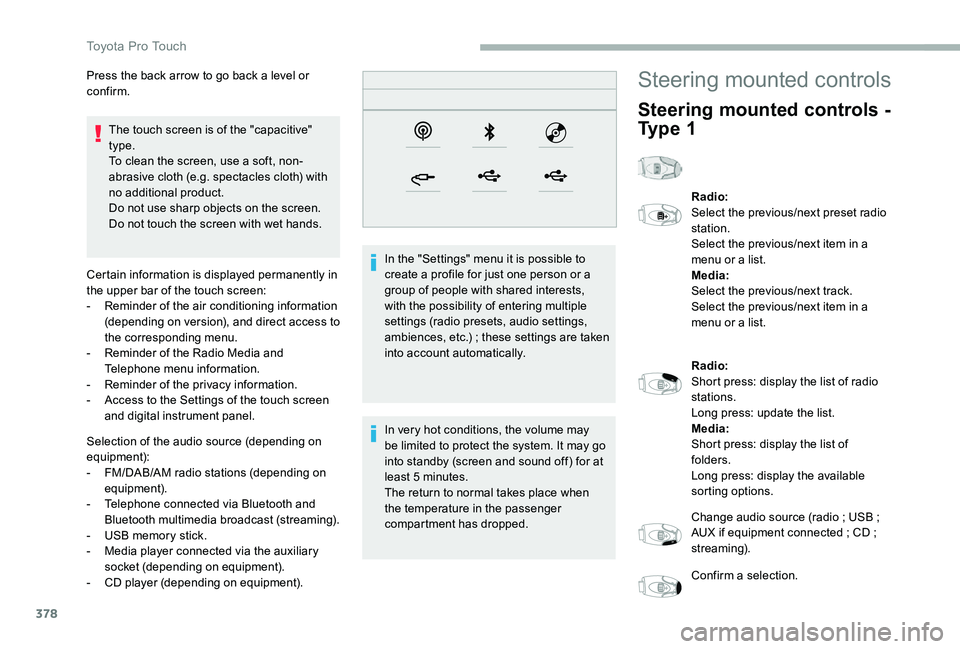
Certain information is displayed permanently in the upper bar of the touch screen:- Reminder of the air conditioning information (depending on version), and direct access to the corresponding menu.- Reminder of the Radio Media and Telephone menu information.- Reminder of the privacy information.- Access to the Settings of the touch screen and digital instrument panel.
Selection of the audio source (depending on
equipment):- FM/DAB/AM radio stations (depending on equipment).- Telephone connected via Bluetooth and Bluetooth multimedia broadcast (streaming).- USB memory stick.- Media player connected via the auxiliary socket (depending on equipment).- CD player (depending on equipment).
In the "Settings" menu it is possible to create a profile for just one person or a group of people with shared interests, with the possibility of entering multiple settings (radio presets, audio settings, ambiences, etc.) ; these settings are taken into account automatically.
In very hot conditions, the volume may
be limited to protect the system. It may go into standby (screen and sound off) for at least 5 minutes.The return to normal takes place when the temperature in the passenger compartment has dropped.
Press the back arrow to go back a level or confirm.Steering mounted controls
Steering mounted controls -
Ty p e 1
Radio:Select the previous/next preset radio station.Select the previous/next item in a menu or a list.Media:Select the previous/next track.Select the previous/next item in a menu or a list.
Radio:Short press: display the list of radio stations.Long press: update the list.Media:Short press: display the list of folders.Long press: display the available sorting options.
Change audio source (radio ; USB ; AUX if equipment connected ; CD ; streaming).
Confirm a selection.
Toyota Pro Touch
Page 379 of 430
379
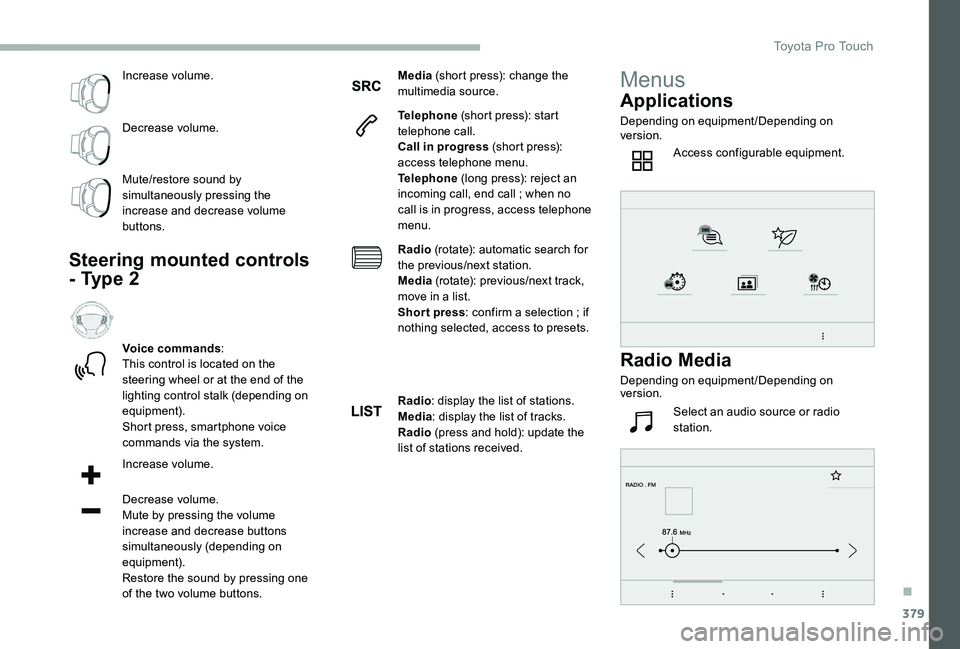
Increase volume.
Decrease volume.
Mute/restore sound by simultaneously pressing the increase and decrease volume buttons.
Steering mounted controls
- Type 2
Voice commands:This control is located on the steering wheel or at the end of the lighting control stalk (depending on equipment).Short press, smartphone voice commands via the system.
Increase volume.
Decrease volume.Mute by pressing the volume increase and decrease buttons
simultaneously (depending on equipment).Restore the sound by pressing one of the two volume buttons.
Media (short press): change the multimedia source.
Telephone (short press): start telephone call.Call in progress (short press): access telephone menu.Telephone (long press): reject an incoming call, end call ; when no call is in progress, access telephone menu.
Radio (rotate): automatic search for the previous/next station.Media (rotate): previous/next track, move in a list.Short press: confirm a selection ; if nothing selected, access to presets.
Radio: display the list of stations.Media: display the list of tracks.Radio (press and hold): update the list of stations received.
Menus
Applications
Depending on equipment/Depending on version.
Access configurable equipment.
Radio Media
Depending on equipment/Depending on version.
Select an audio source or radio station.
.
Toyota Pro Touch
Page 384 of 430
384
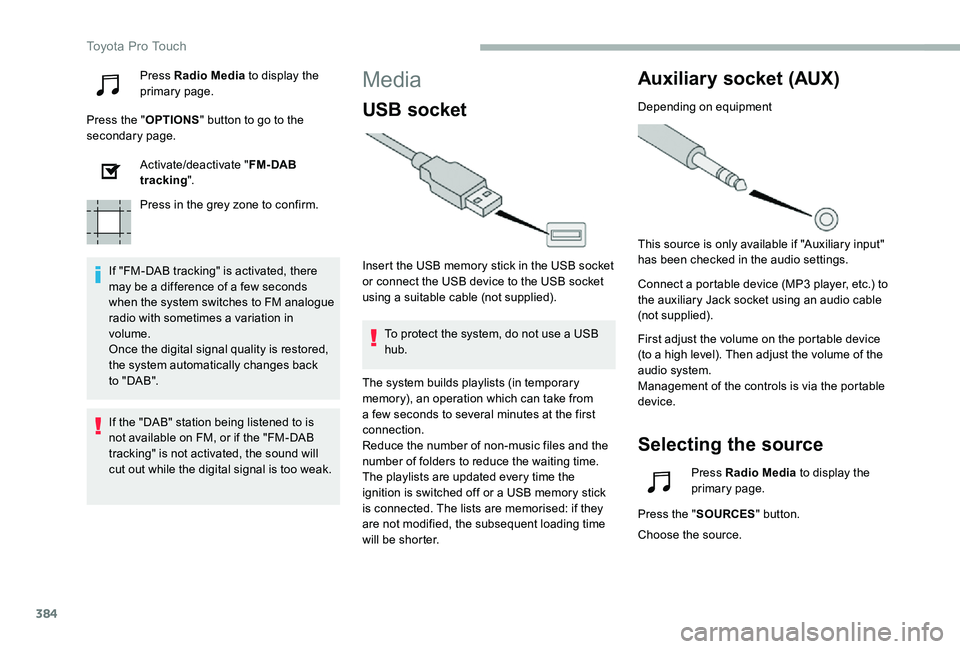
Press Radio Media to display the primary page.
Press the "OPTIONS" button to go to the secondary page.
Activate/deactivate "FM- DAB tracking".
Press in the grey zone to confirm.
If "FM-DAB tracking" is activated, there may be a difference of a few seconds when the system switches to FM analogue radio with sometimes a variation in volume.Once the digital signal quality is restored, the system automatically changes back to " DA B ".
Media
USB socket
Insert the USB memory stick in the USB socket or connect the USB device to the USB socket using a suitable cable (not supplied).
To protect the system, do not use a USB hub.
Auxiliary socket (AUX)
Depending on equipment
This source is only available if "Auxiliary input" has been checked in the audio settings.
Connect a portable device (MP3 player, etc.) to the auxiliary Jack socket using an audio cable (not supplied).
First adjust the volume on the portable device (to a high level). Then adjust the volume of the audio system.Management of the controls is via the portable device.
Selecting the source
If the "DAB" station being listened to is not available on FM, or if the "FM-DAB
tracking" is not activated, the sound will cut out while the digital signal is too weak.
The system builds playlists (in temporary memory), an operation which can take from a few seconds to several minutes at the first connection.Reduce the number of non-music files and the number of folders to reduce the waiting time.The playlists are updated every time the ignition is switched off or a USB memory stick is connected. The lists are memorised: if they are not modified, the subsequent loading time will be shorter.
Press Radio Media to display the primary page.
Press the "SOURCES" button.
Choose the source.
Toyota Pro Touch
Page 387 of 430
387
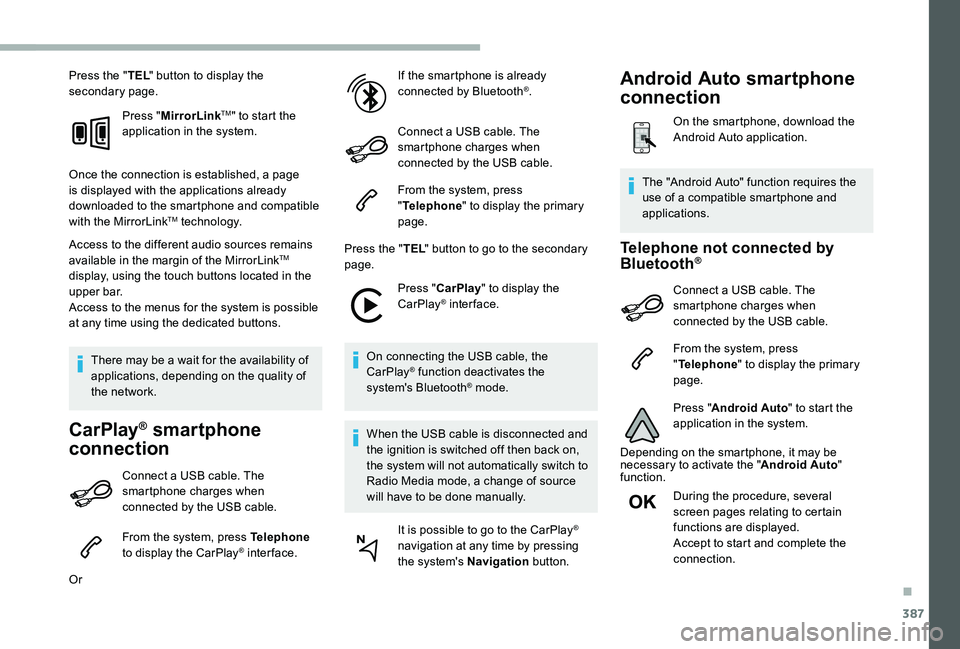
Press the "TEL" button to display the secondary page.
Press "MirrorLinkTM" to start the application in the system.
Once the connection is established, a page is displayed with the applications already downloaded to the smartphone and compatible with the MirrorLinkTM technology.
Access to the different audio sources remains available in the margin of the MirrorLinkTM display, using the touch buttons located in the u p p e r b a r.Access to the menus for the system is possible at any time using the dedicated buttons.
There may be a wait for the availability of applications, depending on the quality of the network.
CarPlay® smartphone
connection
Connect a USB cable. The smartphone charges when connected by the USB cable.
From the system, press Telephone to display the CarPlay® inter face.
Or
If the smartphone is already connected by Bluetooth®.
Connect a USB cable. The smartphone charges when connected by the USB cable.
From the system, press "Telephone" to display the primary page.
Press the "TEL" button to go to the secondary page.
Press "CarPlay" to display the CarPlay® inter face.
On connecting the USB cable, the CarPlay® function deactivates the system's Bluetooth® mode.
When the USB cable is disconnected and
the ignition is switched off then back on, the system will not automatically switch to Radio Media mode, a change of source will have to be done manually.
It is possible to go to the CarPlay® navigation at any time by pressing the system's Navigation button.
Telephone not connected by Bluetooth®
Connect a USB cable. The smartphone charges when connected by the USB cable.
From the system, press "Telephone" to display the primary page.
Press "Android Auto" to start the application in the system.
Depending on the smartphone, it may be necessary to activate the "Android Auto" function.
During the procedure, several screen pages relating to certain functions are displayed.Accept to start and complete the
connection.
The "Android Auto" function requires the use of a compatible smartphone and applications.
Android Auto smartphone
connection
On the smartphone, download the Android Auto application.
.
Page 391 of 430
391
Modifying system settings
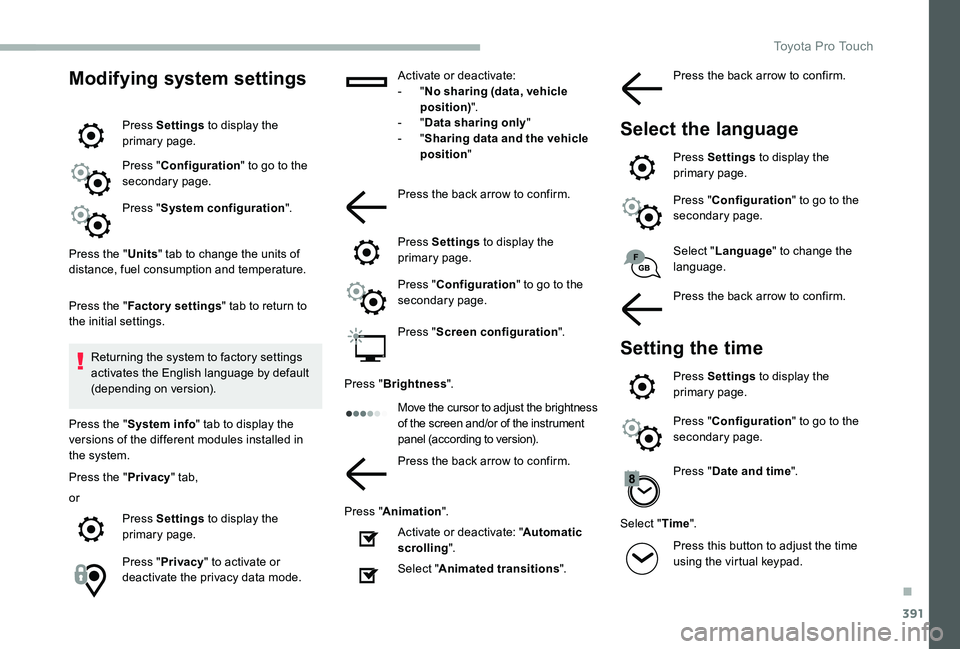
Press Settings to display the primary page.
Press "Configuration" to go to the secondary page.
Press "System configuration".
Press the "Units" tab to change the units of distance, fuel consumption and temperature.
Press the "Factory settings" tab to return to the initial settings.
Returning the system to factory settings activates the English language by default (depending on version).
Press the "System info" tab to display the versions of the different modules installed in the system.
Press the "Privacy" tab,
or
Press Settings to display the primary page.
Press "Privacy" to activate or deactivate the privacy data mode.
Activate or deactivate:- "No sharing (data, vehicle position)".- "Data sharing only"- "Sharing data and the vehicle position"
Press the back arrow to confirm.
Press Settings to display the primary page.
Press "Configuration" to go to the secondary page.
Press "Screen configuration".
Press "Brightness".
Move the cursor to adjust the brightness of the screen and/or of the instrument panel (according to version).
Press the back arrow to confirm.
Press "Animation".
Activate or deactivate: "Automatic scrolling".
Select "Animated transitions".
Select "Language" to change the language.
Press the back arrow to confirm.
Setting the time
Press Settings to display the primary page.
Press "Configuration" to go to the secondary page.
Press "Date and time".
Select "Time".
Press this button to adjust the time using the virtual keypad.
Press the back arrow to confirm.
Select the language
Press Settings to display the primary page.
Press "Configuration" to go to the secondary page.
.
Toyota Pro Touch
Page 392 of 430
392
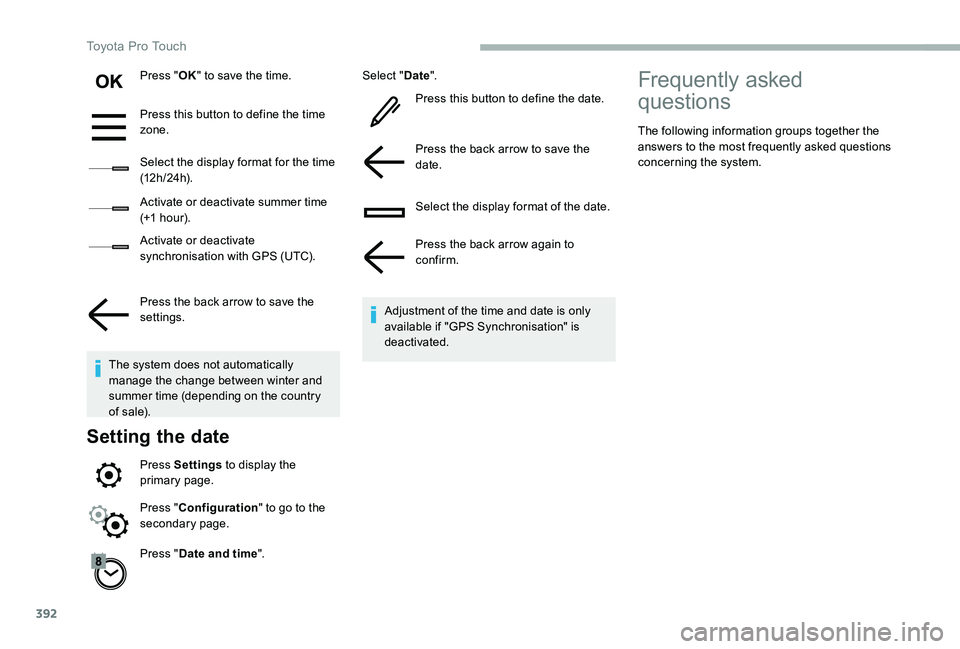
Press "OK" to save the time.
Press this button to define the time zone.
Select the display format for the time (12 h / 24 h).
Activate or deactivate summer time (+1 h o ur).
Activate or deactivate synchronisation with GPS (UTC).
Press the back arrow to save the settings.
The system does not automatically manage the change between winter and summer time (depending on the country of s a l e).
Setting the date
Press Settings to display the primary page.
Press "Date and time".
Select "Date".
Press this button to define the date.
Press the back arrow to save the date.
Select the display format of the date.
Press the back arrow again to confirm.
Adjustment of the time and date is only available if "GPS Synchronisation" is deactivated.
Press "Configuration" to go to the secondary page.
Frequently asked
questions
The following information groups together the answers to the most frequently asked questions concerning the system.
Toyota Pro Touch
Page 405 of 430
405
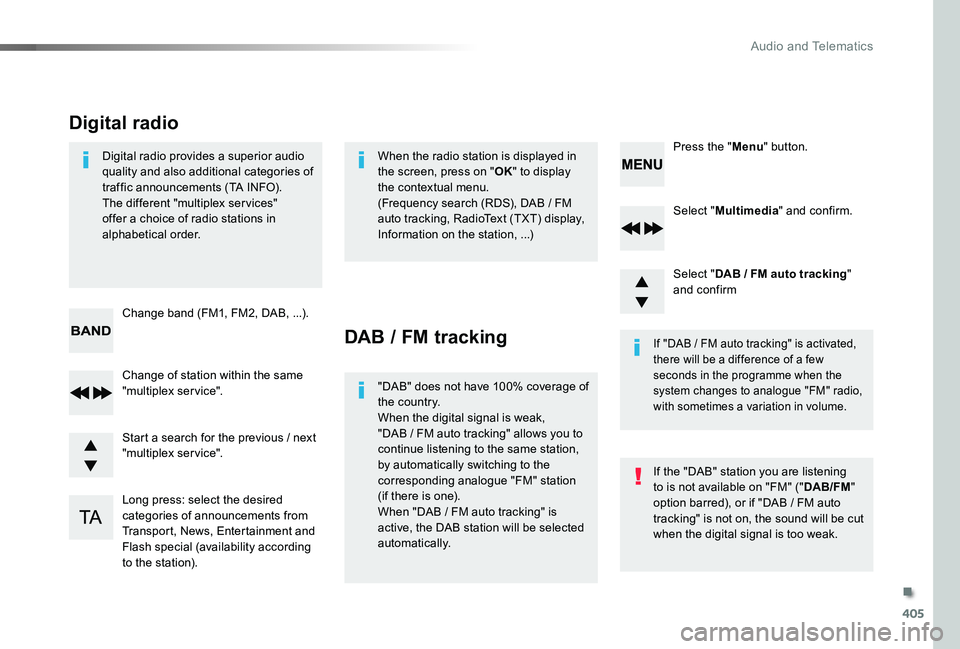
Select "Multimedia" and confirm.
Select "DAB / FM auto tracking" and confirm
Long press: select the desired categories of announcements from Transport, News, Entertainment and Flash special (availability according to the station).
Change of station within the same "multiplex service".
Press the "Menu" button.
Start a search for the previous / next "multiplex service".
Change band (FM1, FM2, DAB, ...).
Digital radio provides a superior audio quality and also additional categories of traffic announcements (TA INFO).The different "multiplex services" offer a choice of radio stations in alphabetical order.
Digital radio
When the radio station is displayed in the screen, press on "OK" to display the contextual menu.(Frequency search (RDS), DAB / FM auto tracking, RadioText (TXT) display, Information on the station, ...)
DAB / FM tracking
"DAB" does not have 100% coverage of the country.When the digital signal is weak, "DAB / FM auto tracking" allows you to continue listening to the same station, by automatically switching to the corresponding analogue "FM" station (if there is one).When "DAB / FM auto tracking" is active, the DAB station will be selected automatically.
If "DAB / FM auto tracking" is activated, there will be a difference of a few seconds in the programme when the system changes to analogue "FM" radio, with sometimes a variation in volume.
If the "DAB" station you are listening to is not available on "FM" ("DAB/FM" option barred), or if "DAB / FM auto tracking" is not on, the sound will be cut when the digital signal is too weak.
.
Audio and Telematics