time TOYOTA PROACE EV 2021 Owners Manual
[x] Cancel search | Manufacturer: TOYOTA, Model Year: 2021, Model line: PROACE EV, Model: TOYOTA PROACE EV 2021Pages: 360, PDF Size: 68.91 MB
Page 2 of 360
2
■OverviewOverview 4Labels 6
■Eco-driving
1InstrumentsInstrument Panel 10Warning and indicator lamps 12Indicators 18Lighting dimmer 23Trip computer 24Touch screen 26Remotely operable functions (Electric) 28Setting the date and time 28
2AccessElectronic key with remote control function and built-in key, 30Unlocking/Complete or selective unlocking 32Back-up procedures 37Central locking 39Electric sliding side door(s) 41General recommendations for the sliding side doors 43Hands-free sliding side door(s) 45Side-hinged rear doors 47Tailgate 48Tailgate rear screen 48Alarm 49Electric windows 51
3Ease of use and comfortFront seats 522-seat front bench seat 55
Steering wheel adjustment 57Mirrors 57Smart Cargo 59Precautions for the seats and bench seats 63Fixed one-piece bench seat 64Fixed rear seat and bench seat 66Rear seat and bench seat on rails 68Individual rear seat(s) on rails 70Crew Cab, fixed 73Crew Cab, folding 74Interior fittings 75Loading area fittings 79Seating area fittings 81Panoramic sunroof 82Retractable sliding table 83Heating and Ventilation 87Heating 88Manual air conditioning 88Dual-zone automatic air conditioning 89Front demisting - defrosting 91Rear screen and/or door mirror demisting/de-icing 92Rear heating - air conditioning 92Additional heating/ventilation system 93A/C preconditioning (Electric) 96Courtesy lamp(s) 97
4Lighting and visibilityLighting control lever 99Direction indicators 100Daytime running lamps/Sidelamps 101Automatic illumination of headlamps 101Guide-me-home and welcome lighting 101Cornering lighting 102Automatic headlamp dipping 102
Headlamp beam height adjustment 104Interior ambient lighting 104Wiper control lever 105Automatic wipers 106Changing a wiper blade 108
5SafetyGeneral safety recommendations 109Hazard warning lamps 11 0Emergency or assistance 11 0Horn 111Pedestrian horn (Electric) 111Vehicle stability control (VSC) 11 2Toyota Traction Select 11 5Seat belts 11 6Airbags 120Child seats 124Deactivating the front passenger airbag 126ISOFIX and i-Size child seats 132i-Size child seats 144Manual child lock 146Electric child lock 147Child lock on rear windows 147
6DrivingDriving recommendations 148Starting/switching off the engine 150Manual parking brake 155Electric parking brake 156Hill start assist 1586-speed manual gearbox 159Gear efficiency indicator 160Automatic gearbox 160Drive selector (Electric) 164Driving modes (Electric) 165
Page 8 of 360
8
Eco-driving
Eco-driving refers to a range of everyday practices that allow the motorist to optimise the vehicle's energy consumption (fuel and/or electricity) and CO2 emissions.
Optimise your use of the gearbox
With a manual gearbox, move off gently and change up promptly. While accelerating, change up early.With an automatic gearbox, favour automatic mode. Do not depress the accelerator pedal heavily or suddenly.The gear shift indicator prompts you to engage the most suitable gear. Whenever this indication is displayed on the instrument panel, follow it straight away.With an automatic gearbox, this indicator appears only in manual mode.
Drive smoothly
Maintain a safe distance between vehicles, use engine braking rather than the brake pedal and
press the accelerator gradually. These practices help to save on energy consumption, reduce CO2 emissions and decrease general traffic noise.When the traffic is flowing smoothly, select the cruise control.
Control the use of electrical equipment
Before moving off, if the passenger compartment is too warm, ventilate it by opening the windows and air vents before using the air conditioning.At speeds above 31 mph (50 km/h), close the windows and leave the air vents open.Consider using equipment that can help keep the temperature in the passenger compartment down (e.g. sunroof blind, window blinds).Unless automatically regulated, switch off the air conditioning as soon as the desired temperature has been reached.Switch off the demisting and defrosting functions, if they are not managed automatically.Switch off the heated seat as soon as possible.Adapt the use of headlamps and/or foglamps depending on visibility conditions.Avoid running the engine before moving off, particularly in winter (other than in severe wintry conditions: temperature below -23°C). The vehicle will warm up much faster while driving.As a passenger, avoid connecting your multimedia devices (e.g. film, music, video
game) to help reduce the consumption of energy.Disconnect all portable devices before leaving the vehicle.
Limit the causes of excess consumption
Spread loads throughout the vehicle. Place the heaviest items in the boot as close as possible to the rear seats.Limit the loads carried in the vehicle and minimise wind resistance (e.g. roof bars, roof
rack, bicycle carrier, trailer). Preferably, use a roof box.Remove roof bars and roof racks after use.At the end of winter, remove snow tyres and refit summer tyres.
Comply with the servicing instructions
Check tyre pressures regularly, with the tyres cold, referring to the label in the door aperture on the driver's side.Carry out this check in particular:– before a long journey.– at each change of season.– after a long period out of use.Do not forget the spare wheel and, where applicable, the tyres on your trailer or caravan.Have your vehicle serviced regularly (e.g. engine oil, oil filter, air filter, passenger compartment filter, etc.). Observe the schedule of operations in the manufacturer's service schedule.With a Diesel engine, if the SCR system is faulty, your vehicle will emit pollution. Check with any authorized Toyota retailer or Toyota authorized
repairer, or any reliable repairer as soon as possible to restore your vehicle's nitrogen oxide emissions to legal levels.When filling the fuel tank, do not continue after the third cut-out of the nozzle, to avoid overflow.You will only see the fuel consumption of your new vehicle settle down to a consistent average after the first 1,900 miles (3,000 kilometres).
Page 15 of 360
15
Instruments
1
► Hold the control lever pressed in the release direction for between 10 and 15 seconds.► Release the control lever.► Depress and hold the brake pedal.► Hold the control lever in the “Application” direction for 2 seconds.► Release the control lever and the brake pedal.
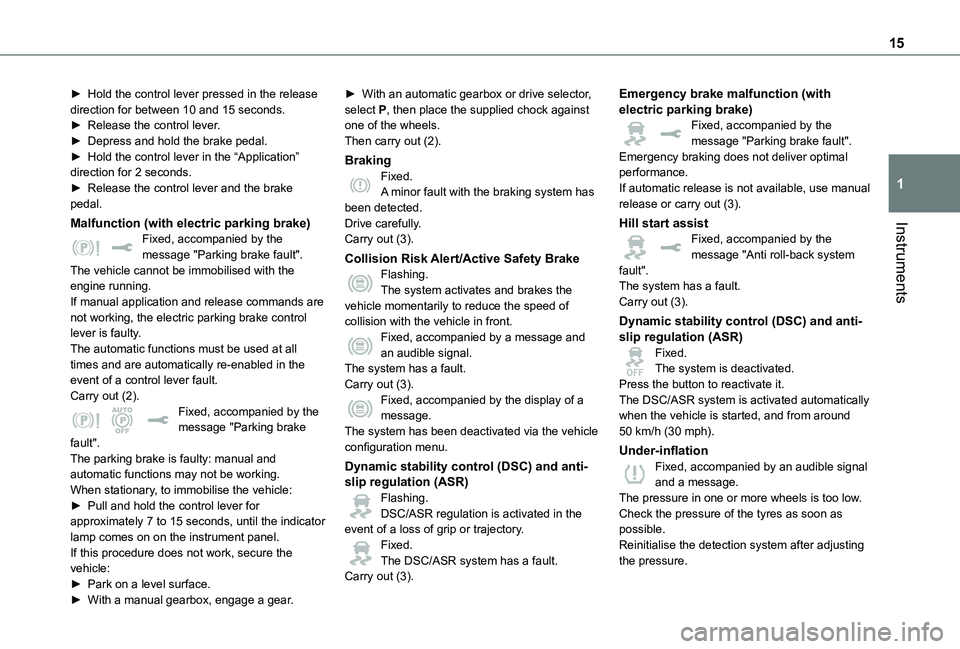
Malfunction (with electric parking brake)Fixed, accompanied by the message "Parking brake fault".The vehicle cannot be immobilised with the engine running.If manual application and release commands are not working, the electric parking brake control lever is faulty.The automatic functions must be used at all times and are automatically re-enabled in the event of a control lever fault.Carry out (2).Fixed, accompanied by the message "Parking brake fault".
The parking brake is faulty: manual and automatic functions may not be working.When stationary, to immobilise the vehicle:► Pull and hold the control lever for approximately 7 to 15 seconds, until the indicator lamp comes on on the instrument panel.If this procedure does not work, secure the vehicle:► Park on a level surface.
► With a manual gearbox, engage a gear.
► With an automatic gearbox or drive selector, select P, then place the supplied chock against one of the wheels.Then carry out (2).
BrakingFixed.A minor fault with the braking system has been detected.Drive carefully.Carry out (3).
Collision Risk Alert/Active Safety BrakeFlashing.The system activates and brakes the vehicle momentarily to reduce the speed of collision with the vehicle in front.Fixed, accompanied by a message and an audible signal.The system has a fault.Carry out (3).Fixed, accompanied by the display of a message.The system has been deactivated via the vehicle
configuration menu.
Dynamic stability control (DSC) and anti-slip regulation (ASR)Flashing.DSC/ASR regulation is activated in the event of a loss of grip or trajectory.Fixed.The DSC/ASR system has a fault.Carry out (3).
Emergency brake malfunction (with electric parking brake)Fixed, accompanied by the message "Parking brake fault".Emergency braking does not deliver optimal performance.If automatic release is not available, use manual release or carry out (3).
Hill start assistFixed, accompanied by the message "Anti roll-back system fault".The system has a fault.Carry out (3).
Dynamic stability control (DSC) and anti-slip regulation (ASR)Fixed.The system is deactivated.Press the button to reactivate it.The DSC/ASR system is activated automatically when the vehicle is started, and from around 50 km/h (30 mph).
Under-inflationFixed, accompanied by an audible signal and a message.The pressure in one or more wheels is too low.Check the pressure of the tyres as soon as possible.Reinitialise the detection system after adjusting the pressure.
Page 18 of 360
18
Indicators
Service indicator
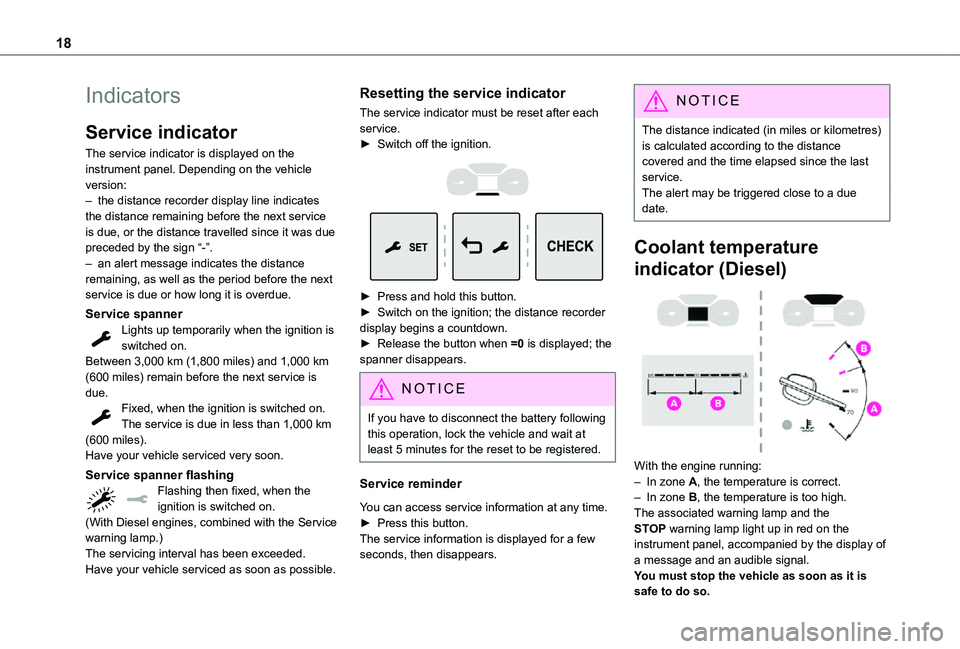
The service indicator is displayed on the instrument panel. Depending on the vehicle version:– the distance recorder display line indicates the distance remaining before the next service is due, or the distance travelled since it was due preceded by the sign “-”.– an alert message indicates the distance remaining, as well as the period before the next service is due or how long it is overdue.
Service spannerLights up temporarily when the ignition is switched on.Between 3,000 km (1,800 miles) and 1,000 km (600 miles) remain before the next service is due.Fixed, when the ignition is switched on.The service is due in less than 1,000 km (600 miles).
Have your vehicle serviced very soon.
Service spanner flashingFlashing then fixed, when the ignition is switched on.(With Diesel engines, combined with the Service warning lamp.)The servicing interval has been exceeded.Have your vehicle serviced as soon as possible.
Resetting the service indicator
The service indicator must be reset after each service.► Switch off the ignition.
► Press and hold this button.► Switch on the ignition; the distance recorder display begins a countdown.► Release the button when =0 is displayed; the spanner disappears.
NOTIC E
If you have to disconnect the battery following this operation, lock the vehicle and wait at least 5 minutes for the reset to be registered.
Service reminder
You can access service information at any time.► Press this button.The service information is displayed for a few
seconds, then disappears.
NOTIC E
The distance indicated (in miles or kilometres) is calculated according to the distance covered and the time elapsed since the last service.The alert may be triggered close to a due date.
Coolant temperature
indicator (Diesel)
With the engine running:– In zone A, the temperature is correct.– In zone B, the temperature is too high. The associated warning lamp and the STOP warning lamp light up in red on the instrument panel, accompanied by the display of a message and an audible signal.You must stop the vehicle as soon as it is safe to do so.
Page 19 of 360
19
Instruments
1
Wait a few minutes before switching off the engine.
WARNI NG
After switching off the ignition, carefully open the bonnet and check the coolant level.
NOTIC E
For more information on Checking levels, refer to the corresponding section.
Checking
After driving for a few minutes, the temperature and pressure in the cooling system increase.To top up the level:► wait at least one hour for the engine to cool,► unscrew the cap by two turns to allow the pressure to drop,► when the pressure has dropped, remove the cap,► top up the level to the "MAX" mark.For more information on Checking levels, refer to the corresponding section.
WARNI NG
Be aware of the risk of scalding when topping up the coolant. Do not fill above the maximum level (indicated on the reservoir).
Engine oil level indicator
(Depending on version)On versions fitted with an electric oil gauge, the state of the engine oil level is displayed on the instrument panel for a few seconds when the ignition is switched on, at the same time as the servicing information.
NOTIC E
The level read will only be correct if the vehicle is on level ground and the engine has been off for more than 30 minutes.
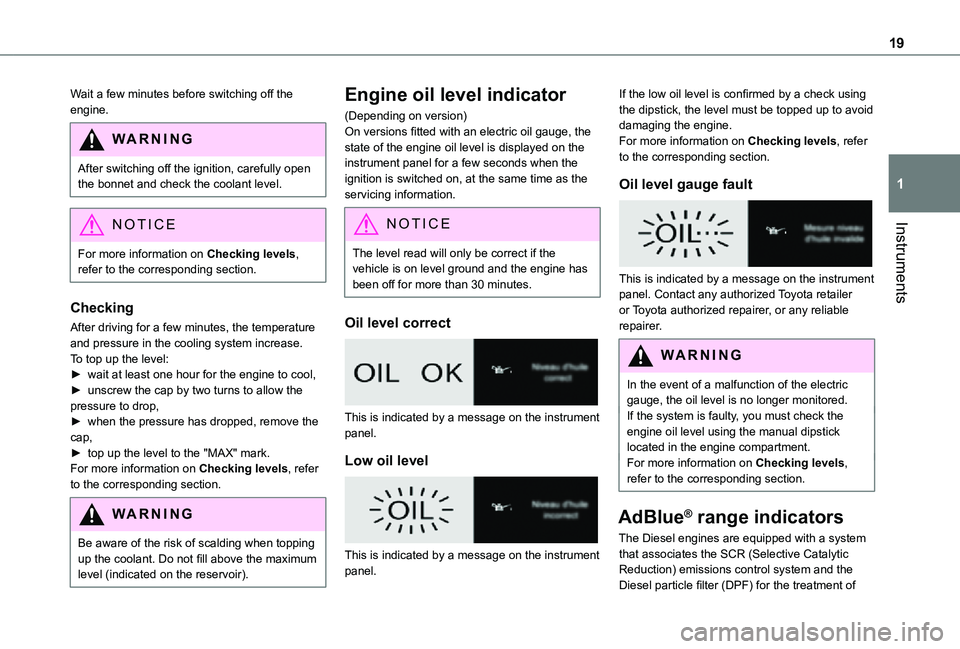
Oil level correct
This is indicated by a message on the instrument panel.
Low oil level
This is indicated by a message on the instrument panel.
If the low oil level is confirmed by a check using the dipstick, the level must be topped up to avoid damaging the engine.For more information on Checking levels, refer to the corresponding section.
Oil level gauge fault
This is indicated by a message on the instrument panel. Contact any authorized Toyota retailer or Toyota authorized repairer, or any reliable repairer.
WARNI NG
In the event of a malfunction of the electric gauge, the oil level is no longer monitored.If the system is faulty, you must check the engine oil level using the manual dipstick located in the engine compartment.For more information on Checking levels, refer to the corresponding section.
AdBlue® range indicators
The Diesel engines are equipped with a system
that associates the SCR (Selective Catalytic Reduction) emissions control system and the Diesel particle filter (DPF) for the treatment of
Page 21 of 360
21
Instruments
1
Malfunction of the SCR emissions
control system
Malfunction detection
If a malfunction is detected, these warning lamps come on, accompanied by an audible signal and an "Emissions fault” or “NO START IN” message.
The alert is triggered while driving, when the fault is detected for the first time, and thereafter when switching on the ignition for subsequent journeys, while the cause of the fault persists.
NOTIC E
If the fault is temporary, the alert disappears during the next journey, after self-diagnostic checks of the SCR emissions control system.
Malfunction confirmed during the permitted driving phase (between 1,100 km and 0 km (685 miles and 0 miles))
If the fault indication is still displayed permanently after 50 km (31 miles) of driving, the fault in the SCR system is confirmed.The AdBlue warning lamp flashes, and an "Emissions fault: Starting prevented in X miles" or "NO START IN X miles" message is displayed, indicating the driving range in miles or kilometres.
While driving, the message is displayed every 30 seconds. The alert is repeated when switching on the ignition.You can continue driving for up to 1,100 km (685 miles) before the engine immobiliser system is triggered.
WARNI NG
Have the system checked by any authorized
Toyota retailer or Toyota authorized repairer, or any reliable repairer as soon as possible.
Starting prevented
Whenever the ignition is switched on, the "Emissions fault: Starting prevented" or "NO START IN" message is displayed.
WARNI NG
To be able to restart the engine, contact any authorized Toyota retailer or Toyota authorized repairer, or any reliable repairer.
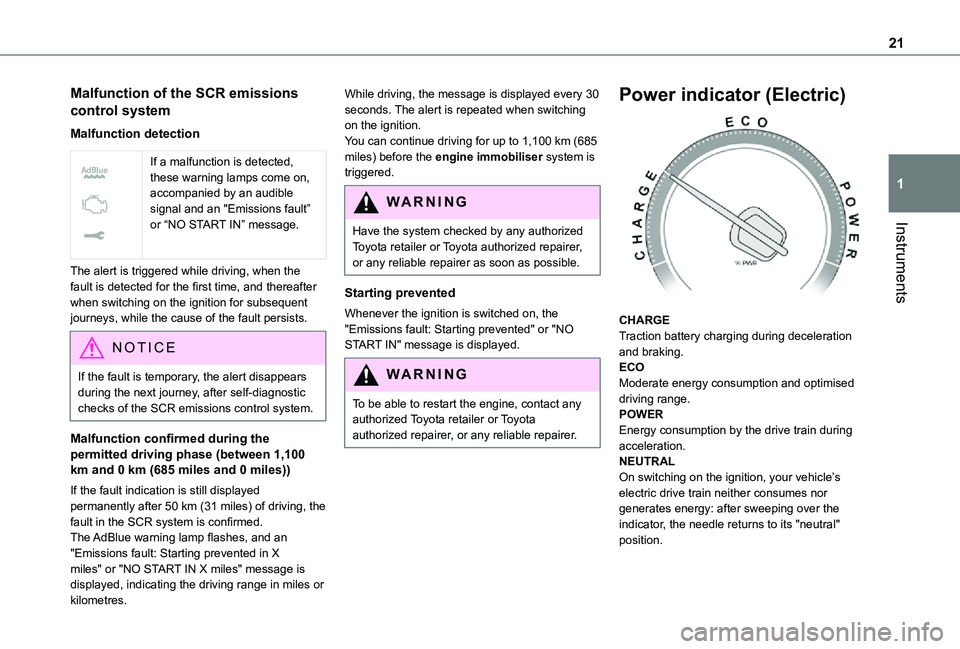
Power indicator (Electric)
CHARGETraction battery charging during deceleration and braking.ECOModerate energy consumption and optimised driving range.POWEREnergy consumption by the drive train during acceleration.NEUTRALOn switching on the ignition, your vehicle’s electric drive train neither consumes nor generates energy: after sweeping over the indicator, the needle returns to its "neutral" position.
Page 24 of 360
24
With touch screen
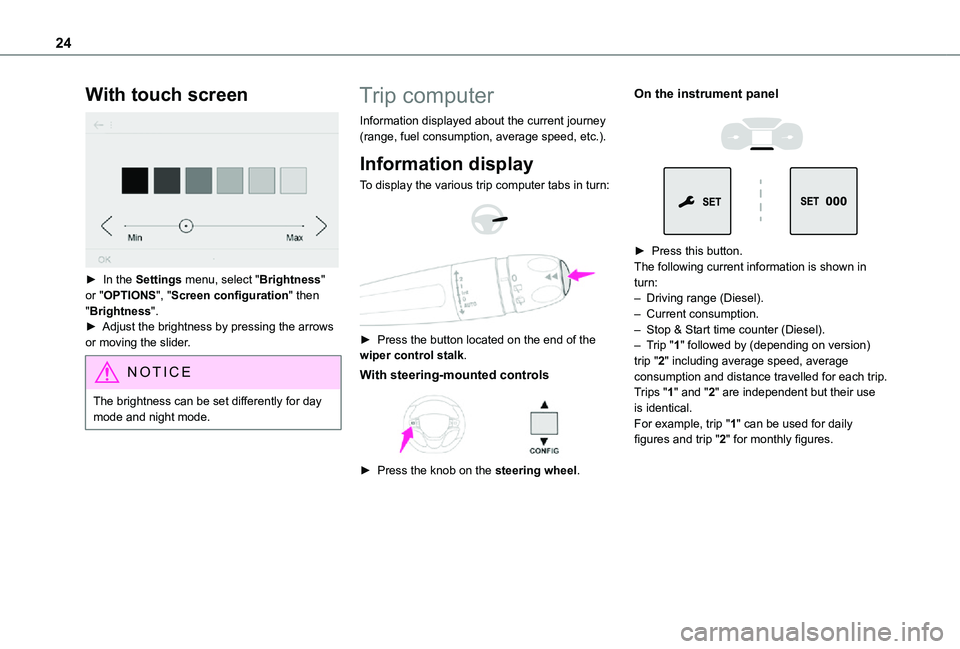
► In the Settings menu, select "Brightness" or "OPTIONS", "Screen configuration" then "Brightness".► Adjust the brightness by pressing the arrows or moving the slider.
NOTIC E
The brightness can be set differently for day mode and night mode.
Trip computer
Information displayed about the current journey (range, fuel consumption, average speed, etc.).
Information display
To display the various trip computer tabs in turn:
► Press the button located on the end of the wiper control stalk.
With steering-mounted controls
► Press the knob on the steering wheel.
On the instrument panel
► Press this button.The following current information is shown in turn:– Driving range (Diesel).– Current consumption.– Stop & Start time counter (Diesel).– Trip "1" followed by (depending on version) trip "2" including average speed, average consumption and distance travelled for each trip.Trips "1" and "2" are independent but their use is identical.For example, trip "1" can be used for daily figures and trip "2" for monthly figures.
Page 25 of 360
25
Instruments
1
Trip reset
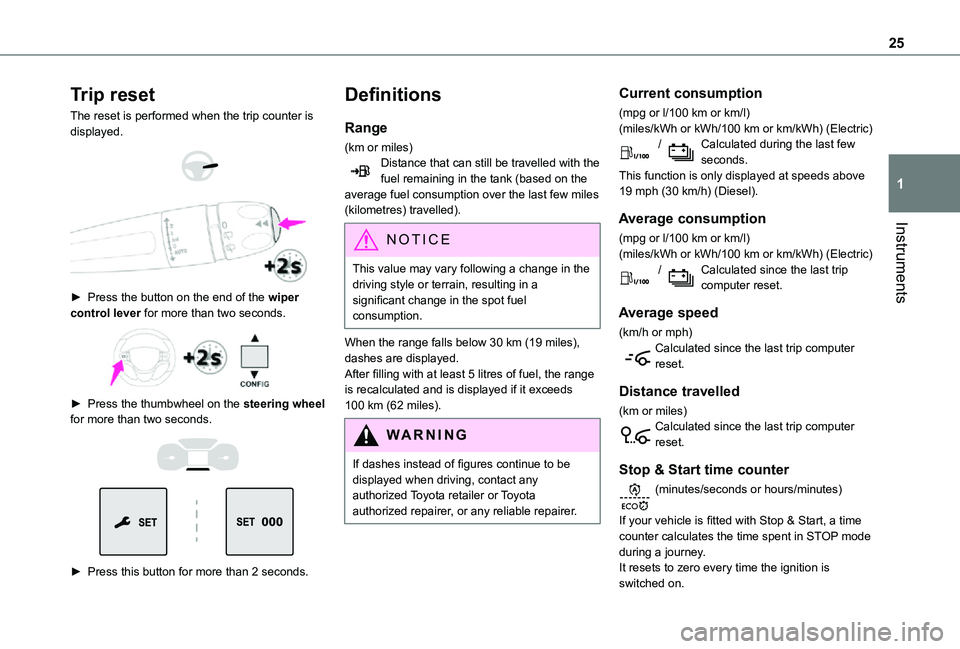
The reset is performed when the trip counter is displayed.
► Press the button on the end of the wiper control lever for more than two seconds.
► Press the thumbwheel on the steering wheel for more than two seconds.
► Press this button for more than 2 seconds.
Definitions
Range
(km or miles)Distance that can still be travelled with the fuel remaining in the tank (based on the average fuel consumption over the last few miles (kilometres) travelled).
NOTIC E
This value may vary following a change in the driving style or terrain, resulting in a significant change in the spot fuel consumption.
When the range falls below 30 km (19 miles), dashes are displayed.After filling with at least 5 litres of fuel, the range is recalculated and is displayed if it exceeds 100 km (62 miles).
WARNI NG
If dashes instead of figures continue to be displayed when driving, contact any authorized Toyota retailer or Toyota authorized repairer, or any reliable repairer.
Current consumption
(mpg or l/100 km or km/l)(miles/kWh or kWh/100 km or km/kWh) (Electric) / Calculated during the last few seconds.This function is only displayed at speeds above 19 mph (30 km/h) (Diesel).
Average consumption
(mpg or l/100 km or km/l)(miles/kWh or kWh/100 km or km/kWh) (Electric) / Calculated since the last trip computer reset.
Average speed
(km/h or mph)Calculated since the last trip computer reset.
Distance travelled
(km or miles)Calculated since the last trip computer reset.
Stop & Start time counter
(minutes/seconds or hours/minutes)
If your vehicle is fitted with Stop & Start, a time counter calculates the time spent in STOP mode during a journey.It resets to zero every time the ignition is switched on.
Page 26 of 360
26
Touch screen
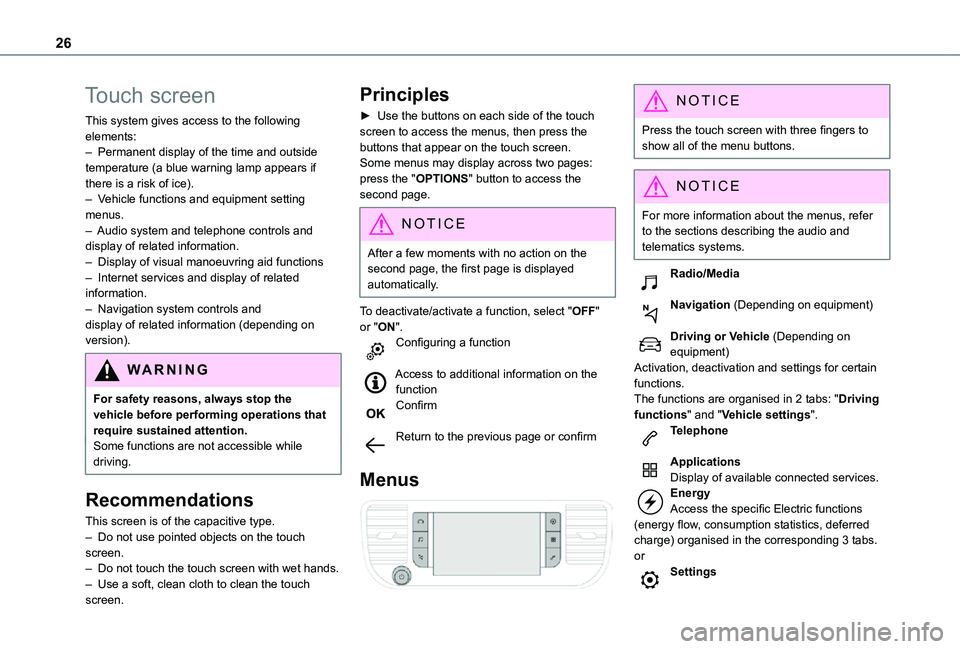
This system gives access to the following elements:– Permanent display of the time and outside temperature (a blue warning lamp appears if there is a risk of ice).– Vehicle functions and equipment setting menus.– Audio system and telephone controls and display of related information.– Display of visual manoeuvring aid functions– Internet services and display of related information.– Navigation system controls and display of related information (depending on version).
WARNI NG
For safety reasons, always stop the vehicle before performing operations that require sustained attention.Some functions are not accessible while driving.
Recommendations
This screen is of the capacitive type.– Do not use pointed objects on the touch screen.– Do not touch the touch screen with wet hands.– Use a soft, clean cloth to clean the touch screen.
Principles
► Use the buttons on each side of the touch screen to access the menus, then press the buttons that appear on the touch screen.Some menus may display across two pages: press the "OPTIONS" button to access the second page.
NOTIC E
After a few moments with no action on the second page, the first page is displayed automatically.
To deactivate/activate a function, select "OFF" or "ON".Configuring a function
Access to additional information on the functionConfirm
Return to the previous page or confirm
Menus
NOTIC E
Press the touch screen with three fingers to show all of the menu buttons.
NOTIC E
For more information about the menus, refer to the sections describing the audio and
telematics systems.
Radio/Media
Navigation (Depending on equipment)
Driving or Vehicle (Depending on equipment)Activation, deactivation and settings for certain functions.The functions are organised in 2 tabs: "Driving functions" and "Vehicle settings".Telephone
ApplicationsDisplay of available connected services.EnergyAccess the specific Electric functions (energy flow, consumption statistics, deferred charge) organised in the corresponding 3 tabs.orSettings
Page 27 of 360
27
Instruments
1
Main settings for the audio system and touch screen.Audio system on/off.Volume adjustment/mute.
Upper bar
Certain information is displayed permanently in the upper bar of the touch screen:– Time and outside temperature (a blue warning lamp appears if there is a risk of ice).– Reminder of information from the Radio Media and Telephone menus and navigation instructions (depending on equipment).– Notifications.– Access to the Settings.
Energy menu
Depending on version, this is accessible either:– directly, by pressing the button near the touch screen.– via the Applications menu.
Flow
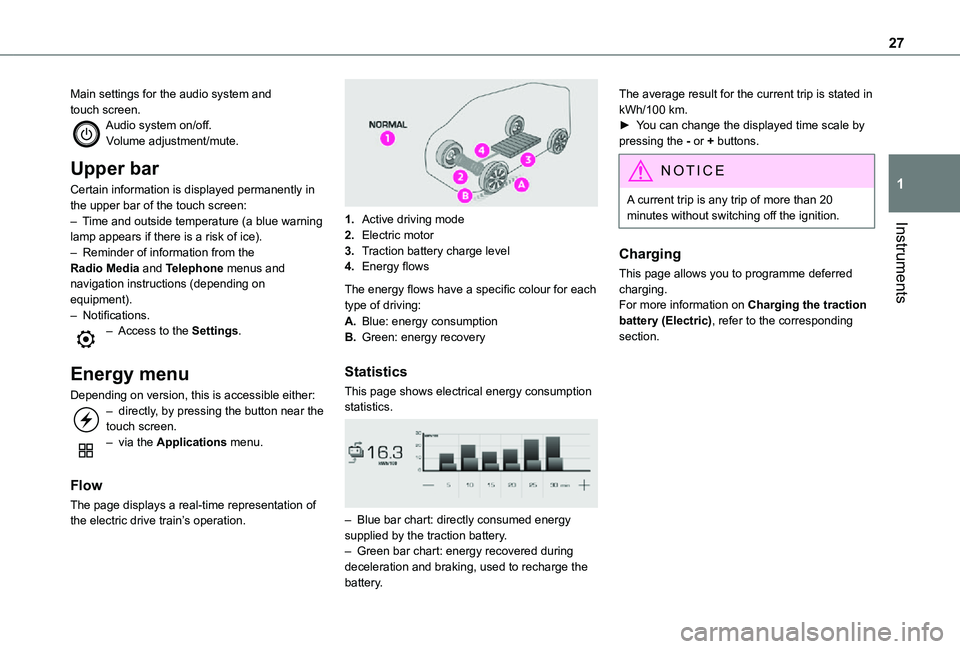
The page displays a real-time representation of the electric drive train’s operation.
1.Active driving mode
2.Electric motor
3.Traction battery charge level
4.Energy flows
The energy flows have a specific colour for each type of driving:
A.Blue: energy consumption
B.Green: energy recovery
Statistics
This page shows electrical energy consumption statistics.
– Blue bar chart: directly consumed energy supplied by the traction battery.– Green bar chart: energy recovered during deceleration and braking, used to recharge the battery.
The average result for the current trip is stated in kWh/100 km.► You can change the displayed time scale by pressing the - or + buttons.
NOTIC E
A current trip is any trip of more than 20 minutes without switching off the ignition.
Charging
This page allows you to programme deferred charging.For more information on Charging the traction battery (Electric), refer to the corresponding section.