display TOYOTA PROACE VERSO 2017 Owner's Manual
[x] Cancel search | Manufacturer: TOYOTA, Model Year: 2017, Model line: PROACE VERSO, Model: TOYOTA PROACE VERSO 2017Pages: 504, PDF Size: 81.64 MB
Page 44 of 504
44
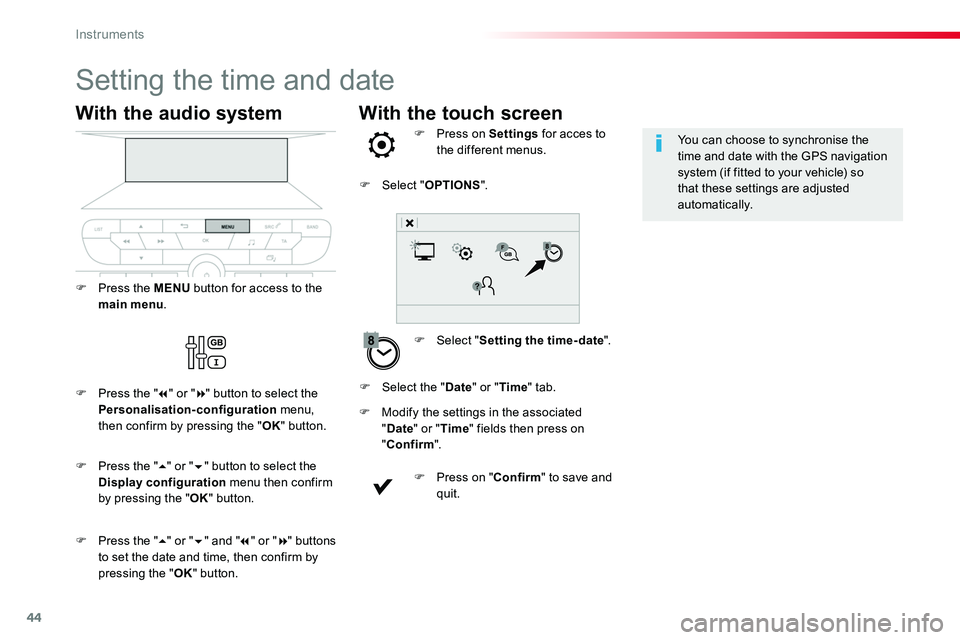
With the touch screen
Setting the time and date
F Select "Setting the time- date".
F Press on Settings for acces to the different menus.
F Modify the settings in the associated "Date" or "Time" fields then press on
"Confirm".
F Press on "Confirm" to save and quit.
F Select "OPTIONS".
F Select the "Date" or "Time" tab.
You can choose to synchronise the time and date with the GPS navigation system (if fitted to your vehicle) so that these settings are adjusted automatically.
With the audio system
F Press the MENU button for access to the main menu.
F Press the "7" or "8" button to select the Personalisation-configuration menu, then confirm by pressing the "OK" button.
F Press the "5" or "6" and "7" or "8" buttons to set the date and time, then confirm by pressing the "OK" button.
F Press the "5" or "6" button to select the Display configuration menu then confirm by pressing the "OK" button.
Instruments
Page 113 of 504
113
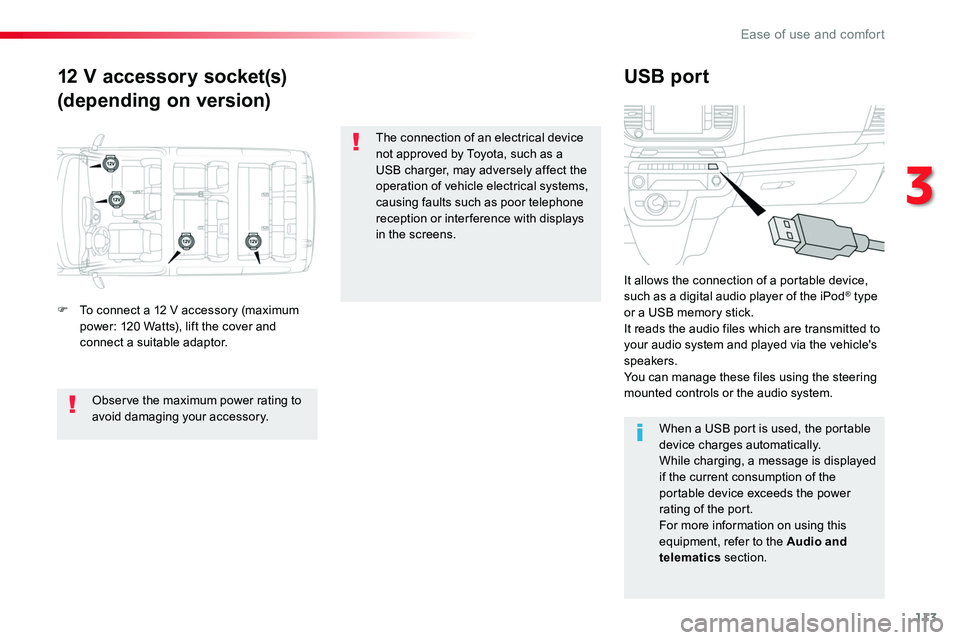
12 V accessory socket(s)
(depending on version)
USB port
F To connect a 12 V accessory (maximum power: 120 Watts), lift the cover and connect a suitable adaptor.
It allows the connection of a portable device, such as a digital audio player of the iPod® type or a USB memory stick.It reads the audio files which are transmitted to your audio system and played via the vehicle's speakers.You can manage these files using the steering mounted controls or the audio system.
When a USB port is used, the portable
device charges automatically.While charging, a message is displayed if the current consumption of the portable device exceeds the power rating of the port.For more information on using this equipment, refer to the Audio and telematics section.
Observe the maximum power rating to avoid damaging your accessory.
The connection of an electrical device not approved by Toyota, such as a USB charger, may adversely affect the operation of vehicle electrical systems, causing faults such as poor telephone reception or inter ference with displays
in the screens.
3
Ease of use and comfort
Page 127 of 504
127
A setting around 21 enables you to obtain an optimum level of comfort. Depending on your requirements, a setting between 18 and 24 is usual.In addition, it is recommended that you avoid a left /right setting difference of more than 3.
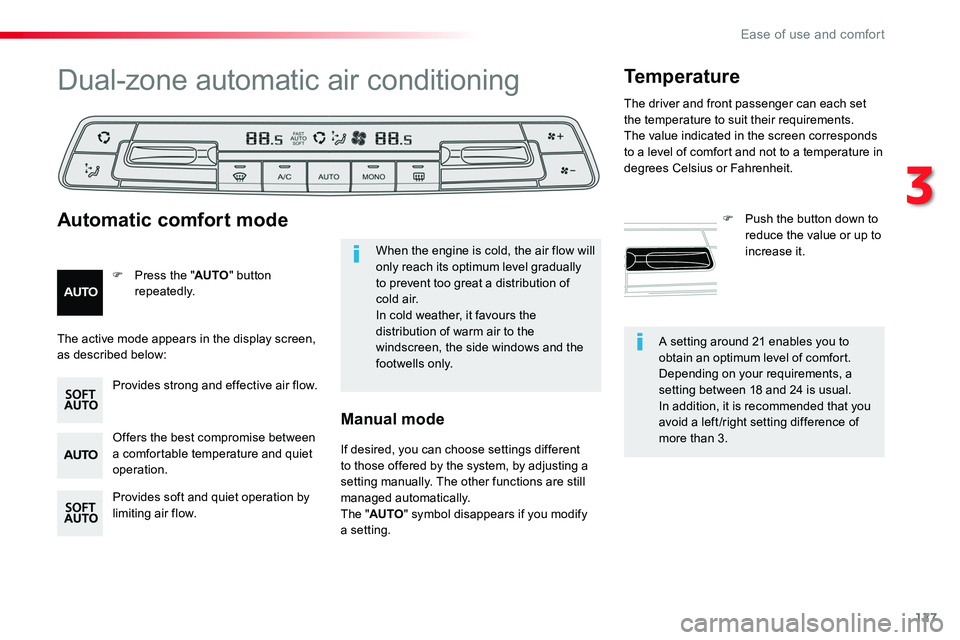
Dual-zone automatic air conditioning
Offers the best compromise between a comfortable temperature and quiet operation.
Provides soft and quiet operation by limiting air flow.
Provides strong and effective air flow.
F Press the "AUTO" button repeatedly.
Automatic comfort mode
Temperature
F Push the button down to reduce the value or up to increase it.When the engine is cold, the air flow will only reach its optimum level gradually to prevent too great a distribution of c o l d a i r.In cold weather, it favours the distribution of warm air to the windscreen, the side windows and the footwells only.
The active mode appears in the display screen, as described below:
If desired, you can choose settings different to those offered by the system, by adjusting a setting manually. The other functions are still managed automatically.The "AUTO" symbol disappears if you modify a setting.
Manual mode
The driver and front passenger can each set the temperature to suit their requirements.The value indicated in the screen corresponds to a level of comfort and not to a temperature in degrees Celsius or Fahrenheit.
3
Ease of use and comfort
Page 128 of 504
128
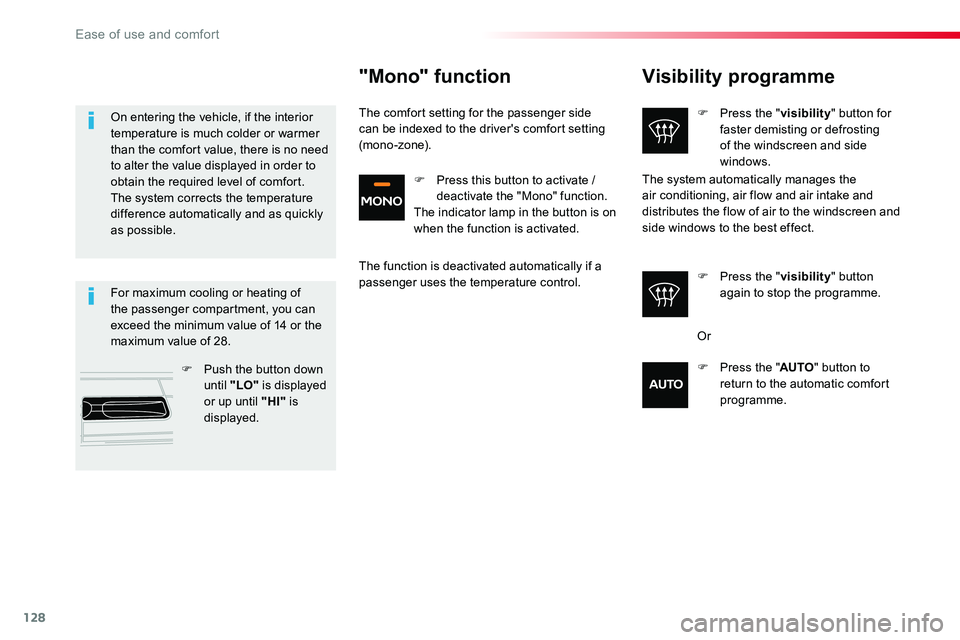
Visibility programme
F Press the "visibility" button for faster demisting or defrosting of the windscreen and side windows.
F Press the "visibility" button again to stop the programme.
The system automatically manages the air conditioning, air flow and air intake and distributes the flow of air to the windscreen and
side windows to the best effect.
For maximum cooling or heating of the passenger compartment, you can exceed the minimum value of 14 or the maximum value of 28.
F Push the button down until "LO" is displayed or up until "HI" is displayed.
On entering the vehicle, if the interior temperature is much colder or warmer than the comfort value, there is no need to alter the value displayed in order to obtain the required level of comfort. The system corrects the temperature difference automatically and as quickly as possible.
"Mono" function
The comfort setting for the passenger side can be indexed to the driver's comfort setting (mono-zone).
The function is deactivated automatically if a passenger uses the temperature control.
Or
F Press the "AUTO" button to return to the automatic comfort programme.
F Press this button to activate / deactivate the "Mono" function.The indicator lamp in the button is on when the function is activated.
Ease of use and comfort
Page 147 of 504
147
Front daytime running
lamps
(light-emitting diodes)
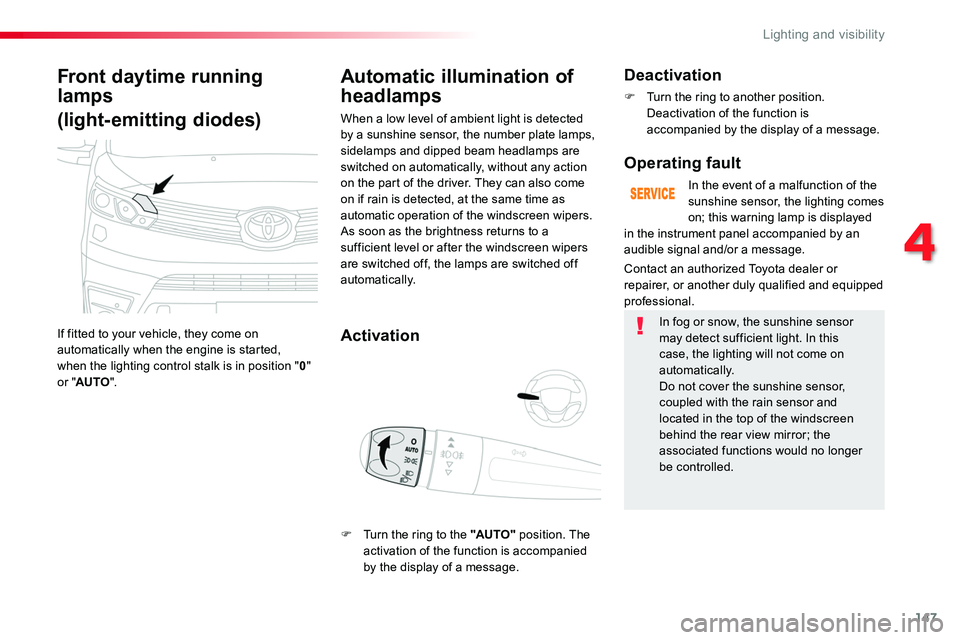
If fitted to your vehicle, they come on automatically when the engine is started, when the lighting control stalk is in position "0" or "AUTO".
Automatic illumination of
headlamps
Activation
When a low level of ambient light is detected by a sunshine sensor, the number plate lamps, sidelamps and dipped beam headlamps are switched on automatically, without any action on the part of the driver. They can also come on if rain is detected, at the same time as automatic operation of the windscreen wipers.As soon as the brightness returns to a sufficient level or after the windscreen wipers are switched off, the lamps are switched off automatically.
Deactivation
F Turn the ring to another position. Deactivation of the function is accompanied by the display of a message.
Operating fault
In the event of a malfunction of the sunshine sensor, the lighting comes on; this warning lamp is displayed
Contact an authorized Toyota dealer or repairer, or another duly qualified and equipped professional.
in the instrument panel accompanied by an audible signal and/or a message.
In fog or snow, the sunshine sensor may detect sufficient light. In this case, the lighting will not come on automatically.Do not cover the sunshine sensor, coupled with the rain sensor and located in the top of the windscreen behind the rear view mirror; the associated functions would no longer be controlled.
F Turn the ring to the "AUTO" position. The activation of the function is accompanied by the display of a message.
4
Lighting and visibility
Page 155 of 504
155
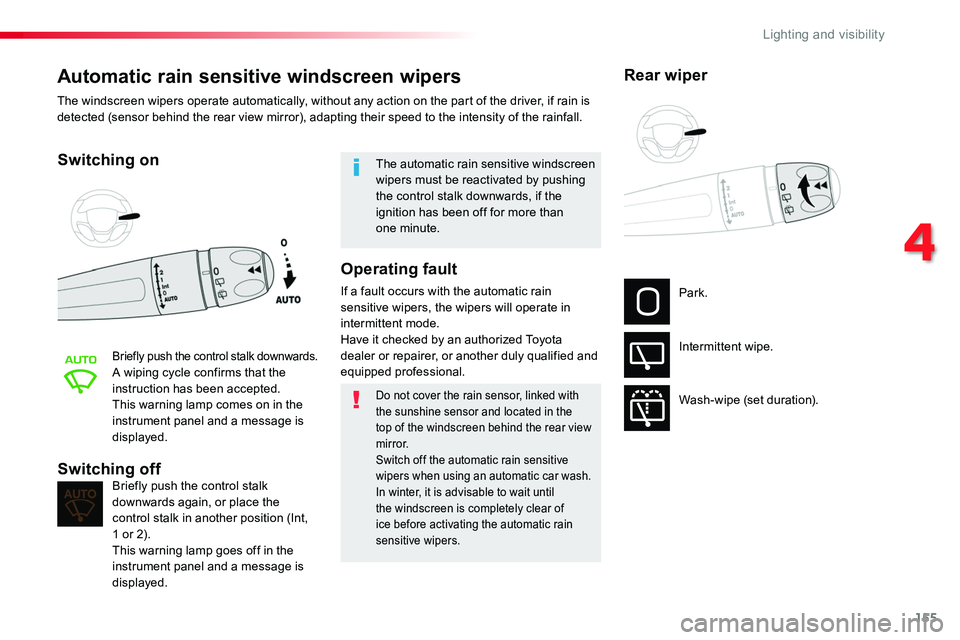
Automatic rain sensitive windscreen wipers
Switching on
Briefly push the control stalk downwards.A wiping cycle confirms that the instruction has been accepted.This warning lamp comes on in the instrument panel and a message is displayed.
Briefly push the control stalk downwards again, or place the control stalk in another position (Int, 1 or 2).This warning lamp goes off in the instrument panel and a message is displayed.
Switching off
The automatic rain sensitive windscreen wipers must be reactivated by pushing the control stalk downwards, if the ignition has been off for more than one minute.
The windscreen wipers operate automatically, without any action on the part of the driver, if rain is detected (sensor behind the rear view mirror), adapting their speed to the intensity of the rainfall.
Do not cover the rain sensor, linked with the sunshine sensor and located in the top of the windscreen behind the rear view
m i r r o r.Switch off the automatic rain sensitive wipers when using an automatic car wash.In winter, it is advisable to wait until the windscreen is completely clear of ice before activating the automatic rain sensitive wipers.
Operating fault
If a fault occurs with the automatic rain sensitive wipers, the wipers will operate in intermittent mode.Have it checked by an authorized Toyota dealer or repairer, or another duly qualified and
equipped professional.
Park.
Intermittent wipe.
Wash-wipe (set duration).
Rear wiper
4
Lighting and visibility
Page 170 of 504
170
Deactivating the passenger front airbag
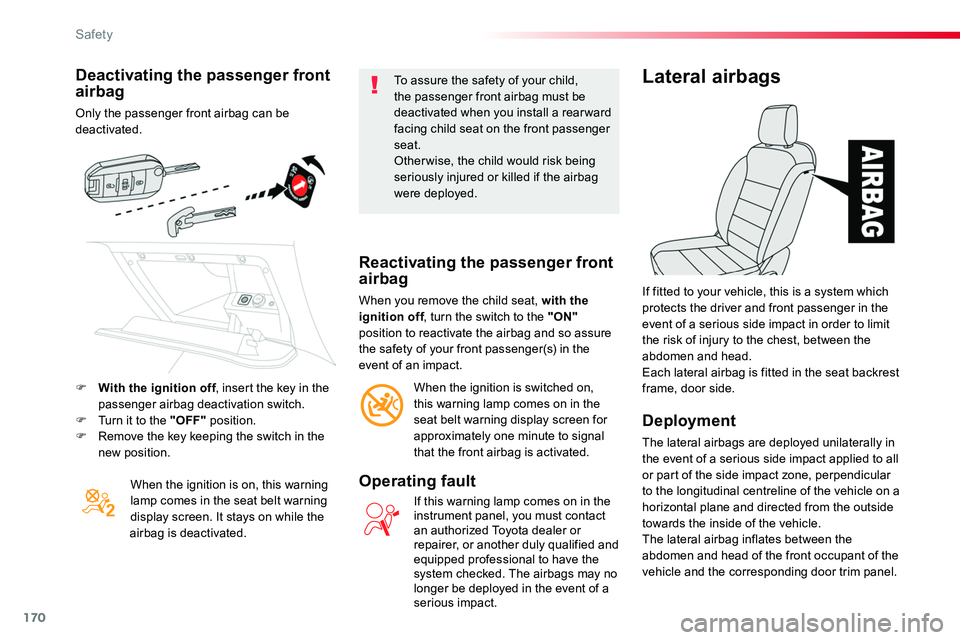
Only the passenger front airbag can be deactivated.
When the ignition is on, this warning lamp comes in the seat belt warning display screen. It stays on while the airbag is deactivated.
To assure the safety of your child, the passenger front airbag must be deactivated when you install a rear ward facing child seat on the front passenger seat.Otherwise, the child would risk being seriously injured or killed if the airbag were deployed.
Reactivating the passenger front airbag
When you remove the child seat, with the ignition off, turn the switch to the "ON" position to reactivate the airbag and so assure the safety of your front passenger(s) in the event of an impact.
When the ignition is switched on, this warning lamp comes on in the seat belt warning display screen for approximately one minute to signal that the front airbag is activated.
Operating fault
If this warning lamp comes on in the instrument panel, you must contact an authorized Toyota dealer or repairer, or another duly qualified and equipped professional to have the system checked. The airbags may no longer be deployed in the event of a serious impact.
Lateral airbags
Deployment
The lateral airbags are deployed unilaterally in the event of a serious side impact applied to all or part of the side impact zone, perpendicular to the longitudinal centreline of the vehicle on a horizontal plane and directed from the outside towards the inside of the vehicle.
The lateral airbag inflates between the abdomen and head of the front occupant of the vehicle and the corresponding door trim panel.
If fitted to your vehicle, this is a system which protects the driver and front passenger in the event of a serious side impact in order to limit the risk of injury to the chest, between the abdomen and head.Each lateral airbag is fitted in the seat backrest frame, door side.F With the ignition off, insert the key in the passenger airbag deactivation switch.F Turn it to the "OFF" position.F Remove the key keeping the switch in the new position.
Safety
Page 199 of 504
199
The presence in the recognition zone of the remote control of the "Smart Entry & Start System" is essential.Never leave the vehicle with the engine running and with the remote control on your person.If the remote control leaves the recognition zone, a message is displayed.
Move the remote control into the zone to be able to start the engine.
If one of the starting conditions is not met, a message appears in the instrument panel screen. In some circumstances, it is necessary to turn the steering wheel slightly while pressing the "START/STOP" button
to assist unlocking of the steering; a message warns you when this is needed.
If the vehicle is not immobilised, the engine will not stop.
Switching off
F Immobilise the vehicle.
F With the remote control in the recognition zone, press the "START/STOP" button.
The engine stops and the steering column is locked.
Ignition on
(without starting)
With the ignition on, the system automatically goes into energy economy mode to maintain an adequate state of charge in the battery.
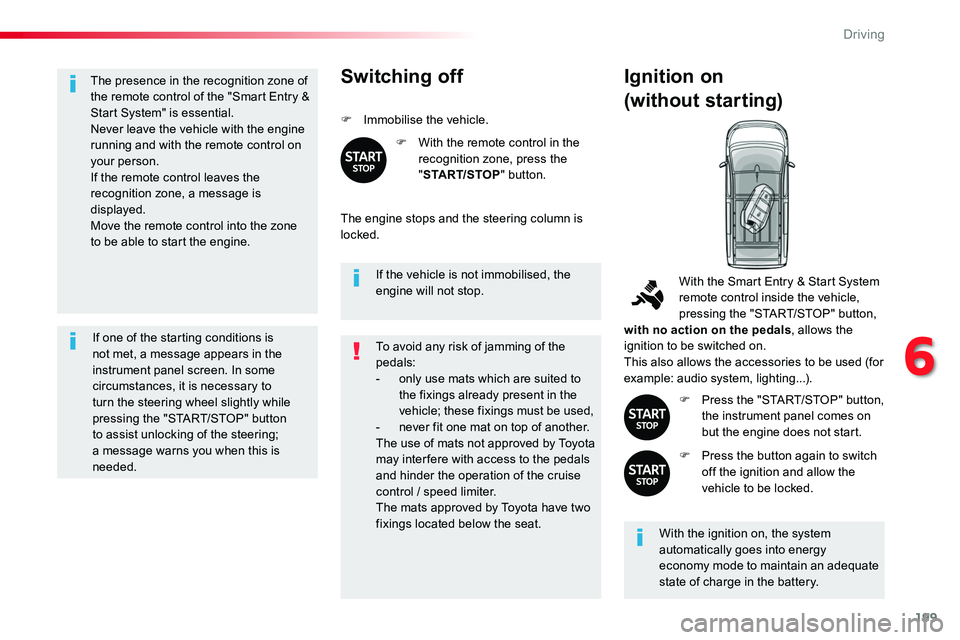
With the Smart Entry & Start System remote control inside the vehicle, pressing the "START/STOP" button, with no action on the pedals, allows the ignition to be switched on.This also allows the accessories to be used (for example: audio system, lighting...).
F Press the "START/STOP" button, the instrument panel comes on but the engine does not start.
F Press the button again to switch off the ignition and allow the vehicle to be locked.
To avoid any risk of jamming of the pedals:- only use mats which are suited to the fixings already present in the vehicle; these fixings must be used,- never fit one mat on top of another.The use of mats not approved by Toyota may inter fere with access to the pedals and hinder the operation of the cruise control / speed limiter.The mats approved by Toyota have two fixings located below the seat.
6
Driving
Page 204 of 504
204
Gear shift indicator
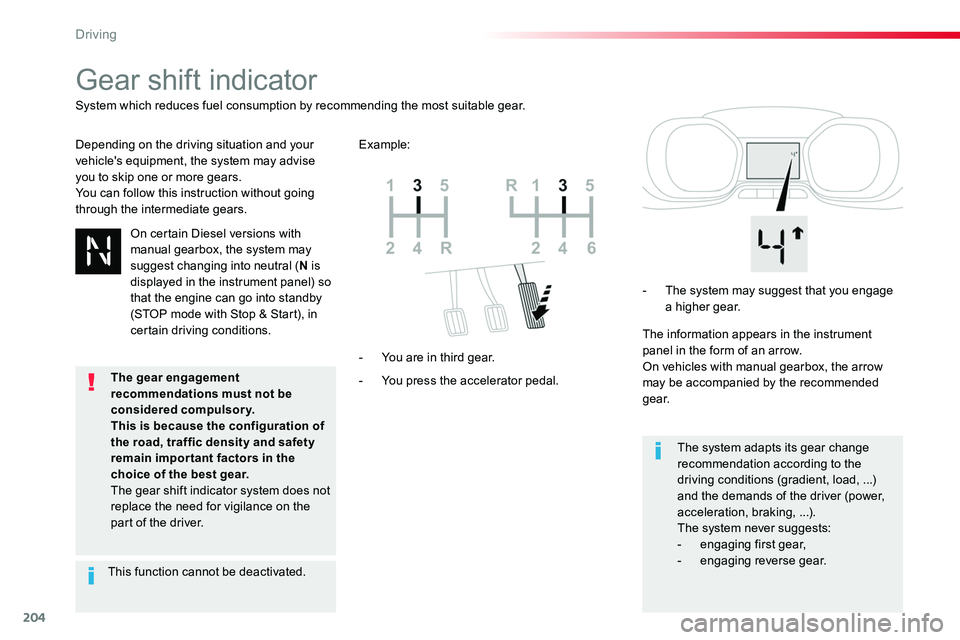
Depending on the driving situation and your vehicle's equipment, the system may advise you to skip one or more gears.You can follow this instruction without going through the intermediate gears.
- You press the accelerator pedal.
- You are in third gear.
- The system may suggest that you engage a higher gear.
The information appears in the instrument panel in the form of an arrow.On vehicles with manual gearbox, the arrow may be accompanied by the recommended g e a r.
The system adapts its gear change recommendation according to the driving conditions (gradient, load, ...) and the demands of the driver (power, acceleration, braking, ...).The system never suggests:
- engaging first gear,- engaging reverse gear.
System which reduces fuel consumption by recommending the most suitable gear.
Example:
On certain Diesel versions with manual gearbox, the system may suggest changing into neutral (N is displayed in the instrument panel) so that the engine can go into standby (STOP mode with Stop & Start), in certain driving conditions.
This function cannot be deactivated.
The gear engagement recommendations must not be considered compulsory.This is because the configuration of
the road, traffic density and safety remain impor tant factors in the choice of the best gear.The gear shift indicator system does not replace the need for vigilance on the part of the driver.
Driving
Page 206 of 504
206
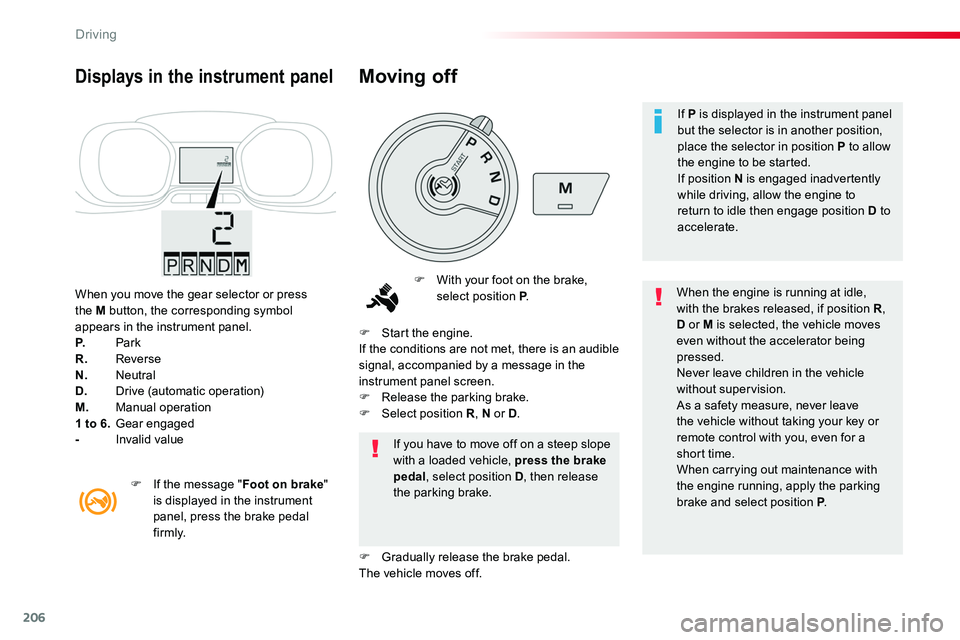
When you move the gear selector or press the M button, the corresponding symbol appears in the instrument panel.P. ParkR. ReverseN. NeutralD. Drive (automatic operation)M. Manual operation1 to 6. Gear engaged- Invalid value
Displays in the instrument panel
F With your foot on the brake, select position P.When the engine is running at idle, with the brakes released, if position R, D or M is selected, the vehicle moves even without the accelerator being pressed.Never leave children in the vehicle without supervision.As a safety measure, never leave the vehicle without taking your key or remote control with you, even for a short time.When carrying out maintenance with the engine running, apply the parking brake and select position P.
If you have to move off on a steep slope with a loaded vehicle, press the brake pedal, select position D, then release the parking brake.
F Start the engine.If the conditions are not met, there is an audible signal, accompanied by a message in the instrument panel screen.F Release the parking brake.F Select position R, N or D.
F Gradually release the brake pedal.The vehicle moves off.
F If the message "Foot on brake" is displayed in the instrument panel, press the brake pedal f i r m l y.
Moving off
If P is displayed in the instrument panel but the selector is in another position, place the selector in position P to allow the engine to be started.If position N is engaged inadvertently while driving, allow the engine to return to idle then engage position D to accelerate.
Driving