pairing phone TOYOTA PROACE VERSO 2018 User Guide
[x] Cancel search | Manufacturer: TOYOTA, Model Year: 2018, Model line: PROACE VERSO, Model: TOYOTA PROACE VERSO 2018Pages: 504, PDF Size: 80.57 MB
Page 487 of 504
487
Telephone
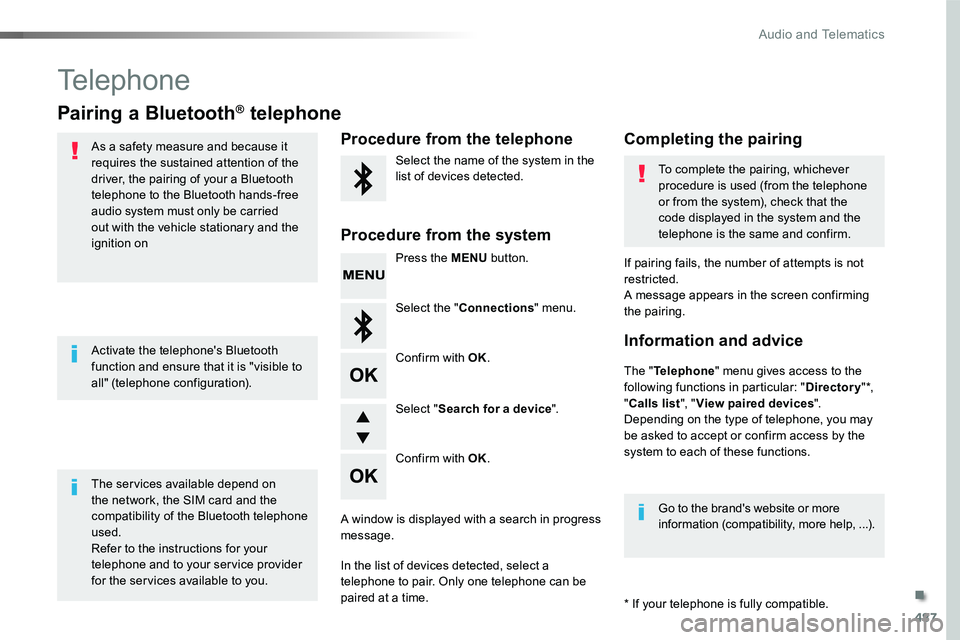
Pairing a Bluetooth® telephone
As a safety measure and because it requires the sustained attention of the driver, the pairing of your a Bluetooth telephone to the Bluetooth hands-free audio system must only be carried
out with the vehicle stationary and the ignition on
The services available depend on the network, the SIM card and the compatibility of the Bluetooth telephone used.Refer to the instructions for your telephone and to your service provider for the services available to you.
Activate the telephone's Bluetooth function and ensure that it is "visible to all" (telephone configuration).
* If your telephone is fully compatible.
The "Telephone" menu gives access to the following functions in particular: "Directory" *, "Calls list", "View paired devices".Depending on the type of telephone, you may be asked to accept or confirm access by the system to each of these functions.
If pairing fails, the number of attempts is not restricted.A message appears in the screen confirming the pairing.
Procedure from the telephoneCompleting the pairing
Procedure from the system
Select the name of the system in the list of devices detected.To complete the pairing, whichever procedure is used (from the telephone or from the system), check that the code displayed in the system and the
telephone is the same and confirm.
Press the MENU button.
Select the "Connections" menu.
Confirm with OK.
A window is displayed with a search in progress message.
In the list of devices detected, select a telephone to pair. Only one telephone can be
paired at a time.
Confirm with OK.
Select "Search for a device".
Information and advice
Go to the brand's website or more information (compatibility, more help, ...).
.
Audio and Telematics
Page 488 of 504
488
Confirm with OK.
Confirm with OK.
Confirm with OK.
Confirm with OK.
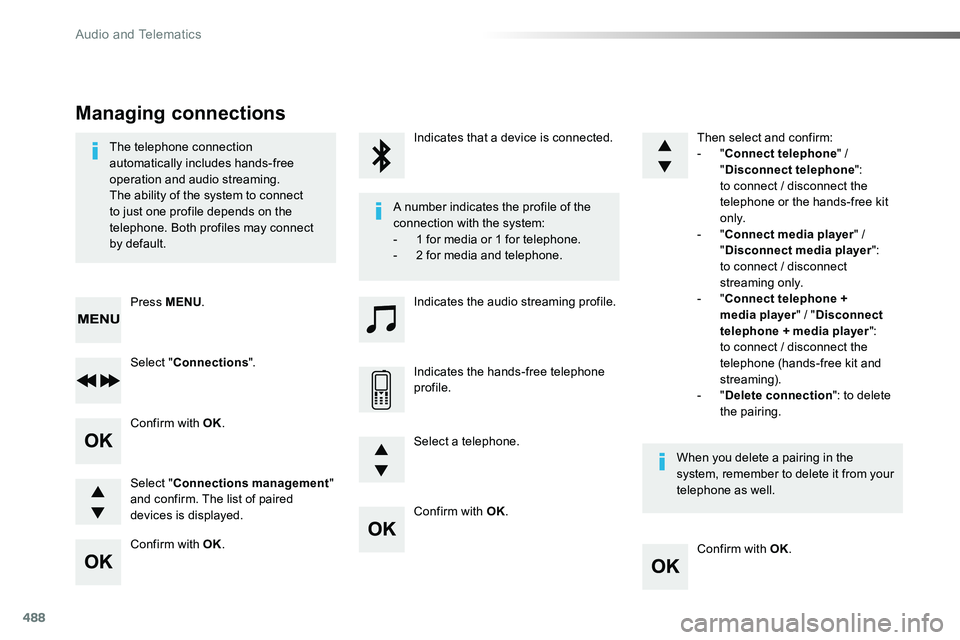
The telephone connection automatically includes hands-free operation and audio streaming.The ability of the system to connect to just one profile depends on the telephone. Both profiles may connect by default.
A number indicates the profile of the connection with the system:- 1 for media or 1 for telephone.- 2 for media and telephone.
When you delete a pairing in the system, remember to delete it from your telephone as well.
Indicates that a device is connected.
Indicates the audio streaming profile.
Indicates the hands-free telephone profile.
Press MENU.
Managing connections
Select "Connections".
Select "Connections management" and confirm. The list of paired devices is displayed.
Select a telephone.
Then select and confirm:- "Connect telephone" / "Disconnect telephone": to connect / disconnect the telephone or the hands-free kit o n l y.- "Connect media player" / "Disconnect media player": to connect / disconnect streaming only.- "Connect telephone + media player" / "Disconnect telephone + media player": to connect / disconnect the telephone (hands-free kit and streaming).- "Delete connection": to delete the pairing.
Audio and Telematics
Page 495 of 504
495
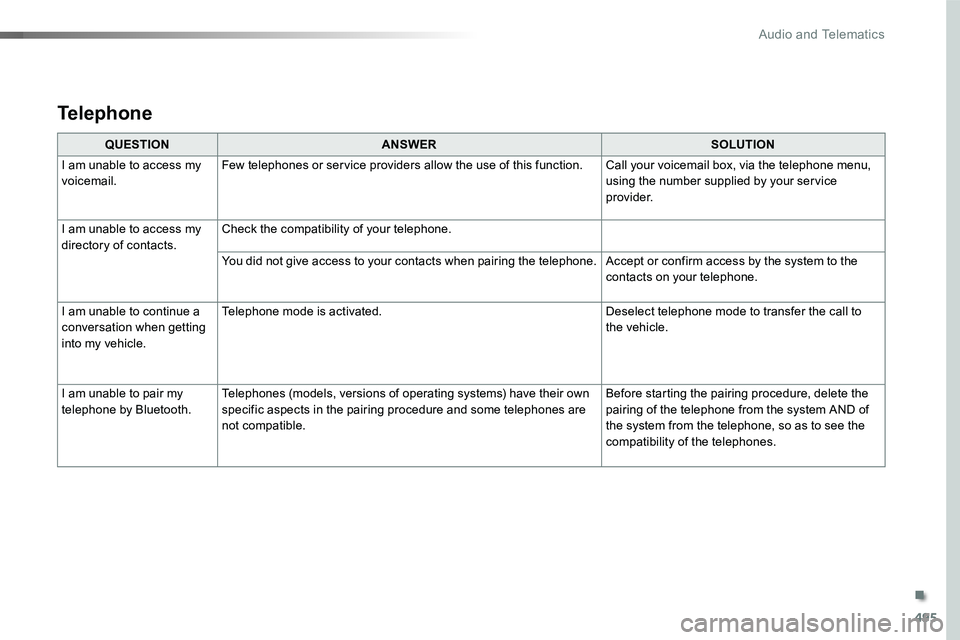
QUESTIONANSWERSOLUTION
I am unable to access my voicemail.Few telephones or service providers allow the use of this function.Call your voicemail box, via the telephone menu, using the number supplied by your service provider.
I am unable to access my directory of contacts.Check the compatibility of your telephone.
You did not give access to your contacts when pairing the telephone.Accept or confirm access by the system to the contacts on your telephone.
I am unable to continue a conversation when getting into my vehicle.
Telephone mode is activated.Deselect telephone mode to transfer the call to the vehicle.
I am unable to pair my telephone by Bluetooth.Telephones (models, versions of operating systems) have their own specific aspects in the pairing procedure and some telephones are not compatible.
Before starting the pairing procedure, delete the pairing of the telephone from the system AND of the system from the telephone, so as to see the compatibility of the telephones.
Telephone
.
Audio and Telematics