service TOYOTA PROACE VERSO 2018 User Guide
[x] Cancel search | Manufacturer: TOYOTA, Model Year: 2018, Model line: PROACE VERSO, Model: TOYOTA PROACE VERSO 2018Pages: 504, PDF Size: 80.57 MB
Page 31 of 504
31
The distance remaining may be weighted by the time factor, depending on the driving conditions.Therefore, the spanner may also come on if you have exceeded the period since the last service, indicated in the manufacturer's service schedule.For Diesel versions, the spanner may also be brought on earlier than
expected, depending on the degree of deterioration of the engine oil (depending on the country of sale).The rate of deterioration of the engine oil depends on the driving conditions in which the vehicle is used.
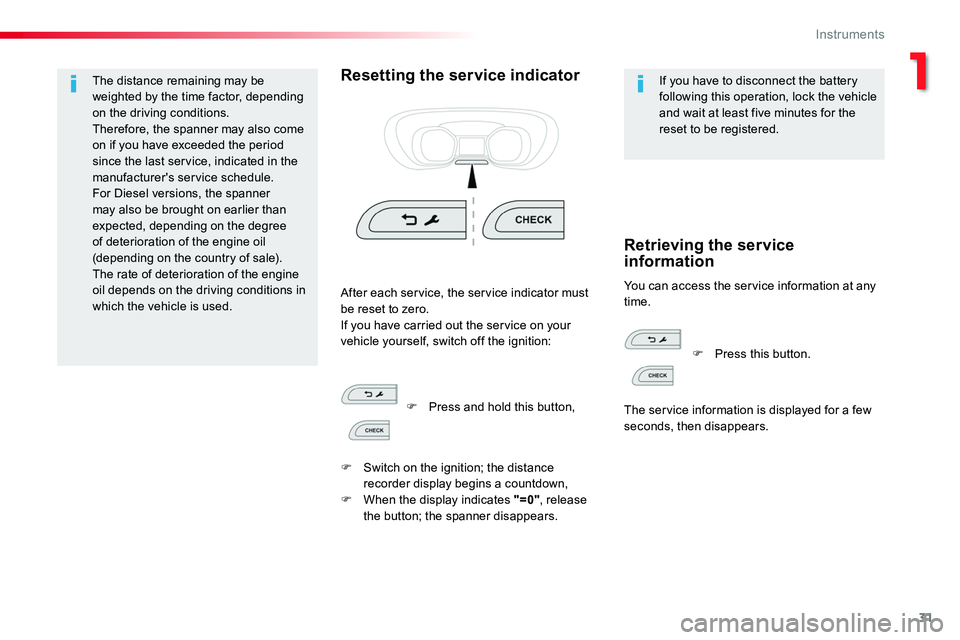
Resetting the service indicatorIf you have to disconnect the battery following this operation, lock the vehicle and wait at least five minutes for the reset to be registered.
You can access the service information at any time.After each service, the service indicator must be reset to zero.If you have carried out the service on your vehicle yourself, switch off the ignition:
Retrieving the service information
F Press and hold this button,
F Switch on the ignition; the distance recorder display begins a countdown,F When the display indicates "=0", release the button; the spanner disappears.
F Press this button.
The service information is displayed for a few seconds, then disappears.
1
Instruments
Page 32 of 504
32
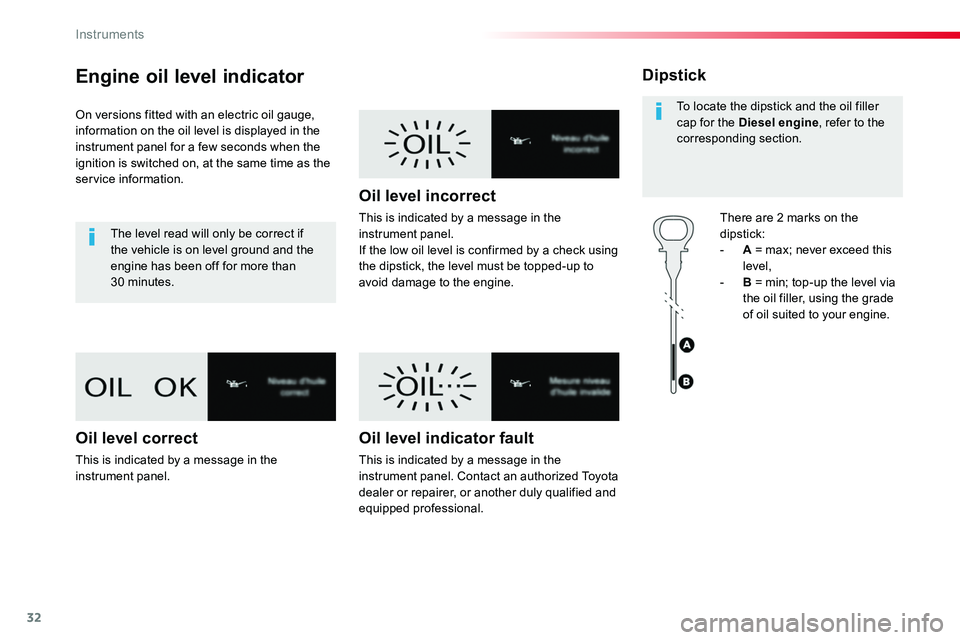
Engine oil level indicator
On versions fitted with an electric oil gauge, information on the oil level is displayed in the instrument panel for a few seconds when the ignition is switched on, at the same time as the service information.
The level read will only be correct if the vehicle is on level ground and the engine has been off for more than 30 minutes.
Oil level correct
This is indicated by a message in the instrument panel.
Oil level incorrect
This is indicated by a message in the instrument panel.If the low oil level is confirmed by a check using the dipstick, the level must be topped-up to avoid damage to the engine.
Oil level indicator fault
This is indicated by a message in the instrument panel. Contact an authorized Toyota dealer or repairer, or another duly qualified and equipped professional.
Dipstick
There are 2 marks on the
dipstick:- A = max; never exceed this level,- B = min; top-up the level via the oil filler, using the grade of oil suited to your engine.
To locate the dipstick and the oil filler cap for the Diesel engine, refer to the corresponding section.
Instruments
Page 47 of 504
47
If your vehicle is not fitted with an alarm, locking is confirmed by the fixed illumination of the direction indicators for about two seconds.According to version, the door mirrors fold at the same time.
If one of the openings (doors or boot) is still open, the central locking does not take place.When the vehicle is locked, if it is unlocked inadvertently, it will lock itself again automatically after about thirty seconds unless a door is opened.And if your vehicle has an alarm, this will be reactivated (with volumetric monitoring, even if this had been deactivated).The folding and unfolding of the door mirrors by the remote control can be deactivated by an authorized Toyota dealer or repairer, or another duly qualified and equipped professional
Driving with the doors locked may render access for the emergency services difficult in an emergency.As a safety measure (children on board), never leave the vehicle without
taking your remote control, even for a short period.
Ensure that no person or object might prevent the correct closing of the windows.Be particularly aware of children when operating the windows.
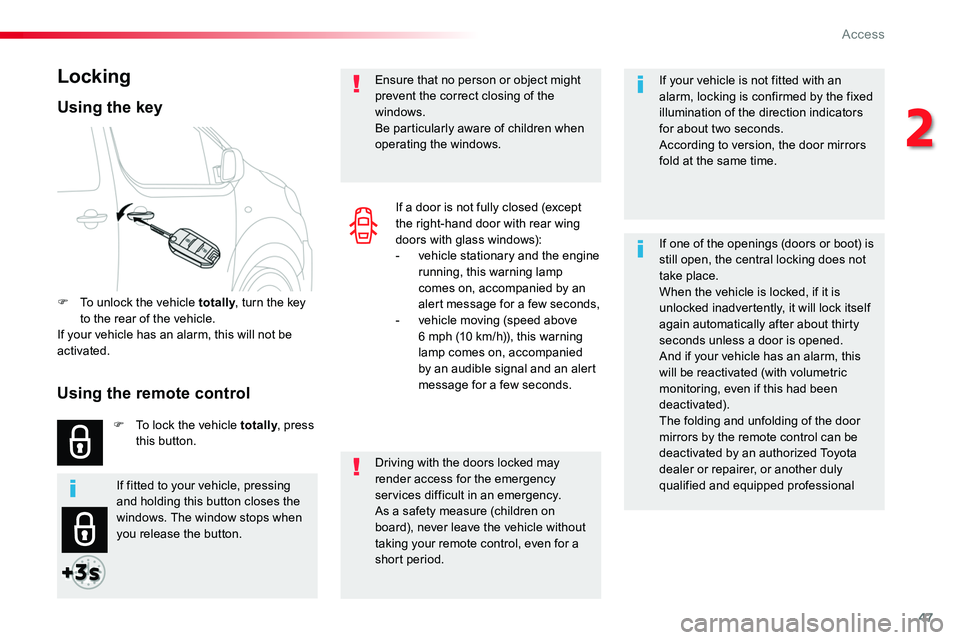
Locking
F To unlock the vehicle totally, turn the key to the rear of the vehicle.If your vehicle has an alarm, this will not be activated.
F To lock the vehicle totally, press this button.
Using the key
If a door is not fully closed (except the right-hand door with rear wing doors with glass windows):- vehicle stationary and the engine running, this warning lamp comes on, accompanied by an alert message for a few seconds,- vehicle moving (speed above 6 mph (10 km/h)), this warning lamp comes on, accompanied by an audible signal and an alert message for a few seconds.
If fitted to your vehicle, pressing and holding this button closes the windows. The window stops when you release the button.
Using the remote control
2
Access
Page 53 of 504
53
Driving with the doors locked may make access to the passenger compartment by the emergency services more difficult in the event of an emergency.As a safety measure (children on board), never leave the vehicle without your remote control, even for a short period.
If your vehicle is not fitted with an alarm, locking is signalled by the fixed illumination of the direction indicators for about two seconds.Depending on version, the door mirrors fold at the same time.
If one of the doors remains open, the central locking does not take place.If the vehicle is inadvertently unlocked, it will automatically lock itself again after about thirty seconds, if no door is opened.And if fitted to your vehicle, the alarm is reactivated (with volumetric monitoring, even if you had deactivated it).
If fitted to your vehicle, pressing and holding this button allows the windows to be closed. The window stops when you release the button.
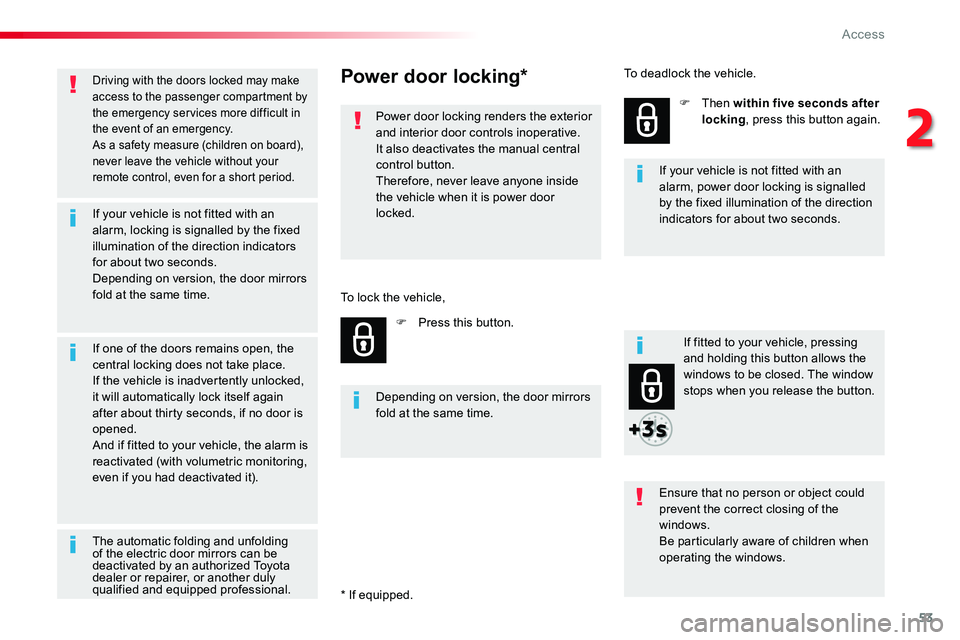
Power door locking*
Power door locking renders the exterior and interior door controls inoperative.It also deactivates the manual central control button.Therefore, never leave anyone inside the vehicle when it is power door locked.
F Press this button.
F Then within five seconds after locking, press this button again.
Ensure that no person or object could prevent the correct closing of the windows.
Be particularly aware of children when operating the windows.
Depending on version, the door mirrors fold at the same time.
If your vehicle is not fitted with an alarm, power door locking is signalled by the fixed illumination of the direction indicators for about two seconds.
To lock the vehicle,
To deadlock the vehicle.
The automatic folding and unfolding of the electric door mirrors can be deactivated by an authorized Toyota dealer or repairer, or another duly qualified and equipped professional.* If equipped.
2
Access
Page 57 of 504
57
Ensure that no one might prevent the correct operation of the windows.Be particularly aware of children when operating the windows.
If fitted to your vehicle, pressing and holding the locking controls allows the windows to be opened. The
window stops when you release the button.
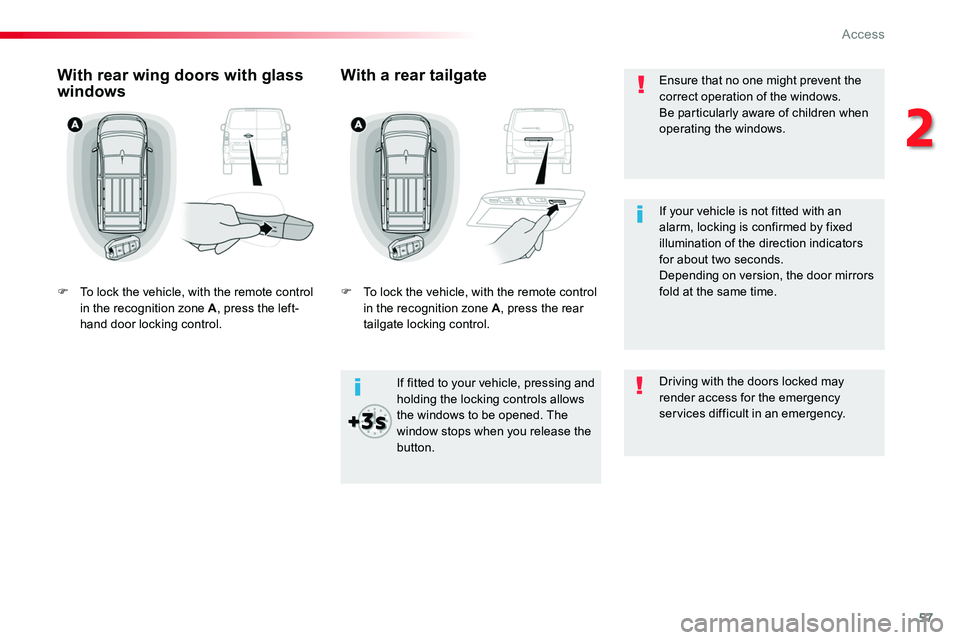
With rear wing doors with glass windows
F To lock the vehicle, with the remote control in the recognition zone A, press the left-hand door locking control.
With a rear tailgate
F To lock the vehicle, with the remote control in the recognition zone A, press the rear tailgate locking control.
Driving with the doors locked may render access for the emergency services difficult in an emergency.
If your vehicle is not fitted with an alarm, locking is confirmed by fixed illumination of the direction indicators for about two seconds.Depending on version, the door mirrors fold at the same time.
2
Access
Page 63 of 504
63
Lost keys, remote control
Visit an authorized Toyota dealer or repairer, or another duly qualified and equipped professional with the vehicle's registration certificate, your personal identification documents and if possible, the label bearing the key code.The an authorized Toyota dealer or repairer, or another duly qualified and equipped professional will be able to retrieve the key code and the transponder code required to order a new key.
Locking the vehicle
Driving with the doors locked may make access to the passenger compartment by the emergency services more difficult in an emergency.As a safety precaution (with children on board), remove the key from the ignition or take the remote control with you when leaving the vehicle, even for a short time.
When purchasing a second-hand vehicle
Have the key codes memorised by an authorized Toyota dealer or repairer, or another duly qualified and equipped professional, to ensure that the keys in your possession are the only ones which can start the vehicle.
Electrical interference
The Smart Entry & Start System remote control may not operate if close to certain electronic devices: telephone, laptop computer, strong magnetic fields, ...
Accumulations (water, dust, grime, salt...) on the inner sur face of the door handle may affect detection.If cleaning the inner sur face of the door handle using a cloth does not restore detection, contact an authorized Toyota dealer or repairer, or another duly qualified and equipped professional.A sudden splash of water (stream of water, high pressure jet washer, …) may be identified by the system as the desire to open the vehicle.
Remote control
The high frequency remote control is a sensitive system; do not operate it while it is in your pocket as there is a possibility that it may unlock the vehicle, without you being aware of it.Do not repeatedly press the buttons of your remote control out of range and out of sight of your vehicle. You run the risk of stopping it from working and the remote control would have to be reinitialised.The remote control does not operate when the key is in the ignition, even when the ignition is switched off.
Anti-theft protection
Do not make any modifications to the electronic engine immobiliser system; this could cause malfunctions.Do not forget to turn the steering to engage the steering lock.
2
Access
Page 64 of 504
64
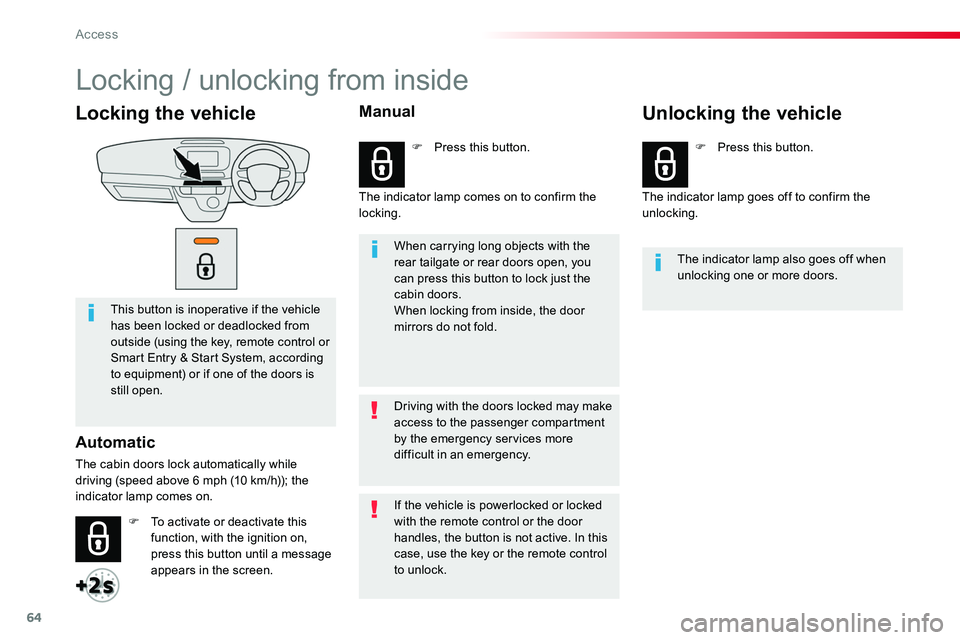
Locking the vehicle
This button is inoperative if the vehicle has been locked or deadlocked from outside (using the key, remote control or Smart Entry & Start System, according to equipment) or if one of the doors is still open.
Automatic
The cabin doors lock automatically while driving (speed above 6 mph (10 km/h)); the indicator lamp comes on.
When carrying long objects with the rear tailgate or rear doors open, you can press this button to lock just the cabin doors.When locking from inside, the door mirrors do not fold.
The indicator lamp also goes off when unlocking one or more doors.
Driving with the doors locked may make access to the passenger compartment by the emergency services more difficult in an emergency.
F To activate or deactivate this function, with the ignition on, press this button until a message appears in the screen.
F Press this button.F Press this button.
If the vehicle is powerlocked or locked with the remote control or the door handles, the button is not active. In this case, use the key or the remote control to unlock.
Manual
The indicator lamp comes on to confirm the locking.The indicator lamp goes off to confirm the unlocking.
Unlocking the vehicle
Locking / unlocking from inside
Access
Page 78 of 504
78
Ensure that no person or object could prevent the correct opening or closing of the doors.Be aware of children when operating the doors.
If "Hands-free access self-locking" is selected in the vehicle menu and after closing the door, check that your vehicle has locked correctly.This is because locking will not take place:- if the ignition is on,- if one of the doors or the rear tailgate is open,
- if a "Smart Entry & Start System" remote control is inside the vehicle.If a number of gestures with your foot have no effect, wait a few seconds before starting again.The system is automatically deactivated in heavy rain or with accumulations of snow.If the system fails to work, check that the remote control is not exposed to a source of electromagnetic interference (smar tphone, ...).Operation may be affected if using a prosthetic leg.This system may not work correctly if your vehicle is fitted with a towbar.
The sliding door may open or close erratically if:- your vehicle is fitted with a towbar,- you attach or detach a trailer,- you fit or remove a bicycle carrier,- you load or unload bicycles on a bicycle carrier,- you remove or raise something behind the vehicle,
- an animal approaches the bumper,- you wash your vehicle,- a service is being carried out on your vehicle,- you change a wheel.To avoid unwanted operation, keep the key away from the vehicle or deactivate the function in the vehicle configuration menu.
Access
Page 89 of 504
89
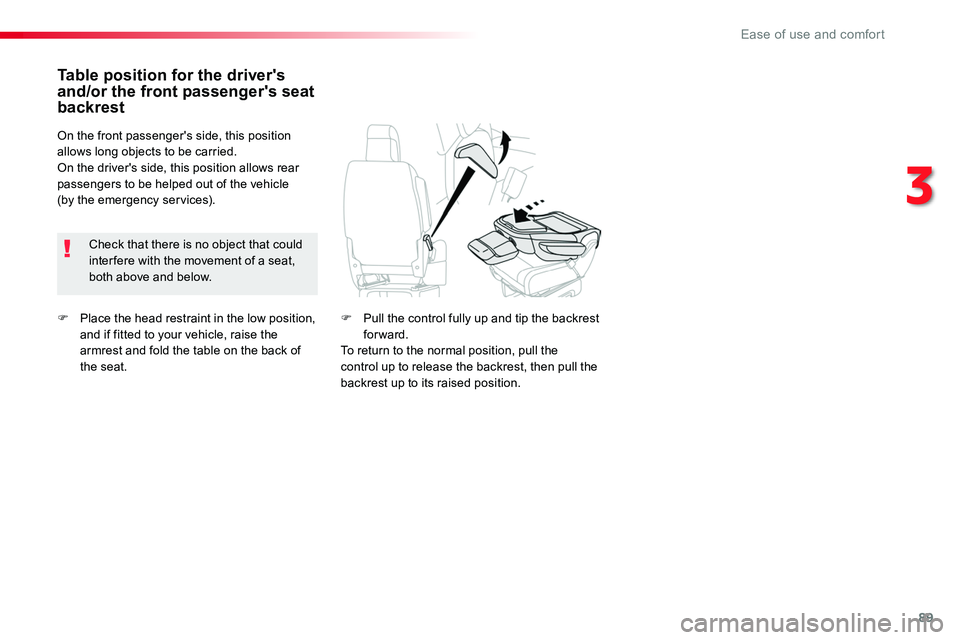
F Place the head restraint in the low position, and if fitted to your vehicle, raise the armrest and fold the table on the back of the seat.
Table position for the driver's and/or the front passenger's seat backrest
Check that there is no object that could inter fere with the movement of a seat, both above and below.
On the front passenger's side, this position allows long objects to be carried.On the driver's side, this position allows rear passengers to be helped out of the vehicle (by the emergency services).
F Pull the control fully up and tip the backrest forward.To return to the normal position, pull the control up to release the backrest, then pull the backrest up to its raised position.
3
Ease of use and comfort
Page 158 of 504
158
Automatic operation of
hazard warning lamps
Hazard warning lamps
When braking in an emergency, depending on the rate of deceleration, as well as when the ABS regulation is invoked or in the event of an impact, the hazard warning lamps come on automatically.They switch off automatically the first time you accelerate.F You can also switch them off by pressing the button.
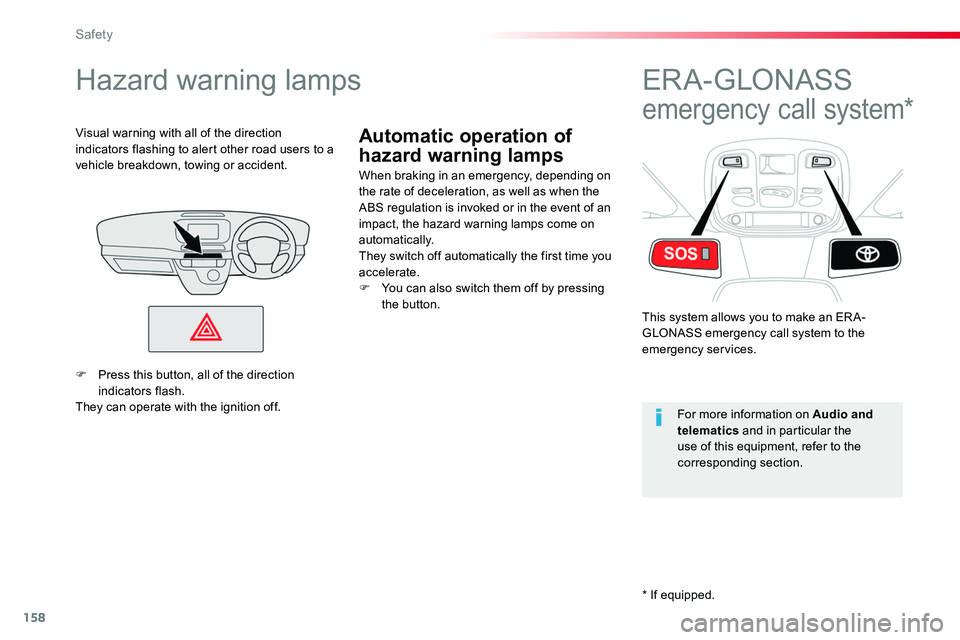
Visual warning with all of the direction indicators flashing to alert other road users to a vehicle breakdown, towing or accident.
ER A - GLONASS
emergency call system*
This system allows you to make an ER A-GLONASS emergency call system to the emergency services.
For more information on Audio and telematics and in particular the use of this equipment, refer to the corresponding section.
F Press this button, all of the direction indicators flash.They can operate with the ignition off.
* If equipped.
Safety