steering TOYOTA PROACE VERSO 2019 Service Manual
[x] Cancel search | Manufacturer: TOYOTA, Model Year: 2019, Model line: PROACE VERSO, Model: TOYOTA PROACE VERSO 2019Pages: 505, PDF Size: 56.59 MB
Page 332 of 505
331
Toyota Pro Touch with navigation system
GPS satellite navigation - Connectivity - Multimedia audio - Bluetooth® telephone
ContentsFirst steps 332
Steering mounted controls 334
Menus 335
Voice commands 336
Navigation 342
Connected navigation 358
Connectivity 368
Radio Media 378
Telephone 390
Settings 402
Frequently asked questions 412
The system is protected in such a way that it will only operate in your vehicle.As a safety measure and because it requires sustained attention by the driver, the pairing of a Bluetooth mobile telephone with the Bluetooth hands-free system of your audio system must be done with the vehicle stationary and the ignition on.The display of the energy economy mode message signals that a change to standby is imminent. For more information on the Energy economy mode refer to the corresponding section.
.
Audio and Telematics
Page 335 of 505
334
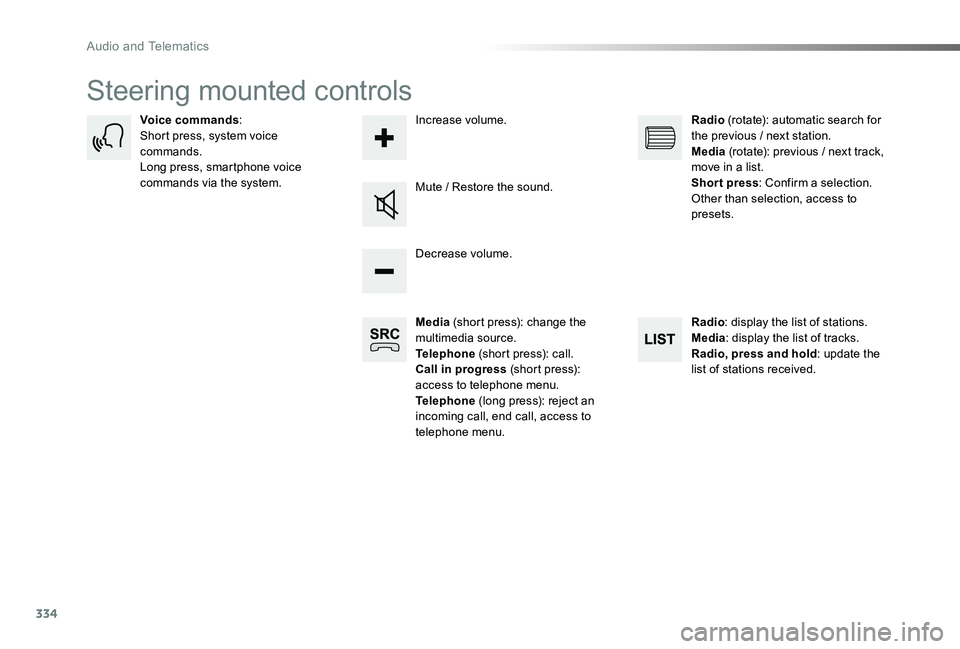
Steering mounted controls
Media (short press): change the multimedia source.Telephone (short press): call.Call in progress (short press): access to telephone menu.Telephone (long press): reject an incoming call, end call, access to telephone menu.
Decrease volume.
Voice commands:Short press, system voice commands.Long press, smartphone voice commands via the system.Mute / Restore the sound.
Radio (rotate): automatic search for the previous / next station.Media (rotate): previous / next track, move in a list.Short press: Confirm a selection. Other than selection, access to presets.
Radio: display the list of stations.Media: display the list of tracks.Radio, press and hold: update the list of stations received.
Increase volume.
Audio and Telematics
Page 337 of 505
336
Voice commands
First stepsSteering mounted controlsInformation - Using the system
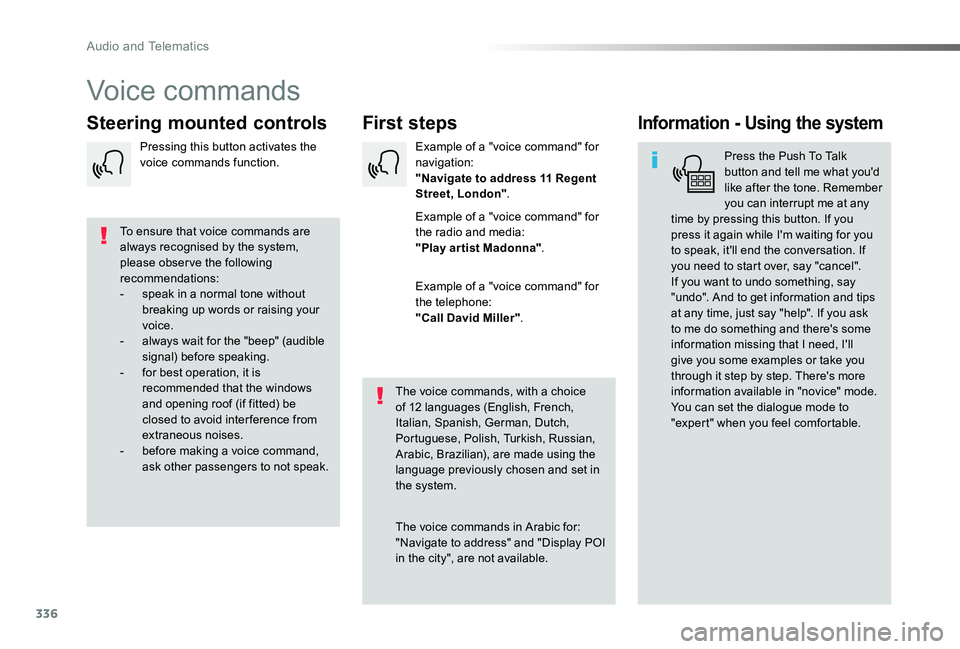
Press the Push To Talk button and tell me what you'd like after the tone. Remember you can interrupt me at any time by pressing this button. If you press it again while I'm waiting for you to speak, it'll end the conversation. If you need to start over, say "cancel". If you want to undo something, say "undo". And to get information and tips at any time, just say "help". If you ask to me do something and there's some information missing that I need, I'll give you some examples or take you through it step by step. There's more information available in "novice" mode. You can set the dialogue mode to "expert" when you feel comfortable.
To ensure that voice commands are always recognised by the system, please obser ve the following recommendations:- speak in a normal tone without breaking up words or raising your voice.- always wait for the "beep" (audible signal) before speaking.- for best operation, it is recommended that the windows and opening roof (if fitted) be closed to avoid inter ference from extraneous noises.- before making a voice command, ask other passengers to not speak.
The voice commands, with a choice of 12 languages (English, French, Italian, Spanish, German, Dutch, Portuguese, Polish, Turkish, Russian, Arabic, Brazilian), are made using the language previously chosen and set in the system.
The voice commands in Arabic for: "Navigate to address" and "Display POI
in the city", are not available.
Example of a "voice command" for navigation:"Navigate to address 11 Regent Street, London".
Example of a "voice command" for the radio and media:"Play ar tist Madonna".
Example of a "voice command" for the telephone:"Call David Miller".
Pressing this button activates the voice commands function.
Audio and Telematics
Page 338 of 505
337
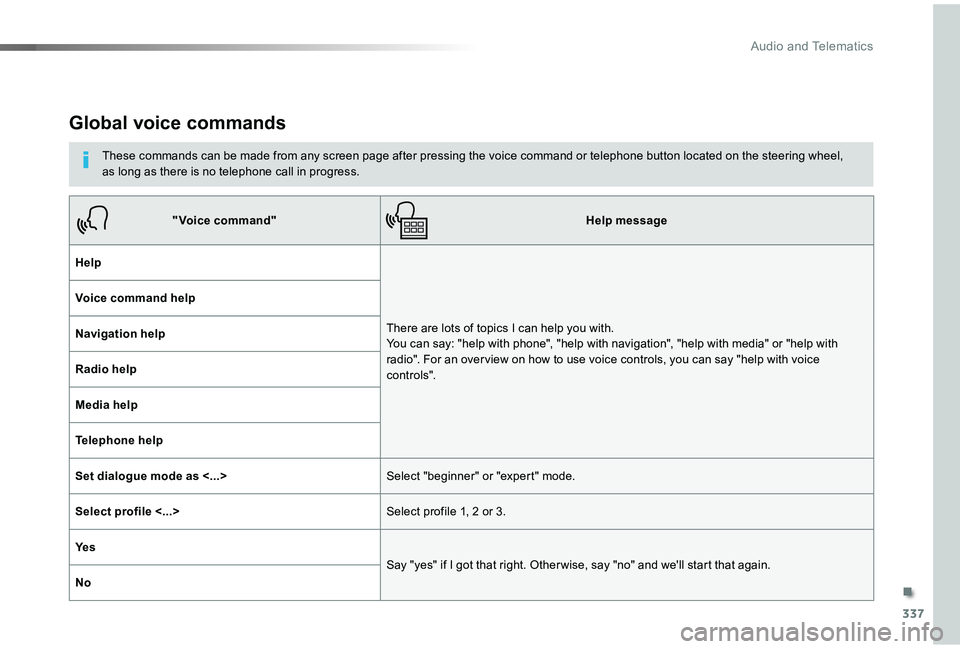
Global voice commands
These commands can be made from any screen page after pressing the voice command or telephone button located on the steering wheel, as long as there is no telephone call in progress.
"Voice command"Help message
Help
There are lots of topics I can help you with. You can say: "help with phone", "help with navigation", "help with media" or "help with radio". For an over view on how to use voice controls, you can say "help with voice c o nt ro ls".
Voice command help
Navigation help
Radio help
Media help
Telephone help
Set dialogue mode as <...>Select "beginner" or "expert" mode.
Select profile <...>Select profile 1, 2 or 3.
Ye s
Say "yes" if I got that right. Other wise, say "no" and we'll start that again.
No
.
Audio and Telematics
Page 339 of 505
338
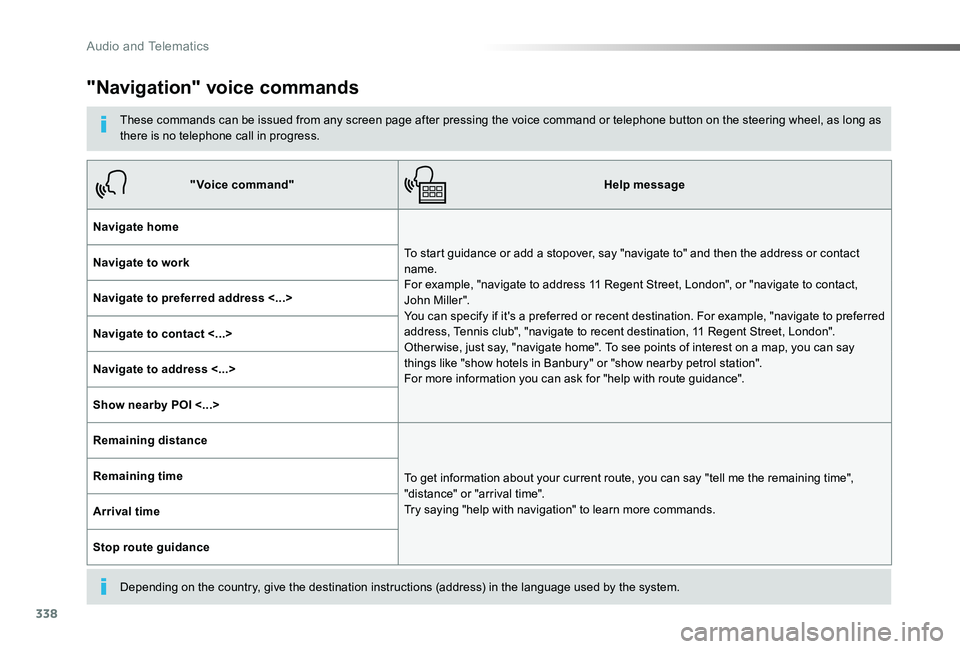
"Navigation" voice commands
These commands can be issued from any screen page after pressing the voice command or telephone button on the steering wheel, as long as there is no telephone call in progress.
Depending on the country, give the destination instructions (address) in the language used by the system.
"Voice command"Help message
Navigate home
To start guidance or add a stopover, say "navigate to" and then the address or contact name. For example, "navigate to address 11 Regent Street, London", or "navigate to contact, John Miller". You can specify if it's a preferred or recent destination. For example, "navigate to preferred address, Tennis club", "navigate to recent destination, 11 Regent Street, London". Other wise, just say, "navigate home". To see points of interest on a map, you can say things like "show hotels in Banbury" or "show nearby petrol station". For more information you can ask for "help with route guidance".
Navigate to work
Navigate to preferred address <...>
Navigate to contact <...>
Navigate to address <...>
Show nearby POI <...>
Remaining distance
To get information about your current route, you can say "tell me the remaining time", "distance" or "arrival time". Try saying "help with navigation" to learn more commands.
Remaining time
Arrival time
Stop route guidance
Audio and Telematics
Page 340 of 505
339
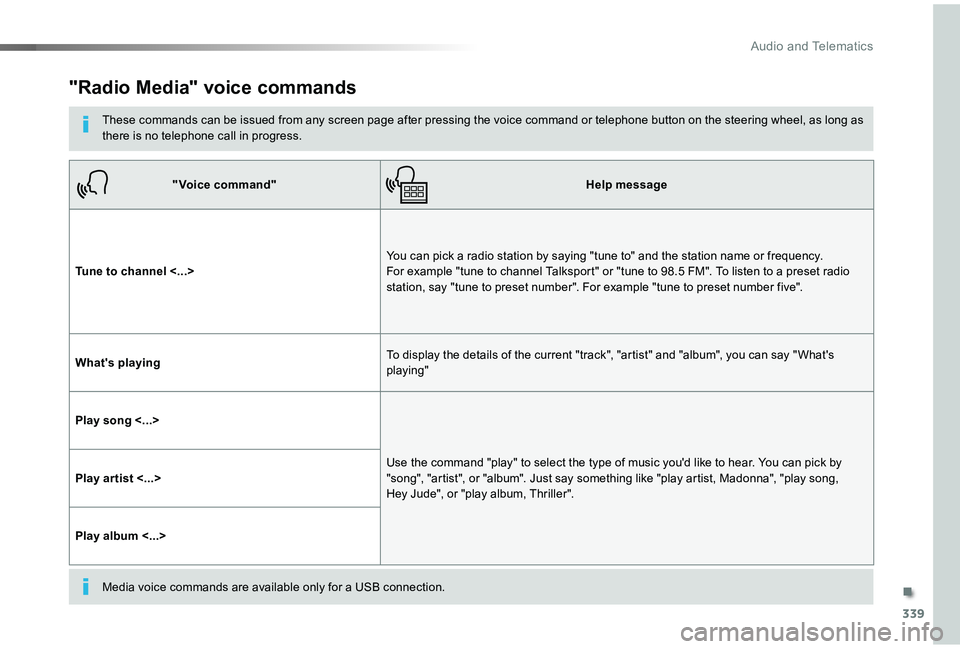
"Radio Media" voice commands
These commands can be issued from any screen page after pressing the voice command or telephone button on the steering wheel, as long as there is no telephone call in progress.
"Voice command"Help message
Tune to channel <...>You can pick a radio station by saying "tune to" and the station name or frequency. For example "tune to channel Talksport" or "tune to 98.5 FM". To listen to a preset radio station, say "tune to preset number". For example "tune to preset number five".
What's playingTo display the details of the current "track", "artist" and "album", you can say " What's playing"
Play song <...>
Use the command "play" to select the type of music you'd like to hear. You can pick by "song", "artist", or "album". Just say something like "play artist, Madonna", "play song, Hey Jude", or "play album, Thriller".Play ar tist <...>
Play album <...>
Media voice commands are available only for a USB connection.
.
Audio and Telematics
Page 341 of 505
340
"Voice command"Help message
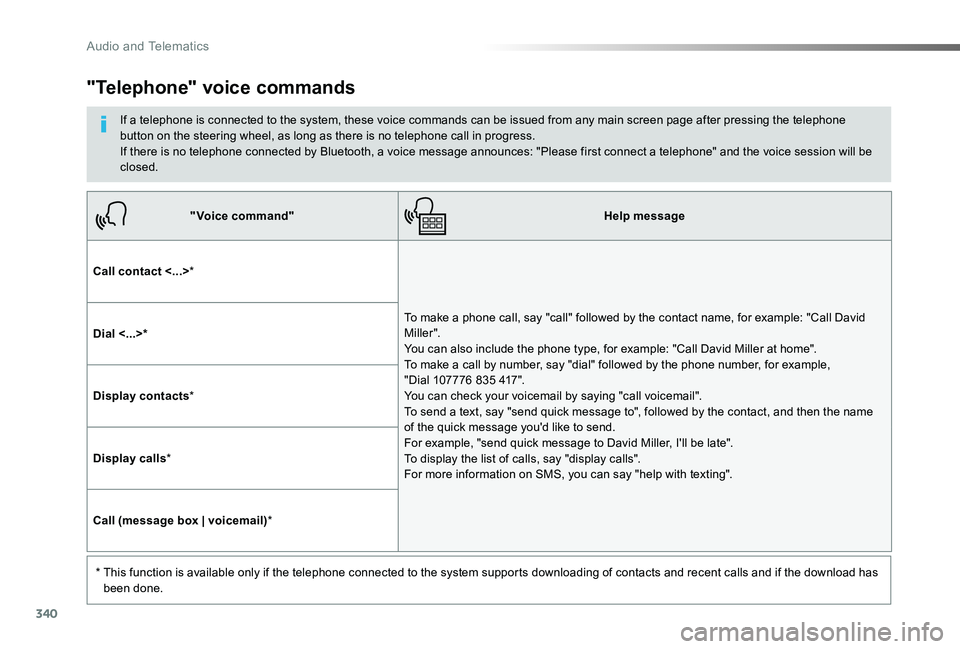
Call contact <...>*
To make a phone call, say "call" followed by the contact name, for example: "Call David M iller ". You can also include the phone type, for example: "Call David Miller at home". To make a call by number, say "dial" followed by the phone number, for example, "Dial 107776 835 417". You can check your voicemail by saying "call voicemail". To send a text, say "send quick message to", followed by the contact, and then the name of the quick message you'd like to send. For example, "send quick message to David Miller, I'll be late". To display the list of calls, say "display calls". For more information on SMS, you can say "help with texting".
Dial <...>*
Display contacts*
Display calls*
Call (message box | voicemail)*
* This function is available only if the telephone connected to the system supports downloading of contacts and recent calls and if the download has been done.
"Telephone" voice commands
If a telephone is connected to the system, these voice commands can be issued from any main screen page after pressing the telephone button on the steering wheel, as long as there is no telephone call in progress.If there is no telephone connected by Bluetooth, a voice message announces: "Please first connect a telephone" and the voice session will be closed.
Audio and Telematics
Page 342 of 505
341
"Voice command"Help message
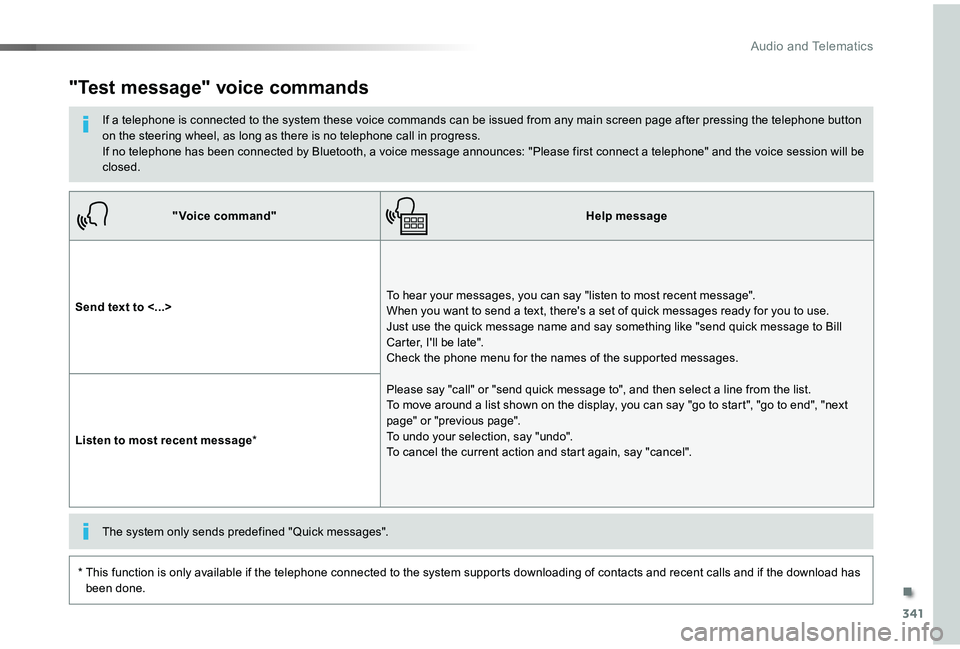
Send text to <...>To hear your messages, you can say "listen to most recent message". When you want to send a text, there's a set of quick messages ready for you to use. Just use the quick message name and say something like "send quick message to Bill Carter, I'll be late". Check the phone menu for the names of the supported messages.
Please say "call" or "send quick message to", and then select a line from the list. To move around a list shown on the display, you can say "go to start", "go to end", "next page" or "previous page". To undo your selection, say "undo". To cancel the current action and start again, say "cancel".Listen to most recent message*
"Test message" voice commands
If a telephone is connected to the system these voice commands can be issued from any main screen page after pressing the telephone button on the steering wheel, as long as there is no telephone call in progress.If no telephone has been connected by Bluetooth, a voice message announces: "Please first connect a telephone" and the voice session will be closed.
* This function is only available if the telephone connected to the system supports downloading of contacts and recent calls and if the download has been done.
The system only sends predefined "Quick messages".
.
Audio and Telematics
Page 399 of 505
398
1
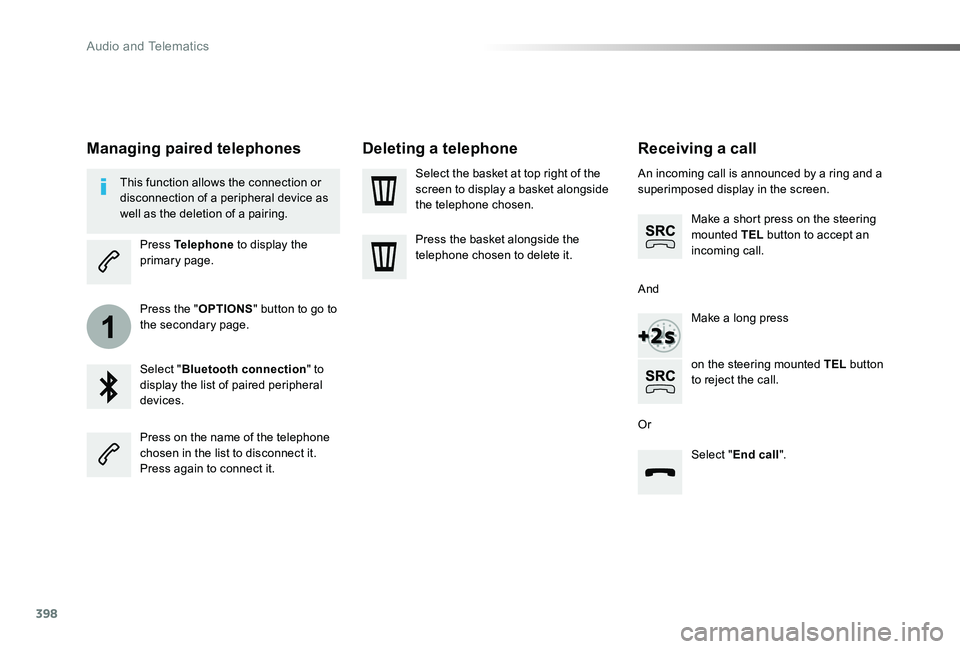
Receiving a call
An incoming call is announced by a ring and a superimposed display in the screen.
Make a short press on the steering mounted TEL button to accept an incoming call.
Make a long press
on the steering mounted TEL button to reject the call.
Or
And
Select "End call".
Press on the name of the telephone chosen in the list to disconnect it.Press again to connect it.
Select the basket at top right of the screen to display a basket alongside the telephone chosen.
Press the basket alongside the
telephone chosen to delete it.
Managing paired telephones
This function allows the connection or disconnection of a peripheral device as well as the deletion of a pairing.
Press Telephone to display the primary page.
Press the "OPTIONS" button to go to the secondary page.
Select "Bluetooth connection" to display the list of paired peripheral devices.
Deleting a telephone
Audio and Telematics
Page 400 of 505
399
2
3
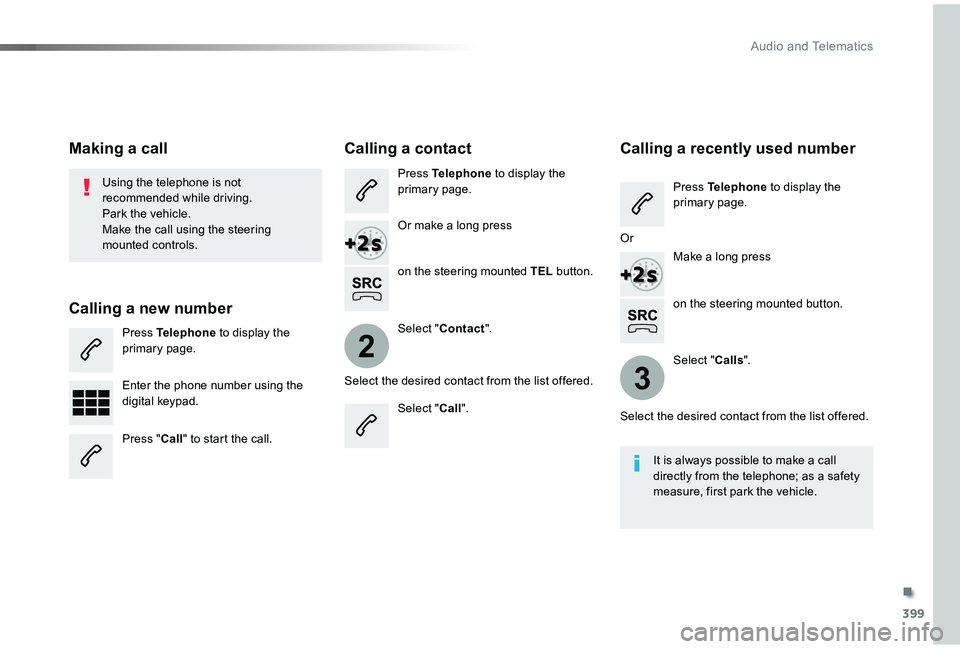
on the steering mounted button.
Using the telephone is not recommended while driving.Park the vehicle.Make the call using the steering mounted controls.
Making a call
Calling a new number
Press Telephone to display the primary page.
Enter the phone number using the digital keypad.
Press "Call" to start the call.
Calling a contact
Press Telephone to display the primary page.
Or make a long press
on the steering mounted TEL button.
Select "Contact".
Select the desired contact from the list offered.
Select "Call".
Calling a recently used number
Press Telephone to display the primary page.
Make a long press
Select "Calls".
Select the desired contact from the list offered.
It is always possible to make a call directly from the telephone; as a safety measure, first park the vehicle.
Or
.
Audio and Telematics