display TOYOTA PROACE VERSO 2020 User Guide
[x] Cancel search | Manufacturer: TOYOTA, Model Year: 2020, Model line: PROACE VERSO, Model: TOYOTA PROACE VERSO 2020Pages: 418, PDF Size: 39.32 MB
Page 32 of 418
32
Engine oil level indicator
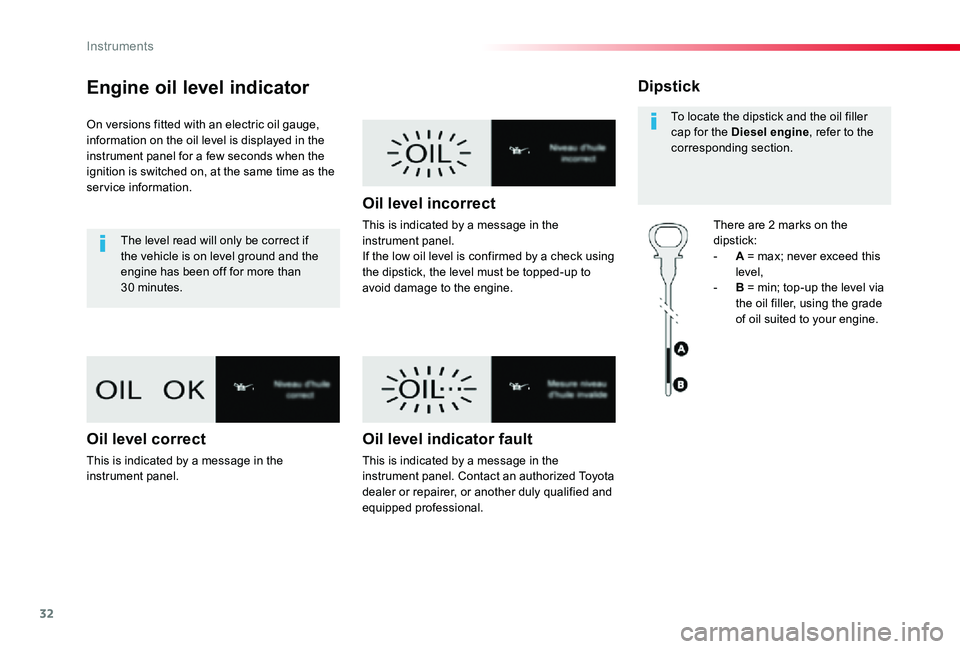
On versions fitted with an electric oil gauge, information on the oil level is displayed in the instrument panel for a few seconds when the ignition is switched on, at the same time as the service information.
The level read will only be correct if the vehicle is on level ground and the engine has been off for more than 30 minutes.
Oil level correct
This is indicated by a message in the instrument panel.
Oil level incorrect
This is indicated by a message in the instrument panel.If the low oil level is confirmed by a check using the dipstick, the level must be topped-up to avoid damage to the engine.
Oil level indicator fault
This is indicated by a message in the instrument panel. Contact an authorized Toyota dealer or repairer, or another duly qualified and equipped professional.
Dipstick
There are 2 marks on the dipstick:- A = max; never exceed this level,- B = min; top-up the level via the oil filler, using the grade of oil suited to your engine.
To locate the dipstick and the oil filler cap for the Diesel engine, refer to the corresponding section.
Instruments
Page 33 of 418
33
AdBlue® fluid range
indicators
Once the AdBlue® tank is on reser ve or after detection of a fault with the SCR emissions control system, when the ignition is switched on, an indicator displays an estimate of the distance that can be covered, the range, before engine starting is prevented.In the event of simultaneous system fault and low AdBlue® level, the shortest range figure is the one displayed.
In the event of the risk of non-starting related to a lack of AdBlue®
The engine start prevention system required by regulations is activated automatically once the AdBlue® tank is e m pt y.
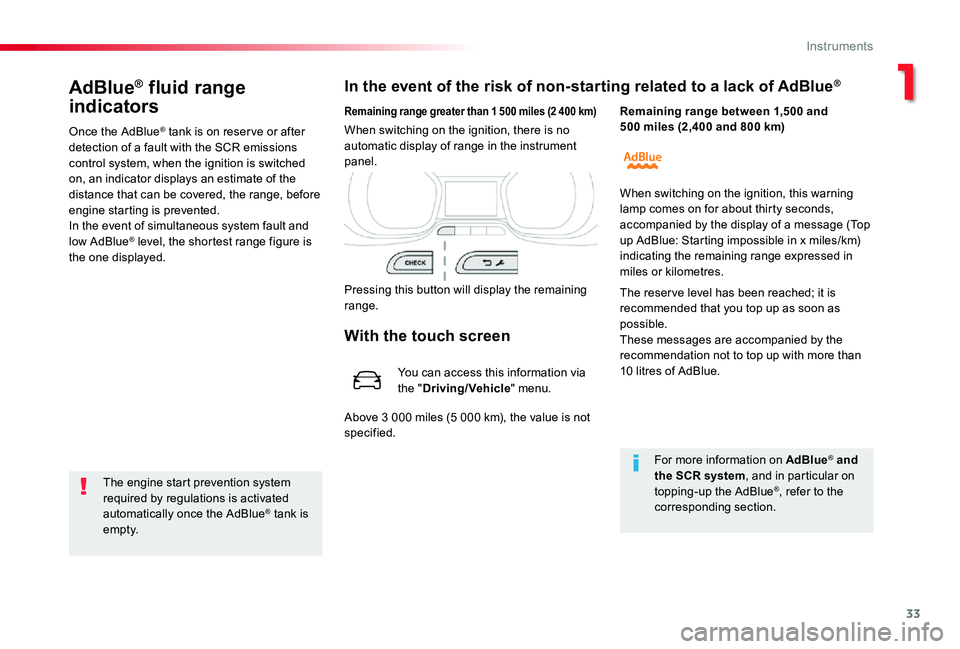
Remaining range greater than 1 500 miles (2 400 km)
Pressing this button will display the remaining range.
When switching on the ignition, there is no automatic display of range in the instrument panel.
Remaining range between 1,500 and 500 miles (2,400 and 800 km)
For more information on AdBlue® and the SCR system, and in particular on topping-up the AdBlue®, refer to the corresponding section.
When switching on the ignition, this warning lamp comes on for about thirty seconds, accompanied by the display of a message (Top up AdBlue: Starting impossible in x miles/km)
indicating the remaining range expressed in miles or kilometres.
The reser ve level has been reached; it is recommended that you top up as soon as possible.These messages are accompanied by the recommendation not to top up with more than 10 litres of AdBlue.
With the touch screen
You can access this information via the "Driving/Vehicle" menu.
Above 3 000 miles (5 000 km), the value is not specified.
1
Instruments
Page 34 of 418
34
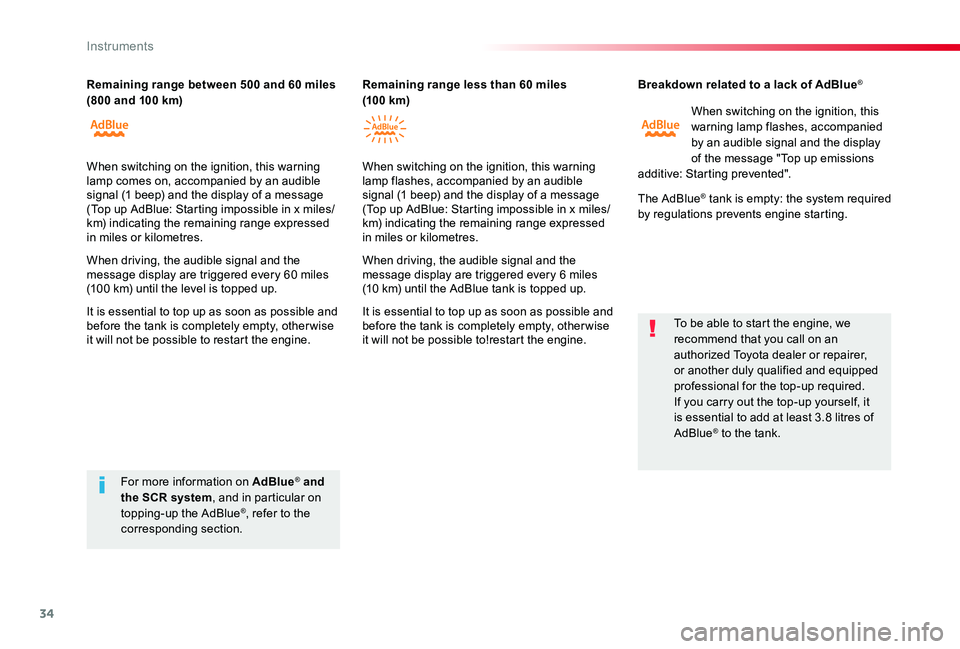
Breakdown related to a lack of AdBlue®
When switching on the ignition, this warning lamp flashes, accompanied by an audible signal and the display of the message "Top up emissions additive: Starting prevented".
The AdBlue® tank is empty: the system required by regulations prevents engine starting.
To be able to start the engine, we recommend that you call on an authorized Toyota dealer or repairer, or another duly qualified and equipped professional for the top-up required.If you carry out the top-up yourself, it is essential to add at least 3.8 litres of AdBlue® to the tank.
For more information on AdBlue® and the SCR system, and in particular on topping-up the AdBlue®, refer to the corresponding section.
Remaining range between 500 and 60 miles (800 and 100 km)Remaining range less than 60 miles (10 0 km)
When switching on the ignition, this warning lamp comes on, accompanied by an audible signal (1 beep) and the display of a message (Top up AdBlue: Starting impossible in x miles/km) indicating the remaining range expressed in miles or kilometres.
When driving, the audible signal and the message display are triggered every 60 miles (100 km) until the level is topped up.
It is essential to top up as soon as possible and before the tank is completely empty, other wise it will not be possible to restart the engine.
When switching on the ignition, this warning lamp flashes, accompanied by an audible signal (1 beep) and the display of a message (Top up AdBlue: Starting impossible in x miles/ km) indicating the remaining range expressed in miles or kilometres.
When driving, the audible signal and the message display are triggered every 6 miles (10 km) until the AdBlue tank is topped up.
It is essential to top up as soon as possible and before the tank is completely empty, other wise it will not be possible to!restart the engine.
Instruments
Page 35 of 418
35
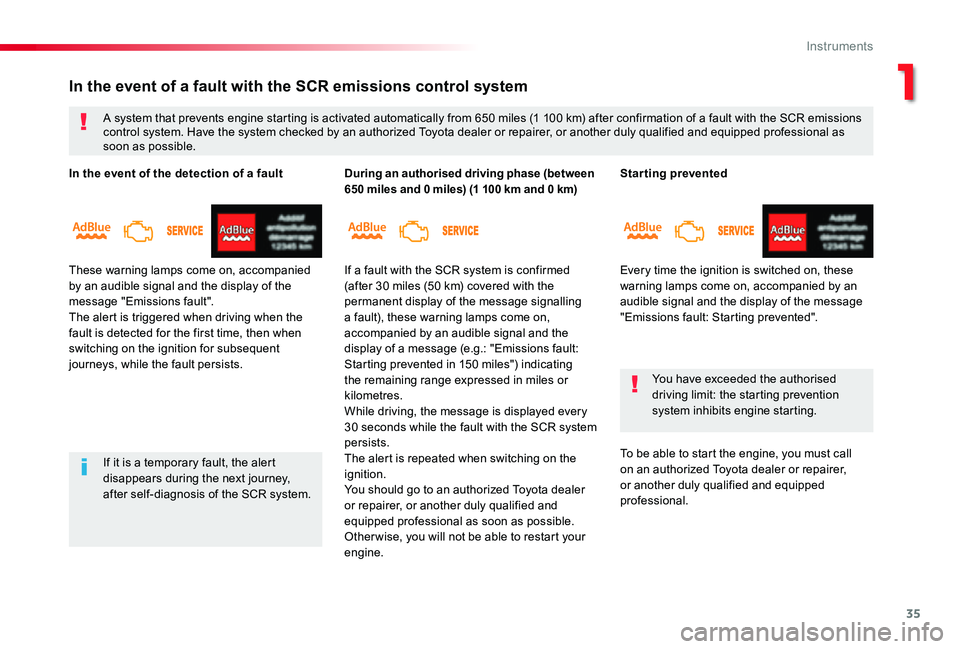
Starting prevented
Every time the ignition is switched on, these warning lamps come on, accompanied by an audible signal and the display of the message "Emissions fault: Starting prevented".
You have exceeded the authorised driving limit: the starting prevention system inhibits engine starting.
To be able to start the engine, you must call on an authorized Toyota dealer or repairer, or another duly qualified and equipped professional.
In the event of a fault with the SCR emissions control system
A system that prevents engine starting is activated automatically from 650 miles (1 100 km) after confirmation of a fault with the SCR emissions control system. Have the system checked by an authorized Toyota dealer or repairer, or another duly qualified and equipped professional as soon as possible.
If it is a temporary fault, the alert disappears during the next journey, after self-diagnosis of the SCR system.
In the event of the detection of a fault
These warning lamps come on, accompanied by an audible signal and the display of the message "Emissions fault".The alert is triggered when driving when the fault is detected for the first time, then when switching on the ignition for subsequent journeys, while the fault persists.
During an authorised driving phase (between 650 miles and 0 miles) (1 100 km and 0 km)
If a fault with the SCR system is confirmed (after 30 miles (50 km) covered with the permanent display of the message signalling a fault), these warning lamps come on, accompanied by an audible signal and the display of a message (e.g.: "Emissions fault: Starting prevented in 150 miles") indicating the remaining range expressed in miles or kilometres.While driving, the message is displayed every 30 seconds while the fault with the SCR system persists.The alert is repeated when switching on the ignition.You should go to an authorized Toyota dealer or repairer, or another duly qualified and equipped professional as soon as possible.Other wise, you will not be able to restart your
engine.
1
Instruments
Page 36 of 418
36
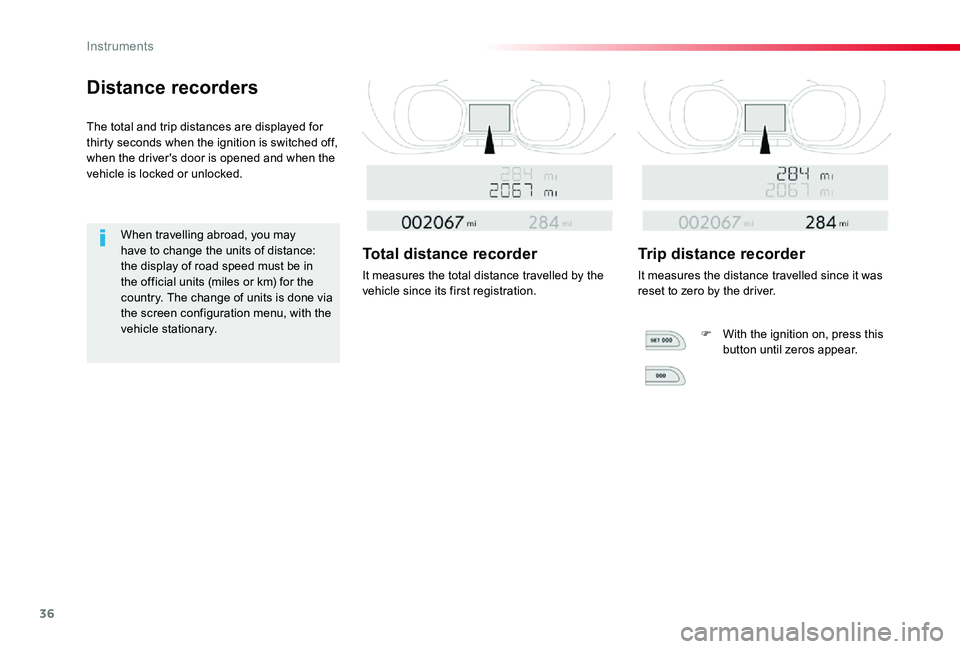
Distance recorders
The total and trip distances are displayed for thirty seconds when the ignition is switched off, when the driver's door is opened and when the vehicle is locked or unlocked.
When travelling abroad, you may have to change the units of distance: the display of road speed must be in the official units (miles or km) for the country. The change of units is done via the screen configuration menu, with the vehicle stationary.
Total distance recorder
It measures the total distance travelled by the vehicle since its first registration.
Trip distance recorder
It measures the distance travelled since it was reset to zero by the driver.
F With the ignition on, press this button until zeros appear.
Instruments
Page 38 of 418
38
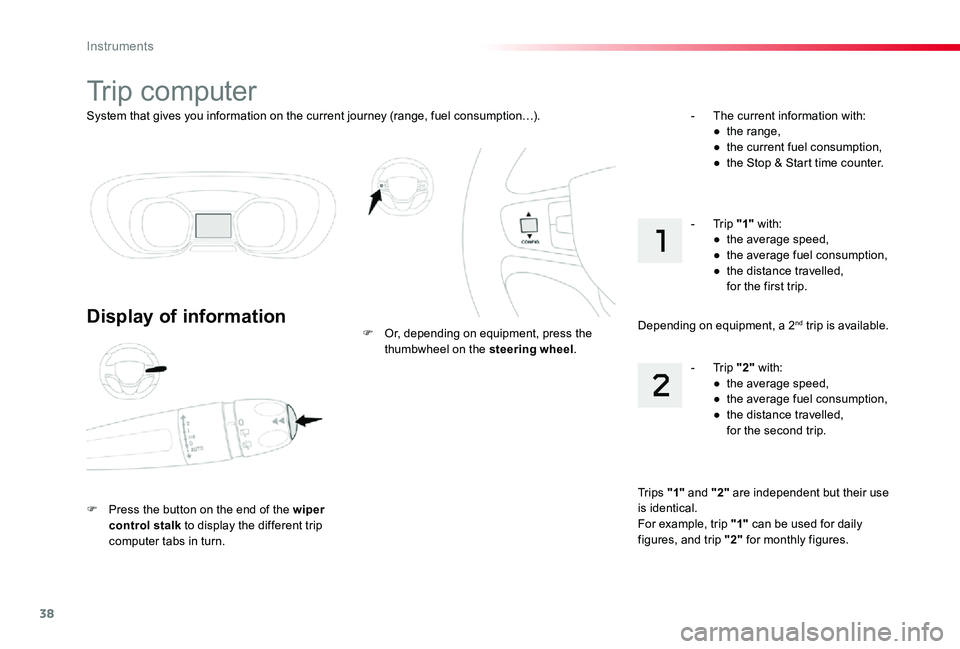
System that gives you information on the current journey (range, fuel consumption…).
Trip computer
Display of information
F Press the button on the end of the wiper control stalk to display the different trip computer tabs in turn.
F Or, depending on equipment, press the thumbwheel on the steering wheel.
- The current information with:● the range,● the current fuel consumption,● the Stop & Start time counter.
Tr i p s "1" and "2" are independent but their use is identical.For example, trip "1" can be used for daily figures, and trip "2" for monthly figures.
- Trip "2" with:● the average speed,● the average fuel consumption,● the distance travelled, for the second trip.
- Trip "1" with:● the average speed,● the average fuel consumption,● the distance travelled, for the first trip.
Depending on equipment, a 2nd trip is available.
Instruments
Page 39 of 418
39
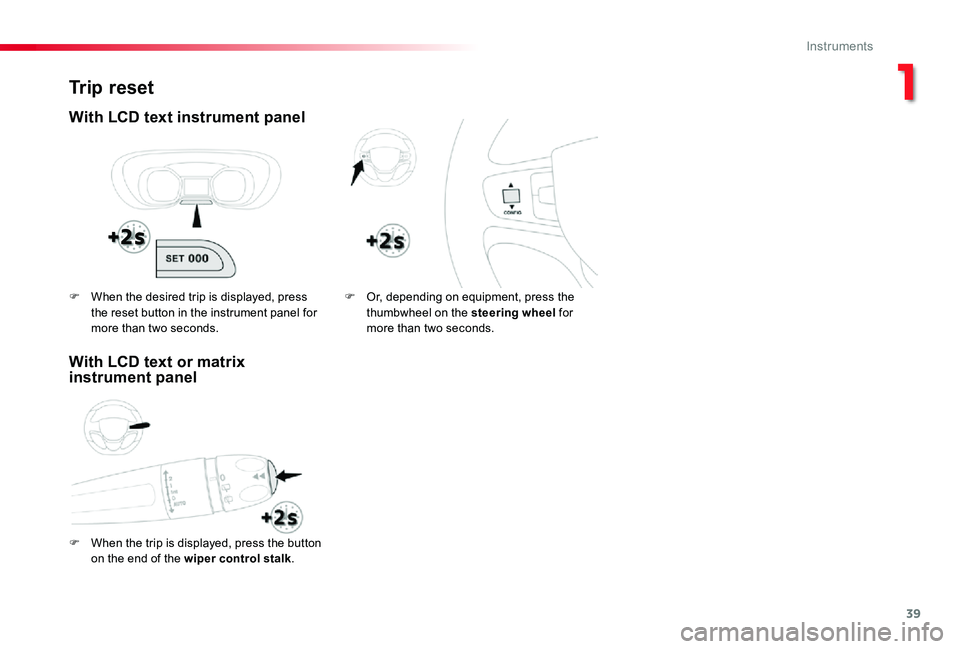
Trip reset
With LCD text instrument panel
F When the trip is displayed, press the button
on the end of the wiper control stalk.
F Or, depending on equipment, press the thumbwheel on the steering wheel for more than two seconds.
F When the desired trip is displayed, press the reset button in the instrument panel for more than two seconds.
With LCD text or matrix instrument panel
1
Instruments
Page 40 of 418
40
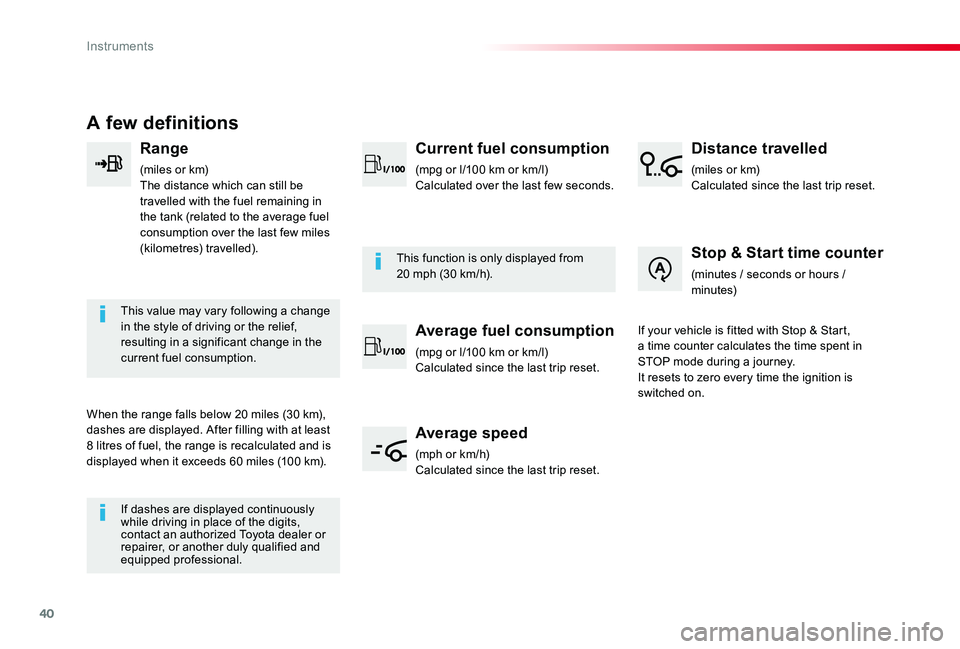
A few definitions
Range
(miles or km)The distance which can still be travelled with the fuel remaining in the tank (related to the average fuel consumption over the last few miles (kilometres) travelled).
This value may vary following a change in the style of driving or the relief, resulting in a significant change in the current fuel consumption.
When the range falls below 20 miles (30 km), dashes are displayed. After filling with at least 8 litres of fuel, the range is recalculated and is displayed when it exceeds 60 miles (100 km).
If dashes are displayed continuously while driving in place of the digits, contact an authorized Toyota dealer or repairer, or another duly qualified and equipped professional.
This function is only displayed from 20 mph (30 km/h).
Current fuel consumption
(mpg or l/100 km or km/l)Calculated over the last few seconds.
Average fuel consumption
(mpg or l/100 km or km/l)Calculated since the last trip reset.
Average speed
(mph or km/h)Calculated since the last trip reset.
Distance travelled
(miles or km)Calculated since the last trip reset.
Stop & Start time counter
(minutes / seconds or hours / minutes)
If your vehicle is fitted with Stop & Start, a time counter calculates the time spent in STOP mode during a journey.It resets to zero every time the ignition is switched on.
Instruments
Page 41 of 418
41
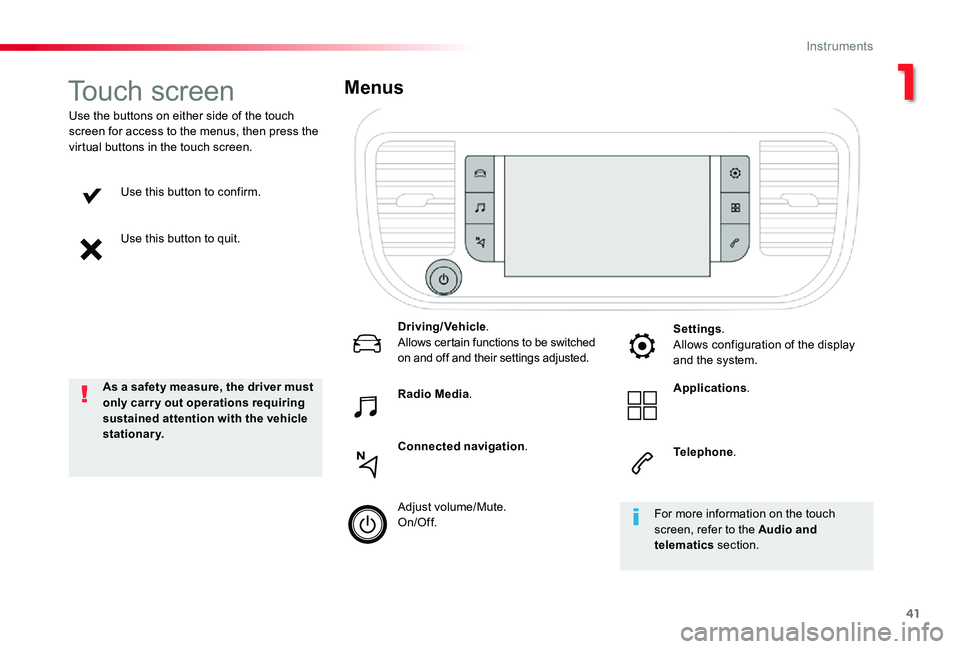
Use this button to confirm.
Use this button to quit.
Use the buttons on either side of the touch screen for access to the menus, then press the virtual buttons in the touch screen.
Menus
Driving/Vehicle.Allows certain functions to be switched on and off and their settings adjusted.
Telephone.
Radio Media.
Connected navigation.
Settings.Allows configuration of the display and the system.
Applications.
Adjust volume/Mute.On/Off.
Touch screen
As a safety measure, the driver must only carry out operations requiring sustained attention with the vehicle stationary.
For more information on the touch screen, refer to the Audio and telematics section.
1
Instruments
Page 44 of 418
44
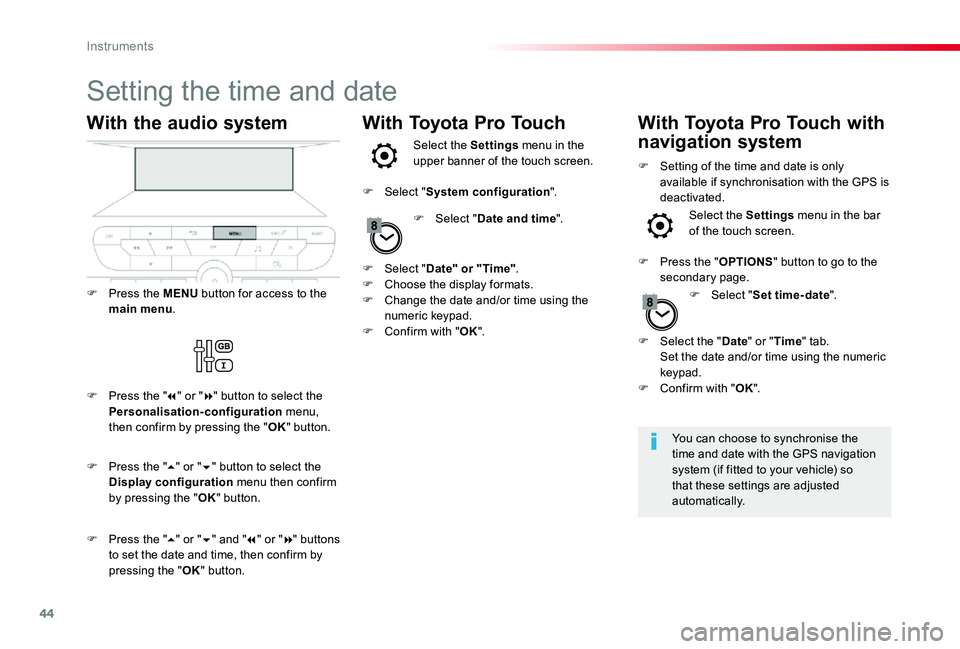
Setting the time and date
You can choose to synchronise the time and date with the GPS navigation system (if fitted to your vehicle) so that these settings are adjusted automatically.
With the audio system
F Press the MENU button for access to the main menu.
F Press the "7" or "8" button to select the Personalisation-configuration menu, then confirm by pressing the "OK" button.
F Press the "5" or "6" and "7" or "8" buttons to set the date and time, then confirm by pressing the "OK" button.
F Press the "5" or "6" button to select the Display configuration menu then confirm by pressing the "OK" button.
With Toyota Pro TouchWith Toyota Pro Touch with
navigation systemSelect the Settings menu in the upper banner of the touch screen.
Select the Settings menu in the bar of the touch screen.F Select "Date and time".
F Select "Set time-date".
F Select "Date" or "Time".F Choose the display formats.F Change the date and/or time using the numeric keypad.F Confirm with "OK".
F Select "System configuration".
F Press the "OPTIONS" button to go to the secondary page.
F Setting of the time and date is only available if synchronisation with the GPS is deactivated.
F Select the "Date" or "Time" tab. Set the date and/or time using the numeric keypad.F Confirm with "OK".
Instruments