tire TOYOTA PROACE VERSO 2022 Owners Manual
[x] Cancel search | Manufacturer: TOYOTA, Model Year: 2022, Model line: PROACE VERSO, Model: TOYOTA PROACE VERSO 2022Pages: 360, PDF Size: 70.79 MB
Page 37 of 360
37
Access
2
Deadlocking
WARNI NG
Deadlocking deactivates the exterior and interior door controls, as well as the central locking button on the dashboard.The horn remains operational.You must therefore never leave anyone inside the vehicle when it is deadlocked.
With the key
► To deadlock the vehicle, turn the key in the front left-hand door lock towards the rear of the vehicle.► Then, within five seconds, turn the key towards the rear again.
With the remote control
► To deadlock the vehicle, press this button.► Then press this button again within five seconds after locking.
NOTIC E
At the same time, depending on version, the electric door mirrors fold in.
NOTIC E
If the vehicle is not fitted with an alarm, deadlocking is confirmed by fixed illumination of the direction indicators for about two seconds.
With Smart Entry & Start on your
person
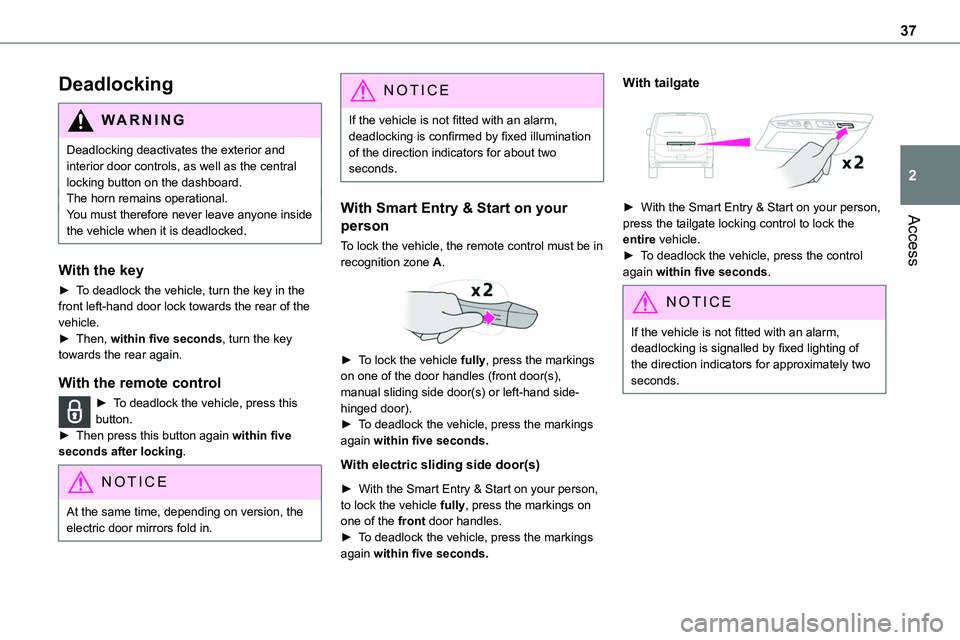
To lock the vehicle, the remote control must be in recognition zone A.
► To lock the vehicle fully, press the markings on one of the door handles (front door(s), manual sliding side door(s) or left-hand side-hinged door).► To deadlock the vehicle, press the markings again within five seconds.
With electric sliding side door(s)
► With the Smart Entry & Start on your person, to lock the vehicle fully, press the markings on one of the front door handles.► To deadlock the vehicle, press the markings again within five seconds.
With tailgate
► With the Smart Entry & Start on your person,
press the tailgate locking control to lock the entire vehicle.► To deadlock the vehicle, press the control again within five seconds.
NOTIC E
If the vehicle is not fitted with an alarm, deadlocking is signalled by fixed lighting of the direction indicators for approximately two seconds.
Page 82 of 360
82
WARNI NG
To avoid the risk of injury or accident, the load must be made stable so that it cannot slide, tip over, fall or be thrown. To do this, use only retaining straps that conform to current standards (DIN for example).For more information on putting straps in place, refer to the manufacturer’s user guide.
There must not be any empty space between the components of the load.To prevent the load sliding, there must not be any empty space between the load and the panels of the vehicle.As well as the straps, optimise the stability of the load with stable handling equipment (wedges, rigid blocks of wood or padding).
WARNI NG
When washing your vehicle, never clean the inside directly using a water jet.
Seating area fittings
High load retaining net
This allows the use of the entire loading capacity, up to the roof:
– behind the front seats in row 1, when the rear seats (and bench seats) in rows 2 and 3 are folded or removed,– behind the rear seats (and bench seats) in row 2, when the rear seats (and bench seats) in row 3 are folded or removed.
Upper fixings
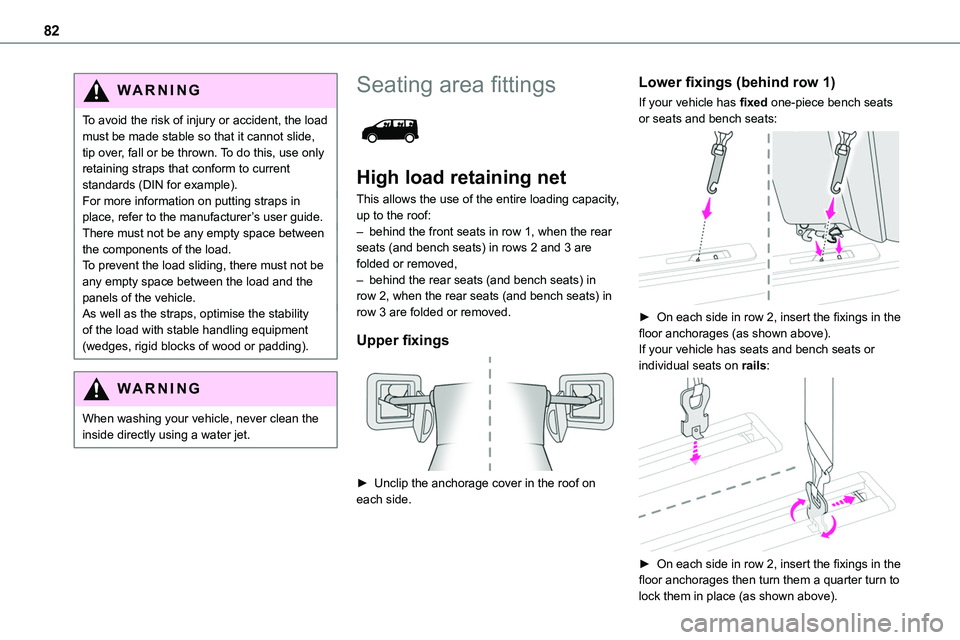
► Unclip the anchorage cover in the roof on each side.
Lower fixings (behind row 1)
If your vehicle has fixed one-piece bench seats or seats and bench seats:
► On each side in row 2, insert the fixings in the floor anchorages (as shown above).If your vehicle has seats and bench seats or individual seats on rails:
► On each side in row 2, insert the fixings in the floor anchorages then turn them a quarter turn to lock them in place (as shown above).
Page 189 of 360
189
Driving
6
Detection - Alert
You are alerted by the flashing of this warning lamp in the instrument panel, accompanied by an audible signal.
NOTIC E
No warning is transmitted while the direction indicator is active and for approximately 20 seconds after the direction indicator is switched off.
Activation/Deactivation
With audio system
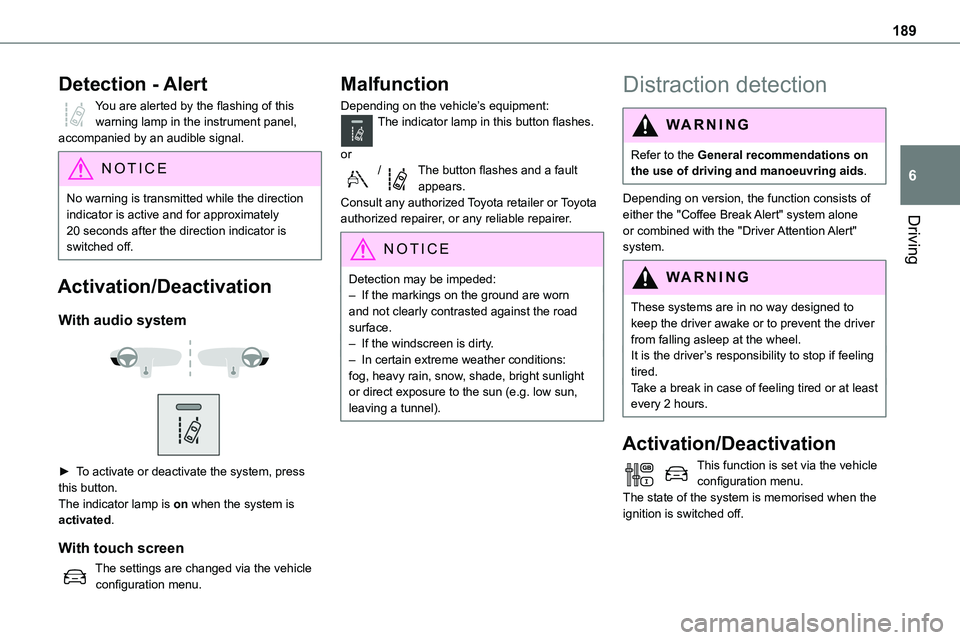
► To activate or deactivate the system, press this button.The indicator lamp is on when the system is activated.
With touch screen
The settings are changed via the vehicle configuration menu.
Malfunction
Depending on the vehicle’s equipment:The indicator lamp in this button flashes.
or/The button flashes and a fault appears.Consult any authorized Toyota retailer or Toyota authorized repairer, or any reliable repairer.
NOTIC E
Detection may be impeded:– If the markings on the ground are worn and not clearly contrasted against the road surface.– If the windscreen is dirty.– In certain extreme weather conditions: fog, heavy rain, snow, shade, bright sunlight or direct exposure to the sun (e.g. low sun, leaving a tunnel).
Distraction detection
WARNI NG
Refer to the General recommendations on the use of driving and manoeuvring aids.
Depending on version, the function consists of either the "Coffee Break Alert" system alone or combined with the "Driver Attention Alert" system.
WARNI NG
These systems are in no way designed to keep the driver awake or to prevent the driver from falling asleep at the wheel. It is the driver’s responsibility to stop if feeling tired.Take a break in case of feeling tired or at least every 2 hours.
Activation/Deactivation
This function is set via the vehicle configuration menu.The state of the system is memorised when the ignition is switched off.
Page 199 of 360
199
Practical information
7
Refuelling
At least 8 litres of fuel must be added, in order to be registered by the fuel gauge.Opening the filler cap may create a noise caused by an inrush of air. This is entirely normal and results from the sealing of the fuel system.To refuel in complete safety:► Always switch off the engine.► Unlock the vehicle using the Smart Entry &
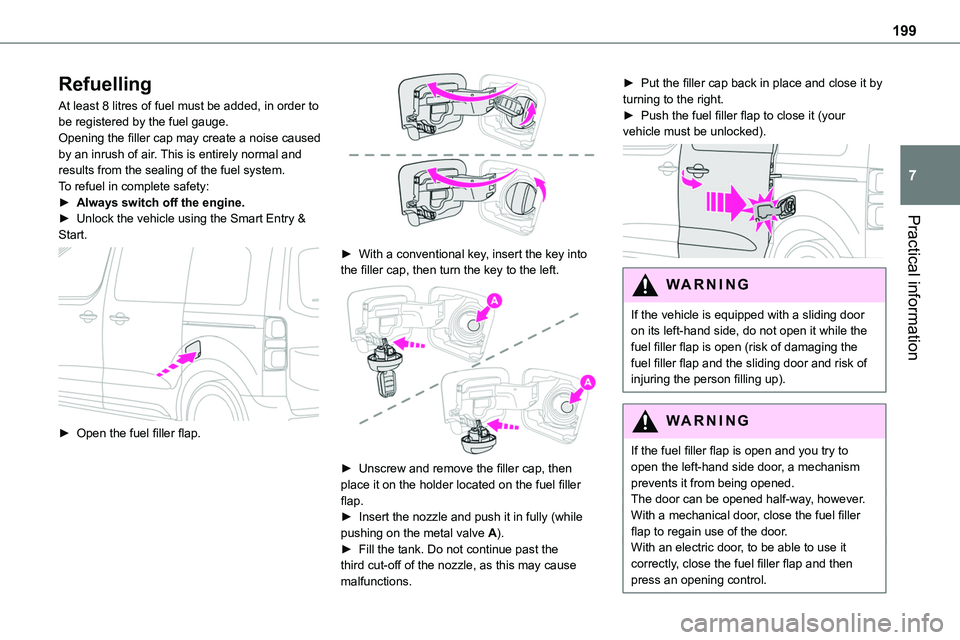
Start.
► Open the fuel filler flap.
► With a conventional key, insert the key into the filler cap, then turn the key to the left.
► Unscrew and remove the filler cap, then place it on the holder located on the fuel filler flap.► Insert the nozzle and push it in fully (while pushing on the metal valve A).► Fill the tank. Do not continue past the third cut-off of the nozzle, as this may cause malfunctions.
► Put the filler cap back in place and close it by turning to the right.► Push the fuel filler flap to close it (your vehicle must be unlocked).
WARNI NG
If the vehicle is equipped with a sliding door on its left-hand side, do not open it while the fuel filler flap is open (risk of damaging the fuel filler flap and the sliding door and risk of injuring the person filling up).
WARNI NG
If the fuel filler flap is open and you try to open the left-hand side door, a mechanism prevents it from being opened.The door can be opened half-way, however.With a mechanical door, close the fuel filler flap to regain use of the door.With an electric door, to be able to use it correctly, close the fuel filler flap and then press an opening control.
Page 268 of 360
268
WARNI NG
The RDS, if activated, enables you to continue listening to the same station by automatic retuning to alternative frequencies. However, in certain conditions, coverage of an RDS station may not be assured throughout the entire country as radio stations do not cover 100% of the territory. This
explains the loss of reception of the station during a journey.
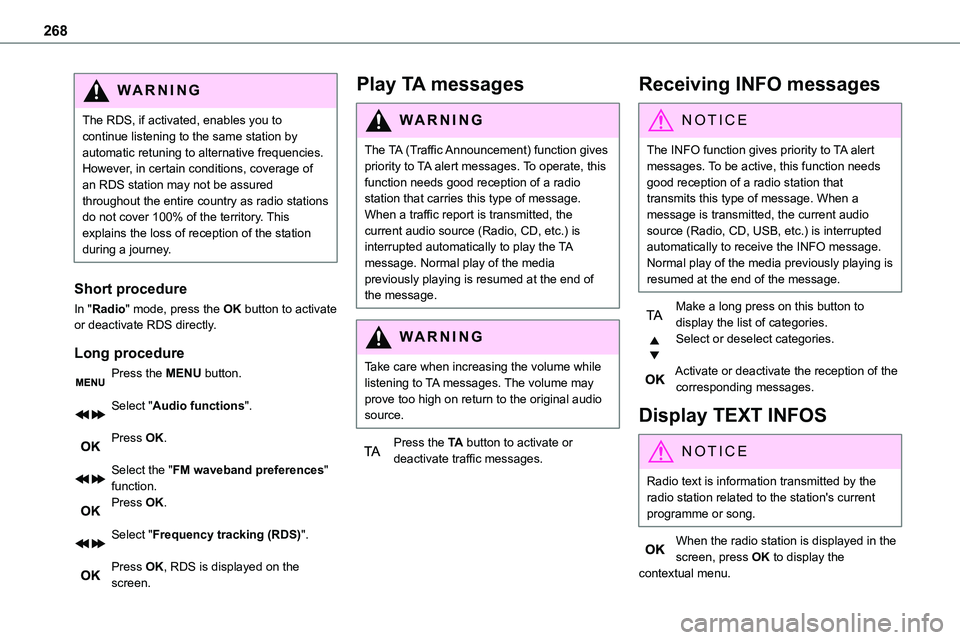
Short procedure
In "Radio" mode, press the OK button to activate or deactivate RDS directly.
Long procedure
Press the MENU button.
Select "Audio functions".
Press OK.
Select the "FM waveband preferences" function.Press OK.
Select "Frequency tracking (RDS)".
Press OK, RDS is displayed on the screen.
Play TA messages
WARNI NG
The TA (Traffic Announcement) function gives priority to TA alert messages. To operate, this function needs good reception of a radio station that carries this type of message. When a traffic report is transmitted, the current audio source (Radio, CD, etc.) is interrupted automatically to play the TA message. Normal play of the media previously playing is resumed at the end of the message.
WARNI NG
Take care when increasing the volume while listening to TA messages. The volume may prove too high on return to the original audio source.
Press the TA button to activate or deactivate traffic messages.
Receiving INFO messages
NOTIC E
The INFO function gives priority to TA alert messages. To be active, this function needs good reception of a radio station that transmits this type of message. When a message is transmitted, the current audio source (Radio, CD, USB, etc.) is interrupted automatically to receive the INFO message. Normal play of the media previously playing is resumed at the end of the message.
Make a long press on this button to display the list of categories.Select or deselect categories.
Activate or deactivate the reception of the corresponding messages.
Display TEXT INFOS
NOTIC E
Radio text is information transmitted by the radio station related to the station's current programme or song.
When the radio station is displayed in the screen, press OK to display the contextual menu.
Page 322 of 360
322
You can activate or deactivate the services and functions (some may be chargeable) and, in some cases, the vehicle's entire connection to the wireless network. This does not include the statutory functions and services such as the emergency or assistance call system.
Third-party services
If you use online services provided by other
(third-party) suppliers, these services are subject to the responsibility, the data protection and the terms and conditions of use of the supplier in question. The Manufacturer often has no influence over the content exchanged in this regard. Please therefore ensure that you are aware of the nature, extent and purpose of the collection and use of personal data as part of the third-party services provided by the service provider in question.