instrument panel TOYOTA PROACE VERSO EV 2021 Repair Manual
[x] Cancel search | Manufacturer: TOYOTA, Model Year: 2021, Model line: PROACE VERSO EV, Model: TOYOTA PROACE VERSO EV 2021Pages: 360, PDF Size: 68.91 MB
Page 288 of 360
288
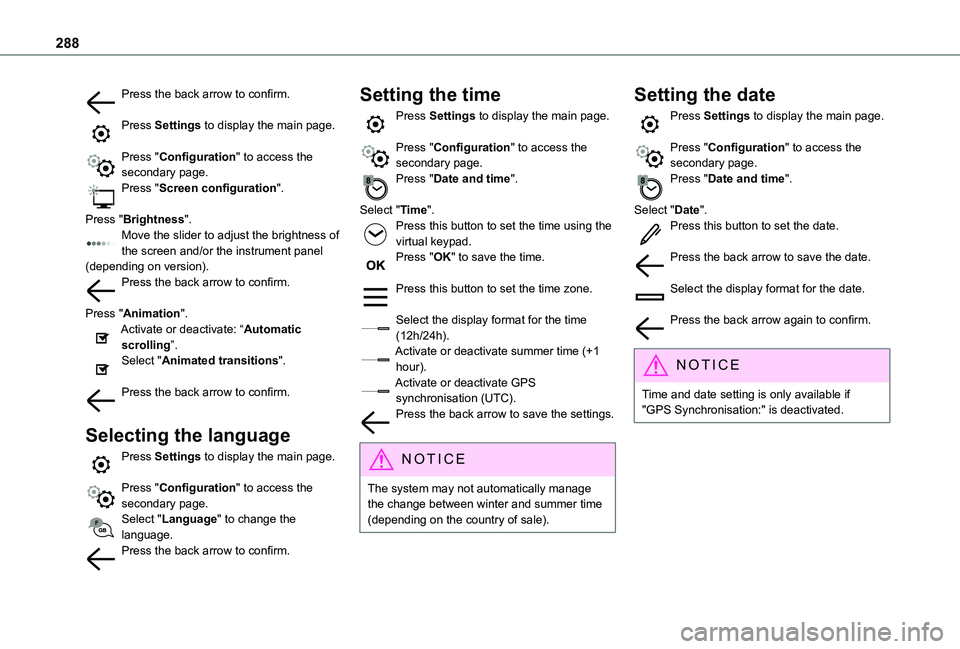
Press the back arrow to confirm.
Press Settings to display the main page.
Press "Configuration" to access the secondary page.Press "Screen configuration".
Press "Brightness".Move the slider to adjust the brightness of the screen and/or the instrument panel (depending on version).Press the back arrow to confirm.
Press "Animation".Activate or deactivate: “Automatic scrolling”.Select "Animated transitions".
Press the back arrow to confirm.
Selecting the language
Press Settings to display the main page.
Press "Configuration" to access the secondary page.Select "Language" to change the language.Press the back arrow to confirm.
Setting the time
Press Settings to display the main page.
Press "Configuration" to access the secondary page.Press "Date and time".
Select "Time".Press this button to set the time using the virtual keypad.Press "OK" to save the time.
Press this button to set the time zone.
Select the display format for the time (12h/24h).Activate or deactivate summer time (+1 hour).Activate or deactivate GPS synchronisation (UTC).Press the back arrow to save the settings.
NOTIC E
The system may not automatically manage the change between winter and summer time (depending on the country of sale).
Setting the date
Press Settings to display the main page.
Press "Configuration" to access the secondary page.Press "Date and time".
Select "Date".Press this button to set the date.
Press the back arrow to save the date.
Select the display format for the date.
Press the back arrow again to confirm.
NOTIC E
Time and date setting is only available if "GPS Synchronisation:" is deactivated.
Page 292 of 360
292
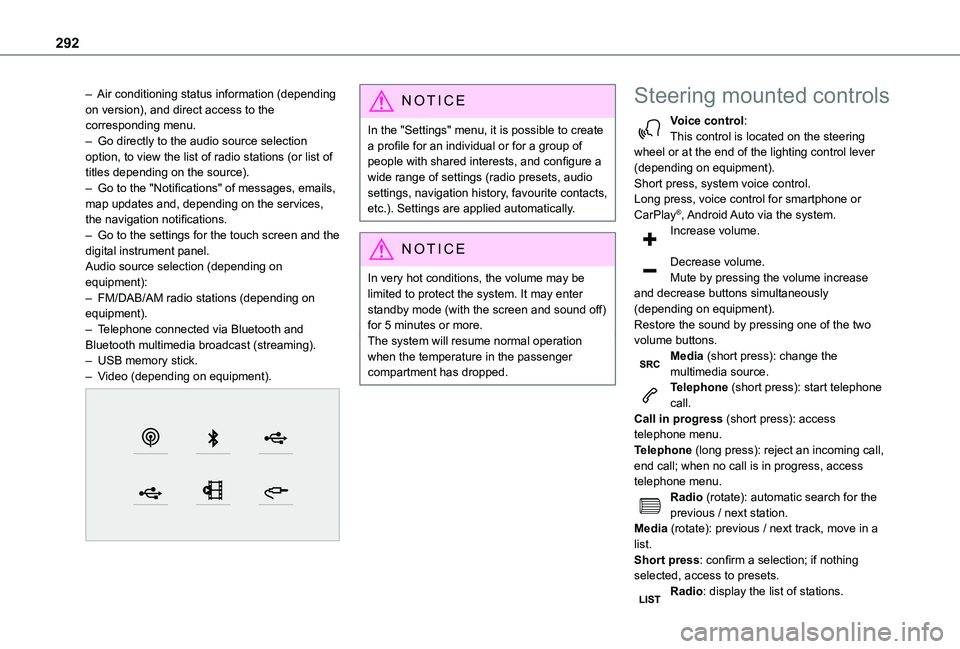
– Air conditioning status information (depending on version), and direct access to the corresponding menu.– Go directly to the audio source selection option, to view the list of radio stations (or list of titles depending on the source).– Go to the "Notifications" of messages, emails, map updates and, depending on the services, the navigation notifications.– Go to the settings for the touch screen and the digital instrument panel.Audio source selection (depending on equipment):– FM/DAB/AM radio stations (depending on equipment).– Telephone connected via Bluetooth and Bluetooth multimedia broadcast (streaming).– USB memory stick.– Video (depending on equipment).
NOTIC E
In the "Settings" menu, it is possible to create a profile for an individual or for a group of people with shared interests, and configure a wide range of settings (radio presets, audio settings, navigation history, favourite contacts, etc.). Settings are applied automatically.
NOTIC E
In very hot conditions, the volume may be limited to protect the system. It may enter standby mode (with the screen and sound off) for 5 minutes or more.The system will resume normal operation when the temperature in the passenger compartment has dropped.
Steering mounted controls
Voice control:This control is located on the steering wheel or at the end of the lighting control lever (depending on equipment).Short press, system voice control.Long press, voice control for smartphone or CarPlay®, Android Auto via the system.Increase volume.
Decrease volume.Mute by pressing the volume increase and decrease buttons simultaneously (depending on equipment).Restore the sound by pressing one of the two volume buttons.Media (short press): change the multimedia source.Telephone (short press): start telephone call.Call in progress (short press): access telephone menu.
Telephone (long press): reject an incoming call, end call; when no call is in progress, access telephone menu.Radio (rotate): automatic search for the previous / next station.Media (rotate): previous / next track, move in a list.Short press: confirm a selection; if nothing selected, access to presets.Radio: display the list of stations.
Page 314 of 360
314
Modifying system settings
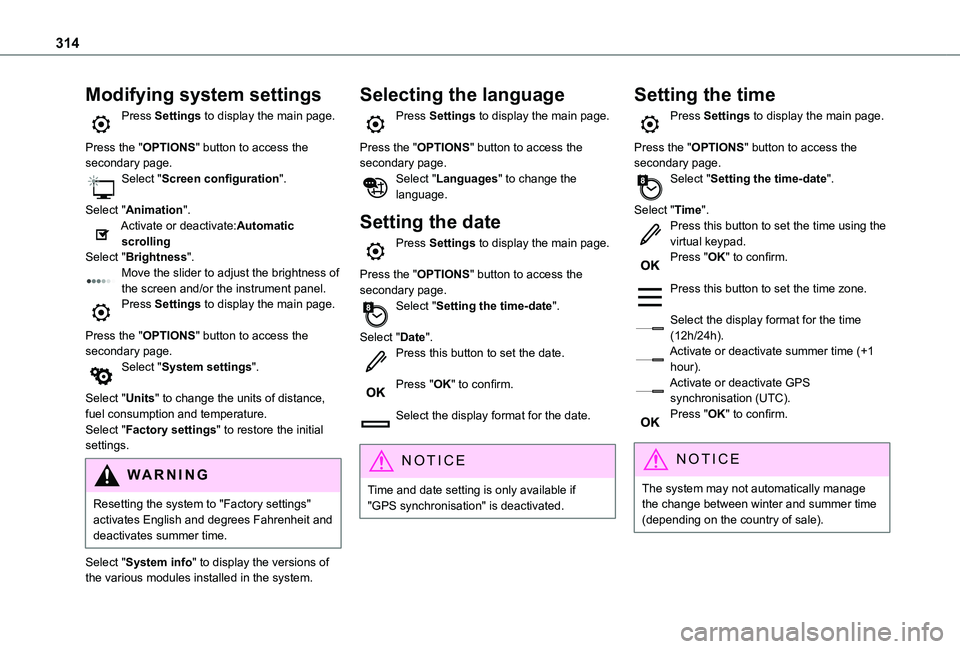
Press Settings to display the main page.
Press the "OPTIONS" button to access the secondary page.Select "Screen configuration".
Select "Animation".Activate or deactivate:Automatic scrollingSelect "Brightness".Move the slider to adjust the brightness of the screen and/or the instrument panel.Press Settings to display the main page.
Press the "OPTIONS" button to access the secondary page.Select "System settings".
Select "Units" to change the units of distance, fuel consumption and temperature.Select "Factory settings" to restore the initial
settings.
WARNI NG
Resetting the system to "Factory settings" activates English and degrees Fahrenheit and deactivates summer time.
Select "System info" to display the versions of the various modules installed in the system.
Selecting the language
Press Settings to display the main page.
Press the "OPTIONS" button to access the secondary page.Select "Languages" to change the language.
Setting the date
Press Settings to display the main page.
Press the "OPTIONS" button to access the secondary page.Select "Setting the time-date".
Select "Date".Press this button to set the date.
Press "OK" to confirm.
Select the display format for the date.
NOTIC E
Time and date setting is only available if "GPS synchronisation" is deactivated.
Setting the time
Press Settings to display the main page.
Press the "OPTIONS" button to access the secondary page.Select "Setting the time-date".
Select "Time".Press this button to set the time using the virtual keypad.Press "OK" to confirm.
Press this button to set the time zone.
Select the display format for the time (12h/24h).Activate or deactivate summer time (+1 hour).Activate or deactivate GPS synchronisation (UTC).Press "OK" to confirm.
NOTIC E
The system may not automatically manage the change between winter and summer time (depending on the country of sale).
Page 321 of 360
321
Alphabetical index
Histogramme, fuel consumption 27–28Horn 111
I
Ignition 153–154, 312Ignition on 154Immobiliser, electronic 150Indicator, AdBlue® range 19Indicator, coolant temperature 18–19Indicator, engine oil level 19Indicator lamps, operation 99Indicators, direction 100Inflating tyres 220, 262Inflating tyres and accessories (using the kit) 229–232Infrared camera 171Instrument panel 10, 171Intelligent Traction Control 11 4Internet browser 301, 304ISOFIX 140, 142, 143, 143–144
J
Jack 233Jump starting 247
K
Key 30–31, 33–35, 37Key, electronic 30, 154Keyless Entry and Starting 30–36, 151, 153–154Key not recognised 154Key with remote control 35Kit, hands-free 271, 285–286, 310Kit, puncture repair 230–232Kit, temporary puncture repair 229–232
L
Labels 6, 63Labels, identification 262Lams with Full LED technology 102Lane Departure Warning System (LDWS) 187–188Leather (care) 226Level, AdBlue® 218
Level, brake fluid 217Level, Diesel additive 218–219Level, engine coolant 18–19, 217Level, engine oil 19, 216Level, headlamp wash 106Level, power steering fluid 217Levels and checks 215–217Level, screenwash fluid 106, 217Lighting 99Lighting, cornering 102
Lighting dimmer 23Lighting, exterior 99Lighting, guide-me home 101Lighting, interior 97, 104Lighting, mood 104Lighting, welcome 101–102Loading 80, 213Loading area fittings 79Load reduction mode 2 11Load restraint 79Locating your vehicle 31Locking 30–31, 35Locking from the inside 39–41Locking the doors 39–40Low fuel level 197, 199Lumbar 52, 56–57
M
Mains socket (domestic network) 202Maintenance (advice) 200, 225
Maintenance, routine 171, 218, 220Manoeuvring aids (recommendations) 170Map reading lamps 97Markings, identification 262Massage function 56Mat 75, 171Memorising a speed 173Menu 284Menu, main 26, 265Menus (audio) 278–279, 293–294
Page 323 of 360
323
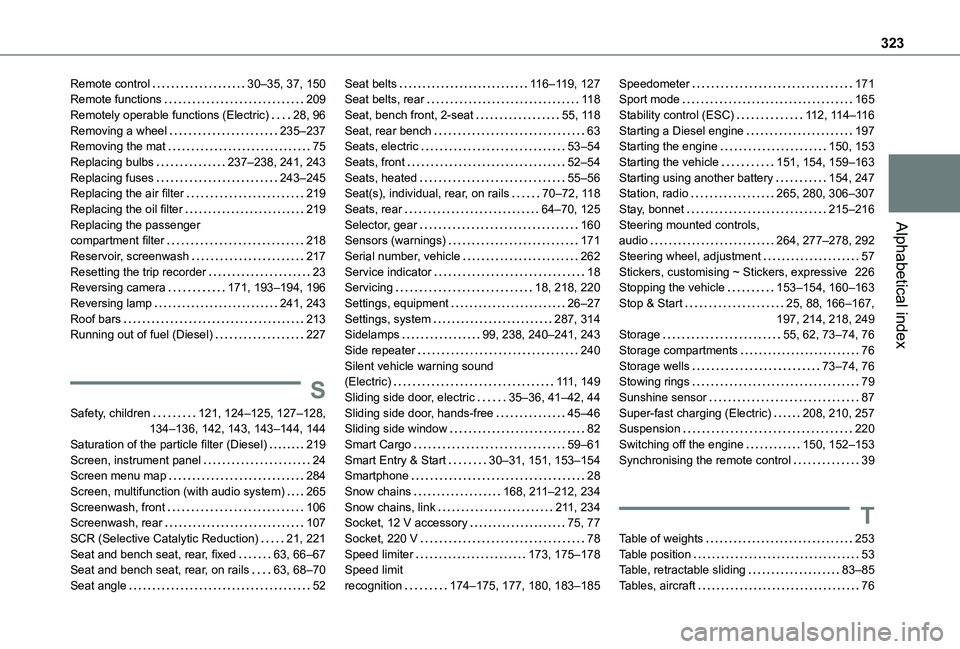
Alphabetical index
Remote control 30–35, 37, 150Remote functions 209Remotely operable functions (Electric) 28, 96Removing a wheel 235–237Removing the mat 75Replacing bulbs 237–238, 241, 243Replacing fuses 243–245Replacing the air filter 219Replacing the oil filter 219Replacing the passenger compartment filter 218Reservoir, screenwash 217Resetting the trip recorder 23Reversing camera 171, 193–194, 196Reversing lamp 241, 243Roof bars 213Running out of fuel (Diesel) 227
S
Safety, children 121, 124–125, 127–128, 134–136, 142, 143, 143–144, 144
Saturation of the particle filter (Diesel) 219Screen, instrument panel 24Screen menu map 284Screen, multifunction (with audio system) 265Screenwash, front 106Screenwash, rear 107SCR (Selective Catalytic Reduction) 21, 221Seat and bench seat, rear, fixed 63, 66–67Seat and bench seat, rear, on rails 63, 68–70Seat angle 52
Seat belts 11 6–11 9, 127Seat belts, rear 11 8Seat, bench front, 2-seat 55, 11 8Seat, rear bench 63Seats, electric 53–54Seats, front 52–54Seats, heated 55–56Seat(s), individual, rear, on rails 70–72, 11 8Seats, rear 64–70, 125Selector, gear 160Sensors (warnings) 171Serial number, vehicle 262Service indicator 18Servicing 18, 218, 220Settings, equipment 26–27Settings, system 287, 314Sidelamps 99, 238, 240–241, 243Side repeater 240Silent vehicle warning sound (Electric) 111, 149Sliding side door, electric 35–36, 41–42, 44Sliding side door, hands-free 45–46Sliding side window 82
Smart Cargo 59–61Smart Entry & Start 30–31, 151, 153–154Smartphone 28Snow chains 168, 2 11–212, 234Snow chains, link 2 11, 234Socket, 12 V accessory 75, 77Socket, 220 V 78Speed limiter 173, 175–178Speed limit recognition 174–175, 177, 180, 183–185
Speedometer 171Sport mode 165Stability control (ESC) 11 2, 11 4–11 6Starting a Diesel engine 197Starting the engine 150, 153Starting the vehicle 151, 154, 159–163Starting using another battery 154, 247Station, radio 265, 280, 306–307Stay, bonnet 215–216Steering mounted controls, audio 264, 277–278, 292Steering wheel, adjustment 57Stickers, customising ~ Stickers, expressive 226Stopping the vehicle 153–154, 160–163Stop & Start 25, 88, 166–167, 197, 214, 218, 249Storage 55, 62, 73–74, 76Storage compartments 76Storage wells 73–74, 76Stowing rings 79Sunshine sensor 87Super-fast charging (Electric) 208, 210, 257Suspension 220
Switching off the engine 150, 152–153Synchronising the remote control 39
T
Table of weights 253Table position 53Table, retractable sliding 83–85Tables, aircraft 76