towing TOYOTA PROACE VERSO EV 2024 User Guide
[x] Cancel search | Manufacturer: TOYOTA, Model Year: 2024, Model line: PROACE VERSO EV, Model: TOYOTA PROACE VERSO EV 2024Pages: 360, PDF Size: 70.22 MB
Page 115 of 360
11 5
Safety
5
necessary, to slow the vehicle (indicated by the flashing of this warning lamp on the instrument panel and the brake lamps coming on).For information on weights and towed loads, refer to the Engine technical data and towed loads section or your vehicle’s registration certificate.To ensure safe driving with a Towing device, refer to the corresponding section.
Malfunction
If a fault occurs, this warning lamp lights up on the instrument panel, accompanied by a message and an audible signal.To continue towing a trailer, reduce speed and drive carefully!Have it checked by any authorized Toyota retailer or Toyota authorized repairer, or any reliable repairer.
WARNI NG
The trailer stability control system provides an extra safety feature under normal driving conditions, when following the recommendations for use of trailers and current legislation in force in your country. It must not encourage the driver to take extra risks, such as using a trailer in unsuitable
conditions of operation (e.g. excessive load, exceeded nose weight, worn or under-inflated
tyres, faulty braking system) or driving at excessive speed.In certain cases, the system may not detect trailer snaking, particularly with a light trailer.When driving on slippery or poor surfaces, the system may not be able to prevent sudden trailer snaking.
Toyota Traction Select
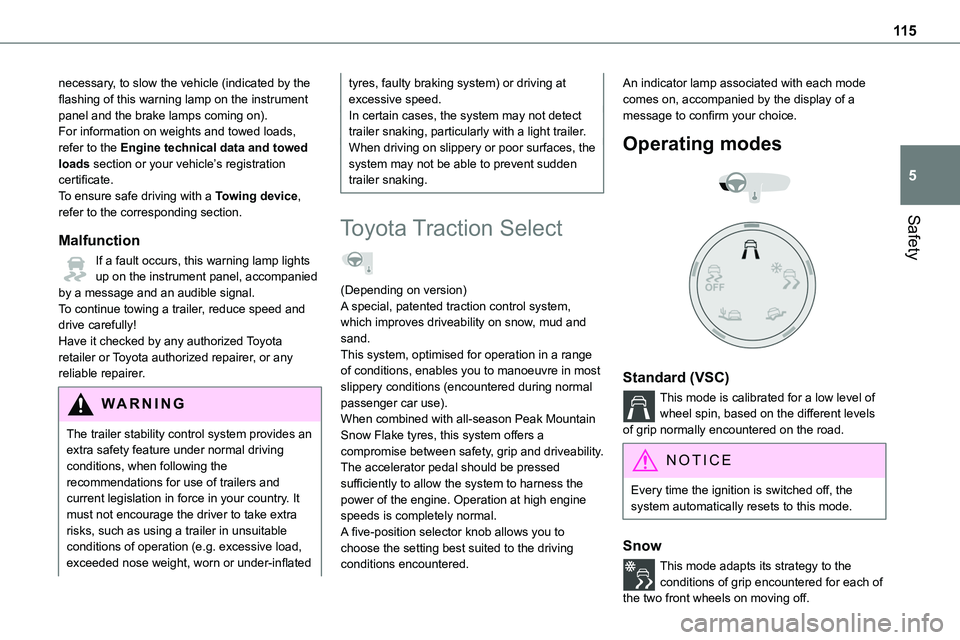
(Depending on version)A special, patented traction control system, which improves driveability on snow, mud and sand.This system, optimised for operation in a range of conditions, enables you to manoeuvre in most slippery conditions (encountered during normal passenger car use).When combined with all-season Peak Mountain Snow Flake tyres, this system offers a compromise between safety, grip and driveability.The accelerator pedal should be pressed sufficiently to allow the system to harness the power of the engine. Operation at high engine speeds is completely normal.A five-position selector knob allows you to choose the setting best suited to the driving conditions encountered.
An indicator lamp associated with each mode comes on, accompanied by the display of a message to confirm your choice.
Operating modes
Standard (VSC)
This mode is calibrated for a low level of wheel spin, based on the different levels of grip normally encountered on the road.
NOTIC E
Every time the ignition is switched off, the system automatically resets to this mode.
Snow
This mode adapts its strategy to the conditions of grip encountered for each of
the two front wheels on moving off.
Page 149 of 360
149
Driving
6
WARNI NG
Never leave a vehicle unattended with the engine running. If you have to leave your vehicle with the engine running, apply the parking brake and put the gearbox into neutral or position N or P (depending on the type of gearbox).
WARNI NG
Never leave children inside the vehicle unsupervised.
On flooded roads
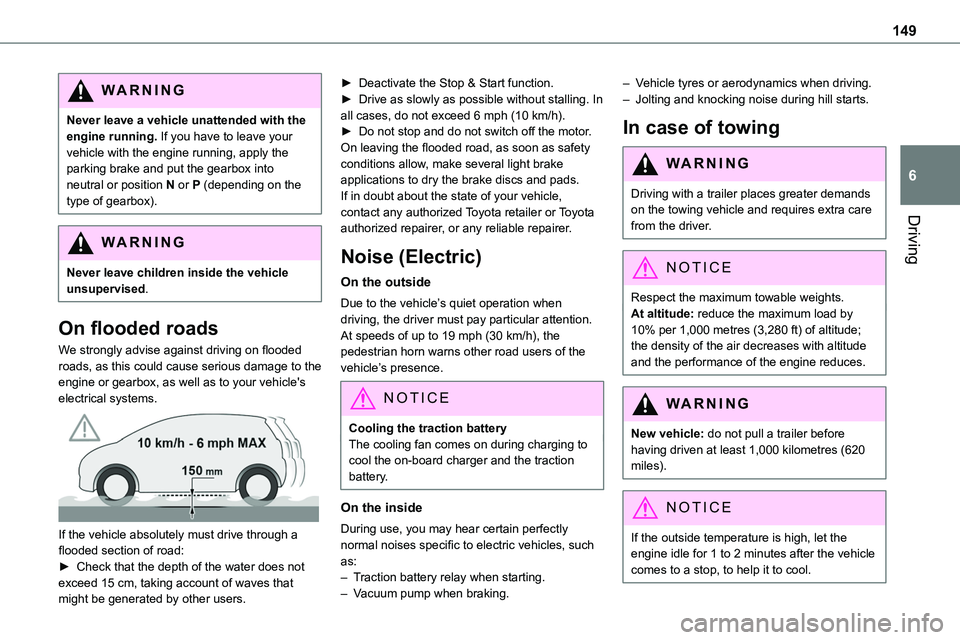
We strongly advise against driving on flooded roads, as this could cause serious damage to the engine or gearbox, as well as to your vehicle's electrical systems.
If the vehicle absolutely must drive through a flooded section of road:► Check that the depth of the water does not exceed 15 cm, taking account of waves that might be generated by other users.
► Deactivate the Stop & Start function.► Drive as slowly as possible without stalling. In all cases, do not exceed 6 mph (10 km/h).► Do not stop and do not switch off the motor.On leaving the flooded road, as soon as safety conditions allow, make several light brake applications to dry the brake discs and pads.If in doubt about the state of your vehicle, contact any authorized Toyota retailer or Toyota
authorized repairer, or any reliable repairer.
Noise (Electric)
On the outside
Due to the vehicle’s quiet operation when driving, the driver must pay particular attention.At speeds of up to 19 mph (30 km/h), the pedestrian horn warns other road users of the vehicle’s presence.
NOTIC E
Cooling the traction batteryThe cooling fan comes on during charging to cool the on-board charger and the traction battery.
On the inside
During use, you may hear certain perfectly
normal noises specific to electric vehicles, such as:– Traction battery relay when starting.– Vacuum pump when braking.
– Vehicle tyres or aerodynamics when driving.– Jolting and knocking noise during hill starts.
In case of towing
WARNI NG
Driving with a trailer places greater demands on the towing vehicle and requires extra care from the driver.
NOTIC E
Respect the maximum towable weights.At altitude: reduce the maximum load by 10% per 1,000 metres (3,280 ft) of altitude; the density of the air decreases with altitude and the performance of the engine reduces.
WARNI NG
New vehicle: do not pull a trailer before having driven at least 1,000 kilometres (620 miles).
NOTIC E
If the outside temperature is high, let the engine idle for 1 to 2 minutes after the vehicle comes to a stop, to help it to cool.
Page 150 of 360
150
Before setting off
Nose weight
► Distribute the load in the trailer so that the heaviest items are as close as possible to the axle and the nose weight (at the point where it joins your vehicle) approaches the maximum permitted without exceeding it.
Tyres
► Check the tyre pressures of the towing vehicle and of the trailer, observing the recommended pressures.
Lighting
► Check the electrical signalling on the trailer and the headlamp beam height of your vehicle.
NOTIC E
If a genuine TOYOTA towing device is used, the rear parking sensors will be deactivated automatically to avoid the audible signal.
When driving
Cooling
Towing a trailer uphill causes the coolant temperature to increase. The maximum towable load depends on the gradient and the exterior
temperature. The fan’s cooling capacity does not increase with engine speed.► Reduce speed and lower the engine speed to limit the amount of heating produced.
In all cases, pay attention to the coolant temperature.If this warning lamp and the STOP warning lamp come on, stop the vehicle and switch off the engine as soon as possible.
Brakes
Braking distances are increased when towing a trailer. To avoid overheating the brakes, the use
of engine braking is recommended.
Side wind
Bear in mind that the vehicle will be more susceptible to wind when towing.
Anti-theft protection
Electronic immobiliser
The remote control contains an electronic chip which has a special code. When the ignition is switched on, this code must be recognised in order for starting to be possible.A few seconds after switching off the ignition, this system locks the engine control system, therefore preventing the engine from being started in the event of a break-in.In the event of a fault, you are informed by illumination of this warning lamp, an audible signal and a message on the screen.The vehicle will not start; contact any authorized Toyota retailer or Toyota authorized repairer, or any reliable repairer as soon as possible.
Starting/switching off the
engine
Starting
The parking brake must be applied.
► With a manual gearbox, place the gear lever in neutral, fully depress the clutch pedal and
keep the pedal down until the engine starts.► With an automatic gearbox, place the selector in position P then depress the brake pedal.
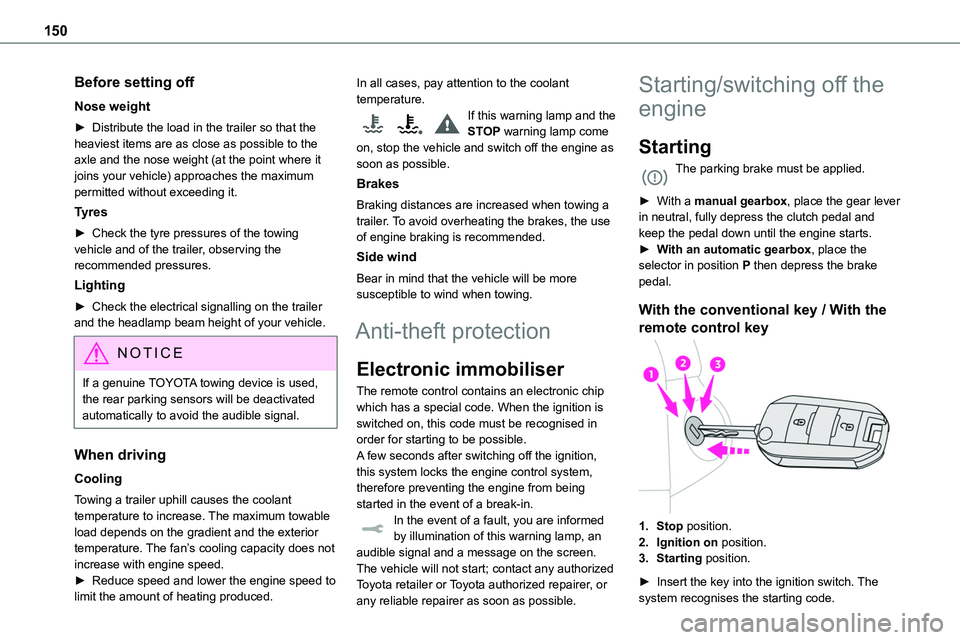
With the conventional key / With the
remote control key
1.Stop position.
2.Ignition on position.
3.Starting position.
► Insert the key into the ignition switch. The system recognises the starting code.
Page 156 of 360
156
The indicator lamp flashes in response to a manual request to apply or release the brake.
WARNI NG
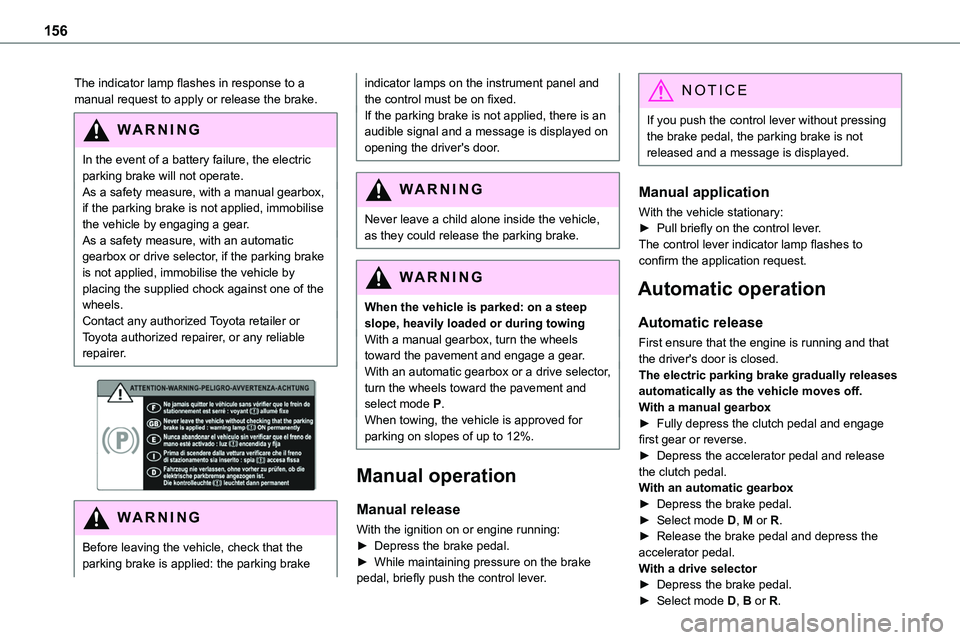
In the event of a battery failure, the electric parking brake will not operate. As a safety measure, with a manual gearbox, if the parking brake is not applied, immobilise the vehicle by engaging a gear.As a safety measure, with an automatic gearbox or drive selector, if the parking brake is not applied, immobilise the vehicle by placing the supplied chock against one of the wheels.Contact any authorized Toyota retailer or Toyota authorized repairer, or any reliable repairer.
WARNI NG
Before leaving the vehicle, check that the parking brake is applied: the parking brake
indicator lamps on the instrument panel and the control must be on fixed.If the parking brake is not applied, there is an audible signal and a message is displayed on opening the driver's door.
WARNI NG
Never leave a child alone inside the vehicle, as they could release the parking brake.
WARNI NG
When the vehicle is parked: on a steep slope, heavily loaded or during towingWith a manual gearbox, turn the wheels toward the pavement and engage a gear.With an automatic gearbox or a drive selector, turn the wheels toward the pavement and select mode P.When towing, the vehicle is approved for parking on slopes of up to 12%.
Manual operation
Manual release
With the ignition on or engine running:► Depress the brake pedal.► While maintaining pressure on the brake pedal, briefly push the control lever.
NOTIC E
If you push the control lever without pressing the brake pedal, the parking brake is not released and a message is displayed.
Manual application
With the vehicle stationary:
► Pull briefly on the control lever.The control lever indicator lamp flashes to confirm the application request.
Automatic operation
Automatic release
First ensure that the engine is running and that the driver's door is closed.The electric parking brake gradually releases automatically as the vehicle moves off.With a manual gearbox► Fully depress the clutch pedal and engage first gear or reverse.► Depress the accelerator pedal and release the clutch pedal.With an automatic gearbox► Depress the brake pedal.► Select mode D, M or R.► Release the brake pedal and depress the accelerator pedal.With a drive selector► Depress the brake pedal.► Select mode D, B or R.
Page 157 of 360
157
Driving
6
► Release the brake pedal and depress the accelerator pedal.
NOTIC E
With an automatic gearbox or drive selector, if the brake does not release automatically, check that the front doors are properly closed.
WARNI NG
When stationary with the engine running, do not depress the accelerator pedal unnecessarily. Risk of parking brake release.
Automatic application
With the vehicle stationary, the parking brake is applied automatically when the engine is switched off.
WARNI NG
It is not applied automatically if the engine stalls or enters STOP mode with Stop & Start.
NOTIC E
In automatic mode, the parking brake can be manually applied or released at any time using the control.
Special cases
Immobilising the vehicle with the
engine running
To immobilise the vehicle with the engine running, briefly pull the control lever.
Parking the vehicle with the brake
released
WARNI NG
In very cold conditions (ice), applying the parking brake is not recommended.To immobilise the vehicle, engage a gear or place the chocks against one of the wheels.
NOTIC E
With an automatic gearbox or drive selector, mode P is automatically selected when the ignition is switched off. The wheels are blocked.For more information on Free-wheeling, refer to the corresponding section.
NOTIC E
With an automatic gearbox or drive selector, while mode N is selected, opening the driver’s door triggers an audible signal. It stops when the driver's door closes again.
Deactivating automatic
operation
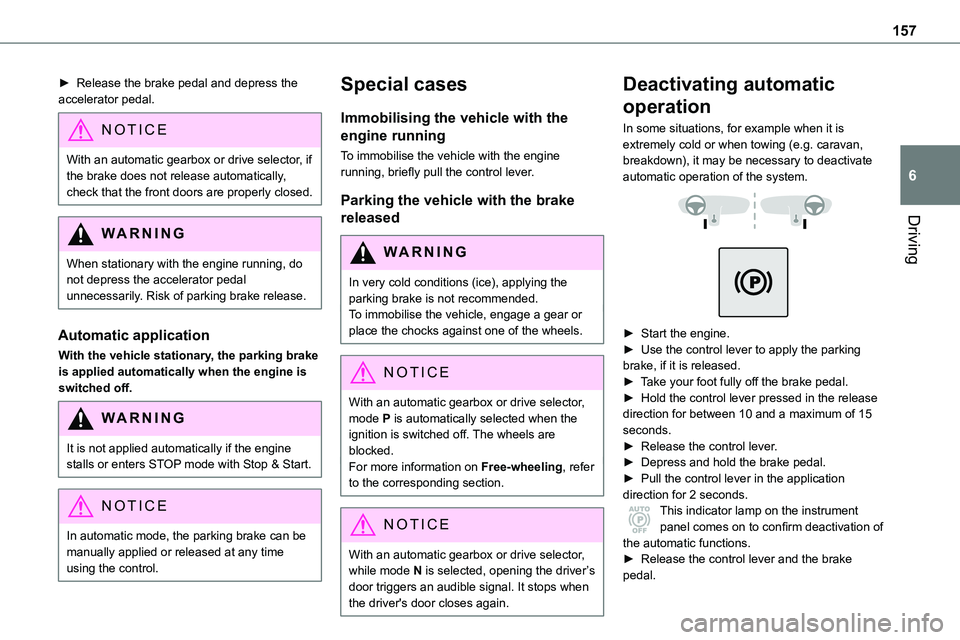
In some situations, for example when it is extremely cold or when towing (e.g. caravan, breakdown), it may be necessary to deactivate automatic operation of the system.
► Start the engine.► Use the control lever to apply the parking brake, if it is released.► Take your foot fully off the brake pedal.► Hold the control lever pressed in the release direction for between 10 and a maximum of 15 seconds.► Release the control lever.► Depress and hold the brake pedal.► Pull the control lever in the application direction for 2 seconds.This indicator lamp on the instrument panel comes on to confirm deactivation of
the automatic functions.► Release the control lever and the brake pedal.
Page 174 of 360
174
Speed display
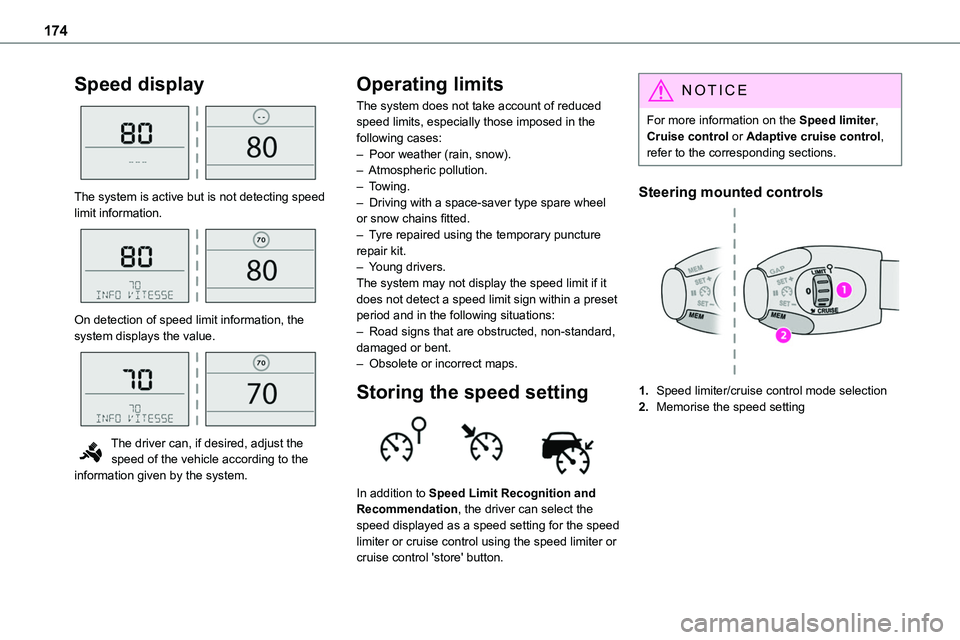
The system is active but is not detecting speed limit information.
On detection of speed limit information, the system displays the value.
The driver can, if desired, adjust the speed of the vehicle according to the information given by the system.
Operating limits
The system does not take account of reduced speed limits, especially those imposed in the following cases:– Poor weather (rain, snow).– Atmospheric pollution.– Towing.– Driving with a space-saver type spare wheel or snow chains fitted.
– Tyre repaired using the temporary puncture repair kit.– Young drivers.The system may not display the speed limit if it does not detect a speed limit sign within a preset period and in the following situations:– Road signs that are obstructed, non-standard, damaged or bent.– Obsolete or incorrect maps.
Storing the speed setting
In addition to Speed Limit Recognition and Recommendation, the driver can select the speed displayed as a speed setting for the speed limiter or cruise control using the speed limiter or cruise control 'store' button.
NOTIC E
For more information on the Speed limiter, Cruise control or Adaptive cruise control, refer to the corresponding sections.
Steering mounted controls
1.Speed limiter/cruise control mode selection
2.Memorise the speed setting
Page 177 of 360
177
Driving
6
To modify the limit speed setting based on the vehicle’s current speed:► Briefly press button 2 or 3 to change the value in steps of + or - 1 mph (1.6 km/h).► Press and hold button 2 or 3 to change the value in steps of + or - 5 mph (8 km/h).To change the limit speed setting using memorised speeds, via the touch screen:► Press button 5 to display the memorised
speed settings.► Press the touch screen button for the desired speed setting.The selection screen closes after a few moments.This setting becomes the new limit speed.To modify the cruise speed setting based on the speed suggested by the Speed Limit Recognition and Recommendation, as shown on the instrument panel:► Press button 5 once; a message is displayed to confirm the memorisation request.► Press button 5 again to save the suggested speed.The speed is immediately shown on the instrument panel as the new speed setting.
Temporarily exceeding the
programmed speed
► To temporarily exceed the programmed speed threshold, fully depress the accelerator pedal.
The speed limiter is deactivated temporarily and the displayed programmed speed flashes.If it is exceeded for a prolonged period of time, an audible warning is triggered.Simply release the accelerator pedal to return to below the programmed speed.When the limit speed is exceeded but this is not due to action by the driver (in case of a steep slope, for example), an audible signal triggers
immediately.Once the speed of the vehicle returns to the programmed setting, the speed limiter functions again: the display of the programmed speed setting becomes fixed again.
Switching off
► Turn the thumbwheel 1 to the "0" position: the display of information on the speed limiter disappears.
Malfunction
Dashes are displayed (flashing, initially, then fixed) in the event of a speed limiter malfunction.Have it checked by any authorized Toyota retailer or Toyota authorized repairer, or any
reliable repairer.
Cruise control - particular
recommendations
WARNI NG
For the safety of everyone, only use the cruise control where the driving conditions allow running at a constant speed and keeping an adequate safety distance.Remain vigilant when the cruise control is activated. If you hold one of the speed setting modification buttons, a very rapid change in the speed of your vehicle may occur.When descending a steep hill, the cruise control system cannot prevent the vehicle from exceeding the set speed. Brake if necessary to control the speed of your vehicle.On steep climbs or when towing, the set speed may not be reached or maintained.
NOTIC E
Exceeding the programmed speed settingYou can temporarily exceed the speed setting by pressing the accelerator pedal (the programmed speed flashes).
To return to the speed setting, release the accelerator pedal (when the set speed is reached again, the displayed speed stops flashing).
Page 184 of 360
184
Malfunction
In the event of a malfunction with the adaptive cruise control, you will be alerted by an audible signal and the display of the message "Driving aid functions fault".Have it checked by any authorized Toyota retailer or Toyota authorized repairer, or any reliable repairer.
Active Safety Brake with
Collision Risk Alert and
Intelligent emergency
braking assistance
WARNI NG
Refer to the General recommendations on the use of driving and manoeuvring aids.
This system:– warns the driver that their vehicle is at risk of collision with the vehicle in front.– reduces the vehicle's speed to avoid a collision or limit its severity.This system is comprised of three functions:– Collision Risk Alert,
– Intelligent emergency braking assistance (iEBA).– Active Safety Brake (automatic emergency braking).
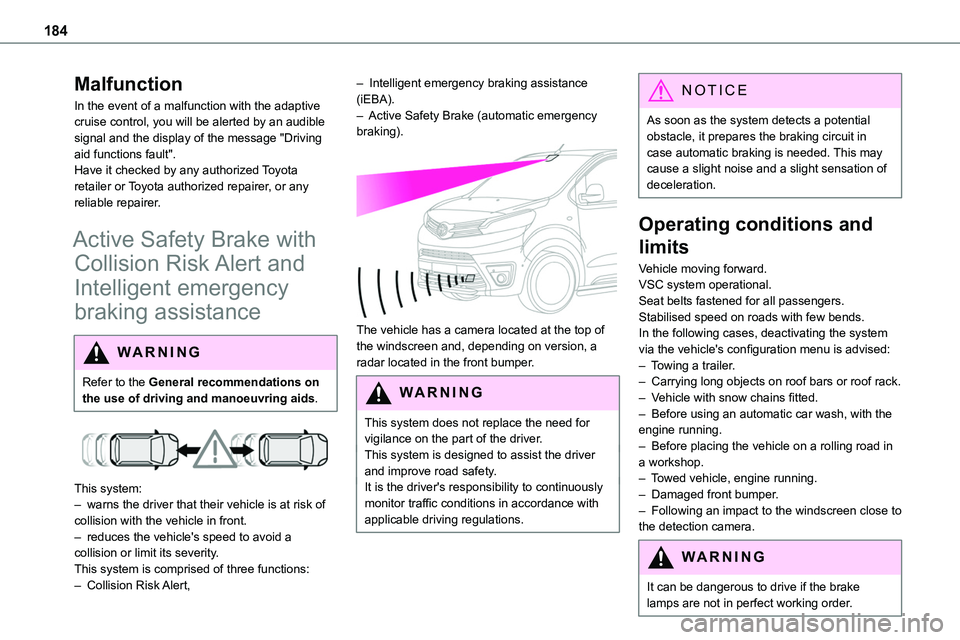
The vehicle has a camera located at the top of the windscreen and, depending on version, a radar located in the front bumper.
W ARNI NG
This system does not replace the need for vigilance on the part of the driver.This system is designed to assist the driver and improve road safety.It is the driver's responsibility to continuously monitor traffic conditions in accordance with applicable driving regulations.
NOTIC E
As soon as the system detects a potential obstacle, it prepares the braking circuit in case automatic braking is needed. This may cause a slight noise and a slight sensation of deceleration.
Operating conditions and
limits
Vehicle moving forward.VSC system operational.Seat belts fastened for all passengers.Stabilised speed on roads with few bends.In the following cases, deactivating the system via the vehicle's configuration menu is advised:– Towing a trailer.– Carrying long objects on roof bars or roof rack.– Vehicle with snow chains fitted.– Before using an automatic car wash, with the engine running.– Before placing the vehicle on a rolling road in a workshop.– Towed vehicle, engine running.– Damaged front bumper.– Following an impact to the windscreen close to the detection camera.
WARNI NG
It can be dangerous to drive if the brake lamps are not in perfect working order.
Page 189 of 360
189
Driving
6
Blind Spot Monitoring
System
WARNI NG
Refer to the General recommendations on the use of driving and manoeuvring aids.
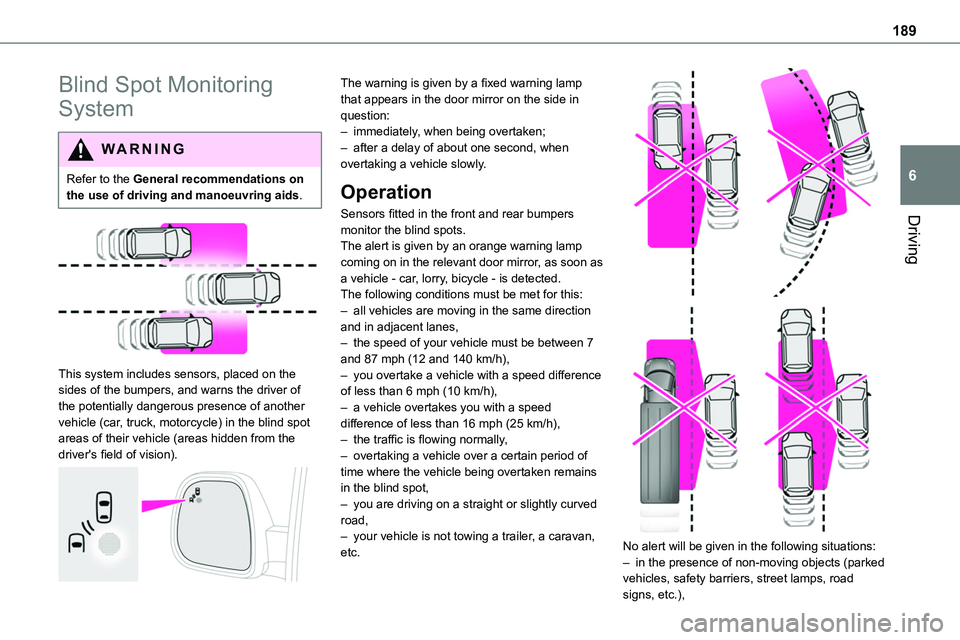
This system includes sensors, placed on the sides of the bumpers, and warns the driver of the potentially dangerous presence of another vehicle (car, truck, motorcycle) in the blind spot areas of their vehicle (areas hidden from the driver's field of vision).
The warning is given by a fixed warning lamp that appears in the door mirror on the side in question:– immediately, when being overtaken;– after a delay of about one second, when overtaking a vehicle slowly.
Operation
Sensors fitted in the front and rear bumpers
monitor the blind spots.The alert is given by an orange warning lamp coming on in the relevant door mirror, as soon as a vehicle - car, lorry, bicycle - is detected.The following conditions must be met for this:– all vehicles are moving in the same direction and in adjacent lanes,– the speed of your vehicle must be between 7 and 87 mph (12 and 140 km/h),– you overtake a vehicle with a speed difference of less than 6 mph (10 km/h),– a vehicle overtakes you with a speed difference of less than 16 mph (25 km/h),– the traffic is flowing normally,– overtaking a vehicle over a certain period of time where the vehicle being overtaken remains in the blind spot,– you are driving on a straight or slightly curved road,– your vehicle is not towing a trailer, a caravan, etc.
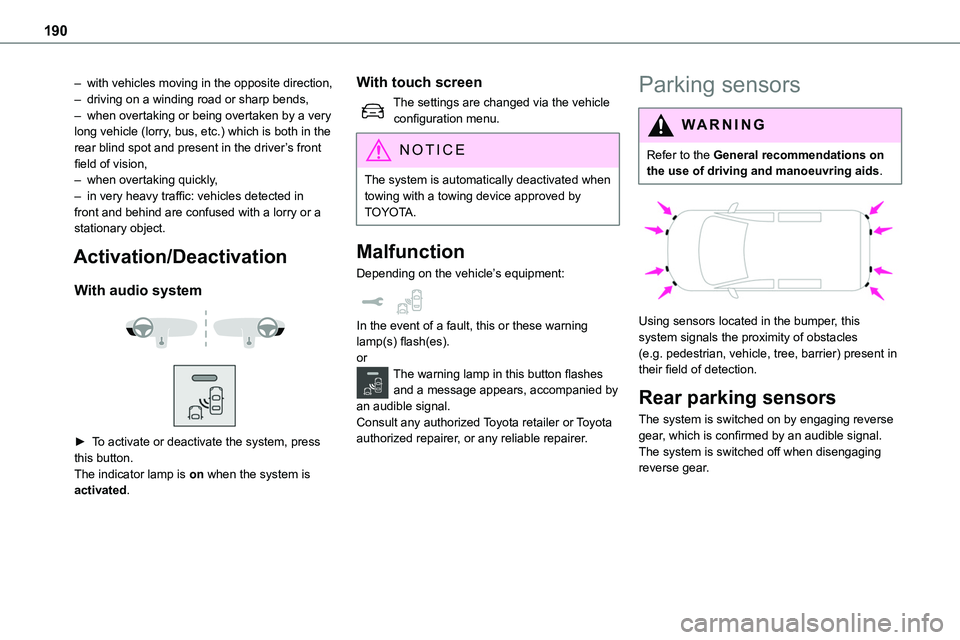
No alert will be given in the following situations:– in the presence of non-moving objects (parked vehicles, safety barriers, street lamps, road signs, etc.),
Page 190 of 360
190
– with vehicles moving in the opposite direction,– driving on a winding road or sharp bends,– when overtaking or being overtaken by a very long vehicle (lorry, bus, etc.) which is both in the rear blind spot and present in the driver’s front field of vision,– when overtaking quickly,– in very heavy traffic: vehicles detected in front and behind are confused with a lorry or a
stationary object.
Activation/Deactivation
With audio system
► To activate or deactivate the system, press this button.The indicator lamp is on when the system is activated.
With touch screen
The settings are changed via the vehicle configuration menu.
NOTIC E
The system is automatically deactivated when towing with a towing device approved by TOYOTA.
Malfunction
Depending on the vehicle’s equipment:
In the event of a fault, this or these warning lamp(s) flash(es).orThe warning lamp in this button flashes and a message appears, accompanied by an audible signal.Consult any authorized Toyota retailer or Toyota authorized repairer, or any reliable repairer.
Parking sensors
WARNI NG
Refer to the General recommendations on the use of driving and manoeuvring aids.
Using sensors located in the bumper, this system signals the proximity of obstacles (e.g. pedestrian, vehicle, tree, barrier) present in their field of detection.
Rear parking sensors
The system is switched on by engaging reverse
gear, which is confirmed by an audible signal.The system is switched off when disengaging reverse gear.