buzzer TOYOTA RAIZE 2023 Owners Manual
[x] Cancel search | Manufacturer: TOYOTA, Model Year: 2023, Model line: RAIZE, Model: TOYOTA RAIZE 2023Pages: 516, PDF Size: 44.62 MB
Page 17 of 516
15Pictorial index
RAIZE_OM_General_BZ358E✽
: If equipped
c Meters ....................................................................................................... P. 84, 85
How to read/adjust the brightness ................................................................ P. 89, 104
Warning lights and indicators .................................................................................. P. 78
When the warning lights come on ....................................................................... P. 379
Multi-information display
✽………………………………………………………………… P. 86
TFT color multi-in formation display
✽.......................................................... P. 98
Display contents ................................................................................................... P. 86, 98
When warning messages are displayed
✽........................................................... P. 387
d Turn signal lever .......................................................................................... P. 196
Headlight switch ……………………………………………………………………………… P. 198
Headlights/front position lights/tail lights .......................................................... P. 198
Front fog lights
✽....................................................................................................... P. 201
e Windshield wipers and washer switch .............................................. P. 203, 205
Usage ................................................................................................................. P. 203, 20 5
Adding washer fluid ................................................................................................. P. 324
f Emergency flashers switch ......................................................................... P. 366
g Hood lock release lever ............................................................................... P. 311
h Tilt Steering .................................................................................................. P. 154
i Parking brake ............................................................................................... P. 197
Engaging/releasing.................................................................................................. P. 197
Precautions against winter season ...................................................................... P. 238
Warning buzzer/warning message
✽........................................................... P. 382, 391
j Air conditioning system .............................................................. P. 244, 248, 254
Operation method ................................................................................. P. 244, 248, 254
Defogging the rear window (Rear window defogger)
✽................. P. 245, 249, 256
k Power outlet ................................................................................................. P. 277
l USB ports .............................................................................................. P. 278, 280
m Fuel tank opening lever .............................................................................. P. 209
n Audio system
✽*
*Refer to the instruction manual included with the audio system.
RAIZE_OM_General_BZ358E.book 15 ページ 2022年5月17日 火曜日 午後1時59分
Page 23 of 516
21Pictorial index
RAIZE_OM_General_BZ358E✽
: If equipped
c Meters ....................................................................................................... P. 84, 85
How to read/adjust the brightness ................................................................ P. 89, 104
Warning lights and indicators .................................................................................. P. 78
When the warning lights come on ....................................................................... P. 379
Multi-information display
✽………………………………………………………………… P. 86
TFT color multi-in formation display
✽.......................................................... P. 98
Display contents ................................................................................................... P. 86, 98
When warning messages are displayed
✽........................................................... P. 387
d Turn signal lever .......................................................................................... P. 196
Headlight switch ……………………………………………………………………………… P. 198
Headlights/front position lights/tail lights .......................................................... P. 198
Front fog lights
✽....................................................................................................... P. 201
e Windshield wipers and washer switch .............................................. P. 203, 205
Usage ................................................................................................................. P. 203, 20 5
Adding washer fluid ................................................................................................. P. 324
f Emergency flashers switch ......................................................................... P. 366
g Hood lock release lever ............................................................................... P. 311
h Tilt Steering .................................................................................................. P. 154
i Parking brake ............................................................................................... P. 197
Engaging/releasing.................................................................................................. P. 197
Precautions against winter season ...................................................................... P. 238
Warning buzzer/warning message
✽........................................................... P. 382, 391
j Air conditioning system .............................................................. P. 244, 248, 254
Operation method ................................................................................. P. 244, 248, 254
Defogging the rear window (Rear window defogger) ................... P. 245, 249, 256
k Power outlet ................................................................................................. P. 277
l USB ports .............................................................................................. P. 278, 280
m Fuel tank opening lever .............................................................................. P. 209
n Audio system
✽*
*Refer to the instruction manual included with the audio system.
RAIZE_OM_General_BZ358E.book 21 ページ 2022年5月17日 火曜日 午後1時59分
Page 95 of 516
932-1. Instrument cluster
RAIZE_OM_General_BZ358E✽
: If equipped
Instrument cluster
2
*1When this is set to ON, the setting for shift-linked auto lock✽ turns OFF.
*2When this is set to ON, the setting for speed linked door locking function
turns OFF.
*3When this is set to ON, the setting for door unlocking linked with engine
switch OFF turns OFF.
*4When this is set to ON, the se tting for shift-linked auto unlock✽ turns OFF.
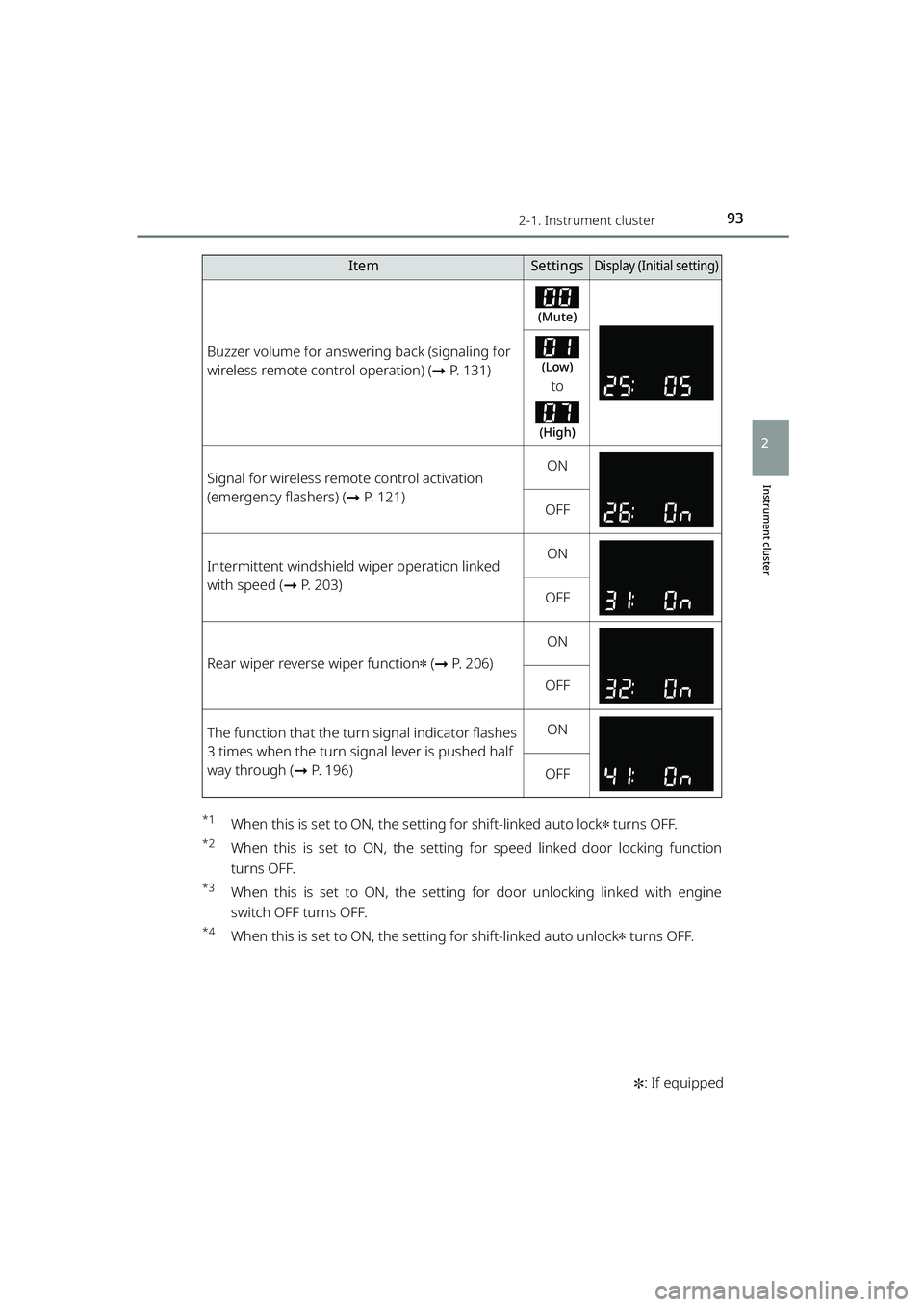
Buzzer volume for answering back (signaling for
wireless remote control operation) ( ➞P. 131)
(Mute)
(Low)
to
(High)
Signal for wireless remote control activation
(emergency flashers) ( ➞P. 121)ON
OFF
Intermittent windshield wiper operation linked
with speed ( ➞P. 203)ON
OFF
Rear wiper reverse wiper function✽ (➞ P. 206)
ON
OFF
The function that the turn signal indicator flashes
3 times when the turn signal lever is pushed half
way through ( ➞P. 196)ON
OFF
ItemSettingsDisplay (Initi al setting)
RAIZE_OM_General_BZ358E.book 93 ページ 2022年5月17日 火曜日 午後1時59分
Page 106 of 516
1042-1. Instrument cluster
RAIZE_OM_General_BZ358E✽
: If equipped
Settings
While the vehicle is parked with the engine switch turned “ON”, you can
specify or adjust the display and configure the function settings by press-
ing the / switch to change the menu to .
Note that the screen is not operable while the vehicle is running. Be sure
to operate the screen when the ve hicle is stopped in a safe place.
The following items can be set and adjusted.
⚫Instrument panel illumination
adjustment (➞ P. 104)
⚫Time and date ( ➞P. 105)
⚫Display options ( ➞P. 106)
⚫Screens ( ➞P. 1 0 0 )
⚫Buzzers (➞ P. 107)
⚫Notification dates ( ➞P. 108)
⚫BSM/RCTA✽ (➞ P. 109)
⚫Door lock ( ➞P. 109)
⚫Windshield wipers ( ➞P. 110)
⚫Turn signal lights ( ➞P. 111)
⚫Maintenance ( ➞P. 111)
⚫Engine oil deterioration warning
reset
✽ (➞ P. 112)
⚫Initialization of display settings
(➞ P. 113)
⚫Language (➞ P. 114)
⬛Instrument panel illumination adjustment
Day illumination or ni ght illumination (➞P. 114) for the meter can be
adjusted.
(Initial setting: ➞P. 113)
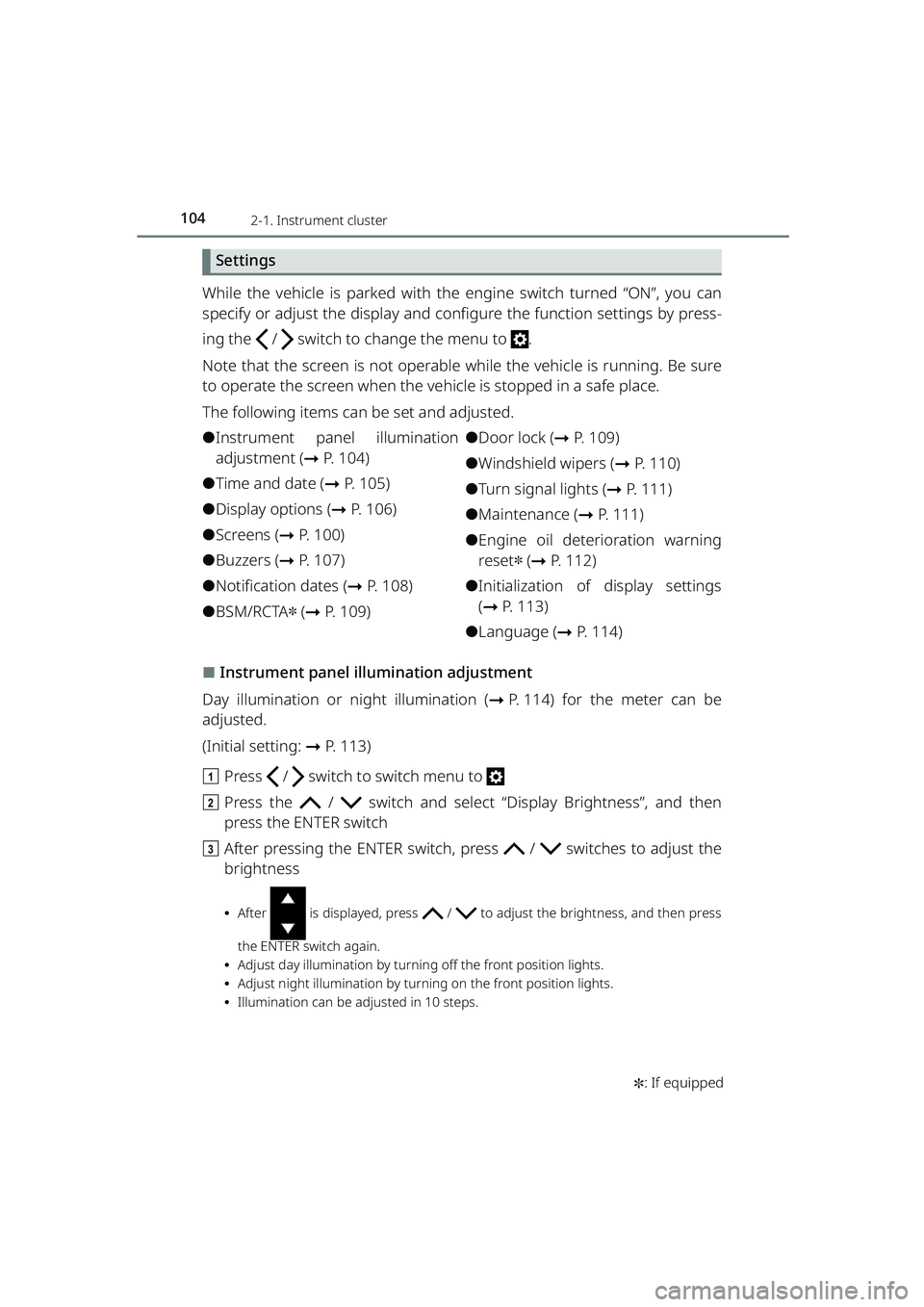
a Press / switch to switch menu to
b Press the / switch and select “Display Brightness”, and then
press the ENTER switch
c After pressing the ENTER switch, pr ess / switches to adjust the
brightness
⦁ After is displayed, press / to adjust the brightness, and then press
the ENTER switch again.
⦁ Adjust day illumination by turnin g off the front position lights.
⦁ Adjust night illumination by turning on the front position lights.
⦁ Illumination can be adjusted in 10 steps.
RAIZE_OM_General_BZ358E.book 104 ページ 2022年5月17日 火曜日 午後1時59分
Page 109 of 516
1072-1. Instrument cluster
RAIZE_OM_General_BZ358E✽
: If equipped
Instrument cluster
2
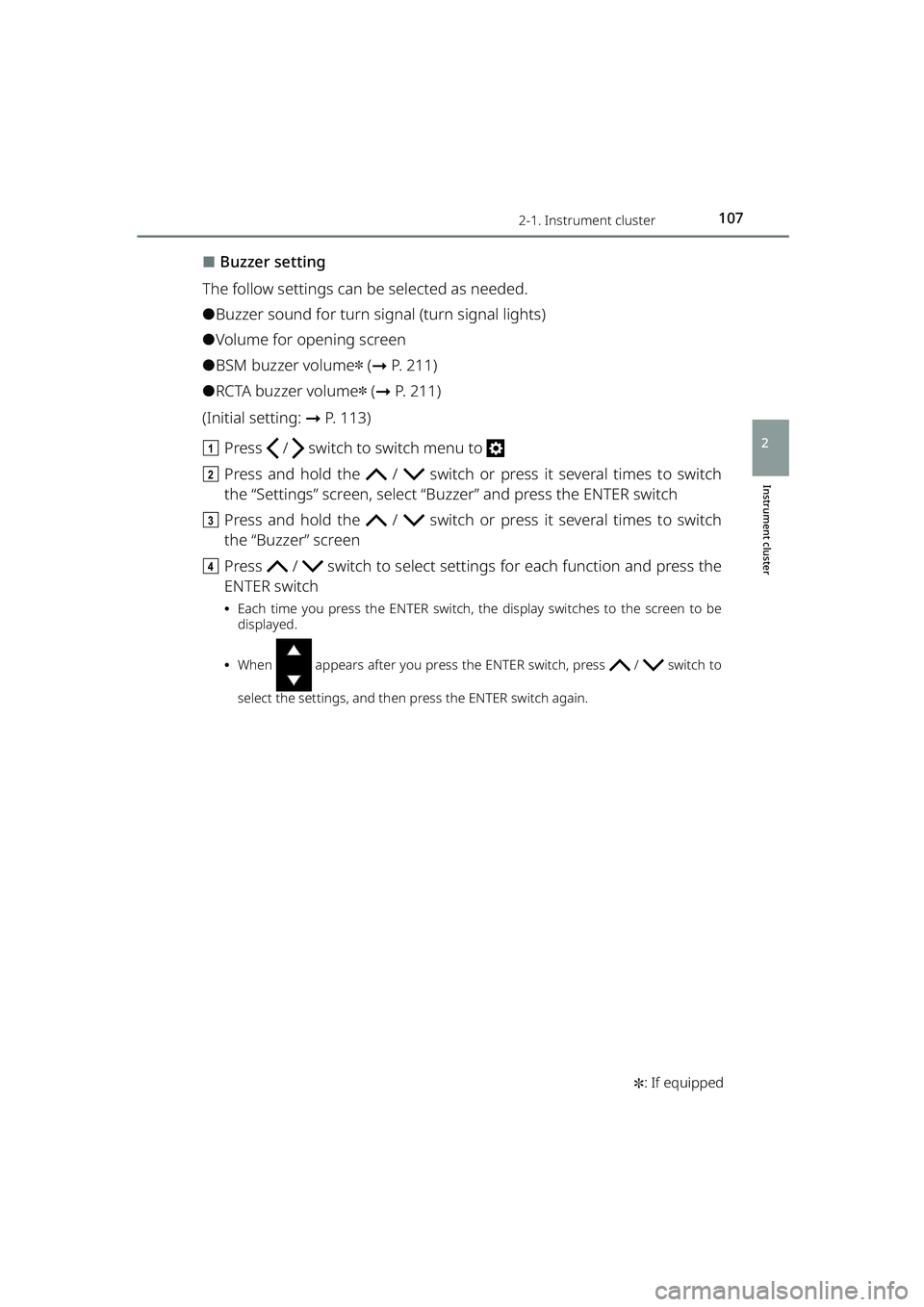
⬛Buzzer setting
The follow settings can be selected as needed.
⚫Buzzer sound for turn signal (turn signal lights)
⚫Volume for opening screen
⚫BSM buzzer volume✽ ( ➞ P. 211)
⚫RCTA buzzer volume✽ (➞ P. 211)
(Initial setting: ➞P. 113)
a Press / switch to switch menu to
b Press and hold the / switch or press it several times to switch
the “Settings” screen, select “B uzzer” and press the ENTER switch
c Press and hold the / switch or press it several times to switch
the “Buzzer” screen
d Press / switch to select setting s for each function and press the
ENTER switch
⦁ Each time you press the ENTER switch, the display switches to the screen to be
displayed.
⦁ When appears after you press the ENTER switch, press / switch to
select the settings, and then press the ENTER switch again.
RAIZE_OM_General_BZ358E.book 107 ページ 2022年5月17日 火曜日 午後1時59分
Page 111 of 516
1092-1. Instrument cluster
RAIZE_OM_General_BZ358E✽
: If equipped
Instrument cluster
2
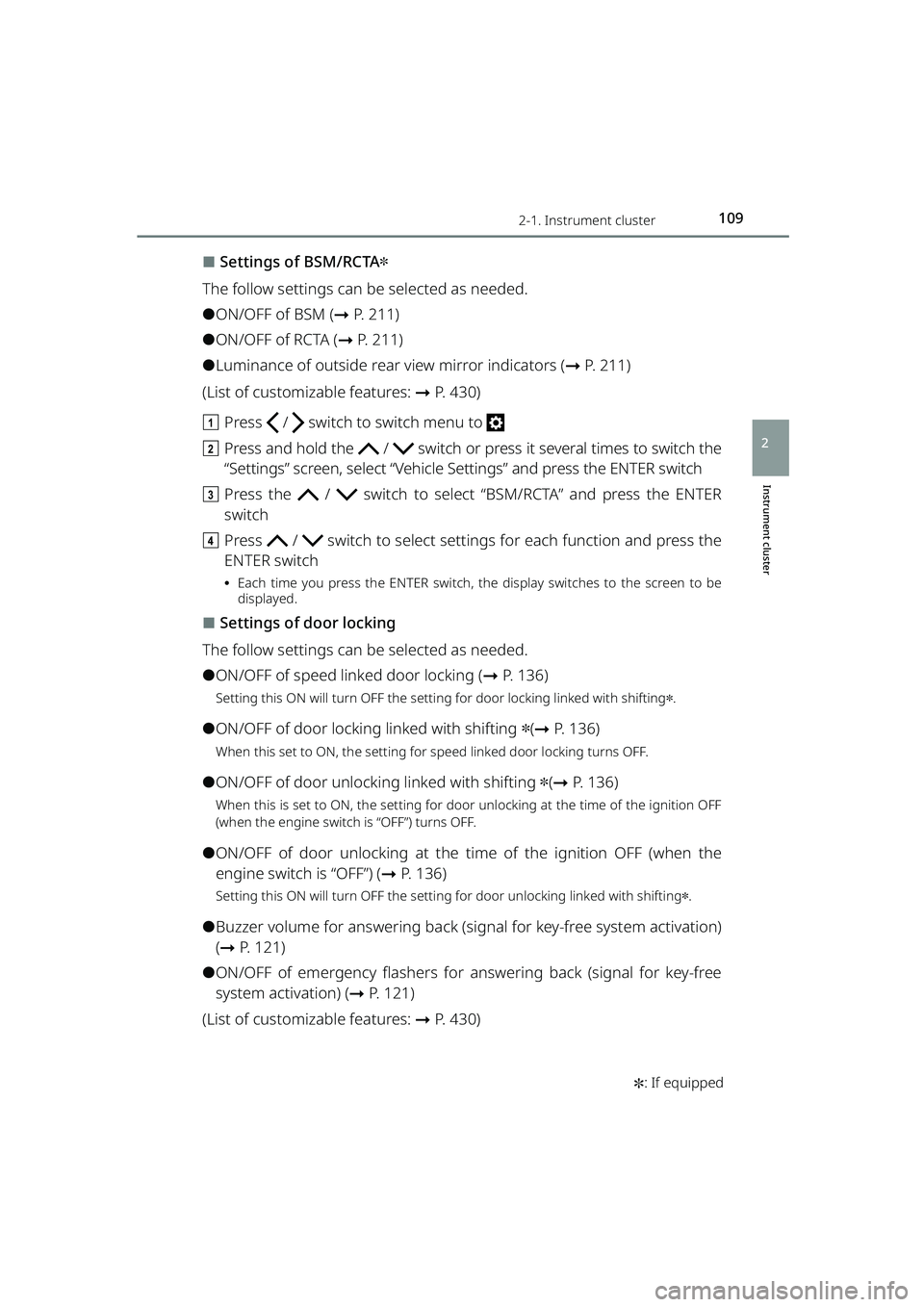
⬛Settings of BSM/RCTA✽
The follow settings can be selected as needed.
⚫ON/OFF of BSM ( ➞P. 211)
⚫ON/OFF of RCTA ( ➞P. 2 1 1 )
⚫Luminance of outside rear view mirror indicators ( ➞P. 211)
(List of customizable features: ➞ P. 430)
a Press / switch to switch menu to
b Press and hold the / switch or press it several times to switch the
“Settings” screen, select “Vehicle Settings” and press the ENTER switch
c Press the / switch to select “BSM/RCTA” and press the ENTER
switch
d Press / switch to select setting s for each function and press the
ENTER switch
⦁ Each time you press the ENTER switch, the display switches to the screen to be
displayed.
⬛Settings of door locking
The follow settings can be selected as needed.
⚫ON/OFF of speed linked door locking ( ➞P. 136)
Setting this ON will turn OFF the setting for door locking linked with shifting✽.
⚫ON/OFF of door locking linked with shifting ✽(➞ P. 136)
When this set to ON, the setting for speed linked door locking turns OFF.
⚫ON/OFF of door unlocking linked with shifting ✽(➞ P. 136)
When this is set to ON, the setting for door unlocking at the time of the ignition OFF
(when the engine switch is “OFF”) turns OFF.
⚫ON/OFF of door unlocking at the time of the ignition OFF (when the
engine switch is “OFF”) ( ➞P. 136)
Setting this ON will turn OFF the setting for door unlocking linked with shifting✽.
⚫Buzzer volume for answering back (s ignal for key-free system activation)
( ➞ P. 1 2 1 )
⚫ON/OFF of emergency flashers for answering back (signal for key-free
system activation) ( ➞P. 121)
(List of customizable features: ➞ P. 430)
RAIZE_OM_General_BZ358E.book 109 ページ 2022年5月17日 火曜日 午後1時59分
Page 115 of 516
1132-1. Instrument cluster
RAIZE_OM_General_BZ358E
Instrument cluster
2
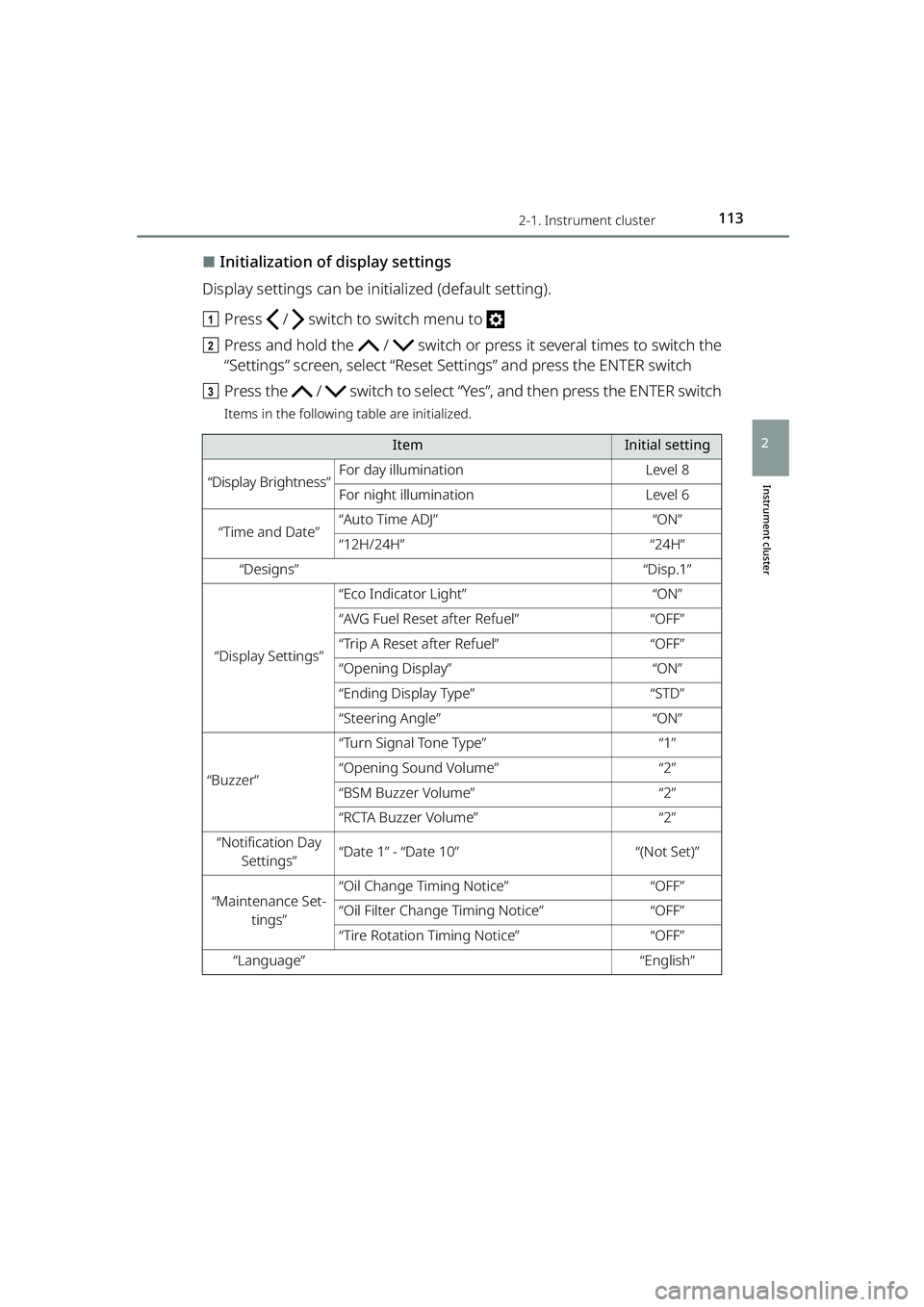
⬛Initialization of display settings
Display settings can be initialized (default setting).
a Press / switch to switch menu to
b Press and hold the / switch or press it several times to switch the
“Settings” screen, select “Reset Settings” and press the ENTER switch
c Press the / switch to select “Y es”, and then press the ENTER switch
Items in the following table are initialized.
ItemInitial setting
“Display Brightness”For day illuminationLevel 8
For night illuminationLevel 6
“Time and Date”“Auto Time ADJ”“ON”
“12H/24H”“24H”
“Designs”“Disp.1”
“Display Settings”
“Eco Indicator Light”“ON”
“AVG Fuel Reset after Refuel”“OFF”
“Trip A Reset after Refuel”“OFF”
“Opening Display”“ON”
“Ending Display Type”“STD”
“Steering Angle”“ON”
“Buzzer”
“Turn Signal Tone Type”“1”
“Opening Sound Volume”“2”
“BSM Buzzer Volume”“2”
“RCTA Buzzer Volume”“2”
“Notification Day
Settings”“Date 1” - “Date 10”“(Not Set)”
“Maintenance Set- tings”“Oil Change Timing Notice”“OFF”
“Oil Filter Change Timing Notice”“OFF”
“Tire Rotation Timing Notice”“OFF”
“Language”“English”
RAIZE_OM_General_BZ358E.book 113 ページ 2022年5月17日 火曜日 午後1時59分
Page 123 of 516
121
RAIZE_OM_General_BZ358E✽
: If equipped
Operation of each component
3
3-2. Opening, closing and locking the doors
Key-free system✽
Function overview
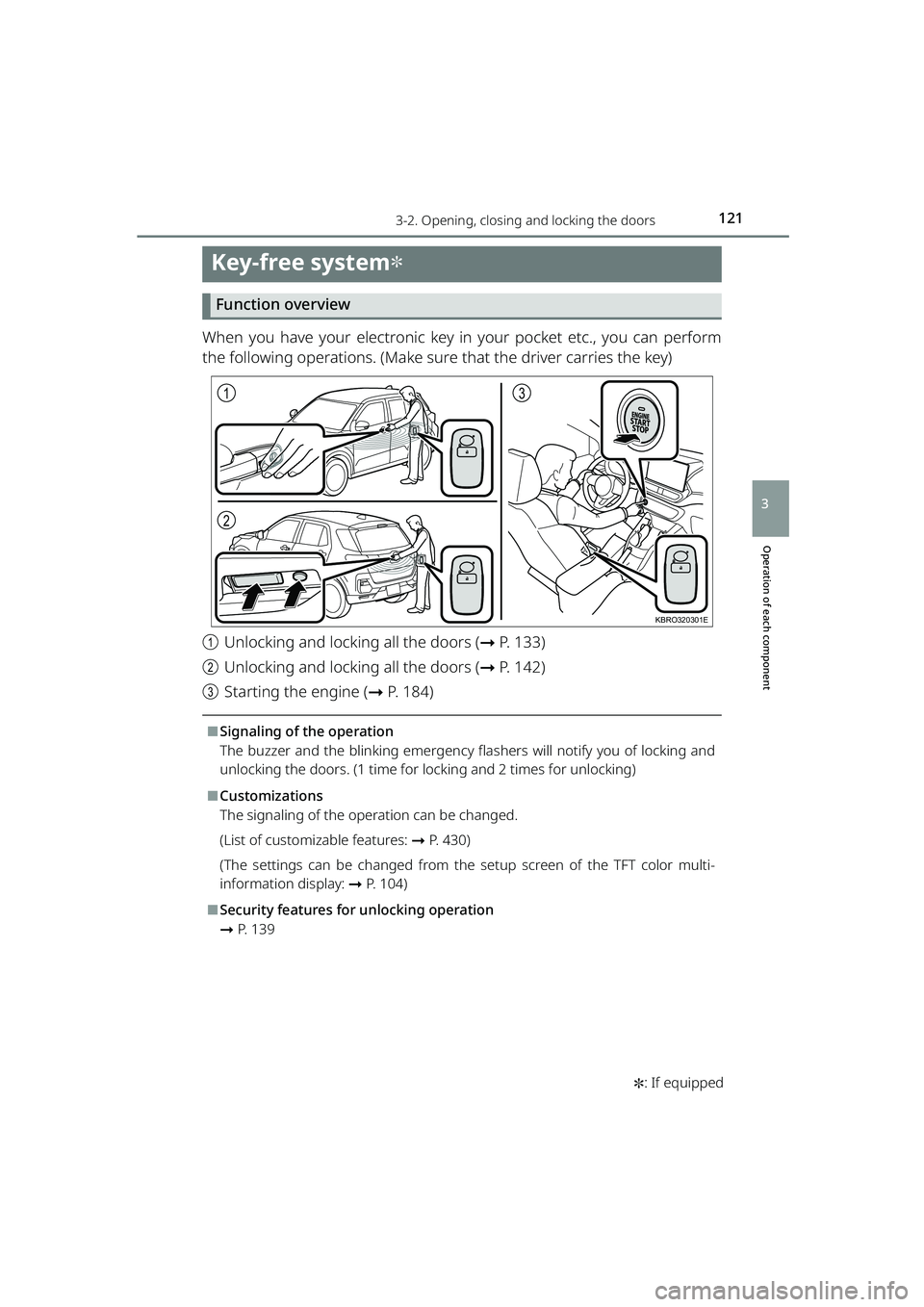
When you have your electronic key in your pocket etc., you can perform
the following operations. (Make sure that the driver carries the key)
aUnlocking and locking all the doors ( ➞P. 133)
b Unlocking and locking all the doors ( ➞P. 142)
c Starting the engine ( ➞P. 184)
⬛Signaling of the operation
The buzzer and the blinking emergency flas hers will notify you of locking and
unlocking the doors. (1 time for locking and 2 times for unlocking)
⬛Customizations
The signaling of the operation can be changed.
(List of customizable features: ➞ P. 430)
(The settings can be changed from the setup screen of the TFT color multi-
information display: ➞ P. 104)
⬛Security features for unlocking operation
➞P. 1 3 9
1
2
3
KBRO320301E
RAIZE_OM_General_BZ358E.book 121 ページ 2022年5月17日 火曜日 午後1時59分
Page 126 of 516
1243-2. Opening, closing and locking the doors
RAIZE_OM_General_BZ358E
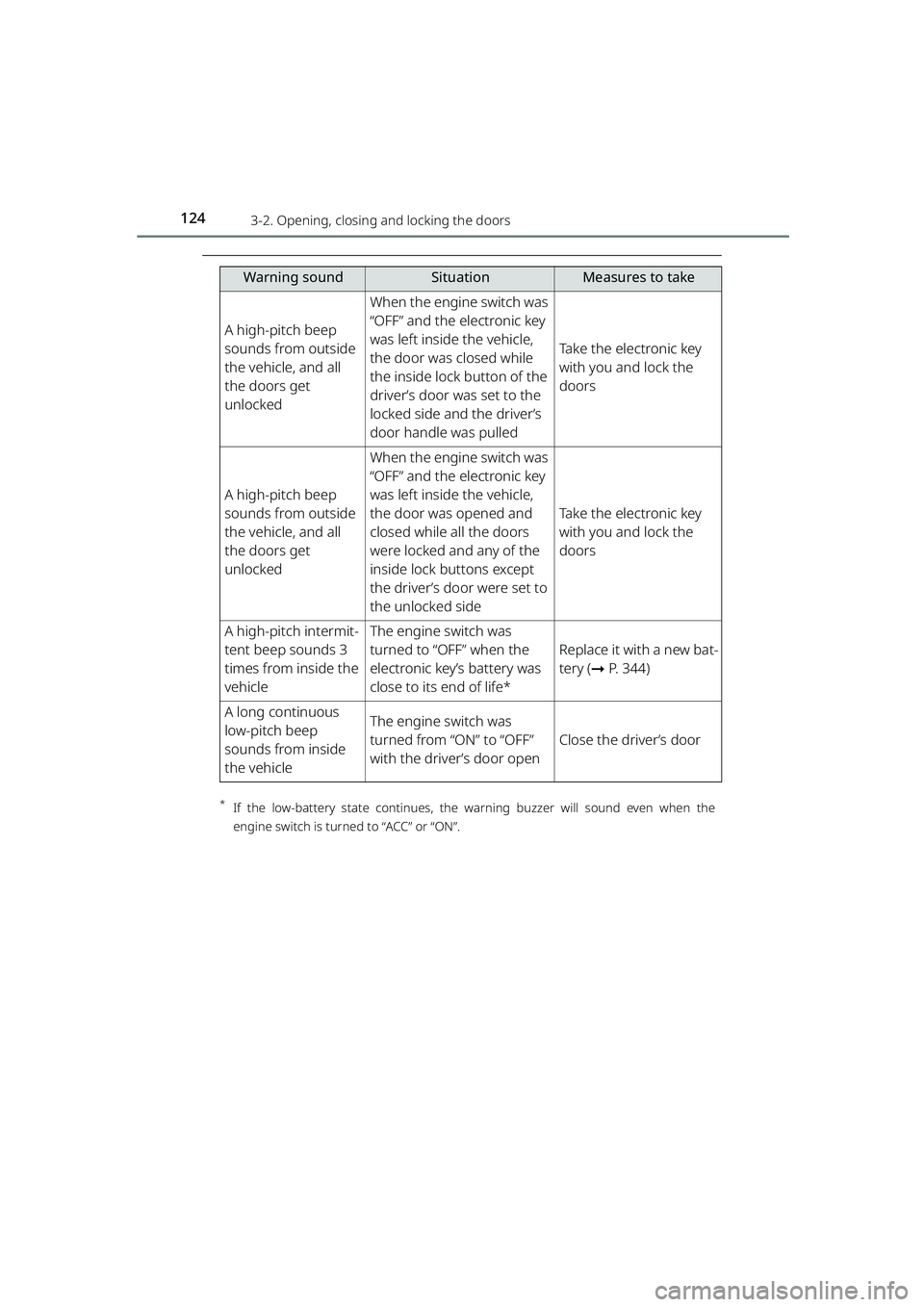
*If the low-battery state co ntinues, the warning buzzer will soun d even when the
engine switch is turned to “ACC” or “ON”.
A high-pitch beep
sounds from outside
the vehicle, and all
the doors get
unlocked
When the engine switch was
“OFF” and the electronic key
was left inside the vehicle,
the door was closed while
the inside lock button of the
driver’s door was set to the
locked side and the driver’s
door handle was pulled
Take the electronic key
with you and lock the
doors
A high-pitch beep
sounds from outside
the vehicle, and all
the doors get
unlocked
When the engine switch was
“OFF” and the electronic key
was left inside the vehicle,
the door was opened and
closed while all the doors
were locked and any of the
inside lock buttons except
the driver’s door were set to
the unlocked side
Take the electronic key
with you and lock the
doors
A high-pitch intermit-
tent beep sounds 3
times from inside the
vehicleThe engine switch was
turned to “OFF” when the
electronic key’s battery was
close to its end of life*
Replace it with a new bat-
tery ( ➞P. 344)
A long continuous
low-pitch beep
sounds from inside
the vehicleThe engine switch was
turned from “ON” to “OFF”
with the driver’s door open
Close the driver’s door
Warning soundSituationMeasures to take
RAIZE_OM_General_BZ358E.book 124 ページ 2022年5月17日 火曜日 午後1時59分
Page 130 of 516
1283-2. Opening, closing and locking the doors
RAIZE_OM_General_BZ358E
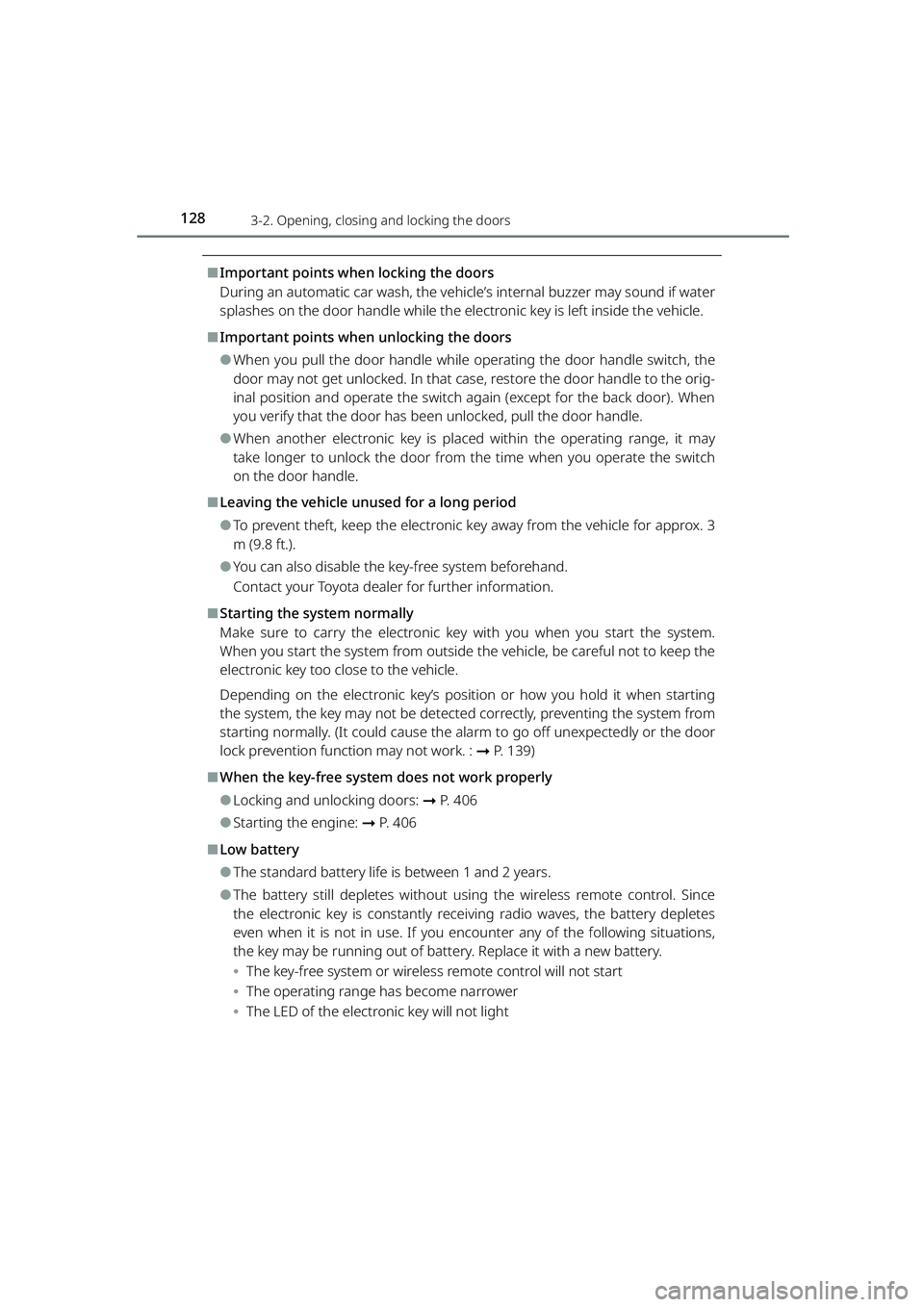
⬛Important points when locking the doors
During an automatic car wash, the vehicl e’s internal buzzer may sound if water
splashes on the door handle while the electronic key is left inside the vehicle.
⬛Important points when unlocking the doors
⚫When you pull the door handle while operating the door handle switch, the
door may not get unlocked. In that case, restore the door handle to the orig-
inal position and operate the switch again (except for the back door). When
you verify that the door has been unlocked, pull the door handle.
⚫When another electronic key is placed within the operating range, it may
take longer to unlock the door from the time when you operate the switch
on the door handle.
⬛Leaving the vehicle unused for a long period
⚫To prevent theft, keep the electronic key away from the vehicle for approx. 3
m (9.8 ft.).
⚫You can also disable the key-free system beforehand.
Contact your Toyota dealer for further information.
⬛Starting the system normally
Make sure to carry the electronic ke y with you when you start the system.
When you start the system from outside the vehicle, be careful not to keep the
electronic key too close to the vehicle.
Depending on the electronic key’s position or how you hold it when starting
the system, the key may not be detected correctly, preventing the system from
starting normally. (It could cause the al arm to go off unexpectedly or the door
lock prevention func tion may not work. : ➞P. 139)
⬛When the key-free system does not work properly
⚫Locking and unlocking doors: ➞ P. 4 0 6
⚫Starting the engine: ➞P. 4 0 6
⬛Low battery
⚫The standard battery life is between 1 and 2 years.
⚫The battery still depletes without usin g the wireless remote control. Since
the electronic key is constantly receiving radio waves, the battery depletes
even when it is not in use. If you encounter any of the following situations,
the key may be running out of battery. Replace it with a new battery.
⦁ The key-free system or wireless remote control will not start
⦁ The operating range has become narrower
⦁ The LED of the electronic key will not light
RAIZE_OM_General_BZ358E.book 128 ページ 2022年5月17日 火曜日 午後1時59分