display TOYOTA RAV4 2013 XA40 / 4.G User Guide
[x] Cancel search | Manufacturer: TOYOTA, Model Year: 2013, Model line: RAV4, Model: TOYOTA RAV4 2013 XA40 / 4.GPages: 624, PDF Size: 9.82 MB
Page 89 of 624
89
RAV4_OM_OM42809U_(U)
2. Instrument cluster
2
Instrument cluster
Multi-infor mation display
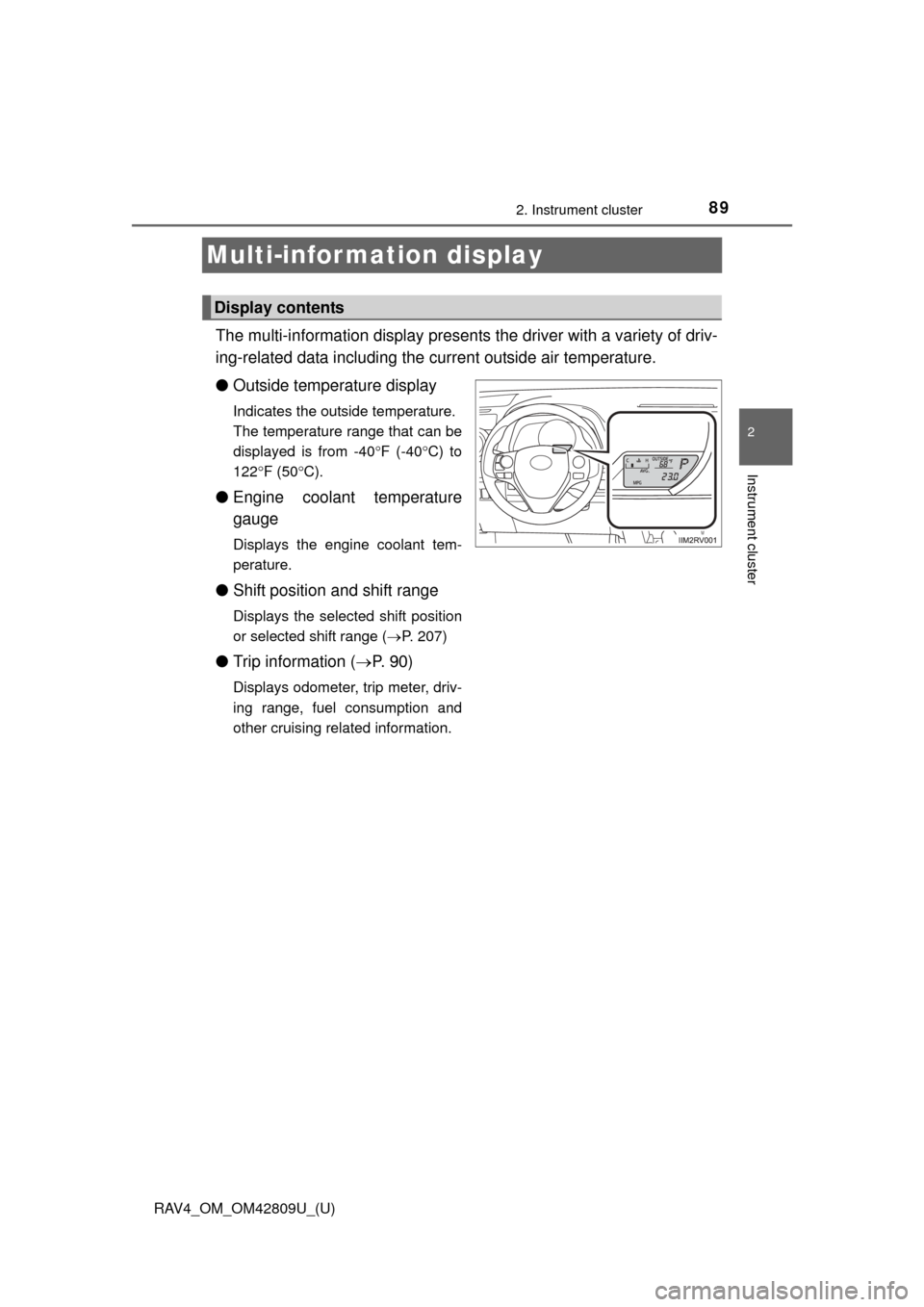
The multi-information display presents the driver with a variety of driv-
ing-related data including the current outside air temperature.
● Outside temperature display
Indicates the outside temperature.
The temperature range that can be
displayed is from -40 F (-40 C) to
122 F (50 C).
● Engine coolant temperature
gauge
Displays the engine coolant tem-
perature.
●Shift position and shift range
Displays the selected shift position
or selected shift range ( P. 207)
● Trip information ( P. 9 0 )
Displays odometer, trip meter, driv-
ing range, fuel consumption and
other cruising related information.
Display contents
Page 90 of 624
90
RAV4_OM_OM42809U_(U)
2. Instrument cluster
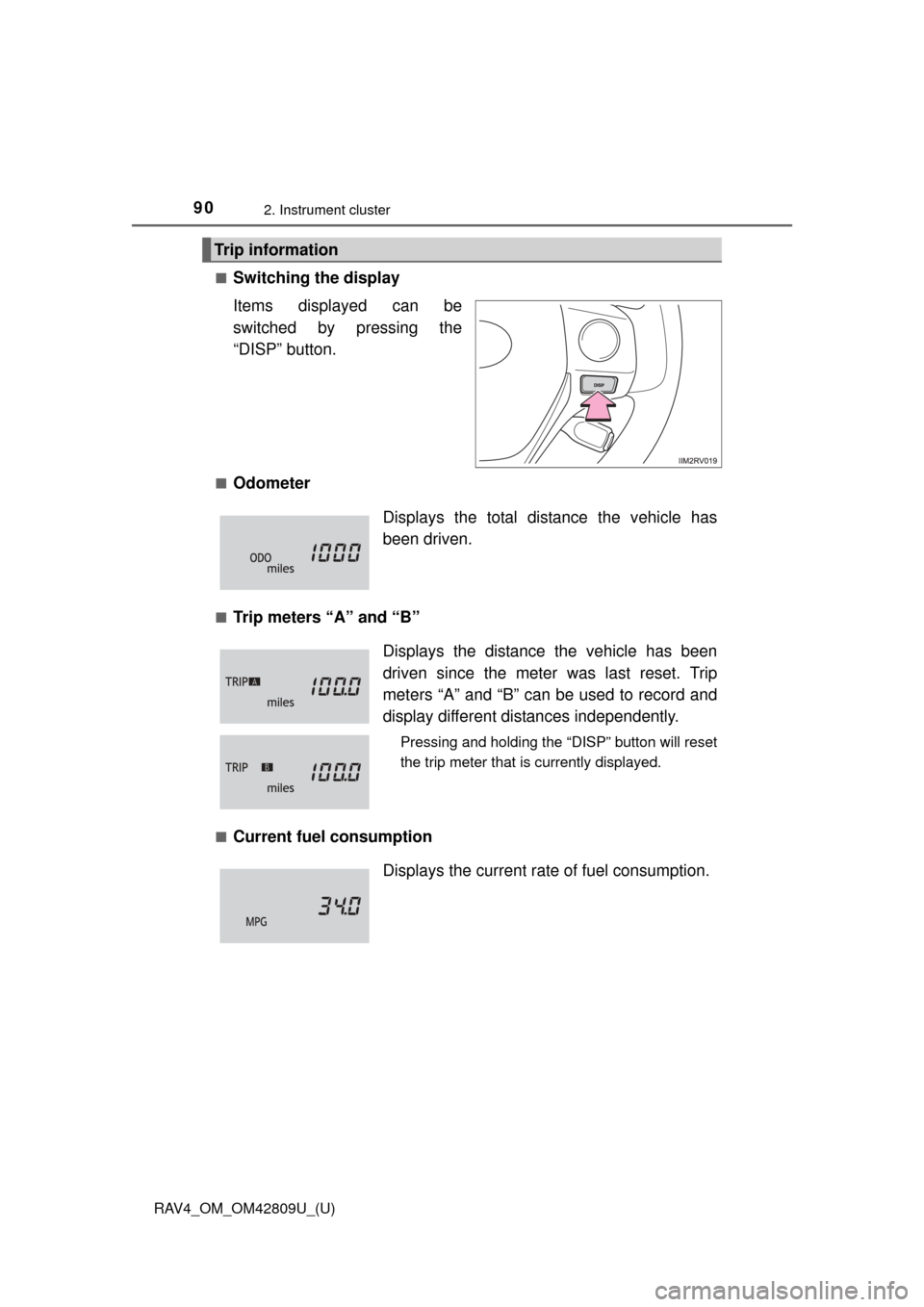
■Switching the display
Items displayed can be
switched by pressing the
“DISP” button.
■Odometer
■Trip meters “A” and “B”
■Current fuel consumption
Trip information
Displays the total distance the vehicle has
been driven.
Displays the distance the vehicle has been
driven since the meter was last reset. Trip
meters “A” and “B” can be used to record and
display different distances independently.
Pressing and holding the “DISP” button will reset
the trip meter that is currently displayed.
Displays the current rate of fuel consumption.
Page 91 of 624
RAV4_OM_OM42809U_(U)
912. Instrument cluster
2
Instrument cluster
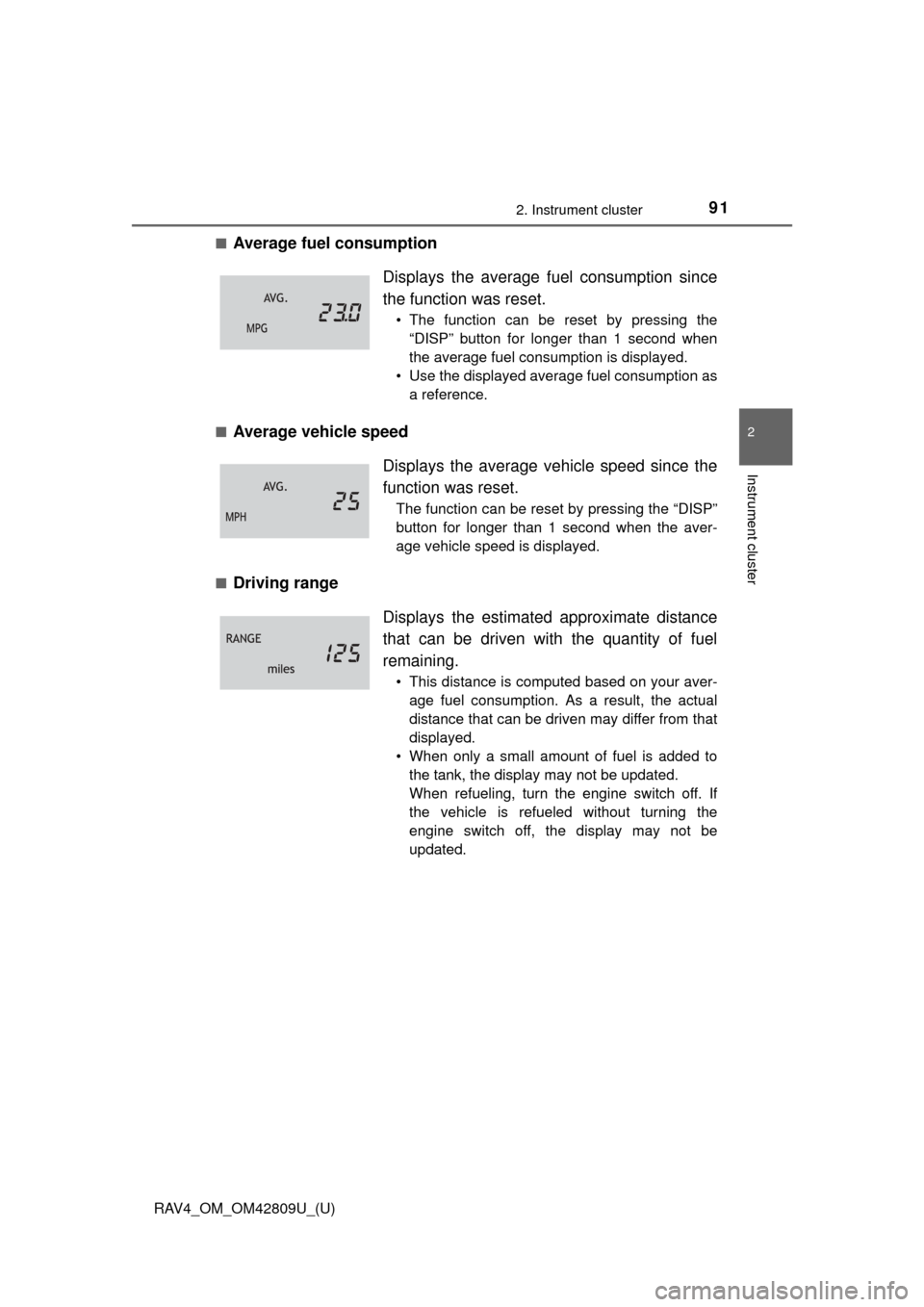
■Average fuel consumption
■Average vehicle speed
■Driving range Displays the average f
uel consumption since
the function was reset.
• The function can be reset by pressing the “DISP” button for longer than 1 second when
the average fuel consumption is displayed.
• Use the displayed average fuel consumption as a reference.
Displays the average vehicle speed since the
function was reset.
The function can be reset by pressing the “DISP”
button for longer than 1 second when the aver-
age vehicle speed is displayed.
Displays the estimat ed approximate distance
that can be driven with the quantity of fuel
remaining.
• This distance is computed based on your aver- age fuel consumption. As a result, the actual
distance that can be driven may differ from that
displayed.
• When only a small amount of fuel is added to the tank, the display may not be updated.
When refueling, turn the engine switch off. If
the vehicle is refueled without turning the
engine switch off, the display may not be
updated.
Page 92 of 624
92
RAV4_OM_OM42809U_(U)
2. Instrument cluster
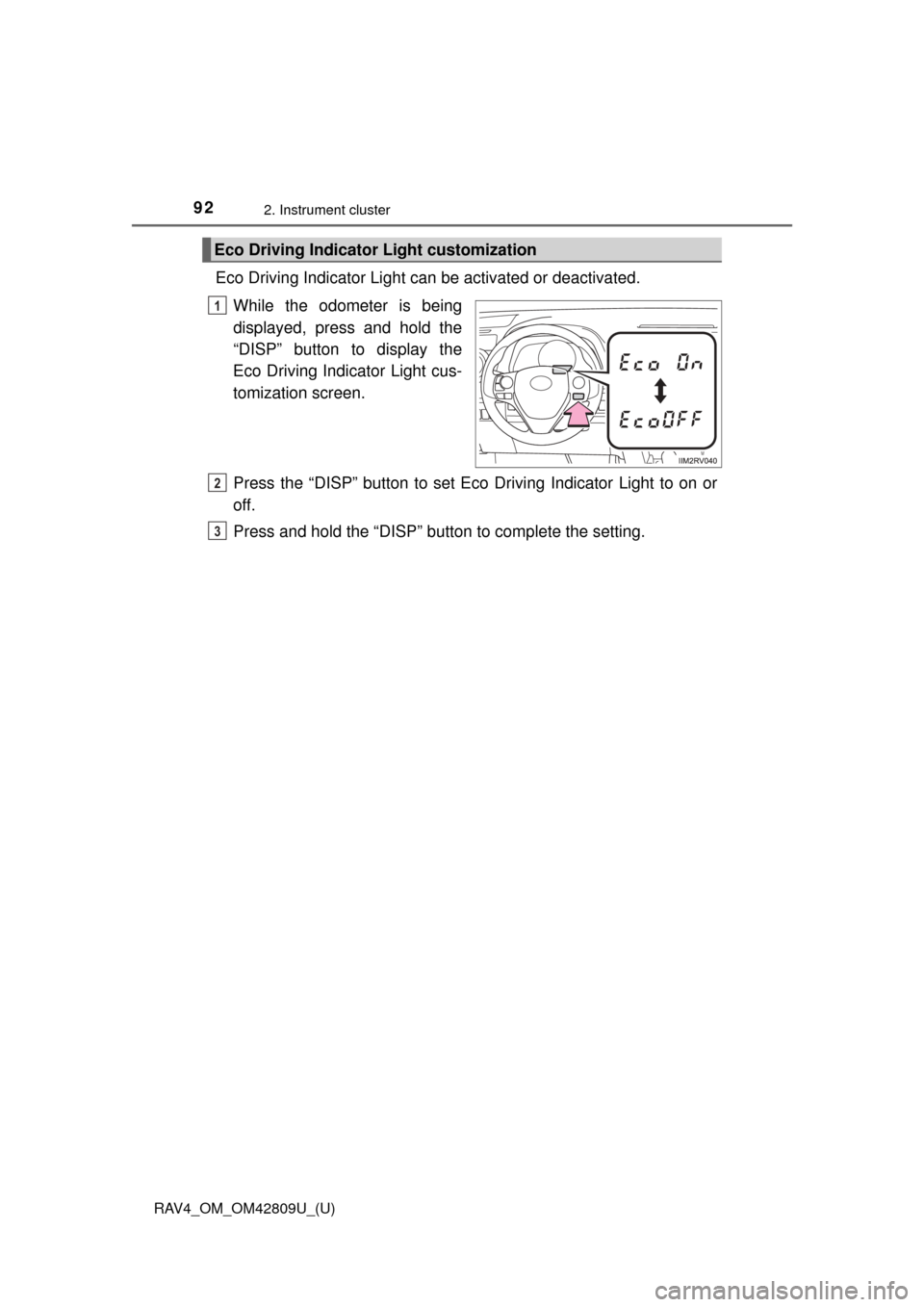
Eco Driving Indicator Light can be activated or deactivated.While the odometer is being
displayed, press and hold the
“DISP” button to display the
Eco Driving Indicator Light cus-
tomization screen.
Press the “DISP” button to set Eco Driving Indicator Light to on or
off.
Press and hold the “DISP” button to complete the setting.
Eco Driving Indicator Light customization
1
2
3
Page 93 of 624
RAV4_OM_OM42809U_(U)
932. Instrument cluster
2
Instrument cluster
■When disconnecting and reco nnecting battery terminals
The following information data will be reset:
● Trip meters “A” and “B”
● Average fuel consumption
● Average vehicle speed
● Driving range
■ Outside temperature display
In the following situations, the correct outside temperature may not be dis-
played, or the display may take longer than normal to change.
●When stopped, or driving at low speeds (approximately 12 mph [20 km/h] or
less)
● When the outside temperature has changed suddenly (at the entrance/exit
of a garage, tunnel, etc.)
■ When “--- F” is displayed
The system may be malfunctioning. Take your vehicle to your Toyota dealer.
■ Customization
Settings can be changed. (Customizable features: P. 579)
NOTICE
■The multi-information disp lay at low temperatures
Allow the interior of the vehicle to warm up before using the liquid crystal
information display. At extremely low temperatures, the information display
monitor may respond slowly, and display changes may be delayed.
Page 167 of 624
RAV4_OM_OM42809U_(U)
1674-1. Before driving
4
Driving
■Drum-in-disc type parking brake system
Your vehicle has a drum-in-disc type parking brake system. This type of brake
system needs bedding-down of the brake shoes periodically or whenever the
parking brake shoes and/or drum are replaced. Have your Toyota dealer per-
form the bedding down operation.
■ Operating your vehicle in a foreign country
Comply with the relevant vehicle registration laws and confirm the availability
of the correct fuel. ( P. 563)
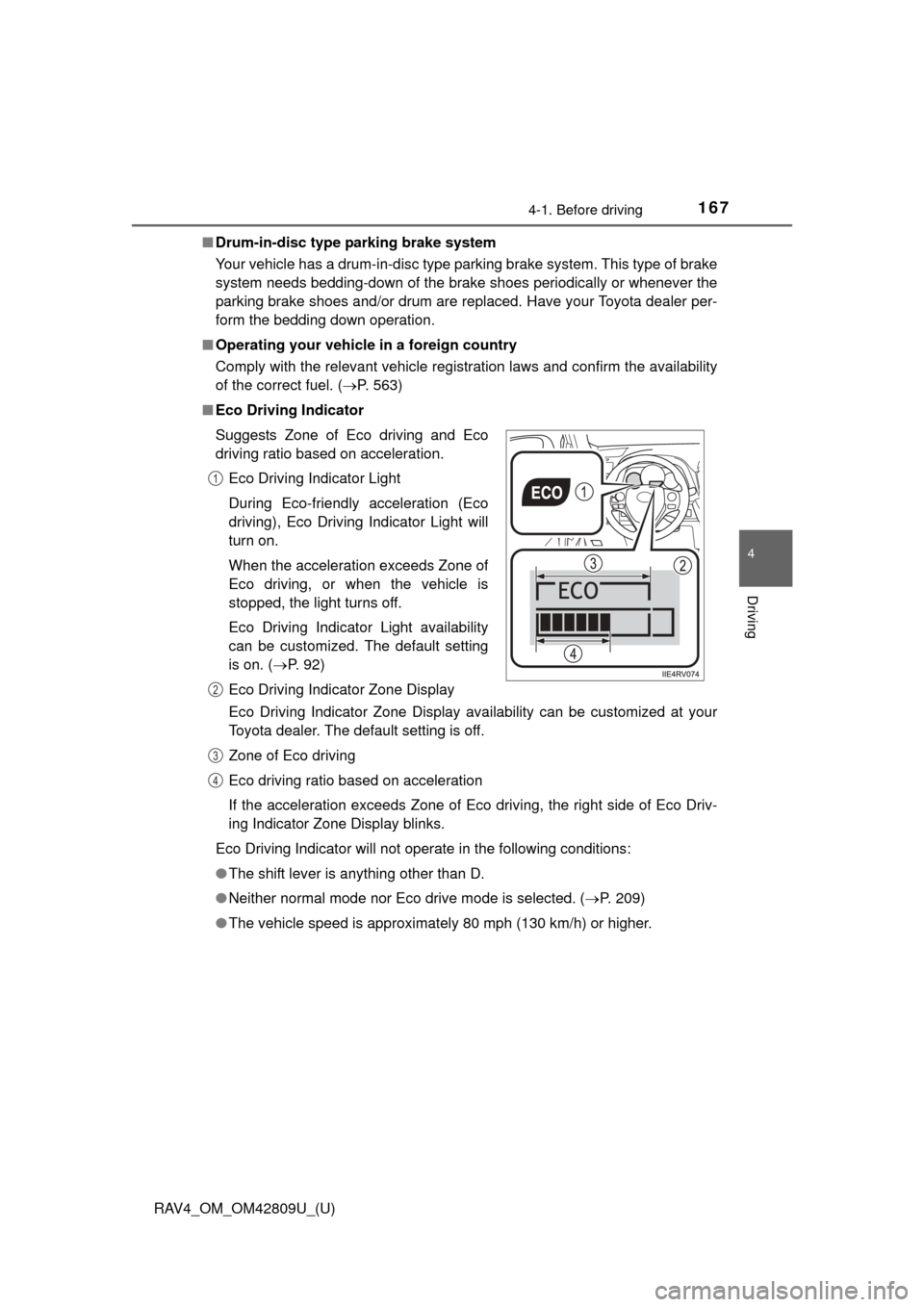
■ Eco Driving Indicator
Eco Driving Indicator Zone Display availability can be customized at your
Toyota dealer. The default setting is off.
Zone of Eco driving
Eco driving ratio based on acceleration
If the acceleration exceeds Zone of Eco driving, the right side of Eco Driv-
ing Indicator Zone Display blinks.
Eco Driving Indicator will not operate in the following conditions:
● The shift lever is anything other than D.
● Neither normal mode nor Eco drive mode is selected. ( P. 209)
● The vehicle speed is approximately 80 mph (130 km/h) or higher.
Suggests Zone of Eco driving and Eco
driving ratio based on acceleration.
Eco Driving Indicator Light
During Eco-friendly acceleration (Eco
driving), Eco Driving Indicator Light will
turn on.
When the acceleration exceeds Zone of
Eco driving, or when the vehicle is
stopped, the light turns off.
Eco Driving Indicator Light availability
can be customized. The default setting
is on. ( P. 92)
Eco Driving Indicator Zone Display
1
2
3
4
Page 210 of 624
210
RAV4_OM_OM42809U_(U)
4-2. Driving procedures
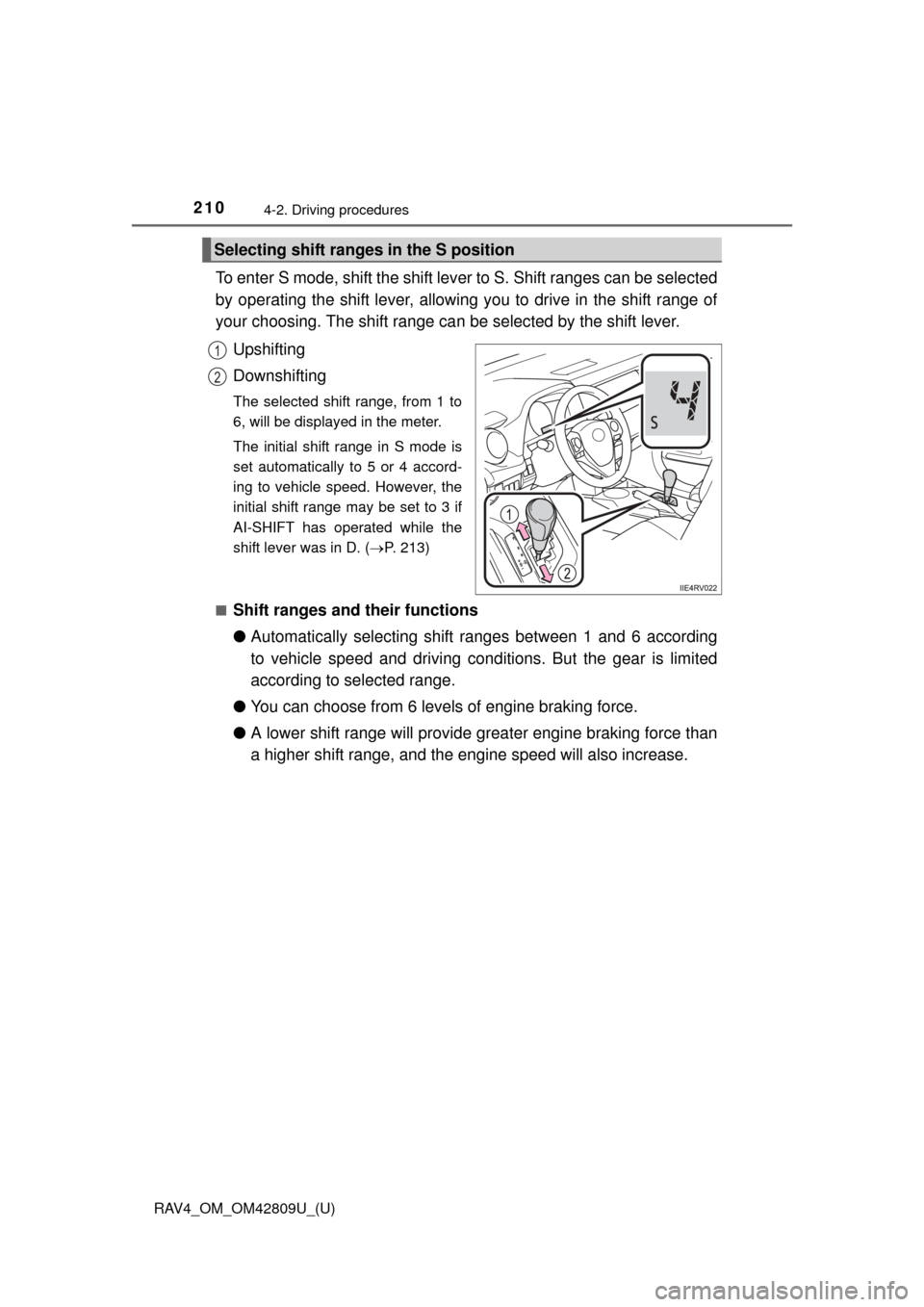
To enter S mode, shift the shift lever to S. Shift ranges can be selected
by operating the shift lever, allowing you to drive in the shift range of
your choosing. The shift range can be selected by the shift lever.
Upshifting
Downshifting
The selected shift range, from 1 to
6, will be displayed in the meter.
The initial shift range in S mode is
set automatically to 5 or 4 accord-
ing to vehicle speed. However, the
initial shift range may be set to 3 if
AI-SHIFT has operated while the
shift lever was in D. ( P. 213)
■
Shift ranges and their functions
● Automatically selecting shift ranges between 1 and 6 according
to vehicle speed and driving cond itions. But the gear is limited
according to selected range.
● You can choose from 6 levels of engine braking force.
● A lower shift range will provide gr eater engine braking force than
a higher shift range, and the engine speed will also increase.
Selecting shift ranges in the S position
1
2
Page 212 of 624
212
RAV4_OM_OM42809U_(U)
4-2. Driving procedures
■If the “S” indicator does not come on or the “D” indicator is displayed
even after shifting the shift lever to S
This may indicate a malfunction in the automatic transmission system. Have
the vehicle inspected by your Toyota dealer immediately.
(In this situation, the transmission will operate in the same manner as when
the shift lever is in D.)
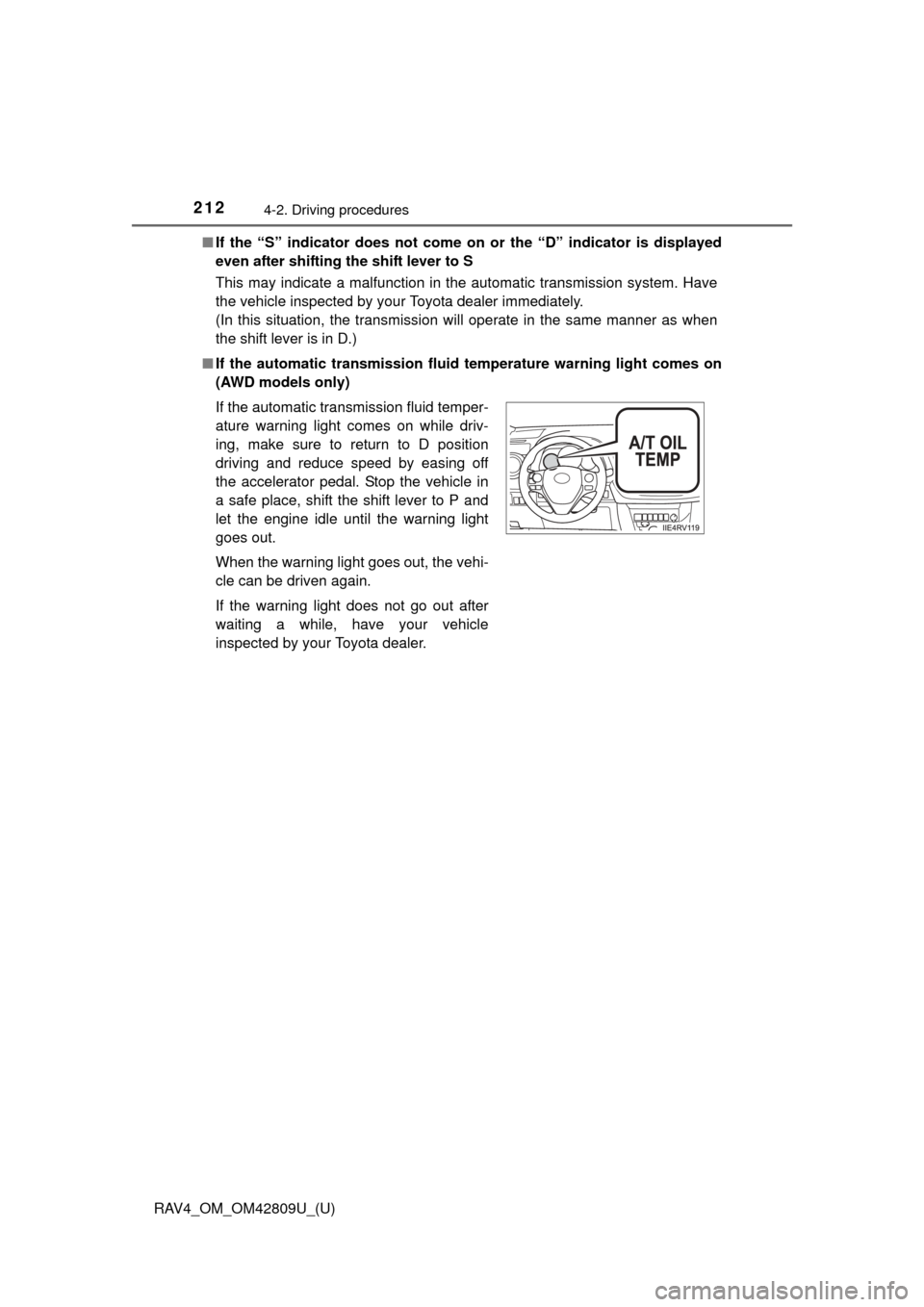
■ If the automatic transmission flui d temperature warning light comes on
(AWD models only)
If the automatic transmission fluid temper-
ature warning light comes on while driv-
ing, make sure to return to D position
driving and reduce speed by easing off
the accelerator pedal. Stop the vehicle in
a safe place, shift the shift lever to P and
let the engine idle until the warning light
goes out.
When the warning light goes out, the vehi-
cle can be driven again.
If the warning light does not go out after
waiting a while, have your vehicle
inspected by your Toyota dealer.
Page 295 of 624
295
RAV4_OM_OM42809U_(U)
5-1. Using the air conditioning system and defogger
5
Interior features
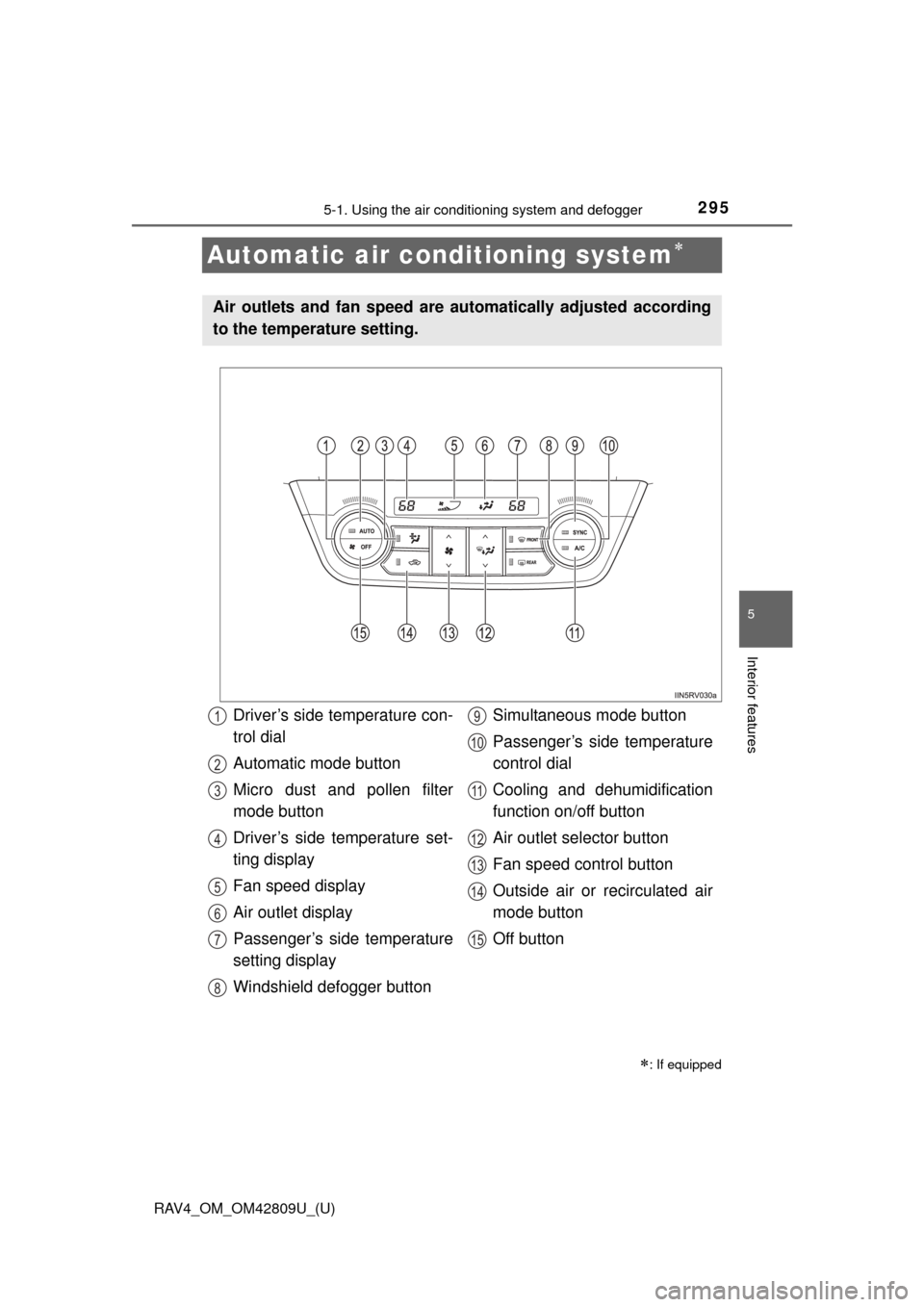
Automatic air conditioning system
: If equipped
Air outlets and fan speed are automatically adjusted according
to the temperature setting.
Driver’s side temperature con-
trol dial
Automatic mode button
Micro dust and pollen filter
mode button
Driver’s side temperature set-
ting display
Fan speed display
Air outlet display
Passenger’s side temperature
setting display
Windshield defogger button Simultaneous mode button
Passenger’s side temperature
control dial
Cooling and dehumidification
function on/off button
Air outlet selector button
Fan speed control button
Outside air or recirculated air
mode button
Off button1
2
3
4
5
6
7
8
9
10
11
12
13
14
15
Page 308 of 624
308
RAV4_OM_OM42809U_(U)
5-2. Using the audio system
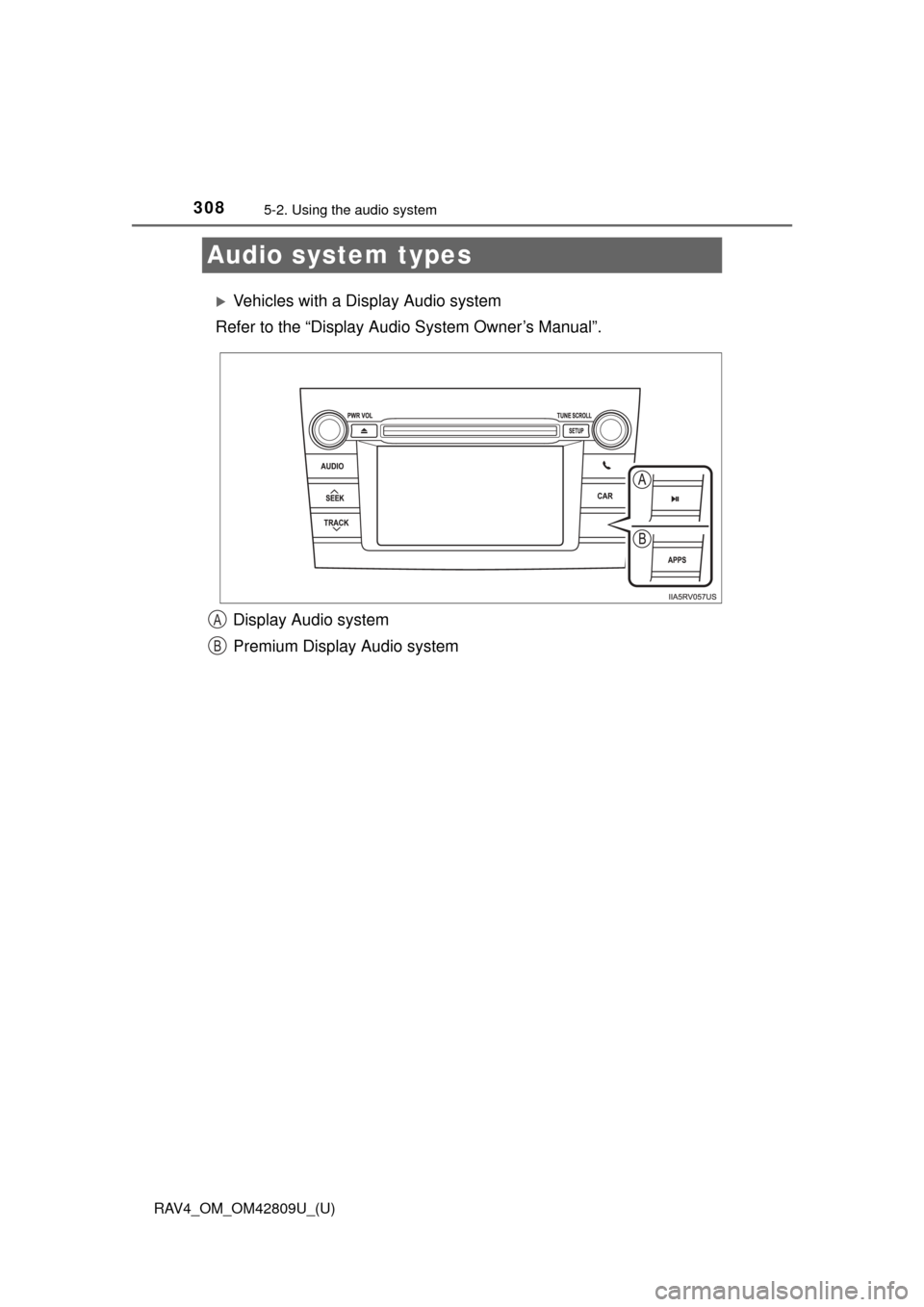
Audio system types
Vehicles with a Display Audio system
Refer to the “Display Audi o System Owner’s Manual”.
Display Audio system
Premium Display Audio system
A
B