key TOYOTA RAV4 2013 XA40 / 4.G Manual PDF
[x] Cancel search | Manufacturer: TOYOTA, Model Year: 2013, Model line: RAV4, Model: TOYOTA RAV4 2013 XA40 / 4.GPages: 624, PDF Size: 9.82 MB
Page 255 of 624
RAV4_OM_OM42809U_(U)
2554-5. Using the driving support systems
4
Driving
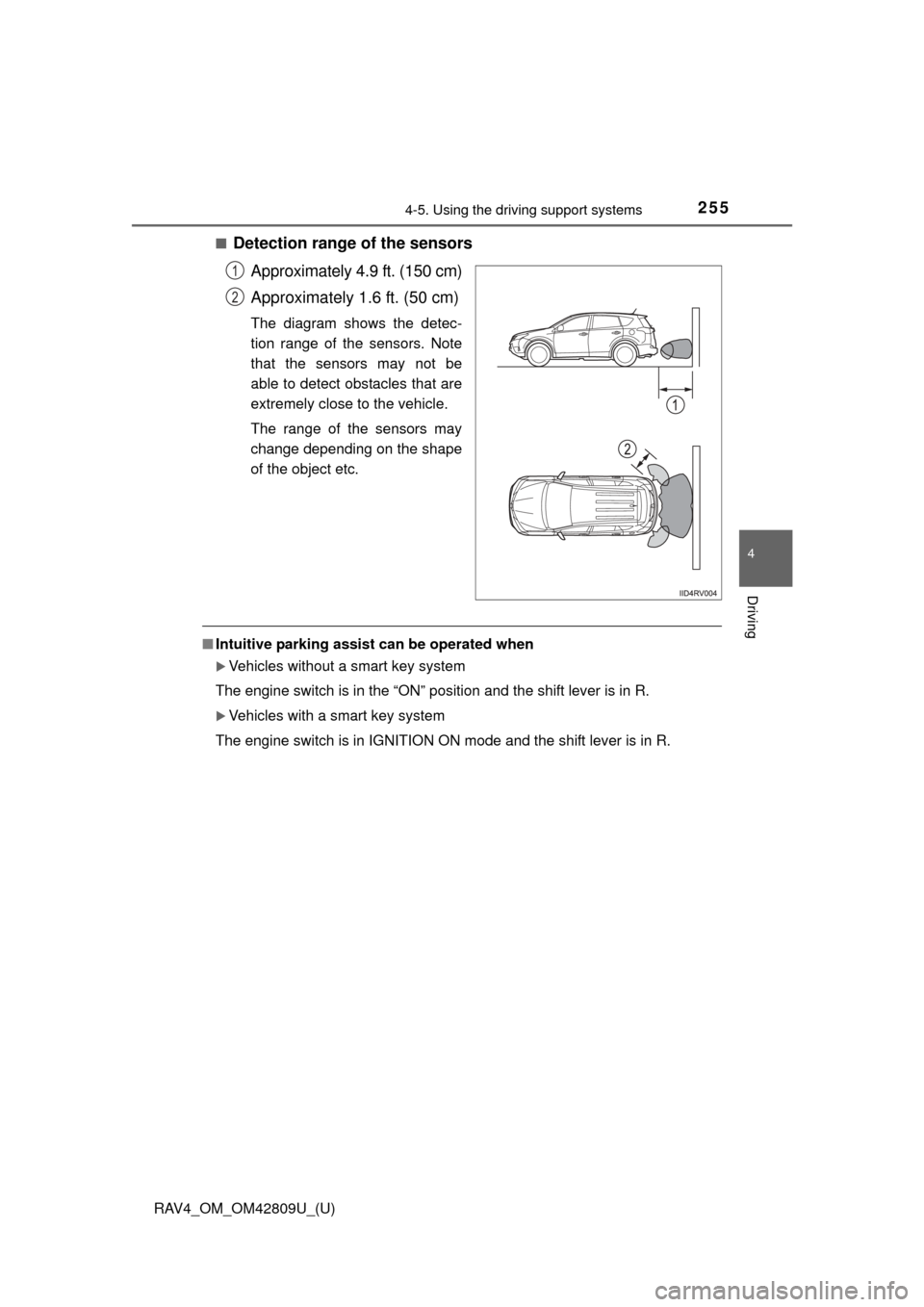
■Detection range of the sensorsApproximately 4.9 ft. (150 cm)
Approximately 1.6 ft. (50 cm)
The diagram shows the detec-
tion range of the sensors. Note
that the sensors may not be
able to detect obstacles that are
extremely close to the vehicle.
The range of the sensors may
change depending on the shape
of the object etc.
■Intuitive parking assist can be operated when
Vehicles without a smart key system
The engine switch is in the “ON” position and the shift lever is in R.
Vehicles with a smart key system
The engine switch is in IGNITION ON mode and the shift lever is in R.
1
2
Page 259 of 624
259
RAV4_OM_OM42809U_(U)
4-5. Using the driving support systems
4
Driving
All-wheel drive lock switch (AWD models)
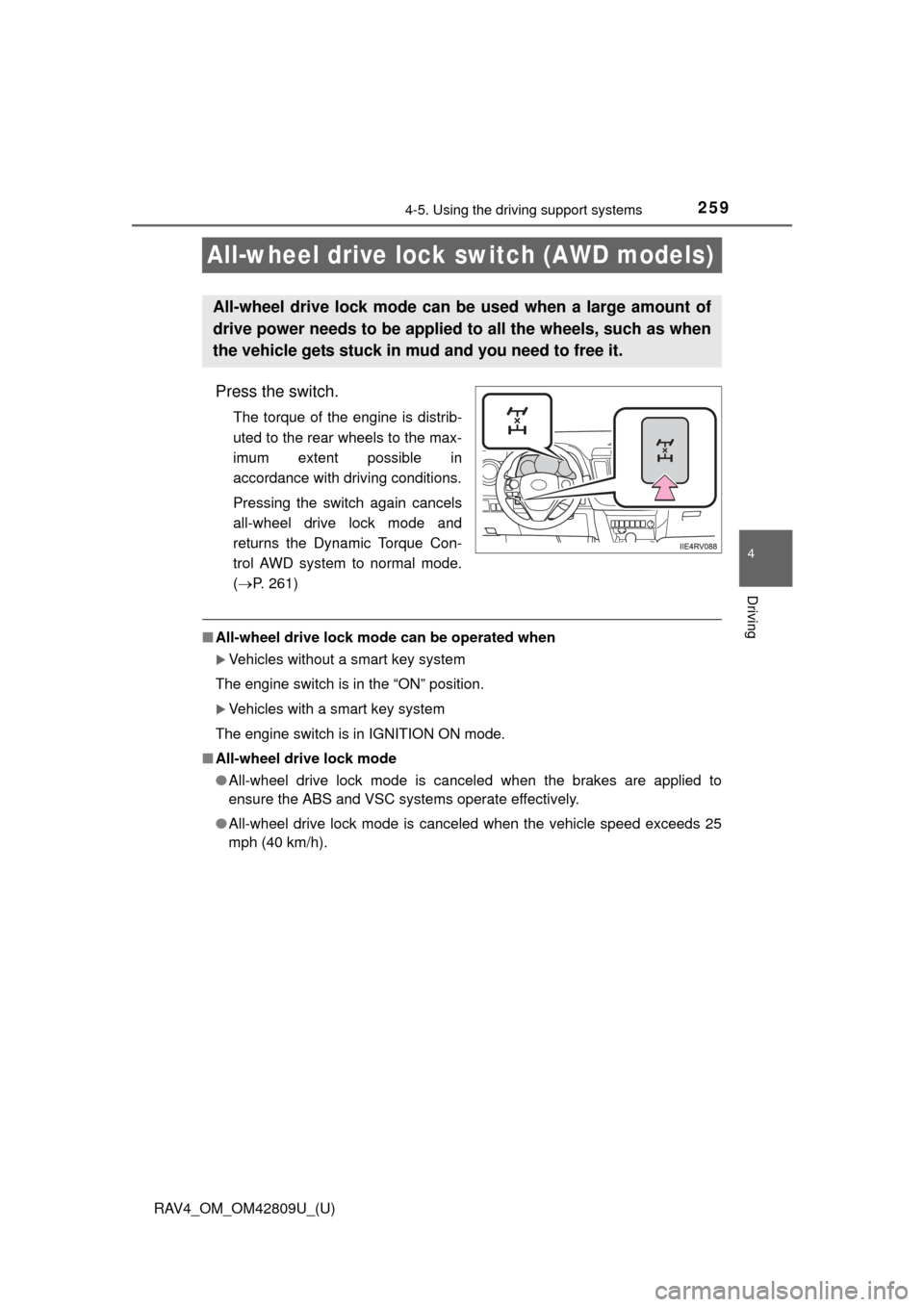
Press the switch.
The torque of the engine is distrib-
uted to the rear wheels to the max-
imum extent possible in
accordance with driving conditions.
Pressing the switch again cancels
all-wheel drive lock mode and
returns the Dynamic Torque Con-
trol AWD system to normal mode.
( P. 261)
■All-wheel drive lock mode can be operated when
Vehicles without a smart key system
The engine switch is in the “ON” position.
Vehicles with a smart key system
The engine switch is in IGNITION ON mode.
■ All-wheel drive lock mode
●All-wheel drive lock mode is canceled when the brakes are applied to
ensure the ABS and VSC systems operate effectively.
● All-wheel drive lock mode is cancel ed when the vehicle speed exceeds 25
mph (40 km/h).
All-wheel drive lock mode can be used when a large amount of
drive power needs to be applied to all the wheels, such as when
the vehicle gets stuck in mud and you need to free it.
Page 263 of 624

RAV4_OM_OM42809U_(U)
2634-5. Using the driving support systems
4
Driving
■Turning off both TRAC/VSC systems
To turn the TRAC/VSC systems off, press and hold for more than 3 sec-
onds while the vehicle is stopped.
2WD models:
The VSC OFF indicator light will come on.
AWD models:
The “TRAC OFF” and VSC OFF in dicator lights will come on.
Press again to turn the systems back on.
■ When the “AUTO LSD” indicator light flashes even if the VSC OFF
switch has not been pressed (2WD models)
TRAC and AUTO LSD cannot be operated. Contact your Toyota dealer.
■ When the “TRAC OFF” indicator light comes on even if the VSC OFF
switch has not been pressed (AWD models)
TRAC cannot be operated. Contact your Toyota dealer.
■ Sounds and vibrations caused by the ABS, brake assist, VSC and TRAC
systems
● A sound may be heard from the engine compartment when the brake pedal
is depressed repeatedly, when the engine is started or just after the vehicle
begins to move. This sound does not indicate that a malfunction has
occurred in any of these systems.
● Any of the following conditions may occur when the above systems are
operating. None of these indicates that a malfunction has occurred.
• Vibrations may be felt through the vehicle body and steering.
• A motor sound may be heard after the vehicle comes to a stop.
• The brake pedal may pulsate slightly after the ABS is activated.
• The brake pedal may move down slightly after the ABS is activated.
■ EPS operation sound
When the steering wheel is operated, a motor sound (whirring sound) may be
heard. This does not indicate a malfunction.
■ Automatic reactivation of TRAC and VSC systems
After turning the TRAC and VSC systems off, the systems will be automati-
cally reactivated in the following situations:
● When the engine switch is turned to the “LOCK” position (vehicles without a
smart key system) or off (vehicles with a smart key system).
● If only the TRAC system is turned off, the TRAC will turn on when vehicle
speed increases
If both the TRAC and VSC systems are turned off, automatic reactivation
will not occur when vehicle speed increases.
Page 303 of 624
RAV4_OM_OM42809U_(U)
3035-1. Using the air conditioning system and defogger
5
Interior features
■When the outside temperature exceeds 75 F (24C) and the air condition-
ing system is on
● In order to reduce the air conditioning power consumption, the air condition-
ing system may switch to recirculated air mode automatically. This may also
reduce fuel consumption.
● Recirculated air mode is selected as a default mode when the engine switch
is in the “ON” position (vehicles without a smart key system) or IGNITION
ON mode (vehicles with a smart key system)
● It is possible to switch to outside air mode at any time by pressing .
■ Micro dust and pollen filter
●In order to prevent the windshield from fogging up when the outside air is
cold, the following may occur:
• Outside air mode does not switch to recirculated air mode.
• The dehumidification function operates.
• The operation cancels after approximately 1 minute.
● In rainy weather, the windows may fog up. Press .
● In extremely humid weather, the windows may fog up.
● The pollens are filtered out even if the pollen removal mode is turned off.
■ When the outside temperature falls to nearly 32 F (0 C)
The dehumidification function may not operate even when is pressed.
Page 306 of 624

306
RAV4_OM_OM42809U_(U)
5-1. Using the air conditioning system and defogger
■Operating conditions
Vehicles without a smart key system
The engine switch is in the “ON” position.
Vehicles with a smart key system
The engine switch is in IGNITION ON mode.
■ The outside rear view mirror defogge rs (vehicles with outside rear view
mirror defoggers)
Turning the rear window defogger on will turn the outside rear view mirror
defoggers on.
CAUTION
■ When the outside rear view mirror defoggers are on (vehicles with out-
side rear view mirror defoggers)
Do not touch the rear view mirror surfaces, as they can become very hot
and burn you.
NOTICE
■ To prevent battery discharge
Turn the defoggers off when the engine is off.
Page 307 of 624
307
RAV4_OM_OM42809U_(U)
5-1. Using the air conditioning system and defogger
5
Interior features
Windshield wiper de-icer
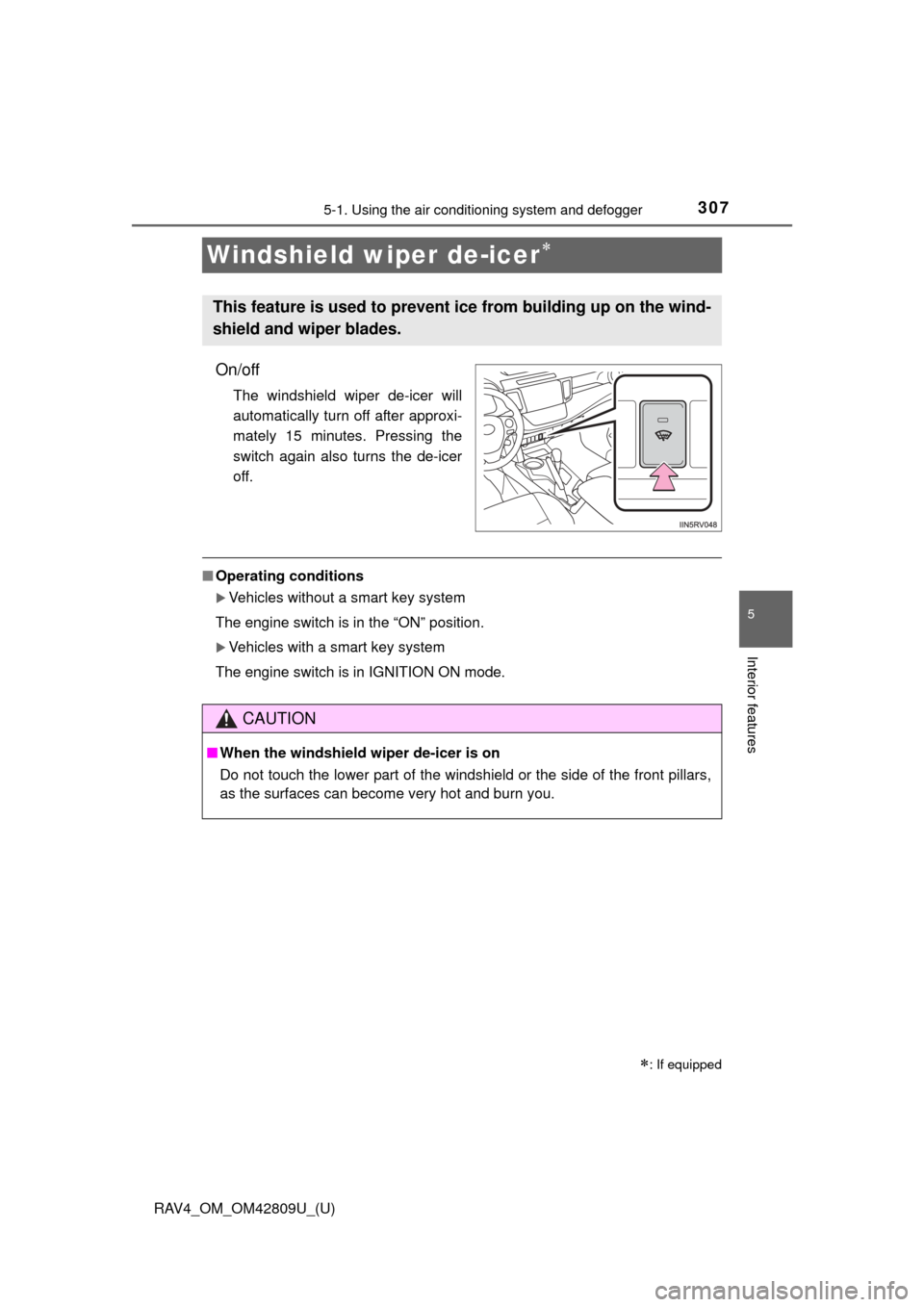
On/off
The windshield wiper de-icer will
automatically turn off after approxi-
mately 15 minutes. Pressing the
switch again also turns the de-icer
off.
■Operating conditions
Vehicles without a smart key system
The engine switch is in the “ON” position.
Vehicles with a smart key system
The engine switch is in IGNITION ON mode.
: If equipped
This feature is used to prevent ice from building up on the wind-
shield and wiper blades.
CAUTION
■ When the windshield wiper de-icer is on
Do not touch the lower part of the windshield or the side of the front pillars,
as the surfaces can become very hot and burn you.
Page 356 of 624

356
RAV4_OM_OM42809U_(U)
5-2. Using the audio system
Before using the Bluetooth® audio/phone, it is necessary to register a
Bluetooth® device in the system. Follow the procedure below to regis-
ter (pair) a device:
Press the “SETUP” button and select “Bluetooth
*” using the
“TUNE•SCROLL” knob.
Press the knob and select “BT pairing” using the knob.
A passkey will be displayed.
SSP (Secure Simple Pairing) incompatible Bluetooth
® devices:
Input the passkey into the device.
SSP (Secure Simple Pairin g) compatible Bluetooth
® devices:
Select “Yes” to register the device. Depending on the type of
device, it may register automatically.
If a Bluetooth
® device has both music player and cellular phone func-
tions, both functions will be register ed at the same time. When delet-
ing the device, both functions will be deleted at the same time.
If the on-hook switch is press ed and the “PHONE” mode is entered
when no phones have been registered, the registration screen will be
automatically displayed.
*: Bluetooth is a registered trademark of Bluetooth SIG, Inc.
Using the Bluetooth® audio/phone for the first time
1
2
3
Page 357 of 624
RAV4_OM_OM42809U_(U)
3575-2. Using the audio system
5
Interior features
*: Bluetooth is a registered trademark of Bluetooth SIG, Inc.
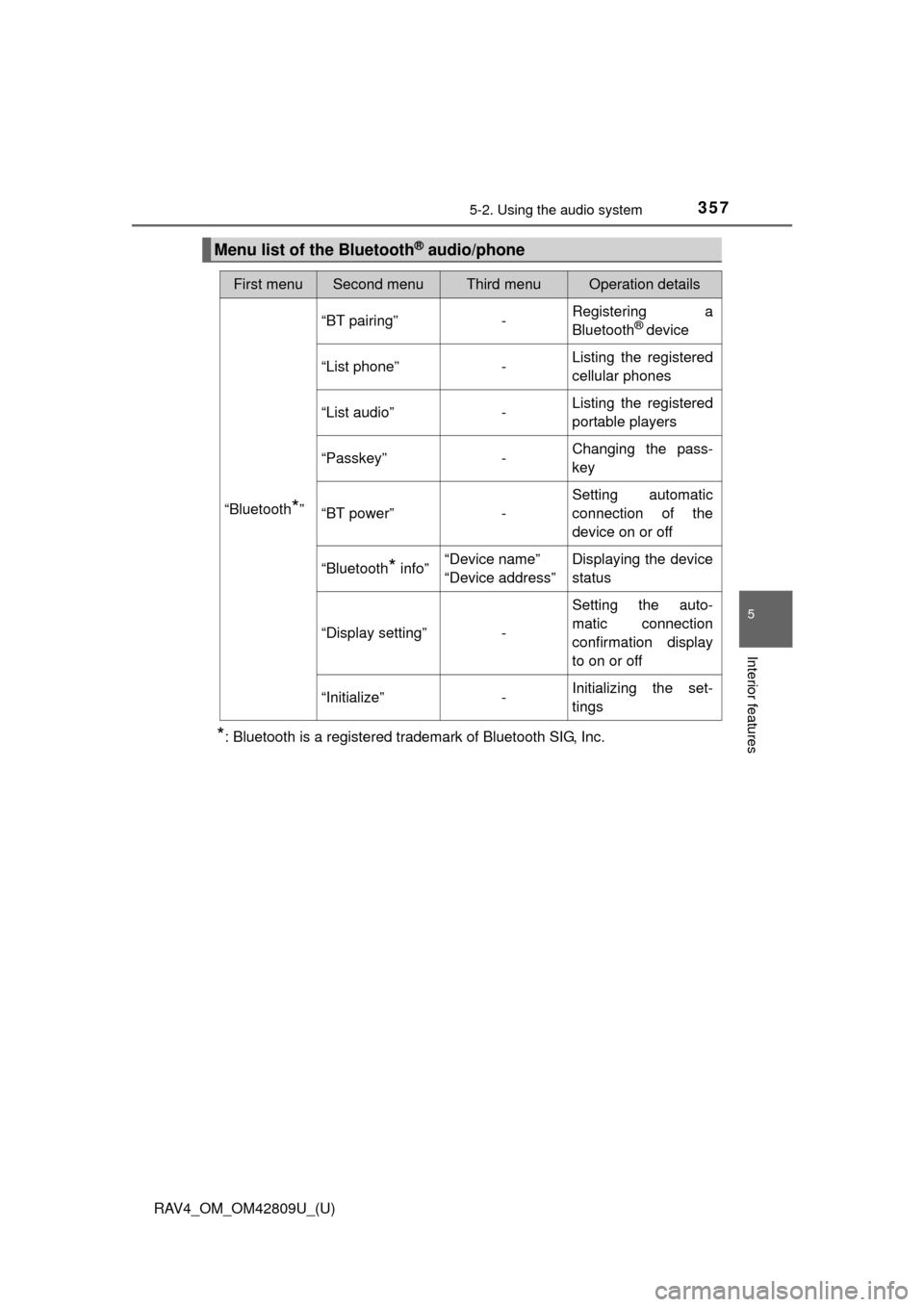
Menu list of the Bluetooth® audio/phone
First menuSecond menuThird menuOperation details
“Bluetooth*”
“BT pairing”-Registering a
Bluetooth® device
“List phone”
-Listing the registered
cellular phones
“List audio”
-Listing the registered
portable players
“Passkey”
-Changing the pass-
key
“BT power”
-Setting automatic
connection of the
device on or off
“Bluetooth
* info” “Device name”
“Device address” Displaying the device
status
“Display setting” - Setting the auto-
matic connection
confirmation display
to on or off
“Initialize” - Initializing the set-
tings
Page 367 of 624

367
RAV4_OM_OM42809U_(U)
5-2. Using the audio system
5
Interior features
Using the “SETUP” menu (“Bluetooth*”
menu)
■Functions and operation proceduresPress the “SETUP” button and select “Bluetooth
*” using the
“TUNE•SCROLL” knob.
Press the knob and select one of the following functions using
the knob.
● Registering a Bluetooth
® device
“BT pairing”
● Listing the registered cellular phones
“List phone”
● Listing the registered portable players
“List audio”
● Changing the passkey
“Passkey”
● Setting automatic connection of the device on or off
“BT power”
● Displaying the device status
“Bluetooth
* info”
● Setting the automatic connection confirmation display to on or off
“Display setting”
● Initialization
“Initialize”
*: Bluetooth is a registered trademark of Bluetooth SIG, Inc.
: If equipped
Registering a Bluetooth® device in the system allows the system
to function. The following functi ons can be used for registered
devices:
1
2
Page 370 of 624
370
RAV4_OM_OM42809U_(U)
5-2. Using the audio system
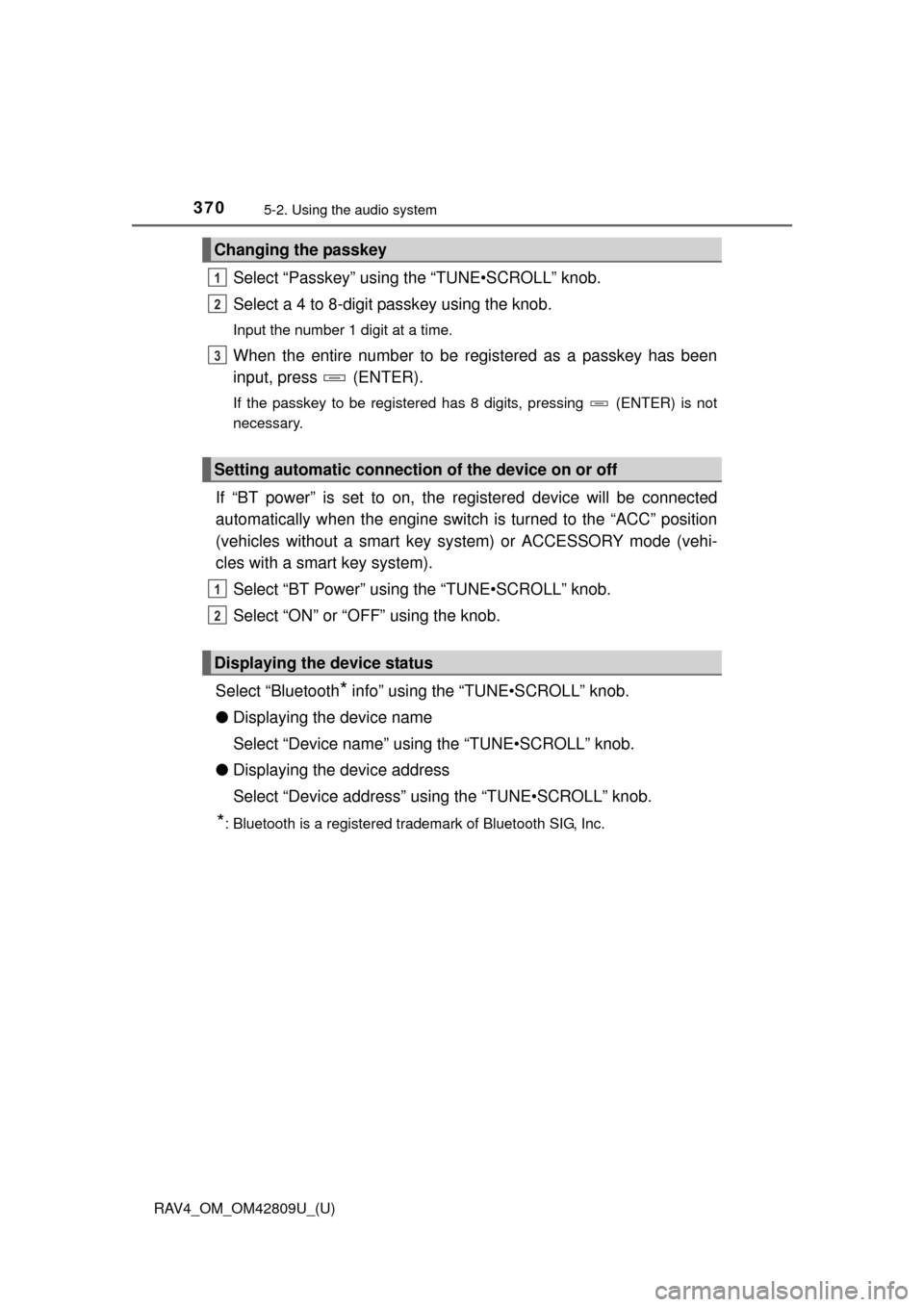
Select “Passkey” using the “TUNE•SCROLL” knob.
Select a 4 to 8-digit passkey using the knob.
Input the number 1 digit at a time.
When the entire number to be registered as a passkey has been
input, press (ENTER).
If the passkey to be registered has 8 digits, pressing (ENTER) is not
necessary.
If “BT power” is set to on, the registered device will be connected
automatically when the engine switch is turned to the “ACC” position
(vehicles without a smart key sy stem) or ACCESSORY mode (vehi-
cles with a smart key system).
Select “BT Power” using the “TUNE•SCROLL” knob.
Select “ON” or “OFF” using the knob.
Select “Bluetooth
* info” using the “TUNE•SCROLL” knob.
● Displaying the device name
Select “Device name” using the “TUNE•SCROLL” knob.
● Displaying the device address
Select “Device address” using the “TUNE•SCROLL” knob.
*: Bluetooth is a registered trademark of Bluetooth SIG, Inc.
Changing the passkey
Setting automatic connection of the device on or off
Displaying the device status
1
2
3
1
2