navigation system TOYOTA RAV4 2017 XA40 / 4.G Navigation Manual
[x] Cancel search | Manufacturer: TOYOTA, Model Year: 2017, Model line: RAV4, Model: TOYOTA RAV4 2017 XA40 / 4.GPages: 366, PDF Size: 12.77 MB
Page 311 of 366
311
4. MEMORY POINTS
RAV4_RAV4 HV_Navi+MM_OM0R007U_(U)
16.06.10 19:05
NAVIGATION SYSTEM
8
1Select “Edit”.
2Select the desired preset destination.
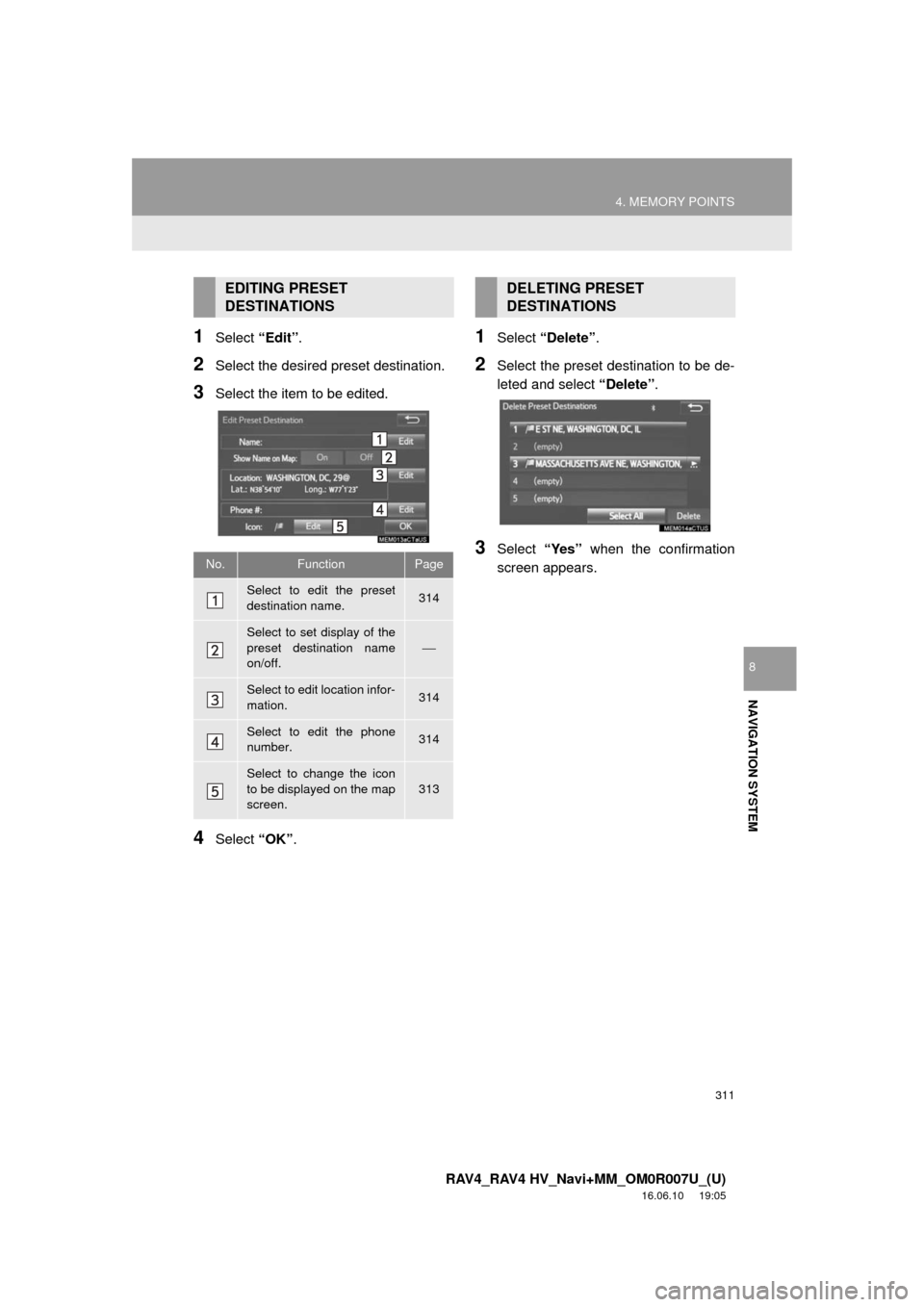
3Select the item to be edited.
4Select “OK”.
1Select “Delete” .
2Select the preset destination to be de-
leted and select “Delete”.
3Select “Yes” when the confirmation
screen appears.
EDITING PRESET
DESTINATIONS
No.FunctionPage
Select to edit the preset
destination name.314
Select to set display of the
preset destination name
on/off.
⎯
Select to edit location infor-
mation.314
Select to edit the phone
number.314
Select to change the icon
to be displayed on the map
screen.
313
DELETING PRESET
DESTINATIONS
Page 313 of 366
313
4. MEMORY POINTS
RAV4_RAV4 HV_Navi+MM_OM0R007U_(U)
16.06.10 19:05
NAVIGATION SYSTEM
8
1Select “Edit”.
2Select the desired address book entry.
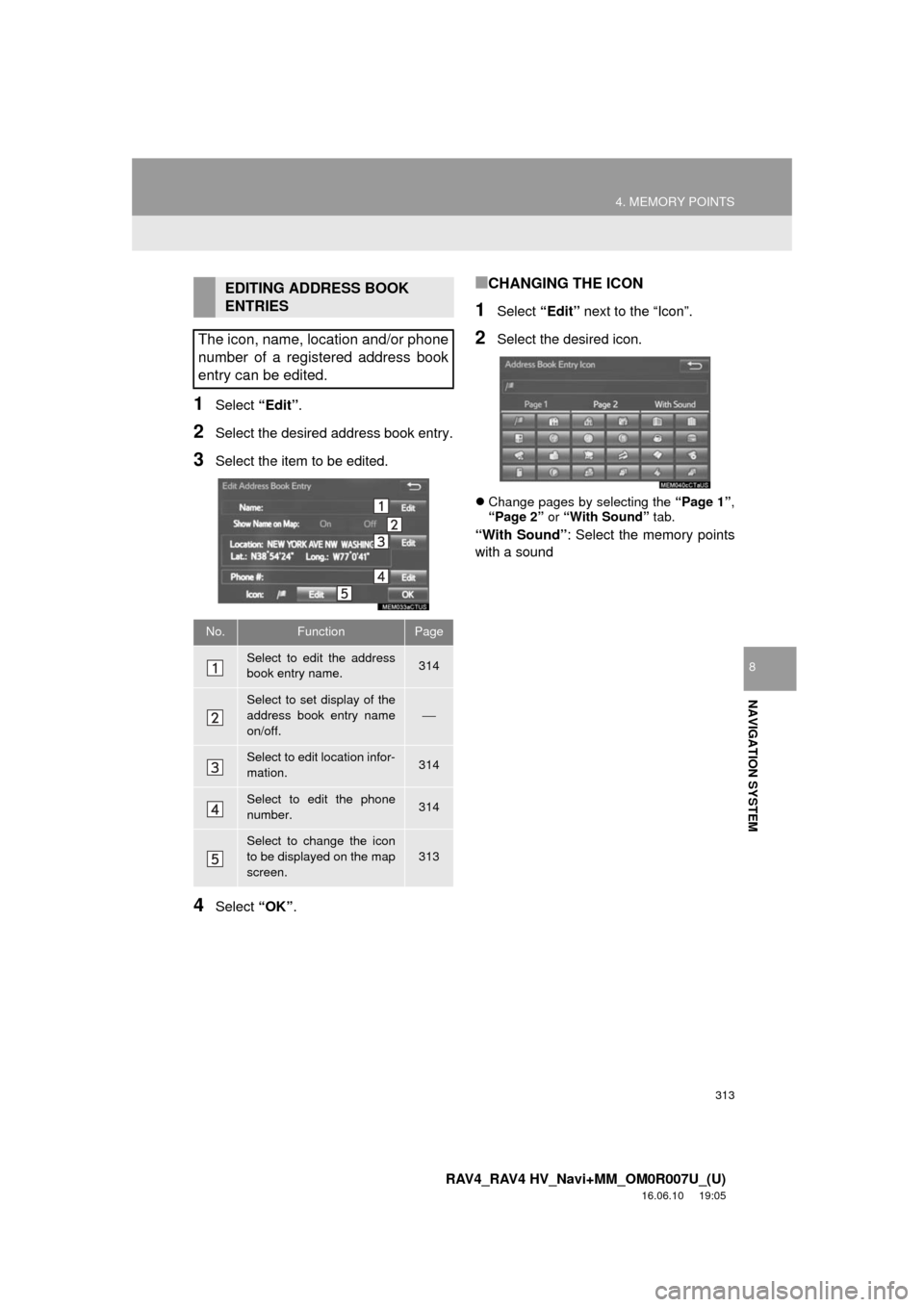
3Select the item to be edited.
4Select “OK”.
■CHANGING THE ICON
1Select “Edit” next to the “Icon”.
2Select the desired icon.
Change pages by selecting the “Page 1”,
“Page 2” or “With Sound” tab.
“With Sound” : Select the memory points
with a sound
EDITING ADDRESS BOOK
ENTRIES
The icon, name, location and/or phone
number of a registered address book
entry can be edited.
No.FunctionPage
Select to edit the address
book entry name.314
Select to set display of the
address book entry name
on/off.
⎯
Select to edit location infor-
mation.314
Select to edit the phone
number.314
Select to change the icon
to be displayed on the map
screen.
313
Page 315 of 366
315
4. MEMORY POINTS
RAV4_RAV4 HV_Navi+MM_OM0R007U_(U)
16.06.10 19:05
NAVIGATION SYSTEM
8
1Display the “Navigation Settings”
screen. (→P.308)
2Select“Areas to Avoid” .
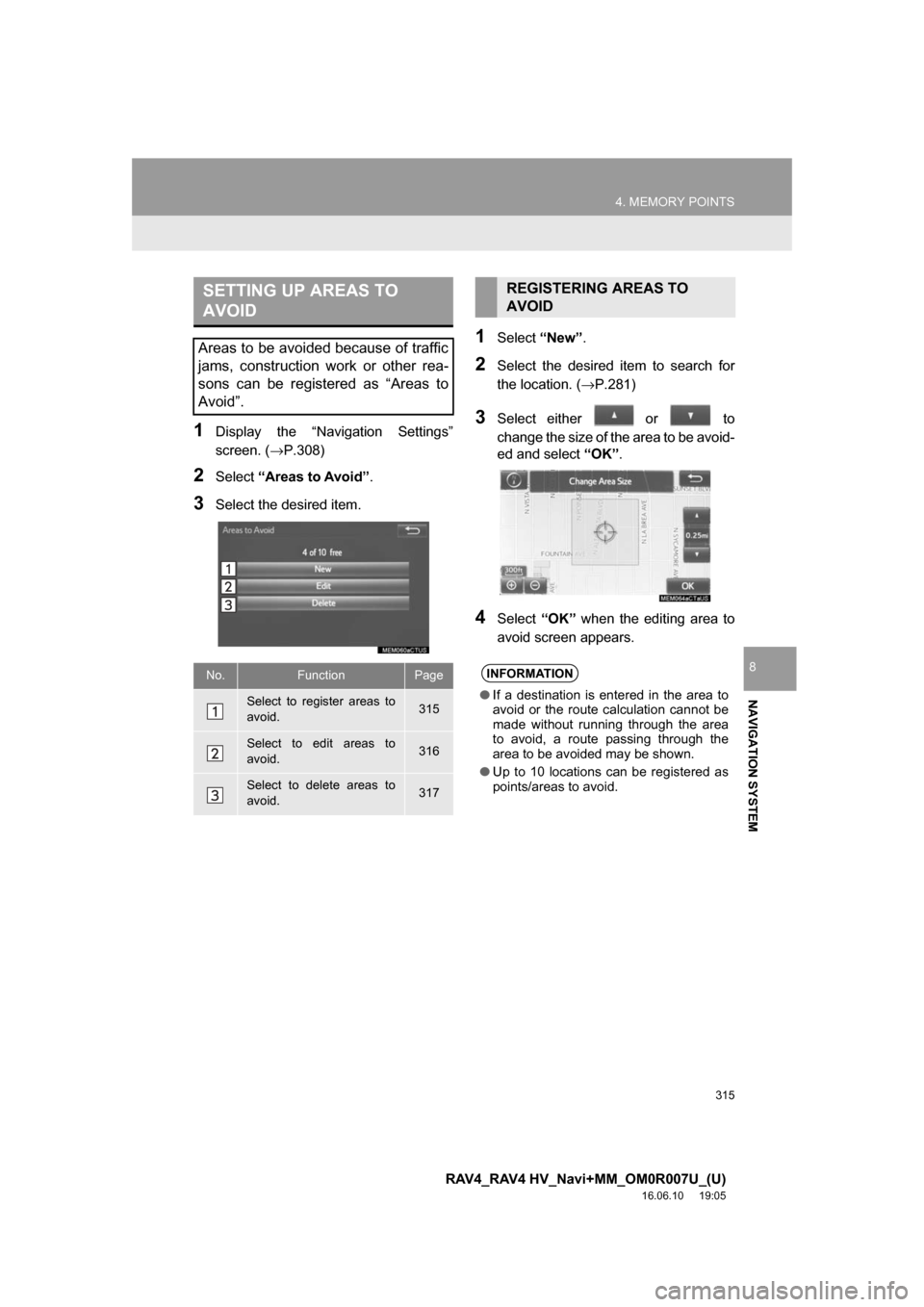
3Select the desired item.
1Select“New”.
2Select the desired item to search for
the location. ( →P.281)
3Select either or to
change the size of the area to be avoid-
ed and select “OK”.
4Select “OK” when the editing area to
avoid screen appears.
SETTING UP AREAS TO
AVOID
Areas to be avoided because of traffic
jams, construction work or other rea-
sons can be registered as “Areas to
Avoid”.
No.FunctionPage
Select to register areas to
avoid.315
Select to edit areas to
avoid.316
Select to delete areas to
avoid.317
REGISTERING AREAS TO
AVOID
INFORMATION
● If a destination is entered in the area to
avoid or the route calculation cannot be
made without running through the area
to avoid, a route passing through the
area to be avoided may be shown.
● Up to 10 locations can be registered as
points/areas to avoid.
Page 317 of 366
317
4. MEMORY POINTS
RAV4_RAV4 HV_Navi+MM_OM0R007U_(U)
16.06.10 19:05
NAVIGATION SYSTEM
8
1Select “Delete” .
2Select the area to be deleted and se-
lect “Delete” .
3Select “Yes” when the confirmation
screen appears.
1Display the “Navigation Settings”
screen. ( →P.308)
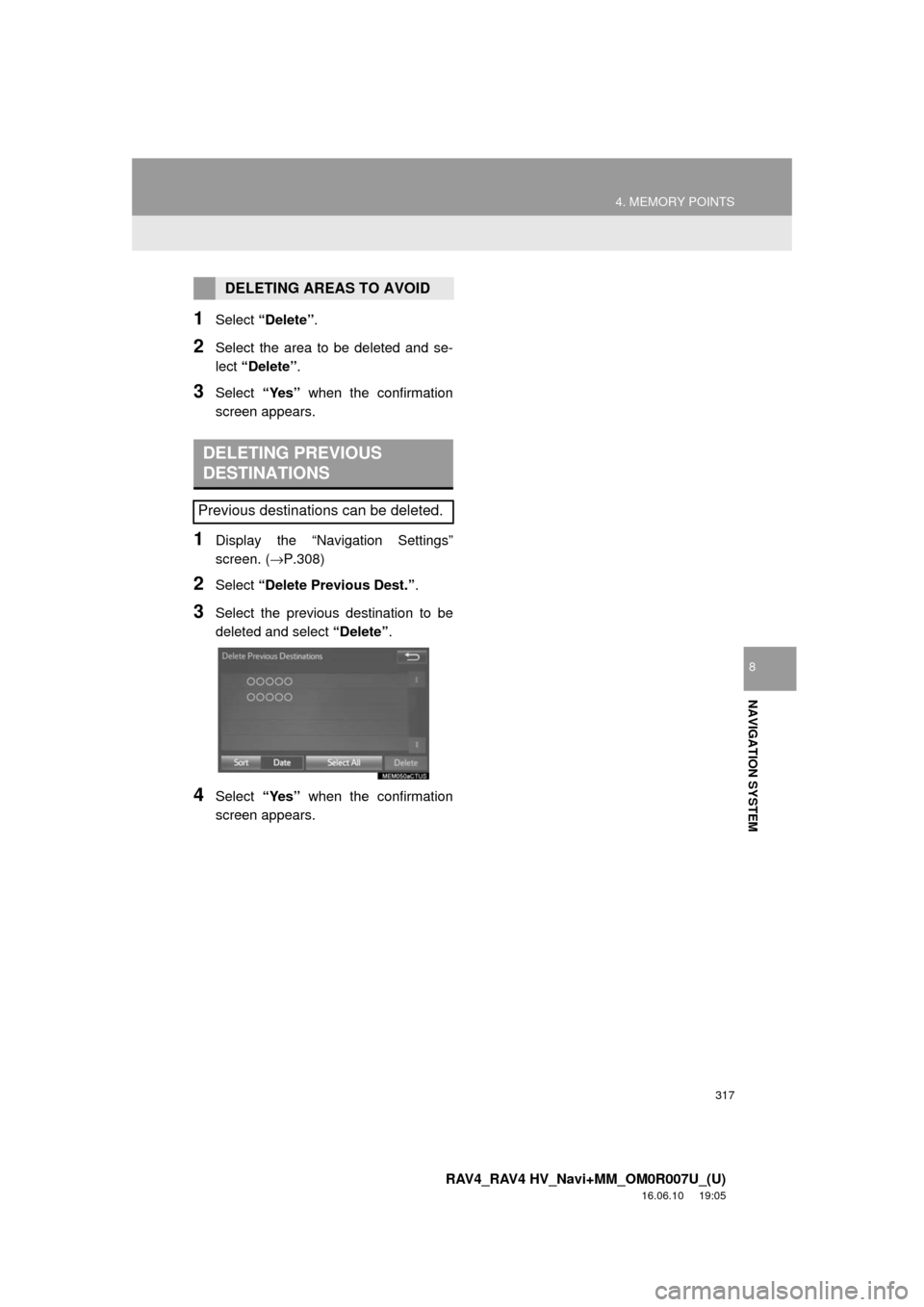
2Select “Delete Previous Dest.” .
3Select the previous destination to be
deleted and select “Delete”.
4Select “Yes” when the confirmation
screen appears.
DELETING AREAS TO AVOID
DELETING PREVIOUS
DESTINATIONS
Previous destinations can be deleted.
Page 319 of 366
319
5. SETUP
RAV4_RAV4 HV_Navi+MM_OM0R007U_(U)
16.06.10 19:05
NAVIGATION SYSTEM
8
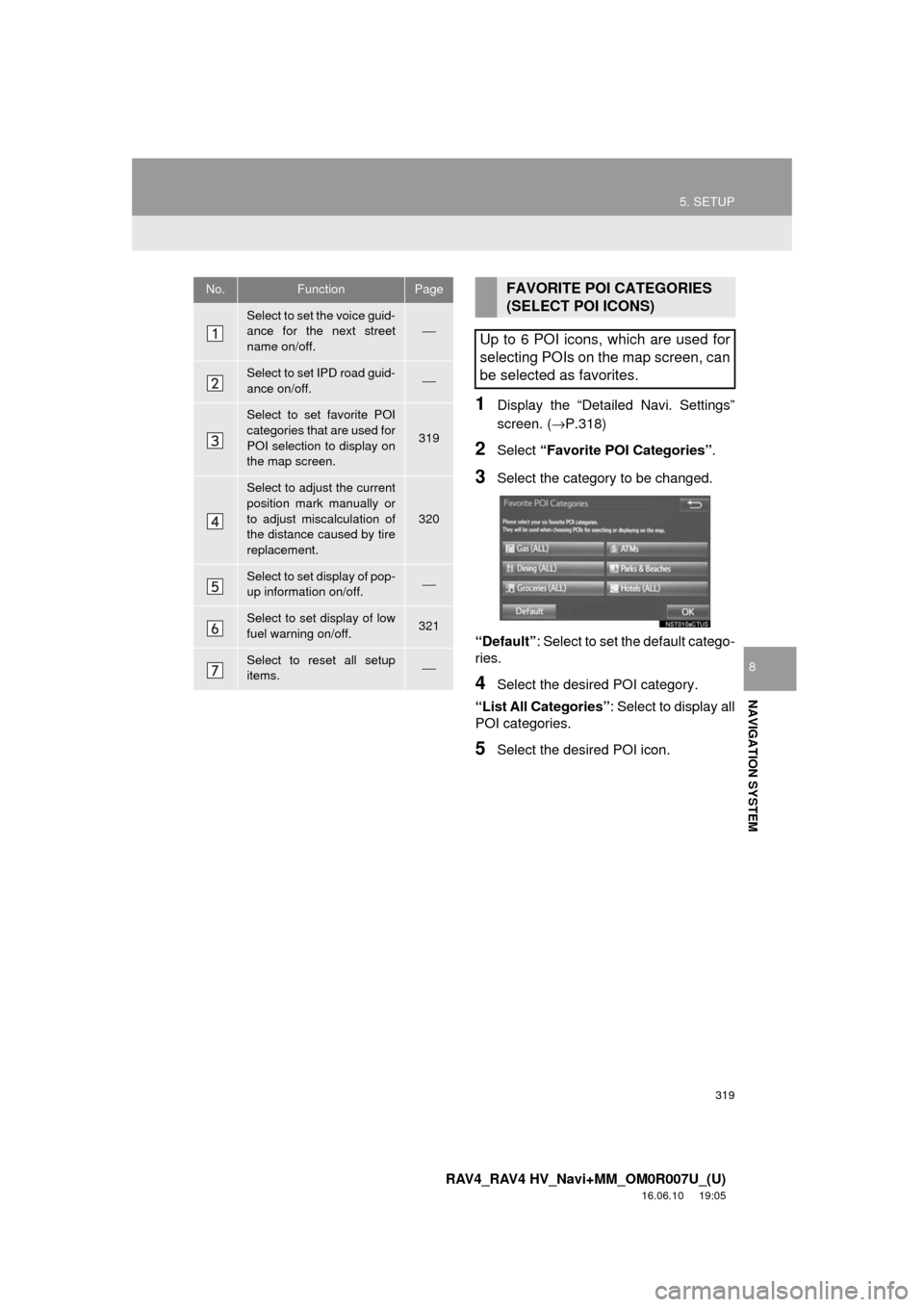
1Display the “Detailed Navi. Settings”
screen. (→P.318)
2Select “Favorite POI Categories” .
3Select the category to be changed.
“Default” : Select to set the default catego-
ries.
4Select the desired POI category.
“List All Categories”: Select to display all
POI categories.
5Select the desired POI icon.
No.FunctionPage
Select to set the voice guid-
ance for the next street
name on/off.⎯
Select to set IPD road guid-
ance on/off.⎯
Select to set favorite POI
categories that are used for
POI selection to display on
the map screen.
319
Select to adjust the current
position mark manually or
to adjust miscalculation of
the distance caused by tire
replacement.
320
Select to set display of pop-
up information on/off.⎯
Select to set display of low
fuel warning on/off.321
Select to reset all setup
items.⎯
FAVORITE POI CATEGORIES
(SELECT POI ICONS)
Up to 6 POI icons, which are used for
selecting POIs on the map screen, can
be selected as favorites.
Page 321 of 366
321
5. SETUP
RAV4_RAV4 HV_Navi+MM_OM0R007U_(U)
16.06.10 19:05
NAVIGATION SYSTEM
8
■TIRE CHANGE CALIBRATION
1Select“Tire Change”.
The message appears and the quick dis-
tance calibration starts automatically.
1Display the “Detailed Navi. Settings”
screen. ( →P.318)
2Select“Low Fuel Warning Pop-up” .
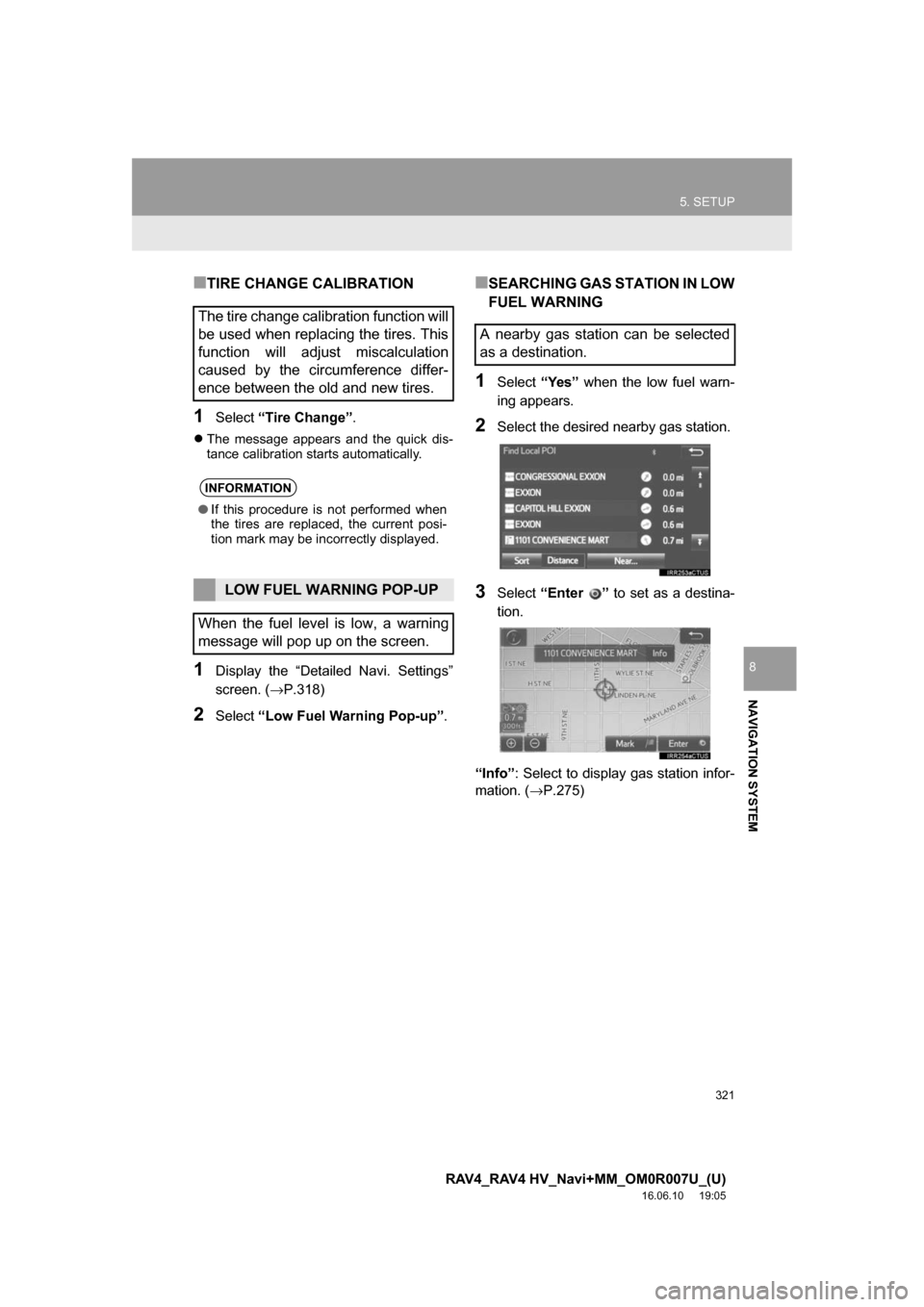
■SEARCHING GAS STATION IN LOW
FUEL WARNING
1Select“Yes” when the low fuel warn-
ing appears.
2Select the desired nearby gas station.
3Select “Enter ” to set as a destina-
tion.
“Info” : Select to display gas station infor-
mation. ( →P.275)
The tire change calibration function will
be used when replacing the tires. This
function will adjust miscalculation
caused by the circumference differ-
ence between the old and new tires.
INFORMATION
●If this procedure is not performed when
the tires are replaced, the current posi-
tion mark may be incorrectly displayed.
LOW FUEL WARNING POP-UP
When the fuel level is low, a warning
message will pop up on the screen.
A nearby gas station can be selected
as a destination.
Page 323 of 366
323
5. SETUP
RAV4_RAV4 HV_Navi+MM_OM0R007U_(U)
16.06.10 19:05
NAVIGATION SYSTEM
8
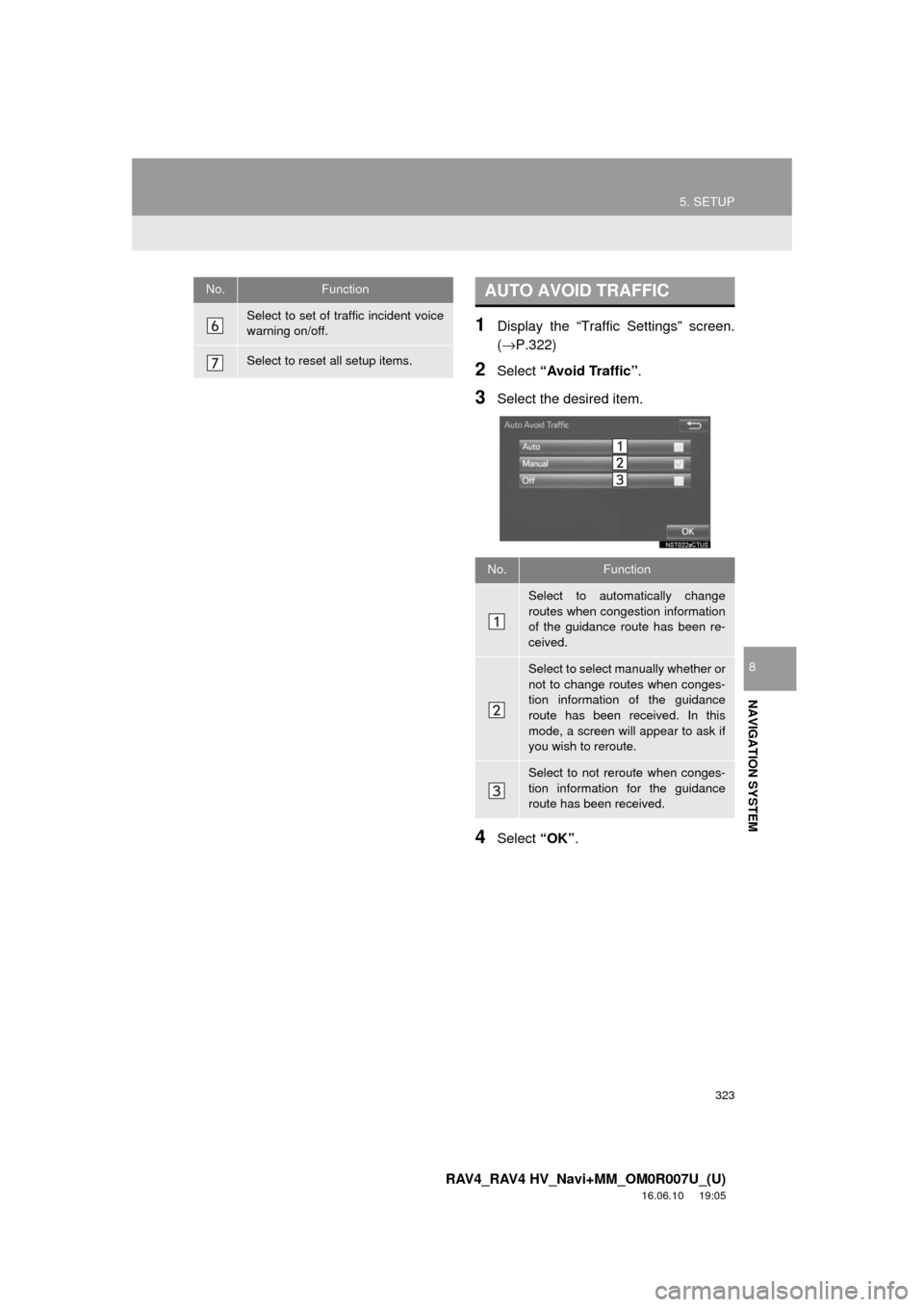
1Display the “Traffic Settings” screen.
(→P.322)
2Select “Avoid Traffic” .
3Select the desired item.
4Select “OK”.
Select to set of traffic incident voice
warning on/off.
Select to reset all setup items.
No.FunctionAUTO AVOID TRAFFIC
No.Function
Select to automatically change
routes when congestion information
of the guidance route has been re-
ceived.
Select to select manually whether or
not to change routes when conges-
tion information of the guidance
route has been received. In this
mode, a screen will appear to ask if
you wish to reroute.
Select to not reroute when conges-
tion information for the guidance
route has been received.
Page 324 of 366
324
5. SETUP
RAV4_RAV4 HV_Navi+MM_OM0R007U_(U)
16.06.10 19:05
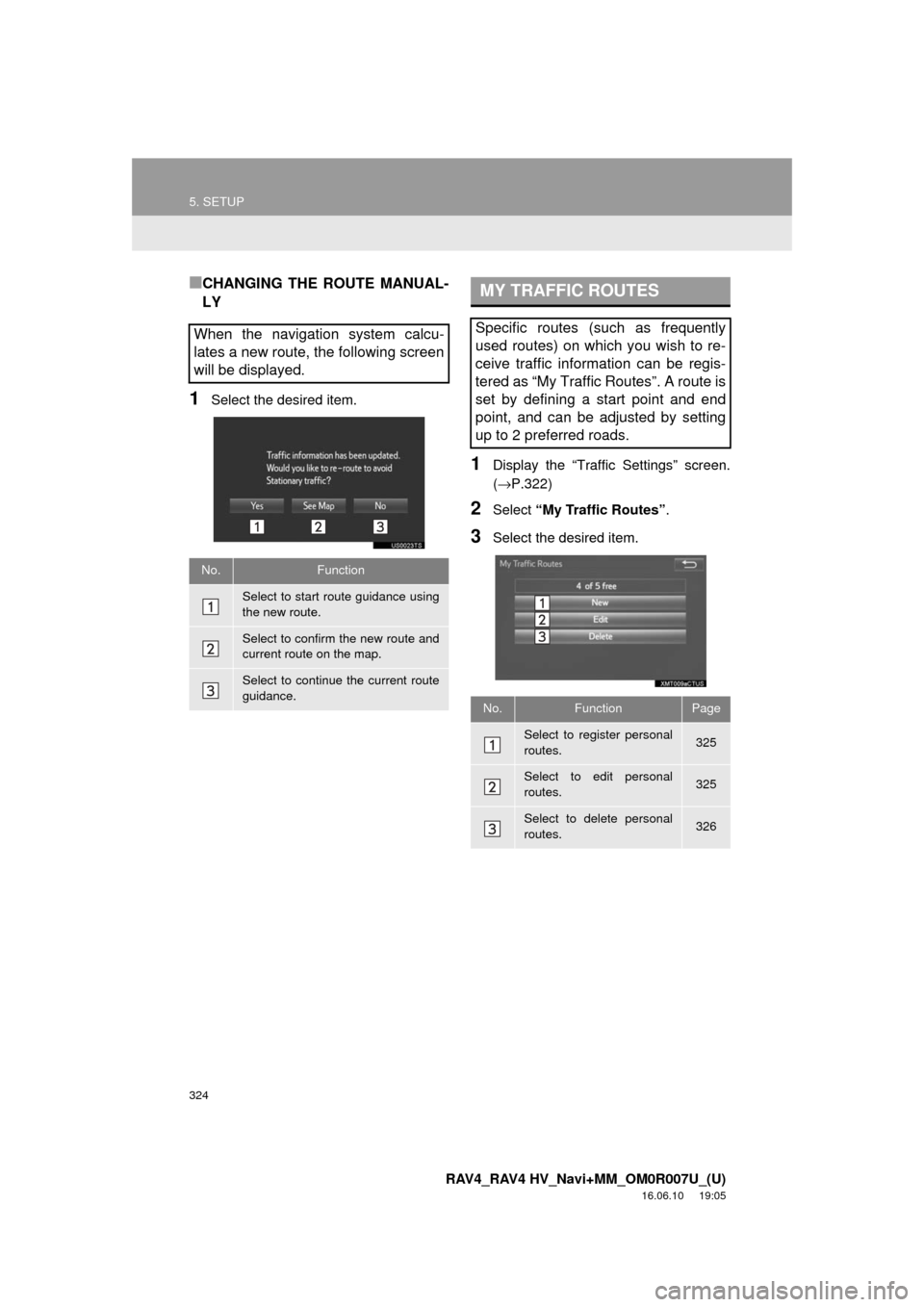
■CHANGING THE ROUTE MANUAL-
LY
1Select the desired item.
1Display the “Traffic Settings” screen.
(→P.322)
2Select “My Traffic Routes” .
3Select the desired item.
When the navigation system calcu-
lates a new route, the following screen
will be displayed.
No.Function
Select to start route guidance using
the new route.
Select to confirm the new route and
current route on the map.
Select to continue the current route
guidance.
MY TRAFFIC ROUTES
Specific routes (such as frequently
used routes) on which you wish to re-
ceive traffic information can be regis-
tered as “My Traffic Routes”. A route is
set by defining a start point and end
point, and can be adjusted by setting
up to 2 preferred roads.
No.FunctionPage
Select to register personal
routes.325
Select to edit personal
routes.325
Select to delete personal
routes.326
Page 325 of 366
325
5. SETUP
RAV4_RAV4 HV_Navi+MM_OM0R007U_(U)
16.06.10 19:05
NAVIGATION SYSTEM
8
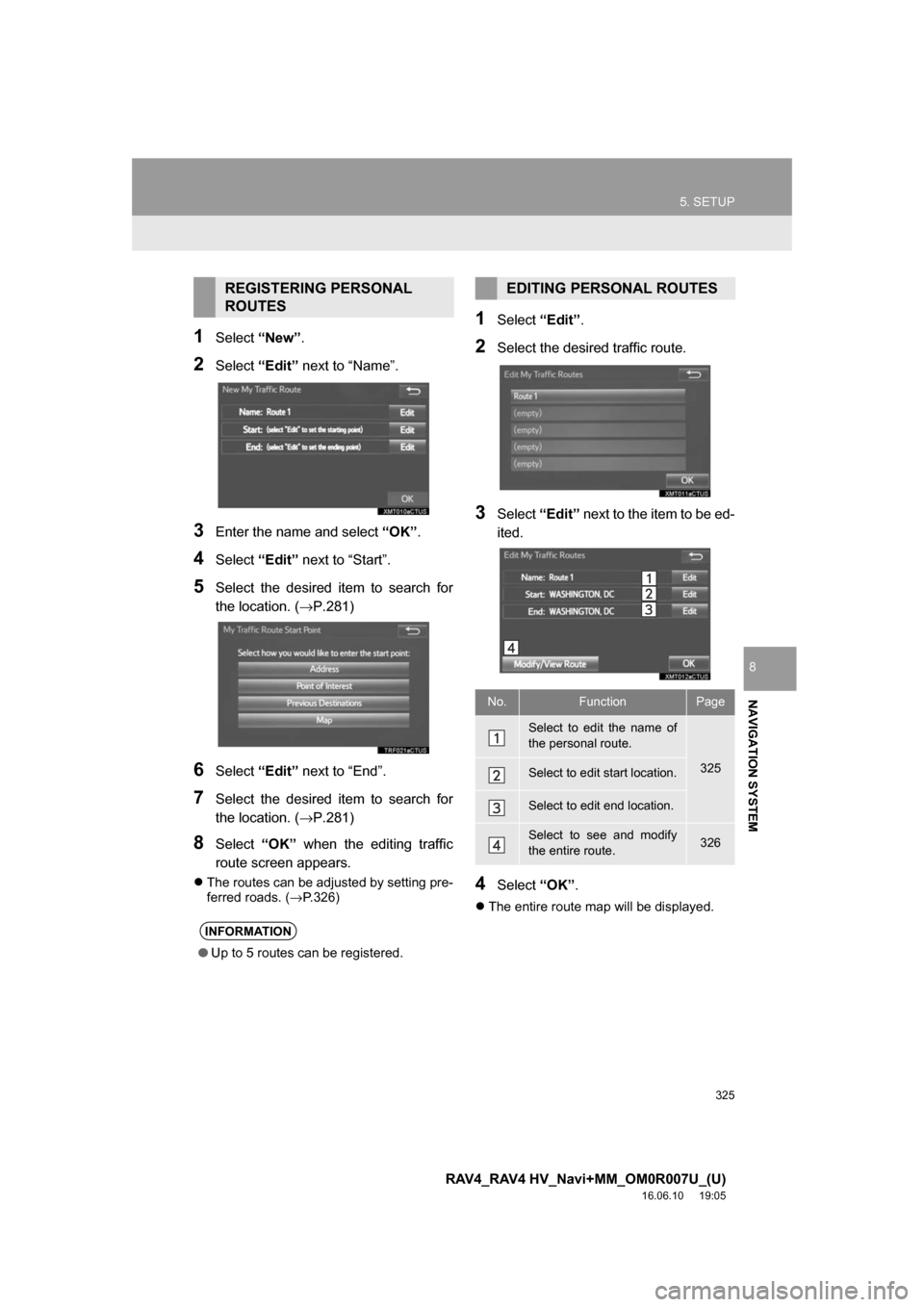
1Select“New”.
2Select“Edit” next to “Name”.
3Enter the name and select “OK”.
4Select “Edit” next to “Start”.
5Select the desired item to search for
the location. (→P.281)
6Select “Edit” next to “End”.
7Select the desired item to search for
the location. (→P.281)
8Select “OK” when the editing traffic
route screen appears.
The routes can be adjusted by setting pre-
ferred roads. ( →P.326)
1Select “Edit”.
2Select the desired traffic route.
3Select “Edit” next to the item to be ed-
ited.
4Select “OK”.
The entire route map will be displayed.
REGISTERING PERSONAL
ROUTES
INFORMATION
● Up to 5 routes can be registered.
EDITING PERSONAL ROUTES
No.FunctionPage
Select to edit the name of
the personal route.
325Select to edit start location.
Select to edit end location.
Select to see and modify
the entire route.326
Page 327 of 366
327
5. SETUP
RAV4_RAV4 HV_Navi+MM_OM0R007U_(U)
16.06.10 19:05
NAVIGATION SYSTEM
8
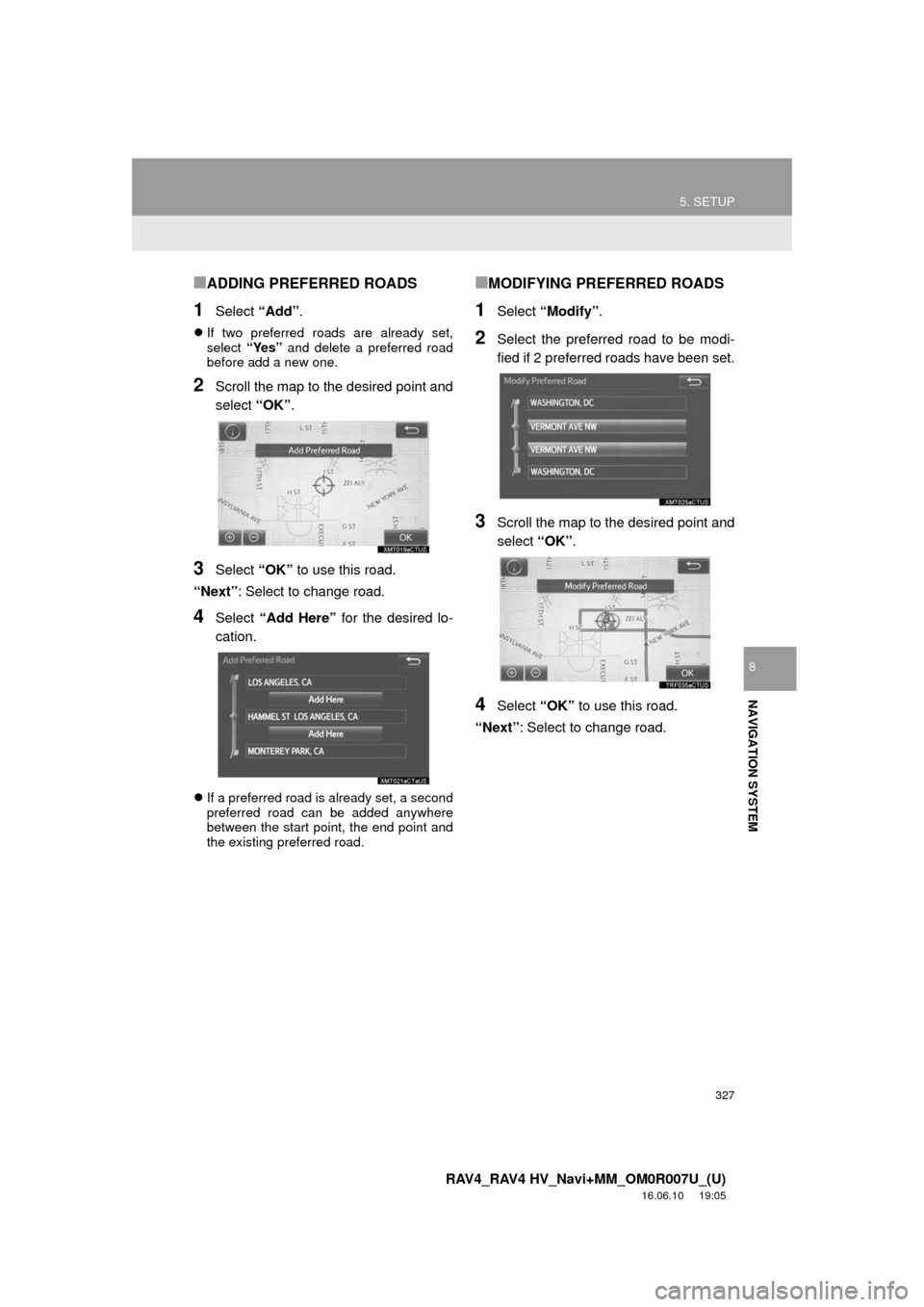
■ADDING PREFERRED ROADS
1Select “Add”.
If two preferred roads are already set,
select “Yes” and delete a preferred road
before add a new one.
2Scroll the map to the desired point and
select “OK”.
3Select “OK” to use this road.
“Next” : Select to change road.
4Select “Add Here” for the desired lo-
cation.
If a preferred road is already set, a second
preferred road can be added anywhere
between the start point, the end point and
the existing preferred road.
■MODIFYING PREFERRED ROADS
1Select “Modify” .
2Select the preferred road to be modi-
fied if 2 preferred roads have been set.
3Scroll the map to the desired point and
select “OK”.
4Select “OK” to use this road.
“Next” : Select to change road.