ECU TOYOTA RAV4 2018 (in English) Workshop Manual
[x] Cancel search | Manufacturer: TOYOTA, Model Year: 2018, Model line: RAV4, Model: TOYOTA RAV4 2018Pages: 744, PDF Size: 13.78 MB
Page 179 of 744

RAV4_OM_OM0R012U_(U)
1794-1. Before driving
4
Driving
WARNING
■Capacity and distribution
●Do not exceed the maximum axle weight rating or the total vehicle
weight rating.
●Even if the total load of occupant’s weight and the cargo load is less
than the total load capacity, do not apply the load unevenly. Improper
loading may cause deterioration of steering or braking control which
may cause death or serious injury.
■When loading cargo on the roof luggage carrier (if equipped)
Observe the following precautions:
●Place the cargo so that its weight is distributed evenly between the
front and rear axles.
●If loading long or wide cargo, never exceed the vehicle overall length
or width. ( →P. 672)
●Before driving, make sure the cargo is securely fastened on the roof
luggage carrier.
●Loading cargo on the ro of luggage carrier will make the center of grav-
ity of the vehicle higher. Avoid high speeds, sudden starts, sharp turns,
sudden braking or abrupt maneuvers, otherwise it may result in loss of
control or vehicle rollover due to failu re to operate this vehicle correctly
and result in death or serious injury.
●If driving for a long distance, on r ough roads, or at high speeds, stop
the vehicle now and then during the trip to make sure the cargo
remains in its place.
●Do not exceed 101.9 lb. (46.2 kg) cargo weight on the roof luggage
carrier.
NOTICE
■When loading cargo on the roof luggage carrier (if equipped)
Be careful not to scratch the surface of the moon roof (if equipped).
Page 193 of 744
RAV4_OM_OM0R012U_(U)
1934-1. Before driving
4
Driving
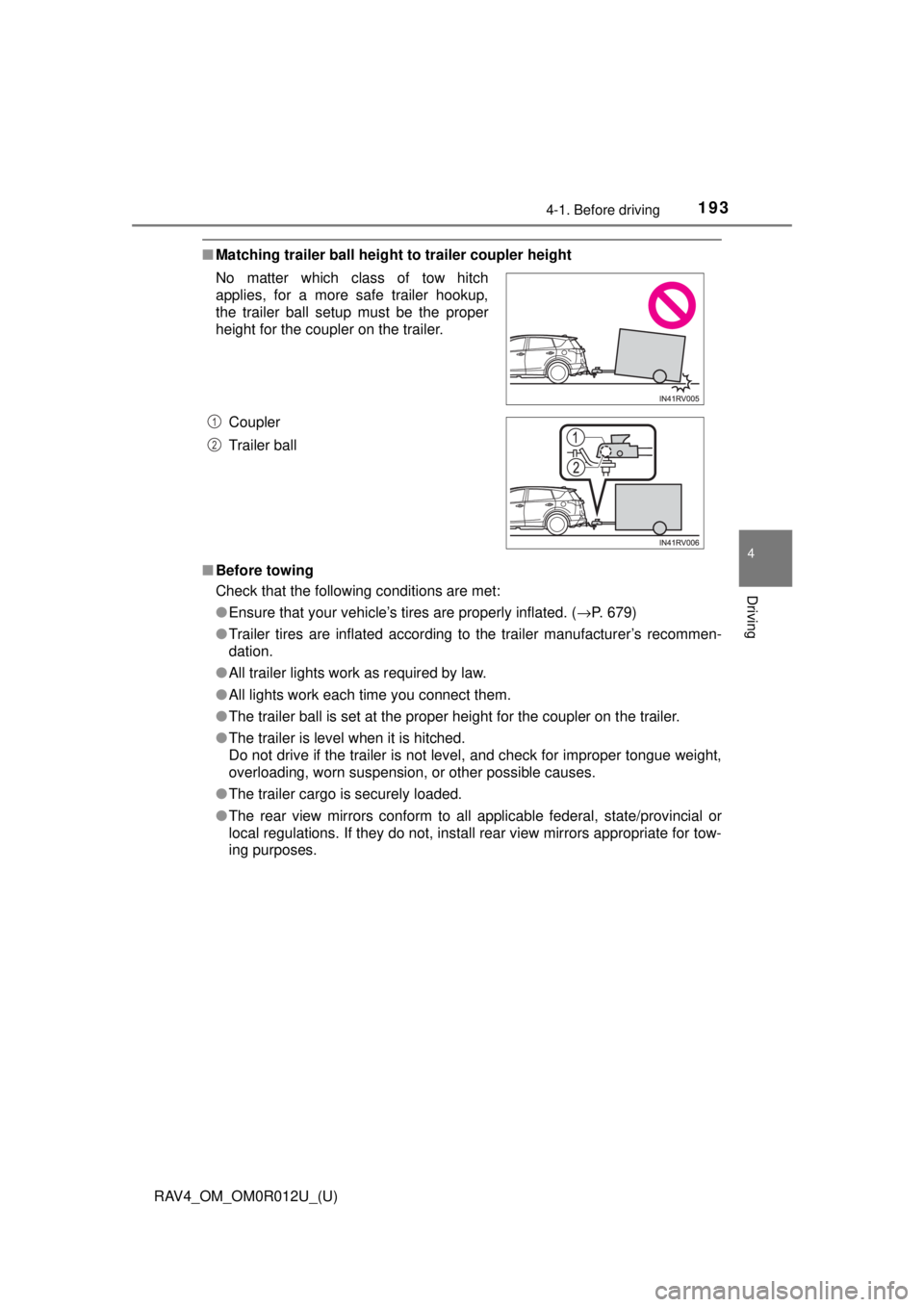
■Matching trailer ball height to trailer coupler height
■ Before towing
Check that the following conditions are met:
●Ensure that your vehicle’s tires are properly inflated. ( →P. 679)
● Trailer tires are inflated according to the trailer manufacturer’s recommen-
dation.
● All trailer lights work as required by law.
● All lights work each time you connect them.
● The trailer ball is set at the proper height for the coupler on the trailer.
● The trailer is level when it is hitched.
Do not drive if the trailer is not level, and check for improper tongue weight,
overloading, worn suspension, or other possible causes.
● The trailer cargo is securely loaded.
● The rear view mirrors conform to all applicable federal, state/provincial or
local regulations. If they do not, install rear view mirrors appropriate for tow-
ing purposes.
No matter which class of tow hitch
applies, for a more safe trailer hookup,
the trailer ball setup must be the proper
height for the coupler on the trailer.
Coupler
Trailer ball
1
2
Page 196 of 744
196
RAV4_OM_OM0R012U_(U)
4-1. Before driving
WARNING
■Hitch
Trailer hitch assemblies have different weight capacities established by the
hitch manufacturer. Even though the vehicle may be physically capable of
towing a higher weight, the operator must determine the maximum weight
rating of the particular hitch assembly and never exceed the maximum
weight rating specified for the trailer-hitch. Exceeding the maximum weight
rating set by the trailer-hitch manufacturer can cause an accident resulting
in death or serious personal injuries.
■ When towing a trailer
Toyota recommends trailers with brakes that conform to any applicable fed-
eral and state/provincial regulations.
● If the gross trailer weight exceeds unbraked TWR, trailer brakes are
required. Toyota recommends trailers with brakes that conform to all appli-
cable federal and state/provincial regulations.
● Never tap into your vehicle’s hydraulic system, as this will lower the vehi-
cle’s braking effectiveness.
● Never tow a trailer without using a safety chain securely attached to both
the trailer and the vehicle. If damage occurs to the coupling unit or hitch
ball, there is danger of the trailer wandering into another lane.
NOTICE
■When installing a trailer hitch
Use only the position recommended by your Toyota dealer. Do not install
the trailer hitch on the bumper; this may cause body damage.
■ Do not directly splice trailer lights
Do not directly splice trailer lights. Directly splicing trailer lights may damage
your vehicle’s electrical system and cause a malfunction.
Page 202 of 744

202
RAV4_OM_OM0R012U_(U)
4-2. Driving procedures
If the engine is stopped with the shift lever in a position other than P,
the engine switch will not be turned off but instead be turned to
ACCESSORY mode. Perform the following procedure to turn the
switch off:
Check that the parking brake is set.
Shift the shift lever to P.
Check that “Turn Off Vehicle” is displayed on the multi-information
display and then press the engine switch once.
Check that “Turn Off Vehicle” on th e multi-information display is off.
■Auto power off function
If the vehicle is left in ACCESSORY mode for more than 20 minutes or IGNI-
TION ON mode (the engine is not running) for more than an hour with th\
e
shift lever in P, the engine switch will automatically turn off. However, this
function cannot entirely prevent battery discharge. Do not leave the vehicle
with the engine switch in ACCESSORY or IGNITION ON mode for long peri-
ods of time when the engine is not running.
■ Electronic key battery depletion
→P. 135
■ Conditions affecting operation
→P. 132
■ Notes for the entry function
→P. 133
■ If the engine does not start
●The engine immobilizer system may not have been deactivated. ( →P. 73)
Contact your Toyota dealer.
● Check that the shift lever is securely set in P. The engine may not start if the
shift lever is displaced out of P. A message will be displayed on the multi-
information display.
When stopping the engine with the shift lever in a position other
than P
1
2
3
4
Page 224 of 744
224
RAV4_OM_OM0R012U_(U)
4-3. Operating the lights and wipers
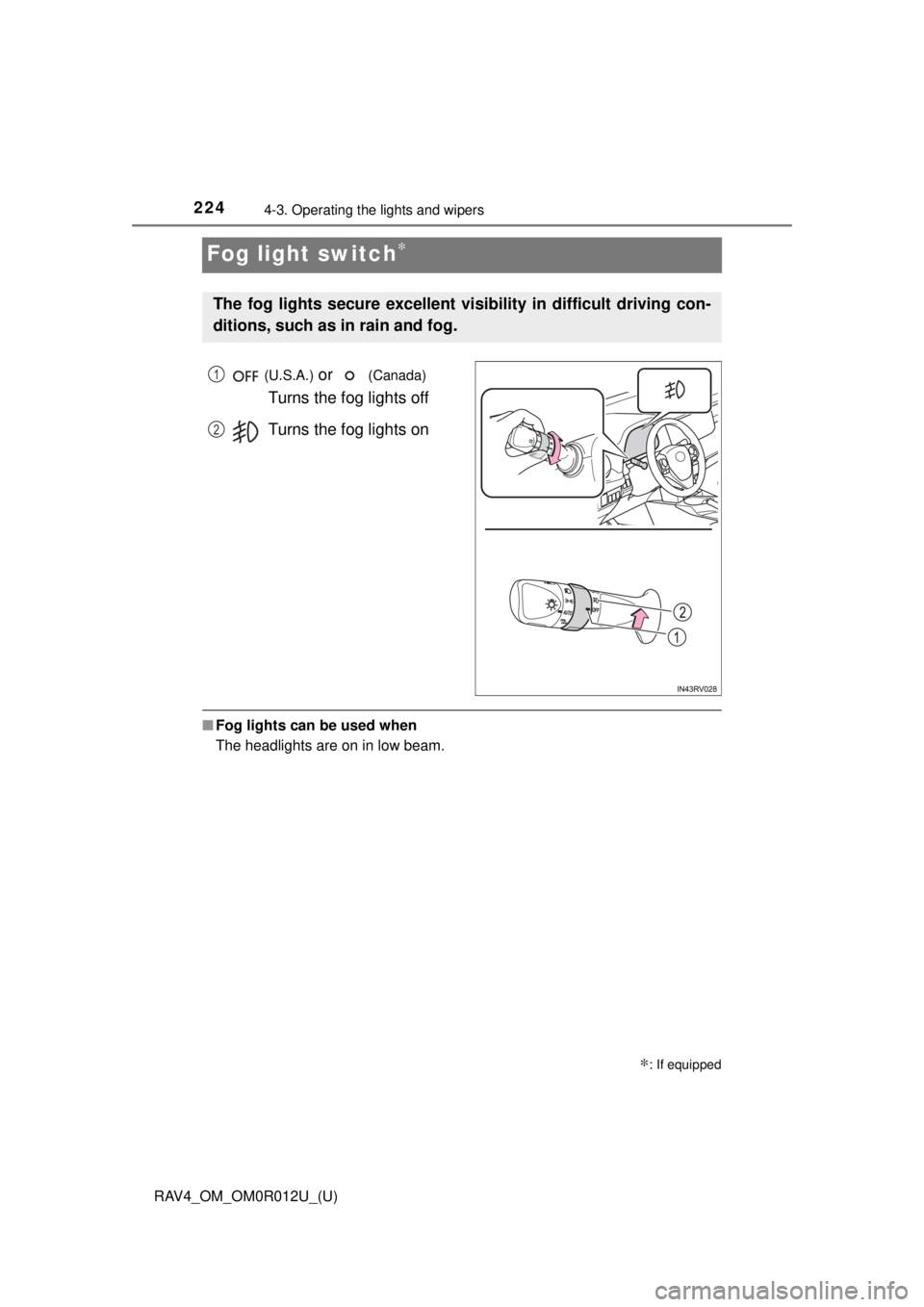
Fog light switch∗
(U.S.A.) or (Canada)
Turns the fog lights off
Turns the fog lights on
■ Fog lights can be used when
The headlights are on in low beam.
∗: If equipped
The fog lights secure excellent visibility in difficult driving con-
ditions, such as in rain and fog.
1
2
Page 233 of 744
RAV4_OM_OM0R012U_(U)
2334-4. Refueling
4
Driving
WARNING
■When refueling the vehicle
Observe the following precautions while refueling the vehicle. Failure to do
so may result in death or serious injury.
● After exiting the vehicle and before opening the fuel door, touch an
unpainted metal surface to discharge any static electricity. It is important to
discharge static electricity before refueling because sparks resulting from
static electricity can cause fuel vapors to ignite while refueling.
● Always hold the grips on the fuel tank cap and turn it slowly to remove it.
A whooshing sound may be heard when the fuel tank cap is loosened.
Wait until the sound cannot be heard before fully removing the cap. In hot
weather, pressurized fuel may spray out the filler neck and cause injury.
● Do not allow anyone that has not discharged static electricity from their
body to come close to an open fuel tank.
● Do not inhale vaporized fuel.
Fuel contains substances that are harmful if inhaled.
● Do not smoke while refueling the vehicle.
Doing so may cause the fuel to ignite and cause a fire.
● Do not return to the vehicle or touch any person or object that is statically
charged.
This may cause static electricity to build up, resulting in a possible ignition
hazard.
■ When refueling
Observe the following precautions to prevent fuel overflowing from the fuel
tank:
● Securely insert the fuel nozzle into the fuel filler neck.
● Stop filling the tank after the fuel nozzle automatically clicks off.
● Do not top off the fuel tank.
NOTICE
■Refueling
Do not spill fuel during refueling.
Doing so may damage the vehicle, such as causing the emission control
system to operate abnormally or damaging fuel system components or the
vehicle’s painted surface.
Page 306 of 744

306
RAV4_OM_OM0R012U_(U)
4-5. Using the driving support systems
■Conditions under which the Blind Spot Monitor function may not func-
tion correctly
●The Blind Spot Monitor function may not detect vehicles correctly in the fol-
lowing conditions:
• During bad weather such as heavy rain, fog, snow, etc.
• When ice, mud, etc. is attached to the rear bumper
• When driving on a road surface that is wet due to rain, standing water,
etc.
• When there is a significant difference in speed between your vehicle and
the vehicle that enters the detection area
• When a vehicle is in the detection area from a stop and remains in the detection area as your vehicle accelerates
• When driving up or down consecutive steep inclines, such as hills, a dip in the road, etc.
• When multiple vehicles approach with only a small gap between each
vehicle
• When vehicle lanes are wide, and the vehicle in the next lane is too far away from your vehicle
• When the vehicle that enters the detection area is traveling at about the same speed as your vehicle
• When there is a significant difference in height between your vehicle and
the vehicle that enters the detection area
• Directly after the Blind Spot Monitor system is set to on
• When towing a trailer
• When items such as a bicycle carrier are installed on the rear of the vehi- cle.
● Instances of the Blind Spot Monitor function unnecessarily detecting a vehi-
cle and/or object may increase under the following conditions:
• When there is only a short distance between your vehicle and a guardrail,
wall, etc.
• When there is only a short distance between your vehicle and a following vehicle
• When vehicle lanes are narrow and a vehicle driving 2 lanes across from
your vehicle enters the detection area
• When items such as a bicycle carrier are installed on the rear of the vehi- cle
Page 310 of 744
310
RAV4_OM_OM0R012U_(U)
4-5. Using the driving support systems
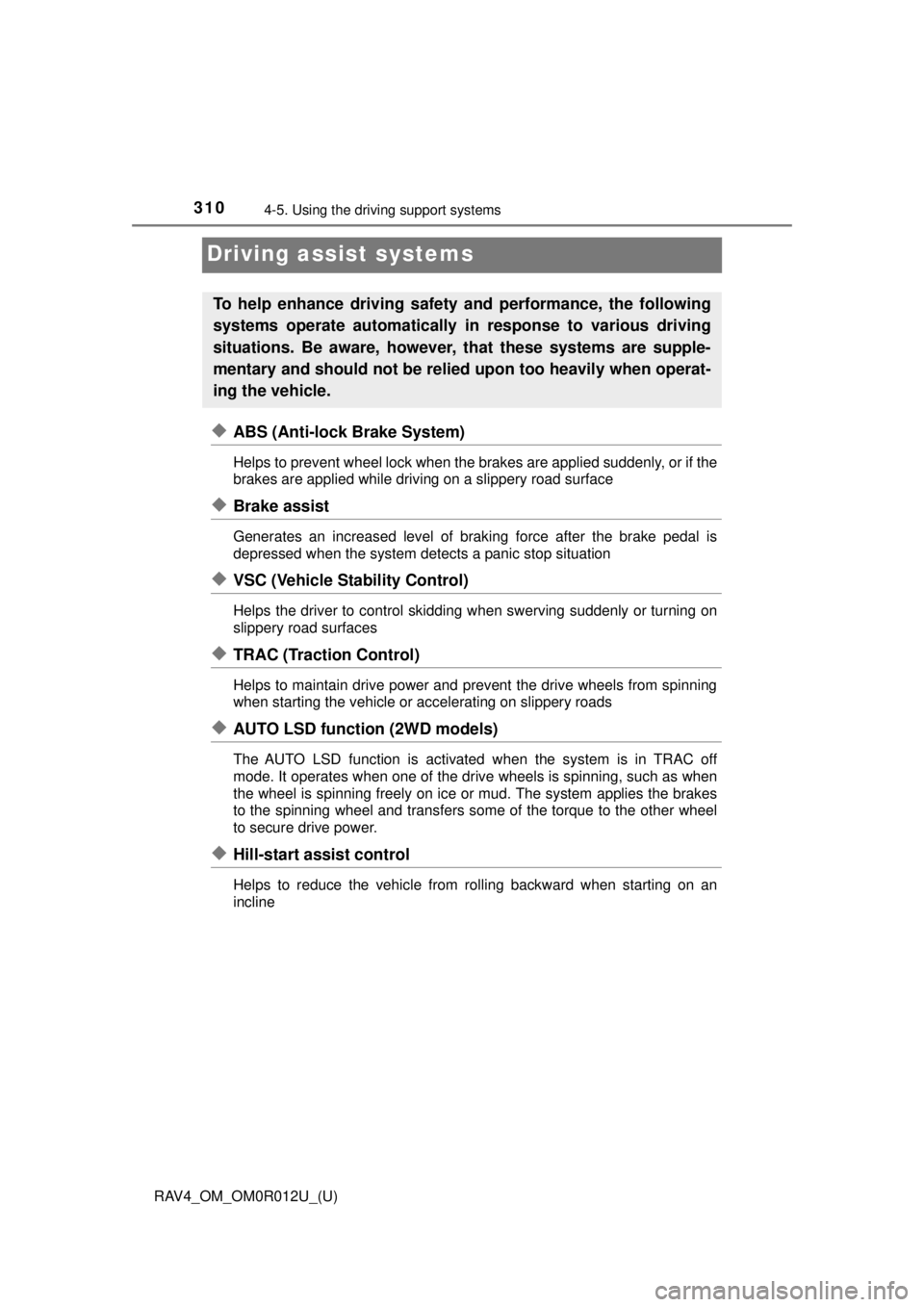
Driving assist systems
◆ABS (Anti-lock Brake System)
Helps to prevent wheel lock when the brakes are applied suddenly, or if the
brakes are applied while driving on a slippery road surface
◆Brake assist
Generates an increased level of braking force after the brake pedal is
depressed when the system detects a panic stop situation
◆VSC (Vehicle Stability Control)
Helps the driver to control skidding when swerving suddenly or turning on
slippery road surfaces
◆TRAC (Traction Control)
Helps to maintain drive power and prevent the drive wheels from spinning
when starting the vehicle or accelerating on slippery roads
◆AUTO LSD function (2WD models)
The AUTO LSD function is activated when the system is in TRAC off
mode. It operates when one of the drive wheels is spinning, such as when
the wheel is spinning freely on ice or mud. The system applies the brakes
to the spinning wheel and transfers some of the torque to the other wheel
to secure drive power.
◆Hill-start assist control
Helps to reduce the vehicle from rolling backward when starting on an
incline
To help enhance driving safety and performance, the following
systems operate automatically in response to various driving
situations. Be aware, however, that these systems are supple-
mentary and should not be relied upon too heavily when operat-
ing the vehicle.
Page 369 of 744
369
RAV4_OM_OM0R012U_(U)
5-6. Using Bluetooth® devices
5
Audio system
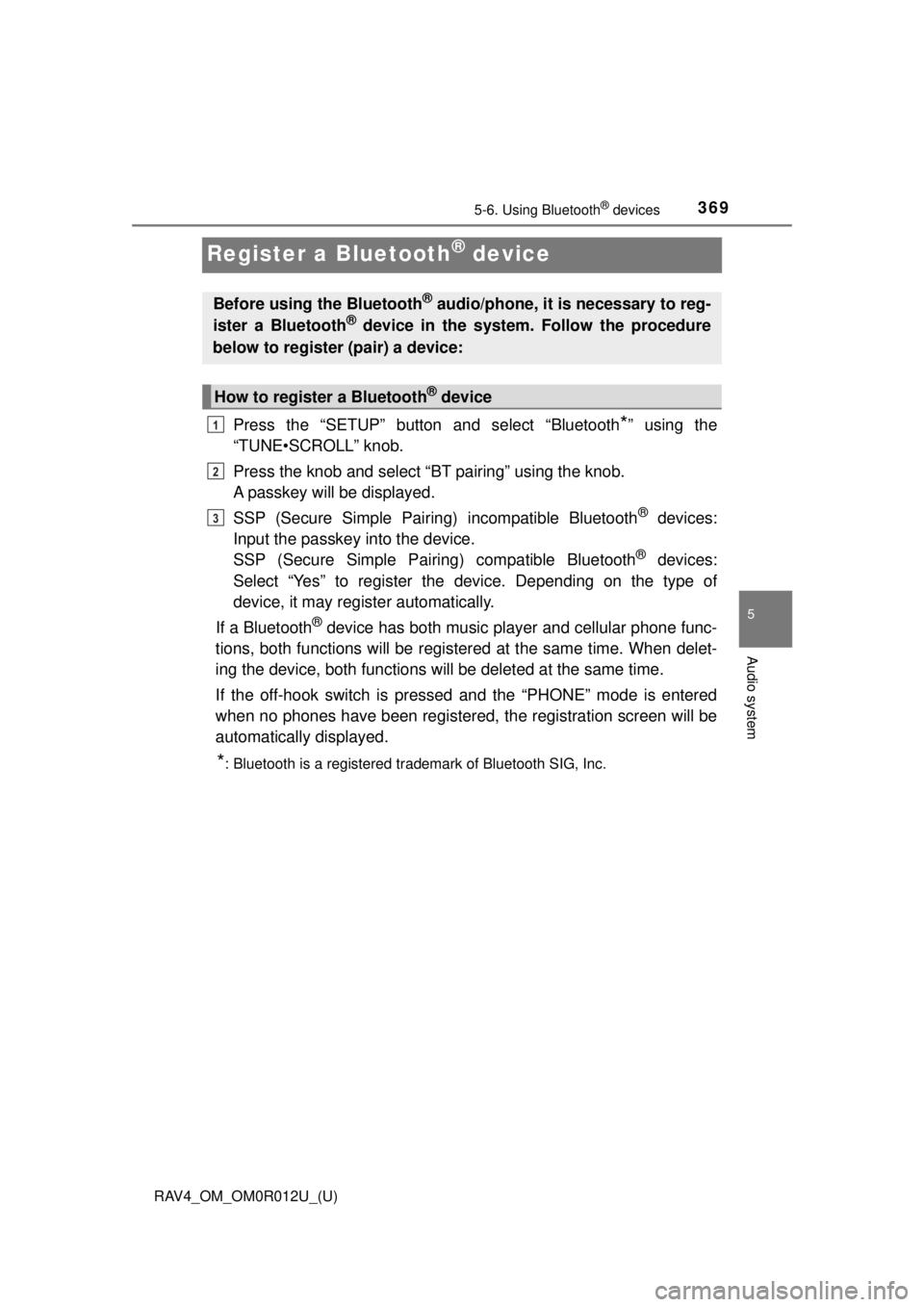
Register a Bluetooth® device
Press the “SETUP” button and select “Bluetooth*” using the
“TUNE•SCROLL” knob.
Press the knob and select “BT pairing” using the knob.
A passkey will be displayed.
SSP (Secure Simple Pairing) incompatible Bluetooth
® devices:
Input the passkey into the device.
SSP (Secure Simple Pairin g) compatible Bluetooth
® devices:
Select “Yes” to register the device. Depending on the type of
device, it may register automatically.
If a Bluetooth
® device has both music player and cellular phone func-
tions, both functions will be register ed at the same time. When delet-
ing the device, both functions will be deleted at the same time.
If the off-hook switch is presse d and the “PHONE” mode is entered
when no phones have been registered, the registration screen will be
automatically displayed.
*: Bluetooth is a registered trademark of Bluetooth SIG, Inc.
Before using the Bluetooth® audio/phone, it is necessary to reg-
ister a Bluetooth® device in the system. Follow the procedure
below to register (pair) a device:
How to register a Bluetooth® device
1
2
3
Page 436 of 744
436
RAV4_OM_OM0R012U_(U)
5-18. Connecting Bluetooth®
Registering a Bluetooth® device
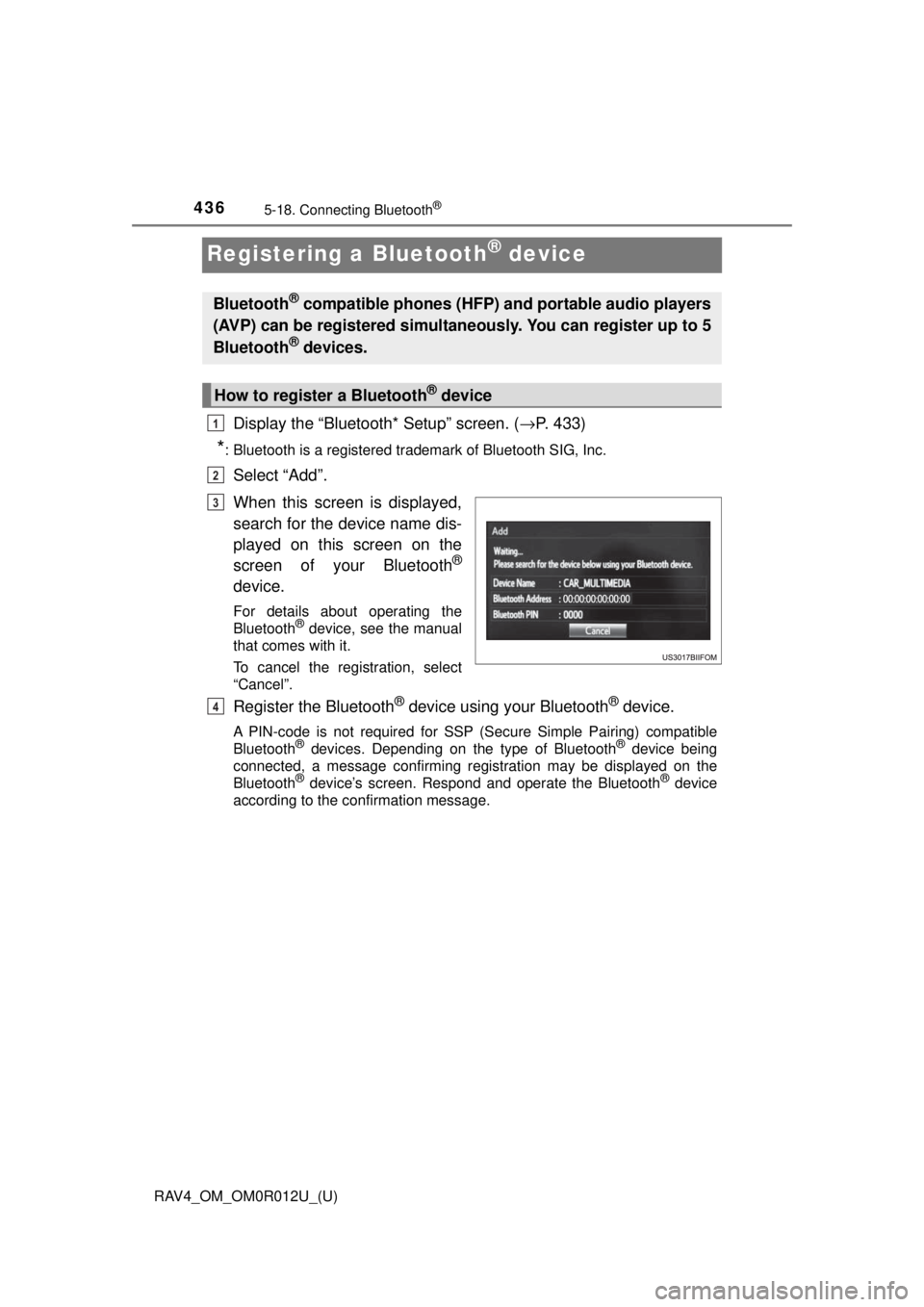
Display the “Bluetooth* Setup” screen. (→P. 433)
*: Bluetooth is a registered trademark of Bluetooth SIG, Inc.
Select “Add”.
When this screen is displayed,
search for the device name dis-
played on this screen on the
screen of your Bluetooth
®
device.
For details about operating the
Bluetooth® device, see the manual
that comes with it.
To cancel the registration, select
“Cancel”.
Register the Bluetooth® device using your Bluetooth® device.
A PIN-code is not required for SSP (Secure Simple Pairing) compatible
Bluetooth® devices. Depending on the type of Bluetooth® device being
connected, a message confirming registration may be displayed on the
Bluetooth
® device’s screen. Respond and operate the Bluetooth® device
according to the confirmation message.
Bluetooth® compatible phones (HFP) and portable audio players
(AVP) can be registered simultaneously. You can register up to 5
Bluetooth
® devices.
How to register a Bluetooth® device
1
2
3
4