ABS TOYOTA RAV4 2022 User Guide
[x] Cancel search | Manufacturer: TOYOTA, Model Year: 2022, Model line: RAV4, Model: TOYOTA RAV4 2022Pages: 748, PDF Size: 22.93 MB
Page 358 of 748

3584-5. Using the driving support systems
●The engine switch is in ON
■Automatic system cancelation
of hill-start assist control
The hill-start assis t control will turn
off in any of the following situations:
●The shift lever is shifted to P or N
●The accelerator pedal is
depressed
●The parking brake is engaged
●2 seconds at maximum elapsed
after the brake pedal is released
●The engine switch is turned to
OFF
■Sounds and vibrations caused
by the ABS, brake assist, VSC,
TRAC, Trailer Sway Control and
hill-start assist control systems
●A sound may be heard from the
engine compartment when the
brake pedal is dep ressed repeat-
edly, when the engine is started or
just after the vehicle begins to
move. This sound does not indi-
cate that a malfunction has
occurred in any of these systems.
●Any of the following conditions
may occur when t he above sys-
tems are operating. None of these
indicates that a malfunction has
occurred.
• Vibrations may be felt through the vehicle body and steering.
• A motor sound may be heard also
after the vehicle comes to a stop.
• The brake pedal may pulsate slightly after the ABS is activated.
• The brake pedal may move down slightly after the ABS is activated.
■Active Cornering Assist opera-
tion sounds and vibrations
When the Active Cornering Assist is
operated, operation sounds and
vibrations may b e generated from
the brake system, but this is not a
malfunction.
■AWD system operation sounds
and vibrations when switching
between AWD and front wheel
drive
When the vehicle switches from
AWD to front wheel drive and vice
versa, operation s ounds and vibra-
tions may be generated, but this is
not a malfunction.
■EPS operation sound
When the steering wheel is oper-
ated, a motor sound (whirring
sound) may be heard. This does not
indicate a malfunction.
■Automatic reactivation of
TRAC, Trailer Sway Control and
VSC systems
After turning the TRAC, Trailer
Sway Control and VSC systems off,
the systems will be a utomatically re-
enabled in the following situations:
●When the engine switch is turned
off
●If only the TRAC sy stem is turned
off, the TRAC will turn on when
vehicle speed increases.
If both the TRAC and VSC sys-
tems are turned of f, automatic re-
enabling will not occur when vehi-
cle speed increases
■Operating conditions of Active
Cornering Assist
The system operates when the fol-
lowing occurs.
●TRAC/VSC can operate
●The driver is attempting to accel-
erate while turning
●The system detects that the vehi-
cle is drifting to the outer side
●The brake pedal is released
■Reduced effectiveness of the
EPS system
The effect iveness of the EPS sys-
tem is reduced to prevent the sys-
tem from overheating when there is
frequent steering input over an
extended period of time. The steer-
ing wheel may feel heavy as a
Page 359 of 748
3594-5. Using the driving support systems
4
Driving
result. Should this occur, refrain
from excessive steering input or
stop the vehicle and turn the engine
off. The EPS system should return
to normal within 10 minutes.
■Secondary Collision Brake
operating conditions
The system operates when the SRS
airbag sensor detects a collision
while the vehicle is in motion. How-
ever, the system does not operate
when the components are dam-
aged.
■Secondary Collision Brake
automatic cancellation
The system is automatically can-
celed in any of th e following situa-
tions.
●The vehicle speed is below 6 mph
(10 km/h)
●A certain amount of time elapses
during operation
●The accelerator pedal is
depressed a large amount
■If a message about AWD is
shown on the multi-information
display (AWD models)
Perform the following actions.
●“AWD System Overheated
Switching to 2WD Mode”
AWD system is overheated. Stop
the vehicle in a safe place with the
engine running.
*
If the message disappears after a
while, there is n o problem. If the
message remains, have the vehicle
inspected by your Toyota dealer
immediately.
●“AWD System Overheated 2WD
Mode Engaged”
AWD system has been temporarily
released and switched to front-
wheel drive due to overheating.
Stop the vehicle in a safe place with the engine running.
*
If the message disappears after a
while, AWD system will automati-
cally recover. If the message
remains, have the vehicle inspected
by your Toyota dea
ler immediately.
●“AWD System Malfunction 2WD
Mode Engaged Visit Your Dealer”
A malfunction oc curs in the AWD
system. Have the vehicle inspected
by your Toyota dea ler immediately.
*: When stopping the vehicle, do not
stop the engine until the display
message has turned off.
WARNING
■The ABS does not operate
effectively when
●The limits of tire gripping perfor-
mance have been exceeded
(such as excessively worn tires
on a snow-covered road).
●The vehicle hydroplanes while
driving at high speed on wet or
slick roads.
■Stopping distance when the
ABS is operating may exceed
that of normal conditions
The ABS is not designed to
shorten the vehicle’s stopping dis-
tance. Always maintain a safe dis-
tance from the veh icle in front of
you, especially in the following sit-
uations:
●When driving on dirt, gravel or
snow-covered roads
●When driving with tire chains
●When driving over bumps in the
road
●When driving over roads with
potholes or uneven surfaces
Page 360 of 748
3604-5. Using the driving support systems
WARNING
■TRAC/VSC may not operate
effectively when
Directional control and power may
not be achievable while driving on
slippery road surfaces, even if the
TRAC/VSC system is operating.
Drive the vehicle carefully in con-
ditions where stability and power
may be lost.
■Active Cornering Assist does
not operate effectively when
●Do not overly rely on Active
Cornering Assist. Active Corner-
ing Assist may not operate
effectively when accelerating
down slopes or driving on slip-
pery road surfaces.
●When Active Cornering Assist
frequently operates, Active Cor-
nering Assist may temporarily
stop operating to ensure proper
operation of the brakes, TRAC
and VSC.
■Hill-start assist control does
not operate effectively when
●Do not overly rely on hill-start
assist control. Hill-start assist
control may not operate effec-
tively on steep inclines and
roads covered with ice.
●Unlike the parking brake, hill-
start assist control is not
intended to hold the vehicle sta-
tionary for an extended period
of time. Do not attempt to use
hill-start assist control to hold
the vehicle on an incline, as
doing so may lead to an acci-
dent.
■When the TRAC/VSC/Trailer
Sway Control is activated
The slip indicator light flashes.
Always drive carefully. Reckless
driving may cause an accident.
Exercise particular care when the
indicator light flashes.
■When the TRAC/VSC/Trailer
Sway Control systems are
turned off
Be especially careful and drive at
a speed appropriate to the road
conditions. As these are the sys-
tems to help ensure vehicle stabil-
ity and driving force, do not turn
the TRAC/VSC/Tra iler Sway Con-
trol systems off unless necessary.
Trailer Sway Control is part of the
VSC system and will not operate
if VSC is turned off or experiences
a malfunction.
■Dynamic Torque Vectoring
AWD system (if equipped)
The cornering performance of the
newly developed AWD system
has been improved. However, do
not overly rely on the system and
drive with caution.
■Replacing tires
Make sure that all tires are of the
specified size, brand, tread pat-
tern and total load capacity. In
addition, make sure that the tires
are inflated to the recommended
tire inflation p ressure level.
The ABS, TRAC, Trailer Sway
Control and VSC systems will not
function correctly if different tires
are installed on the vehicle.
Contact your Toyota dealer for
further information when replacing
tires or wheels.
■Handling of tires and the sus-
pension
Using tires with any kind of prob-
lem or modifying the suspension
will affect the driving assist sys-
tems, and may cause a system to
malfunction.
Page 576 of 748
5767-3. Do-it-yourself maintenance
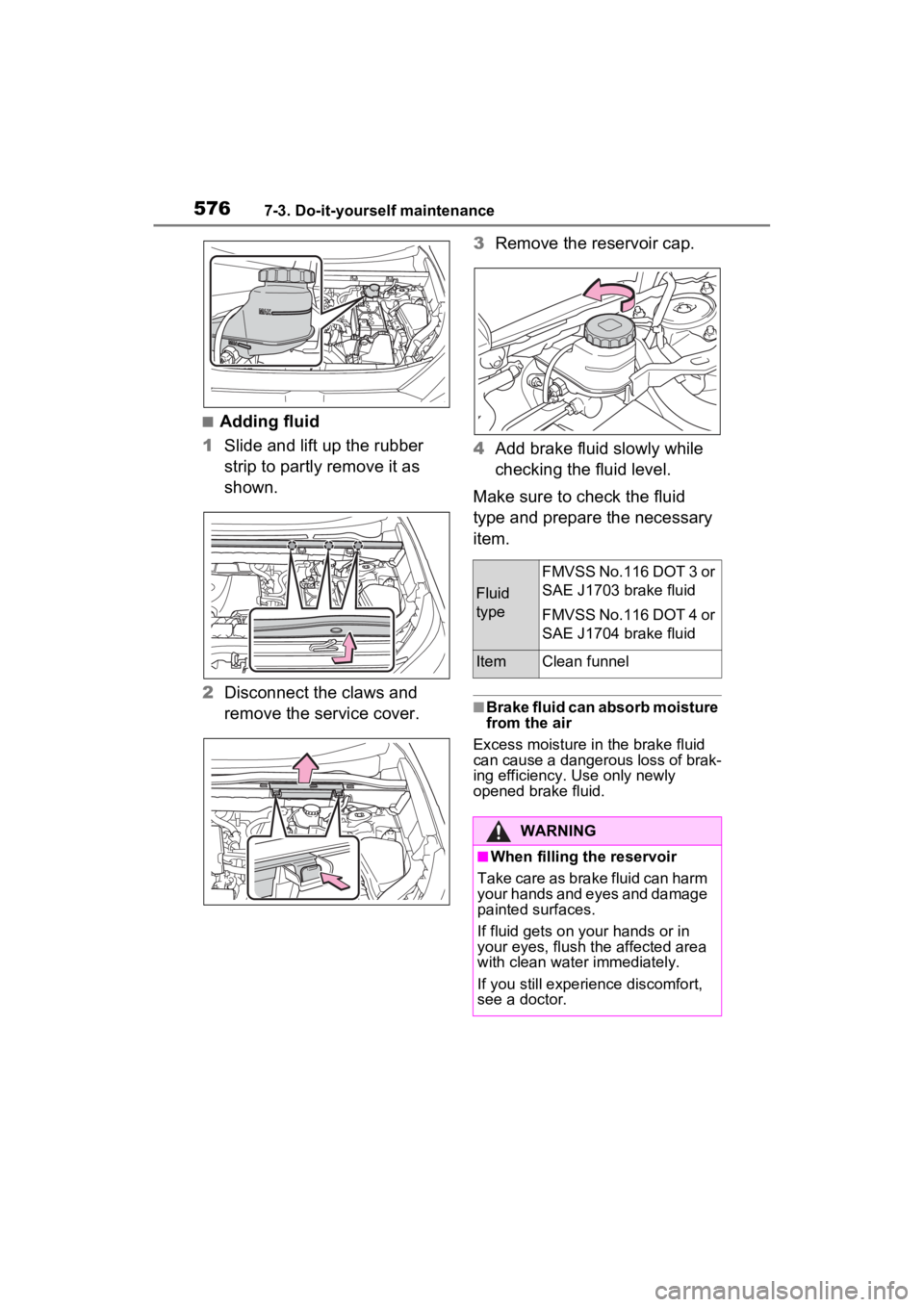
■Adding fluid
1 Slide and lift up the rubber
strip to partly remove it as
shown.
2 Disconnect the claws and
remove the service cover. 3
Remove the reservoir cap.
4 Add brake fluid slowly while
checking the fluid level.
Make sure to check the fluid
type and prepare the necessary
item.
■Brake fluid can absorb moisture
from the air
Excess moisture in the brake fluid
can cause a dangerous loss of brak-
ing efficiency. Use only newly
opened brake fluid.
Fluid
type
FMVSS No.116 DOT 3 or
SAE J1703 brake fluid
FMVSS No.116 DOT 4 or
SAE J1704 brake fluid
ItemClean funnel
WARNING
■When filling the reservoir
Take care as brake fluid can harm
your hands and eyes and damage
painted surfaces.
If fluid gets on your hands or in
your eyes, flush t he affected area
with clean water immediately.
If you still experi ence discomfort,
see a doctor.
Page 624 of 748
6248-2. Steps to take in an emergency
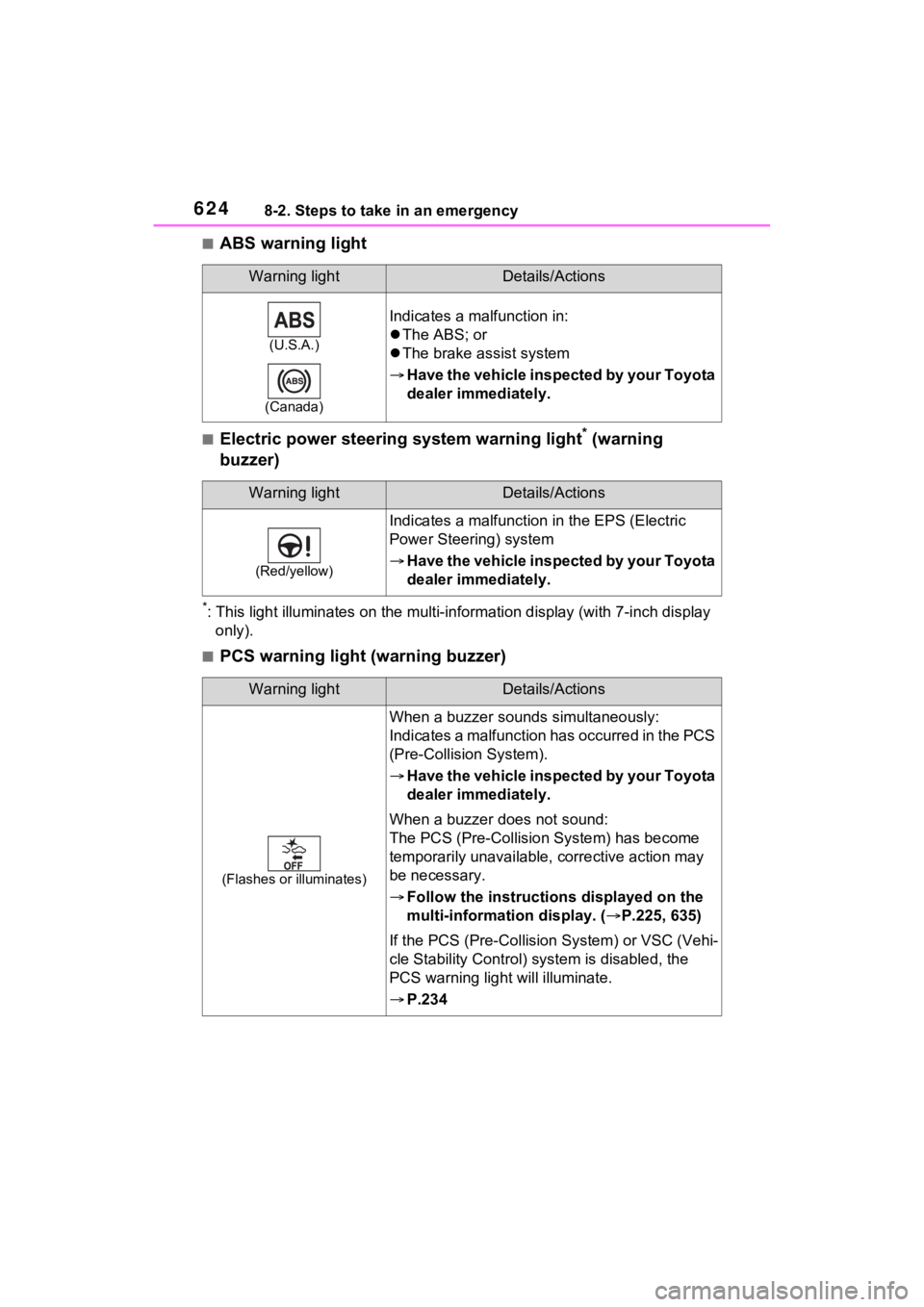
■ABS warning light
■Electric power steering system warning light* (warning
buzzer)
*: This light illuminates on the mu lti-information display (with 7-inch display
only).
■PCS warning light (warning buzzer)
Warning lightDetails/Actions
(U.S.A.)
(Canada)
Indicates a malfunction in:
The ABS; or
The brake assist system
Have the vehicle inspected by your Toyota
dealer immediately.
Warning lightDetails/Actions
(Red/yellow)
Indicates a malfunction in the EPS (Electric
Power Steeri ng) system
Have the vehicle inspected by your Toyota
dealer immediately.
Warning lightDetails/Actions
(Flashes or illuminates)
When a buzzer sounds simultaneously:
Indicates a malfunction has occurred in the PCS
(Pre-Collision System).
Have the vehicle inspected by your Toyota
dealer immediately.
When a buzzer does not sound:
The PCS (Pre-Collision System) has become
temporarily unavailable, corrective action may
be necessary.
Follow the instructions displayed on the
multi-information display. ( P.225, 635)
If the PCS (Pre-Collision System) or VSC (Vehi-
cle Stability Control) system is disabled, the
PCS warning light will illuminate.
P.234
Page 645 of 748
6458-2. Steps to take in an emergency
8
When trouble arises
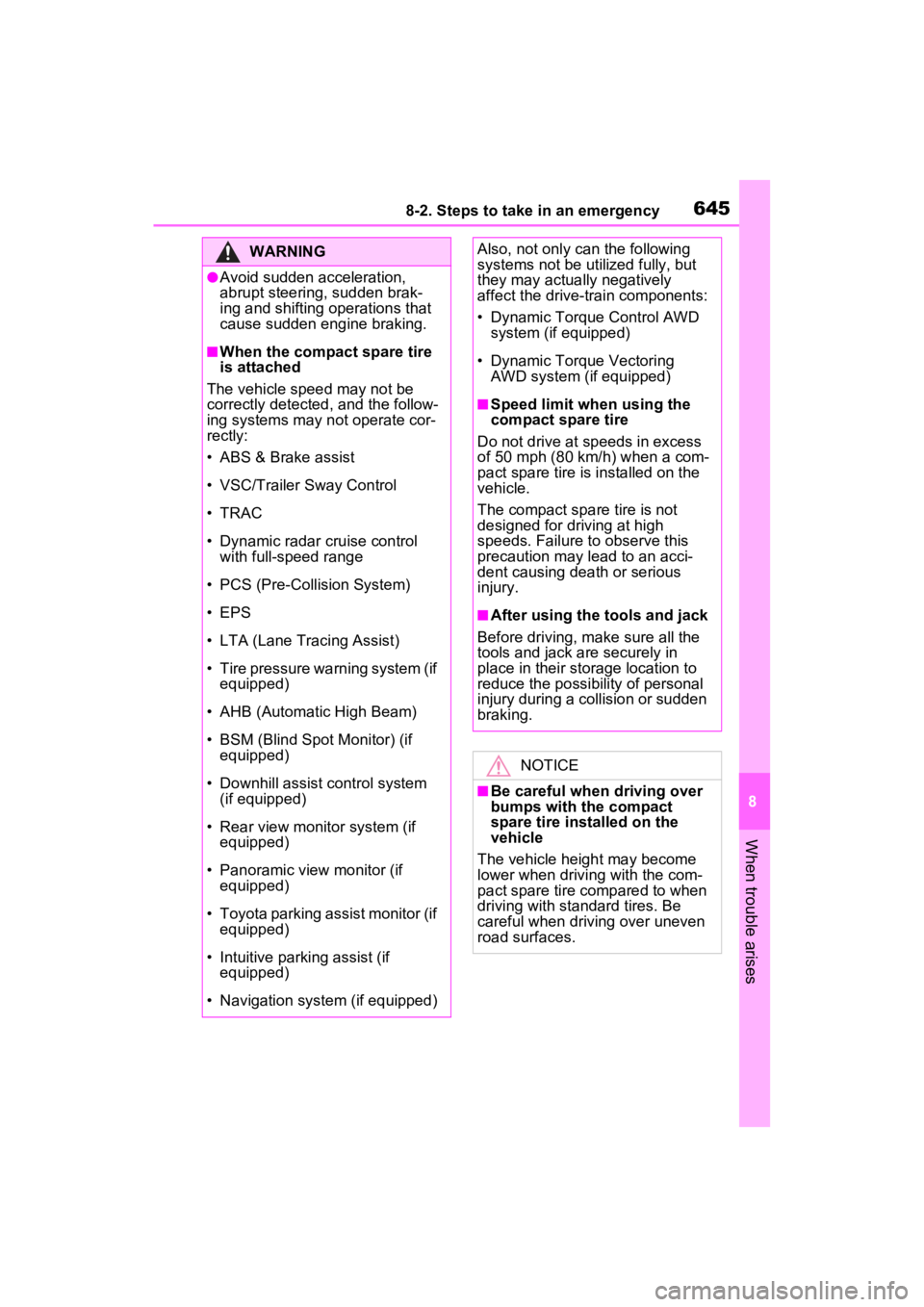
WARNING
●Avoid sudden acceleration,
abrupt steering, sudden brak-
ing and shifting operations that
cause sudden engine braking.
■When the compact spare tire
is attached
The vehicle speed may not be
correctly detecte d, and the follow-
ing systems may not operate cor-
rectly:
• ABS & Brake assist
• VSC/Trailer Sway Control
• TRAC
• Dynamic radar cruise control with full-speed range
• PCS (Pre-Collision System)
• EPS
• LTA (Lane Tracing Assist)
• Tire pressure warning system (if equipped)
• AHB (Automatic High Beam)
• BSM (Blind Spot Monitor) (if equipped)
• Downhill assist control system (if equipped)
• Rear view monitor system (if equipped)
• Panoramic view monitor (if equipped)
• Toyota parking assist monitor (if equipped)
• Intuitive parking assist (if equipped)
• Navigation system (if equipped)
Also, not only c an the following
systems not be ut ilized fully, but
they may actually negatively
affect the drive-train components:
• Dynamic Torque Control AWD system (if equipped)
• Dynamic Torque Vectoring AWD system (if equipped)
■Speed limit when using the
compact spare tire
Do not drive at speeds in excess
of 50 mph (80 km /h) when a com-
pact spare tire is installed on the
vehicle.
The compact spare tire is not
designed for driving at high
speeds. Failure to observe this
precaution may lead to an acci-
dent causing death or serious
injury.
■After using the tools and jack
Before driving, ma ke sure all the
tools and jack are securely in
place in their storage location to
reduce the possibility of personal
injury during a collision or sudden
braking.
NOTICE
■Be careful when driving over
bumps with the compact
spare tire installed on the
vehicle
The vehicle height may become
lower when drivi ng with the com-
pact spare tire compared to when
driving with standard tires. Be
careful when driving over uneven
road surfaces.
Page 715 of 748
715Alphabetical Index
Alphabetical Index
A
A/C ................................... 508, 514Air conditioning filter ............. 592
Automatic air conditioning sys-tem ..................................... 514
Eco air conditioning mode .... 515
Front seat concentrated airflow mode (S-FLOW) ................. 519
Manual air conditioning system ........................................... 508
ABS (Anti-lock Brake System) ............................................... 355Function ............................... 355
Warning light ........................ 624
ACA (Active Cornering Assist) ............................................... 356
Active Cornering Assist (ACA) ............................................... 356
Airbags ...................................... 35 Airbag operating conditions.... 37
Airbag precautions for your child............................................. 40
Airbag warning light.............. 623
Correct driving posture ........... 29
Curtain shield airbag operating conditions ............................. 38
Curtain shield airbag precautions ............................................. 40
Front passenger occupant clas- sification system ................... 45
General airbag precautions .... 40
Locations of airbags ............... 35
Modification and disposal of air- bags ..................................... 44
Seat cushion airbag ............... 35
Side airbag operating conditions ............................................. 38
Side airbag precautions ......... 40
Side and curtain shield airbags operating conditions ............. 38
Side and curtain shield airbags precautions ...........................40
SRS airbag instructions for Canadian owners ...............701
SRS airbags ...........................35
SRS warning light .................623
Air conditioning filter .............592
Air conditioning system.508, 514 Air conditioning filter .............592
Automatic air conditioning sys-tem .....................................514
Eco air conditioning mode ....515
Front seat concent rated airflow
mode (S-FLOW) .................519
Manual air conditioning system ...........................................508
Alarm .........................................72 Alarm ......................................72
Warning buzzer .. ..................622
AM ............................................421
Anchor brackets .......................63
Android Auto...........403, 406, 433
Android Auto button (Menu screen) ...................................373
Antenna (Smart key system) .127
Anti-lock brake system (ABS)355 Function................................355
Warning light ........................624
Apple CarPlay .........................430
Apple CarPlay
®/Android Auto
.......................................403, 406
Apple CarPlay button (Menu screen) ...................................373
Approach warning ..................255
Apps button (Menu screen) ...373
Armrest ......... ......................... ..545
Assist grips .............................545
Audio .......................................416 Operating information ...........442
Some basics .........................417
Turning the system on and off...........................................417
Audio button (Menu screen) ..373
Page 730 of 748

730Alphabetical Index
LTA indicator ........................ 625
Open door ............................ 111
Open hood ........................... 111
Open window ....................... 156
PKSB OFF indicator ............. 626
Pre-collision warning ............ 227
RCTA (Rear Cross Traffic Alert) ........................................... 260
RCTA OFF indicator............. 626
Seat belt reminder ................ 629
Vehicle sway warning........... 239
Warning lights ABS ...................................... 624
Brake hold operated indicator........................................... 627
Brake Override System ........ 627
Brake system ....................... 622
Charging system .................. 622
Drive-Start Control ............... 627
Electric power steering ......... 624
Engine .................................. 623
High coolant temperature ..... 623
Inappropriate pedal operation ........................................... 627
Intuitive parking assist OFF indi- cator ................................... 625
Low engine oil pressure ....... 623
Low fuel level ....................... 628
LTA indicator ........................ 625
Malfunction indicator lamp ... 623
Parking brake indicator ........ 628
PCS warning light................. 624
PKSB (Parking Support Brake) ........................................... 626
PKSB OFF indicato r ............. 626
RCTA OFF indicator............. 626
Seat belt reminder light ........ 629
Slip indicator......................... 627
SRS ...................................... 623
Stop & Start cancel indicator 625
Tire pressure ........................ 628
Warning messages ................ 633 Washer
Checking ..............................578
Low washer fluid warning mes-sage............................578, 633
Preparing and checking before winter ..................................362
Switch ...........................214, 217
Washing and waxing ..............556
Weight Cargo capacity .............173, 176
Load limits ............................176
Weight ..................................660
Wheels .....................................590 Replacing wheels .................590
Size ......................................667
Wi-Fi
®.......................................398
Connecting a device to the in- vehicle access point ...........398
Operating hints .....................401
Wi-Fi
® button (Setup screen) 376
Wi-Fi
® Hotspot ........................398
Window glasses Power windows ....................155
Window lock switch ...............157
Windows Power windows ....................155
Rear window defogger .509, 516
Washer .........................214, 217
Windshield defog ger ......509, 516
Windshield wipers Intermittent windshield wipers...........................................214
Position.........................214, 217
Rain-sensing windshield wipers ...........................................214
Replacing the wiper insert ....594
Winter driving tips ..................362
Wiper insert .............................594
Wireless charger.....................539
Wireless remote control.........104 Battery-saving function .........128
Locking/Unlocking ................104