steering TOYOTA RAV4 2023 Workshop Manual
[x] Cancel search | Manufacturer: TOYOTA, Model Year: 2023, Model line: RAV4, Model: TOYOTA RAV4 2023Pages: 574, PDF Size: 17.31 MB
Page 256 of 574
2564-5. Using the driving support systems
wheel assist of the steering assist
function is operating.
Both outer sides of the lane are
flashing: Alerts the driver that their
input is necessary to stay in the
center of the lane (lane centering
function).
Follow-up cruising display
Displayed when the multi-informa-
tion display is switched to the driv-
ing support system information
display.
Indicates that steering assist of the
lane centering function is operating
by monitoring the position of a pre-
ceding vehicle.
When the follow-up cruising display
is displayed, if the preceding vehi-
cle moves, your vehicle may move
in the same way. Always pay care-
ful attention to your surroundings
and operate the steering wheel as
necessary to correct the path of the
vehicle and ensure safety.
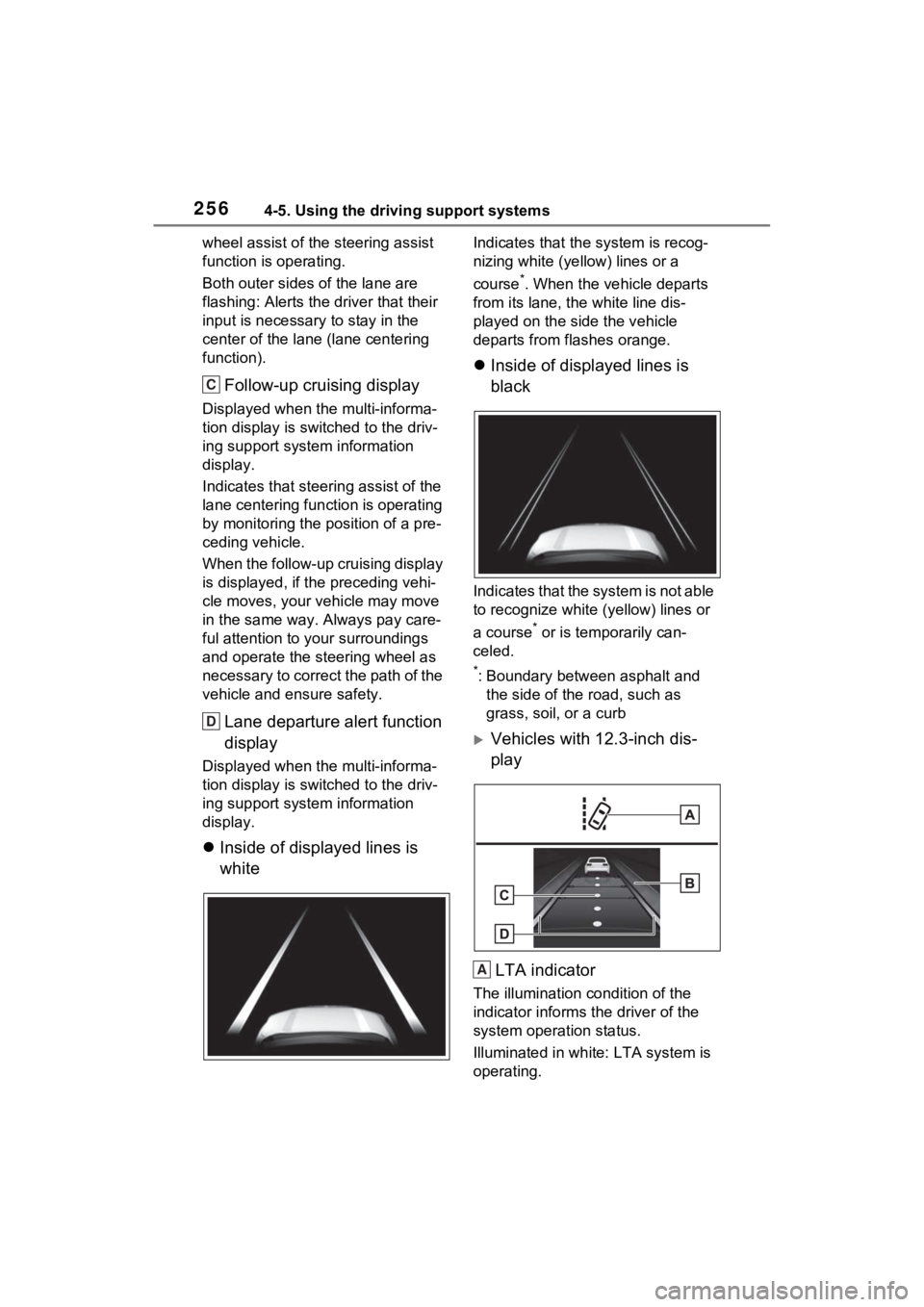
Lane departure alert function
display
Displayed when the multi-informa-
tion display is switched to the driv-
ing support system information
display.
Inside of displayed lines is
white
Indicates that the system is recog-
nizing white (ye llow) lines or a
course
*. When the vehicle departs
from its lane, the white line dis-
played on the side the vehicle
departs from flashes orange.
Inside of displayed lines is
black
Indicates that the system is not able
to recognize white (yellow) lines or
a course
* or is temporarily can-
celed.
*: Boundary between asphalt and the side of the road, such as
grass, soil, or a curb
Vehicles with 12.3-inch dis-
play
LTA indicator
The illumination condition of the
indicator informs the driver of the
system operation status.
Illuminated in white: LTA system is
operating.
C
D
A
Page 257 of 574
2574-5. Using the driving support systems
4
Driving
Illuminated in green: Steering
wheel assistance of the steering
assist function or lane centering
function is operating.
Flashing in orange: Lane departure
alert function is operating.
Operation display of steering
wheel operation support
Displayed when the multi-informa-
tion display is switched to the driv-
ing support system information
display.
Indicates that steering wheel assis-
tance of the steering assist function
or lane centering function is operat-
ing.
Both outer sides of the lane are dis-
played: Indicates that steering
wheel assist of the lane centering
function is operating.
One outer side of the lane is dis-
played: Indicates that steering
wheel assist of the steering assist
function is operating.
Both outer sides of the lane are
flashing: Alerts the driver that their
input is necessary to stay in the
center of the lane (lane centering
function).
Follow-up cruising display
Displayed when the multi-informa-
tion display is switched to the driv-
ing support system information
display.
Indicates that steering assist of the
lane centering function is operating
by monitoring the position of a pre-
ceding vehicle.
When the follow-up cruising display
is displayed, if the preceding vehi-
cle moves, your vehicle may move
in the same way. Always pay care-ful attention to your surroundings
and operate the steering wheel as
necessary to correct the path of the
vehicle and ensure safety.
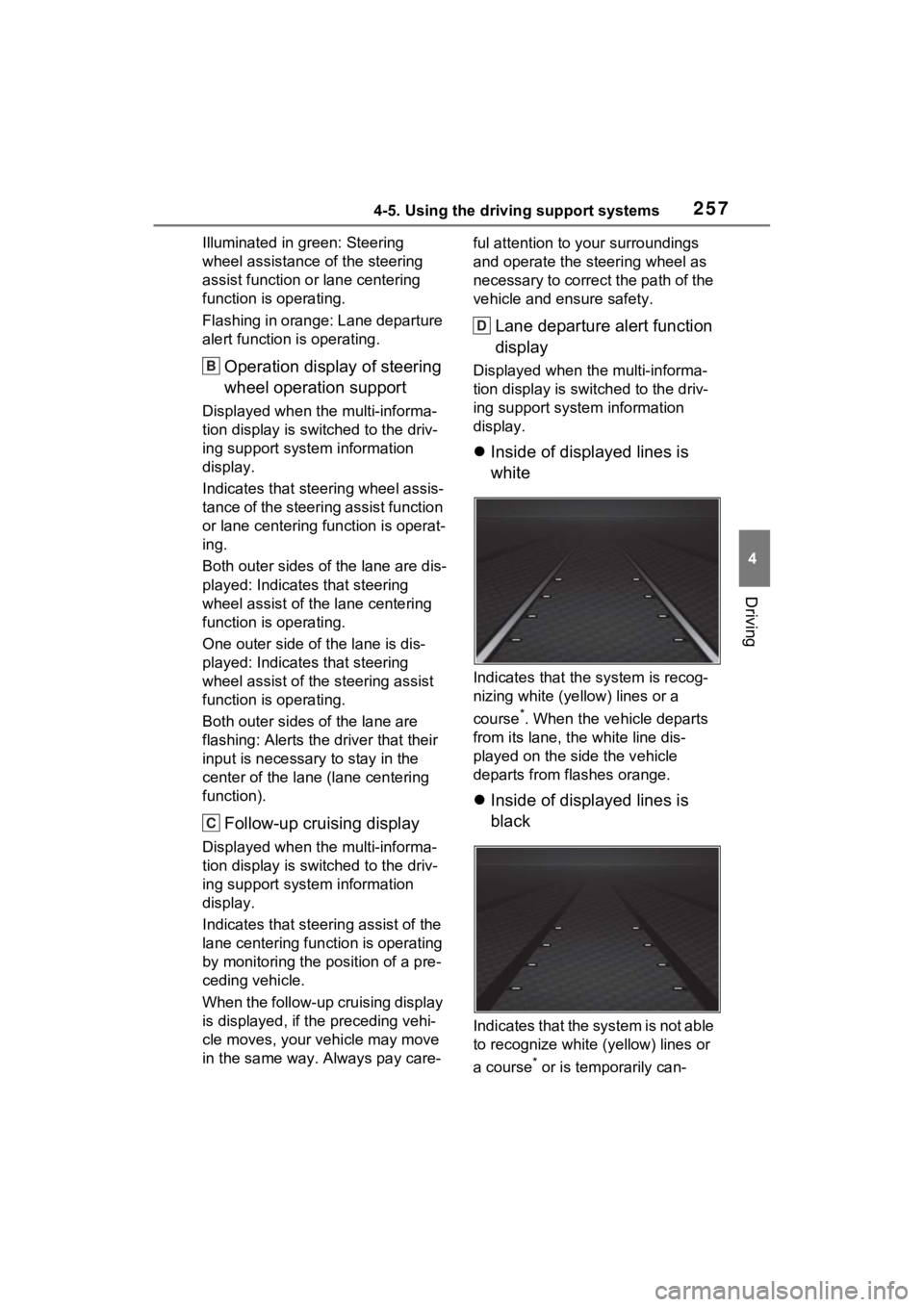
Lane departure alert function
display
Displayed when the multi-informa-
tion display is swit
ched to the driv-
ing support system information
display.
Inside of displayed lines is
white
Indicates that the system is recog-
nizing white (ye llow) lines or a
course
*. When the vehicle departs
from its lane, the white line dis-
played on the side the vehicle
departs from flashes orange.
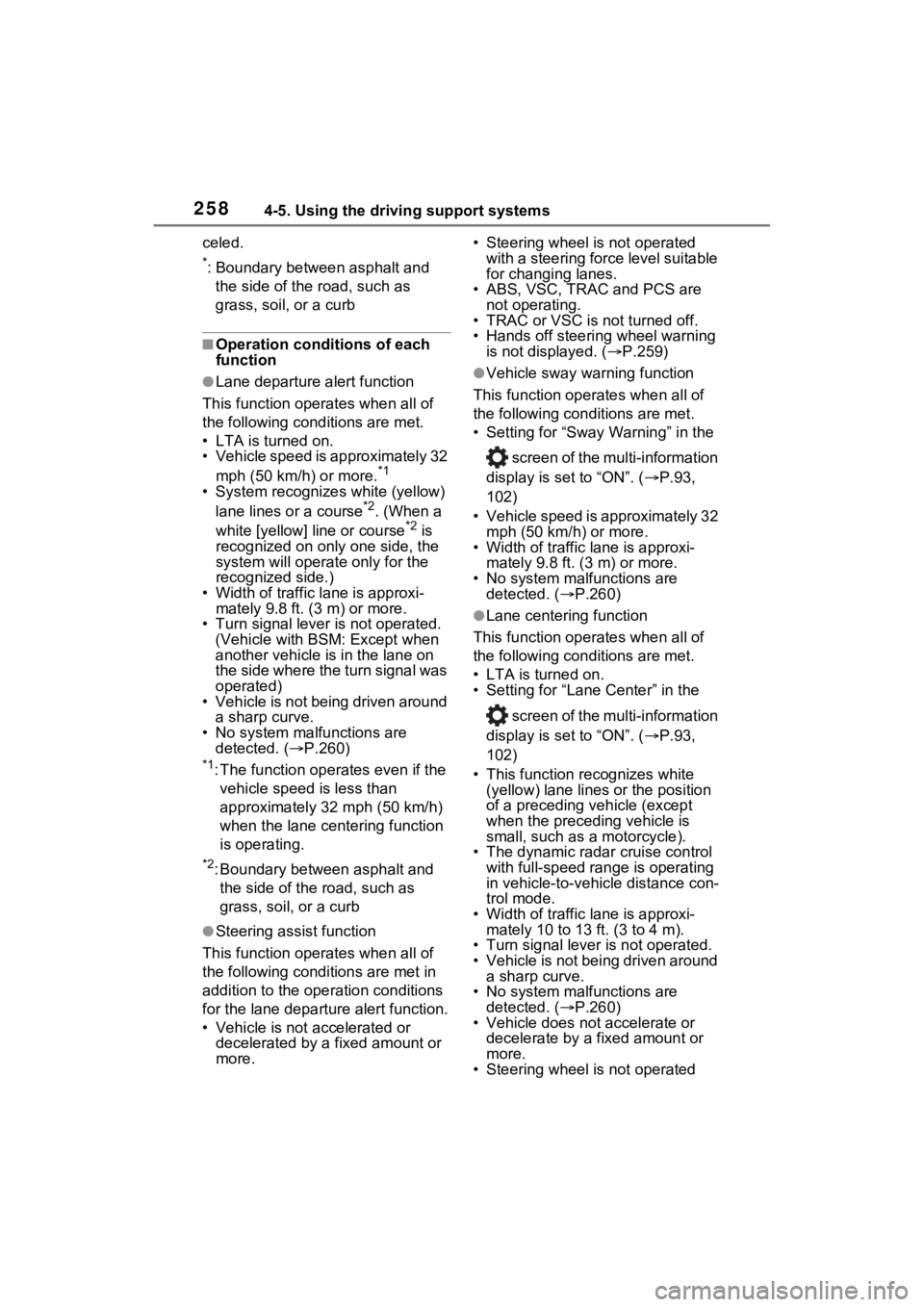
Inside of displayed lines is
black
Indicates that the system is not able
to recognize white (yellow) lines or
a course
* or is temporarily can-
B
C
D
Page 258 of 574
2584-5. Using the driving support systems
celed.
*: Boundary between asphalt and the side of the road, such as
grass, soil, or a curb
■Operation conditions of each
function
●Lane departure alert function
This function oper ates when all of
the following cond itions are met.
• LTA is turned on.
• Vehicle speed is approximately 32
mph (50 km/h) or more.
*1
• System recognizes white (yellow)
lane lines or a course*2. (When a
white [yellow] line or course*2 is
recognized on only one side, the
system will operat e only for the
recognized side.)
• Width of traffic lane is approxi-
mately 9.8 ft. ( 3 m) or more.
• Turn signal lever is not operated. (Vehicle with BSM : Except when
another vehicle is in the lane on
the side where the turn signal was
operated)
• Vehicle is not being driven around a sharp curve.
• No system malfunctions are
detected. ( P.260)
*1: The function opera tes even if the
vehicle speed is less than
approximately 32 mph (50 km/h)
when the lane centering function
is operating.
*2: Boundary between asphalt and the side of the road, such as
grass, soil, or a curb
●Steering assist function
This function oper ates when all of
the following conditions are met in
addition to the operation conditions
for the lane departure alert function.
• Vehicle is not a ccelerated or
decelerated by a fixed amount or
more. • Steering wheel is not operated
with a steering force level suitable
for changing lanes.
• ABS, VSC, TRAC and PCS are
not operating.
• TRAC or VSC is not turned off.
• Hands off steering wheel warning
is not displayed. ( P.259)
●Vehicle sway warning function
This function operates when all of
the following conditions are met.
• Setting for “Sway Warning” in the
screen of the multi-information
display is set to “ON”. ( P.93,
102)
• Vehicle speed is approximately 32 mph (50 km/h) or more.
• Width of traffic lane is approxi- mately 9.8 ft. (3 m) or more.
• No system malfunctions are detected. ( P.260)
●Lane centering function
This function operates when all of
the following conditions are met.
• LTA is turned on.
• Setting for “Lane Center” in the
screen of the multi-information
display is set to “ON”. ( P.93,
102)
• This function recognizes white (yellow) lane lines or the position
of a preceding v ehicle (except
when the preceding vehicle is
small, such as a motorcycle).
• The dynamic radar cruise control
with full-speed ran ge is operating
in vehicle-to-vehicle distance con-
trol mode.
• Width of traffic lane is approxi- mately 10 to 13 ft. (3 to 4 m).
• Turn signal lever is not operated.
• Vehicle is not being driven around
a sharp curve.
• No system malfunctions are
detected. ( P.260)
• Vehicle does not accelerate or decelerate by a fixed amount or
more.
• Steering wheel is not operated
Page 259 of 574
2594-5. Using the driving support systems
4
Driving
with a steering force level suitable
for changing lanes.
• ABS, VSC, TRAC and PCS are
not operating.
• TRAC or VSC is not turned off.
• Hands off steering wheel warning is not displayed. ( P.259)
• The vehicle is being driven in the center of a lane.
• Steering assist function is not operating.
■Temporary cancelation of func-
tions
●When operation conditions are no
longer met, a function may be
temporarily canceled. However,
when the operation conditions are
met again, operation of the func-
tion is automatically restored.
( P.258)
●If the operation conditions
( P.258) are no longer met while
the lane centering function is
operating, the buzzer may sound
to indicate that the function has
been temporarily canceled.
■Steering assist function/lane
centering function
●Depending on the vehicle speed,
lane departure situation, road con-
ditions, etc., the driver may not
feel the function is operating or
the function may not operate at
all.
●The steering control of the func-
tion is overridden by the driver’s
steering wheel operation.
●Do not attempt to test the opera-
tion of the steering assist function.
■Lane departure alert function
●The warning buzzer may be diffi-
cult to hear due to external noise,
audio playback, etc.
●If the edge of the course* is not
clear or straight, the lane depar-
ture alert function may not oper-
ate.
●Vehicle with BSM: It may not be
possible for the system to deter- mine if there is a
danger of a colli-
sion with a vehicl e in an adjacent
lane.
●Do not attempt to test the opera-
tion of the lane departure alert
function.
*: Boundary between asphalt and
the side of the road, such as
grass, soil, or a curb
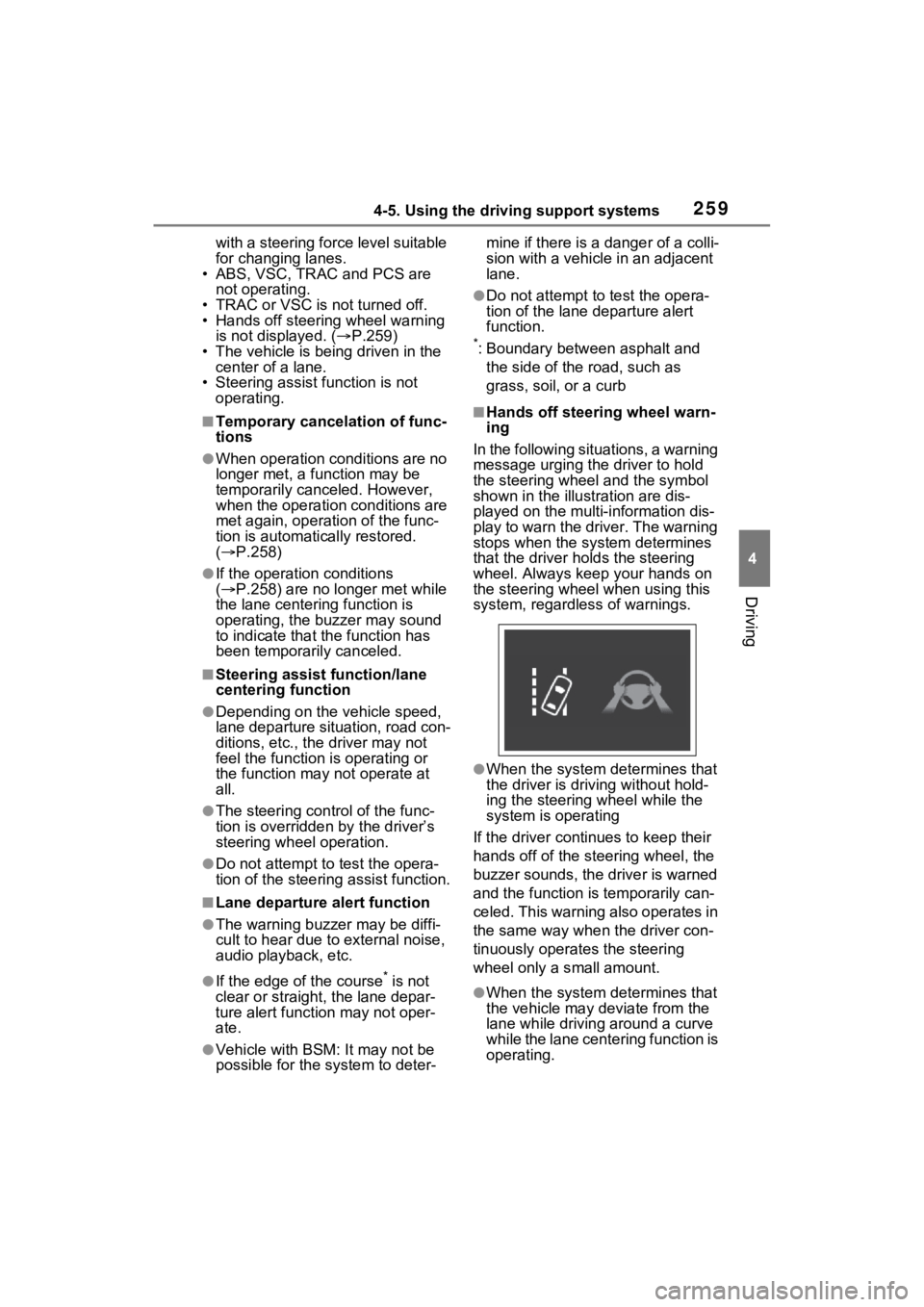
■Hands off steering wheel warn-
ing
In the following situations, a warning
message urging the driver to hold
the steering wheel and the symbol
shown in the illust ration are dis-
played on the multi-information dis-
play to warn the driver. The warning
stops when the sys tem determines
that the driver holds the steering
wheel. Always keep your hands on
the steering wheel when using this
system, regardless of warnings.
●When the system determines that
the driver is driving without hold-
ing the steering wheel while the
system is operating
If the driver continues to keep their
hands off of the steer ing wheel, the
buzzer sounds, the driver is warned
and the function is temporarily can-
celed. This warning also operates in
the same way when the driver con-
tinuously operates the steering
wheel only a s mall amount.
●When the system determines that
the vehicle may deviate from the
lane while driving around a curve
while the lane centering function is
operating.
Page 260 of 574
2604-5. Using the driving support systems
Depending on the vehicle condition
and road conditions, the warning
may not operate. Also, if the system
determines that the vehicle is driv-
ing around a curve, warnings will
occur earlier than during straight-
lane driving.
●When the system determines that
the driver is driving without hold-
ing the steering wheel while the
steering wheel assist of the steer-
ing assist function is operating.
If the driver continues to keep their
hands off of the steering wheel and
the steering wheel assist is operat-
ing, the buzzer sounds and the
driver is warned. Each time the
buzzer sounds, the continuing time
of the buzzer becomes longer.
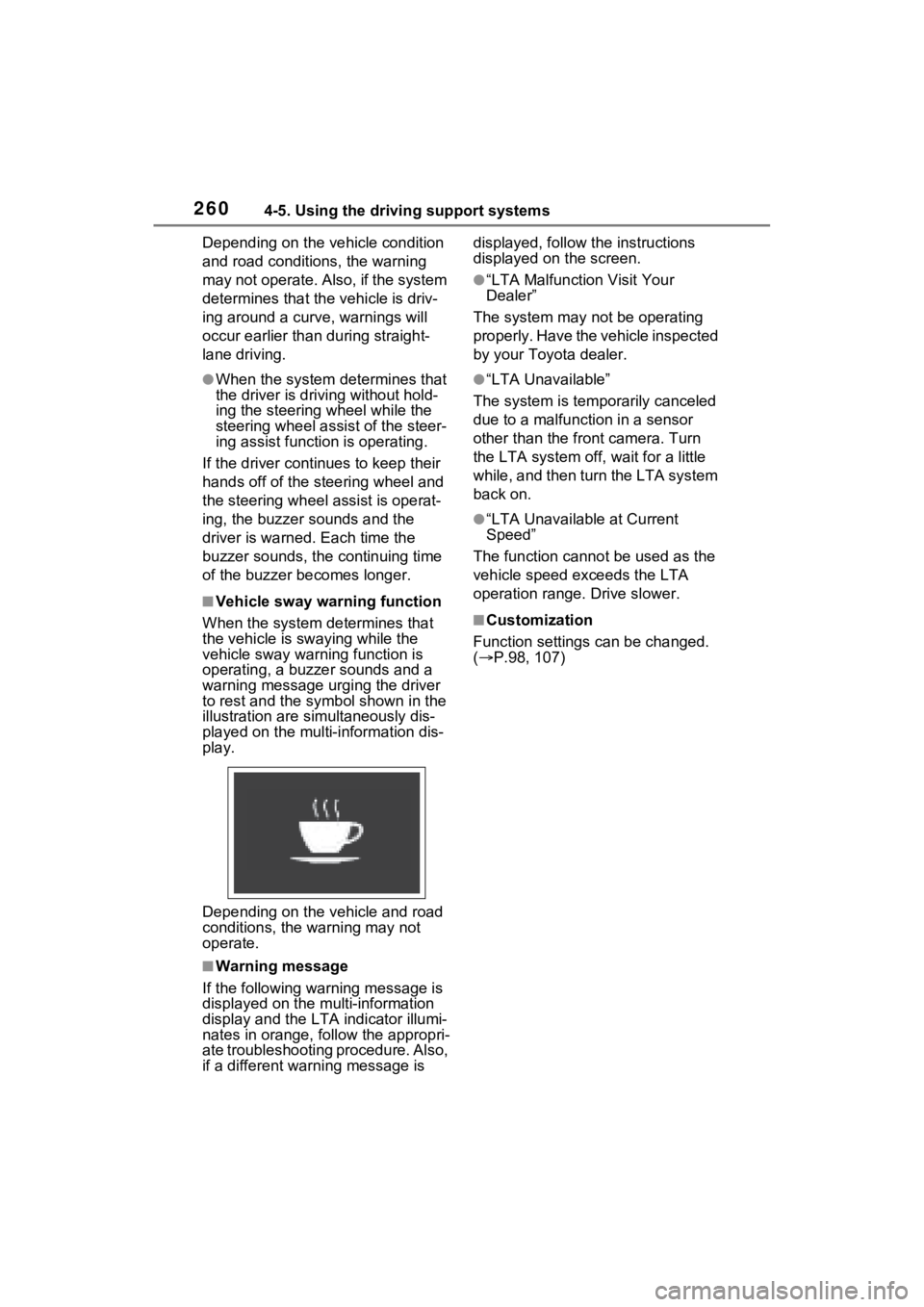
■Vehicle sway warning function
When the system de termines that
the vehicle is swaying while the
vehicle sway warning function is
operating, a buzzer sounds and a
warning message urging the driver
to rest and the symbol shown in the
illustration are sim ultaneously dis-
played on the multi-information dis-
play.
Depending on the vehicle and road
conditions, the warning may not
operate.
■Warning message
If the follo wing warning message is
displayed on the multi-information
display and the LTA indicator illumi-
nates in orange, follow the appropri-
ate troubleshooting procedure. Also,
if a different warning message is displayed, follow the instructions
displayed on the screen.
●“LTA Malfunction Visit Your
Dealer”
The system may not be operating
properly. Have the vehicle inspected
by your Toyo ta dealer.
●“LTA Unavailable”
The system is temporarily canceled
due to a malfunction in a sensor
other than the front camera. Turn
the LTA system off, wait for a little
while, and then turn the LTA system
back on.
●“LTA Unavailable at Current
Speed”
The function cannot be used as the
vehicle speed exceeds the LTA
operation range. Drive slower.
■Customization
Function settings can be changed.
( P.98, 107)
Page 268 of 574
2684-5. Using the driving support systems
control continues to keep your vehicle stopped.
When the turn signal lever is operated and your vehicle moves to an over-
taking lane while driving at 50 mph (80 km/h) or more, the vehi cle will accel-
erate to help to overt ake a passing vehicle.
The system’s identifi cation of what is an overtaking lane may be deter-
mined solely based on the location of the steering wheel in the vehicle (left
side driver position versus righ t side driver position.) If the vehicle is driven
to a region where the overtaking lane is on a different side fr om where the
vehicle is normally driven, the v ehicle may accelerate when the turn signal
lever is operated in the opposite direction to the overtaking l ane (e.g., if the
driver normally operates the vehicle in a region where the over taking lane is
to the right but then drives to a region where the overtaking l ane is to the
left, the vehicle may accelerate when the right turn signal is activated).
Example of acceleration
When there are no longer any preceding vehicles driving slower
than the set speed
The system accelerates until the set speed is reached. The system then
returns to constan t speed cruising.
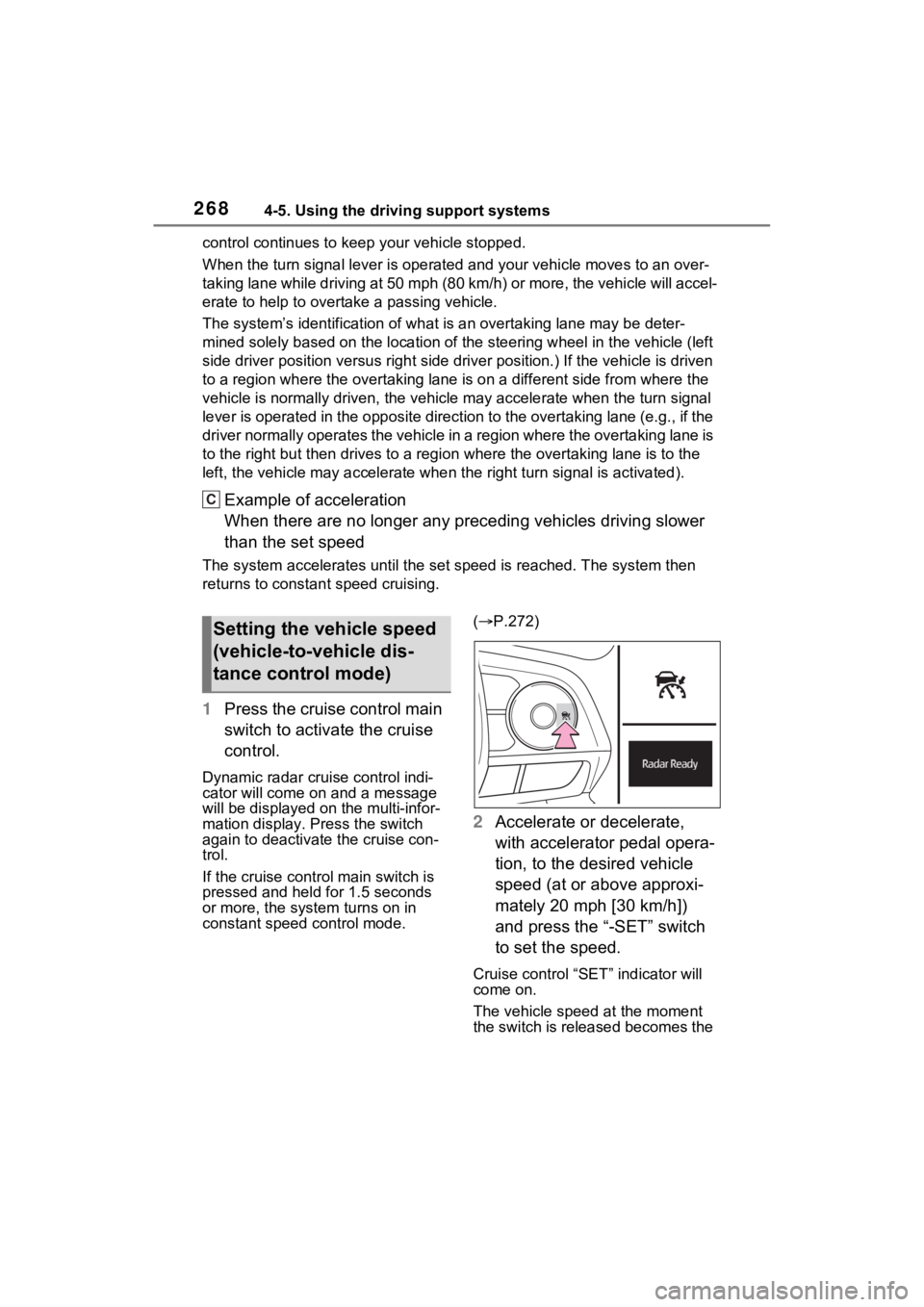
1Press the cruise control main
switch to activate the cruise
control.
Dynamic radar cruise control indi-
cator will come on and a message
will be displayed on the multi-infor-
mation display. Press the switch
again to deactivate the cruise con-
trol.
If the cruise cont rol main switch is
pressed and held for 1.5 seconds
or more, the syste m turns on in
constant speed control mode. (
P.272)
2 Accelerate or decelerate,
with accelerator pedal opera-
tion, to the desired vehicle
speed (at or above approxi-
mately 20 mph [30 km/h])
and press the “-SET” switch
to set the speed.
Cruise control “SET” indicator will
come on.
The vehicle speed at the moment
the switch is released becomes the
C
Setting the vehicle speed
(vehicle-to-vehicle dis-
tance control mode)
Page 274 of 574
2744-5. Using the driving support systems
functions.
■Warning messages and buzzers
for dynamic radar cruise con-
trol with full-speed range
Warning messages and buzzers are
used to indicate a system malfunc-
tion or to inform the driver of the
need for caution while driving. If a
warning message is shown on the
multi-information display, read the
message and follow the instructions.
( P.237, 459)
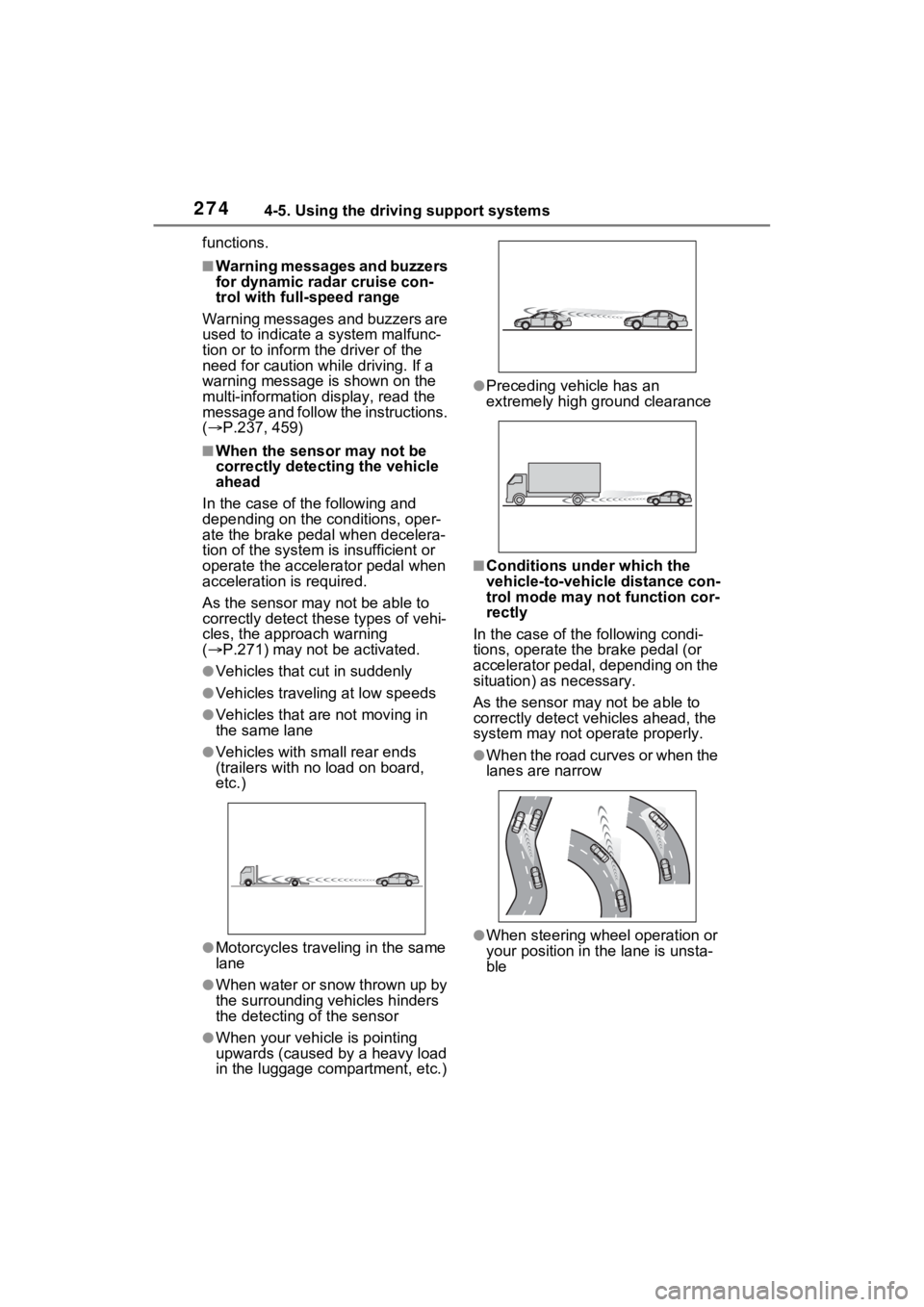
■When the sensor may not be
correctly detecting the vehicle
ahead
In the case of the following and
depending on the conditions, oper-
ate the brake pedal when decelera-
tion of the system is insufficient or
operate the accelerator pedal when
acceleration is required.
As the sensor may not be able to
correctly detect these types of vehi-
cles, the approach warning
( P.271) may not be activated.
●Vehicles that cut in suddenly
●Vehicles traveling at low speeds
●Vehicles that are not moving in
the same lane
●Vehicles with small rear ends
(trailers with no load on board,
etc.)
●Motorcycles traveling in the same
lane
●When water or snow thrown up by
the surrounding vehicles hinders
the detecting of the sensor
●When your vehicle is pointing
upwards (caused by a heavy load
in the luggage compartment, etc.)
●Preceding vehicle has an
extremely high ground clearance
■Conditions under which the
vehicle-to-vehic le distance con-
trol mode may not function cor-
rectly
In the case of the following condi-
tions, operate the brake pedal (or
accelerator pedal, depending on the
situation) as necessary.
As the sensor may not be able to
correctly detect vehicles ahead, the
system may not operate properly.
●When the road curves or when the
lanes are narrow
●When steering wheel operation or
your position in the lane is unsta-
ble
Page 306 of 574

3064-5. Using the driving support systems
the vehicle is stopped by the
dynamic radar cruise control with
full-speed range when in vehicle-
to-vehicle distance control mode)
• The D shift position is selected.
• The driver’s seat belt is fastened.
• The driver’s door is closed.
• The selected driv ing mode is not
snow mode (AWD models).
• Mud & Sand or Rock & Dirt mode is not selected for Multi-terrain
Select (AWD models).
• The windshield defogger is off. (vehicles without a manual air
conditioning system)
• The accelerator pedal is not being depressed.
• The engine is adequately warmed
up.
• The outside temperature is 23°F (- 5°C) or higher.
• The hood is closed. ( P.307)
●In the following situations, the
engine may not be stopped by the
Stop & Start syste m. This is not a
malfunction of the Stop & Start
system.
• When the air conditioning system is being used.
• When the battery is undergoing a periodic recharge.
• When the battery is not sufficiently
charged, such as if the vehicle
has been parked for a long time
and the battery charge has
decreased, the e lectric load is
large, the battery fluid tempera-
ture is excessively low or the bat-
tery has deteriorated.
• When the brake booster vacuum is low.
• When the elapsed time since the engine was restarted is short.
• When the vehicle is stopped fre-
quently, such as when in a traffic
jam.
• When the engine coolant tem- perature or transmission fluid tem-
perature is extremely low or high.
• When the vehicle is stopped on a steep incline.
• When the steering wheel is being operated.
• When the vehicle is being driven in a high altitude area.
• When the battery fluid tempera- ture is extremely low or high.
• For a while after the battery termi- nals have been disconnected and
reconnected.
●When the engine is stopped by
the Stop & Star t system, the
engine will be restarted automati-
cally if any of the following condi-
tions are met:
(To enable the engine to be
stopped by the Stop & Start sys-
tem again, drive the vehicle.)
• The air conditioning system is turned on. (vehicles without a
manual air conditioning system)
• The windshield defogger is turned on. (vehicles without a manual air
conditioning system)
• The shift lever is shifted from D or P.
• The shift lever is shifted from P.
(When the engine is stopped by
the Stop & Start system when the
shift lever is in P.)
• The driver’s seat belt is unfas- tened.
• The driver’s door is opened.
• The driving mode is changed to
snow mode (AWD models).
• Mud & Sand or Rock & Dirt mode
is selected for Mult i-terrain Select
(AWD models).
• The Stop & Start cancel switch is
pressed.
• The steering wheel is operated.
• The accelerator pedal is depressed.
• The vehicle starts to roll on an incline.
●When the engine is stopped by
the Stop & Star t system, the
engine may restart automatically
in the following situations: (To
enable the engine to be stopped
by the Stop & Start system again,
drive the vehicle.)
• When the brake pedal is pumped
or strongly depressed.
• When the air conditioning system is being used.
• When a switch of the air condition-
Page 311 of 574
3114-5. Using the driving support systems
4
Driving
Eco drive mode indicator illumi-
nates on the multi-information dis-
play.
2Normal mode
Suitable for normal driving.
The driving mode returns to normal
mode if the switch is pressed while
in Eco drive mode or sport mode.
3Sport mode
Controls the steering feeling and
engine to create an acceleration
response that is su itable for sporty
driving. Suitable for when crisp
handling is desired, such as when
driving on mountainous roads.
When the switch is pressed while
not in sport mode, the system
switches to sport mode and the
sport mode indicator illuminates on
the multi-inform ation display.
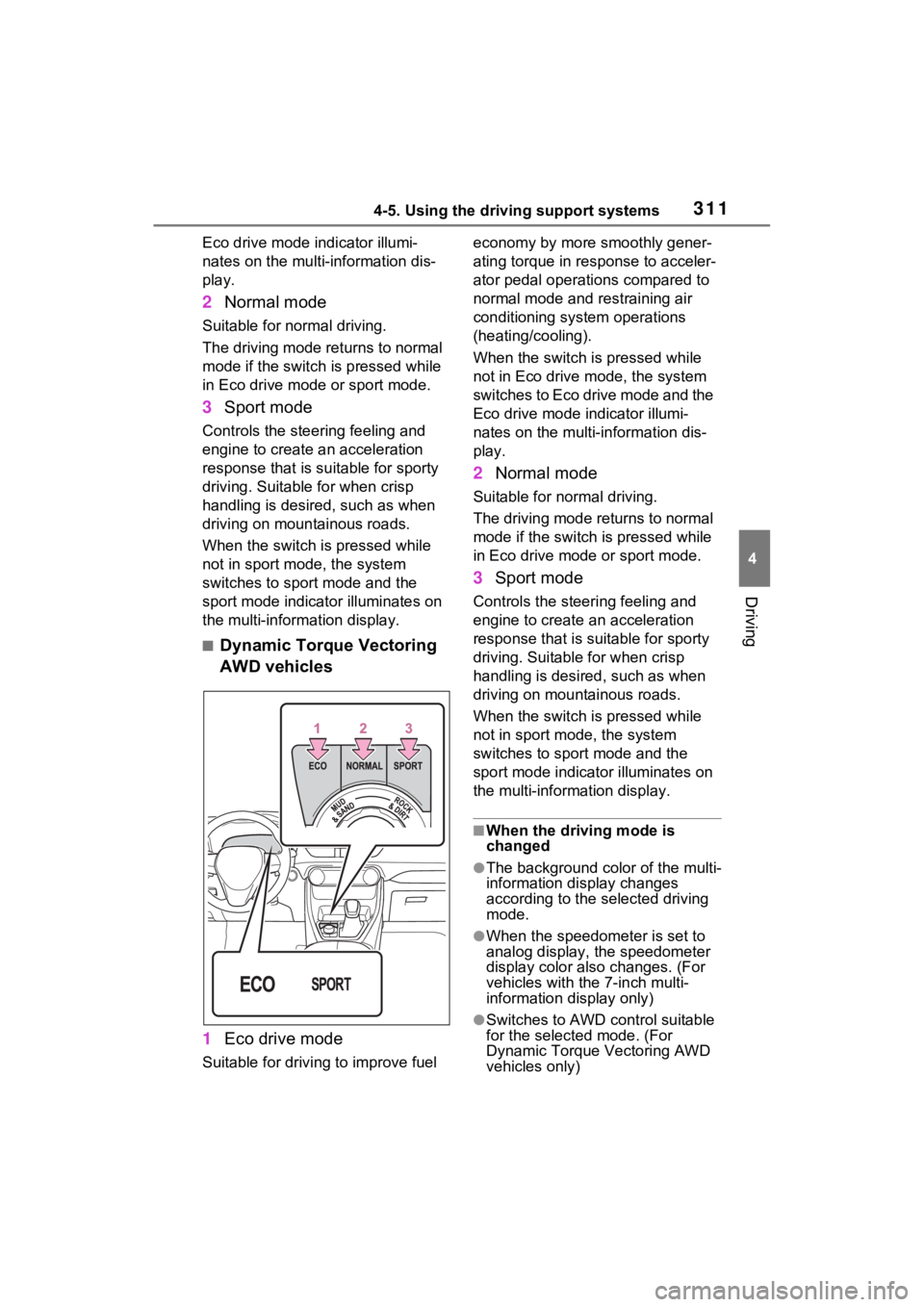
■Dynamic Torque Vectoring
AWD vehicles
1 Eco drive mode
Suitable for driving to improve fuel economy by more
smoothly gener-
ating torque in response to acceler-
ator pedal operations compared to
normal mode and restraining air
conditioning system operations
(heating/cooling).
When the switch is pressed while
not in Eco drive mode, the system
switches to Eco drive mode and the
Eco drive mode i ndicator illumi-
nates on the multi-information dis-
play.
2 Normal mode
Suitable for n ormal driving.
The driving mode returns to normal
mode if the switch i s pressed while
in Eco drive mode or sport mode.
3 Sport mode
Controls the steering feeling and
engine to create an acceleration
response that is suitable for sporty
driving. Suitable for when crisp
handling is desired, such as when
driving on mountainous roads.
When the switch is pressed while
not in sport mode, the system
switches to sport mode and the
sport mode indicat or illuminates on
the multi-information display.
■When the driving mode is
changed
●The background color of the multi-
information display changes
according to the selected driving
mode.
●When the speedometer is set to
analog display, the speedometer
display color also changes. (For
vehicles with the 7-inch multi-
information di splay only)
●Switches to AWD control suitable
for the selected mode. (For
Dynamic Torque Vectoring AWD
vehicles only)
Page 314 of 574
3144-5. Using the driving support systems
• Mud & Sand mode
Mud & Sand mode indicator, VSC
OFF indicator (P.80) and PCS
warning light ( P.78) illuminate.
•Rock & Dirt mode
Rock & Dirt mode indicator illumi-
nates.
•Normal mode
The indicators and/or warning lights
above turn off.
■Multi-terrain Select
●Multi-terrain Sele ct is intended for
use when driving on rough roads.
Drive in Normal mode during nor-
mal driving.
●The Mud & Sand and Rock & Dirt
modes control the vehicle so that
it can maximize the drive force
and improve the drive force on
rough roads. As a result, fuel effi-
ciency may diminish when com-
pared to driving in Normal mode.
■When Multi-terrain Select brake
control is operating
The slip indicator flashes when
Multi-terrain Selec t brake control is
operating.
■AWD control for Mud & Sand
and Rock & Dirt modes
If the vehicle s peed exceeds the
speeds listed below, the same level
of AWD control for Normal mode is
performed, even if Mud & Sand or
Rock & Dirt mode is selected.
●Mud & Sand mode: Vehicle speed
is approximately 25 mph (40
km/h) or more
●Rock & Dirt mode: Vehicle speed
is approximately 16 mph (25
km/h) or more
If the vehicle speed drops below the
above speeds, the system automati-
cally returns to the AWD control for
each mode.
■When “Traction Control Turned
OFF” is displaye d on the multi-
information display
Multi-terrain Select brake control is
temporarily stopped due to overheat
of the brakes.
Stop the vehicle in a safe location
as soon as possible and wait until
the message disappears from the
multi-informat ion display.
■When the system switches to
Normal mode automatically
In the following situ ations, the sys-
tem switches to N ormal mode auto-
matically:
●When the driving mode is
changed ( P.310)
●When the engine switch is turned
off
■Sounds and vibrations when
driving in Mud & Sand or Rock
& Dirt mode
Any of the following conditions may
occur when Multi-terrain Select is
operating. None of these indicates
that a malfunction has occurred:
●Vibrations may be felt throughout
the vehicle or steering wheel
●Sounds may be heard from the
engine compartment
■When the slip indicator illumi-
nates
The system may be malfunctioning.
Have the vehicle inspected by your
Toyota dealer immediately.
■When the indicator for each
mode does no t illuminate
The system may be malfunctioning
if the indicator does not illuminate
when selecting the mode other than
Normal mode. Have the vehicle
inspected by your Toyota dealer
immediately.