lane assist TOYOTA RAV4 HYBRID 2020 Owners Manual (in English)
[x] Cancel search | Manufacturer: TOYOTA, Model Year: 2020, Model line: RAV4 HYBRID, Model: TOYOTA RAV4 HYBRID 2020Pages: 744, PDF Size: 31.43 MB
Page 3 of 744
3TABLE OF CONTENTS
1
2
3
4
5
6
7
8
9
10
4-1. Before drivingDriving the vehicle......... 189
Cargo and luggage ....... 196
Vehicle load limits ......... 199
Trailer towing................. 200
Dinghy towing ............... 209
4-2. Driving procedures Power (ignition) switch (vehi-cles without smart key sys-
tem) ............................. 210
Power (ignition) switch (vehi- cles with smart key system).................................... 212
EV drive mode .............. 217
Hybrid transmission ...... 219
Turn signal lever............ 223
Parking brake ................ 224
Brake Hold .................... 227
4-3. Operating the lights and wipers
Headlight switch ............ 229
AHB (Automatic High Beam) .................................... 232
Fog light switch ............. 235
Windshield wipers and washer......................... 235
Rear window wiper and washer......................... 238
4-4. Refueling Opening the fuel tank cap.................................... 240
4-5. Using the driving support
systems
Toyota Safety Sense 2.0 243PCS (Pre-Collision System)
.................................... 249
LTA (Lane Tracing Assist) .................................... 257
RSA (Road Sign Assist). 267
Dynamic radar cruise control with full-speed range ... 270
BSM (Blind Spot Monitor) .................................... 280
Intuitive parking assist ... 290
PKSB (Parking Support Brake) .......................... 297
Parking Support Brake func- tion (static objects) ...... 302
Parking Support Brake func- tion (rear-crossing vehicles).................................... 308
Rear view monitor system .................................... 312
Toyota parking assist monitor .................................... 320
Panoramic view monitor 333
Driving mode s elect switch
.................................... 365
Trail Mode ..................... 366
Driving assist systems ... 368
4-6. Driving tips Hybrid vehicle driving tips.................................... 375
Winter d
riving tips .......... 377
Utility vehicle precautions .................................... 380
5-1. Basic function Buttons overview ........... 385
Menu screen.................. 387
4Driving
5Audio
Page 22 of 744
22Pictorial index
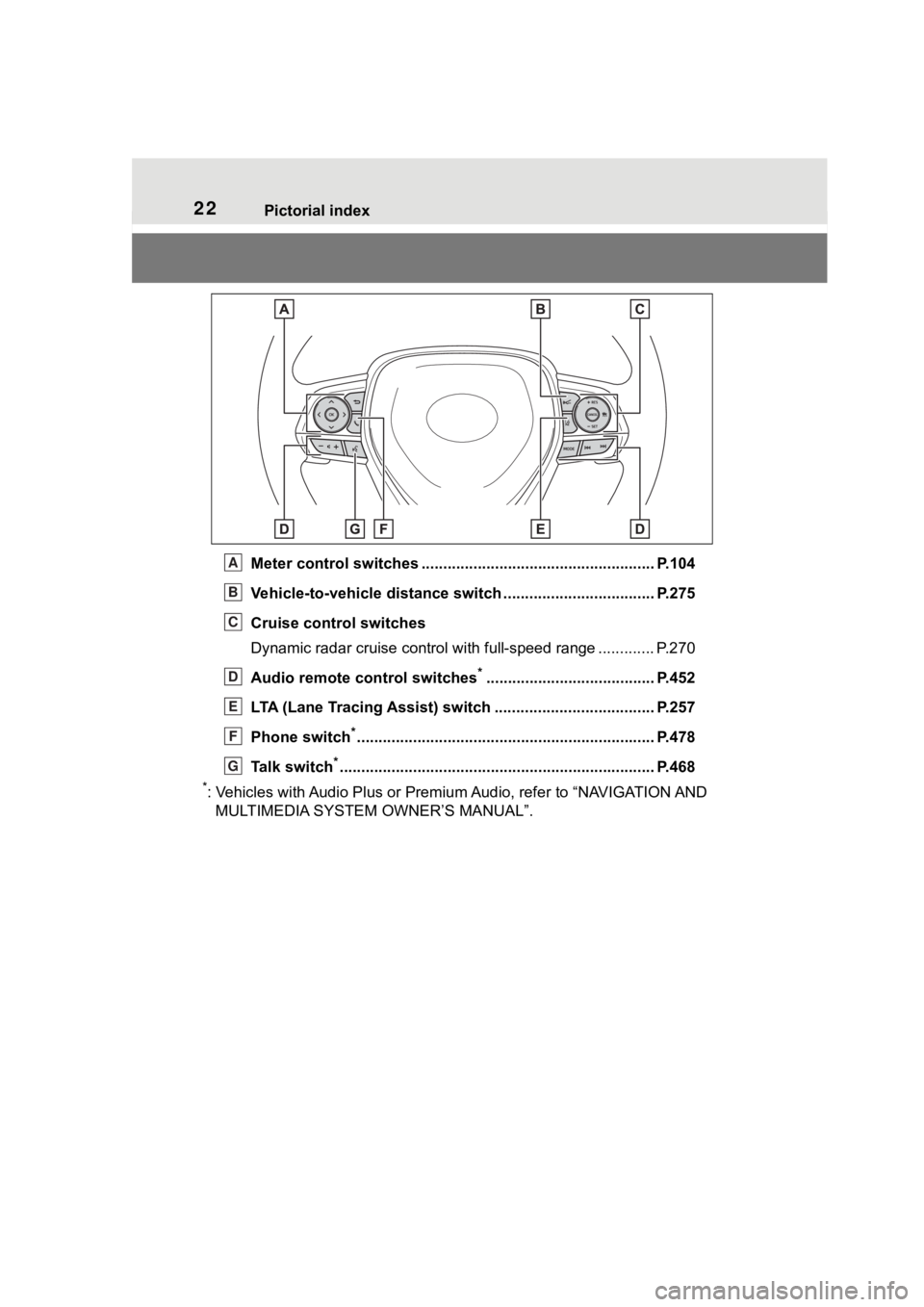
Meter control switches ...................................................... P.104
Vehicle-to-vehicle distance switch ................................... P.275
Cruise control switches
Dynamic radar cruise control with full-speed range ............. P. 2 7 0
Audio remote control switches
*....................................... P.452
LTA (Lane Tracing Assist) switch ............................... ...... P.257
Phone switch
*............................................................... ...... P.478
Talk switch
*............................................................... .......... P.468
*: Vehicles with Audio Plus or Premium Audio, refer to “NAVIGATION AND
MULTIMEDIA SYSTEM OWNER’S MANUAL”.
A
B
C
D
E
F
G
Page 103 of 744
1032-1. Instrument cluster
2
Vehicle status information and indicators
Following information is dis-
played on the multi-information
display.
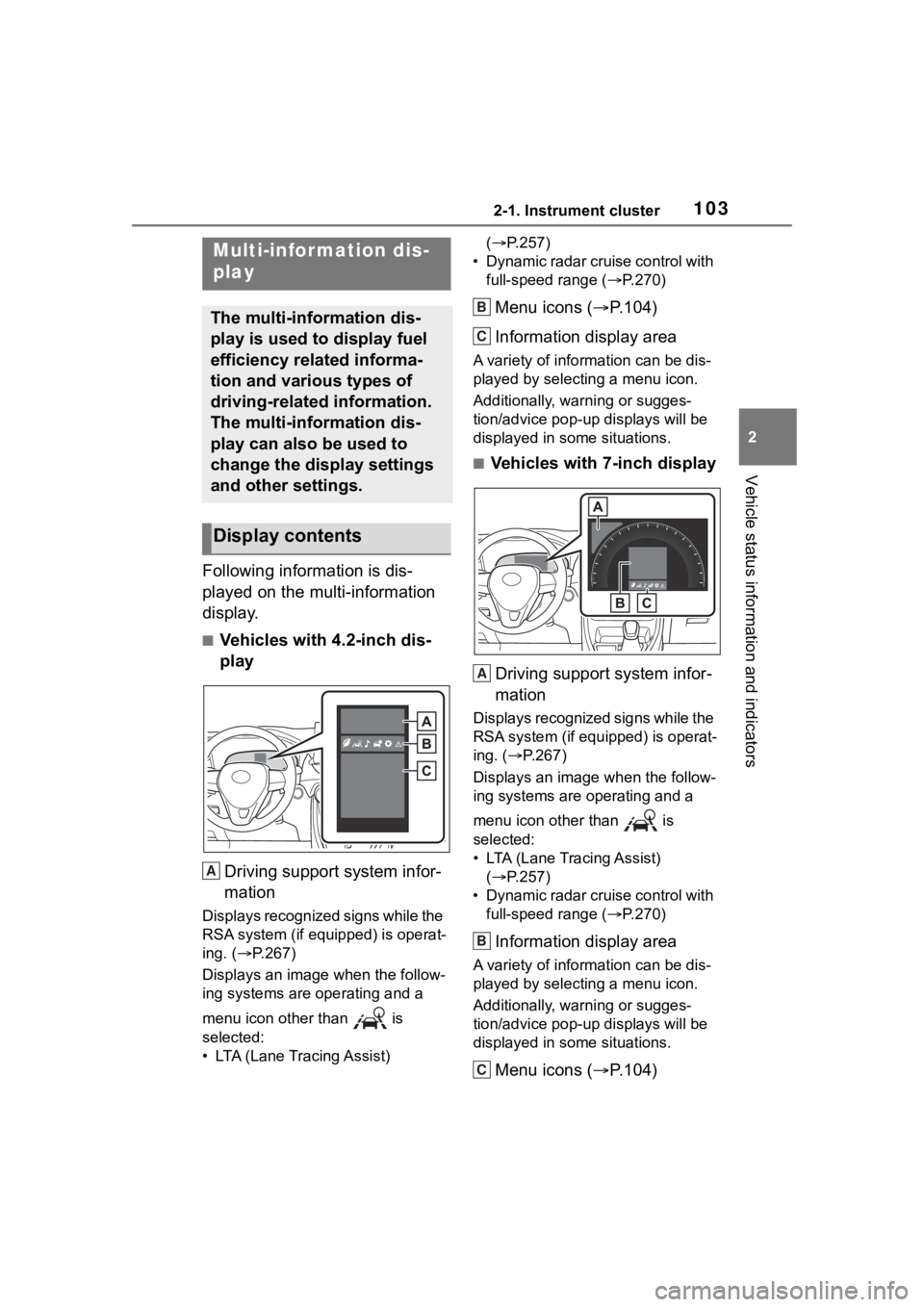
■Vehicles with 4.2-inch dis-
playDriving support system infor-
mation
Displays recognized signs while the
RSA system (if equipped) is operat-
ing. ( P.267)
Displays an image when the follow-
ing systems are operating and a
menu icon other than is
selected:
• LTA (Lane Tracing Assist) (
P.257)
• Dynamic radar cruise control with full-speed range ( P.270)
Menu icons ( P.104)
Information display area
A variety of information can be dis-
played by selecting a menu icon.
Additionally, warning or sugges-
tion/advice pop-up displays will be
displayed in some situations.
■Vehicles with 7-inch display
Driving support system infor-
mation
Displays recognized signs while the
RSA system (if equipped) is operat-
ing. ( P.267)
Displays an image when the follow-
ing systems are operating and a
menu icon other than is
selected:
• LTA (Lane Tracing Assist) ( P.257)
• Dynamic radar cruise control with full-speed range ( P.270)
Information display area
A variety of information can be dis-
played by selecting a menu icon.
Additionally, warning or sugges-
tion/advice pop-up displays will be
displayed in some situations.
Menu icons ( P.104)
Multi-infor mation dis-
play
The multi-information dis-
play is used to display fuel
efficiency related informa-
tion and various types of
driving-related information.
The multi-information dis-
play can also be used to
change the display settings
and other settings.
Display contents
A
B
C
A
B
C
Page 107 of 744
1072-1. Instrument cluster
2
Vehicle status information and indicators
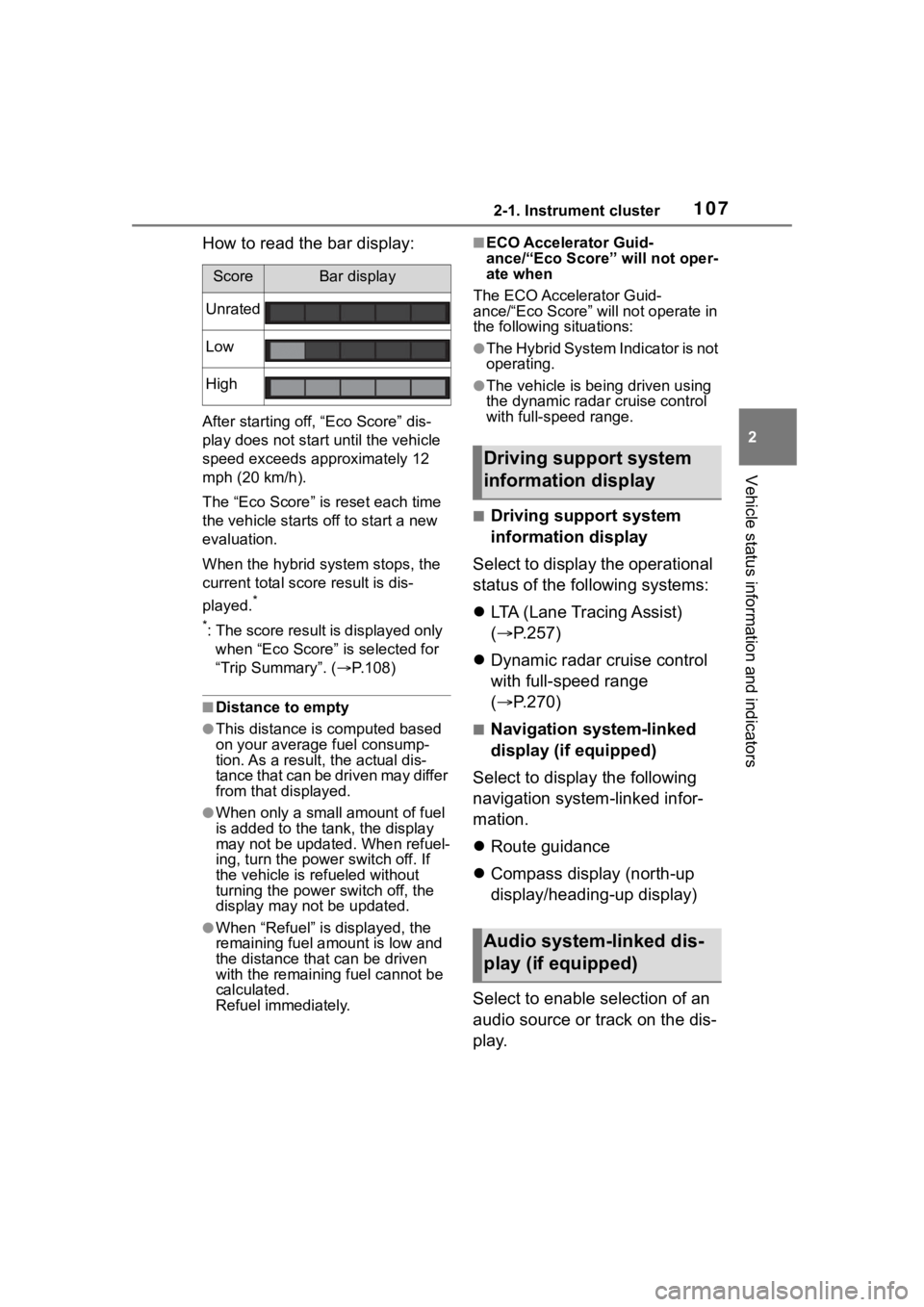
How to read the bar display:
After starting off, “Eco Score” dis-
play does not start until the vehicle
speed exceeds approximately 12
mph (20 km/h).
The “Eco Score” is reset each time
the vehicle starts off to start a new
evaluation.
When the hybrid system stops, the
current total score result is dis-
played.
*
*
: The score result is displayed only when “Eco Score” is selected for
“Trip Summary”. ( P.108)
■Distance to empty
●This distance is computed based
on your averag e fuel consump-
tion. As a result, the actual dis-
tance that can be driven may differ
from that displayed.
●When only a small amount of fuel
is added to the tank, the display
may not be updated. When refuel-
ing, turn the power switch off. If
the vehicle is refueled without
turning the power switch off, the
display may not be updated.
●When “Refuel” is displayed, the
remaining fuel amount is low and
the distance that can be driven
with the remaining fuel cannot be
calculated.
Refuel immediately.
■ECO Accelerator Guid-
ance/“Eco Score” will not oper-
ate when
The ECO Accelerator Guid-
ance/“Eco Score” will not operate in
the following situations:
●The Hybrid System Indicator is not
operating.
●The vehicle is bei ng driven using
the dynamic radar cruise control
with full-speed range.
■Driving support system
information display
Select to display the operational
status of the following systems:
LTA (Lane Tracing Assist)
( P.257)
Dynamic radar cruise control
with full-speed range
( P.270)
■Navigation system-linked
display (if equipped)
Select to display the following
navigation system-linked infor-
mation.
Route guidance
Compass display (north-up
display/heading-up display)
Select to enable selection of an
audio source or track on the dis-
play.
ScoreBar display
Unrated
Low
High
Driving support system
information display
Audio system-linked dis-
play (if equipped)
Page 109 of 744
1092-1. Instrument cluster
2
Vehicle status information and indicators
changed by using the meter
control switches.
■Setting procedure
1 Operate or of the
meter control switches and
select .
2 Operate or of the
meter control switches and
select the desired item.
• If the function is turned on and off or the volume, etc. is
changed on the setting
screen, the setting is changed
each time is pressed.
• For functions that allow oper- ation contents, display con-
tents, etc., of function to be
selected, the setting screen is
displayed by pressing and
holding . When the setting
screen is displayed, select the
setting or desired value (time,
etc.) with .
3 After changing the settings,
press of the meter control
switches.
■ LTA (Lane Tracing
Assist) ( P.257)
Select to set up the following
items.
“Lane Center”
Select to enable/disable the lane
centering function.
“Steering Assist”
Select to enable/d isable steering
wheel assistance.
“Sensitivity”
Select to set the lane departure
alert sensitivity.
“Sway Warning”
Select to enable/disable the vehicle
sway warning.
“Sway Sensitivity”
Select to set the vehicle sway warn-
ing sensitivity.
■ PCS (Pre-Collision Sys-
tem) ( P.249)
Select to set up the following
items.
PCS on/off
Select to enable/disable the pre-
collision system.
“Sensitivity”
Select to change the pre-collision
warning timing.
■ BSM (Blind Spot Moni-
tor) (if equipped) ( P.280)
Select to set up the following
items.
BSM (Blind Spot Monitor)
on/off
Select to enable/disable the BSM
system.
“Brightness”
Select to switch the brightness of
the outside rear view mirror indica-
tors. ( P.281)
“Sensitivity”
Select to change the alert timing for
an approaching vehicle.
Page 187 of 744
187
4
4
Driving
Driving
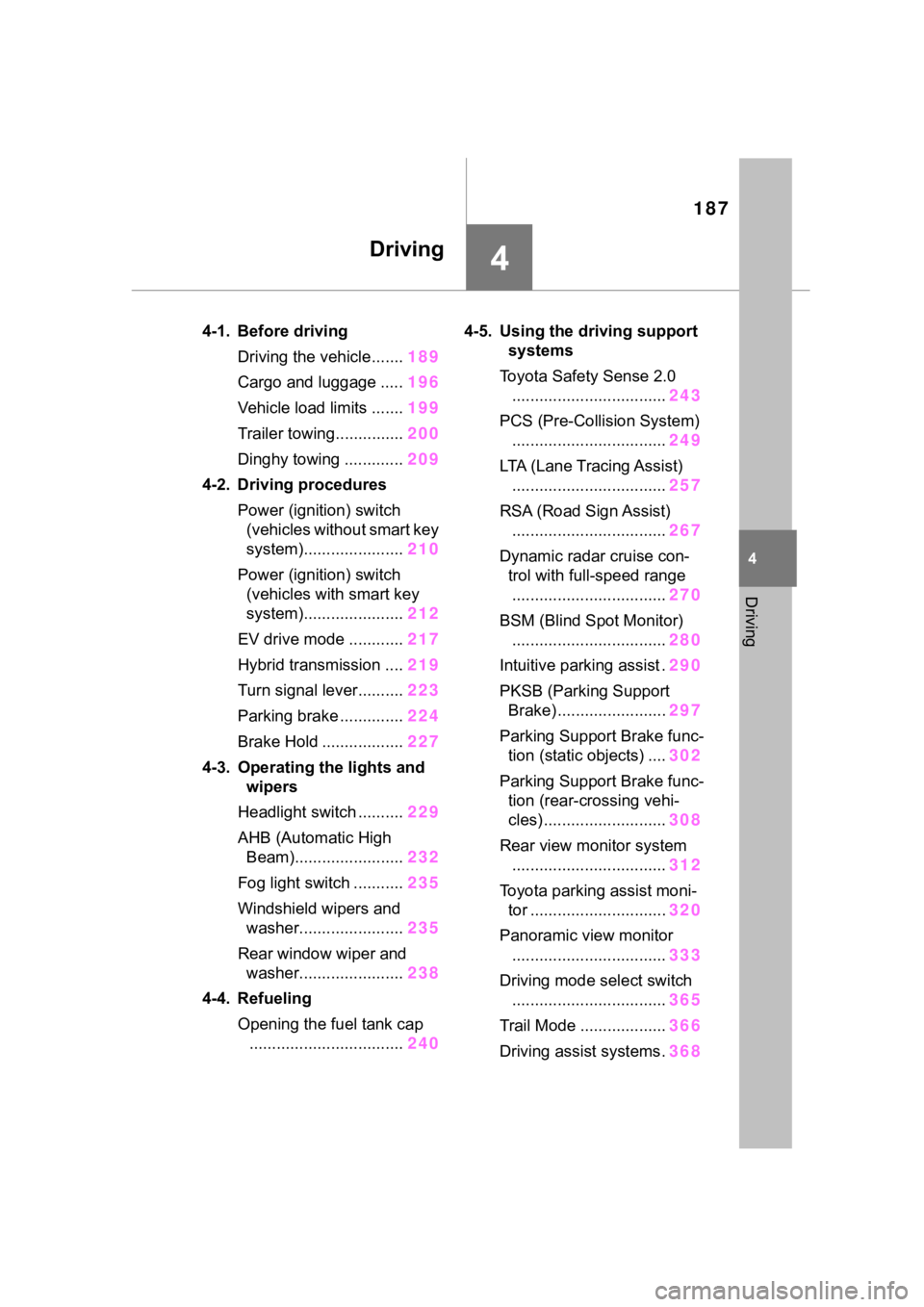
4-1. Before drivingDriving the vehicle....... 189
Cargo and luggage ..... 196
Vehicle load limits ....... 199
Trailer towing............... 200
Dinghy towing ............. 209
4-2. Driving procedures Power (ignition) switch (vehicles without smart key
system)...................... 210
Power (ignition) switch (vehicles with smart key
system)...................... 212
EV drive mode ............ 217
Hybrid transmission .... 219
Turn signal lever.......... 223
Parking brake .............. 224
Brake Hold .................. 227
4-3. Operating the lights and wipers
Headlight switch .......... 229
AHB (Automatic High Beam)........................ 232
Fog light switch ........... 235
Windshield wipers and washer....................... 235
Rear window wiper and washer....................... 238
4-4. Refueling Opening the fuel tank cap.................................. 2404-5. Using the dr
iving support
systems
Toyota Safety Sense 2.0 .................................. 243
PCS (Pre-Collision System) .................................. 249
LTA (Lane Tracing Assist) .................................. 257
RSA (Road Sign Assist) .................................. 267
Dynamic radar cruise con- trol with full-speed range
.................................. 270
BSM (Blind Spot Monitor) .................................. 280
Intuitive parking assist . 290
PKSB (Parking Support Brake) ........................ 297
Parking Support Brake func- tion (static objects) .... 302
Parking Support Brake func- tion (rear-crossing vehi-
cles) ........................... 308
Rear view monitor system .................................. 312
Toyota parking assist moni- tor .............................. 320
Panoramic view monitor .................................. 333
Driving mode select switch .................................. 365
Trail Mode ................... 366
Driving assist systems. 368
Page 243 of 744
2434-5. Using the driving support systems
4
Driving
4-5.Using the driving support systems
■PCS (Pre-Collision System)
P. 2 4 9
■LTA (Lane Tracing Assist)
P. 2 5 7
■AHB (Automatic High
Beam)
P. 2 3 2
■RSA (Road Sign Assist) (if
equipped)
P. 2 6 7
■Dynamic radar cruise con-
trol with full-speed range
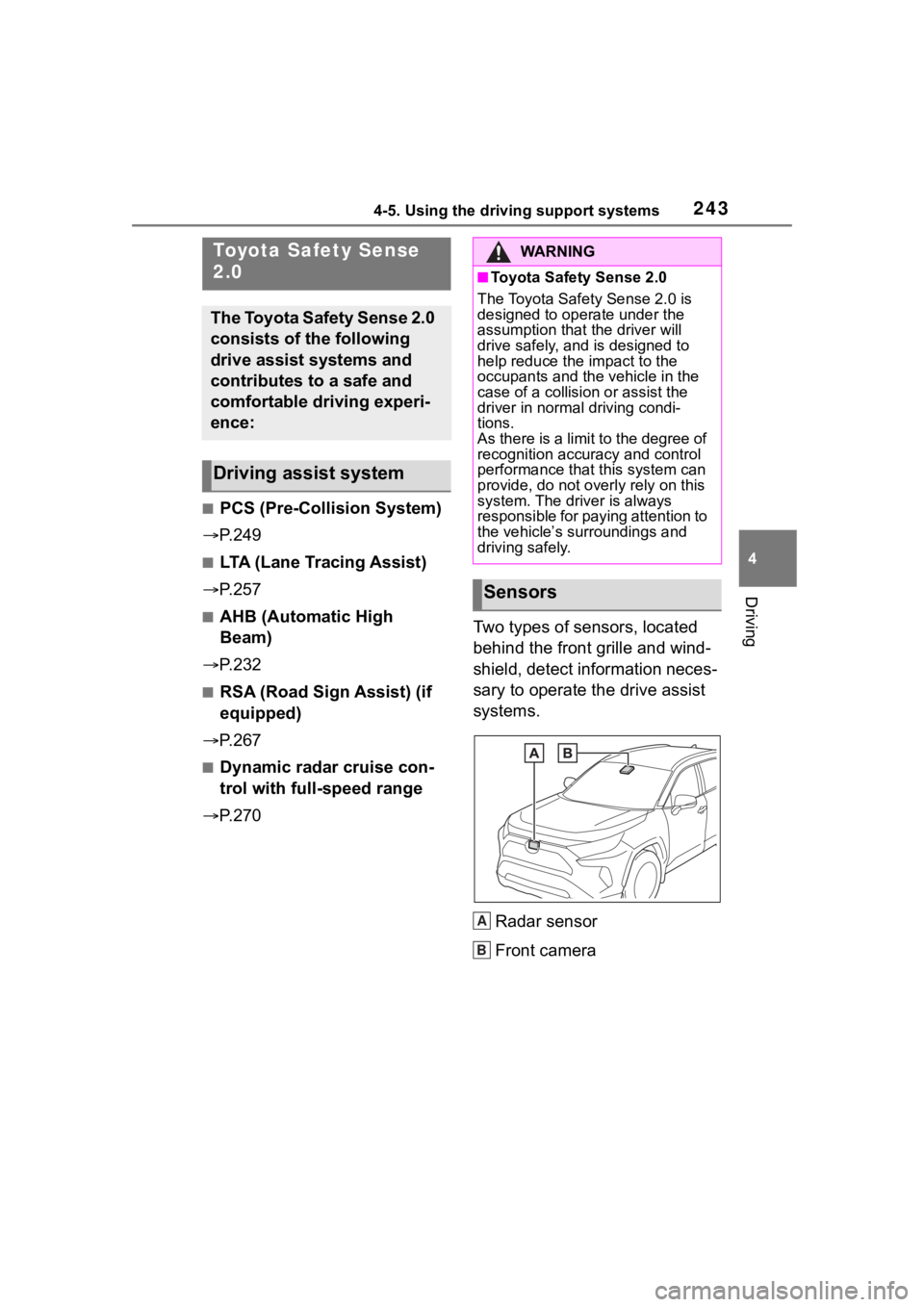
P. 2 7 0 Two types of sensors, located
behind the front grille and wind-
shield, detect information neces-
sary to operate the drive assist
systems.
Radar sensor
Front camera
Toyota Safety Sense
2.0
The Toyota Safety Sense 2.0
consists of the following
drive assist systems and
contributes to a safe and
comfortable driving experi-
ence:
Driving assist system
WA R N I N G
■Toyota Safety Sense 2.0
The Toyota Safety Sense 2.0 is
designed to operate under the
assumption that the driver will
drive safely, and is designed to
help reduce the impact to the
occupants and the vehicle in the
case of a collision or assist the
driver in normal driving condi-
tions.
As there is a limit to the degree of
recognition accuracy and control
performance that this system can
provide, do not overly rely on this
system. The driver is always
responsible for paying attention to
the vehicle’s su rroundings and
driving safely.
Sensors
A
B
Page 257 of 744
2574-5. Using the driving support systems
4
Driving
LTA (Lane Tracing
Assist)
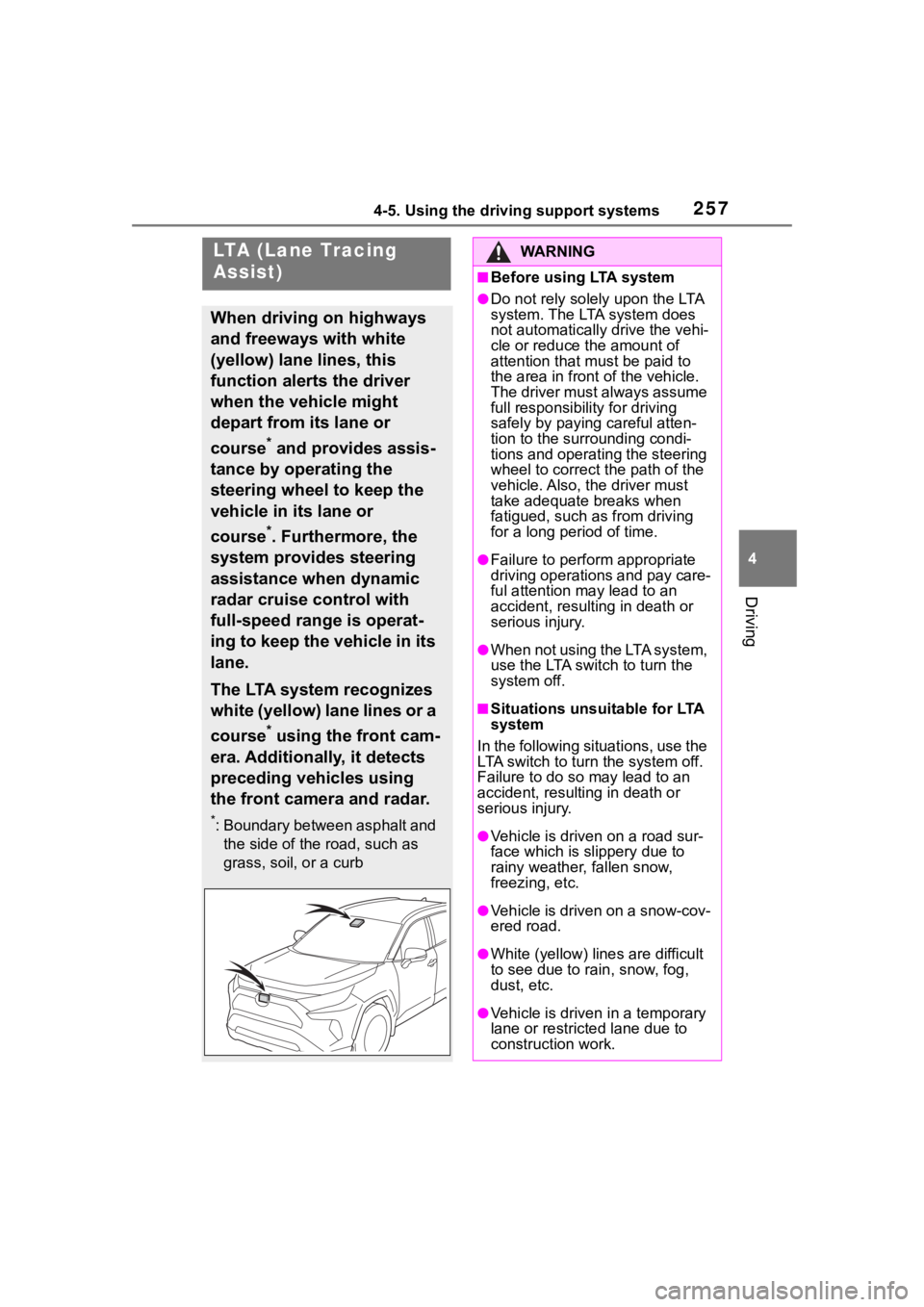
When driving on highways
and freeways with white
(yellow) lane lines, this
function alerts the driver
when the vehicle might
depart from its lane or
course
* and provides assis-
tance by operating the
steering wheel to keep the
vehicle in its lane or
course
*. Furthermore, the
system provides steering
assistance when dynamic
radar cruise control with
full-speed range is operat-
ing to keep the vehicle in its
lane.
The LTA system recognizes
white (yellow) lane lines or a
course
* using the front cam-
era. Additionally, it detects
preceding vehicles using
the front camera and radar.
*: Boundary between asphalt and the side of the road, such as
grass, soil, or a curb
WA R N I N G
■Before using LTA system
●Do not rely solely upon the LTA
system. The LTA system does
not automatically drive the vehi-
cle or reduce the amount of
attention that m ust be paid to
the area in front of the vehicle.
The driver must always assume
full responsibilit y for driving
safely by paying careful atten-
tion to the surrounding condi-
tions and operating the steering
wheel to correct the path of the
vehicle. Also, the driver must
take adequate breaks when
fatigued, such as from driving
for a long period of time.
●Failure to perform appropriate
driving operations and pay care-
ful attention may lead to an
accident, result ing in death or
serious injury.
●When not using the LTA system,
use the LTA swit ch to turn the
system off.
■Situations unsuitable for LTA
system
In the following situations, use the
LTA switch to turn the system off.
Failure to do so may lead to an
accident, resulting in death or
serious injury.
●Vehicle is driven on a road sur-
face which is slippery due to
rainy weather, fallen snow,
freezing, etc.
●Vehicle is driven on a snow-cov-
ered road.
●White (yellow) lin es are difficult
to see due to ra in, snow, fog,
dust, etc.
●Vehicle is driven in a temporary
lane or restricted lane due to
construction work.
Page 260 of 744
2604-5. Using the driving support systems
■Lane departure alert func-
tion
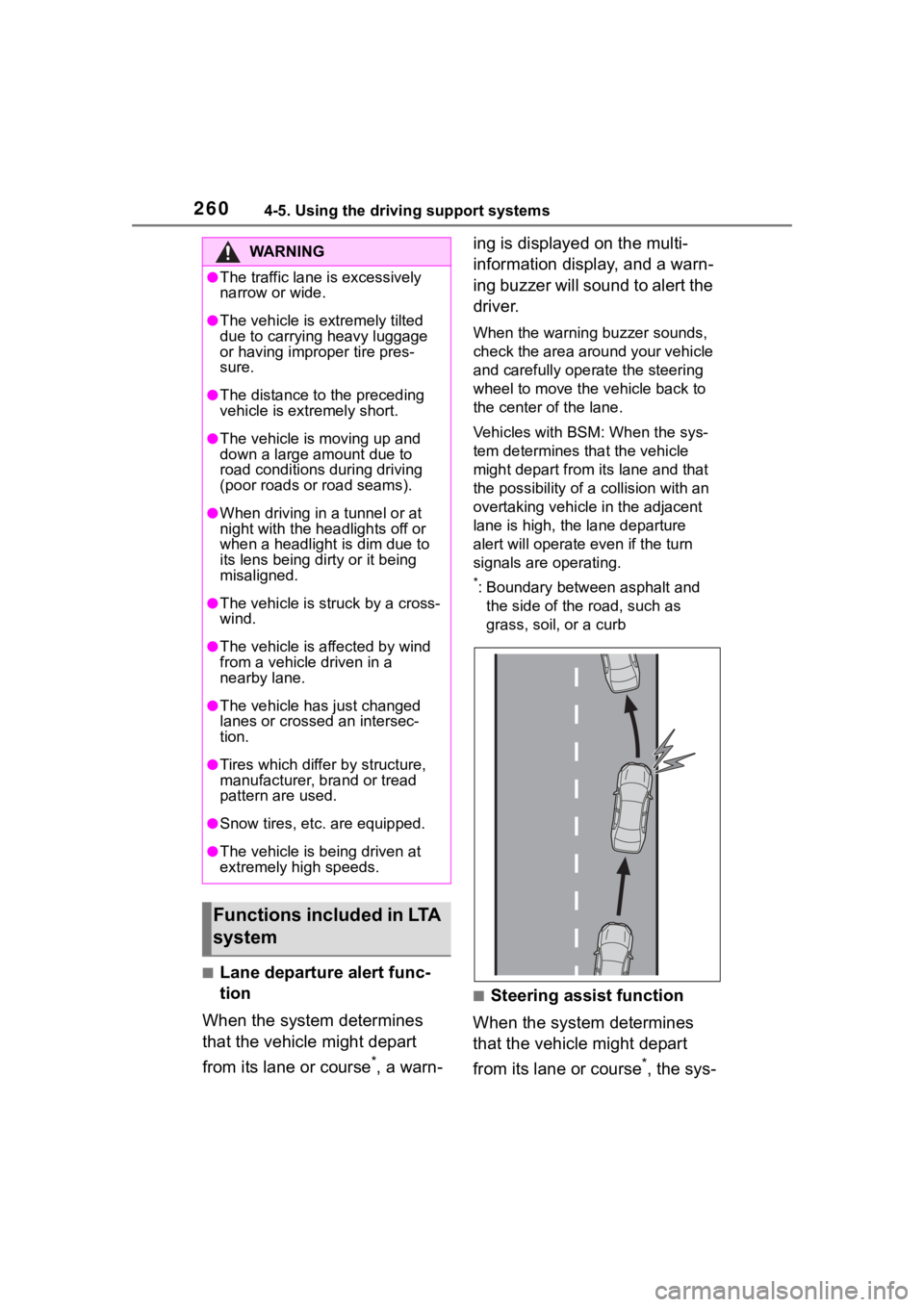
When the system determines
that the vehicle might depart
from its lane or course
*, a warn- ing is displayed on the multi-
information display, and a warn-
ing buzzer will sound to alert the
driver.
When the warning buzzer sounds,
check the area around your vehicle
and carefully operate the steering
wheel to move the vehicle back to
the center of the lane.
Vehicles with BSM: When the sys-
tem determines that the vehicle
might depart from its lane and that
the possibility of a collision with an
overtaking vehicle in the adjacent
lane is high, the lane departure
alert will operate even if the turn
signals are operating.
*: Boundary between asphalt and
the side of the road, such as
grass, soil, or a curb
■Steering assist function
When the system determines
that the vehicle might depart
from its lane or course
*, the sys-
WA R N I N G
●The traffic lane is excessively
narrow or wide.
●The vehicle is extremely tilted
due to carrying heavy luggage
or having improper tire pres-
sure.
●The distance to the preceding
vehicle is extremely short.
●The vehicle is moving up and
down a large amount due to
road conditions during driving
(poor roads or road seams).
●When driving in a tunnel or at
night with the headlights off or
when a headlight is dim due to
its lens being dirty or it being
misaligned.
●The vehicle is struck by a cross-
wind.
●The vehicle is affected by wind
from a vehicle driven in a
nearby lane.
●The vehicle has just changed
lanes or crossed an intersec-
tion.
●Tires which differ by structure,
manufacturer, b rand or tread
pattern are used.
●Snow tires, etc. are equipped.
●The vehicle is being driven at
extremely high speeds.
Functions included in LTA
system
Page 261 of 744
2614-5. Using the driving support systems
4
Driving
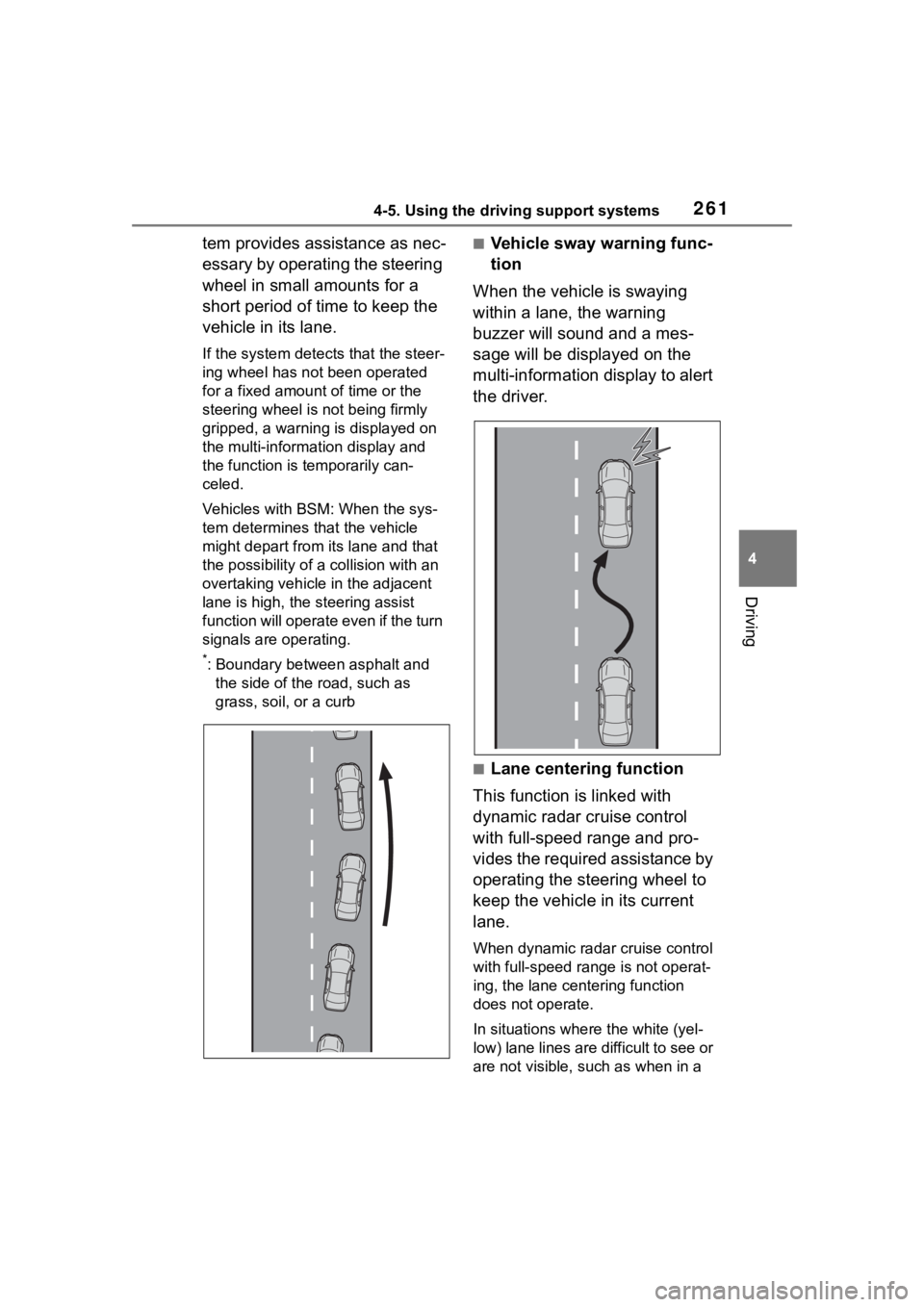
tem provides assistance as nec-
essary by operating the steering
wheel in small amounts for a
short period of time to keep the
vehicle in its lane.
If the system detects that the steer-
ing wheel has not been operated
for a fixed amount of time or the
steering wheel is not being firmly
gripped, a warning is displayed on
the multi-information display and
the function is temporarily can-
celed.
Vehicles with BSM: When the sys-
tem determines that the vehicle
might depart from its lane and that
the possibility of a collision with an
overtaking vehicle in the adjacent
lane is high, the steering assist
function will operate even if the turn
signals are operating.
*: Boundary between asphalt and the side of the road, such as
grass, soil, or a curb
■Vehicle sway warning func-
tion
When the vehicle is swaying
within a lane, the warning
buzzer will sound and a mes-
sage will be displayed on the
multi-information display to alert
the driver.
■Lane centering function
This function is linked with
dynamic radar cruise control
with full-speed range and pro-
vides the required assistance by
operating the steering wheel to
keep the vehicle in its current
lane.
When dynamic radar cruise control
with full-speed range is not operat-
ing, the lane centering function
does not operate.
In situations where the white (yel-
low) lane lines are d ifficult to see or
are not visible, such as when in a