wipers TOYOTA RAV4 HYBRID 2020 Owners Manual (in English)
[x] Cancel search | Manufacturer: TOYOTA, Model Year: 2020, Model line: RAV4 HYBRID, Model: TOYOTA RAV4 HYBRID 2020Pages: 744, PDF Size: 31.43 MB
Page 3 of 744
3TABLE OF CONTENTS
1
2
3
4
5
6
7
8
9
10
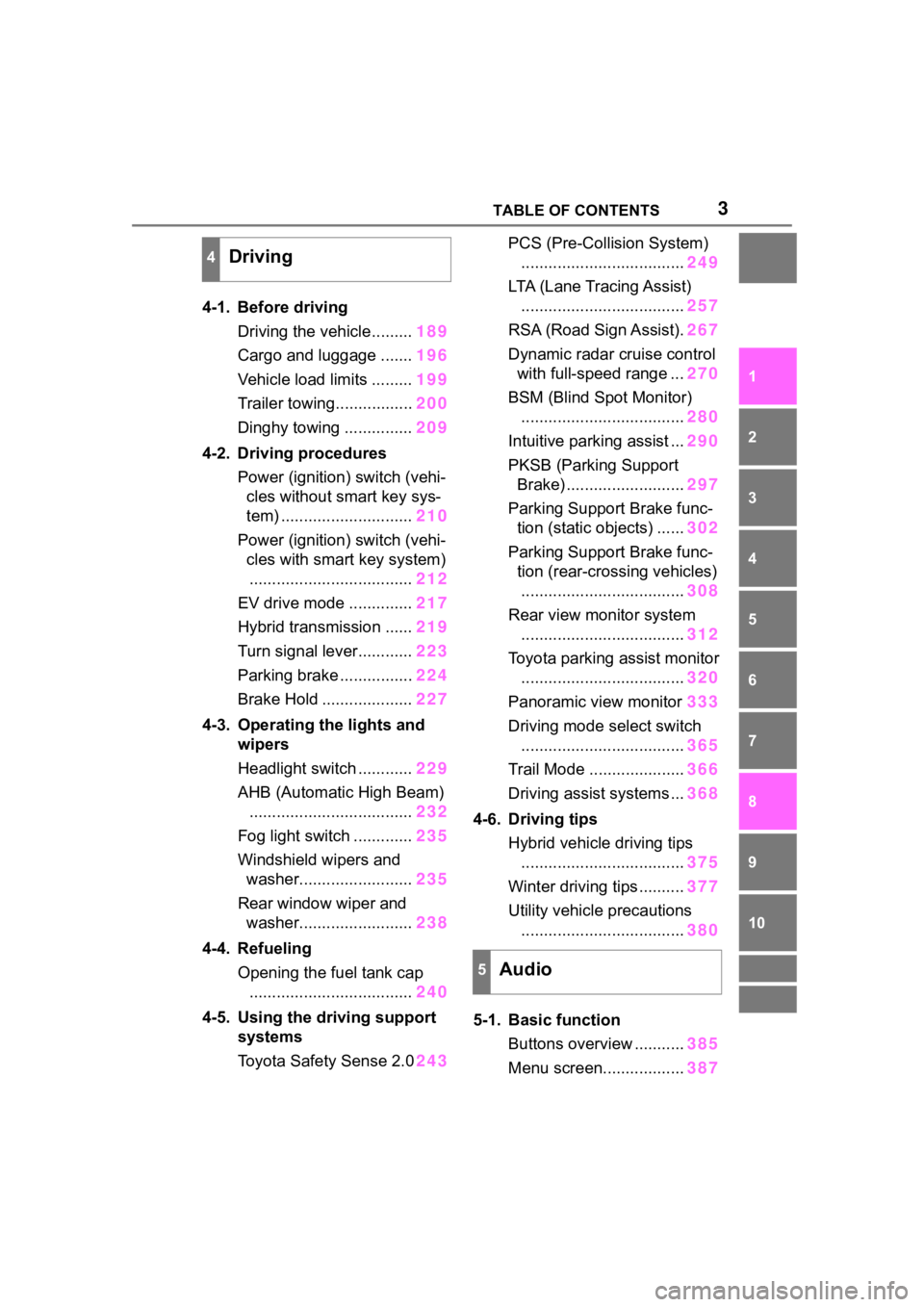
4-1. Before drivingDriving the vehicle......... 189
Cargo and luggage ....... 196
Vehicle load limits ......... 199
Trailer towing................. 200
Dinghy towing ............... 209
4-2. Driving procedures Power (ignition) switch (vehi-cles without smart key sys-
tem) ............................. 210
Power (ignition) switch (vehi- cles with smart key system).................................... 212
EV drive mode .............. 217
Hybrid transmission ...... 219
Turn signal lever............ 223
Parking brake ................ 224
Brake Hold .................... 227
4-3. Operating the lights and wipers
Headlight switch ............ 229
AHB (Automatic High Beam) .................................... 232
Fog light switch ............. 235
Windshield wipers and washer......................... 235
Rear window wiper and washer......................... 238
4-4. Refueling Opening the fuel tank cap.................................... 240
4-5. Using the driving support
systems
Toyota Safety Sense 2.0 243PCS (Pre-Collision System)
.................................... 249
LTA (Lane Tracing Assist) .................................... 257
RSA (Road Sign Assist). 267
Dynamic radar cruise control with full-speed range ... 270
BSM (Blind Spot Monitor) .................................... 280
Intuitive parking assist ... 290
PKSB (Parking Support Brake) .......................... 297
Parking Support Brake func- tion (static objects) ...... 302
Parking Support Brake func- tion (rear-crossing vehicles).................................... 308
Rear view monitor system .................................... 312
Toyota parking assist monitor .................................... 320
Panoramic view monitor 333
Driving mode s elect switch
.................................... 365
Trail Mode ..................... 366
Driving assist systems ... 368
4-6. Driving tips Hybrid vehicle driving tips.................................... 375
Winter d
riving tips .......... 377
Utility vehicle precautions .................................... 380
5-1. Basic function Buttons overview ........... 385
Menu screen.................. 387
4Driving
5Audio
Page 16 of 744
16Pictorial index
Pictorial index
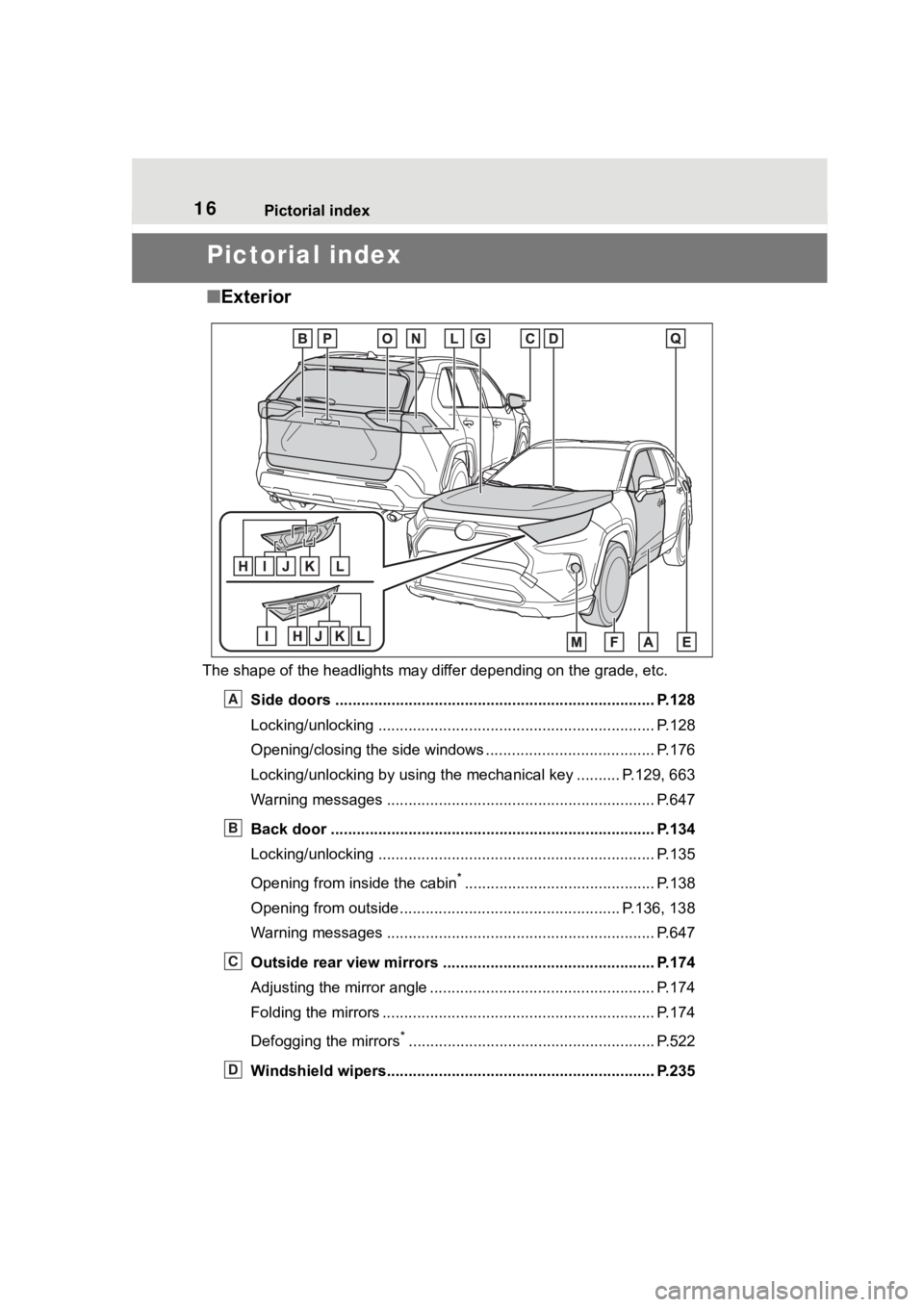
■Exterior
The shape of the headlights may differ depending on the grade, etc.
Side doors ......... ................................. ................................ P.128
Locking/unlocking .............................................. .................. P.128
Opening/closing the side windows ............................... ........ P.176
Locking/unlocking by using the mechanical key .......... P.129, 663
Warning messages ............................................... ............... P.647
Back door ...................................................... ..................... P.134
Locking/unlocking .............................................. .................. P.135
Opening from inside the cabin
*............................................ P.138
Opening from outside................................................... P.136, 138
Warning messages ............................................... ............... P.647
Outside rear view mirrors ................................................. P.174
Adjusting the mirror angle ..................................... ............... P.174
Folding the mirrors ............................................ ................... P.174
Defogging the mirrors
*......................................................... P.522
Windshield wipers.............................................. ................ P.235
A
B
C
D
Page 17 of 744
17Pictorial index
Precautions against winter season ...................................... P.377
To prevent freezing (windshield wiper de-icer)
*.................... P.525
Precautions against car wash
(Rain-sensing windshield wipers)
*....................................... P.563
Replacing the wiper insert .................................... ............... P.610
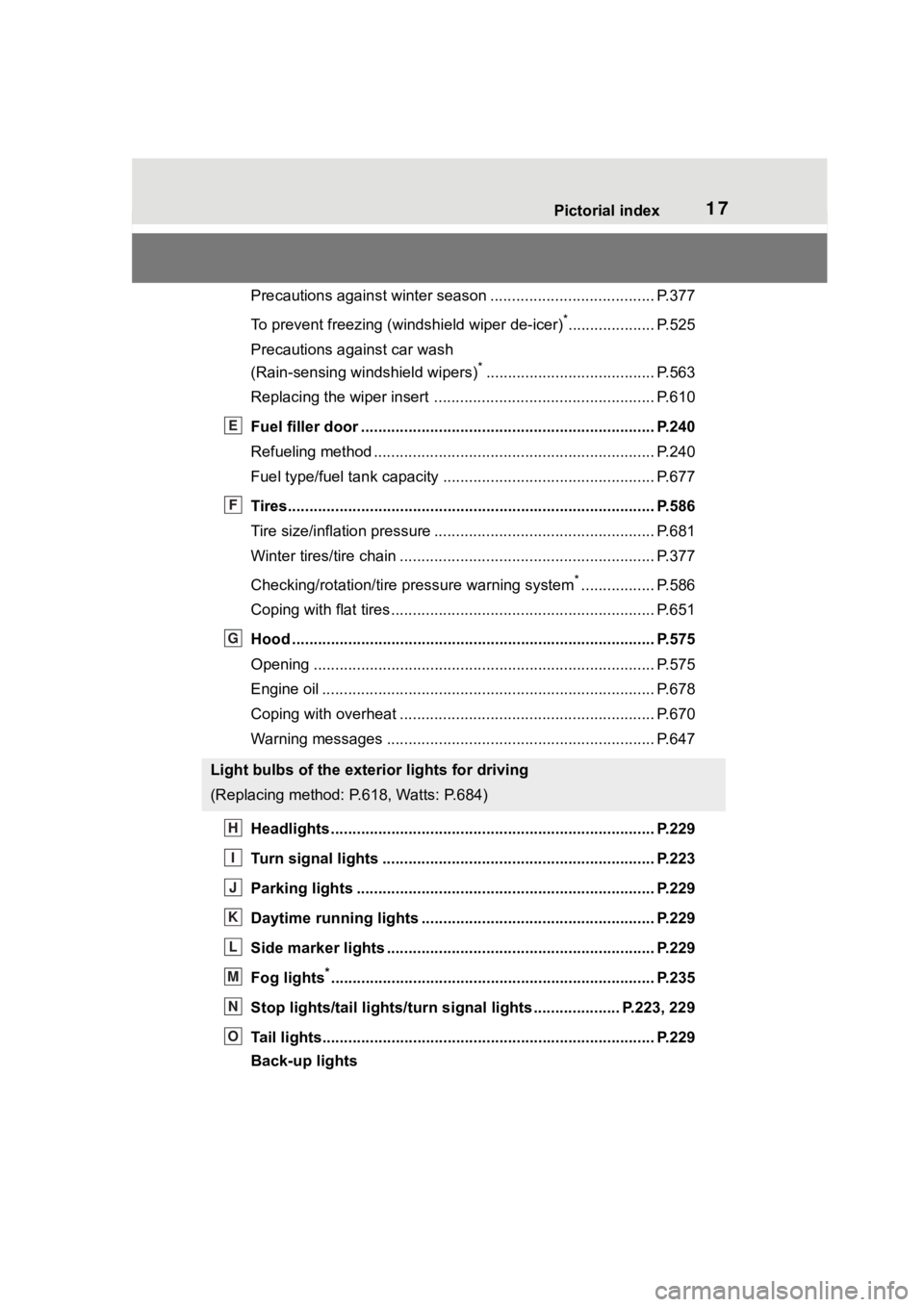
Fuel filler door ............................................... ..................... P.240
Refueling method ............................................... .................. P.240
Fuel type/fuel tan k capacity ................................... .............. P.677
Tires.......................................................... ........................... P.586
Tire size/inflation pressure ................................... ................ P.681
Winter tires/tire chain ........................................ ................... P.377
Checking/rotation/tire pressure warning system
*................. P.586
Coping with flat tires......................................... .................... P.651
Hood ........................................................... ......................... P.575
Opening ............................................................................... P.575
Engine oil ..................................................... ........................ P.678
Coping with overheat ........................................... ................ P.670
Warning messages ............................................... ............... P.647
Headlights..................................................... ...................... P.229
Turn signal lights ............................................. .................. P.223
Parking lights ................................................. .................... P.229
Daytime running lights .. .................................................... P.229
Side marker lights ............................................. ................. P.229
Fog lights
*............................................................... ............ P.235
Stop lights/tail lights/turn s ignal lights .................... P.223, 229
Tail lights.................................................... ......................... P.229
Back-up lights
Light bulbs of the exterior lights for driving
(Replacing method: P.618, Watts: P.684)
E
F
G
H
I
J
K
L
M
N
O
Page 187 of 744
187
4
4
Driving
Driving
4-1. Before drivingDriving the vehicle....... 189
Cargo and luggage ..... 196
Vehicle load limits ....... 199
Trailer towing............... 200
Dinghy towing ............. 209
4-2. Driving procedures Power (ignition) switch (vehicles without smart key
system)...................... 210
Power (ignition) switch (vehicles with smart key
system)...................... 212
EV drive mode ............ 217
Hybrid transmission .... 219
Turn signal lever.......... 223
Parking brake .............. 224
Brake Hold .................. 227
4-3. Operating the lights and wipers
Headlight switch .......... 229
AHB (Automatic High Beam)........................ 232
Fog light switch ........... 235
Windshield wipers and washer....................... 235
Rear window wiper and washer....................... 238
4-4. Refueling Opening the fuel tank cap.................................. 2404-5. Using the dr
iving support
systems
Toyota Safety Sense 2.0 .................................. 243
PCS (Pre-Collision System) .................................. 249
LTA (Lane Tracing Assist) .................................. 257
RSA (Road Sign Assist) .................................. 267
Dynamic radar cruise con- trol with full-speed range
.................................. 270
BSM (Blind Spot Monitor) .................................. 280
Intuitive parking assist . 290
PKSB (Parking Support Brake) ........................ 297
Parking Support Brake func- tion (static objects) .... 302
Parking Support Brake func- tion (rear-crossing vehi-
cles) ........................... 308
Rear view monitor system .................................. 312
Toyota parking assist moni- tor .............................. 320
Panoramic view monitor .................................. 333
Driving mode select switch .................................. 365
Trail Mode ................... 366
Driving assist systems. 368
Page 229 of 744
2294-3. Operating the lights and wipers
4
Driving
4-3.Operating the lights and wipers
Operating the switch
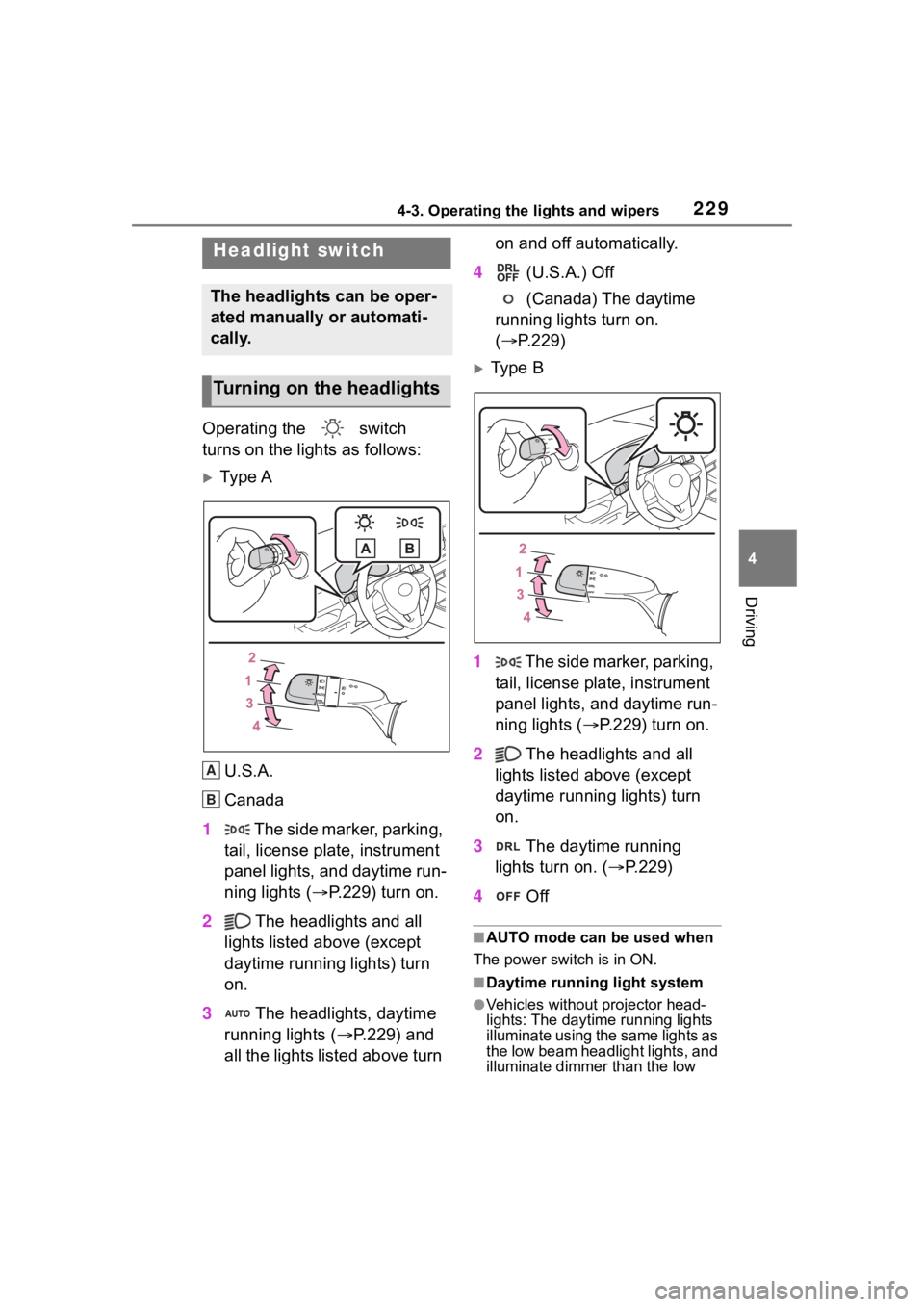
turns on the lights as follows:
Ty p e A
U.S.A.
Canada
1 The side marker, parking,
tail, license plate, instrument
panel lights, and daytime run-
ning lights ( P.229) turn on.
2 The headlights and all
lights listed above (except
daytime running lights) turn
on.
3 The headlights, daytime
running lights ( P.229) and
all the lights listed above turn on and off automatically.
4 (U.S.A.) Off
(Canada) The daytime
running lights turn on.
( P.229)
Type B
1 The side marker, parking,
tail, license plate, instrument
panel lights, and daytime run-
ning lights ( P.229) turn on.
2 The headlights and all
lights listed above (except
daytime running lights) turn
on.
3 The daytime running
lights turn on. ( P.229)
4 Off
■AUTO mode can be used when
The power switch is in ON.
■Daytime running light system
●Vehicles without projector head-
lights: The daytime running lights
illuminate using the same lights as
the low beam headlight lights, and
illuminate dimmer than the low
Headlight switch
The headlights can be oper-
ated manually or automati-
cally.
Turning on the headlights
A
B
Page 230 of 744
2304-3. Operating the lights and wipers
beam headlight lights.
●Vehicles with projector head-
lights: The daytime running lights
illuminate using the same lights as
the parking lights and illuminate
brighter than the parking lights.
●To make your vehicle more visible
to other drivers during daytime
driving, the daytime running lights
turn on automatically when all of
the following condi tions are met.
(The daytime running lights are
not designed for use at night.)
• The hybrid system is operating
• The parking brake is released
• The headlight s witch is in the
(Canada only), , or
*
position
*: When the surroundings are bright
The daytime running lights remain
on after they illumi nate, even if the
parking brake is set again.
●For the U.S.A.: Daytime running
lights can be turned off by operat-
ing the switch.
●Compared to turning on the head-
lights, the daytime running light
system offers gr eater durability
and consumes less electricity, so
it can help improve fuel economy.
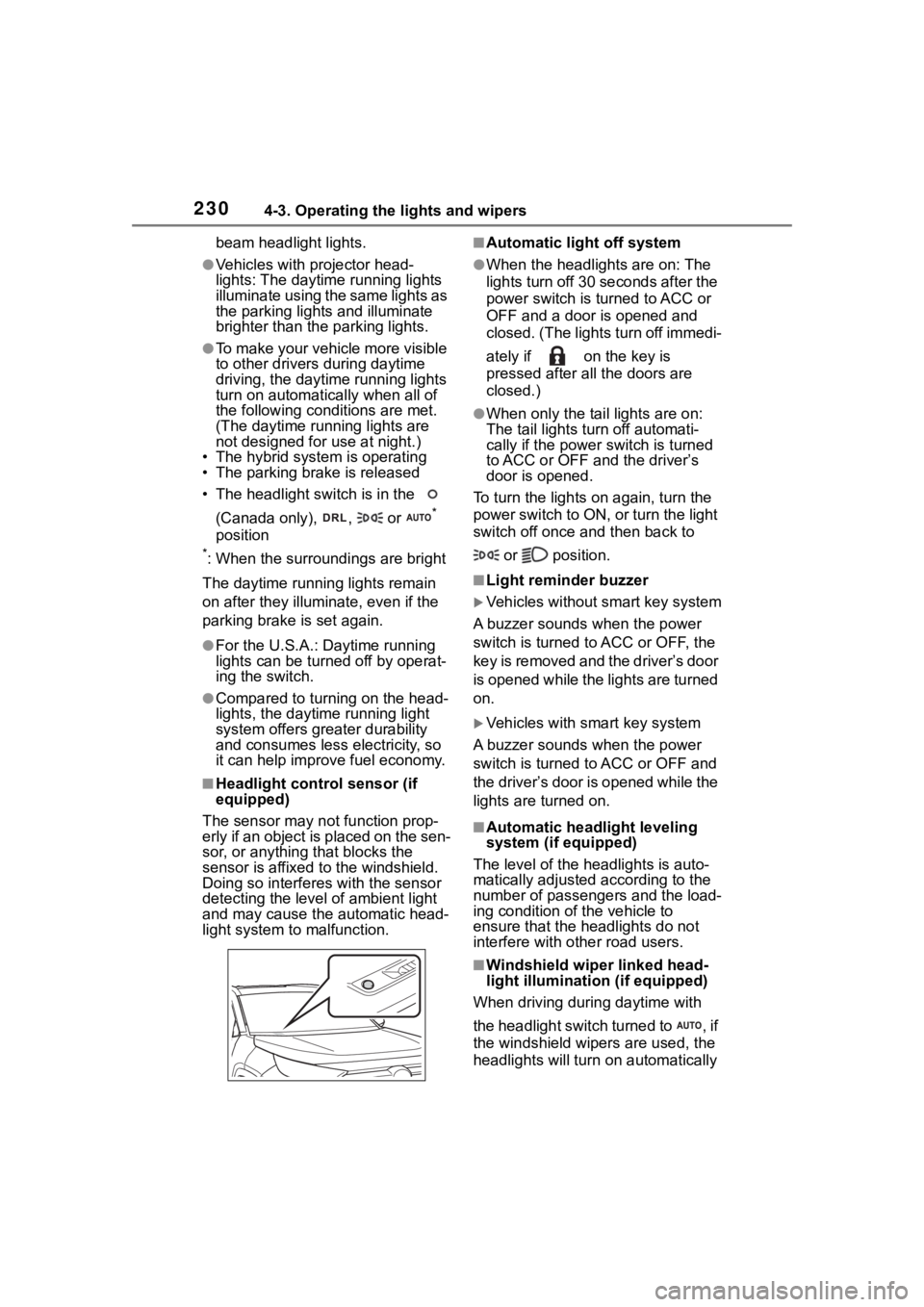
■Headlight control sensor (if
equipped)
The sensor may not function prop-
erly if an object is placed on the sen-
sor, or anything that blocks the
sensor is affixed to the windshield.
Doing so interfere s with the sensor
detecting the level of ambient light
and may cause the automatic head-
light system to malfunction.
■Automatic light off system
●When the headlights are on: The
lights turn off 30 seconds after the
power switch is turned to ACC or
OFF and a door is opened and
closed. (The lights turn off immedi-
ately if on the key is
pressed after all the doors are
closed.)
●When only the tail lights are on:
The tail lights turn off automati-
cally if the power switch is turned
to ACC or OFF and the driver’s
door is opened.
To turn the lights on again, turn the
power switch to ON, or turn the light
switch off once and then back to
or position.
■Light reminder buzzer
Vehicles without smart key system
A buzzer sounds when the power
switch is turned to ACC or OFF, the
key is removed and the driver’s door
is opened while the lights are turned
on.
Vehicles with smart key system
A buzzer sounds when the power
switch is turned to ACC or OFF and
the driver’s door is opened while the
lights are turned on.
■Automatic headlight leveling
system (if equipped)
The level of the headlights is auto-
matically adjusted according to the
number of passengers and the load-
ing condition of the vehicle to
ensure that the headlights do not
interfere with o ther road users.
■Windshield wiper linked head-
light illumination (if equipped)
When driving during daytime with
the headlight switch turned to , if
the windshield wipers are used, the
headlights will turn o n automatically
Page 231 of 744
2314-3. Operating the lights and wipers
4
Driving
after several seconds to help
enhance the visibility of your vehi-
cle.
■Battery-saving function
In order to prevent the 12-volt bat-
tery of the vehicle from discharging,
if the headlights and/or tail lights are
on when the power switch is turned
to OFF, the battery saving function
will operate and aut omatically turn
off all the lights after approximately
20 minutes.
When any of the fo llowing are per-
formed, the battery -saving function
is canceled once and then reacti-
vated. All the light s will turn off auto-
matically 20 minutes after the
battery-saving function has been
reactivated:
●When the headlight switch is oper-
ated
●When a door is opened or closed
■If “Headlight System Malfunc-
tion Visit Your Dealer” is dis-
played on the multi-information
display
The system may be malfunctioning.
Have the vehicle inspected by your
Toyota dealer.
■Customization
Settings (e.g. light sensor sensitiv-
ity) can be changed.
(Customizable features: P.703)
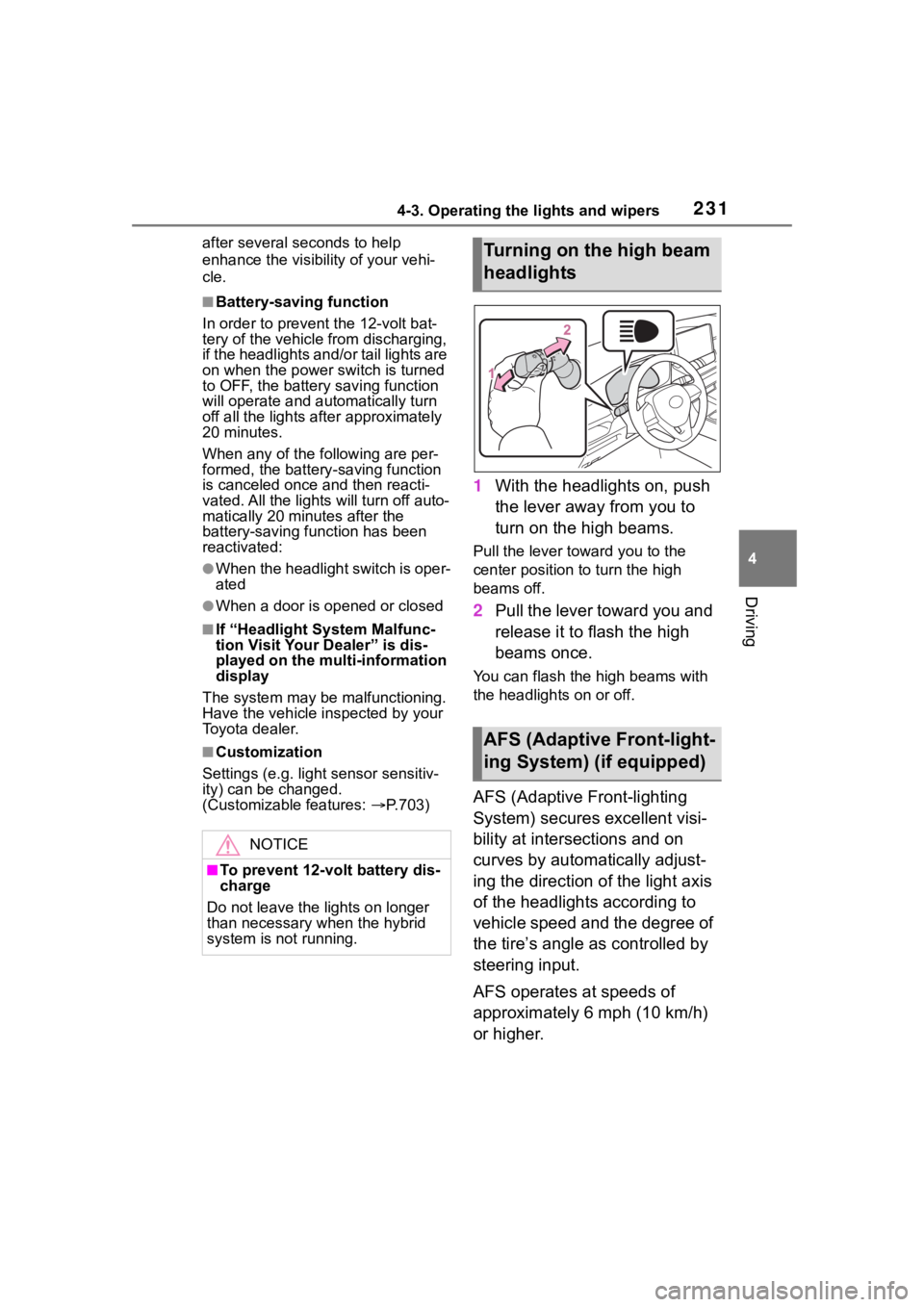
1 With the headlights on, push
the lever away from you to
turn on the high beams.
Pull the lever toward you to the
center position to turn the high
beams off.
2Pull the lever toward you and
release it to flash the high
beams once.
You can flash the high beams with
the headlights on or off.
AFS (Adaptive Front-lighting
System) secures excellent visi-
bility at intersections and on
curves by automatically adjust-
ing the direction of the light axis
of the headlights according to
vehicle speed and the degree of
the tire’s angle as controlled by
steering input.
AFS operates at speeds of
approximately 6 mph (10 km/h)
or higher.
NOTICE
■To prevent 12-vo lt battery dis-
charge
Do not leave the lights on longer
than necessary when the hybrid
system is not running.
Turning on the high beam
headlights
AFS (Adaptive Front-light-
ing System) (if equipped)
Page 232 of 744
2324-3. Operating the lights and wipers
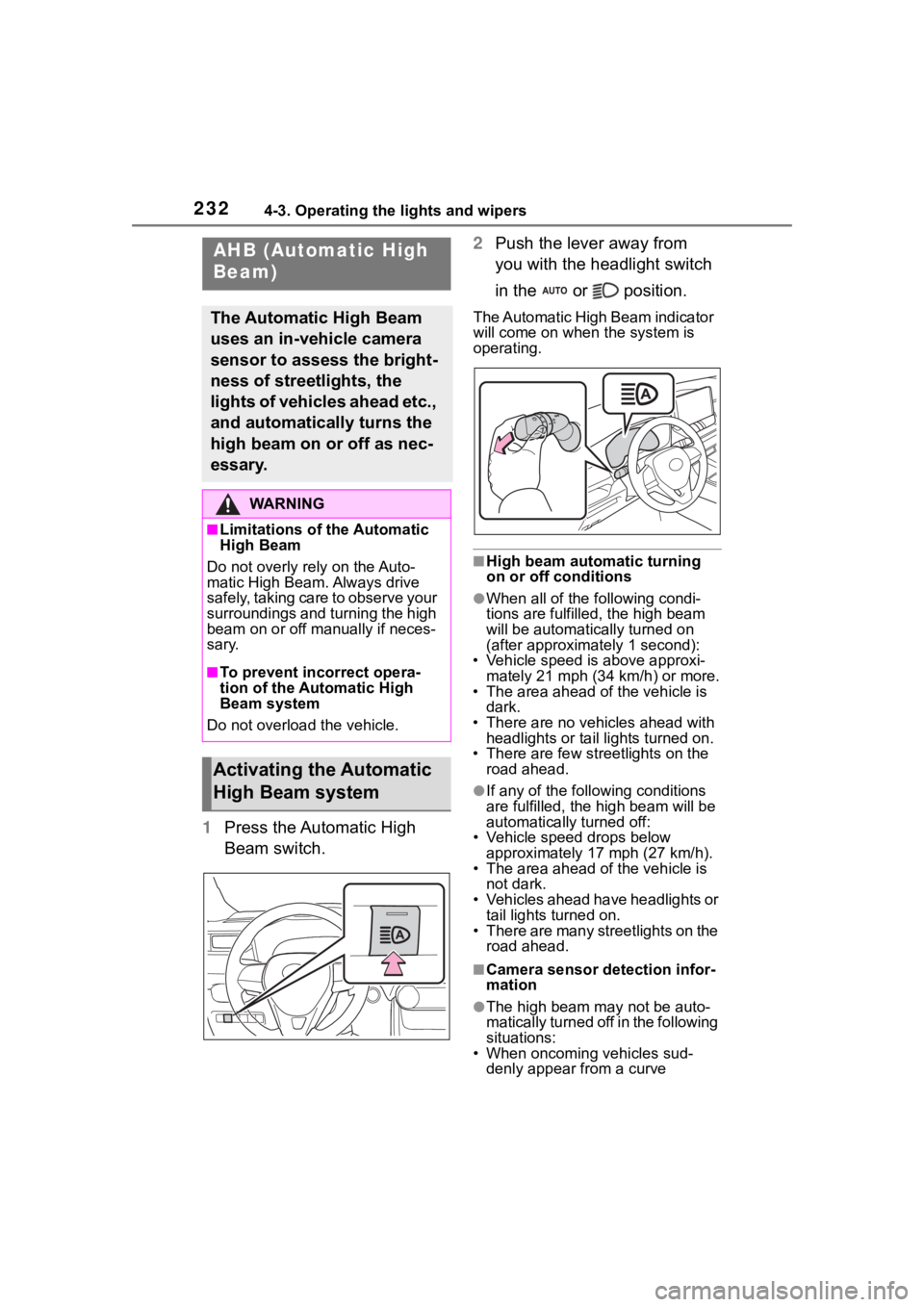
1Press the Automatic High
Beam switch. 2
Push the lever away from
you with the headlight switch
in the or position.
The Automatic High Beam indicator
will come on when the system is
operating.
■High beam automatic turning
on or off conditions
●When all of the f ollowing condi-
tions are fulfilled, the high beam
will be automatica lly turned on
(after approximately 1 second):
• Vehicle speed is above approxi-
mately 21 mph (34 km/h) or more.
• The area ahead of the vehicle is dark.
• There are no vehicles ahead with headlights or tail lights turned on.
• There are few str eetlights on the
road ahead.
●If any of the following conditions
are fulfille d, the high beam will be
automatically turned off:
• Vehicle speed drops below
approximately 17 mph (27 km/h).
• The area ahead of the vehicle is not dark.
• Vehicles ahead have headlights or tail lights turned on.
• There are many streetlights on the road ahead.
■Camera sensor detection infor-
mation
●The high beam ma y not be auto-
matically turned off in the following
situations:
• When oncoming vehicles sud-
denly appear from a curve
AHB (Automatic High
Beam)
The Automatic High Beam
uses an in-vehicle camera
sensor to assess the bright-
ness of streetlights, the
lights of vehicles ahead etc.,
and automatically turns the
high beam on or off as nec-
essary.
WA R N I N G
■Limitations of the Automatic
High Beam
Do not overly rely on the Auto-
matic High Beam. Always drive
safely, taking care to observe your
surroundings and turning the high
beam on or off manually if neces-
sary.
■To prevent incorrect opera-
tion of the Automatic High
Beam system
Do not overload the vehicle.
Activating the Automatic
High Beam system
Page 233 of 744
2334-3. Operating the lights and wipers
4
Driving
• When the vehicle is cut in front of
by another vehicle
• When vehicles ahead are hidden
from sight due to repeated curves,
road dividers or roadside trees
• When vehicles ahead appear from
the faraway lane on a wide road
• When vehicles ahead have no lights
●The high beam may be turned off
if a vehicle ahead that is using fog
lights without using the headlights
is detected.
●House lights, street lights, traffic
signals, and illumi nated billboards
or signs may cause the high beam
to switch to the low beams, or the
low beams to remain on.
●The following factors may affect
the amount of time taken to turn
the high beam on or off:
• The brightness of headlights, fog lights, and tail lig hts of vehicles
ahead
• The movement and direction of vehicles ahead
• When a vehicle ahead only has
operational lights on one side
• When a vehicle ahead is a two- wheeled vehicle
• The condition of the road (gradi-
ent, curve, condi tion of the road
surface etc.)
• The number of passengers and amount of luggage
●The high beam may be turned on
or off when the driver does not
expect it.
●Bicycles or similar objects may not
be detected.
●In the situations shown below, the
system may not be able to accu-
rately detect surrounding bright-
ness levels. This may cause the
low beams to remain on or the
high beams to cause problems for
pedestrians, vehicles ahead or
other parties. In these cases,
manually switch between the high
and low beams.
• In bad weather ( rain, snow, fog,
sandstorms, etc.) • The windshield is obscured by
fog, mist, i ce, dirt, etc.
• The windshield is cracked or dam-
aged
• The camera sensor is deformed or dirty
• When the temperature of the cam- era sensor is extremely high
• Surrounding brightness levels are
equal to those of headlights, tail
lights or fog lights
• When headlights or tail lights of
vehicles ahead are turned off,
dirty, changing color, or not aimed
properly
• When the vehicle is hit by water,
snow, dust, etc. from a preceding
vehicle
• When driving through an area of intermittently changing brightness
and darkness
• When frequently and repeatedly driving ascending/descending
roads, or roads with rough, bumpy
or uneven surfaces (such as
stone-paved roads, gravel roads,
etc.)
• When frequently and repeatedly taking curves or driving on a wind-
ing road
• There is a highly reflective object ahead of the vehicle, such as a
sign or mirror
• The back of a vehicle ahead is highly reflective, such as a con-
tainer on a truck
• The vehicle’s headlights are dam- aged or dirty, or are not aimed
properly
• The vehicle is listing or titling due to a flat tire, a trailer being towed,
etc.
• The high beam and low beam are repeatedly being switched
between in an abnormal manner
• The driver believes that the high beam may be causing problems
or distress to other drivers or
pedestrians nearby
Page 234 of 744
2344-3. Operating the lights and wipers
■If “Headlight System Malfunc-
tion Visit Your Dealer” is dis-
played on the multi-information
display
The system may be malfunctioning.
Have the vehicle inspected by your
Toyota dealer.
■Temporarily lowering sensor
sensitivity
The sensitivity of the sensor can be
temporarily lowered.
1 Turn the power switch off while
the following cond itions are met.
●The headlight switch is in or
position.
●The headlight switch lever is in
high beam position.
●Automatic High Beam switch is
on.
2 Turn the power switch to ON.
3 Within 60 seconds after step 2,
repeat pulling the headlight
switch lever to the original posi-
tion then pushing it to the high
beam position qu ickly 10 times,
then leave the lever in high beam
position.
4 If the sensitivity is changed, the
Automatic High Beam indicator
is turn on and off 3 times.
Automatic High Beam (headlights)
may turn on even w hen the vehicle
is stopped.
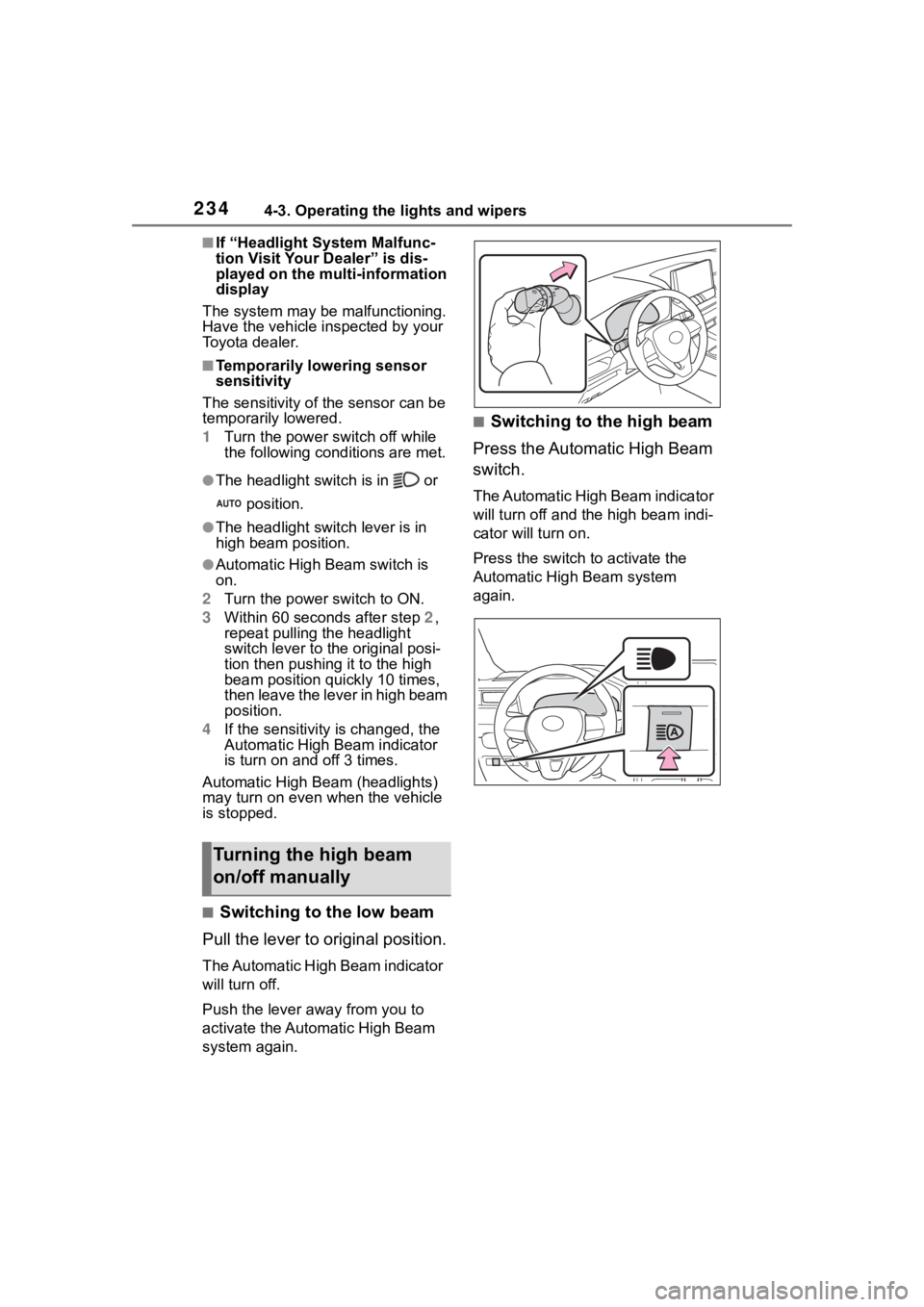
■Switching to the low beam
Pull the lever to original position.
The Automatic High Beam indicator
will turn off.
Push the lever away from you to
activate the Automatic High Beam
system again.
■Switching to the high beam
Press the Automatic High Beam
switch.
The Automatic High Beam indicator
will turn off and the high beam indi-
cator will turn on.
Press the switch to activate the
Automatic High Beam system
again.
Turning the high beam
on/off manually