suspension TOYOTA RAV4 HYBRID 2022 User Guide
[x] Cancel search | Manufacturer: TOYOTA, Model Year: 2022, Model line: RAV4 HYBRID, Model: TOYOTA RAV4 HYBRID 2022Pages: 752, PDF Size: 23.11 MB
Page 327 of 752
3274-5. Using the driving support systems
4
Driving
WARNING
●Do not use the panoramic view
monitor system in the following
cases:
• On icy or slick road surfaces, or in snow
• When using tire chains or emer- gency tires
• When the front door or the back door is not clo sed completely
• On roads that are not flat or straight, such as curves or
slopes
• If the suspension has been modified or tires of a size other
than specified are installed
●In low temperatures, the screen
may darken or the image may
become faint. The image could
distort when the vehicle is mov-
ing, or you may become unable
to see the image on the screen.
Be sure to visually check all
around the vehicle both directly
and using the mirrors before
proceeding.
●If the tire sizes are changed, the
position of the guide lines dis-
played on the screen may
change.
●The camera uses a special lens.
The distances between objects
and pedestrians that appear in
the image displayed on the
screen will differ f rom the actual
distances. ( P.350)
●When an aftermarket part is
installed in the display area of
the screen.
NOTICE
●In panoramic view/moving
view/see-through view, the sys-
tem combines images taken
from the front, back, left and
right side cameras into a single
image. There are limits to the
range and content that can be
displayed. Familiarize yourself
with the characteristics of the
panoramic view monitor system
before using it.
●Image clarity may decline at the
four corners of t he panoramic
view/moving view/see-through
view. However, this is not a mal-
function, as these are the
regions along the border of
each camera image where the
images are combined.
●Depending on lighting condi-
tions near each of the cameras,
bright and dark patches may
appear on the panoramic
view/moving view/see-through
view.
●The panoramic view/moving
view/see-through view display
does not extend higher than the
installation pos ition and image
capture range o f each camera.
●There are blind spots around
the vehicle. Accordingly, there
are regions not displayed in
panoramic view.
●Three-dimensional objects dis-
played in wide fr ont view, rear
view, wide rear view or side
view may not be displayed in
panoramic view/moving
view/see-through view.
Page 366 of 752
3664-5. Using the driving support systems
WARNING
■When the TRAC/VSC/Trailer
Sway Control systems are
turned off
Be especially careful and drive at
a speed appropriate to the road
conditions. As these are the sys-
tems to help ensure vehicle stabil-
ity and driving force, do not turn
the TRAC/VSC/Trailer Sway Con-
trol systems off unless necessary.
Trailer Sway Control is part of the
VSC system and will not operate
if VSC is turned off or experiences
a malfunction.
■Replacing tires
Make sure that all tires are of the
specified size, brand, tread pat-
tern and total load capacity. In
addition, make sure that the tires
are inflated to the recommended
tire inflation pressure level.
The ABS, TRAC, Trailer Sway
Control and VSC systems will not
function correctly if different tires
are installed on the vehicle.
Contact your Toyota dealer for
further information when replacing
tires or wheels.
■Handling of tires and the sus-
pension
Using tires with any kind of prob-
lem or modifying the suspension
will affect the driving assist sys-
tems, and may cause a system to
malfunction.
■Trailer Sway Control precau-
tion
The Trailer Sway Control system
is not able to red uce trailer sway
in all situations. Depending on
many factors such as the condi-
tions of the vehicle, trailer, road
surface and drivi ng environment,
the Trailer Sway Control system
may not be effective. Refer to
your trailer owner’s manual for
information on how to tow your
trailer properly.
■If trailer sway occurs
Observe the following precau-
tions.
Failing to do so may cause death
or serious injury.
●Firmly grip the steering wheel.
Steer straight ahead. Do not try
to control trailer sway by turning
the steering wheel.
●Begin releasing the accelerator
pedal immediately but very
gradually to reduce speed.
Do not increase speed. Do not
apply vehicle brakes.
If you make no extreme correction
with the steering or brakes, your
vehicle and traile r should stabi-
lize. ( P.194)
■Secondary Collision Brake
Do not rely solely upon the Sec-
ondary Collision Brake. This sys-
tem is designed to help reduce
the possibility of further damage
due to a secondary collision, how-
ever, that effect changes accord-
ing to various conditions. Overly
relying on the system may result
in death or serious injury.
Page 374 of 752
3744-6. Driving tips
WARNING
●When driving off-road or in rug-
ged terrain, do not drive at
excessive speeds, jump, make
sharp turns, strike objects, etc.
This may cause loss of control
or vehicle rollover causing
death or serious injury. You are
also risking expensive damage
to your vehicle’s suspension
and chassis.
NOTICE
■To prevent the water damage
Take all necessary safety mea-
sures to ensure that water dam-
age to the hybrid battery (traction
battery), hybrid s ystem or other
components does not occur.
●Water entering the engine com-
partment may cause severe
damage to the hybrid system.
Water entering the interior may
cause the hybrid battery (trac-
tion battery) stowed under the
rear seats to short circuit.
●Water entering t he hybrid trans-
mission will cause deterioration
in transmission quality. The
malfunction indicator may come
on, and the vehicle may not be
drivable.
●Water can wash the grease
from wheel bearings, causing
rusting and premature failure,
and may also enter the hybrid
transaxle case, reducing the
gear oil’s lubricating qualities.
■When you drive through
water
If driving through water, such as
when crossing shallow streams,
first check the depth of the water
and the bottom of the riverbed for
firmness. Drive slowly and avoid
deep water.
■Inspection after off-road driv-
ing
●Sand and mud that has accu-
mulated around brake discs
may affect braking efficiency
and may damage brake system
components.
●Always perform a maintenance
inspection after each day of off-
road driving that has taken you
through rough terrain, sand,
mud, or water. For scheduled
maintenance information, refer
to the “Scheduled Maintenance
Guide” or “Owner’s Manual
Supplement”.
Page 540 of 752
5406-4. Using the other interior features
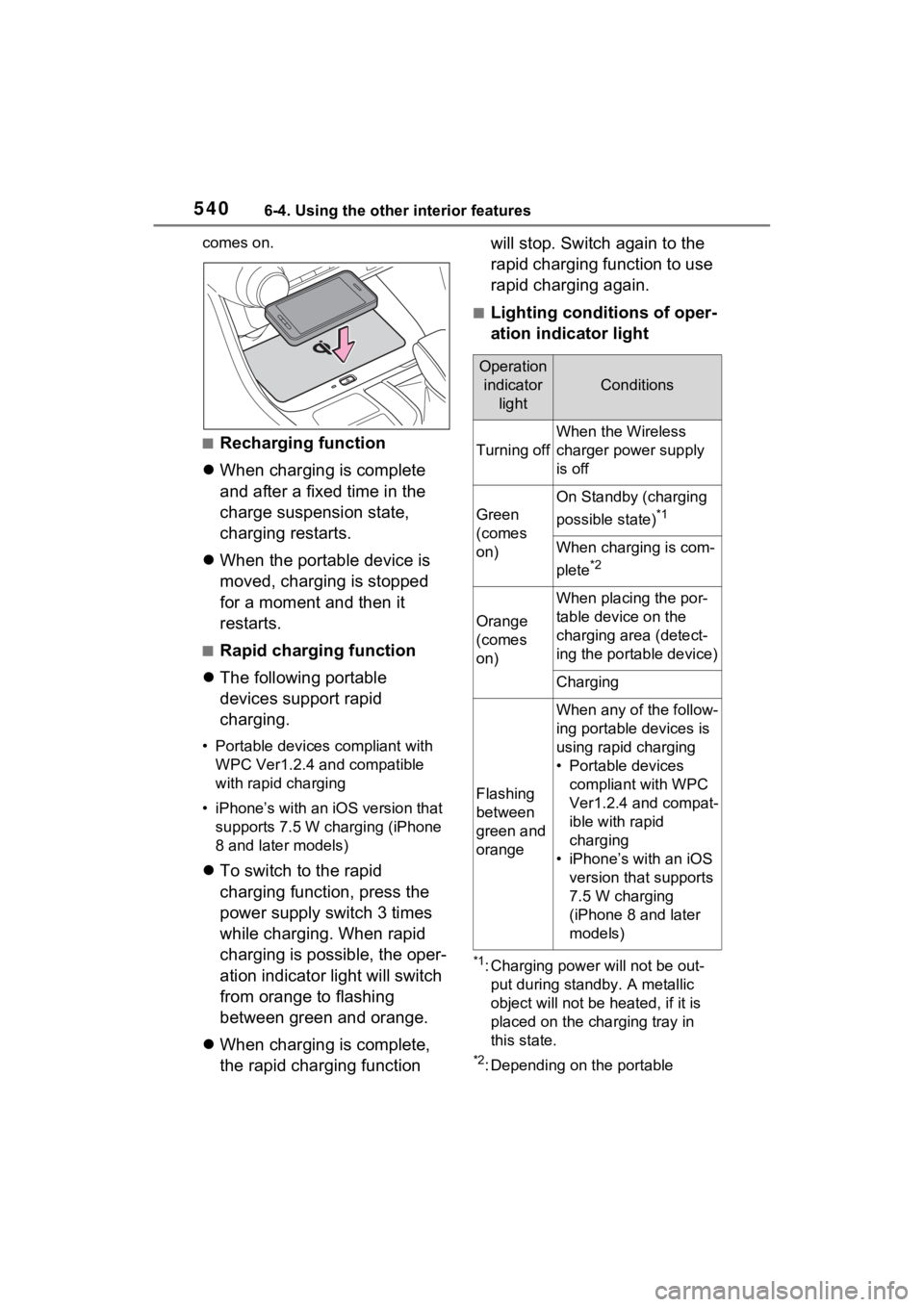
comes on.
■Recharging function
When charging is complete
and after a fixed time in the
charge suspension state,
charging restarts.
When the portable device is
moved, charging is stopped
for a moment and then it
restarts.
■Rapid charging function
The following portable
devices support rapid
charging.
• Portable devices compliant with
WPC Ver1.2.4 and compatible
with rapid charging
• iPhone’s with an iOS version that supports 7.5 W charging (iPhone
8 and later models)
To switch to the rapid
charging function, press the
power supply switch 3 times
while charging. When rapid
charging is possible, the oper-
ation indicator light will switch
from orange to flashing
between green and orange.
When charging is complete,
the rapid charging function will stop. Switch again to the
rapid charging function to use
rapid charging again.
■Lighting conditions of oper-
ation indicator light
*1: Charging power will not be out-
put during standb y. A metallic
object will not be heated, if it is
placed on the charging tray in
this state.
*2: Depending on the portable
Operation indicator light
Conditions
Turning off
When the Wireless
charger power supply
is off
Green
(comes
on)
On Standby (charging
possible state)
*1
When charging is com-
plete
*2
Orange
(comes
on)
When placing the por-
table device on the
charging area (detect-
ing the portable device)
Charging
Flashing
between
green and
orange
When any of the follow-
ing portable devices is
using rapid charging
• Portable devices compliant with WPC
Ver1.2.4 and compat-
ible with rapid
charging
• iPhone’s with an iOS version that supports
7.5 W charging
(iPhone 8 and later
models)
Page 556 of 752
5567-1. Maintenance and care
WARNING
■Precaution regarding the rear
bumper with Blind Spot Moni-
tor (if equipped)
If the paint of the rear bumper is
chipped or scratched, the system
may malfunction. If this occurs,
consult your Toyota dealer.
NOTICE
■To prevent paint deterioration
and corrosion on the body
and components (aluminum
wheels, etc.)
●Wash the vehicle immediately in
the following cases:
• After driving near the sea coast
• After driving on salted roads
• If coal tar or tre e sap is present
on the paint surface
• If dead insects, insect droppings or bird droppings are present on
the paint surface
• After driving in an area contami- nated with soot, oily smoke,
mine dust, iron powder or chem-
ical substances
• If the vehicle becomes heavily soiled with dust or mud
• If liquids such as benzene and gasoline are spilled on the paint
surface
●If the paint is chipped or
scratched, have it repaired
immediately.
●To prevent the wheels from cor-
roding, remove any dirt and
store in a place with low humid-
ity when storing the wheels.
■Cleaning the exterior lights
●Wash carefully. Do not use
organic substances or scrub
with a hard brush.
This may damage the surfaces
of the lights.
●Do not apply wax to the sur-
faces of the lights.
Wax may cause damage to the
lenses.
■When using an automatic car
wash (vehicles with rain-
sensing windshield wipers)
Set the wiper switch to off posi-
tion.
If the wiper switch is in “AUTO”,
the wipers may operate and the
wiper blades may be damaged.
■When using a high pressure
car wash
●When washing the vehicle, do
not let water from the high-pres-
sure washer directly hit the
camera or the area around the
camera. Due to the shock from
the high pressure water, it is
possible that the device may not
operate normally.
●Do not spray water directly on
the radar which is equipped
behind the emblem. Otherwise
it may cause the device to be
damaged.
●Do not bring the nozzle tip close
to boots (rubber or resin manu-
factured cover), or connectors
or the following parts.
The parts may be damaged if
they come into contact with
high-pressure water.
• Traction re lated parts
• Steering parts
• Suspension parts
• Brake parts
Page 620 of 752
6208-2. Steps to take in an emergency
The following may indicate a
problem with your transmission.
Contact your Toyota dealer or
commercial towing service
before towing.
The hybrid system warning
message is shown on the
multi-information display and
the vehicle does not move.
The vehicle makes an abnor-
mal sound.
From the front
Use a towing dolly under the
rear wheels.
WARNING
■Installing towi ng eyelets to
the vehicle (vehicles with
towing eyelets)
Make sure that towing eyelets are
installed securely. If not securely
installed, towing eyelets may
come loose during towing.
NOTICE
■To prevent damage to the
vehicle when towing using a
wheel-lift type truck
●Do not tow the vehicle from the
rear when the power switch is
off. The steering lock mecha-
nism (if equipped) is not strong
enough to hold the front wheels
straight.
●When raising the vehicle,
ensure adequate ground clear-
ance for towing at the opposite
end of the raised vehicle. With-
out adequate clearance, the
vehicle could be damaged while
being towed.
■To prevent damage to the
vehicle when towing with a
sling-type truck
Do not tow with a sling-type truck,
either from the front or rear.
■To prevent damage to the
vehicle during emergency
towing (vehicles with towing
eyelet)
Do not secure cables or chains to
the suspension components.
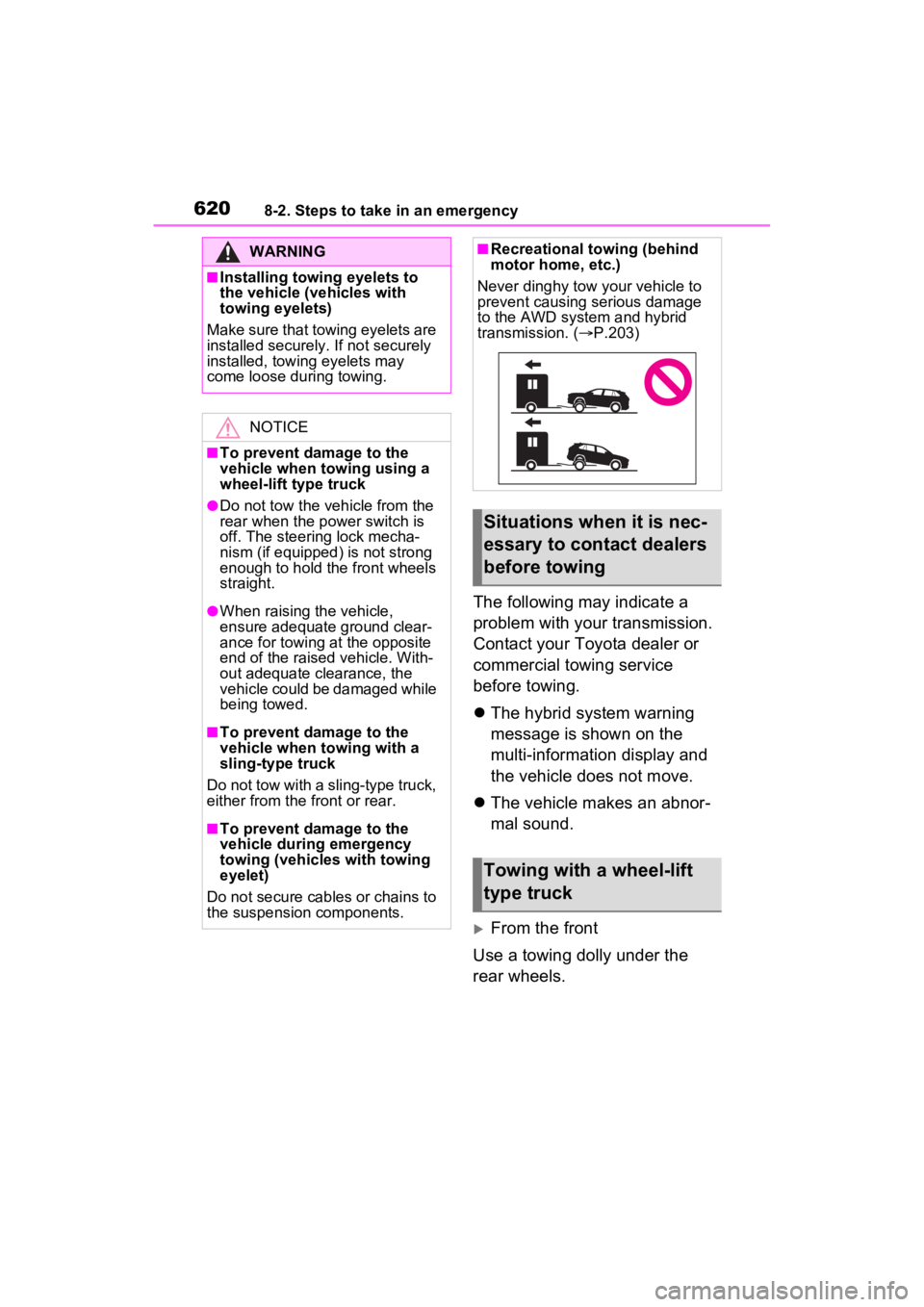
■Recreational towing (behind
motor home, etc.)
Never dinghy tow your vehicle to
prevent causing serious damage
to the AWD system and hybrid
transmission. ( P.203)
Situations when it is nec-
essary to contact dealers
before towing
Towing with a wheel-lift
type truck
Page 623 of 752
6238-2. Steps to take in an emergency
8
When trouble arises
Fluid leaks under the vehicle
(Water dripping from the air
conditioning after use is nor-
mal.)
Flat-looking tires or uneven
tire wear
Engine coolant temperature
gauge needle continually
points higher than normal.
Changes in exhaust sound
Excessive tire squeal when
cornering
Strange noises related to the
suspension system
Pinging or other noises
related to the hybrid system
Engine missing, stumbling or
running roughly
Appreciable loss of power
Vehicle pulls heavily to one side when braking
Vehicle pulls heavily to one
side when driving on a level
road
Loss of brake effectiveness,
spongy feeling, pedal almost
touches the floor
If you think something
is wrong
If you notice any of the fol-
lowing symptoms, your
vehicle probably needs
adjustment or repair. Con-
tact your Toyota dealer as
soon as possible.
Visible symptoms
Audible symptoms
Operational symptoms
Page 712 of 752

71210-1. For owners
*: Vehicles with LED projector headlights
Boulon de réglage A
Boulon de réglage B
Assurez-vous que le réservoir
de carburant du véhicule est
plein et que la partie de car-
rosserie située autour des
phares n’est pas déformée.
Garez le véhicule sur un sol
parfaitement horizontal.
Assurez-vous que la pression
AVERTISSEMENT
●Réparations ou modifications de
l’aile avant, du pare-chocs
avant ou du côté de l’habitacle
●Installation d’une protection de
calandre (barre safari, barre
kangourou, etc.), de lames de
déneigement, de treuils ou d’un
porte-bagages de toit
●Modifications du système de
suspension du véhicule
●Installation d’appareils électro-
niques tels qu’un émetteur-
récepteur radio ou un lecteur de
CD
●Modifications à votre véhicule
pour une personne aux capac-
ités physiques réduites
Headlight aim*
instructions for Cana-
dian owners (in
French)
The following is a French
explanation of headlight aim
instructions from the head-
light aim section in this
manual.
Boulons de réglage verti-
cal
Avant de vérifier la portée
des phares
A
B