alarm TOYOTA RAV4 HYBRID 2022 Owners Manual
[x] Cancel search | Manufacturer: TOYOTA, Model Year: 2022, Model line: RAV4 HYBRID, Model: TOYOTA RAV4 HYBRID 2022Pages: 752, PDF Size: 23.11 MB
Page 2 of 752
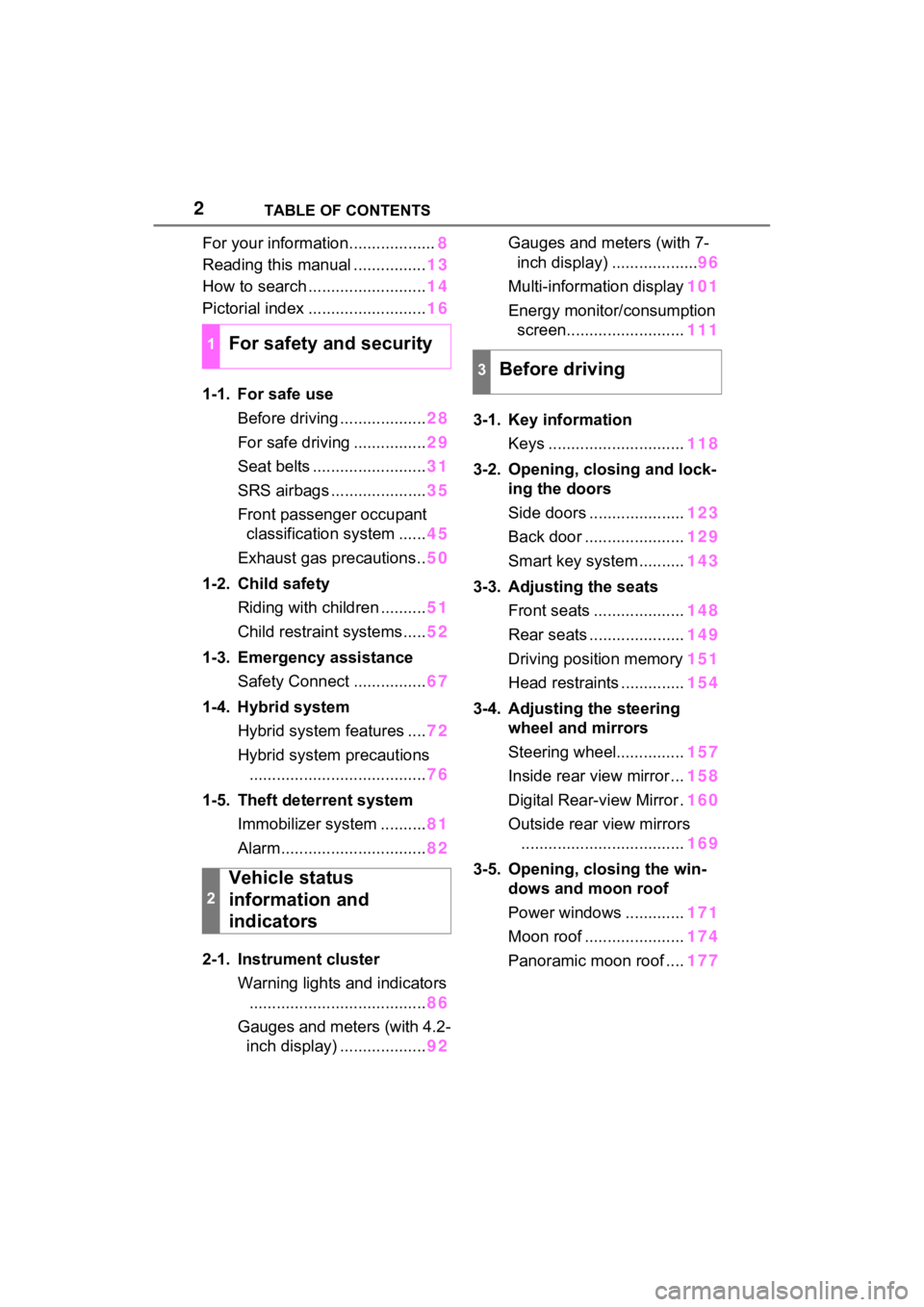
2TABLE OF CONTENTS
For your information...................8
Reading this manual ................ 13
How to search .......................... 14
Pictorial index .......................... 16
1-1. For safe use Before driving ................... 28
For safe driving ................ 29
Seat belts ......................... 31
SRS airbags ..................... 35
Front passenger occupant classification system ...... 45
Exhaust gas precautions.. 50
1-2. Child safety Riding with children .......... 51
Child restraint systems..... 52
1-3. Emergency assistance Safety Connect ................ 67
1-4. Hybrid system Hybrid system features .... 72
Hybrid system precautions ....................................... 76
1-5. Theft deterrent system Immobilizer system .......... 81
Alarm................................ 82
2-1. Instrument cluster Warning lights and indicators....................................... 86
Gauges and meters (with 4.2- inch display) ................... 92Gauges and meters (with 7-
inch display) ................... 96
Multi-information display 101
Energy monitor/ consumption
screen.......................... 111
3-1. Key information Keys .............................. 118
3-2. Opening, closing and lock- ing the doors
Side doors ..................... 123
Back door ...................... 129
Smart key system .......... 143
3-3. Adjusting the seats Front seats .................... 148
Rear seats ..................... 149
Driving position memory 151
Head restraints .............. 154
3-4. Adjusting the steering wheel and mirrors
Steering wheel............... 157
Inside rear view mirror ... 158
Digital Rear-view Mirror . 160
Outside rear view mirrors .................................... 169
3-5. Opening, closing the win- dows and moon roof
Power windows ............. 171
Moon roof ...................... 174
Panoramic moon roof .... 177
1For safety and security
2
Vehicle status
information and
indicators
3Before driving
Page 27 of 752

27
1
1
For safety and security
For safety and security
1-1. For safe useBefore driving ................. 28
For safe driving .............. 29
Seat belts ....................... 31
SRS airbags ................... 35
Front passenger occupant classification system .... 45
Exhaust gas precautions 50
1-2. Child safety Riding with children ........ 51
Child restraint systems... 52
1-3. Emergency assistance Safety Connect .............. 67
1-4. Hybrid system Hybrid system features .. 72
Hybrid system precautions ..................................... 76
1-5. Theft deterrent system Immobilizer sys tem ........81
Alarm.............................. 82
Page 82 of 752
821-5. Theft deterrent system
*: If equipped
NOTICE
■To ensure the system oper-
ates correctly
Do not modify or remove the sys-
tem. If modified or removed, the
proper operation of the system
cannot be guaranteed.
Alarm*
The alarm uses light and
sound to give an alert when
an intrusion is detected.
The alarm is triggered in the
following situations when
the alarm is set:
Vehicles without smart key
system: A locked door is
unlocked or opened in any
way other than using the
wireless remote control or
key. (The doors will lock
again automatically.)
Vehicles with smart key
system: A locked door is
unlocked or opened in any
way other than using the
entry function, wireless
remote control or mechani-
cal key. (The doors will lock
again automatically.)
For Canada: A locked door
is unlocked or opened in
any way other than using
the entry function (if
equipped) or wireless
remote control. (The doors
will lock again automati-
cally.)
The hood is opened.
Page 83 of 752
831-5. Theft deterrent system
1
For safety and security
■Items to check before lock-
ing the vehicle
To prevent unexpected trigger-
ing of the alarm and vehicle
theft, make sure of the following:
Nobody is in the vehicle.
The side windows and moon
roof (if equipped) or pan-
oramic moon roof (if
equipped) are closed before
the alarm is set.
No valuables or other per-
sonal items are left in the
vehicle.
■Setting
Close the doors and hood, and
lock all the doors. The system
will be set automatically after 30
seconds.
Except for Canada, the alarm
can also be set using the
mechanical key.
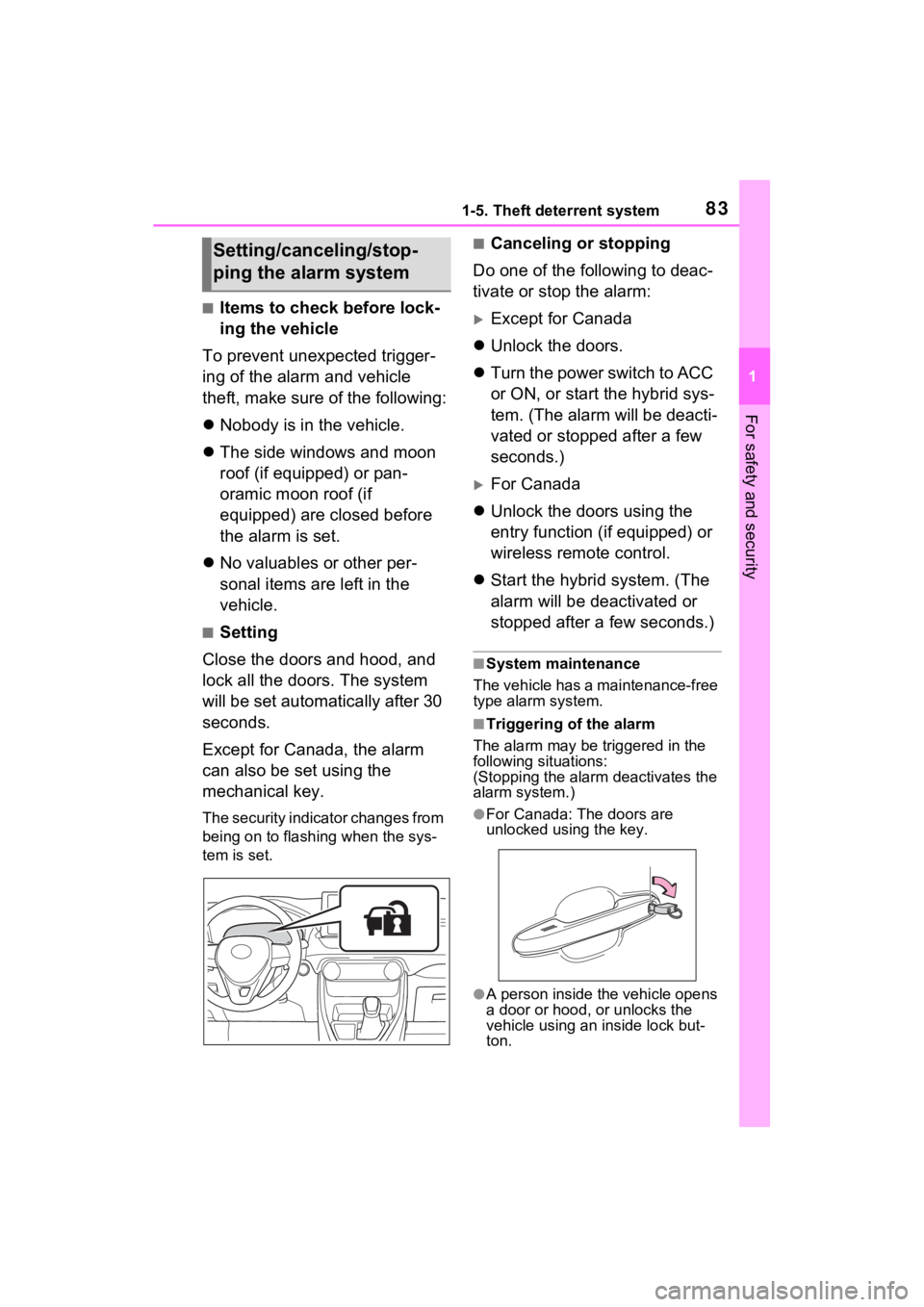
The security indicator changes from
being on to flashing when the sys-
tem is set.
■Canceling or stopping
Do one of the following to deac-
tivate or stop the alarm:
Except for Canada
Unlock the doors.
Turn the power switch to ACC
or ON, or start the hybrid sys-
tem. (The alarm will be deacti-
vated or stopped after a few
seconds.)
For Canada
Unlock the doors using the
entry function (if equipped) or
wireless remote control.
Start the hybrid system. (The
alarm will be deactivated or
stopped after a few seconds.)
■System maintenance
The vehicle has a maintenance-free
type alarm system.
■Triggering of the alarm
The alarm may be triggered in the
following situations:
(Stopping the alarm deactivates the
alarm system.)
●For Canada: The doors are
unlocked using the key.
●A person inside the vehicle opens
a door or hood, or unlocks the
vehicle using an inside lock but-
ton.
Setting/canceling/stop-
ping the alarm system
Page 84 of 752
841-5. Theft deterrent system
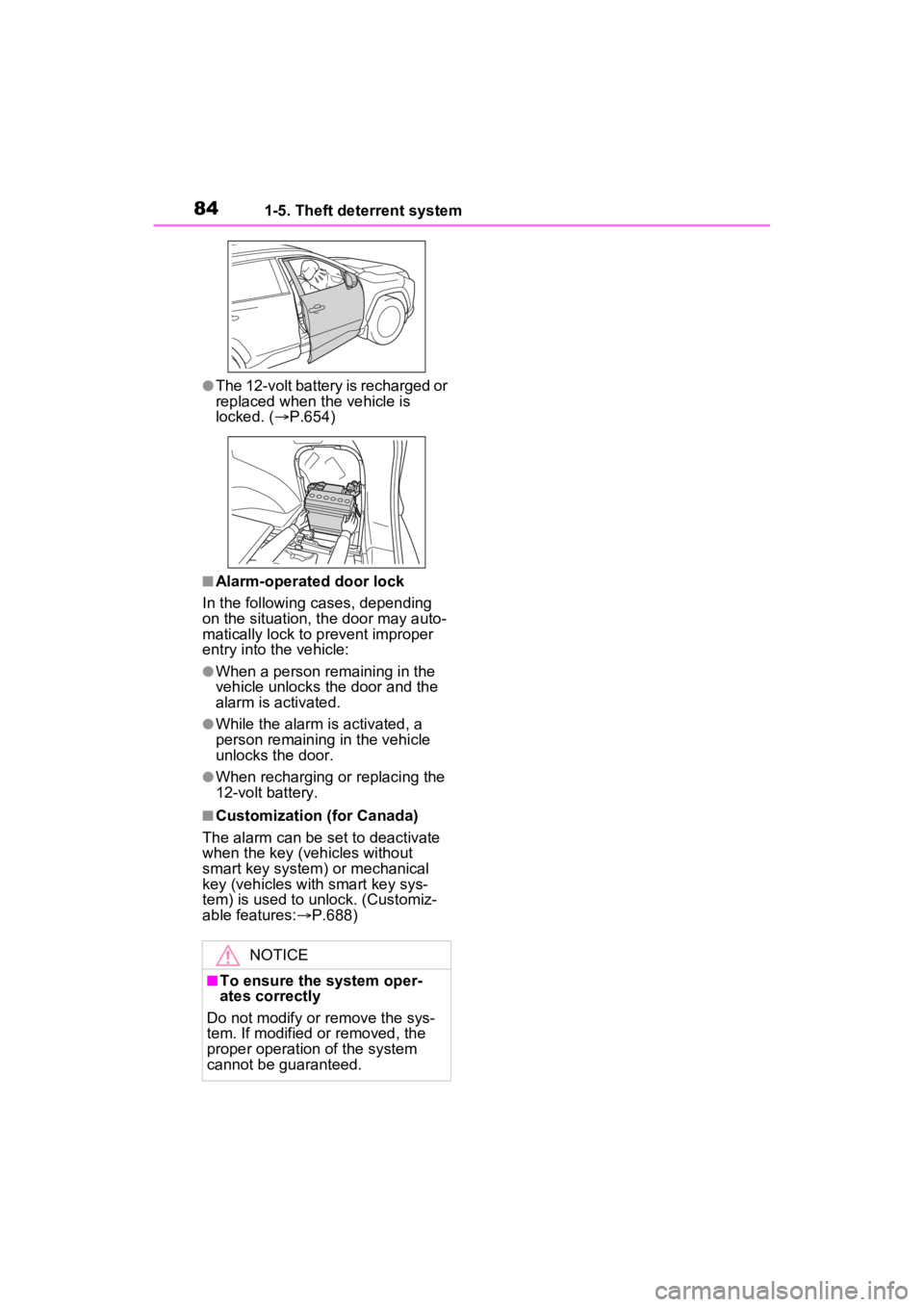
●The 12-volt battery is recharged or
replaced when the vehicle is
locked. (P.654)
■Alarm-operated door lock
In the following cases, depending
on the situation, th e door may auto-
matically lock to p revent improper
entry into the vehicle:
●When a person remaining in the
vehicle unlocks the door and the
alarm is activated.
●While the alarm is activated, a
person remaining in the vehicle
unlocks the door.
●When recharging or replacing the
12-volt battery.
■Customization (for Canada)
The alarm can be set to deactivate
when the key (vehicles without
smart key system) or mechanical
key (vehicles with smart key sys-
tem) is used to unlock. (Customiz-
able features: P.688)
NOTICE
■To ensure the system oper-
ates correctly
Do not modify or remove the sys-
tem. If modified or removed, the
proper operation of the system
cannot be guaranteed.
Page 118 of 752
1183-1. Key information
3-1.Key information
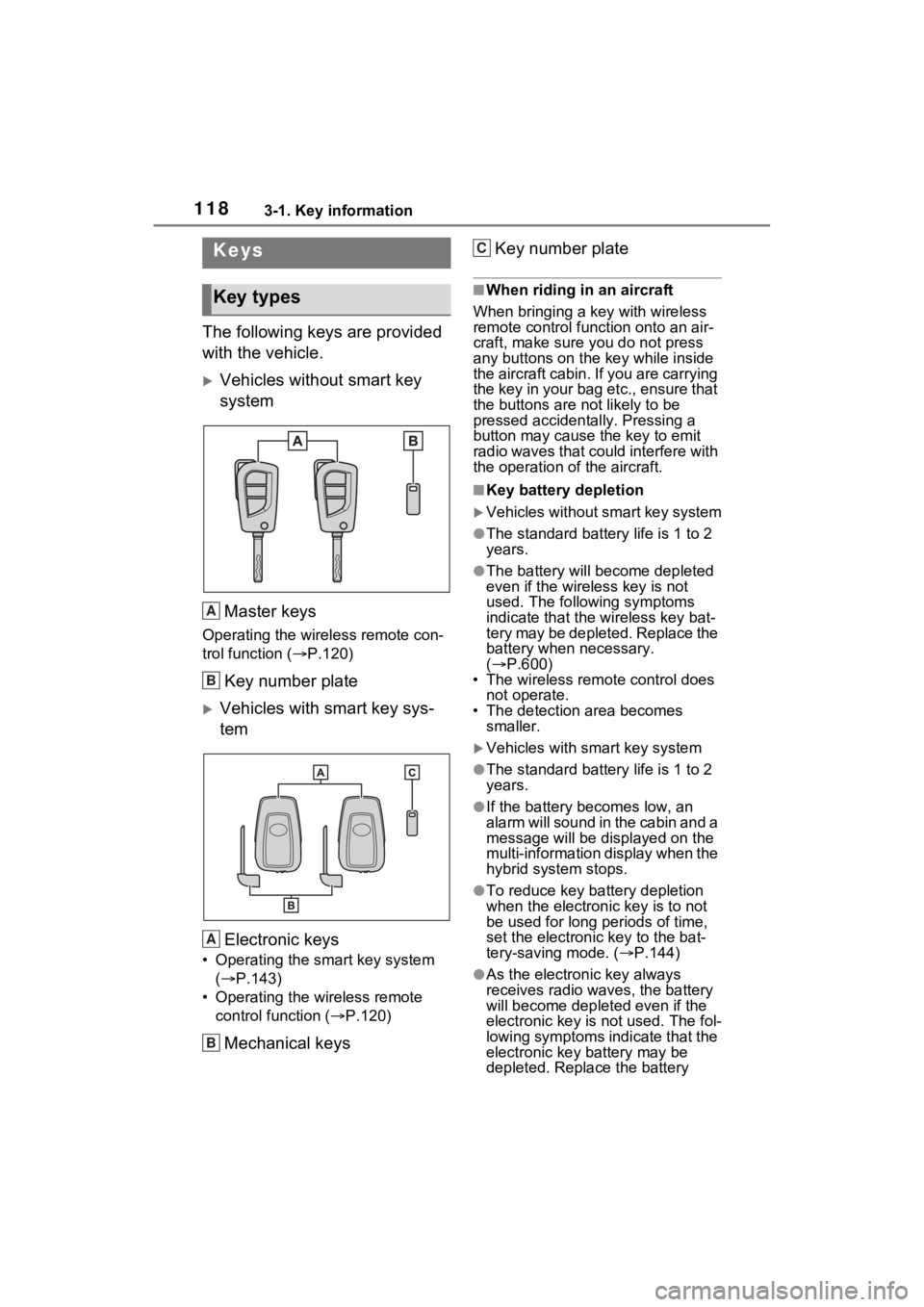
The following keys are provided
with the vehicle.
Vehicles without smart key
systemMaster keys
Operating the wireless remote con-
trol function ( P.120)
Key number plate
Vehicles with smart key sys-
tem
Electronic keys
• Operating the smart key system ( P.143)
• Operating the wireless remote control function ( P.120)
Mechanical keys Key number plate
■When riding in an aircraft
When bringing a ke y with wireless
remote control func tion onto an air-
craft, make sure you do not press
any buttons on the key while inside
the aircraft cabin. If you are carrying
the key in your bag etc., ensure that
the buttons are not likely to be
pressed accidentally. Pressing a
button may cause the key to emit
radio waves that could interfere with
the operation of the aircraft.
■Key battery depletion
Vehicles without smart key system
●The standard battery life is 1 to 2
years.
●The battery will be come depleted
even if the wireless key is not
used. The following symptoms
indicate that the wireless key bat-
tery may be depleted. Replace the
battery when necessary.
( P.600)
• The wireless remote control does not operate.
• The detection area becomes
smaller.
Vehicles with smart key system
●The standard battery life is 1 to 2
years.
●If the battery bec omes low, an
alarm will sound in the cabin and a
message will be disp layed on the
multi-information display when the
hybrid system stops.
●To reduce key battery depletion
when the electronic key is to not
be used for long periods of time,
set the electronic key to the bat-
tery-saving mode. ( P.144)
●As the electronic key always
receives radio waves, the battery
will become depleted even if the
electronic key is not used. The fol-
lowing symptoms indicate that the
electronic key battery may be
depleted. Replace the battery
Keys
Key types
A
B
A
B
C
Page 120 of 752
1203-1. Key information
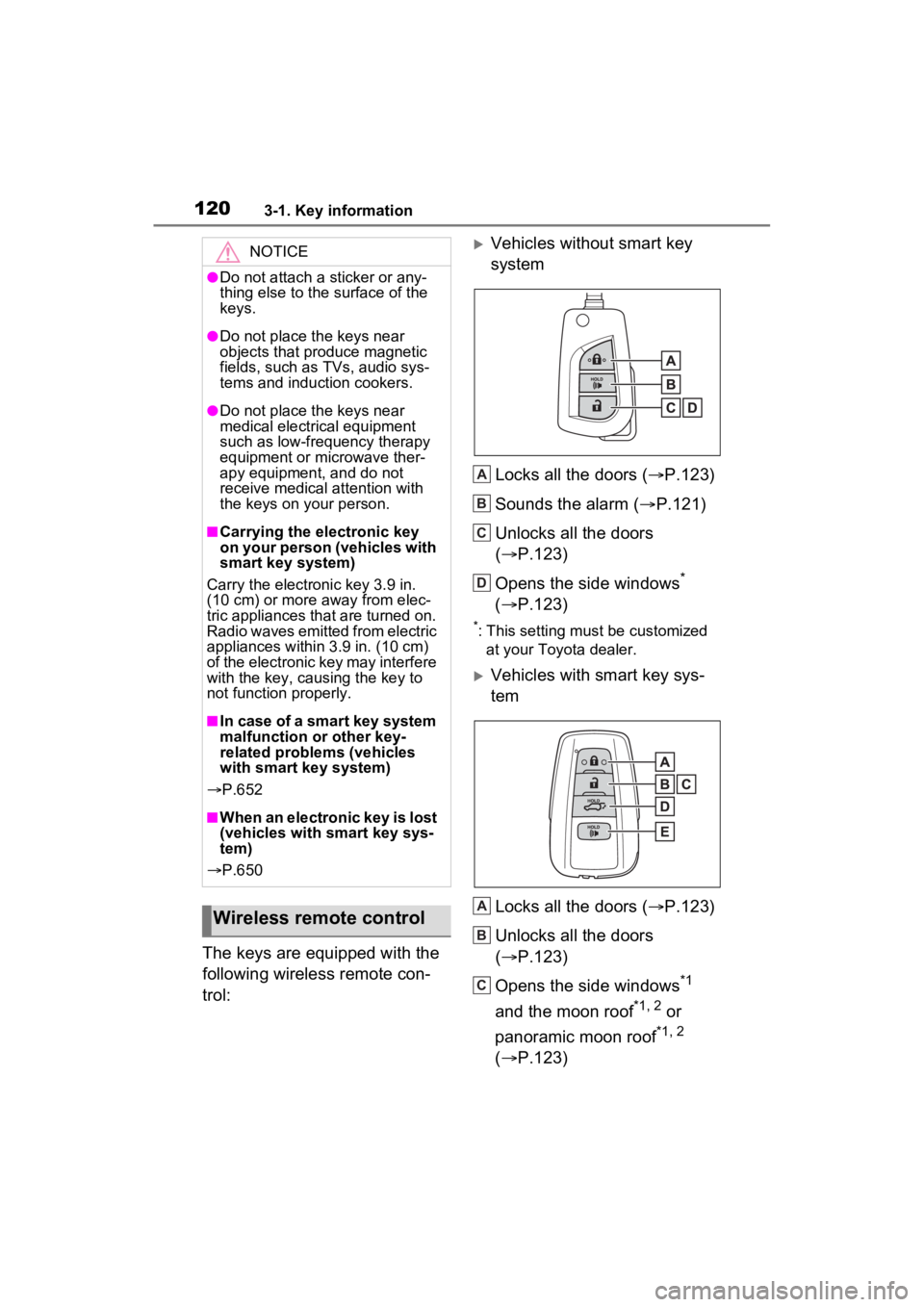
The keys are equipped with the
following wireless remote con-
trol:
Vehicles without smart key
systemLocks all the doors ( P.123)
Sounds the alarm ( P.121)
Unlocks all the doors
( P.123)
Opens the side windows
*
( P.123)
*: This setting must be customized
at your Toyota dealer.
Vehicles with smart key sys-
tem
Locks all the doors ( P.123)
Unlocks all the doors
( P.123)
Opens the side windows
*1
and the moon roof
*1, 2 or
panoramic moon roof
*1, 2
( P.123)
NOTICE
●Do not attach a sticker or any-
thing else to the surface of the
keys.
●Do not place th e keys near
objects that produce magnetic
fields, such as TVs, audio sys-
tems and induction cookers.
●Do not place th e keys near
medical electrical equipment
such as low-frequency therapy
equipment or microwave ther-
apy equipment, and do not
receive medical attention with
the keys on your person.
■Carrying the electronic key
on your person (vehicles with
smart key system)
Carry the electronic key 3.9 in.
(10 cm) or more away from elec-
tric appliances that are turned on.
Radio waves emitted from electric
appliances within 3.9 in. (10 cm)
of the electronic key may interfere
with the key, causing the key to
not function properly.
■In case of a smart key system
malfunction or other key-
related proble ms (vehicles
with smart key system)
P.652
■When an electronic key is lost
(vehicles with smart key sys-
tem)
P.650
Wireless remote control
A
B
C
D
A
B
C
Page 121 of 752
1213-1. Key information
3
Before driving
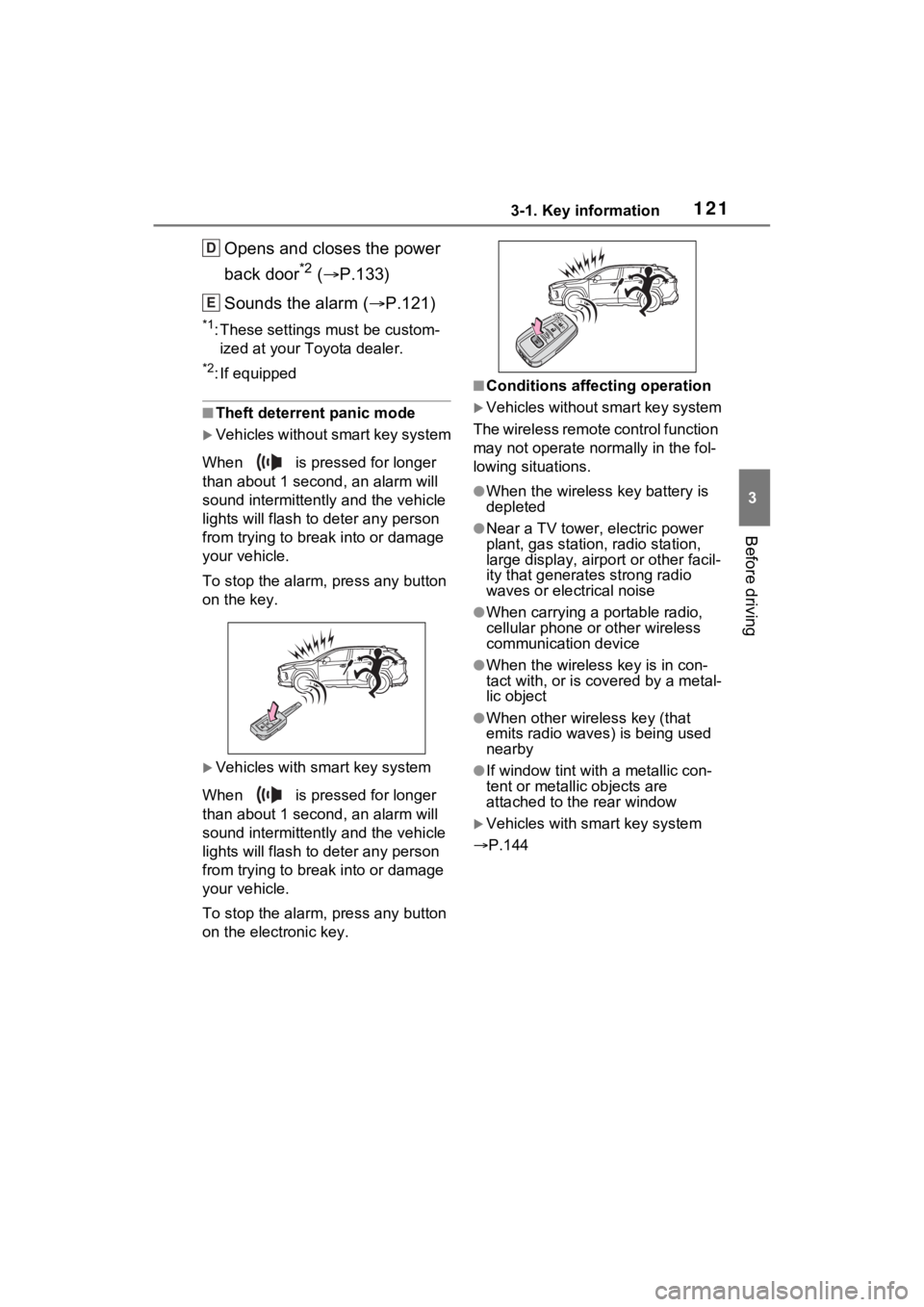
Opens and closes the power
back door
*2 ( P.133)
Sounds the alarm ( P.121)
*1: These settings must be custom-
ized at your Toyota dealer.
*2: If equipped
■Theft deterrent panic mode
Vehicles without smart key system
When is pressed for longer
than about 1 seco nd, an alarm will
sound intermittentl y and the vehicle
lights will flash to deter any person
from trying to break into or damage
your vehicle.
To stop the alarm, press any button
on the key.
Vehicles with smart key system
When is pressed for longer
than about 1 seco nd, an alarm will
sound intermittentl y and the vehicle
lights will flash to deter any person
from trying to break into or damage
your vehicle.
To stop the alarm, press any button
on the electronic key.
■Conditions affecting operation
Vehicles without smart key system
The wireless remote control function
may not operate normally in the fol-
lowing situations.
●When the wireles s key battery is
depleted
●Near a TV tower, electric power
plant, gas station, radio station,
large display, airpo rt or other facil-
ity that generates strong radio
waves or electrical noise
●When carrying a portable radio,
cellular phone or other wireless
communication device
●When the wireless key is in con-
tact with, or is c overed by a metal-
lic object
●When other wireless key (that
emits radio waves) is being used
nearby
●If window tint wit h a metallic con-
tent or metallic objects are
attached to the rear window
Vehicles with smart key system
P.144
D
E
Page 125 of 752
1253-2. Opening, closing and locking the doors
3
Before driving
Vehicles with alarm: To prevent
unintended triggering of the alarm,
unlock the doors using the wireless
remote control and open and close
a door once after t he settings have
been changed. (If a door is not
opened within 60 seconds after
is pressed, the doors will be
locked again a nd the alarm will
automatically be set.)
In a case that the alarm is triggered,
immediately stop the alarm.
( P.82)
■Operation signals
Doors: A buzzer sounds and the
emergency flashers flash to indicate
that the doors have been
locked/unlocked using the entry
function or wireless remote control.
(Locked: Once; Unlocked: Twice)
Side windows and moon roof (if
equipped) or panoramic moon roof
(if equipped): A buzzer sounds to indicate that the side windows and
moon roof or panoramic moon roof
are operating us
ing the wireless
remote control.
■Security feature
Vehicles without smart key system
If a door is not opened within
approximately 60 s econds after the
vehicle is unlocked using the wire-
less remote control, the security fea-
ture automatically locks the vehicle
again.
Vehicles with smart key system
If a door is not opened within
approximately 60 s econds after the
vehicle is unlocked using the entry
function or wireles s remote control,
the security featur e automatically
locks the vehicle again. (However,
depending on the location of the
electronic key, the key may be
detected as being in the vehicle. In
this case, vehicle may be unlocked.)
■When the door cannot be
locked by the lock sensor on
the upper part of the door han-
dle (vehicles with smart key
system)
If the door will not lock even when
the topside sensor area is touched,
try touching both the topside and
underside sensor areas at the same
time.
When gloves are being worn,
remove the gloves.
■Door lock buzzer (vehicles with
smart key system)
If an attempt to lock the doors using
the smart key system is made when
a door other than the door you are
locking is open, a buzzer sounds
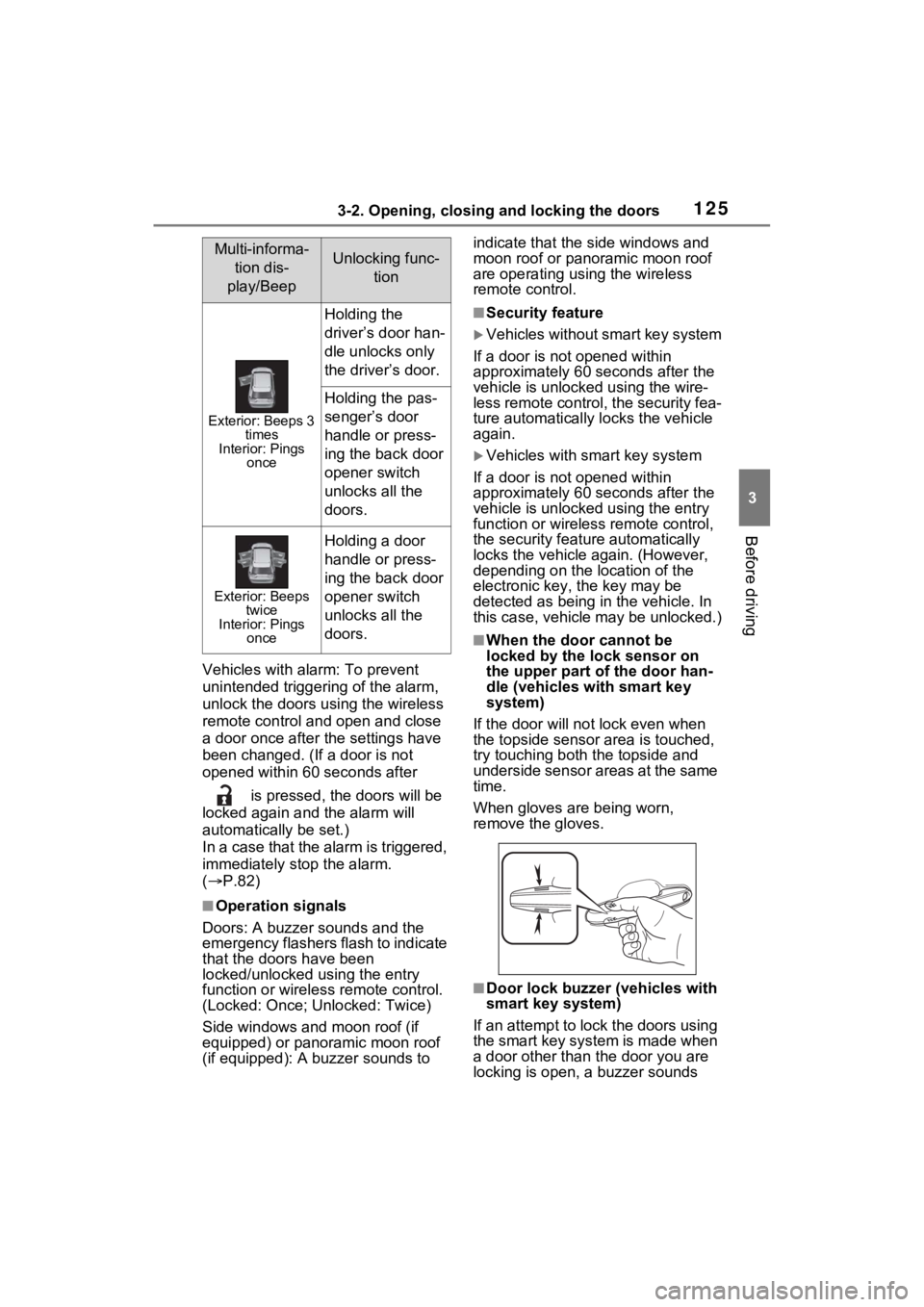
Multi-informa- tion dis-
play/BeepUnlocking func- tion
Exterior: Beeps 3 times
Interior: Pings once
Holding the
driver’s door han-
dle unlocks only
the driver’s door.
Holding the pas-
senger’s door
handle or press-
ing the back door
opener switch
unlocks all the
doors.
Exterior: Beeps twice
Interior: Pings once
Holding a door
handle or press-
ing the back door
opener switch
unlocks all the
doors.
Page 126 of 752
1263-2. Opening, closing and locking the doors
continuously for 5 seconds. Fully
close all the doors, and lock the
vehicle once more.
■Setting the alarm (if equipped)
Locking the doors will set the alarm
system. ( P.82)
■Conditions affecting the opera-
tion of the smart key system or
wireless remo te control
Vehicles without smart key system
P.121
Vehicles with smart key system
P.144
■If the smart key system (if
equipped) or the wireless
remote control does not oper-
ate properly
●Vehicles with smart key system:
Use the mechanical key to lock
and unlock the doors. ( P.652)
●Replace the key battery with a
new one if it is depleted. ( P.600)
■If the 12-volt battery is dis-
charged
The doors cannot be locked and
unlocked using the smart key sys-
tem (if equipped) or wireless remote
control. Lock or unlock the doors
using the key (vehicles without
smart key system) or mechanical
key (vehicles with smart key sys-
tem). ( P.124, 652)
■Rear seat reminder function
●In order to remind you not to for-
get luggage, etc. in the rear seat,
when the power switch is turned to
OFF after any of the following con-
ditions are met, a buzzer will
sound and a message will be dis-
played on the multi-information
display for approximately 6 sec-
onds.
• The hybrid system is started within 10 minutes after opening
and closing a rear door.
• A rear door has been opened and closed after the hybrid system was started.
However, if a rear door is opened
and then closed within approxi-
mately 2 seconds, the rear seat
reminder function may not operate.
●The rear seat reminder function
determines that luggage, etc. has
been placed in a rear seat based
on opening and closing of a rear
door. Therefore, depending on the
situation, the rear seat reminder
function may not operate and you
may still forget luggage, etc. in the
rear seat, or it may operate unnec-
essarily.
●The rear seat reminder function
can be enabled/disabled.
( P.689)
■Customization
Settings (e.g. unlocking function
using a key) can be changed.
(Customizable features: P.690)
WARNING
■To prevent an accident
Observe the following precautions
while driving the vehicle.
Failure to do so may result in a
door opening and an occupant
could be thrown out of the vehicle,
resulting in dea th or serious
injury.
●Ensure that all doors are prop-
erly closed and locked.
●Do not pull the inside handle of
the doors while driving.
Be especially careful for the
front doors, as the doors may
be opened even if the inside
lock buttons are in locked posi-
tion.
●Set the rear door child-protector
locks when children are seated
in the rear seats.