radio TOYOTA RAV4 PHEV 2021 User Guide
[x] Cancel search | Manufacturer: TOYOTA, Model Year: 2021, Model line: RAV4 PHEV, Model: TOYOTA RAV4 PHEV 2021Pages: 666, PDF Size: 161.28 MB
Page 271 of 666
269
4
4-2. Opening, closing and locking the doors
Before driving
WARNING
■Caution regarding interference
with electro nic devices
●People with implantable cardiac pacemakers, cardiac resynchroni -
zation therapy-pacemakers or
implantable cardioverter defi - brillators should maintain a reason -
able distance between themselves
and the smart entry & start system
antennas. ( →P.223) The radio waves may affect the
operation of such devices. If neces -
sary, the entry func tion can be dis- abled. Ask any authorized Toyota
retailer or Toyota authorized
repairer, or any reliable repairer for details, such as t he frequency of
radio waves and ti ming of the emit-
ted radio waves. Then, consult your doctor to see if y ou should disable
the entry function.
●User of any electrical medical
device other than implantable car -
diac pacemakers, cardiac resyn - chronization therapy-pacemakers
or implantable cardioverter defi -
brillators should consult the manu - facturer of th e device for
information about its operation
under the influence of radio waves. Radio waves could have unex -
pected effects on the operation of
such medical devices.
Ask any authorized T oyota retailer or
Toyota authorized repairer, or any reliable repairer for details for dis -
abling the entry function.
Page 288 of 666
2864-4. Adjusting the steering wheel and mirrors
SymptomLikely causeSolution
The image is dif-
ficult to see.
The mirror surface is dirty.Clean the mirror surface gently,
using a soft dry cloth.
Sunlight or headlights are shin -
ing directly into the Digital Rear-
view Mirror.
Change to optical mirror mode.
(If the light is coming through
the panoramic moon roof [if
equipped], close the electronic
sunshade.)
• The vehicle is in a dark area.
• The vehicle is near a TV
tower, broadcasting station,
electric power plant, or other
location where strong radio
waves or electrical noise may
be present.
• The temperatu re around the
camera is extremely high/low.
• The ambient temperature is
extremely low.
• It is raining or humid.
• Sunlight or headlights are
shining directly into the cam -
era lens.
• The vehicle is under fluores -
cent lights, sodium lights,
mercury lights, etc.
• Exhaust gas is obstructing the
camera.
Change to optical mirror mode.
(Change back to digital mirror
mode when the conditions have
improved.)
Foreign matters such as water
droplets or dust is on the cam-
era lens.
Wipe the camer a lens with a
damp soft cloth.
Page 362 of 666
3605-5. Using the driving support systems
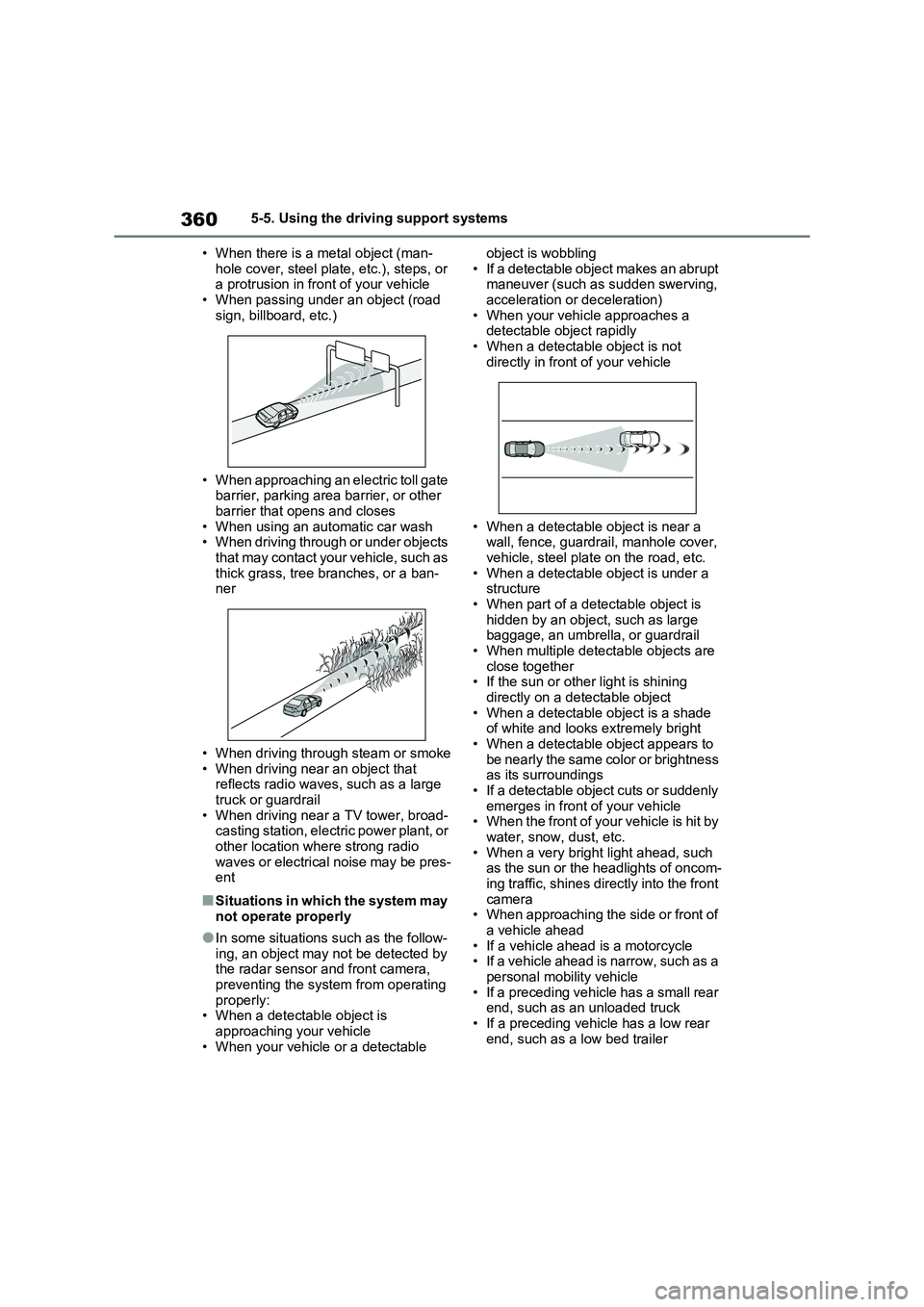
• When there is a m etal object (man-
hole cover, steel plate, etc.), steps, or a protrusion in front of your vehicle
• When passing under an object (road
sign, billboard, etc.)
• When approaching an electric toll gate
barrier, parking area barrier, or other barrier that opens and closes
• When using an automatic car wash
• When driving through or under objects that may contact your vehicle, such as
thick grass, tree branches, or a ban-
ner
• When driving through steam or smoke
• When driving near an object that reflects radio waves, such as a large
truck or guardrail
• When driving near a TV tower, broad - casting station, electric power plant, or
other location where strong radio
waves or electrical noise may be pres - ent
■Situations in which the system may
not operate properly
●In some situations such as the follow-
ing, an object may not be detected by
the radar sensor and front camera,
preventing the syst em from operating properly:
• When a detectab le object is
approaching your vehicle • When your vehicle or a detectable
object is wobbling
• If a detectable object makes an abrupt maneuver (such as sudden swerving,
acceleration or deceleration)
• When your vehicle approaches a detectable object rapidly
• When a detectabl e object is not
directly in front of your vehicle
• When a detectable object is near a
wall, fence, guardrail, manhole cover, vehicle, steel plate on the road, etc.
• When a detectable object is under a
structure • When part of a detectable object is
hidden by an object, such as large
baggage, an umbrella, or guardrail • When multiple detectable objects are
close together
• If the sun or othe r light is shining directly on a de tectable object
• When a detectable object is a shade
of white and looks extremely bright • When a detectable object appears to
be nearly the same color or brightness
as its surroundings • If a detectable object cuts or suddenly
emerges in front of your vehicle
• When the front of your vehicle is hit by water, snow, dust, etc.
• When a very brigh t light ahead, such
as the sun or the headlights of oncom - ing traffic, shines directly into the front
camera
• When approaching the side or front of a vehicle ahead
• If a vehicle ahea d is a motorcycle
• If a vehicle ahead is narrow, such as a
personal mobility vehicle • If a preceding vehicle has a small rear
end, such as an unloaded truck
• If a preceding vehicle has a low rear end, such as a low bed trailer
Page 484 of 666
4826-4. Using the other interior features
• Repeatedly flashes 4 times con-
tinuously (Orange)
■The wireless charger can be oper -
ated when
The power switch is in ACC or ON.
■Usable portable devices
Qi standard wireless charge standard
can be used on compatible devices. However, not all Qi standard devices
and compatibility are guaranteed.
Starting with mobile phones and smartphones, it is aimed for low power
electrically supplie d portable devices of
no more than 5W.
■When covers and accessories are attached to portable devices
Do not charge in situations where cover
and accessories not able to handle Qi are attached to the portable device.
Depending on the type of cover and
accessory, it may n ot be possible to charge. When charging is not performed
even with the portable device placed on
the charge area, remove the cover and
accessories.
■While charging, noise enters the AM radio
Turn off the wireless charger and con -
firm that the noise has decreased. If the noise decreases, continuously pushing
the power supply switch of the wireless
charger for 2 seconds, the frequency of the charger can be changed and the
noise can be reduced.Also, on that
occasion, the operation indicator light will flash orange 2 times.
■Important points of the wireless
charger
●If the electronic key cannot be
detected withi n the vehicle interior,
charging cannot b e done. When the door is opened and closed, charging
may be temporarily suspended.
●When charging, the wireless charging
device and portable device will get
warmer, however this is not a mal - function.
When a portable device gets warm
while charging, c harging may stop due to the protecti on function on the
portable device side. In this case,
when the temperature of the portable device drops significantly, charge
again.
●Depending on usage of the portable
device, it may not be fully charged.
This is not a malfunction.
●When using a mobile phone near a
wireless charger, the call sensitivity and communication speed may be
reduced.
■Operation sounds
When the power supply is turned on, wh ile s e ar c hing fo r th e por t ab le de v ic e a
sound will be produced, however this is
not a malfunction.
■Cleaning the wireless charger
→ P.492
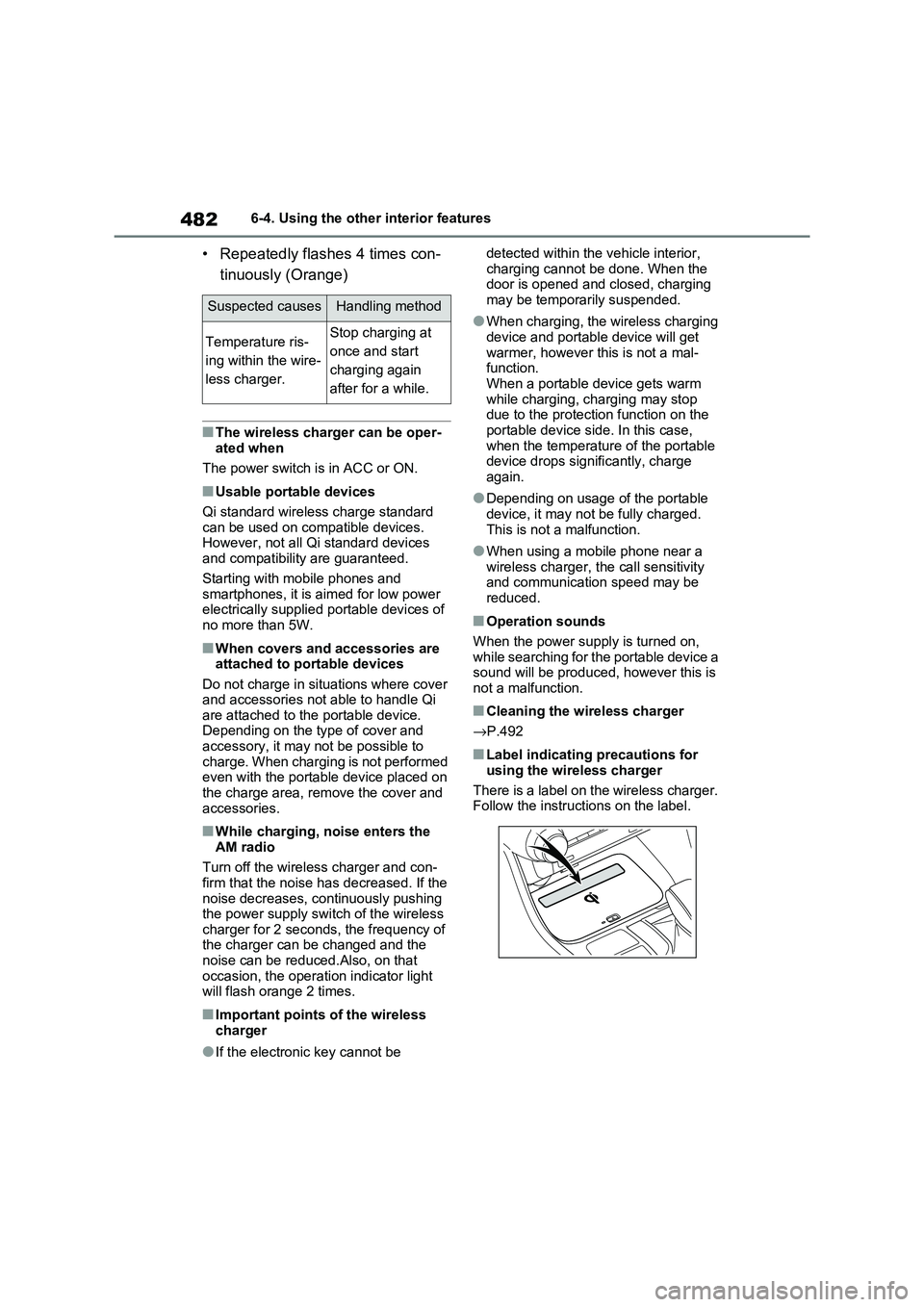
■Label indicating precautions for
using the wireless charger
There is a label on the wireless charger. Follow the instructions on the label.
Suspected causesHandling method
Temperature ris -
ing within the wire -
less charger.
Stop charging at
once and start
charging again
after for a while.
Page 485 of 666
483
6
6-4. Using the other interior features
Interior features
WARNING
■Caution while driving
When charging a portable device, for
safety reasons, the driver should not operate the main pa rt of the portable
device while driving.
■Caution regarding interference
with electro nic devices
People with implantable cardiac pace -
makers, cardiac resynchronization therapy-pacemakers or implantable
cardioverter defibrillators, as well as
any other electrica l medical device, should consult thei r physician about
the usage of the wireless charger.
The operations of the wireless char - ger may have an affect on medical
devices.
■To prevent damage or burns
Observe the following precautions.
Failure to do so may result in a possi - bility of equipment failure and dam -
age, catch fire, burns due to overheat.
●Do not insert any metallic objects between the charging area and the
portable device while charging
●Do not place cont ainers with liquid
such as wate r on the wireless char-
ger.
●Do not attach sti ckers, metallic
objects, etc., to the charger area or portable device
●Do not cover with cloth, etc., and charge
●Do not charge po rtable devices other than designated
●Do not attempt to dismantle for dis - assembly or modifications
●Do not hit or appl y a strong force
NOTICE
■Conditions in which the function
may not operate correctly
In the following cond itions, it may not operate correctly
●The portable device is fully charged
●There is foreign matter between the
charge area and portable device
●The temperature of the portable device gets higher from charging
●The charging surf ace of the porta- ble device is facing up
●The placement of the portable device is out of alignment with the
charge area
●Near a TV tower, electric power
plant, gas station, radio station,
large display, airport or other facility that generates strong radio waves
or electrical noise
●When the electronic key is in con -
tact with, or is covered by the fol -
lowing metallic objects
• Cards to which aluminum foil is
attached
• Cigarette boxes that have alumi - num foil inside
• Metallic wallets or bags
• Coins
• Hand warmers made of metal
• Media such as CDs and DVDs
●When other wireless keys (that emit
radio waves) are being used nearby
In addition, excluding the above-men -
tioned, when the charger does not
perform normally or the operation dis -
play lamp is flashing continuously, it is
considered that the wireless charger
is malfunctioning. C ontact authorized
Toyota dealer.
Page 514 of 666
5127-3. Do-it-yourself maintenance
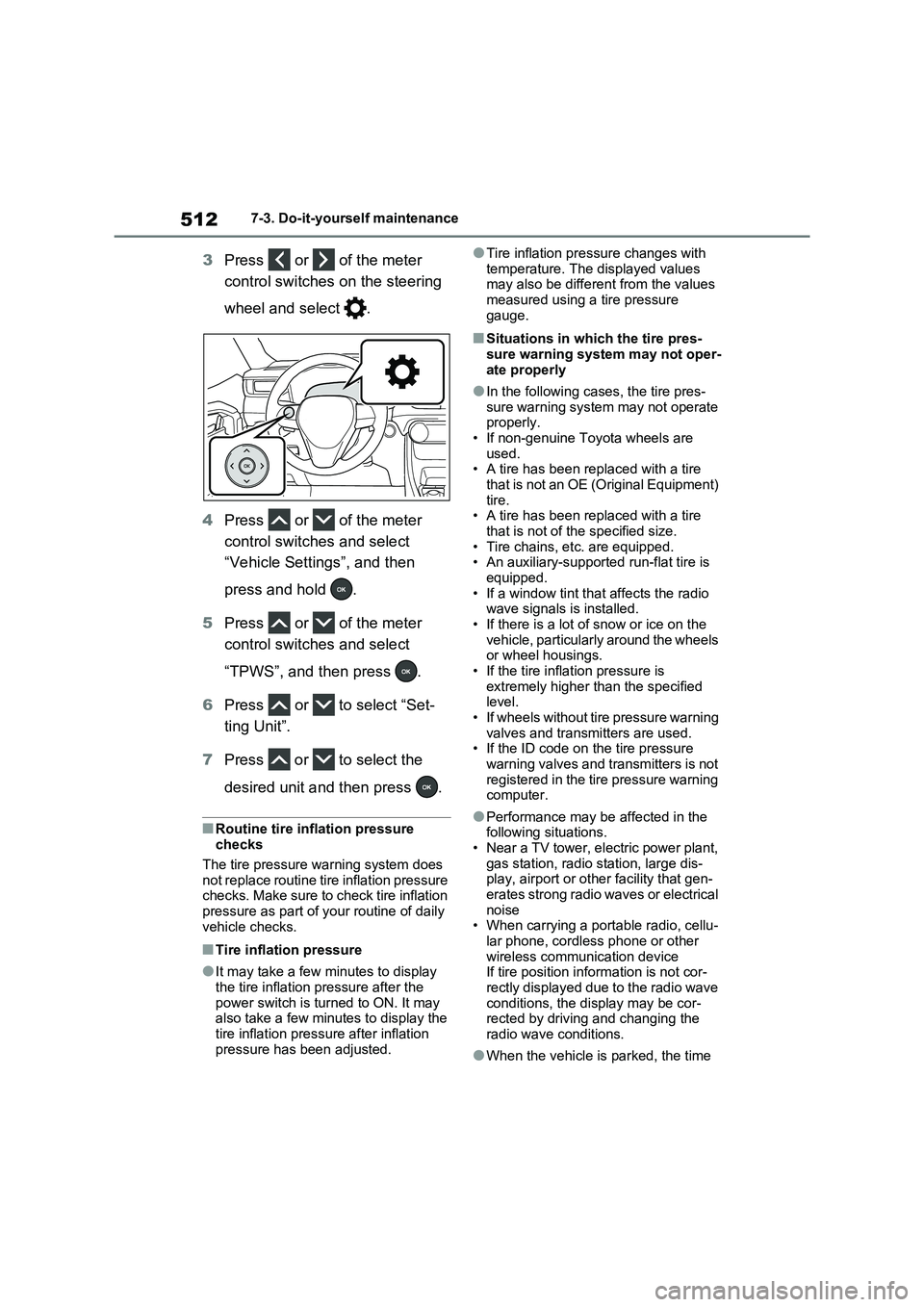
3Press or of the meter
control switches on the steering
wheel and select .
4 Press or of the meter
control switches and select
“Vehicle Settings”, and then
press and hold .
5 Press or of the meter
control switches and select
“TPWS”, and then press .
6 Press or to select “Set-
ting Unit”.
7 Press or to select the
desired unit and then press .
■Routine tire inflation pressure checks
The tire pressure w arning system does
not replace routine tire inflation pressure checks. Make sure to check tire inflation
pressure as part of your routine of daily
vehicle checks.
■Tire inflation pressure
●It may take a few minutes to display
the tire inflation pressure after the
power switch is turned to ON. It may also take a few minutes to display the
tire inflation pressu re after inflation
pressure has been adjusted.
●Tire inflation pre ssure changes with
temperature. The displayed values may also be different from the values
measured using a tire pressure
gauge.
■Situations in which the tire pres - sure warning system may not oper -
ate properly
●In the following cases, the tire pres -
sure warning system may not operate
properly. • If non-genuine Toyota wheels are
used.
• A tire has been r eplaced with a tire that is not an OE (Original Equipment)
tire.
• A tire has been r eplaced with a tire that is not of the specified size.
• Tire chains, etc. are equipped.
• An auxiliary-supporte d run-flat tire is equipped.
• If a window tint tha t affects the radio
wave signals is installed. • If there is a lot of snow or ice on the
vehicle, particularly around the wheels
or wheel housings. • If the tire inflation pressure is
extremely higher t han the specified
level. • If wheels without tire pressure warning
valves and transmitters are used.
• If the ID code on the tire pressure warning valves and transmitters is not
registered in the tire pressure warning
computer.
●Performance may be affected in the
following situations. • Near a TV tower, electric power plant,
gas station, radio station, large dis -
play, airport or ot her facility that gen- erates strong radio waves or electrical
noise
• When carrying a port able radio, cellu-
lar phone, cordless phone or other wireless communication device
If tire position information is not cor -
rectly displayed due to the radio wave conditions, the display may be cor -
rected by driving and changing the
radio wave conditions.
●When the vehicle is parked, the time
Page 648 of 666
646What to do if... (Troubleshooting)
1-1.What to do if... (Troubleshooting)What to do if... (Troubleshooting)
If you lose your mechanical keys,
new genuine mechanical keys
can be made by any authorized
Toyota retailer or Toyota autho -
rized repairer, or any reliable
repairer. ( →P.603)
If you lose your electronic keys,
the risk of vehicle theft increases
significantly. Contact any autho -
rized Toyota retailer or Toyota
authorized repairer, or any reli -
able repairer immediately.
( →P.603)
Is the key battery weak or
depleted? ( →P.543)
Is the power switch in ON?
When locking the doors, turn the
power switch off. ( →P.320)
Is the electronic key left inside
the vehicle?
When locking the doors, make
sure that you have the electronic
key on your person.
The function may not operate
properly due to the condition of
the radio wave. ( →P.225)
Is the child-protector lock set?
The rear door cannot be opened
from inside the vehicle when the
lock is set. Open the rear door
from outside and then unlock the
child-protector lock. ( →P.209)
Did you press the power switch
while firmly depressing the brake
pedal? ( →P.317)
Is the shift lever in P? (→P.317)
Is the electronic key anywhere
detectable inside the vehicle?
( →P.224)
Is the steering wheel unlocked?
( →P.318)
Is the electronic key battery
weak or depleted?
In this case, the hybrid system
can be started in a temporary
If you have a problem, check
the following before contacting
any authorized Toyota retailer
or Toyota authorized repairer,
or any reliable repairer.
The doors cannot be locked,
unlocked, opened or closed
You lose your keys
The doors cannot be locked
or unlocked
The rear door cannot be
opened
If you think something is
wrong
The hybrid system does not
start