wheel TOYOTA RAV4 PHEV 2021 User Guide
[x] Cancel search | Manufacturer: TOYOTA, Model Year: 2021, Model line: RAV4 PHEV, Model: TOYOTA RAV4 PHEV 2021Pages: 666, PDF Size: 161.28 MB
Page 69 of 666
67
1
1-3. Emergency assistance
For safety and security
at the following URL.
http://www.opensourceautomotive.com/dcm/toyota/
WARNING
■When the Emergency Call may
not be made
●It may not be possible to make
Emergency Calls in any of the fol-
lowing situations. In such cases,
report to emergen cy services pro- vider (112 system etc.) by other
means such as nearby public
phones.
• Even when the vehicle is in the cel -
lular phone service area, it may be
difficult to connec t to the eCall con- trol center if the reception is poor or
the line is busy. In such cases,
even though the system attempts to connect to the eCall control center,
you may not be able to connect to
the eCall control center to make Emergency Calls and contact emer -
gency services.
• When the vehicle is out of the cellu -
lar phone service area, the Emer -
gency Calls cannot be made.
• When any related equipment (such
as the “SOS” button panel, indicator lights, microphone, speaker, DCM,
antenna, or any wires connecting
the equipment) is malfunctioning, damaged or broken, the Emer -
gency Call cannot be made.
• During an Emergency Call, the sys -
tem makes repeated attempts to
connect to the eCall control center. However, if it cannot connect to the
eCall control center due to poor
radio wave reception, the system may not be able to connect to the
cellular network and the call may
finish without connecting. The red indicator light will blink for approxi -
mately 30 seconds to indicate this
disconnection.
●If the 12-volt battery’s voltage decreases or there is a disconnec -
tion, the system may not be able to
connect to the eCa ll control center.
■When the Emergency Call sys-
tem is replaced with a new one
The Emergency Call system should
be registered. Contact any authorized
Toyota retailer or Toyota authorized repairer, or any reliable repairer.
■For your safety
●Please drive safely.
The function of t his system is to
assist you in making the Emer - gency Call in case of accidents
such as traffic a ccidents or sudden
medical emergenc ies, and it does not protect the driver or passengers
in any way. Please drive safely and
fasten your seatbelts at all times for your safety.
●In case of an emergency, make lives the top priority.
●If you smell anything burning or other unusual smells, leave the
vehicle and evacuate to a safe area
immediately.
●If the airbags dep loy when the sys-
tem is operating normally, the sys- tem makes emerge ncy call. The
system also makes emergency call
when the vehicle is struck from the rear or rolls over , even if the air-
bags do not deploy.
●For safety, do not make the Emer -
gency Call while driving.
Making calls during driving may cause mishandling of the steering
wheel, which may lead to unex -
pected accidents.
Stop the vehicle and confirm the safety of your su rroundings before
making the Emergency Call.
Page 98 of 666
962-1. Plug-in hybrid system
WARNING
●Never touch, disassemble, remove
or replace the high voltage parts,
cables or their connectors.
●The hybrid system will become hot
after starting a s the system uses high voltage. Be careful of both the
high voltage and the high tempera -
ture, and always obe y the caution
labels attached to the vehicle.
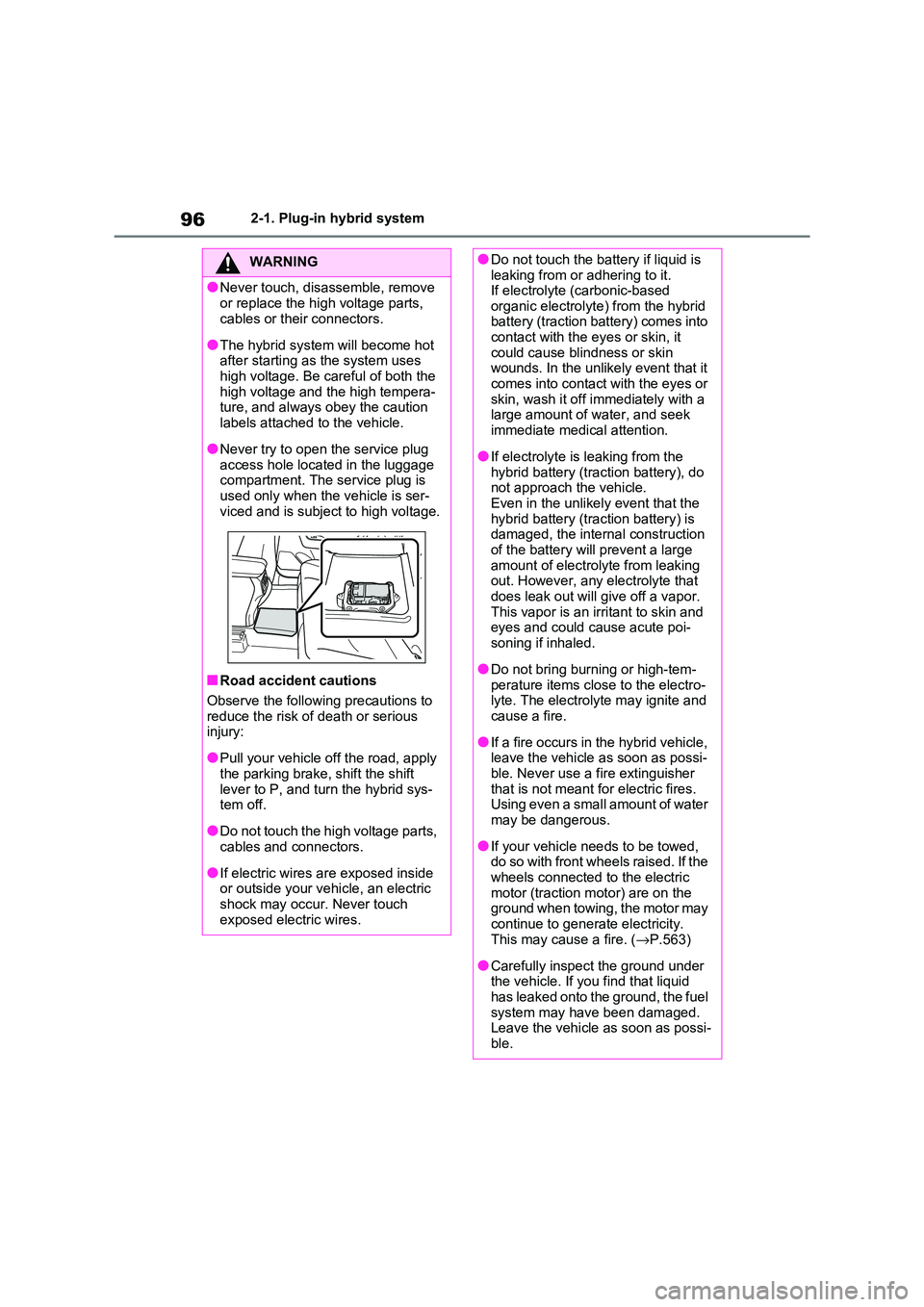
●Never try to open the service plug
access hole located in the luggage compartment. The service plug is
used only when the vehicle is ser-
viced and is subject to high voltage.
■Road accident cautions
Observe the following precautions to reduce the risk of d eath or serious
injury:
●Pull your vehicle off the road, apply
the parking brake, shift the shift
lever to P, and tu rn the hybrid sys- tem off.
●Do not touch the high voltage parts, cables and connectors.
●If electric wires are exposed inside or outside your vehi cle, an electric
shock may occur. Never touch
exposed electric wires.
●Do not touch the battery if liquid is leaking from or adhering to it.
If electrolyte ( carbonic-based
organic electrolyte) from the hybrid battery (traction battery) comes into
contact with the eyes or skin, it
could cause blindness or skin wounds. In the unlik ely event that it
comes into contact with the eyes or
skin, wash it off immediately with a large amount of w ater, and seek
immediate medical attention.
●If electrolyte is leaking from the
hybrid battery (traction battery), do
not approach the vehicle. Even in the unlikely event that the
hybrid battery (traction battery) is
damaged, the internal construction of the battery wil l prevent a large
amount of electrolyte from leaking
out. However, any electrolyte that does leak out will g ive off a vapor.
This vapor is an irritant to skin and
eyes and could c ause acute poi- soning if inhaled.
●Do not bring burning or high-tem - perature items close to the electro -
lyte. The electrolyte may ignite and
cause a fire.
●If a fire occurs in the hybrid vehicle,
leave the vehicle as soon as possi - ble. Never use a f ire extinguisher
that is not meant fo r electric fires.
Using even a small amount of water may be dangerous.
●If your vehicle nee ds to be towed, do so with front wheels raised. If the
wheels connected to the electric
motor (traction motor) are on the ground when towing, the motor may
continue to generate electricity.
This may cause a fire. ( →P.563)
●Carefully inspect the ground under
the vehicle. If you find that liquid
has leaked onto the ground, the fuel system may have been damaged.
Leave the vehicle as soon as possi -
ble.
Page 105 of 666
103
2
2-1. Plug-in hybrid system
Plug-in hybrid system
■When starting off, depress the
accelerator pedal smoothly to
accelerate
As a guide, acce lerate up to
approximately 20 km/h (12mph) in
the first 5 seconds.
Electrical and fuel efficiency can be
improved just by using the ECO
Accelerator Guidance displayed on
the multi-informat ion display and
taking care to start off gently.
( →P.182)
When the driving mode is set to Eco
drive mode, depressing the accelerator
pedal generates smooth torque that
makes it easier to operate the accelera -
tor gently.
■Maintain sufficient vehicle-to-
vehicle distance and do not
accelerate or decelerate
unnecessarily
Try to maintain a fixed speed while
driving. Driving at a short vehicle-
to-vehicle distance will result in
repeating wasteful acceleration and
deceleration, which will worsen the
electrical and fuel efficiency.
■Release the accelerator pedal
early before stopping the vehi -
cle, such as at a traffic light
The regenerative brake will operate
to convert the kinetic energy of the
vehicle into electrical energy, which
will charge the hyb rid battery (trac-
tion battery).
The regeneration status can be
checked from the Hybrid System
Indicator. ( →P.177)
When the brake pedal is depressed
lightly during deceleration, the
regeneration amount increases,
enabling more electrical energy to
be recovered.
If the brake pedal is depressed too
strongly, the recovered amount indica -
tor will reach the maximum level and
the upper limit of the recoverable
energy will be exceeded. Therefore, be
sure to operate the brake pedal early.
■Use the air co nditioning sys-
tem appropriately, and also
utilize the heated steering
wheel (if equipped) and seat
heaters
In EV mode, the vehicle is cooled
and heated by electrical energy.
(Except in extremely cold tempera -
tures of approximately -10°C (14°F)
or less.)
Preventing excessive cooling or
heating of the vehicle will reduce
power consumption and improve
electrical efficiency.
The heated steering wheel (if
equipped) and seat heaters are effi -
cient heating device that directly
warm the body using less electric
power.
When used together with the air condi -
tioning system, a low temperature set-
ting can be used to improve electrical
and fuel efficiency.
■Check the tire pressure
If the tire pressure is lower than the
specified value, i t will worsen the
electrical and fuel efficiency.
Page 142 of 666
1402-2. Charging
WARNING
●Do not let the wheels on the AC
charging cable, plug, charging con -
nector and CCID (C harging Circuit Interrupting Device).
●Firmly insert the plug into the socket.
●Do not use an ex tension cord and
converting adaptor.
●Close the hood bef ore using the
charging system. The cooling fan may start operating
suddenly. Touching or getting close
to rotating parts such as the fan may cause your hands or clothes
(especially a neckt ie or scarf) to
become caught and result in a seri - ous injury.
●After connecting the charging cable, confirm that it is not wound
around anything.
●If the power indica tor on the CCID
(Charging Circuit Interrupting
Device) does not illuminate after plugging the AC charging cable into
the socket-outlet, unplug it immedi -
ately.
■If the error warnin g indicator on the CCID (Charging Circuit Inter -
rupting Device) illuminates or
flashes during charging
There may be an electrical leakage in
the power source path, or there may
be a malfunction in the AC charging cable or CCID (Cha rging Circuit Inter-
rupting Device). Refer to P.112 and
follow the correcti on procedure. If the error warning indicator does not turn
off even after performing the correc -
tion procedure, immediately stop charging, remove the AC charging
cable and contact any authorized
Toyota retailer or Toyota authorized repairer, or any reliable repairer. Con -
tinuing to charge the vehicle in that
condition may le ad to unforeseen accidents or serious injury.
■Onboard traction battery charger
The onboard traction battery charger
is located under the rear seats. Make
sure to observe the following precau- tions regarding the onboard traction
battery charger. Failure to observe
these precautions may result in death or serious injury such as burns and
electric shocks.
●The onboard traction battery char - ger is hot during charging. Do not
touch the onboard traction battery
charger, as doing so may result in burns.
●Do not disassemble, repair or mod - ify the onboard traction battery
charger. When the onboard traction
battery charger needs to be repaired, consult any authorized
Toyota retailer or Toyota authorized
repairer, or any reliable repairer.
Page 182 of 666
1803-1. Instrument cluster
A variety of infor mation can be dis-
played by selecting a menu icon.
Additionally, warning or sugges -
tion/advice pop-up displays will be dis-
played in some situations.
Menu icons ( →P.180)
■The multi-information display is
displayed when
The power switch is in ON.
■When changing driving mode
●Background color of the multi-informa -
tion display is changed following the selected driving mode. ( →P.434)
●Background color of the multi-informa- tion display is changed following the
selected driving mode or when Trail
Mode is turned on. ( →P.434, 435)
■Liquid crystal display
Small spots or light spots may appear
on the display. This phenomenon is
characteristic of liqui d crystal displays, and there is no prob lem continuing to
use the display.
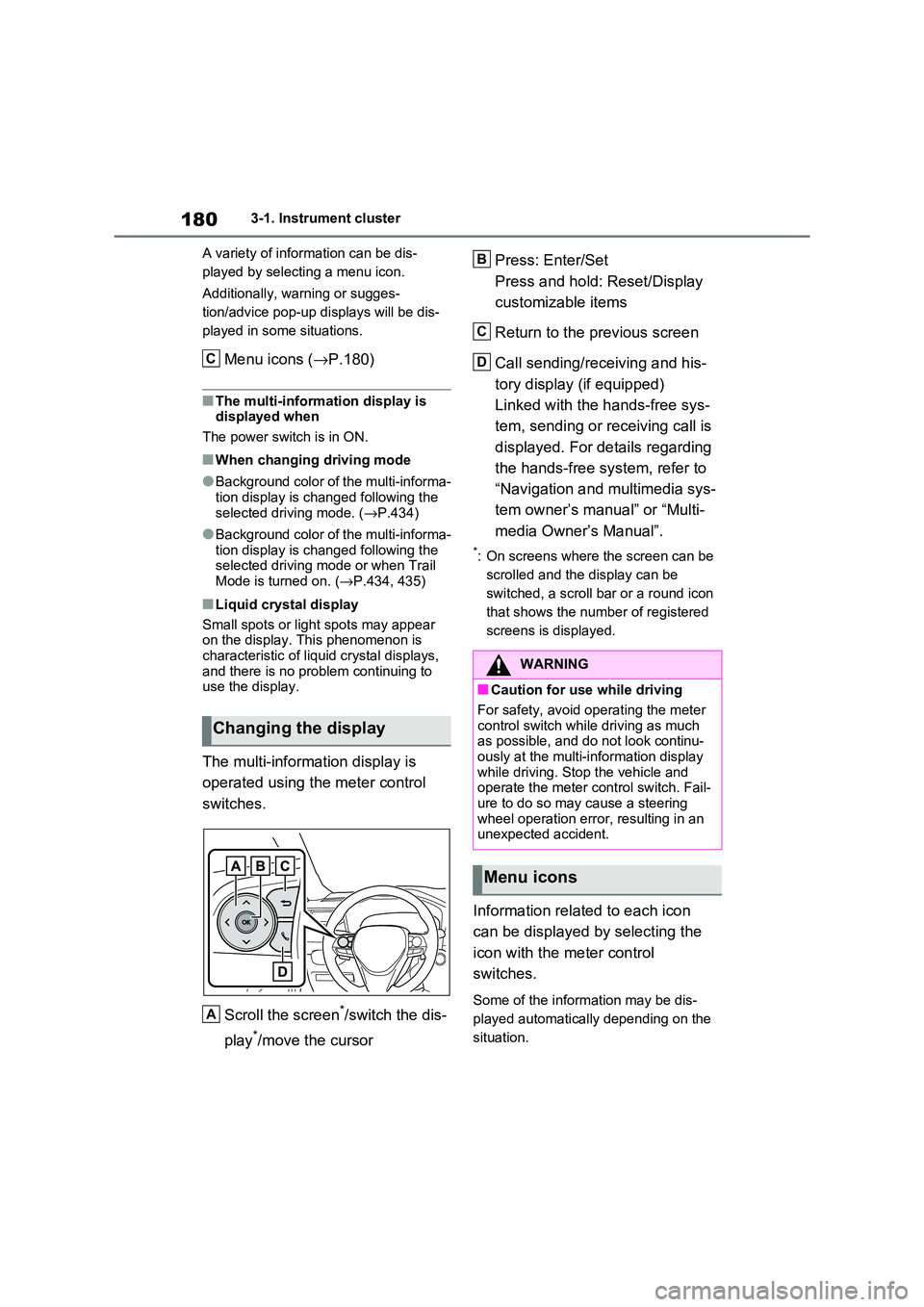
The multi-information display is
operated using the meter control
switches.
Scroll the screen*/switch the dis -
play*/move the cursor
Press: Enter/Set
Press and hold: Reset/Display
customizable items
Return to the previous screen
Call sending/receiving and his -
tory display (if equipped)
Linked with the hands-free sys -
tem, sending or re ceiving call is
displayed. For details regarding
the hands-free system, refer to
“Navigation and multimedia sys -
tem owner’s manual” or “Multi -
media Owner’s Manual”.
*: On screens where the screen can be
scrolled and the display can be
switched, a scroll bar or a round icon
that shows the num ber of registered
screens is displayed.
Information related to each icon
can be displayed by selecting the
icon with the meter control
switches.
Some of the information may be dis -
played automatically depending on the
situation.
Changing the display
C
A
:$51,1*
■Caution for use while driving
For safety, avoid o perating the meter
control switch while driving as much
as possible, and do not look continu - ously at the multi-in formation display
while driving. Stop the vehicle and
operate the meter control switch. Fail - ure to do so may cause a steering
wheel operation error, resulting in an
unexpected accident.
Menu icons
B
C
D
Page 187 of 666
185
3
3-1. Instrument cluster
Vehicle status information and indicators
■Drive information
2 items that are selected using the
“Drive Info Items” s etting (average
speed, distance and total time) can
be displayed vertically.
The displayed information changes
according to the “Drive Info Type”
setting (since the system was
started or between resets).
( →P.186)
Use the displayed information as a ref-
erence only.
Following items will be displayed.
“Trip”
• “Average Speed”: Displays the aver-
age vehicle speed since hybrid sys -
tem start*
• “Distance”: Displays the distance
driven since hybrid system start*
• “Total Time”: Displays the elapsed
time since hybrid system start*
*: These items are reset each time the
hybrid system stops.
“Total”
• “Average Speed”: Displays the aver-
age vehicle speed since the display
was reset*
• “Distance”: Displays the distance
driven since the display was reset*
• “Total Time”: Displays the elapsed
time since the display was reset*
*: To reset, display the desired item and
press and hold .
■Energy monitor
→ P.195
■Tire pressure
→ P.511
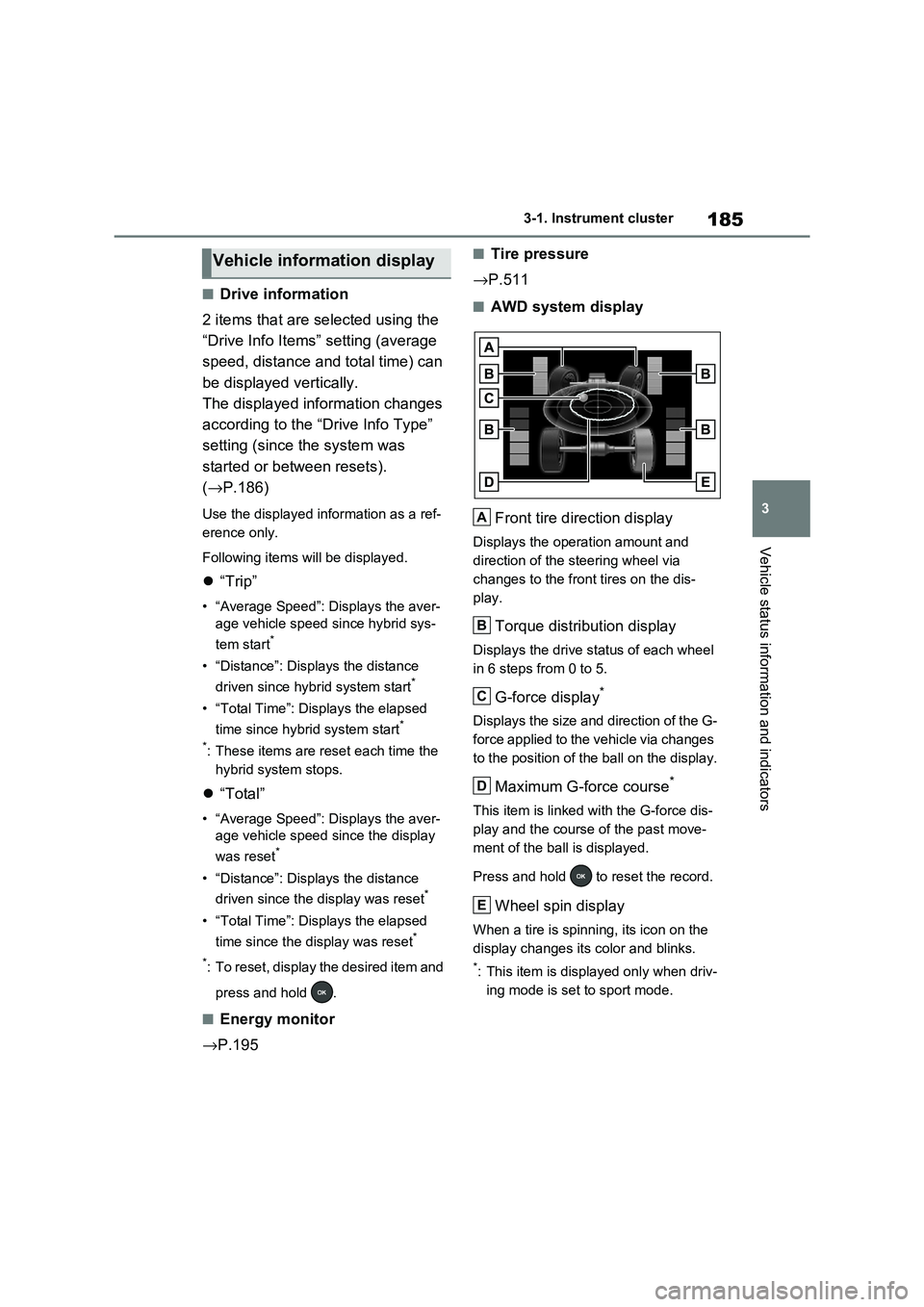
■AWD system display
Front tire direction display
Displays the operation amount and
direction of the s teering wheel via
changes to the front tires on the dis -
play.
Torque distribution display
Displays the drive status of each wheel
in 6 steps from 0 to 5.
G-force display*
Displays the size and direction of the G-
force applied to the vehicle via changes
to the position of the ball on the display.
Maximum G-force course*
This item is linked with the G-force dis -
play and the course of the past move -
ment of the ball is displayed.
Press and hold to reset the record.
Wheel spin display
When a tire is spinni ng, its icon on the
display changes it s color and blinks.
*: This item is displayed only when driv-
ing mode is set to sport mode.
Vehicle information display
A
B
C
D
E
Page 188 of 666
1863-1. Instrument cluster
Vehicle settings and the content
displayed on the screen can be
changed by using the meter control
switches.
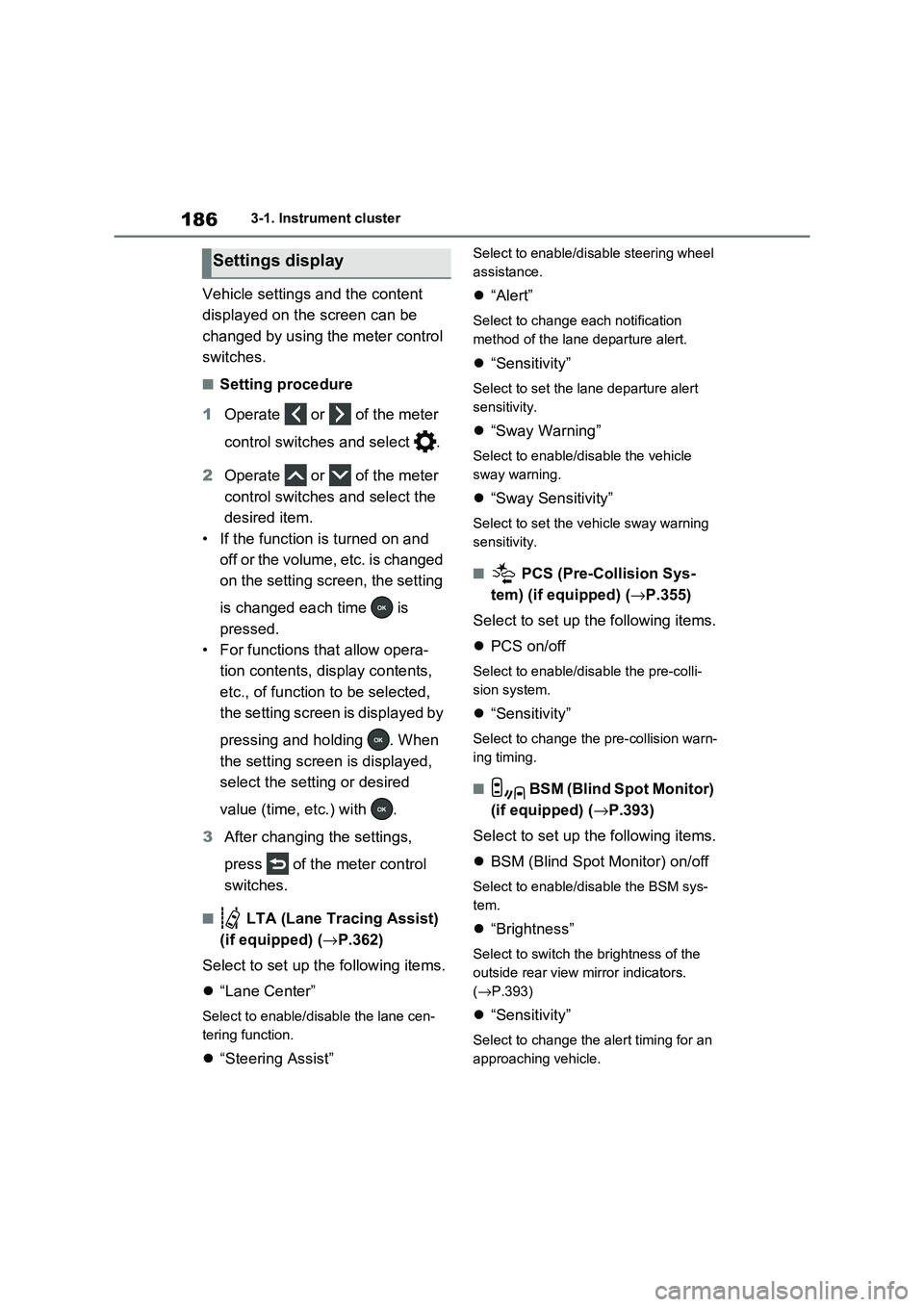
■Setting procedure
1 Operate or of the meter
control switches and select .
2 Operate or of the meter
control switches and select the
desired item.
• If the function is turned on and
off or the volume, etc. is changed
on the setting screen, the setting
is changed each time is
pressed.
• For functions that allow opera -
tion contents, display contents,
etc., of function to be selected,
the setting screen is displayed by
pressing and holding . When
the setting screen is displayed,
select the setting or desired
value (time, etc.) with .
3 After changing the settings,
press of the meter control
switches.
■ LTA (Lane Tracing Assist)
(if equipped) ( →P.362)
Select to set up t he following items.
“Lane Center”
Select to enable/disable the lane cen-
tering function.
“Steering Assist”
Select to enable/disable steering wheel
assistance.
“Alert”
Select to change each notification
method of the lane departure alert.
“Sensitivity”
Select to set the lane departure alert
sensitivity.
“Sway Warning”
Select to enable/disable the vehicle
sway warning.
“Sway Sensitivity”
Select to set the vehicle sway warning
sensitivity.
■ PCS (Pre-Collision Sys -
tem) (if equipped) ( →P.355)
Select to set up t he following items.
PCS on/off
Select to enable/disable the pre-colli-
sion system.
“Sensitivity”
Select to change the pre-collision warn-
ing timing.
■ BSM (Blind Spot Monitor)
(if equipped) ( →P.393)
Select to set up t he following items.
BSM (Blind Spot Monitor) on/off
Select to enable/disable the BSM sys-
tem.
“Brightness”
Select to switch the brightness of the
outside rear view mirror indicators.
( →P.393)
“Sensitivity”
Select to change the alert timing for an
approaching vehicle.
Settings display
Page 190 of 666
1883-1. Instrument cluster
Select to enable/disable the battery
cooler. ( →P.129)
PBD (Power Back Door) (if
equipped) ( →P.213)
Select to set up the following items.
• System settings
Select to enable/disable the power
back door system.
•“Hands Free”*
Select to enable/disable the Hands
Free Power Back Door.
• “Opening Adjustment”
Select the open posi tion when power
back door is fully open.
•“Volume”
Select to set the vo lume of the buzzer
which sounds when the power back
door system operates.
*: Vehicles with Hands Free Power
Back Door
“TPWS” (Tire Pressure Warning
System) ( →P.511)
• “Setting Pressure”
Select to initialize the tire pressure
warning system.
• “Identifying Each Wheel & Position”
Select to register t he ID codes of the
tire pressure sensors to the tire pres -
sure warning system.
• “Setting Unit”
Select to change t he units of measure
displayed.
“Rear Seat Reminder” (→P.207)
Select to enable/disable the rear seat
reminder.
■ Settings
“Language”
Select to change the language on the
multi-information display.
“Units”
Select to change the units of measure
displayed.
“Meter Type”
Select to change the speedometer dis-
play.
(EV indicator) (→P.90)
Select to enable/disable the EV indica-
tor.
(Driving information display
settings)
Select to set up th e following items.
• “Hybrid System”
Select to enable/disable the ECO
Accelerator Guidance ( →P.182).
• “Fuel Economy”
Select to change th e display on Fuel
Economy ( →P.181).
• “Power Consumption”
Select to change the display on Power
Consumption ( →P.181).
(Audio settings)
Select to enable/disable screen.
(Vehicle information dis-
play settings)
• “Display Contents”
Select to set up th e following items.
“Energy monitor”:
Select to enable/disable the Energy
monitor ( →P.195)
AWD:
Select to enable/disable the AWD sys -
tem display ( →P.185).
Page 196 of 666
1943-1. Instrument cluster
Brake Override System
( →P.301)
Drive-Start Control (→P.301)
Parking Support Brake function
(static objects) (if equipped)
( →P.424)
Displayed content is the same as that
displayed on the meter. For details,
refer to the explanations of each sys -
tem.
■ / icons
Displays the following multi-infor -
mation display linked icons:
: Master warning icon
Displayed when a warning message is
displayed on the multi-information dis -
play.
: Information icon
Displayed when a suggestion/advice
pop-up display is displayed on the
multi-information display.
■Warning message
Some warning messages are dis -
played when necessary, according
to certain conditions.
Displayed content is the same as that
displayed on the multi-information dis -
play. For details, refer to the explana-
tions of e ach system.
■Audio system operation status
Displayed when an audio remote
control switch on the steering wheel
is operated.
■Hands-free system status (if
equipped)
Displayed when the hands-free
system is operated.
■Outside temperature display
Displayed when the power switch is
turned to ON or when the low out -
side temperature indicator is flash -
ing.
■When a pop-up display is displayed
When a pop-up display is displayed, a
current display may no longer be dis -
played. In this case, the display will return after the p op-up display disap-
pears.
■Outside temperature display
●When the ambient temperature is
approximately 3°C (37°F) or lower,
will flash for approximately 10
seconds and the out side temperature
display will turn off.
●In the following situ ations, the correct
outside temperature may not be dis - played, or the display may take longer
than normal to change:
• When stopped (including when using “My Room Mode”), o r driving at low
speeds (less than 2 0 km/h [12 mph])
• When the outside temperature has changed suddenly (at the
entrance/exit of a garage, tunnel, etc.)
●When “--” or “E” is displayed, the sys -
tem may be malfunctioning.
Take your vehicle to any authorized Toyota retailer or Toyota authorized
repairer, or any reliable repairer.
Display content selected by “HUD
Driving Support” on the screen
is displayed. ( →P.192)
Hybrid System Indica-
tor/Tachometer
Page 197 of 666
195
3
3-1. Instrument cluster
Vehicle status information and indicators
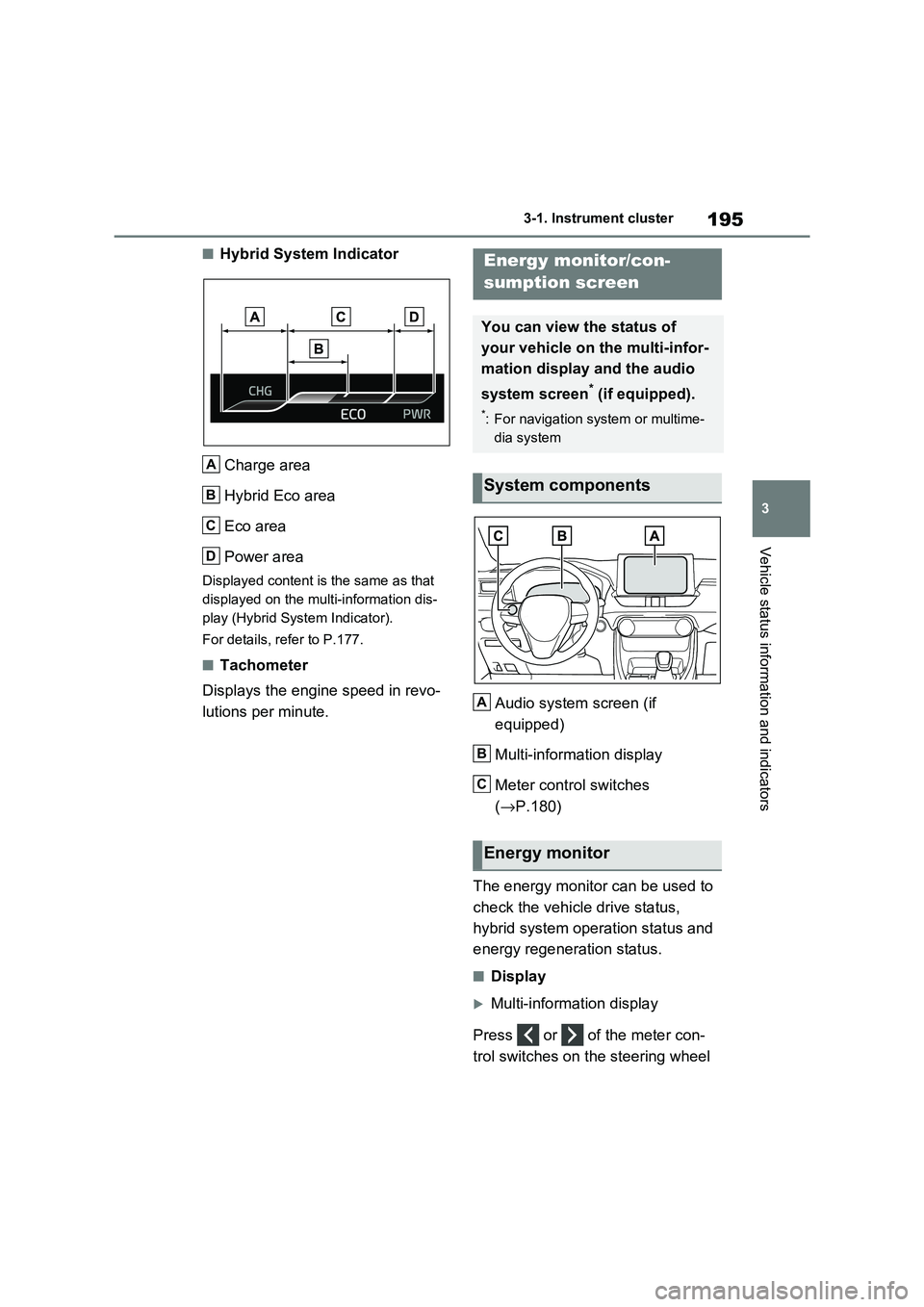
■Hybrid System Indicator
Charge area
Hybrid Eco area
Eco area
Power area
Displayed content is the same as that
displayed on the multi-information dis -
play (Hybrid System Indicator).
For details, refer to P.177.
■Tachometer
Displays the engine speed in revo -
lutions per minute. Audio system screen (if
equipped)
Multi-information display
Meter control switches
( →P.180)
The energy monitor can be used to
check the vehicl e drive status,
hybrid system operation status and
energy regeneration status.
■Display
Multi-information display
Press or of the meter con -
trol switches on the steering wheel
A
B
C
D
Energy monitor/con-
sumption screen
You can view the status of
your vehicle on the multi-infor-
mation display and the audio
system screen* (if equipped).
*: For navigation system or multime -
dia system
System components
Energy monitor
A
B
C