audio TOYOTA RAV4 PHEV 2021 Owner's Manual
[x] Cancel search | Manufacturer: TOYOTA, Model Year: 2021, Model line: RAV4 PHEV, Model: TOYOTA RAV4 PHEV 2021Pages: 666, PDF Size: 161.28 MB
Page 227 of 666
225
4
4-2. Opening, closing and locking the doors
Before driving
■Turning an electronic key to bat -
tery-saving mode
●When battery-saving mode is set, bat -
tery depletion is minimized by stop - ping the electronic key from receiving
radio waves.
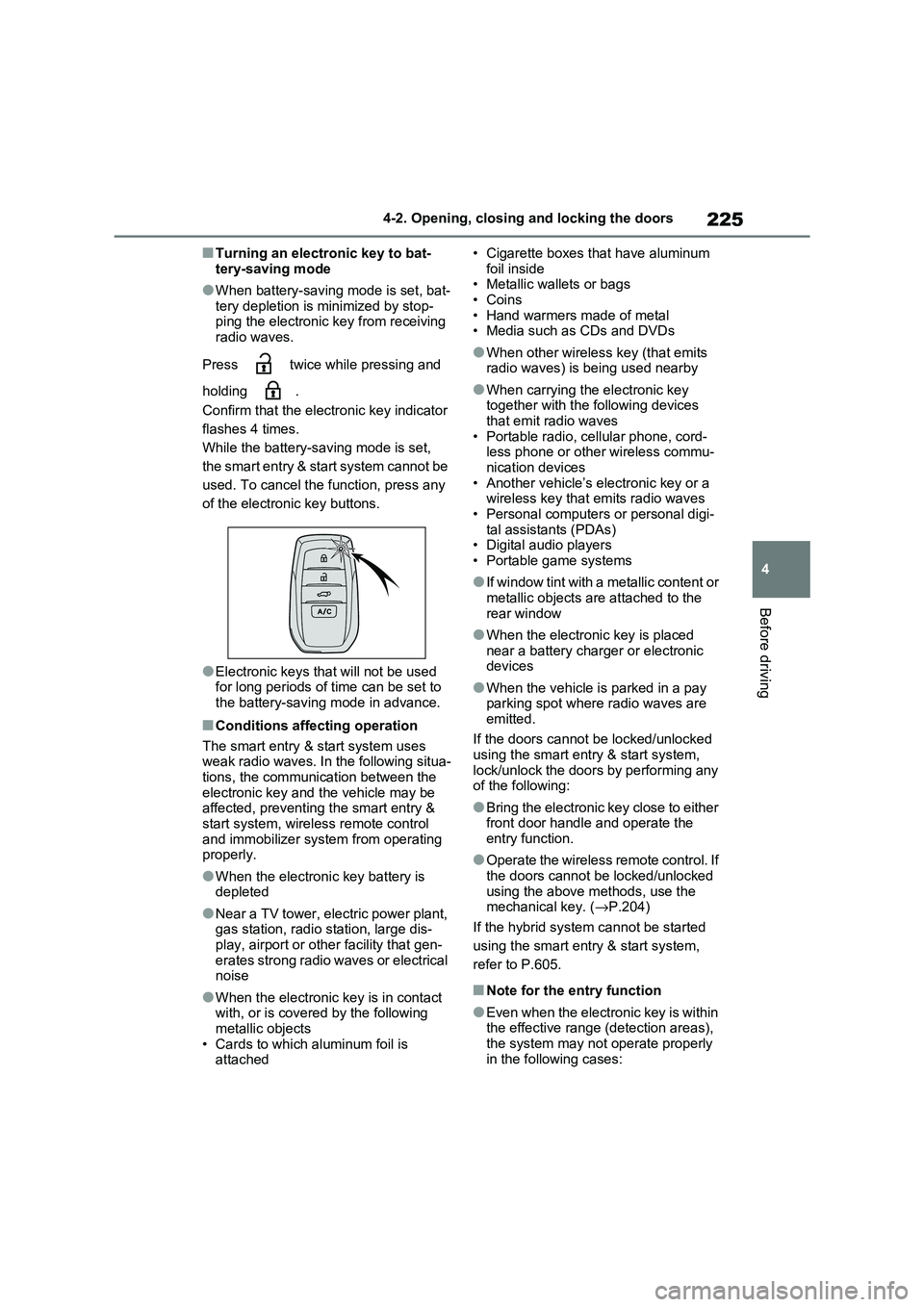
Press twice while pressing and
holding .
Confirm that the electronic key indicator
flashes 4 times.
While the battery- saving mode is set,
the smart entry & start system cannot be
used. To cancel the f unction, press any
of the electronic key buttons.
●Electronic keys t hat will not be used for long periods of time can be set to
the battery-saving mode in advance.
■Conditions affecting operation
The smart entry & start system uses
weak radio waves. In the following situa - tions, the communication between the
electronic key and t he vehicle may be
affected, preventing the smart entry & start system, wireless remote control
and immobilizer system from operating
properly.
●When the electronic key battery is
depleted
●Near a TV tower, electric power plant,
gas station, radio station, large dis- play, airport or oth er facility that gen-
erates strong radio waves or electrical
noise
●When the electronic key is in contact
with, or is covered by the following metallic objects
• Cards to which aluminum foil is
attached
• Cigarette boxes that have aluminum
foil inside • Metallic wallets or bags
•Coins
• Hand warmers made of metal • Media such as CDs and DVDs
●When other wirele ss key (that emits radio waves) is being used nearby
●When carrying the electronic key together with the following devices
that emit radio waves
• Portable radio, cellular phone, cord - less phone or other wireless commu -
nication devices
• Another vehicle’s el ectronic key or a wireless key that emits radio waves
• Personal computer s or personal digi-
tal assistants (PDAs) • Digital audio players
• Portable game systems
●If window tint with a metallic content or
metallic objects are attached to the
rear window
●When the electroni c key is placed
near a battery charger or electronic devices
●When the vehicle is parked in a pay parking spot where radio waves are
emitted.
If the doors cannot be locked/unlocked using the smart entry & start system,
lock/unlock the doors by performing any
of the following:
●Bring the electronic key close to either
front door handle and operate the entry function.
●Operate the wireless remote control. If the doors cannot be locked/unlocked
using the above methods, use the
mechanical key. ( →P.204)
If the hybrid system cannot be started
using the smart entry & start system,
refer to P.605.
■Note for the entry function
●Even when the electronic key is within
the effective range (detection areas),
the system may not operate properly in the following cases:
Page 322 of 666
3205-2. Driving procedures
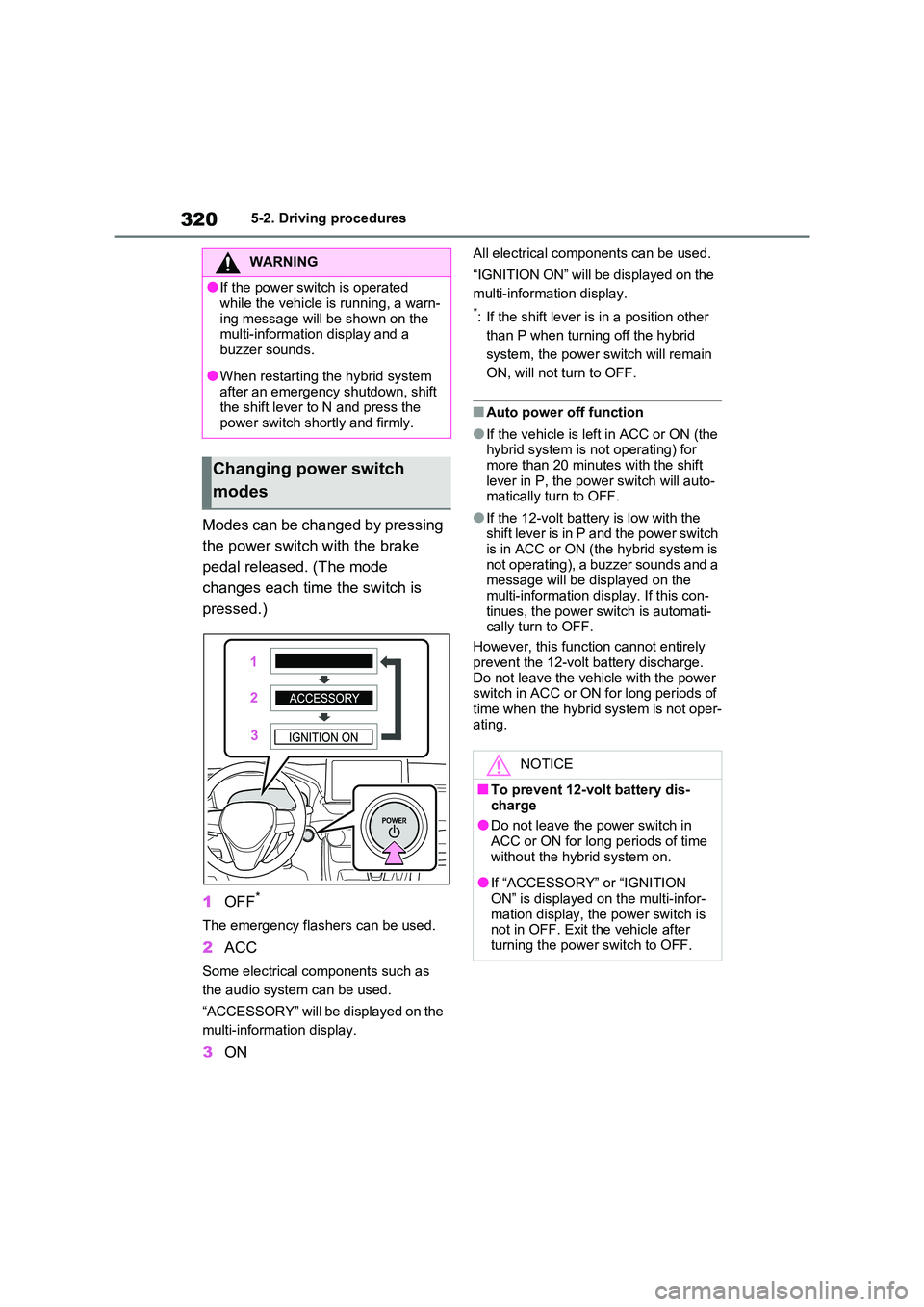
Modes can be changed by pressing
the power switch with the brake
pedal released. (The mode
changes each time the switch is
pressed.)
1 OFF*
The emergency flashers can be used.
2ACC
Some electrical components such as
the audio system can be used.
“ACCESSORY” will be displayed on the
multi-information display.
3 ON
All electrical components can be used.
“IGNITION ON” will be displayed on the
multi-information display.
*: If the shift lever is in a position other
than P when turning off the hybrid
system, the power s witch will remain
ON, will not turn to OFF.
■Auto power off function
●If the vehicle is le ft in ACC or ON (the hybrid system is no t operating) for
more than 20 minutes with the shift
lever in P, the power switch will auto - matically turn to OFF.
●If the 12-volt batte ry is low with the shift lever is in P and the power switch
is in ACC or ON (t he hybrid system is
not operating), a buzzer sounds and a message will be displayed on the
multi-information dis play. If this con-
tinues, the power switch is automati - cally turn to OFF.
However, this functi on cannot entirely
prevent the 12-volt battery discharge. Do not leave the vehicle with the power
switch in ACC or ON for long periods of
time when the hybrid system is not oper - ating.
WARNING
●If the power switch is operated
while the vehicle is running, a warn -
ing message will be shown on the multi-information display and a
buzzer sounds.
●When restarting the hybrid system
after an emergency shutdown, shift
the shift lever to N and press the
power switch shortly and firmly.
Changing power switch
modes
NOTICE
■To prevent 12-volt battery dis -
charge
●Do not leave the power switch in ACC or ON for long periods of time
without the hybr id system on.
●If “ACCESSORY” or “IGNITION
ON” is displayed on the multi-infor -
mation display, the power switch is not in OFF. Exit the vehicle after
turning the power switch to OFF.
Page 372 of 666
3705-5. Using the driving support systems
• Vehicle speed is approximately 50
km/h (32 mph) or more. • Width of traffic lane is approximately 3
m (9.8 ft.) or more.
• No system malfuncti ons are detected. ( →P.371)
●Lane centering function
This function operates when all of the
following conditions are met.
• LTA is turned on.
• Setting for “Steering Assist” and “Lane
Center” in the screen of the multi-
information display are set to “ON”. ( →P.179)
• This function recognizes white (yel -
low) lane lines or the position of a pre - ceding vehicle (except when the
preceding vehicle is small, such as a
motorcycle). • The dynamic radar cruise control with
full-speed range is operating in vehi-
cle-to-vehicle distance control mode. • Width of traffic lane is approximately 3
to 4 m (10 to 13 ft.).
• Turn signal lever is not operated. • Vehicle is not being driven around a
sharp curve.
• No system malfuncti ons are detected. ( →P.371)
• Vehicle does not accelerate or decel-
erate by a fixed amount or more. • Steering wheel is n ot operated with a
steering force level suitable for chang-
ing lanes. • ABS, VSC, TRC an d PCS are not
operating.
• TRC or VSC is not turned off. • Hands off steering wheel warning is
not displayed. ( →P.370)
• The vehicle is being driven in the cen- ter of a lane.
• Steering assist func tion is not operat-
ing.
■Temporary cancelation of functions
●When operation conditions are no lon -
ger met, a function may be temporar - ily canceled. However, when the
operation conditions are met again,
operation of the fu nction is automati- cally restored. ( →P.369)
●If the operation conditions (→P.369)
are no longer met while the lane cen- tering function is op erating, the steer-
ing wheel may vibrate and the buzzer
may sound to indicate that the func - tion has been temporarily canceled.
However, if the “Aler t” customization
setting is set to “Steering wheel vibra - tion”, the system will notify the driver
by vibrating the steering wheel instead
of sounding the buzzer.
■Steering assist function/lane cen - tering function
●Depending on the vehicle speed, lane departure situation, road conditions,
etc., the driver may not feel the func -
tion is operating or the function may not operate at all.
●The steering control of the function is overridden by the dr iver’s steering
wheel operation.
●Do not attempt to test the operation of
the steering assist function.
■Lane departure alert function
●The warning buzzer may be difficult to
hear due to external noise, audio play -
back, etc. Also, it may be difficult to feel steering wheel vibrations due to
the road conditions, etc.
●If the edge of the course* is not clear
or straight, the lane departure alert
function may not operate.
●Vehicles with BSM: It may not be pos-
sible for the syste m to determine if there is a danger of a collision with a
vehicle in an adjacent lane.
●Do not attempt to test the operation of
the lane departure alert function.*: Boundary between a sphalt and the
side of the road, such as grass, soil,
or a curb
■Hands off steering wheel warning
In the following situations, a warning message urging the driver to hold the
steering wheel and the symbol shown in
the illustration are displayed on the multi-information display to warn the
Page 396 of 666
3945-5. Using the driving support systems
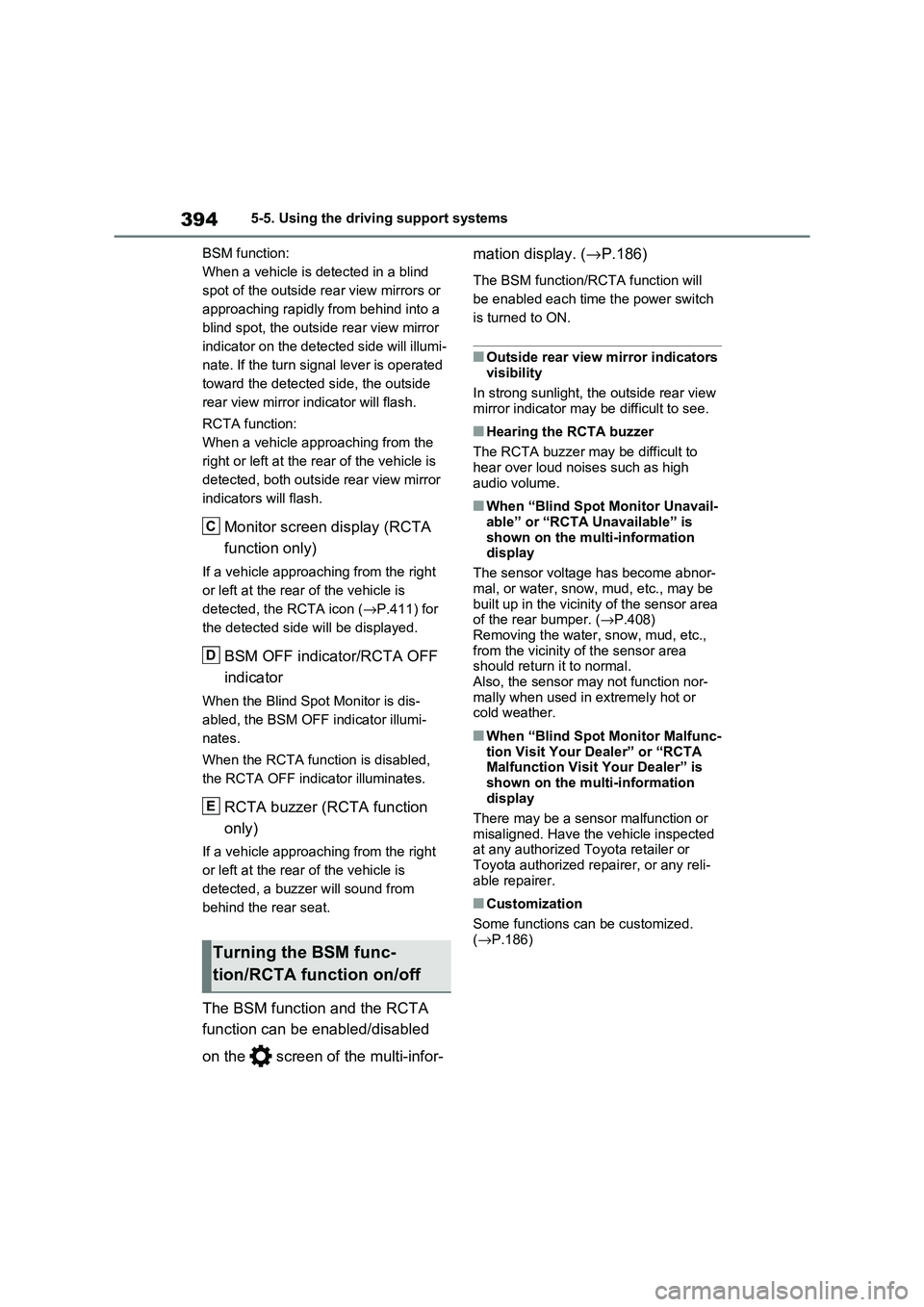
BSM function:
When a vehicle is detected in a blind
spot of the outside rear view mirrors or
approaching rapidly from behind into a
blind spot, the outside rear view mirror
indicator on the detected side will illumi -
nate. If the turn signal lever is operated
toward the detected side, the outside
rear view mirror indicator will flash.
RCTA function:
When a vehicle approaching from the
right or left at the re ar of the vehicle is
detected, both outsi de rear view mirror
indicators will flash.
Monitor screen display (RCTA
function only)
If a vehicle approaching from the right
or left at the rear of the vehicle is
detected, the RCTA icon ( →P.411) for
the detected side will be displayed.
BSM OFF indicator/RCTA OFF
indicator
When the Blind Spot Monitor is dis -
abled, the BSM OFF indicator illumi -
nates.
When the RCTA func tion is disabled,
the RCTA OFF indicator illuminates.
RCTA buzzer (RCTA function
only)
If a vehicle approaching from the right
or left at the rear of the vehicle is
detected, a buzzer will sound from
behind the rear seat.
The BSM function and the RCTA
function can be e nabled/disabled
on the screen of the multi-infor -
mation display. ( →P.186)
The BSM function/RCTA function will
be enabled each time the power switch
is turned to ON.
■Outside rear view mirror indicators visibility
In strong sunlight, the outside rear view
mirror indicator may be difficult to see.
■Hearing the RCTA buzzer
The RCTA buzzer may be difficult to
hear over loud noi ses such as high
audio volume.
■When “Blind Spot Monitor Unavail - able” or “RCTA Unavailable” is
shown on the multi-information
display
The sensor voltage has become abnor -
mal, or water, snow, mud, etc., may be
built up in the vicinit y of the sensor area of the rear bumper. ( →P.408)
Removing the water, snow, mud, etc.,
from the vicinity of the sensor area should return it to normal.
Also, the sensor ma y not function nor-
mally when used in extremely hot or cold weather.
■When “Blind Spot Monitor Malfunc -
tion Visit Your Dealer” or “RCTA
Malfunction Visit Your Dealer” is
shown on the multi-information display
There may be a sensor malfunction or
misaligned. Have the vehicle inspected at any authorized To yota retailer or
Toyota authorized repairer, or any reli -
able repairer.
■Customization
Some functions can be customized.
( →P.186)Turning the BSM func-
tion/RCTA function on/off
C
D
E
Page 416 of 666
4145-5. Using the driving support systems
*: If equipped
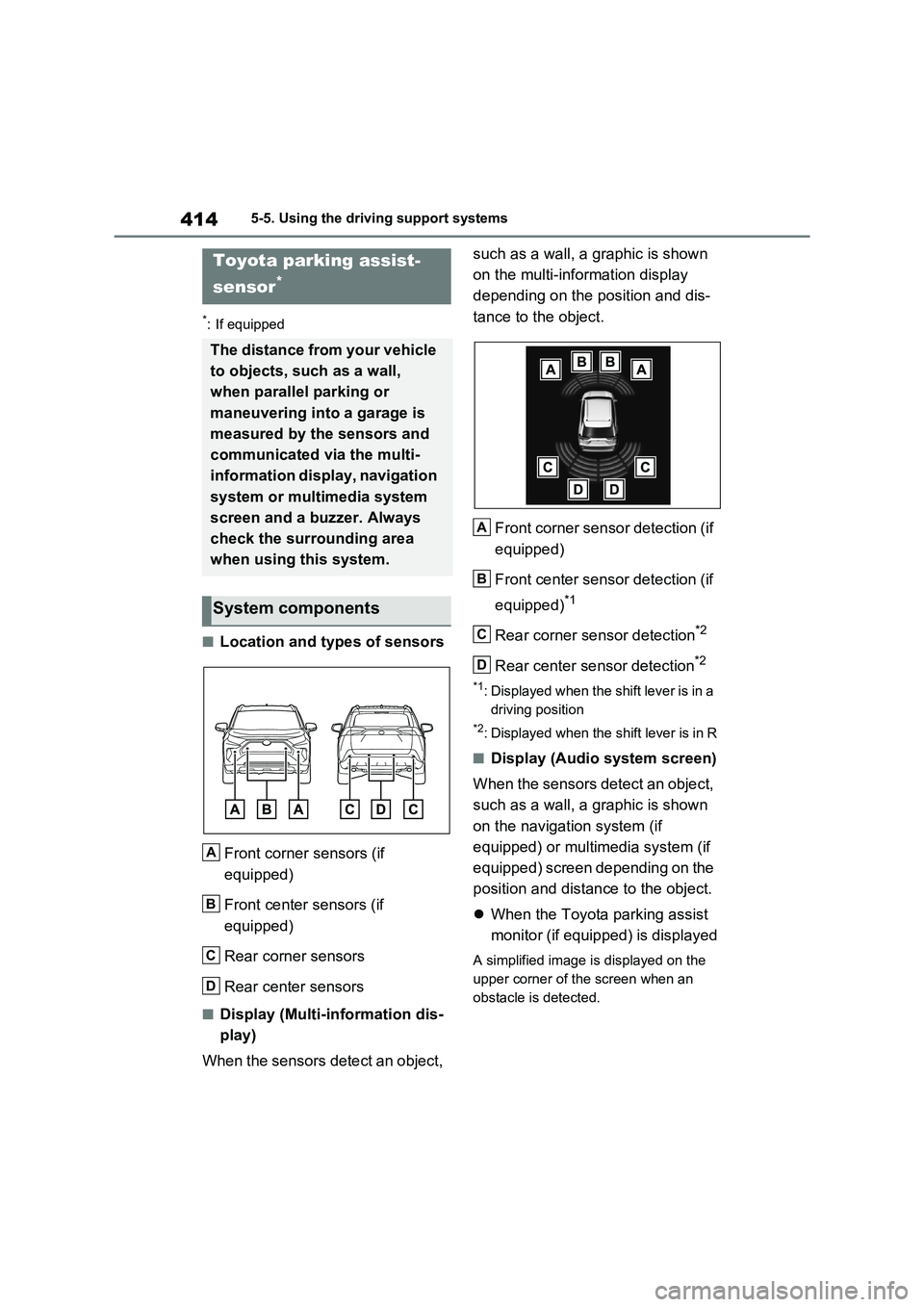
■Location and types of sensors
Front corner sensors (if
equipped)
Front center sensors (if
equipped)
Rear corner sensors
Rear center sensors
■Display (Multi-information dis -
play)
When the sensors detect an object,
such as a wall, a graphic is shown
on the multi-information display
depending on the position and dis -
tance to the object.
Front corner sensor detection (if
equipped)
Front center sensor detection (if
equipped)*1
Rear corner sensor detection*2
Rear center sensor detection*2
*1: Displayed when the shift lever is in a
driving position
*2: Displayed when the shift lever is in R
■Display (Audio system screen)
When the sensors detect an object,
such as a wall, a graphic is shown
on the navigation system (if
equipped) or multimedia system (if
equipped) screen depending on the
position and dista nce to the object.
When the Toyota parking assist
monitor (if equipped) is displayed
A simplified image is displayed on the
upper corner of the screen when an
obstacle is detected.
Toyota parking assist-
sensor*
The distance from your vehicle
to objects, such as a wall,
when parallel parking or
maneuvering into a garage is
measured by the sensors and
communicated via the multi-
information display, navigation
system or multimedia system
screen and a buzzer. Always
check the surrounding area
when using this system.
System components
A
B
C
D
A
B
C
D
Page 419 of 666
417
5
5-5. Using the driving support systems
Driving
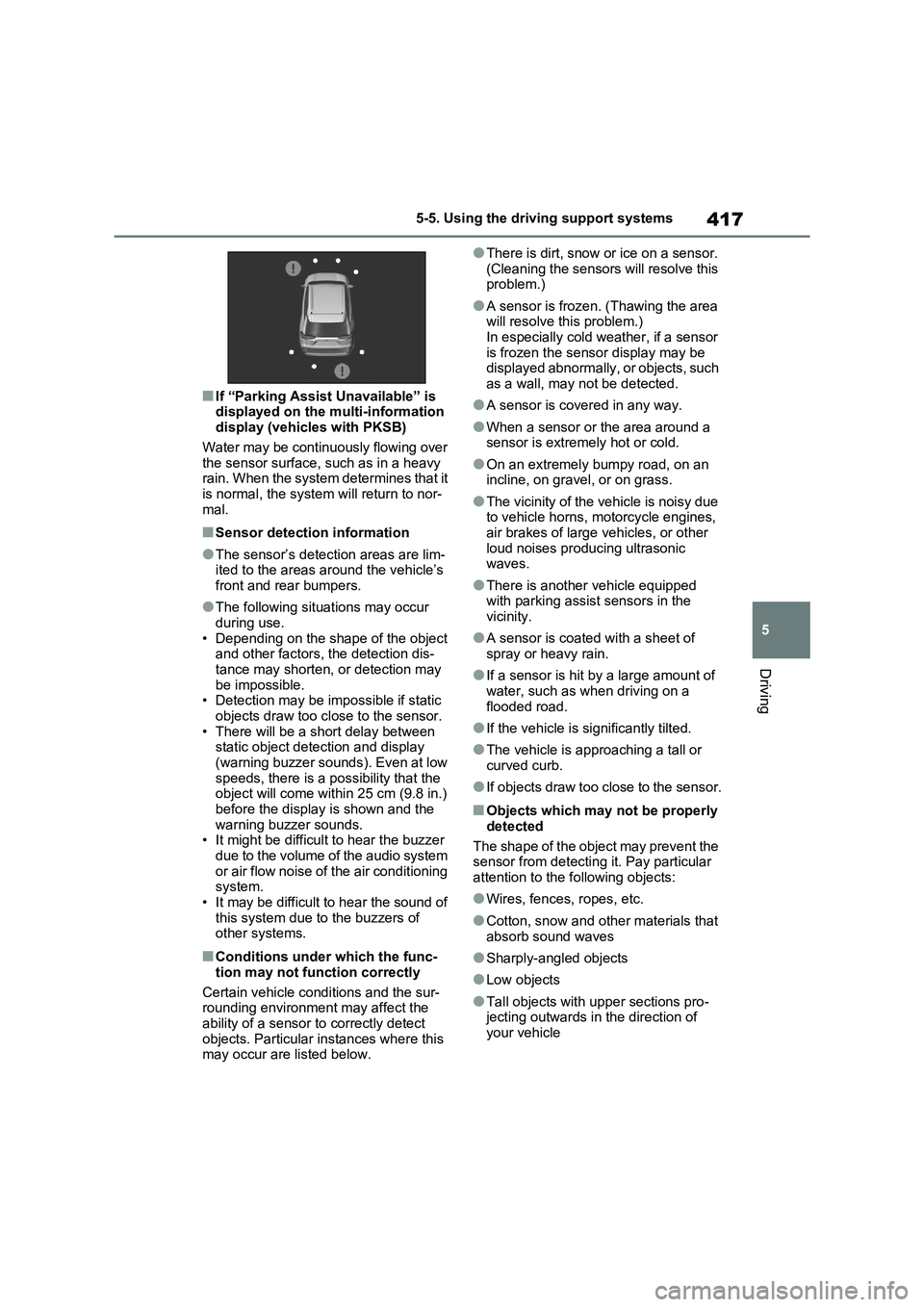
■If “Parking Assist Unavailable” is
displayed on the multi-information display (vehicles with PKSB)
Water may be continuously flowing over
the sensor surface, such as in a heavy rain. When the system determines that it
is normal, the system will return to nor-
mal.
■Sensor detection information
●The sensor’s detec tion areas are lim-
ited to the areas aro und the vehicle’s front and rear bumpers.
●The following situations may occur during use.
• Depending on the shape of the object
and other factors, t he detection dis- tance may shorten, or detection may
be impossible.
• Detection may be impossible if static objects draw too close to the sensor.
• There will be a shor t delay between
static object detec tion and display (warning buzzer sounds). Even at low
speeds, there is a possibility that the
object will come withi n 25 cm (9.8 in.) before the display is shown and the
warning buzzer sounds.
• It might be difficu lt to hear the buzzer due to the volume of the audio system
or air flow noise of the air conditioning
system. • It may be difficult to hear the sound of
this system due t o the buzzers of
other systems.
■Conditions under which the func -
tion may no t function correctly
Certain vehicle c onditions and the sur-
rounding environment may affect the
ability of a sensor to correctly detect objects. Particular instances where this
may occur are listed below.
●There is dirt, snow or ice on a sensor.
(Cleaning the sensors will resolve this problem.)
●A sensor is frozen. (Thawing the area will resolve this problem.)
In especially cold weather, if a sensor
is frozen the sensor display may be displayed abnormally, or objects, such
as a wall, may not be detected.
●A sensor is covered in any way.
●When a sensor or the area around a sensor is extremely hot or cold.
●On an extremely bumpy road, on an incline, on grav el, or on grass.
●The vicinity of the vehicle is noisy due to vehicle horns, motorcycle engines,
air brakes of large vehicles, or other
loud noises pro ducing ultrasonic waves.
●There is another vehicle equipped with parking assist sensors in the
vicinity.
●A sensor is coated with a sheet of
spray or heavy rain.
●If a sensor is hit by a large amount of
water, such as when driving on a
flooded road.
●If the vehicle is significantly tilted.
●The vehicle is approaching a tall or
curved curb.
●If objects draw too close to the sensor.
■Objects which may not be properly
detected
The shape of the object may prevent the sensor from detecting it. Pay particular
attention to the following objects:
●Wires, fences, ropes, etc.
●Cotton, snow and other materials that
absorb sound waves
●Sharply-angled objects
●Low objects
●Tall objects with upper sections pro- jecting outwards in the direction of
your vehicle
Page 494 of 666
4927-1. Maintenance and care
WARNING
■Water in the vehicle
●Do not splash or spill liquid in the
vehicle, such as on the floor, on the rear seats, in the DC/DC Converter
air intake vent, junction box or in
the luggage compartment. ( →P.98) Doing so may cause the DC/DC
Converter, electrical components,
etc. to malfunction or catch fire.
●Do not get any o f the SRS compo-
nents or wiring in the vehicle interior
wet. ( →P.40) An electrical malfunction may
cause the airbags to deploy or not
function properly, resulting in death or serious injury.
●Vehicles with wireless charger:Do not let the wir eless charger
( →P.479) get wet. Failure to do so
may cause the charger to become hot and cause burns or could cause
electric shock resu lting in death or
serious injury.
■Cleaning the interior (especially
instrument panel)
Do not use a polish wax or polish
cleaner. The instrument panel may
reflect off the windshield, obstructing the driver’s view and leading to an
accident, resulting in death or serious
injury.
NOTICE
■Cleaning detergents
●Do not use the fol lowing types of
detergent, as they may discolor the vehicle interior or cause streaks or
damage to paint ed surfaces:
• Non-seat portions: Organic sub - stances such as benzene or gaso -
line, alkaline or a cidic solutions,
dye, and bleach
• Seats: Alkaline or acidic solutions,
such as thinner, benzene, and alco -
hol
●Do not use a polish wax or polish cleaner. The instrument panel’s or
other interior part’ s painted surface
may be damaged.
■Preventing damage to leather
surfaces
Observe the following precautions to
avoid damage to and deterioration of
leather surfaces:
●Remove any dust or dirt from
leather surfaces immediately.
●Do not expose the vehicle to direct
sunlight for extended periods of
time. Park the vehicle in the shade, especially during summer.
●Do not place items made of vinyl, plastic, or containing wax on the
upholstery, as they may stick to the
leather surface if the vehicle interior heats up significantly.
■Water on the floor
Do not wash the vehicle floor with
water.
Vehicle systems such as the audio system may be damaged if water
comes into contact with electrical
components such as the audio sys - tem above or under the floor of the
vehicle. Water may also cause the
body to rust.
■When cleaning the inside of the
windshield (vehicles with Toyota Safety Sense)
Do not allow glass cleaner to contact
the lens. Also, do not touch the lens. ( →P.344)
■Cleaning the inside of the rear
window
●Do not use a glass cleaner to clean
the rear window, as this may cause
damage to the rear window defog - ger heater wires. Use a cloth damp -
ened with lukewarm water to gently
wipe the window clean. Wipe the window in strokes running parallel
to the heater wires.
Page 578 of 666
5768-2. Steps to take in an emergency
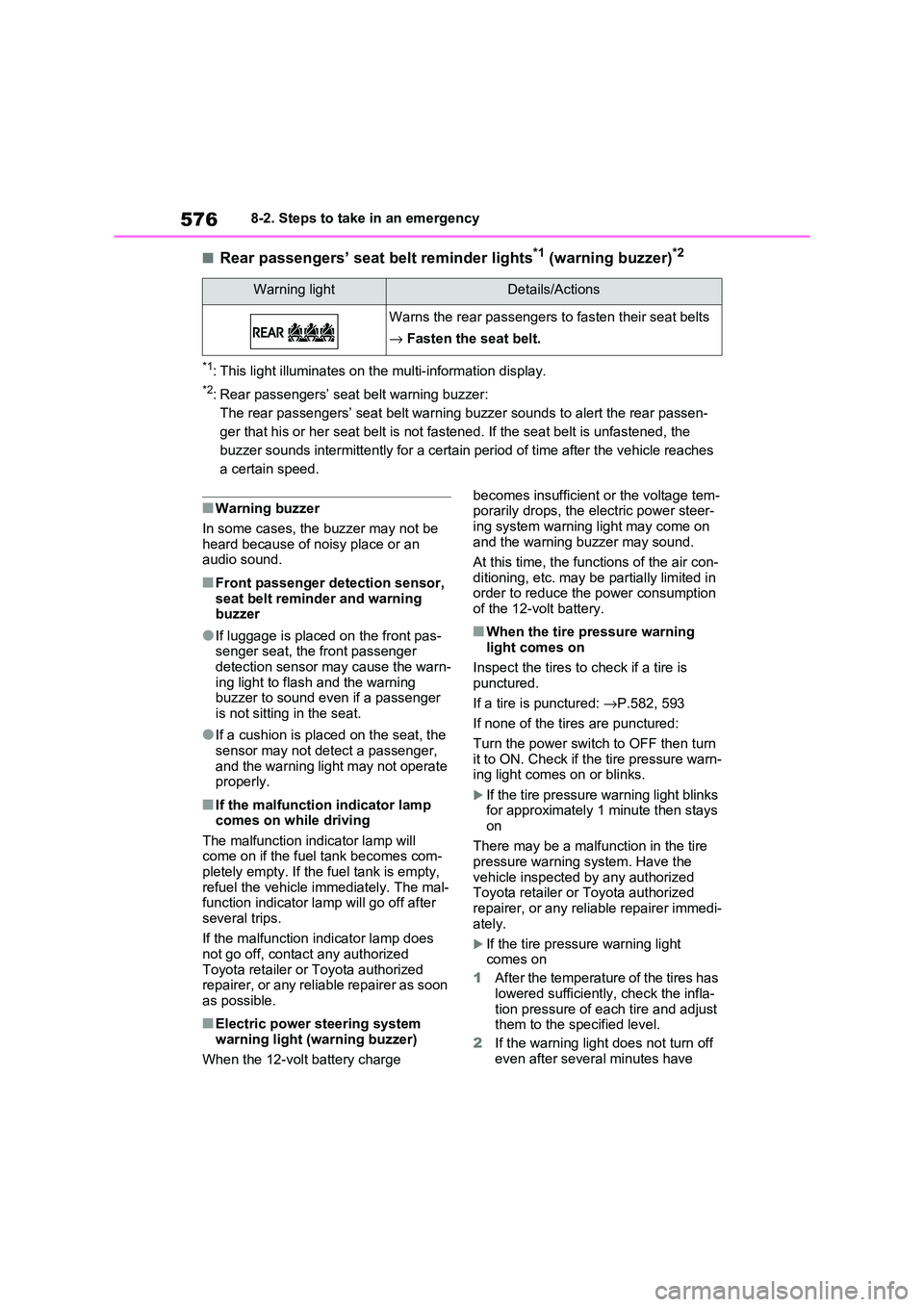
■Rear passengers’ seat belt reminder lights*1 (warning buzzer)*2
*1: This light illuminates on the multi-information display.
*2: Rear passengers’ seat belt warning buzzer:
The rear passengers’ seat belt warning buzzer sounds to alert the rear passen-
ger that his or her seat belt is not fastened. If the seat belt is unfastened, the
buzzer sounds intermittently for a certain period of time after the vehicle reaches
a certain speed.
■Warning buzzer
In some cases, the b uzzer may not be heard because of noisy place or an
audio sound.
■Front passenger detection sensor,
seat belt reminder and warning buzzer
●If luggage is place d on the front pas-
senger seat, the front passenger detection sensor may cause the warn -
ing light to flash and the warning
buzzer to sound even if a passenger is not sitting in the seat.
●If a cushion is place d on the seat, the sensor may not detect a passenger,
and the warning light may not operate
properly.
■If the malfunction indicator lamp comes on while driving
The malfunction indicator lamp will
come on if the fuel tank becomes com- pletely empty. If the fuel tank is empty,
refuel the vehicle i mmediately. The mal-
function indicator lamp will go off after several trips.
If the malfunction in dicator lamp does
not go off, contact any authorized Toyota retailer or Toyota authorized
repairer, or any reliable repairer as soon
as possible.
■Electric power steering system warning light (warning buzzer)
When the 12-volt battery charge
becomes insufficien t or the voltage tem-
porarily drops, the electric power steer -
ing system warning light may come on and the warning buzzer may sound.
At this time, the func tions of the air con-
ditioning, etc. may be partially limited in order to reduce the power consumption
of the 12-volt battery.
■When the tire pressure warning
light comes on
Inspect the tires to check if a tire is
punctured.
If a tire is punctured: →P.582, 593
If none of the tires are punctured:
Turn the power switch to OFF then turn
it to ON. Check if the tire pressure warn - ing light comes on or blinks.
If the tire pressure warning light blinks
for approximately 1 minute then stays
on
There may be a malfunction in the tire
pressure warning system. Have the
vehicle inspected by any authorized Toyota retailer or Toyota authorized
repairer, or any reliable repairer immedi -
ately.
If the tire pressure warning light
comes on
1 After the temperature of the tires has
lowered sufficiently, check the infla - tion pressure of each tire and adjust
them to the specified level.
2 If the warning light does not turn off
even after several minutes have
Warning lightDetails/Actions
Warns the rear passengers to fasten their seat belts
→ Fasten the seat belt.
Page 610 of 666
6088-2. Steps to take in an emergency
minutes to recharge the 12-volt
battery of your vehicle.
6 Open and close any of the doors
of your vehicle with the power
switch off.
7 Maintain the engine speed of
the second vehicle and start the
hybrid system of your vehicle by
turning the power switch to ON.
8 Make sure the “READY” indica-
tor comes on. If the indicator
light does not come on, contact
any authorized Toyota retailer or
Toyota authorized repairer, or
any reliable repairer.
9 Once the hybrid system has
started, remove the jumper
cables in the exact reverse
order from which they were con -
nected.
10 Close the exclusive jump start-
ing terminal cover, and reinstall
the fuse box cover to its original
position.
Once the hybrid system starts,
have the vehicle inspected at any
authorized Toyota retailer or Toyota
authorized repairer, or any reliable
repairer as soon as possible.
■Starting the hybrid system when
the 12-volt battery is discharged
The hybrid system c annot be started by push-starting.
■To prevent 12-volt battery dis -
charge
●Turn off the headlights and the audio
system while the hybrid system is off.
●Turn off any unnecessary electrical
components when the vehicle is run - ning at a low speed for an extended
period, such as in heavy traffic.
■When the 12-volt battery is
removed or discharged
●Information stored in the ECU is
cleared. When the 12 -volt battery is depleted, have the vehicle inspected
at any authorized Toyota retailer or
Toyota authorized repairer, or any reli - able repairer.
●Some systems may r equire initializa- tion. ( →P.643)
■When removing the 12-volt battery
terminals
When the 12-volt batte ry terminals are removed, the in formation stored in the
ECU is cleared. Before removing the 12-
volt battery termi nals, contact any authorized Toyota r etailer or Toyota
authorized repairer, or any reliable
repairer.
■Charging the 12-volt battery
The electricity stor ed in the 12-volt bat-
tery will discharge gr adually even when
the vehicle is not in use, due to natural discharge and the dr aining effects of
certain electrical appliances. If the vehi -
cle is left for a long time, the 12-volt bat- tery may discharge, and the hybrid
system may be unable t o start. (The 12-
volt battery recharges automatically while the hybrid syst em is operating.)
■When recharging or replacing the
12-volt battery
●In some cases, it may not be possible
to unlock the doors using the smart
entry & start system when the 12-volt
battery is discharged. Use the wire - less remote control o r the mechanical
key to lock or unlock the doors.
●The hybrid system may not start on
the first attempt after reinstalling the
12-volt battery. In t hat case, start the hybrid system in t he same manner as
when the electr onic key does not
operate properly ( →P.605). This is not
Page 633 of 666
631
9
9-2. Customization
Vehicle specifications
■Gauges, meters and mult i-information display (→P.174, 179)
Function*1Default
setting
Customized
setting
Language*2“English”
(English)Except English*3–O–
Units*2km (L/100km,
kWh/100km)
km (km/L,
km/kWh)–O–miles (MPG,
miles/kWh)*4
Speedometer displayAnalogDigital–O–
EV indicatorOnOff–O–
“Eco Guidance” (ECO Accelera -
tor Guidance)OnOff–O–
“Fuel Economy”“Total Average”“Trip Average”–O–“Tank Average”
“Power Consumption”“Total Average”“Trip Average”–O–
Audio system linked displayOnOff–O–
Energy monitorOnOff–O–
AWD system displayOnOff–O–
Drive information typeTripTotal–O–
Drive information items (first
item)DistanceAverage Speed–O–Total Time
Drive information items (second
item)Total TimeAverage Speed–O–Distance
“Closing Display”“ECO Score”
“Drive Info”
–O–“Charging
Schedule”
Pop-up displayOnOff–O–
Calendar*5–––O–
Multi-Information display offOffOn–O–
ABC