heater TOYOTA RAV4 PRIME 2021 User Guide
[x] Cancel search | Manufacturer: TOYOTA, Model Year: 2021, Model line: RAV4 PRIME, Model: TOYOTA RAV4 PRIME 2021Pages: 618, PDF Size: 24.18 MB
Page 116 of 618

1162-2. Charging
■Hybrid battery (traction bat-
tery) warming control
(Alaska and Canada only)
This control operates after the
AC charging cable remains con-
nected to the vehicle for 3 days
and “Battery Heater” automati-
cally stops. It automatically insu-
lates the hybrid battery (traction
battery) in extremely low tem-
peratures.
This control stops 31 days
after the AC charging cable is
connected, even if it is still
connected to the vehicle.
When this control operates,
charging schedule settings
are ignored and charging
starts.
■“Battery Cooler”
When the hybrid battery (trac-
tion battery) is hot and the AC
charging cable is connected to
the vehicle, this function cools
the hybrid battery (traction bat-
tery) before charging is carried
out.
“Battery Cooler” will operate
when the “Battery Cooler” of
the “Charging Settings” on the
multi-information display is
on. ( P.178)
When the charging voltage is
120 V, the function does not
operate.
■Traction battery heating and
cooling system (“Battery
Heater” and “Battery Cooler”)
●The system ope rates when the
hybrid battery (traction battery) is
below or above a certain tempera-
ture.
●The system may operate when
charging is not being performed.
●When the charging schedule is
used ( P.130), this function will
operate according to the charging
schedule.
■“Battery Heater”
●When “Battery Heater” is operat-
ing, the charging indicator illumi-
nates.
●When the AC charging cable is
removed from the vehicle or
remains connected to the vehicle
for approximately 3 days, the sys-
tem automatically stops.
●When “Battery Heater” is operat-
ing during charging, the charging
time may be longer than normal.
●If the outside temperature
becomes high w hile “Battery
Heater” is operating, charging
may complete ear lier than the
“Departure” time set. ( P.130)
●When the following operations are
performed while “Battery Heater”
is operating, the hybrid battery
(traction battery) heating opera-
tion stops.
• The shift lever is changed to any position other than P
• The Remote Air Conditioning Sys-
tem is operated ( P.405)
●“Battery Heater” may operate
even when the hybrid battery
(traction battery) is fully charged
depending on the temperature of
the hybrid battery (traction bat-
tery).
• The remaining charge of the
hybrid battery (traction battery)
decreases when “Battery Heater”
operates. The charging operation
Page 133 of 618
1332-2. Charging
2
Plug-in hybrid system
■Effects of outside temperature
When the charging mode is set to
“Departure”, charging schedule may
be ignored due to the outside tem-
perature and charging may start.
■“Battery Heater” ( P.115) /
“Battery Cooler” ( P.116)
When charging is c arried out using
the charging schedule, the hybrid
battery (traction battery) heating or
cooling function may operate
according to the te mperature of the
hybrid battery (traction battery).
●When the charging mode is set to
“Start”, the function starts at the
set charging start time.
●“Battery Heater”: When the
charging mode is set to “Depar-
ture”, the function starts automati-
cally to complete heating by the
desired departure time.
●“Battery Cooler”: When the
charging mode is set to “Depar-
ture”, cooling starts approximately
30 minutes before the charging
start time. However, if there is no
time to finish charging by the
charging schedule, the hybrid bat-
tery (traction battery) cooling time
may be shortened and “Battery
Cooler” may not operate.
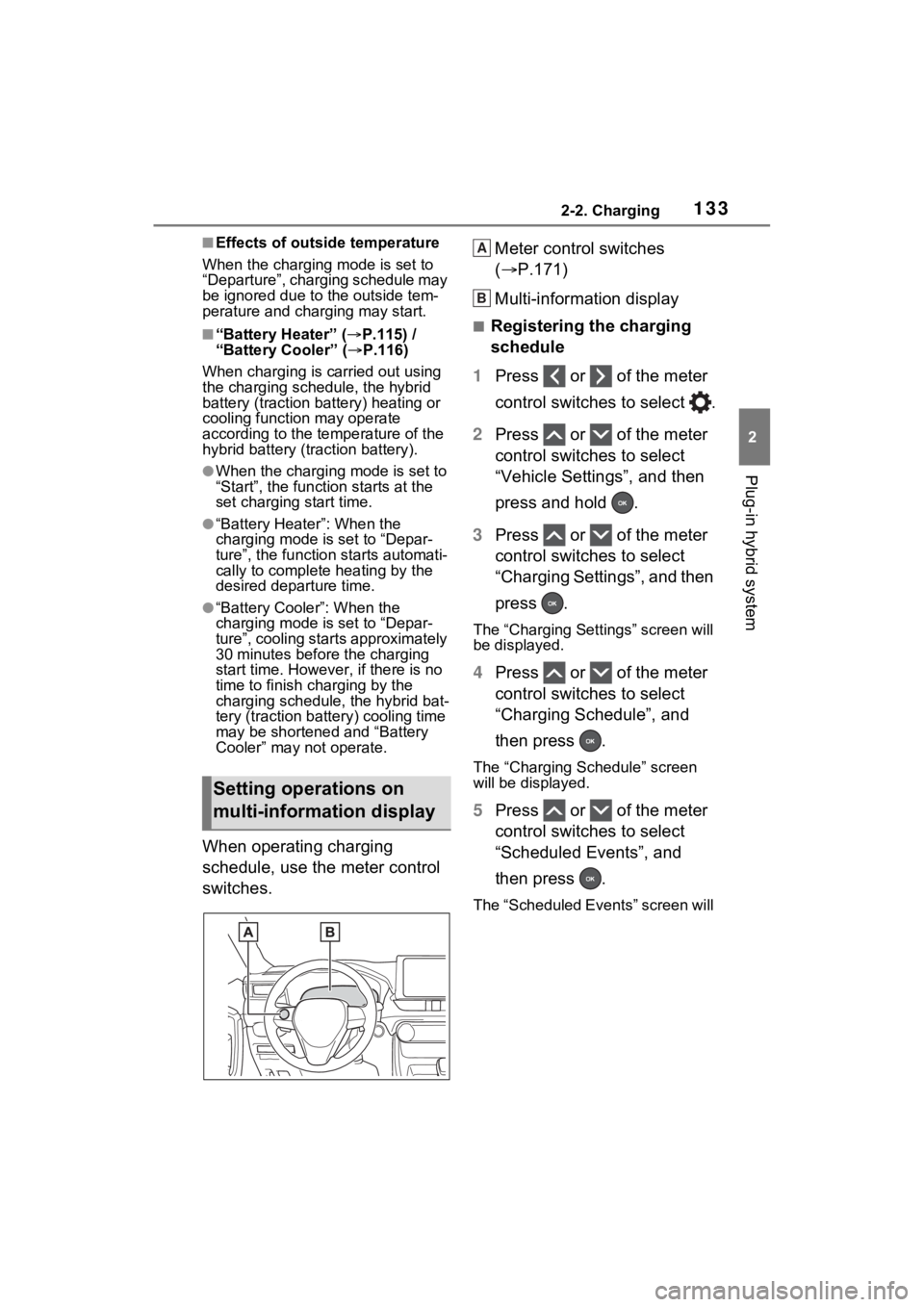
When operating charging
schedule, use the meter control
switches. Meter control switches
(
P.171)
Multi-information display
■Registering the charging
schedule
1 Press or of the meter
control switches to select .
2 Press or of the meter
control switches to select
“Vehicle Settings”, and then
press and hold .
3 Press or of the meter
control switches to select
“Charging Settings”, and then
press .
The “Charging Settings” screen will
be displayed.
4Press or of the meter
control switches to select
“Charging Schedule”, and
then press .
The “Charging Schedule” screen
will be displayed.
5Press or of the meter
control switches to select
“Scheduled Events”, and
then press .
The “Scheduled Events” screen will
Setting operations on
multi-information display
A
B
Page 145 of 618
1452-2. Charging
2
Plug-in hybrid system
To stop “My Room Mode”, turn
the power switch off.
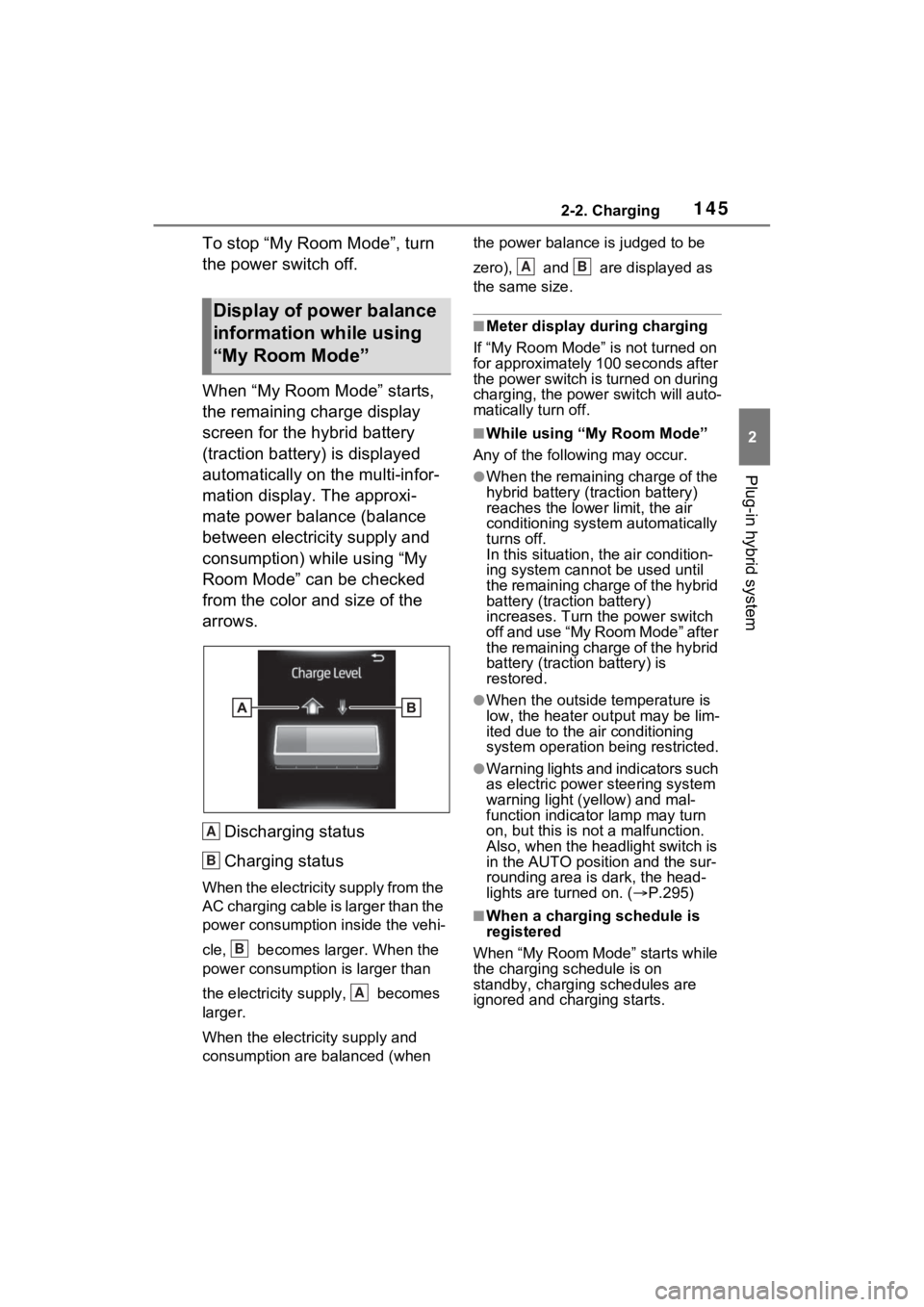
When “My Room Mode” starts,
the remaining charge display
screen for the hybrid battery
(traction battery) is displayed
automatically on the multi-infor-
mation display. The approxi-
mate power balance (balance
between electricity supply and
consumption) while using “My
Room Mode” can be checked
from the color and size of the
arrows.Discharging status
Charging status
When the electricity supply from the
AC charging cable is larger than the
power consumption inside the vehi-
cle, becomes larger. When the
power consumption is larger than
the electricity su pply, becomes
larger.
When the electricity supply and
consumption are balanced (when the power balance is judged to be
zero), and are displayed as
the same size.
■Meter display during charging
If “My Room Mode” is not turned on
for approximately 100 seconds after
the power switch is turned on during
charging, the power switch will auto-
matically turn off.
■While using “My Room Mode”
Any of the following may occur.
●When the remaining charge of the
hybrid battery (traction battery)
reaches the lowe r limit, the air
conditioning system automatically
turns off.
In this situation, the air condition-
ing system cannot be used until
the remaining charge of the hybrid
battery (traction battery)
increases. Turn the power switch
off and use “My Room Mode” after
the remaining charge of the hybrid
battery (traction battery) is
restored.
●When the outside temperature is
low, the heater ou tput may be lim-
ited due to the air conditioning
system operation being restricted.
●Warning lights and indicators such
as electric power steering system
warning light (yellow) and mal-
function indicator lamp may turn
on, but this is no t a malfunction.
Also, when the headlight switch is
in the AUTO position and the sur-
rounding area is dark, the head-
lights are turned on. ( P.295)
■When a charging schedule is
registered
When “My Room Mode” starts while
the charging schedule is on
standby, charging schedules are
ignored and charging starts.
Display of power balance
information while using
“My Room Mode”
A
B
B
A
AB
Page 151 of 618
1512-2. Charging
2
Plug-in hybrid system
■Charging ends earlier than time set in “Departure”
AC charging cable was removed and
reinserted while charging indicator of
the charging port was flashing
If the AC charging cable is removed
and reinserted while the charging
indicator is flash ing, the charging
schedule is canceled ( P.125).
Temporarily remove the AC charging
cable, and then reconnect it.
The Remote Air C onditioning Sys-
tem was operated
When the Remote Air Conditioning
System is operated, the system will
start charging, even if the charging
schedule is registered. To carry out
charging using the charging sched-
ule, stop the Remote Air Condition-
ing System, and then reconnect the
AC charging cable.
“Battery Heater” ( P.115) operated
When the charging mode is set to
“Departure”, “Battery Heater” may
operate before charging starts.
Check the status of the charging
indicator of the charging port.
( P.100)
Outside temperature is low and
hybrid battery (traction battery)
warming control ( P.116) operated
(Alaska and Canada only)
When hybrid battery (traction bat-
tery) warming control operates, the
charging schedules are ignored and
charging starts. In order to protect
the hybrid battery ( traction battery),
allow charging to continue.
Likely causeCorrection procedure
Charging end time does not match
estimated end time due to condition
of power source or outside tempera-
tureIf sudden changes in temperature or
changes in the condition of the
power source occur while charging,
charging may end earlier than the
time estimated by the system.
Likely causeCorrection procedure
Page 153 of 618
1532-2. Charging
2
Plug-in hybrid system
■If “Charging Stopped Due to Pulled Charging Connector” is
shown
*: Electricity is consumed when operating “Battery Heater” (P.115), the air
conditioning-linked function ( P.131) or Remote Air Conditioning System
( P.405).
Likely causeCorrection procedure
Charging connector is removed
while charging
When the charging connector is
removed while charging, charging
stops. If you want t o fully charge the
hybrid battery (traction battery),
reconnect the charging connector.After the hybrid battery (traction bat-
tery) is fully charged, the charging
connector is removed while the
hybrid battery (traction battery) is
being recharged again because
electricity-consuming functions
* have
been used and the remaining charge
is now reduced.
Charging connector is not securely
connected
Check the connection status of the
charging connector.
When connecting the charging
connector, make su re not to touch
the latch release button. Insert the
charging connector securely until
you hear a click. The charging con-
nector may not be connected cor-
rectly if the latch release button is
pressed while inserting.
After connecting the charging con-
nector, check that the latch release
button is not pressed and the
charging indicator of the charging
port is turned on.
If charging cannot be carried out,
even though the proper procedures
were followed, h ave the vehicle
inspected by your Toyota dealer.
Latch release button of charging
connector was pressed while
chargingWhen the latch release button is
pressed while charging, charging
stops. To continue charging, recon-
nect the charging connector.
Page 179 of 618
1793-1. Instrument cluster
3
Vehicle status information and indicators
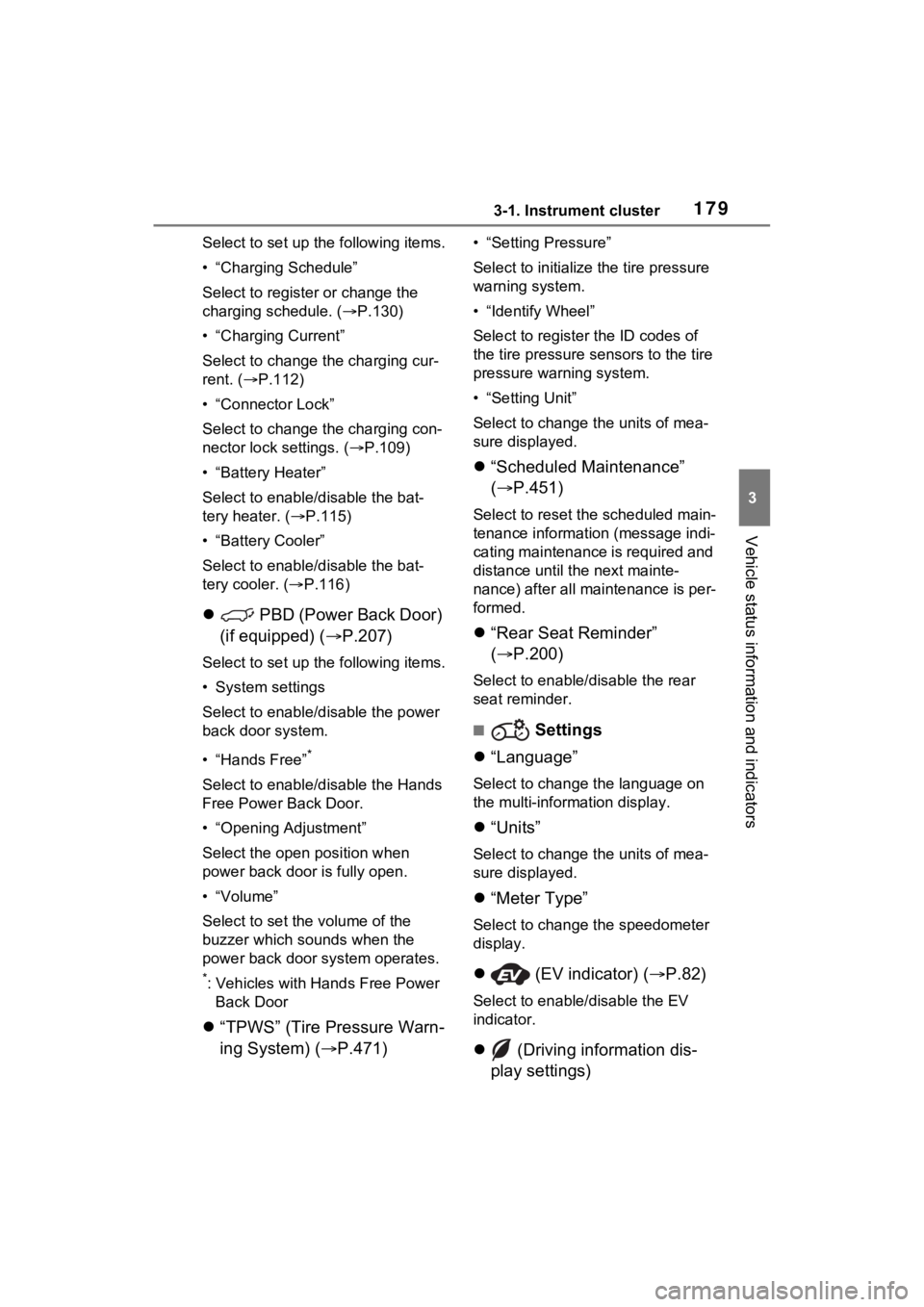
Select to set up the following items.
• “Charging Schedule”
Select to register or change the
charging schedule. ( P.130)
• “Charging Current”
Select to change the charging cur-
rent. ( P.112)
• “Connector Lock”
Select to change the charging con-
nector lock settings. ( P.109)
• “Battery Heater”
Select to enable/disable the bat-
tery heater. ( P.115)
• “Battery Cooler”
Select to enable/disable the bat-
tery cooler. ( P.116)
PBD (Power Back Door)
(if equipped) ( P.207)
Select to set up the following items.
• System settings
Select to enable/disable the power
back door system.
• “Hands Free”
*
Select to enable/disable the Hands
Free Power Back Door.
• “Opening Adjustment”
Select the open position when
power back door is fully open.
•“Volume”
Select to set the volume of the
buzzer which sounds when the
power back door system operates.
*: Vehicles with Hands Free Power
Back Door
“TPWS” (Tire Pressure Warn-
ing System) ( P.471)
• “Setting Pressure”
Select to initialize the tire pressure
warning system.
• “Identify Wheel”
Select to register the ID codes of
the tire pressure se nsors to the tire
pressure warning system.
• “Setting Unit”
Select to change the units of mea-
sure displayed.
“Scheduled Maintenance”
( P.451)
Select to reset the scheduled main-
tenance information (message indi-
cating maintenance is required and
distance until the next mainte-
nance) after all ma intenance is per-
formed.
“Rear Seat Reminder”
( P.200)
Select to enable/disable the rear
seat reminder.
■ Settings
“Language”
Select to change the language on
the multi-information display.
“Units”
Select to change the units of mea-
sure displayed.
“Meter Type”
Select to change the speedometer
display.
(EV indicator) ( P.82)
Select to enable/disable the EV
indicator.
(Driving information dis-
play settings)
Page 395 of 618
395
6
6
Interior features
Interior features
6-1. Using the air conditioning system and defogger
Automatic air conditioning system ....................... 396
Remote Air Conditioning System ...................... 405
Heated steering wheel/Front seat heaters/Front seat
heaters and ventila-
tors/Rear seat heaters 407
6-2. Using the interior lights Interior lights list .......... 410
6-3. Using the storage features List of storage features 413
Luggage compartment fea- tures .......................... 417
6-4. Using the other interior features
Other interior features . 420
Garage door opener.... 435
Page 398 of 618

3986-1. Using the air conditioning system and defogger
tized such as reducing fan
speed, etc.
Press the eco air conditioning
mode switch.
When the eco air conditioning
mode is on, the indicator illumi-
nates on the eco air conditioning
mode switch.
■Defogging the windshield
Defoggers are used to defog the
windshield and front side win-
dows.
Press the windshield defogger
switch.
Set the outside/recirculated air
mode switch to outside air mode if
t h e r e c i r c u l a t e d a i r m o d e i s u s e d . ( I t
may switch automatically.)
To defog the windshield and the
side windows quickly, turn the air
flow and temperature up.
To return to the previous mode,
press the windshield defogger
switch again when the windshield is
defogged.
When the windshield defogger
switch is on, the indicator illumi-
nates on the windshield defogger
switch.
■Defogging the rear window
and outside rear view mir-
rors
Defoggers are used to defog the
rear window and to remove rain-
drops, dew and frost from the
outside rear view mirrors.
Press the rear window defogger
and outside rear view mirror
defoggers switch.
The defoggers will automatically
turn off after 15 minutes.
When the rear window defogger
and outside rear view mirror defog-
gers switch is on, the indicator illu-
minates on the rear window
defogger and outside rear view mir-
ror defoggers switch.
■Heating
●In HV mode, the gasoline engine
may operate in order to extract
heat from the engine coolant via
the heater.
●In EV mode, heating is done by a
heat pump system.
• When the outside temperature is low or it is snowing, compared to
conventional vehicles, heating
may be less effective and warm
air may not come out.
• When the outside heat exchanger is frosted over, fan speed declines
and it may become harder to heat
the interior.
However, it is not a malfunction. In
this situation, the air temperature
from the outlets may not change
even though the set temperature is
raised.
• If frost has formed of the outside heat exchanger, the heating per-
formance will decline. The frost
can be removed from the outside
heat exchanger by operating the
Remote Air Conditioning System
before driving ( P.405). When
frosted over, the heating operation
of the Remote Air Conditioning
System starts after defrosting.
• When “AUTO” switch is turned on,
the heating is controlled opti-
mally. Therefore, the set heating
performance may not be achieved
even if the fan speed setting is
increased.
Page 399 of 618
3996-1. Using the air conditioning system and defogger
6
Interior features
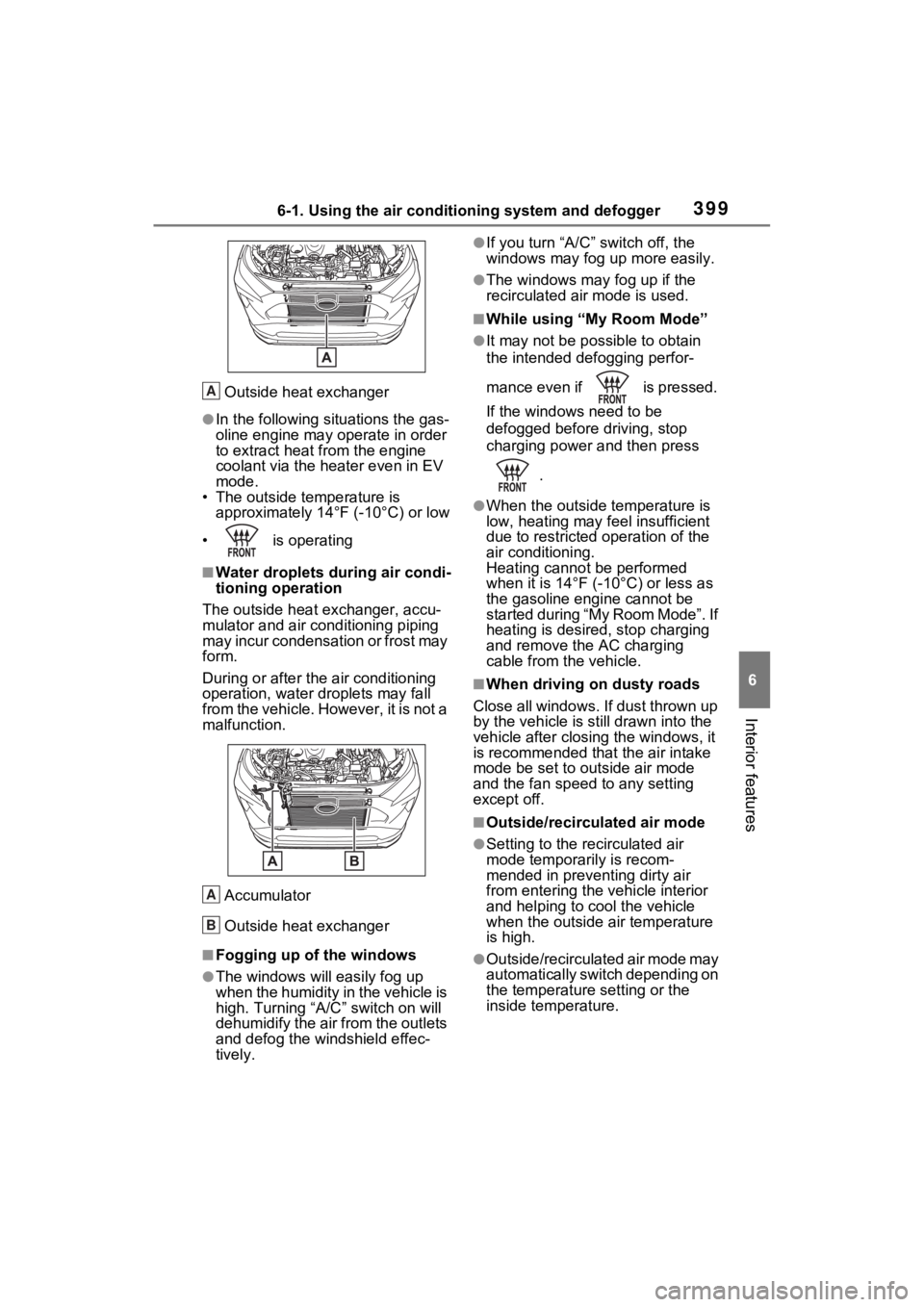
Outside heat exchanger
●In the following situations the gas-
oline engine may operate in order
to extract heat from the engine
coolant via the heater even in EV
mode.
• The outside temperature is approximately 14° F (-10°C) or low
• is operating
■Water droplets during air condi-
tioning operation
The outside heat exchanger, accu-
mulator and air conditioning piping
may incur condensation or frost may
form.
During or after the air conditioning
operation, water droplets may fall
from the vehicle. However, it is not a
malfunction.
Accumulator
Outside heat exchanger
■Fogging up of the windows
●The windows will easily fog up
when the humidity in the vehicle is
high. Turning “A/C ” switch on will
dehumidify the air from the outlets
and defog the windshield effec-
tively.
●If you turn “A/C” switch off, the
windows may fog up more easily.
●The windows may fog up if the
recirculated air mode is used.
■While using “My Room Mode”
●It may not be possible to obtain
the intended defogging perfor-
mance even if is pressed.
If the windows need to be
defogged before driving, stop
charging power and then press
.
●When the outside temperature is
low, heating may feel insufficient
due to restricted operation of the
air conditioning.
Heating cannot be performed
when it is 14°F (- 10°C) or less as
the gasoline engine cannot be
started during “My Room Mode”. If
heating is desired, stop charging
and remove the AC charging
cable from the vehicle.
■When driving on dusty roads
Close all windows. If dust thrown up
by the vehicle is still drawn into the
vehicle after closing the windows, it
is recommended that the air intake
mode be set to outside air mode
and the fan speed to any setting
except off.
■Outside/recirculated air mode
●Setting to the recirculated air
mode temporarily is recom-
mended in preventing dirty air
from entering the vehicle interior
and helping to c ool the vehicle
when the outside air temperature
is high.
●Outside/recirculated air mode may
automatically switch depending on
the temperature setting or the
inside temperature.
A
A
B
Page 406 of 618
4066-1. Using the air conditioning system and defogger
cient due to the power being
restricted more than during normal
air conditioning operation. Also, the
outside of the windshield may fog up
due to the outside temperature,
humidity or air conditioning set tem-
perature.
■Using the heater via the Remote
Air Conditioning System
●When the outside temperature is
low, heating may feel insufficient
due to restricted operation of the
air conditioning.
●When the outside heat exchanger
becomes frosted over, heating
performance may decline due to
automatically switching to the frost
removal operation. ( P.396)
■Security feature
Any unlocked doors will be automat-
ically locked when the system is
operating. The buzzer sounds and
the emergency flashers flash to indi-
cate that the doors have been
locked or the system has been
turned off.
■Conditions affecting operation
P.218
■While the Remote Air Condi-
tioning System is operating
●Depending on the operating con-
dition of the Remote Air Condition-
ing System, the air conditioning
compressor or cooling fan may
spin and an operating noise may
be heard. However, this does not
indicate a malfunction.
●The air conditioning operation
switches, etc. will not operate
while the Remote Air Condition-
ing System is operating.
■Electronic key battery depletion
P.194
■When the electronic key bat-
tery is fully depleted
P.493
■Customization
Setting (e.g. Operation using “A/C”
on the wireless remote control) can
be changed. (Customizable fea-
tures: P.569)
WARNING
■Precautions for the Remote
Air Conditioning System
●Do not use the system if people
are in the vehicle.
Even when the system is in use,
the internal temperature may
still reach a high or low level
due to features such as the
automatic shut-off. Children and
pets left inside the vehicle may
suffer heatstroke dehydration or
hypothermia or could result in
death or serious injury.
●Depending on the surrounding
environment, signals from the
wireless switch may transmit
further than e xpected. Pay
appropriate attention to the
vehicle’s surroundings and use
the switch only when neces-
sary.
●Do not operate “A/C” on the
wireless remote control if the
hood is open. The Remote Air
Conditioning System may oper-
ate unintentionally and objects
may be drawn into the electrical
cooling fan.
NOTICE
■To prevent the hybrid battery
(traction battery) from being
discharged
Use “A/C” on the wireless remote
control only when necessary.