climate TOYOTA RAV4 PRIME 2021 Owners Manual
[x] Cancel search | Manufacturer: TOYOTA, Model Year: 2021, Model line: RAV4 PRIME, Model: TOYOTA RAV4 PRIME 2021Pages: 618, PDF Size: 24.18 MB
Page 131 of 618
1312-2. Charging
2
Plug-in hybrid system
■Air conditioning-linked set-
ting (“Climate Prep”)
When the charging mode is set
to “Departure”, the vehicle air
conditioning system ( P.396)
can be set to automatically oper-
ate
* according to the set time.
By adjusting the cabin temperature
in advance, passengers can enjoy
a pleasant interior immediately after
entering the vehicle.
*: Operation starts approximately 20 minutes before the set depar-
ture time.
■Turning “Charge Now” on
and off
If even one charging schedule is
registered, charging does not
start until the set time, even if
the AC charging cable is con-
nected to the vehicle. To start
charging without changing the
charging schedule setting, turn
“Charge Now” on to temporarily
cancel the charging schedule
and enable charging after con-
necting the AC charging cable.
■Changing “Next Event”*1
It is possible to temporarily set
the time of the next charging
schedule without changing the
registered repeated setting.
*2
*1: The “Next Event” refers to the closest charging schedule from
the current time among the regis-
tered charging schedules.
Charging schedule is performed
based on the “Next Event”.
*2: When “Next Event” is changed, the current charging schedule
will be temporarily ignored and
charging will not be carried out
until the time specified by “Next
Event”. (For example, when
“Next Event” is set for 2 days
later, even if items are registered
on the charging schedule,
charging will not be carried out
until the time specified by “Next
Event”.)
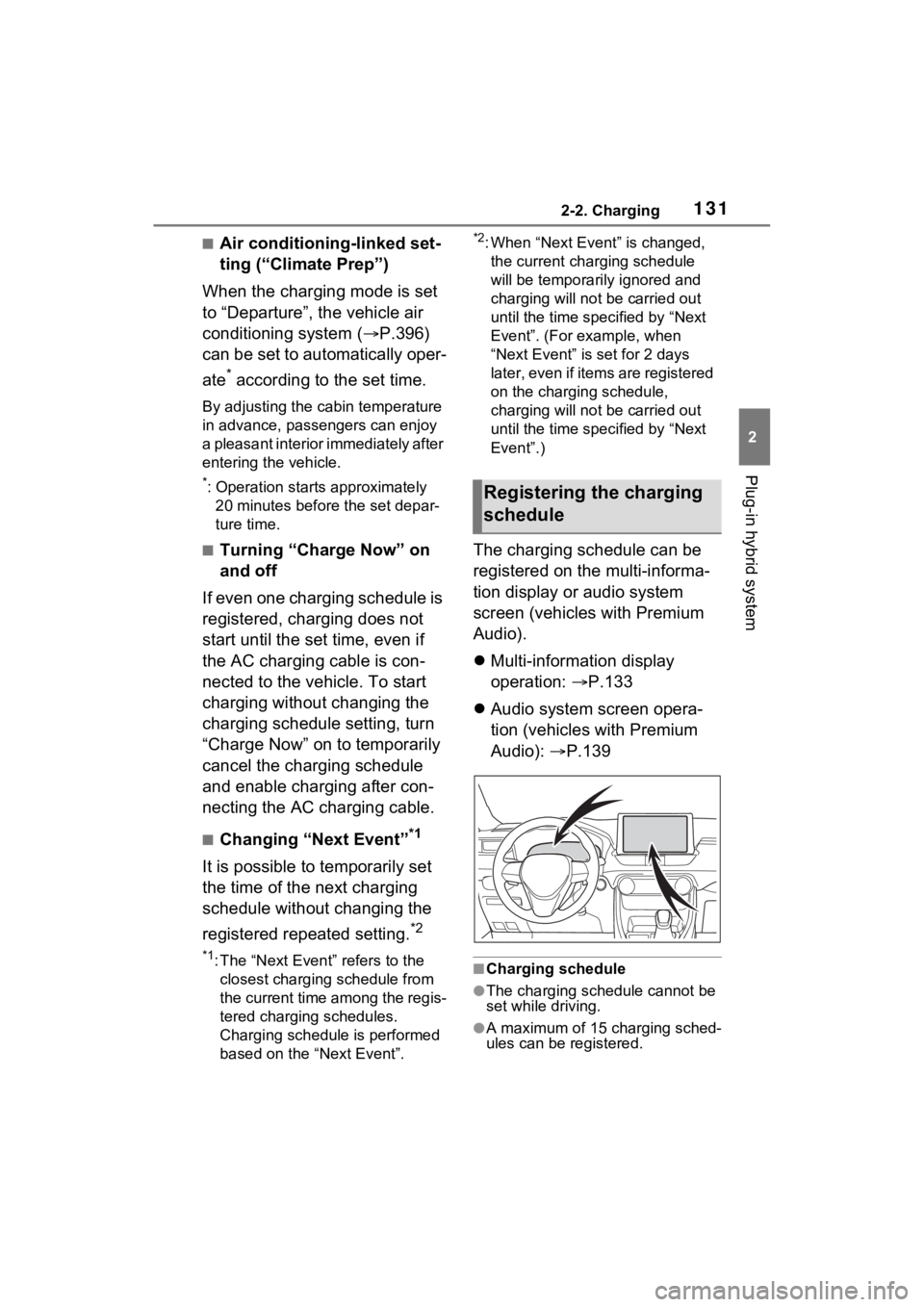
The charging schedule can be
registered on the multi-informa-
tion display or audio system
screen (vehicles with Premium
Audio).
Multi-information display
operation: P.133
Audio system screen opera-
tion (vehicles with Premium
Audio): P.139
■Charging schedule
●The charging schedule cannot be
set while driving.
●A maximum of 15 charging sched-
ules can be registered.
Registering the charging
schedule
Page 132 of 618

1322-2. Charging
■To make sure that the charging
schedule function operates cor-
rectly
Check the following items.
●A d j u s t t h e c l o c k t o t h e c o r r e c t t i m e
( P.169)
●The calendar is set to the correct
date ( P.177)
●Check that the power switch is
turned off
●After registering the charging
schedule, connect the AC
charging cable
The charging sta rt time is deter-
mined based on the charging
schedule at the time that the AC
charging cable was connected.
●After connecting the AC charging
cable, check that the charging
indicator of the charging port
flashes ( P.100)
●Do not use an ou tlet that has a
power cut off function (including a
timer function)
Use an outlet that constantly sup-
plies electricity. For outlets where
the power is cut off due to a timer
function, etc., charging may not be
carried out according to plan if the
power is cut off during the set
time.
■When the AC charging cable
remains connected to the vehi-
cle
Even if multiple consecutive
charging schedules are registered,
the next charge will not be carried
out according to the charging
schedule until the AC charging
cable is removed and reconnected
after charging completes. Also,
when the hybrid battery (traction
battery) is fully charged, charging
according to the charging schedule
will not be carried out.
■“Climate Prep”
●When the air conditioning-linked
setting is turned on, the air condi-
tioning operates until the set departure time. Therefore, the air
conditioning will co
nsume electric-
ity and charging may not complete
by the set departure time.
●If the hybrid batte ry (traction bat-
tery) is fully charged, charging will
not be carried o ut, even if the
charging schedule is set. How-
ever, if “Climate Prep” is turned
on, the air conditioning will oper-
ate only once when it nears the
time set in “Departure”. If this
occurs, the air conditioning will
consume electricity and the
remaining charge of the hybrid
battery (traction battery) when
departing may be decreased.
●When the doors are unlocked, the
air conditioning system does not
operate.
■Smartphone-linked operation
(vehicles with Premium Audio)
After applying to Toyota Apps, it is
possible to use the smartphone
application to change charging
schedule settings.
For details about Toyota Apps, refer
to
http://www.toyota.com/connectedse
rvices in the United States and
http://www.toyota.ca/connected
in
Canada.
■When charging schedules are
ignored
When the following operations are
performed while the charging
schedule is on standby, charging
schedule is temporarily canceled
and charging is started.
●When the Remote Air Condition-
ing System ( P.405) is operated
●When turning “My Room Mode”
on ( P.144)
●When turning “Charge Now” on
( P.137, 142)
●When an operation that temporar-
ily cancel charging using the
charging schedule ( P.125)
Page 134 of 618
1342-2. Charging
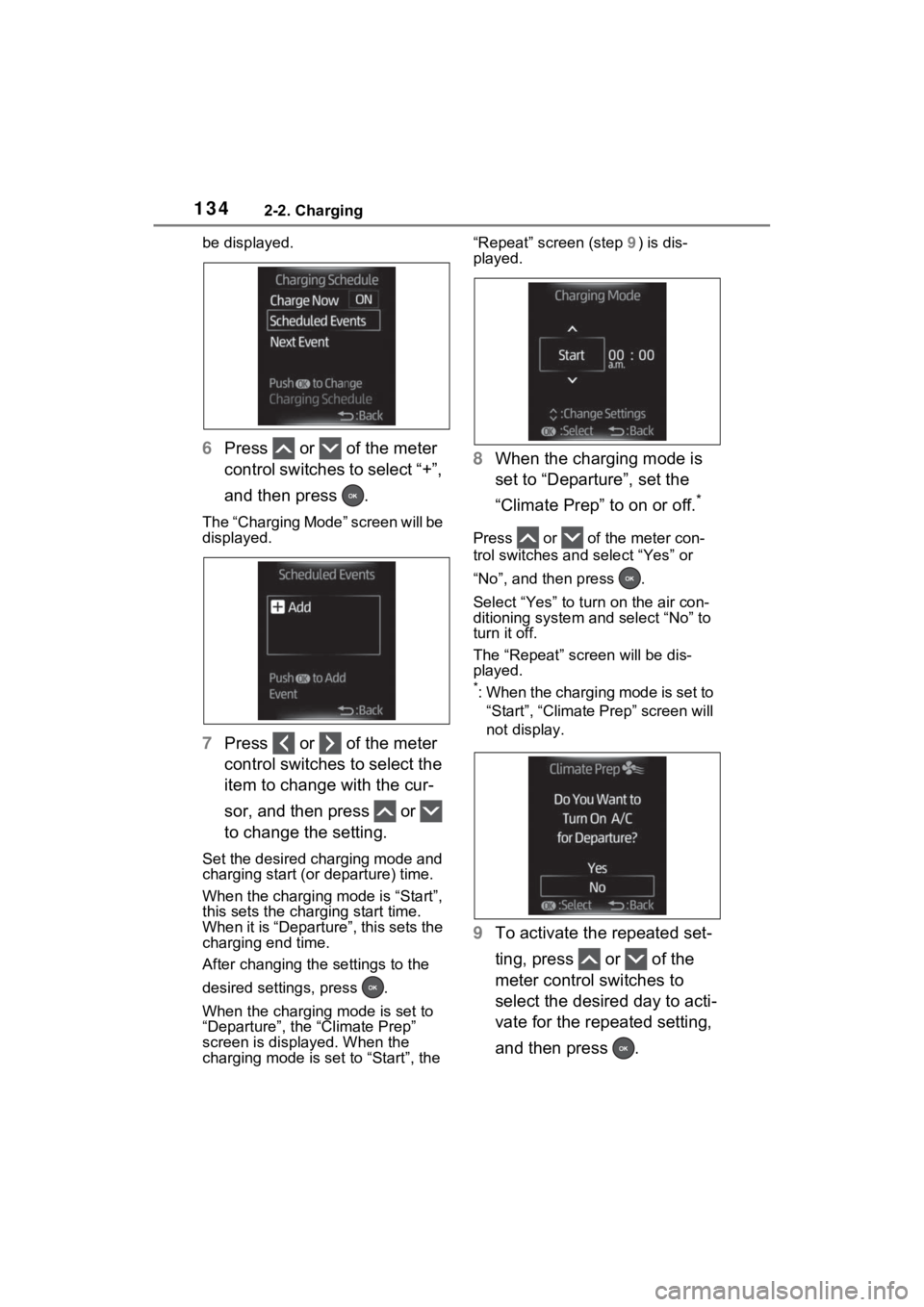
be displayed.
6Press or of the meter
control switches to select “+”,
and then press .
The “Charging Mode” screen will be
displayed.
7Press or of the meter
control switches to select the
item to change with the cur-
sor, and then press or
to change the setting.
Set the desired charging mode and
charging start (or departure) time.
When the charging mode is “Start”,
this sets the charging start time.
When it is “Departure”, this sets the
charging end time.
After changing the settings to the
desired settings, press .
When the charging mode is set to
“Departure”, the “Climate Prep”
screen is displayed. When the
charging mode is set to “Start”, the “Repeat” screen (step
9) is dis-
played.
8 When the charging mode is
set to “Departure”, set the
“Climate Prep” to on or off.
*
Press or of the meter con-
trol switches and select “Yes” or
“No”, and then press .
Select “Yes” to tu rn on the air con-
ditioning system and select “No” to
turn it off.
The “Repeat” scr een will be dis-
played.
*: When the charging mode is set to
“Start”, “Climate Prep” screen will
not display.
9 To activate the repeated set-
ting, press or of the
meter control switches to
select the desired day to acti-
vate for the repeated setting,
and then press .
Page 141 of 618
1412-2. Charging
2
Plug-in hybrid system
is possible to turn more than one
day on.
If no buttons are turned on,
charging is only carried out once
according to the charging schedule
for the next 24 hours.
“Climate Prep” ( P.131)
When the charging mode is set to
“Departure”, the “Climate Prep” is
displayed.
To operate the air conditioning sys-
tem, press the “ Climate Prep” but-
ton to set the function to on.
Each time the butt on is pressed,
the function switches between on
and off.
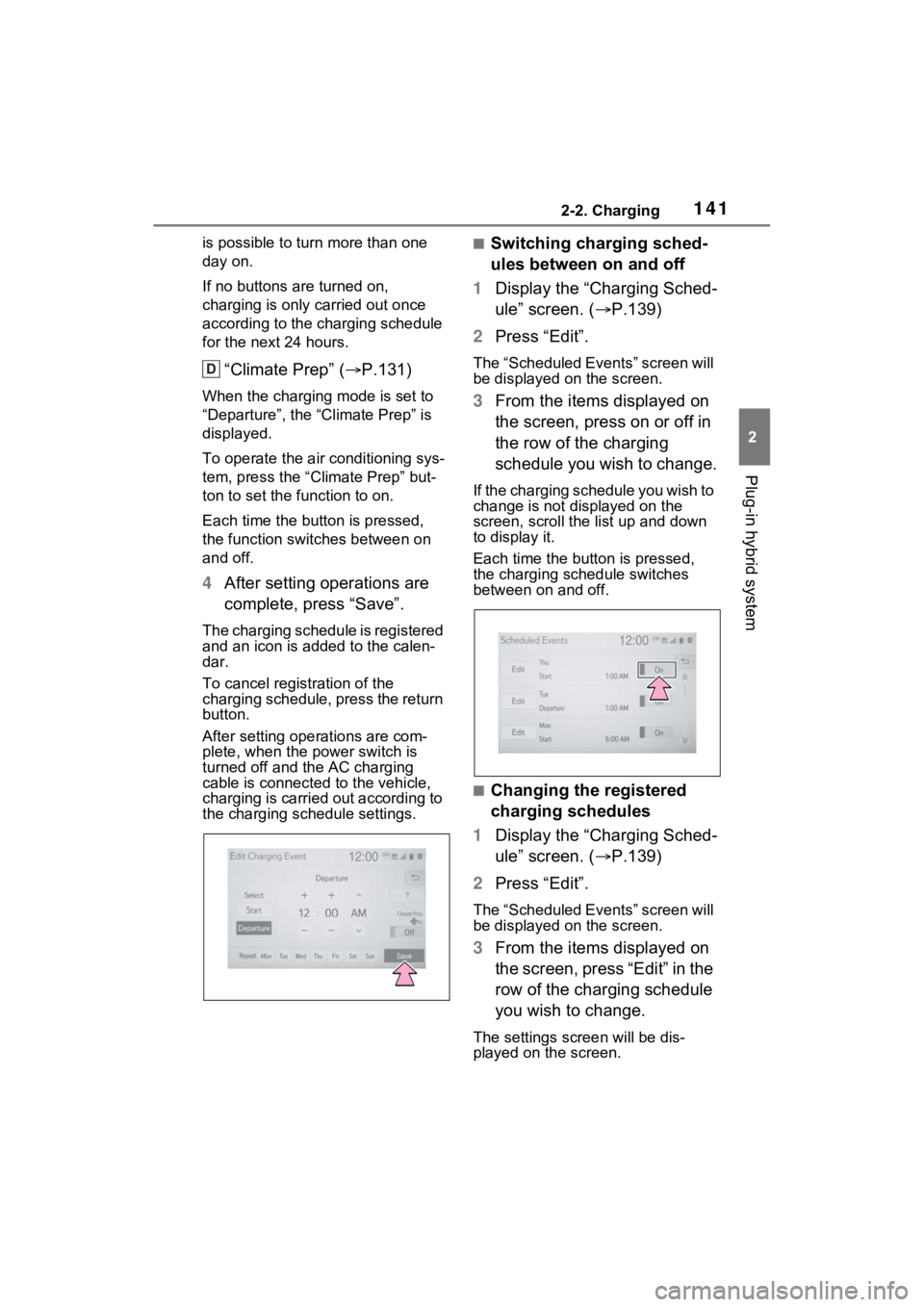
4 After setting operations are
complete, press “Save”.
The charging schedule is registered
and an icon is added to the calen-
dar.
To cancel registration of the
charging schedule, press the return
button.
After setting operations are com-
plete, when the power switch is
turned off and the AC charging
cable is connected to the vehicle,
charging is carried out according to
the charging schedule settings.
■Switching charging sched-
ules between on and off
1 Display the “Charging Sched-
ule” screen. ( P.139)
2 Press “Edit”.
The “Scheduled Events” screen will
be displayed on the screen.
3From the items displayed on
the screen, press on or off in
the row of the charging
schedule you wish to change.
If the charging schedule you wish to
change is not displayed on the
screen, scroll the list up and down
to display it.
Each time the butt on is pressed,
the charging schedule switches
between on and off.
■Changing the registered
charging schedules
1 Display the “Charging Sched-
ule” screen. ( P.139)
2 Press “Edit”.
The “Scheduled Events” screen will
be displayed on the screen.
3From the items displayed on
the screen, press “Edit” in the
row of the charging schedule
you wish to change.
The settings screen will be dis-
played on the screen.
D
Page 152 of 618
1522-2. Charging
■Charging is not complete, even though it is time set in
“Departure”
■Charging does not start, even though it is time set in “Start”
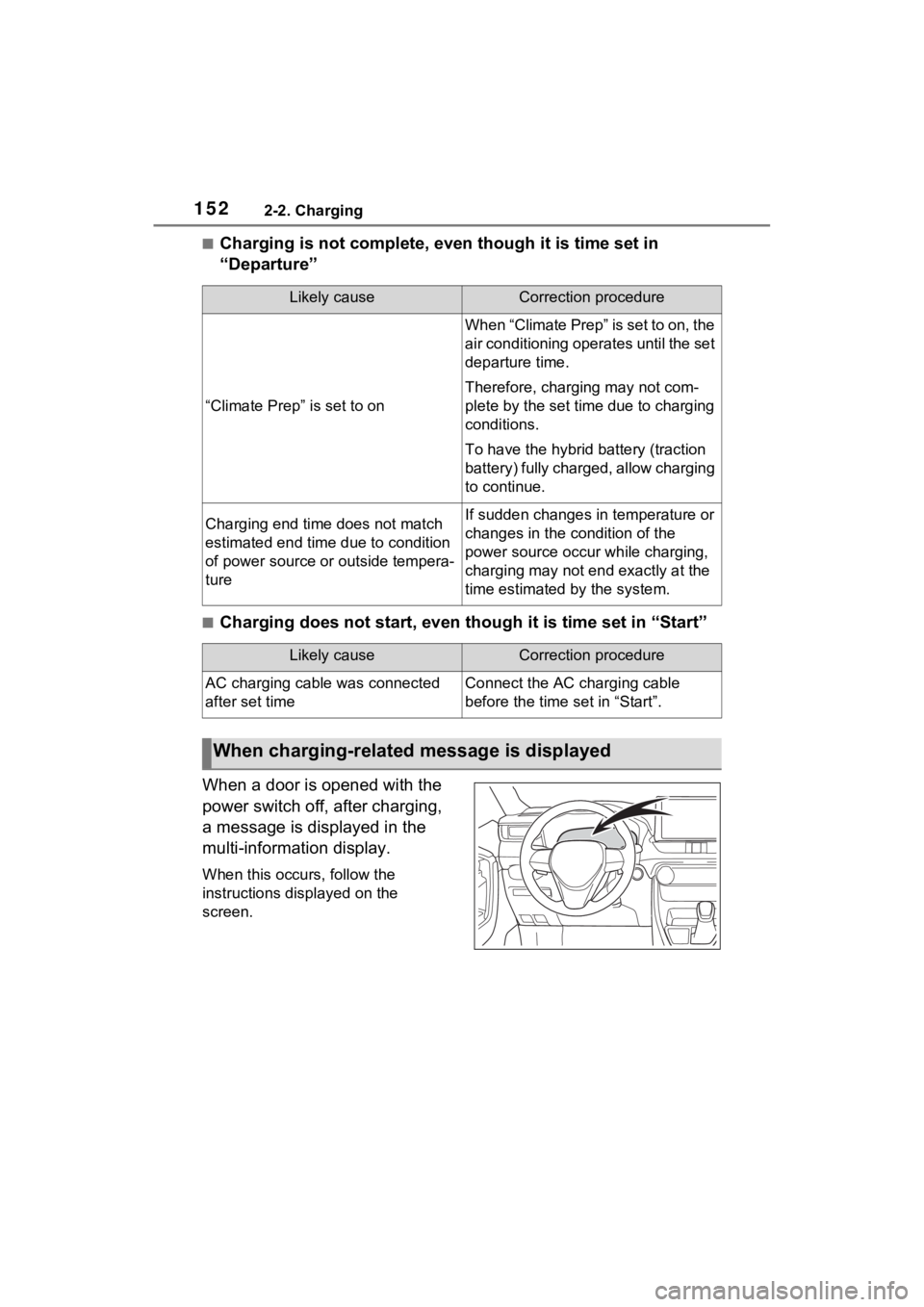
When a door is opened with the
power switch off, after charging,
a message is displayed in the
multi-information display.
When this occurs, follow the
instructions displayed on the
screen.
Likely causeCorrection procedure
“Climate Prep” is set to on
When “Climate Prep” is set to on, the
air conditioning operates until the set
departure time.
Therefore, charging may not com-
plete by the set time due to charging
conditions.
To have the hybrid battery (traction
battery) fully charged, allow charging
to continue.
Charging end time does not match
estimated end time due to condition
of power source or outside tempera-
tureIf sudden changes in temperature or
changes in the condition of the
power source occur while charging,
charging may not e nd exactly at the
time estimated by the system.
Likely causeCorrection procedure
AC charging cable was connected
after set timeConnect the AC charging cable
before the time set in “Start”.
When charging-related message is displayed
Page 388 of 618
3885-6. Driving tips
Perform the following according
to the driving conditions:
Do not try to forcibly open a
window or move a wiper that
is frozen. Pour warm water
over the frozen area to melt
the ice. Wipe away the water
immediately to prevent it from
freezing.
To ensure proper operation of
the climate control system
fan, remove any snow that
has accumulated on the air
inlet vents in front of the wind-
shield.
Check for and remove any
excess ice or snow that may
have accumulated on the
exterior lights, vehicle’s roof,
chassis, around the tires or on
the brakes.
Remove any snow or mud
from the bottom of your shoes
before getting in the vehicle. Accelerate the vehicle slowly,
keep a safe distance between
you and the vehicle ahead, and
drive at a reduced speed suit-
able to road conditions.
Park the vehicle and move
the shift lever to P without set-
ting the parking brake. The
parking brake may freeze up,
preventing it from being
released. If the vehicle is
parked without setting the
parking brake, make sure to
block the wheels.
Failure to do so may be dan-
gerous because it may cause
the vehicle to move unexpect-
edly, possibly leading to an
accident.
When the parking brake is in
automatic mode, release the
parking brake after shifting
the shift lever to P. ( P.290)
If the vehicle is left parked
with the brakes damp in cold
temperatures, there is a pos-
sibility of the brakes freezing.
If the vehicle is parked without
setting the parking brake,
confirm that the shift lever
cannot be moved out of P
*.
*: The shift lever will be locked if it is
attempted to be sh ifted from P to
any other position without
NOTICE
■Repairing or replacing snow
tires
Request repairs or replacement of
snow tires from your Toyota
dealer or legitimate tire retailers.
This is because the removal and
attachment of snow tires affects
the operation of the tire pressure
warning valves and transmitters.
Before driving the vehicle
When driving the vehicle
When parking the vehicle
Page 485 of 618
4857-3. Do-it-yourself maintenance
7
Maintenance and care
tioning filter according to the mainte-
nance schedule. In dusty areas or
areas with heavy traffic flow, early
replacement may be required. (For
scheduled maintenance information,
please refer to the “Owner’s Manual
Supplement” or “Scheduled Mainte-
nance”.)
■If air flow from the vents
decreases dramatically
The filter may be clogged. Check
the filter and replace if necessary.
WARNING
■When replacing the air condi-
tioning filter
Observe the following precau-
tions. Failure to do so may result
in the air conditioning system
operating during the procedure,
possibly resulting in injury.
●Check that the charging con-
nector is not connected
The air conditioning may operate
due to the “Climate Prep”
( P.131) setting.
●Do not use the Remote Air Con-
ditioning System
NOTICE
■When using the air condition-
ing system
Make sure that a filter is always
installed. Using the air condition-
ing system without a filter may
cause damage to the system.
■When removing the glove box
Always follow the specified proce-
dure to remove the glove box
( P.483). If the glove box is
removed without following the
specified procedure, the hinge of
the glove box may become dam-
aged.
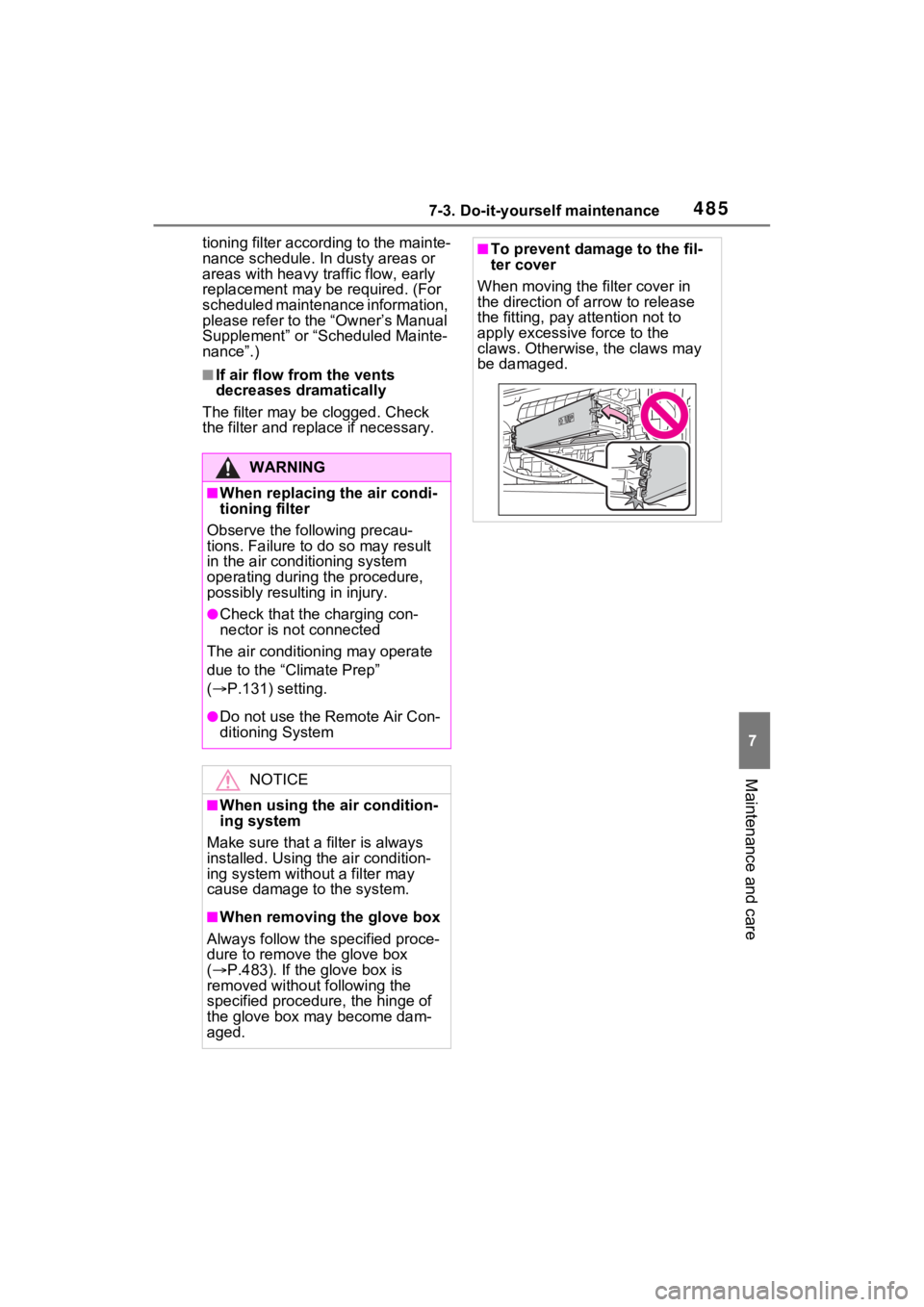
■To prevent damage to the fil-
ter cover
When moving the filter cover in
the direction of arrow to release
the fitting, pay attention not to
apply excessive force to the
claws. Otherwise, the claws may
be damaged.
Page 562 of 618
5629-1. Specifications
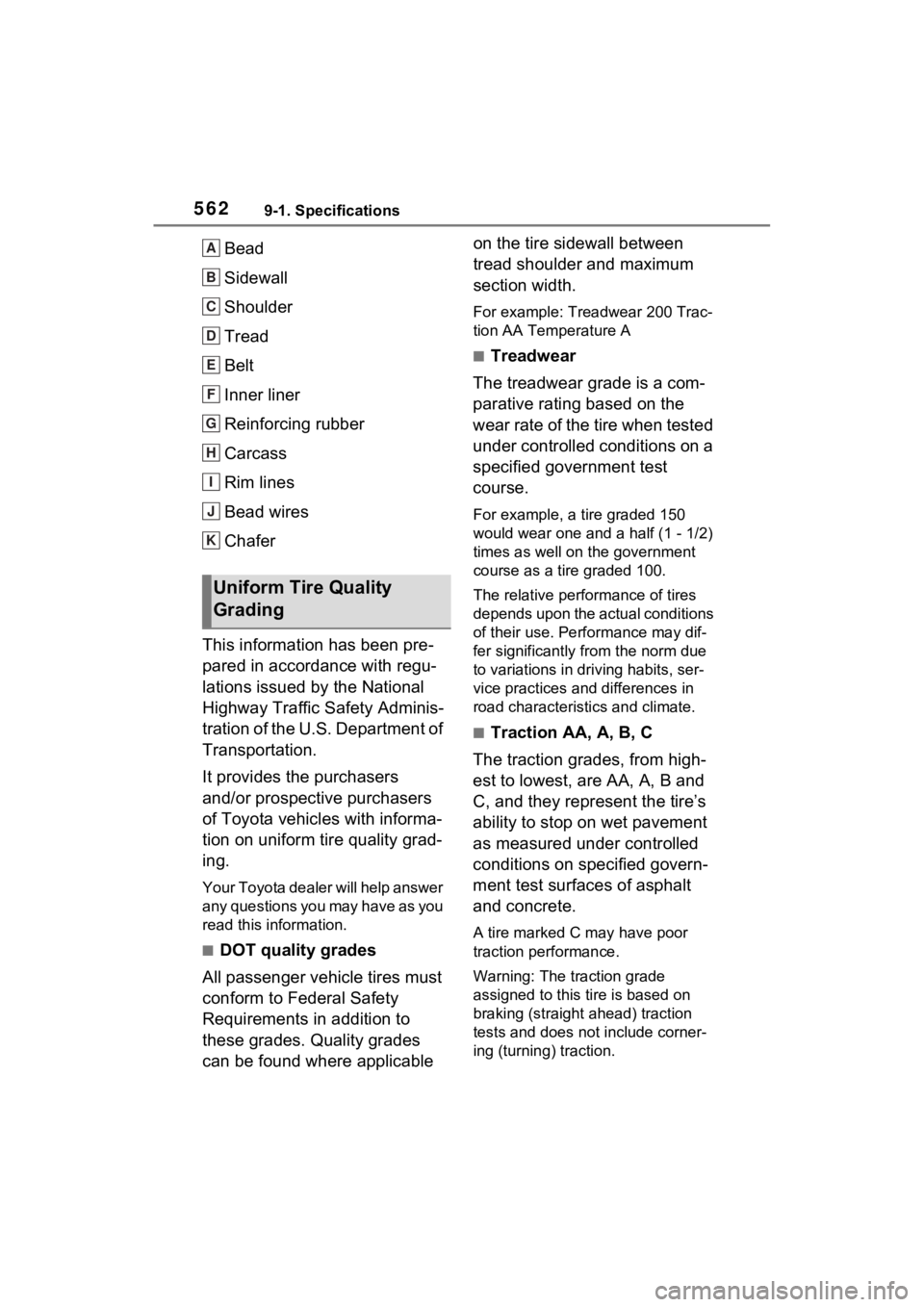
Bead
Sidewall
Shoulder
Tread
Belt
Inner liner
Reinforcing rubber
Carcass
Rim lines
Bead wires
Chafer
This information has been pre-
pared in accordance with regu-
lations issued by the National
Highway Traffic Safety Adminis-
tration of the U.S. Department of
Transportation.
It provides the purchasers
and/or prospective purchasers
of Toyota vehicles with informa-
tion on uniform tire quality grad-
ing.
Your Toyota dealer will help answer
any questions you may have as you
read this information.
■DOT quality grades
All passenger vehicle tires must
conform to Federal Safety
Requirements in addition to
these grades. Quality grades
can be found where applicable on the tire sidewall between
tread shoulder and maximum
section width.
For example: Treadwear 200 Trac-
tion AA Temperature A
■Treadwear
The treadwear grade is a com-
parative rating based on the
wear rate of the tire when tested
under controlled conditions on a
specified government test
course.
For example, a tire graded 150
would wear one and a half (1 - 1/2)
times as well on the government
course as a tire graded 100.
The relative performance of tires
depends upon the ac tual conditions
of their use. Performance may dif-
fer significantly from the norm due
to variations in dri ving habits, ser-
vice practices and differences in
road characteristics and climate.
■Traction AA, A, B, C
The traction grades, from high-
est to lowest, are AA, A, B and
C, and they represent the tire’s
ability to stop on wet pavement
as measured under controlled
conditions on specified govern-
ment test surfaces of asphalt
and concrete.
A tire marked C may have poor
traction performance.
Warning: The traction grade
assigned to this tire is based on
braking (straight ahead) traction
tests and does not include corner-
ing (turning) traction.
Uniform Tire Quality
Grading
A
B
C
D
E
F
G
H
I
J
K