specifications TOYOTA RAV4 PRIME 2022 Owners Manual
[x] Cancel search | Manufacturer: TOYOTA, Model Year: 2022, Model line: RAV4 PRIME, Model: TOYOTA RAV4 PRIME 2022Pages: 624, PDF Size: 24.01 MB
Page 1 of 624
RAV4 PRIME_OM_OM42E33U_(U)
1
2
3
4
5
6
7
8
9
10
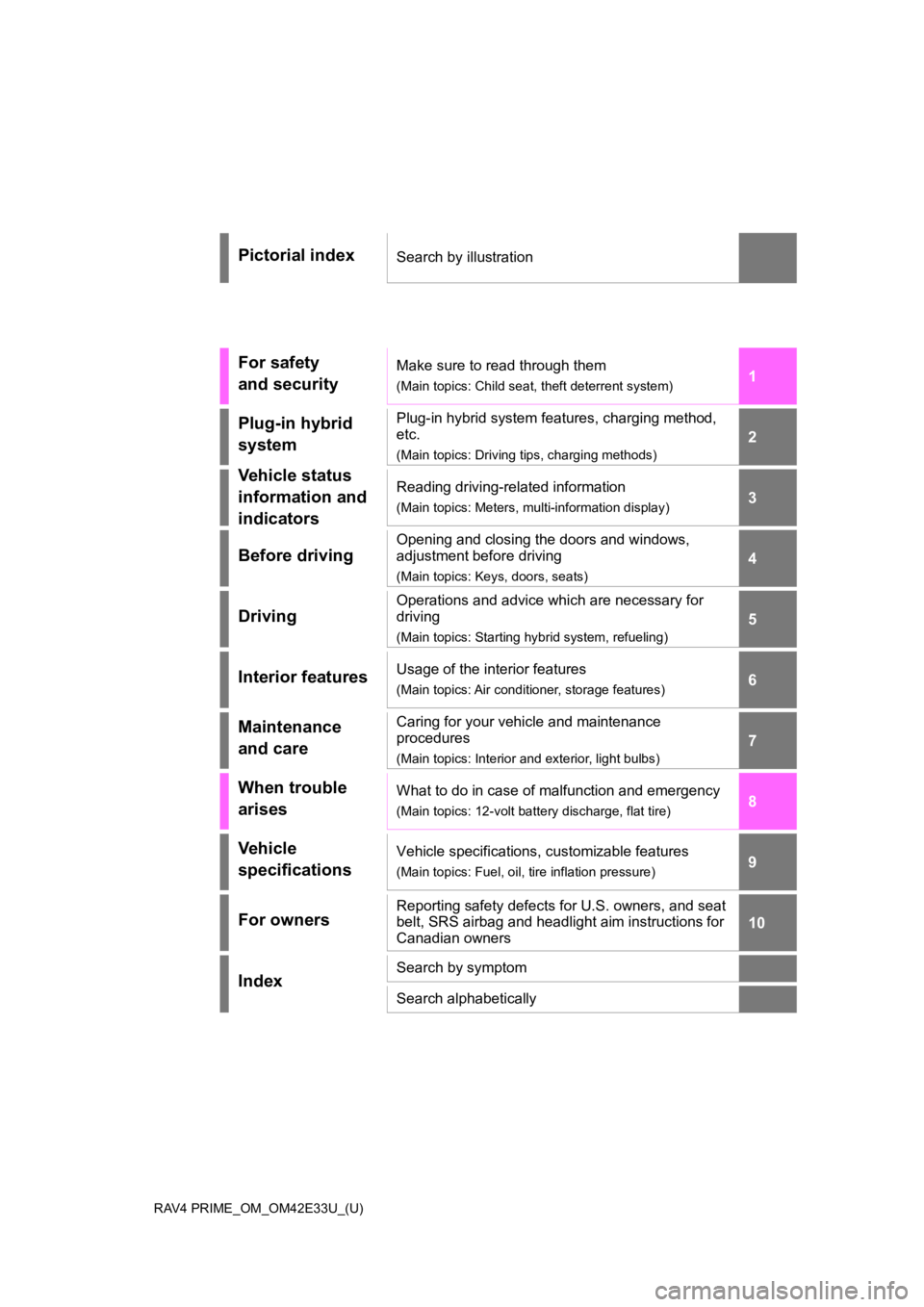
Pictorial indexSearch by illustration
For safety
and securityMake sure to read through them
(Main topics: Child seat, theft deterrent system)
Plug-in hybrid
systemPlug-in hybrid system features, charging method,
etc.
(Main topics: Driving tips, charging methods)
Vehicle status
information and
indicatorsReading driving-related information
(Main topics: Meters, multi-information display)
Before driving
Opening and closing the doors and windows,
adjustment before driving
(Main topics: Keys, doors, seats)
Driving
Operations and advice which are necessary for
driving
(Main topics: Starting hybrid system, refueling)
Interior featuresUsage of the interior features
(Main topics: Air conditioner, storage features)
Maintenance
and careCaring for your vehicle and maintenance
procedures
(Main topics: Interior and exterior, light bulbs)
When trouble
arisesWhat to do in case of malfunction and emergency
(Main topics: 12-volt battery discharge, flat tire)
Vehicle
specificationsVehicle specifications, customizable features
(Main topics: Fuel, oil, tire inflation pressure)
For ownersReporting safety defects for U.S. owners, and seat
belt, SRS airbag and headlight aim instructions for
Canadian owners
IndexSearch by symptom
Search alphabetically
Page 5 of 624
5TABLE OF CONTENTS
1
2
3
4
5
6
7
8
9
10
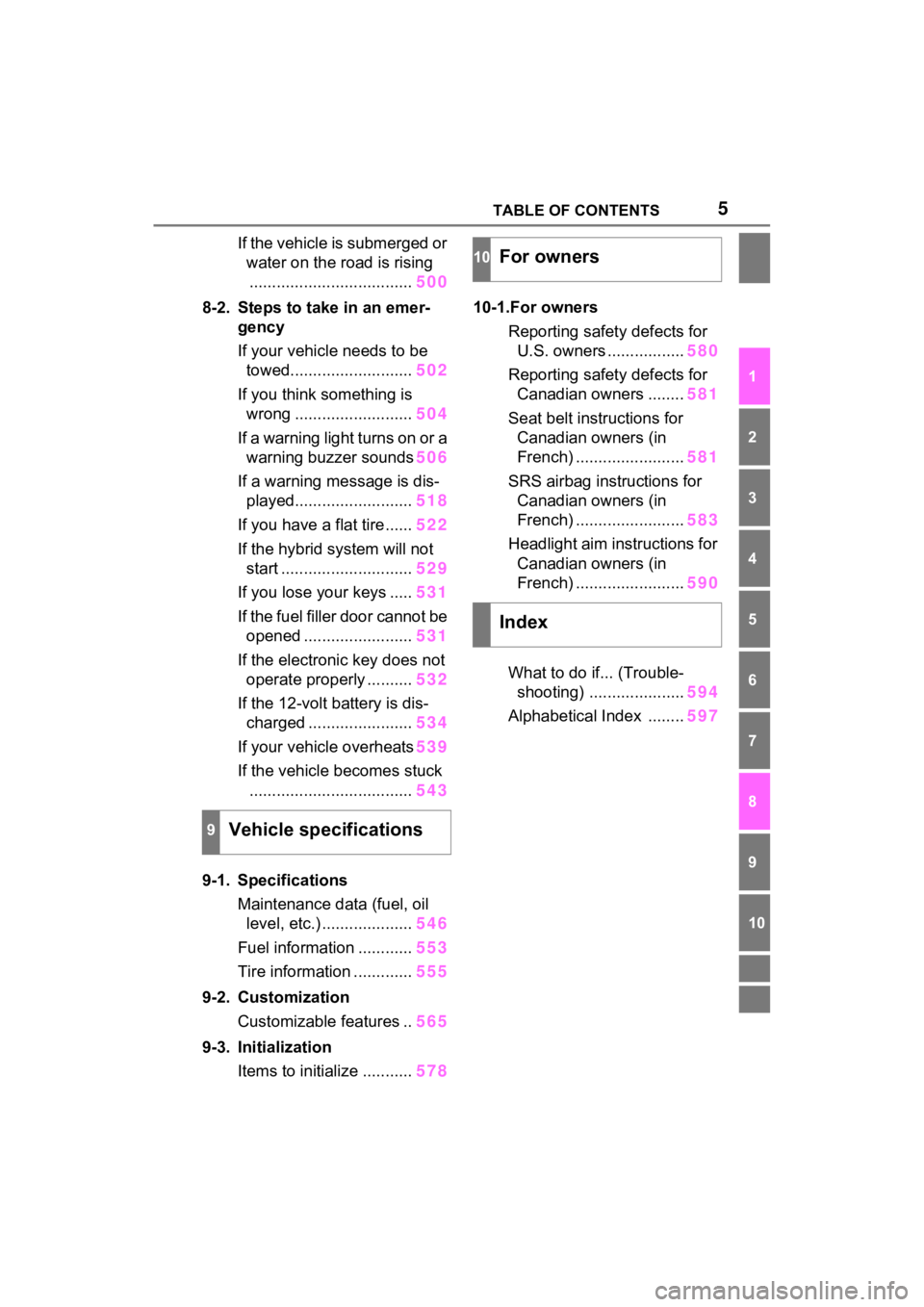
If the vehicle is submerged or water on the road is rising.................................... 500
8-2. Steps to take in an emer- gency
If your vehicle needs to be towed........................... 502
If you think something is wrong .......................... 504
If a warning light turns on or a warning buzzer sounds 506
If a warning message is dis- played.......................... 518
If you have a flat tire...... 522
If the hybrid system will not start ............................. 529
If you lose your keys ..... 531
If the fuel filler door cannot be opened ........................ 531
If the electronic key does not operate properly .......... 532
If the 12-volt battery is dis- charged ....................... 534
If your vehicle overheats 539
If the vehicle becomes stuck .................................... 543
9-1. Specifications Maintenance data (fuel, oil level, etc.) .................... 546
Fuel information ............ 553
Tire information ............. 555
9-2. Customization Customizable features .. 565
9-3. Initialization Items to initialize ........... 57810-1.For owners
Reporting safet y defects for
U.S. owners ................. 580
Reporting safet y defects for
Canadian owners ........ 581
Seat belt instructions for Canadian owners (in
French) ........................ 581
SRS airbag instructions for Canadian owners (in
French) ........................ 583
Headlight aim instructions for Canadian owners (in
French) ........................ 590
What to do if... (Trouble- shooting) ..................... 594
Alphabetical Index ........ 597
9Vehicle specifications
10For owners
Index
Page 6 of 624
6
Please note that this manual
applies to all models and
explains all equipment, including
options. Therefore, you may find
explanations for equipment not
installed on your vehicle and the
illustrations used may differ from
your vehicle.
All specifications provided in this
manual are current at the time of
printing. Over time, your vehicle
may receive updates that modify
the vehicle and make material in
this manual incomplete and/or
inaccurate. Because of Toyota’s
interest in continual product
improvement, Toyota reserves
the right to make changes to this
manual at any time without
notice.
If Toyota chooses to update the
manual, updated versions can
be viewed by selecting your
vehicle by model and year at the
following URL or on your mobile
device if you have access to the
Toyota app.
www.toyota.com/owners
Approximately five hours after
the hybrid system is turned off, you may hear sound coming
from under the vehicle for sev-
eral minutes. This is the sound
of a fuel evaporation leakage
check and, it does not indicate a
malfunction.
A wide variety of non-genuine
spare parts and accessories for
Toyota vehicles are currently
available in the market. You
should know that Toyota does
not warrant these products and
is not responsible for their per-
formance, repair, or replace-
ment, or for any damage they
may cause to, or adverse effect
they may have on, your Toyota
vehicle.
This vehicle should not be modi-
fied with non-genuine Toyota
products. Modification with non-
genuine Toyota products could
affect its performance, safety or
durability, and may even violate
governmental regulations. In
addition, damage or perfor-
mance problems resulting from
the modification may not be cov-
ered under warranty.
Also, remodeling like this will
have an effect on advanced
safety equipment such as
Toyota Safety Sense 2.0 and
there is a danger that it will not
For your information
Main Owner’s Manual
Noise from under vehicle
after turning off the hybrid
system
Accessories, spare parts
and modification of your
Toyota
Page 114 of 624
1142-2. Charging
■Charging from an external
power source (P.123)
This is a charging method used
when charging from an AC out-
let (120 V) with the AC charging
cable equipped to the vehicle or
charging at a public charging
station.
The charging start time (or depar-
ture time) and day can be set to
carry out charging using the
charging schedule at the desired
date and time. ( P.130)
■Using the hybrid battery
(traction battery) charge
mode ( P.79)
The plug-in hybrid system can
be switched to hybrid battery
(traction battery) charge mode
to charge the hybrid battery
(traction battery) using electricity
generated by gasoline engine
operation.
The maximum charge amount in
the hybrid battery (traction battery)
charge mode is approximately 80%
of the fully charged capacity for the
charging from an external power
source.
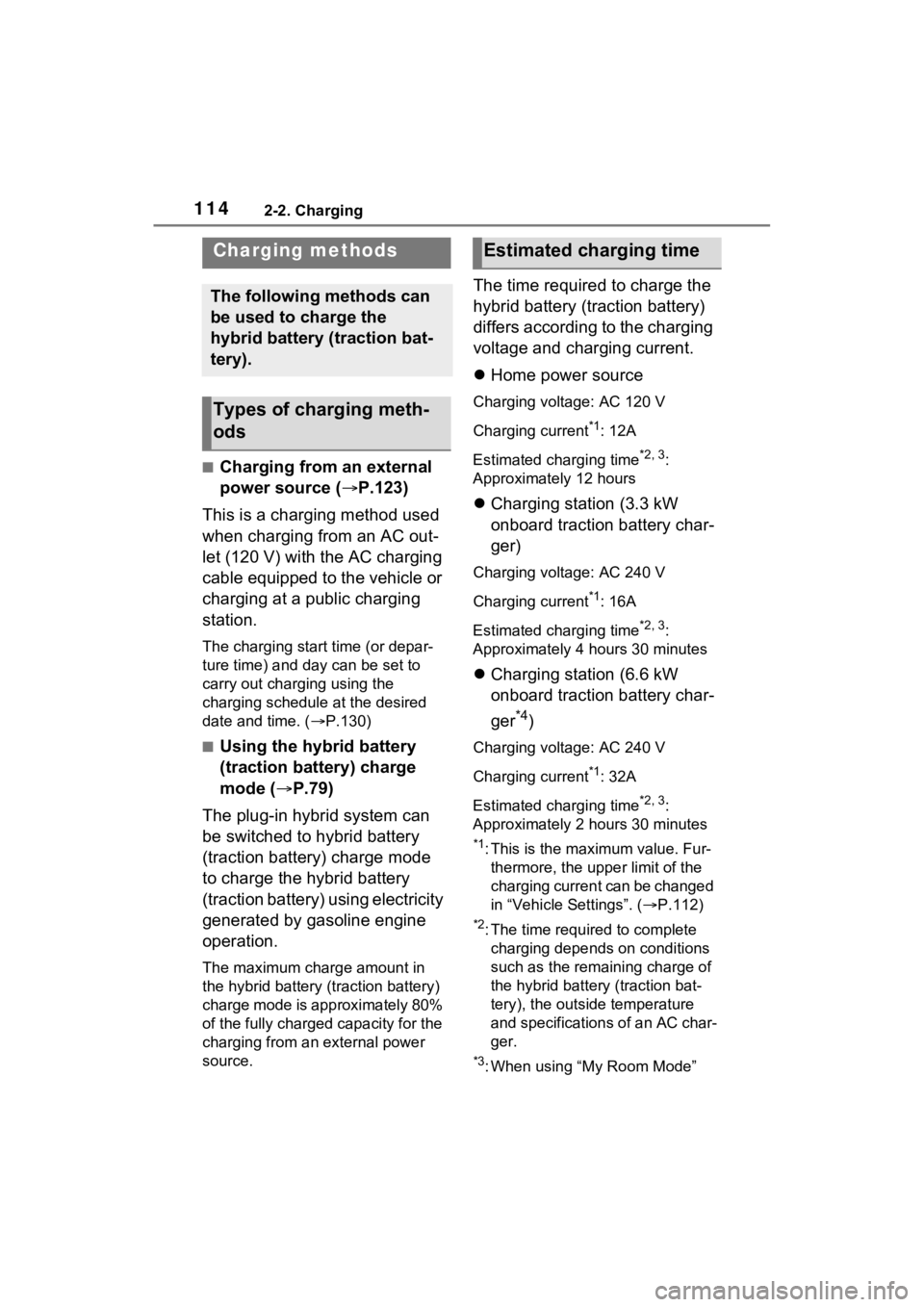
The time required to charge the
hybrid battery (traction battery)
differs according to the charging
voltage and charging current.
Home power source
Charging voltage: AC 120 V
Charging current
*1: 12A
Estimated charging time
*2, 3:
Approximately 12 hours
Charging station (3.3 kW
onboard traction battery char-
ger)
Charging voltage: AC 240 V
Charging current
*1: 16A
Estimated charging time
*2, 3:
Approximately 4 hours 30 minutes
Charging station (6.6 kW
onboard traction battery char-
ger
*4)
Charging voltage: AC 240 V
Charging current
*1: 32A
Estimated charging time
*2, 3:
Approximately 2 hours 30 minutes
*1: This is the maximum value. Fur- thermore, the upper limit of the
charging current can be changed
in “Vehicle Settings”. ( P.112)
*2: The time required to complete
charging depends on conditions
such as the remaining charge of
the hybrid battery (traction bat-
tery), the outside temperature
and specifications of an AC char-
ger.
*3: When using “My Room Mode”
Charging methods
The following methods can
be used to charge the
hybrid battery (traction bat-
tery).
Types of charging meth-
ods
Estimated charging time
Page 156 of 624
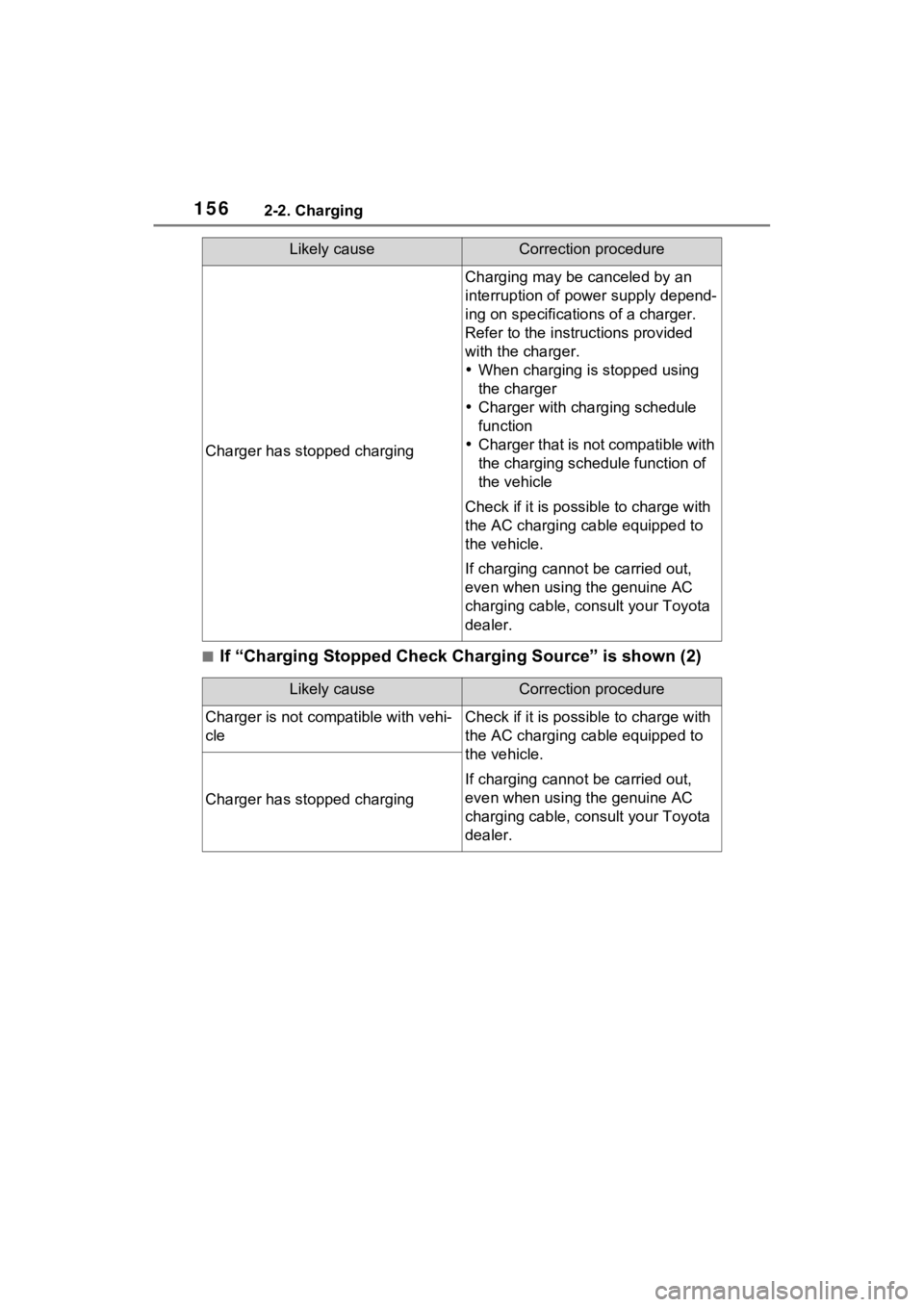
1562-2. Charging
■If “Charging Stopped Check Charging Source” is shown (2)
Charger has stopped charging
Charging may be canceled by an
interruption of power supply depend-
ing on specifications of a charger.
Refer to the instructions provided
with the charger.
When charging is stopped using
the charger
Charger with charging schedule
function
Charger that is not compatible with
the charging schedule function of
the vehicle
Check if it is possible to charge with
the AC charging cable equipped to
the vehicle.
If charging cannot be carried out,
even when using the genuine AC
charging cable, consult your Toyota
dealer.
Likely causeCorrection procedure
Charger is not comp atible with vehi-
cleCheck if it is possible to charge with
the AC charging cable equipped to
the vehicle.
If charging cannot be carried out,
even when using the genuine AC
charging cable, consult your Toyota
dealer.
Charger has stopped charging
Likely causeCorrection procedure
Page 422 of 624
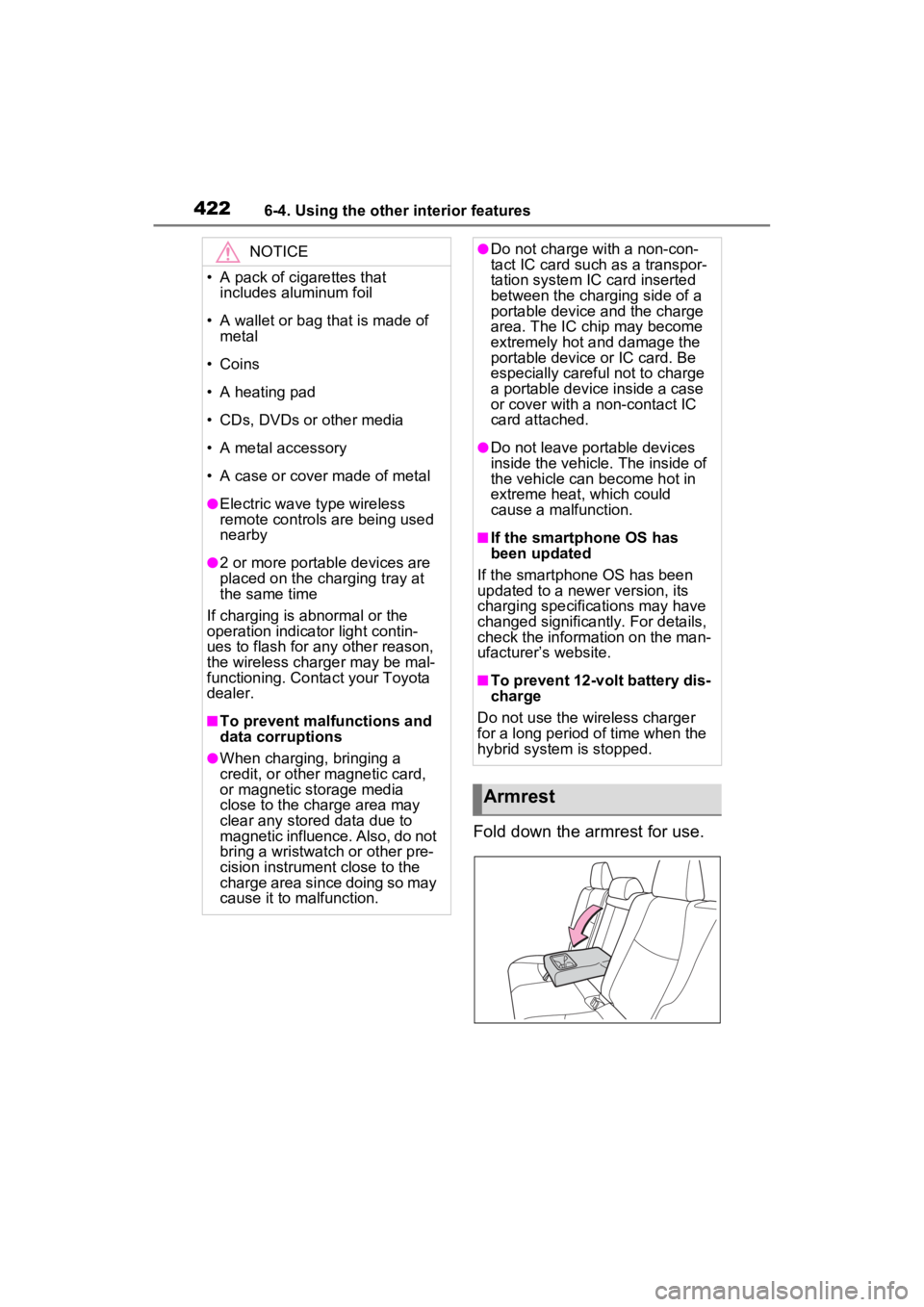
4226-4. Using the other interior features
Fold down the armrest for use.
NOTICE
• A pack of cigarettes that includes aluminum foil
• A wallet or bag that is made of metal
• Coins
• A heating pad
• CDs, DVDs or other media
• A metal accessory
• A case or cover made of metal
●Electric wave type wireless
remote controls are being used
nearby
●2 or more portable devices are
placed on the charging tray at
the same time
If charging is abnormal or the
operation indicator light contin-
ues to flash for any other reason,
the wireless charger may be mal-
functioning. Conta ct your Toyota
dealer.
■To prevent malfunctions and
data corruptions
●When charging, bringing a
credit, or other magnetic card,
or magnetic storage media
close to the charge area may
clear any stored data due to
magnetic influence. Also, do not
bring a wristwatch or other pre-
cision instrument close to the
charge area since doing so may
cause it to malfunction.
●Do not charge with a non-con-
tact IC card such as a transpor-
tation system IC card inserted
between the charging side of a
portable device and the charge
area. The IC chip may become
extremely hot and damage the
portable device or IC card. Be
especially careful not to charge
a portable device inside a case
or cover with a non-contact IC
card attached.
●Do not leave portable devices
inside the vehicle. The inside of
the vehicle can become hot in
extreme heat, which could
cause a malfunction.
■If the smartphone OS has
been updated
If the smartphone OS has been
updated to a newer version, its
charging specifications may have
changed significantly. For details,
check the information on the man-
ufacturer’s website.
■To prevent 12-volt battery dis-
charge
Do not use the wireless charger
for a long period of time when the
hybrid system is stopped.
Armrest
Page 517 of 624
5178-2. Steps to take in an emergency
8
When trouble arises
■Warning messages
The warning messages explained
below may differ from the actual
messages according to operation
conditions and vehicle specifica-
tions.
■If a message about an operation
is shown
●If a message about an operation
of the accelerator pedal or brake
Your vehicle has also been
equipped with a TPMS (tire pres-
sure warning system) malfunc-
tion indicator to indicate when the
system is not opera
ting properly.
The TPMS (tire pressure warning
system) malfunction indicator is
combined with the low tire pres-
sure telltale (tire pressure warning
light). When the system detects a
malfunction, the telltale will flash
for approximately one minute and
then remain continuously illumi-
nated. This sequence will con-
tinue upon subsequent vehicle
start-ups as long as the malfunc-
tion exists. When the malfunction
indicator is illuminated, the sys-
tem may not be able to detect or
signal low tire pressure as
intended.
TPMS (tire pressure warning sys-
tem) malfunctions may occur for a
variety of reasons, including the
installation of replacement or
alternate tires or wheels on the
vehicle that prevent the TPMS
(tire pressure warning system)
from functioning properly. Always
check the TPMS ( tire pressure
warning system) malfunction tell-
tale after replacing one or more
tires or wheels on your vehicle to
ensure that the r eplacement or
alternate tires and wheels allow
the TPMS (tire pressure warning
system) to continue to function
properly.
NOTICE
■To ensure the tire pressure
warning system operates
properly (vehicles with tire
pressure warning system)
Do not install tires with different
specifications or manufacturers
as the tire pressure warning sys-
tem may not operate properly.
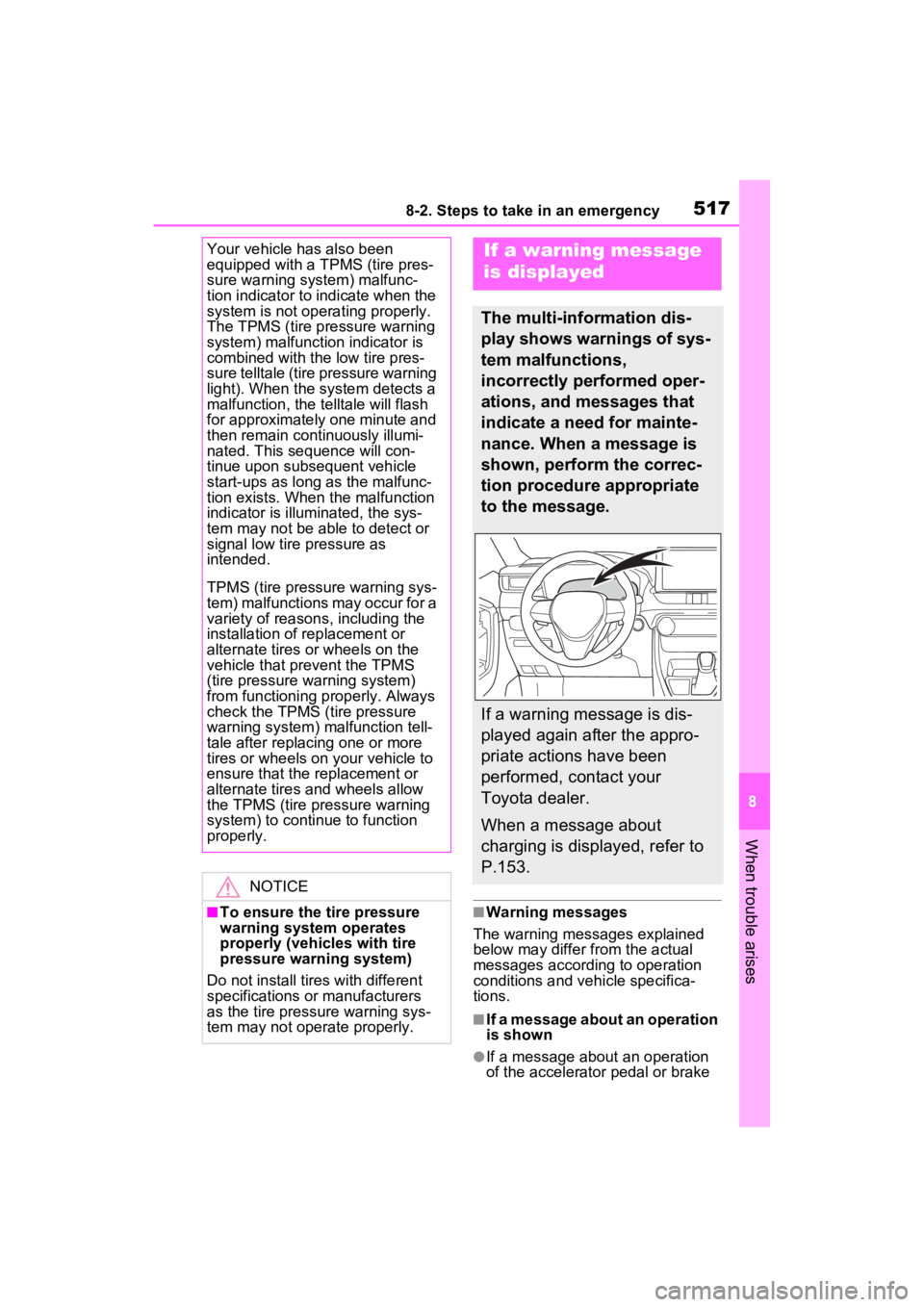
If a warning message
is displayed
The multi-information dis-
play shows warnings of sys-
tem malfunctions,
incorrectly performed oper-
ations, and messages that
indicate a need for mainte-
nance. When a message is
shown, perform the correc-
tion procedure appropriate
to the message.
If a warning message is dis-
played again after the appro-
priate actions have been
performed, contact your
Toyota dealer.
When a message about
charging is displayed, refer to
P.153.
Page 545 of 624
545
9
9
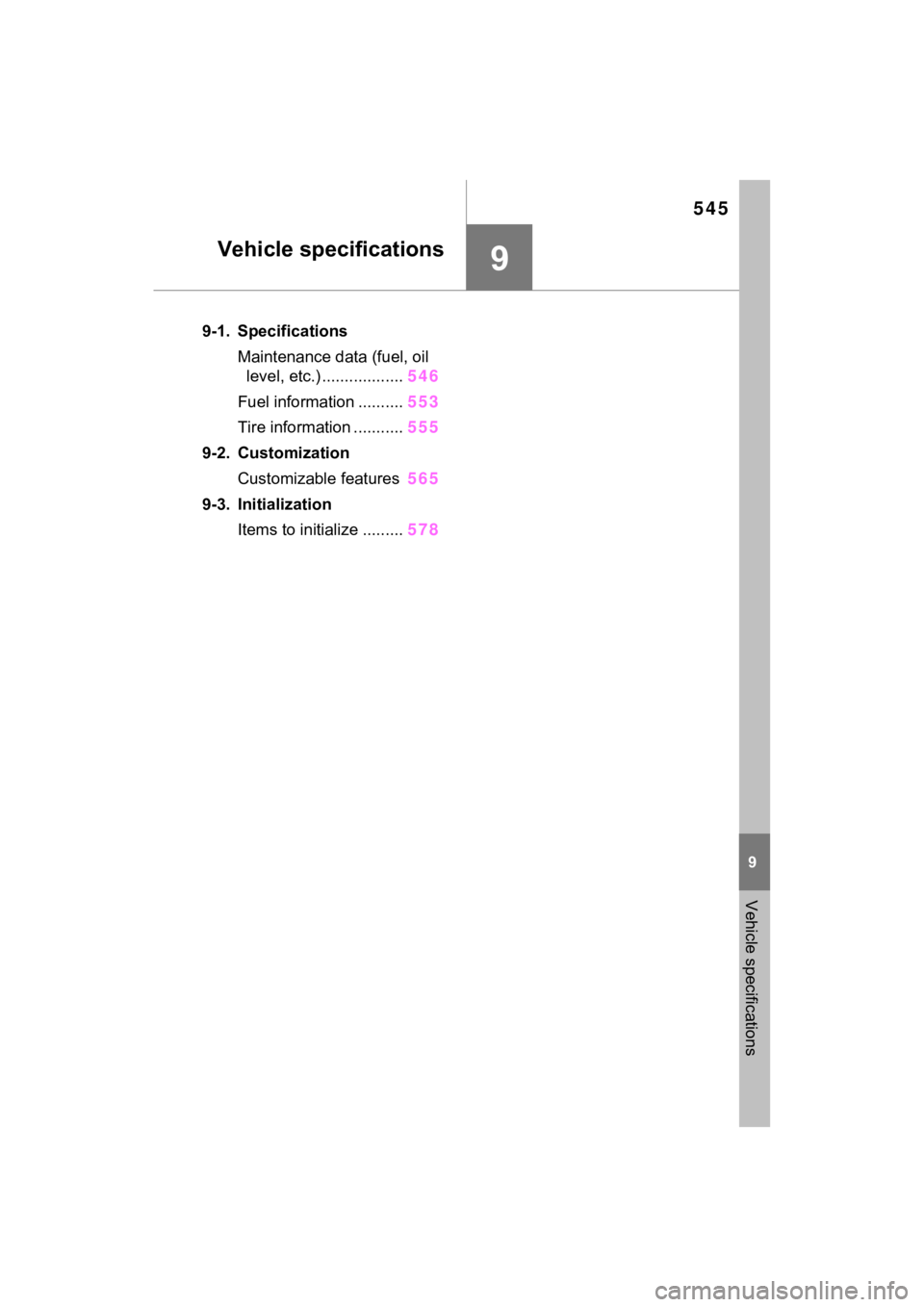
Vehicle specifications
Vehicle specifications
9-1. SpecificationsMaintenance data (fuel, oil level, etc.) .................. 546
Fuel information .......... 553
Tire information ........... 555
9-2. Customization Customizable features 565
9-3. Initialization Items to initialize ......... 578
Page 546 of 624
5469-1. Specifications
9-1.Specifications
*: Unladen vehicle
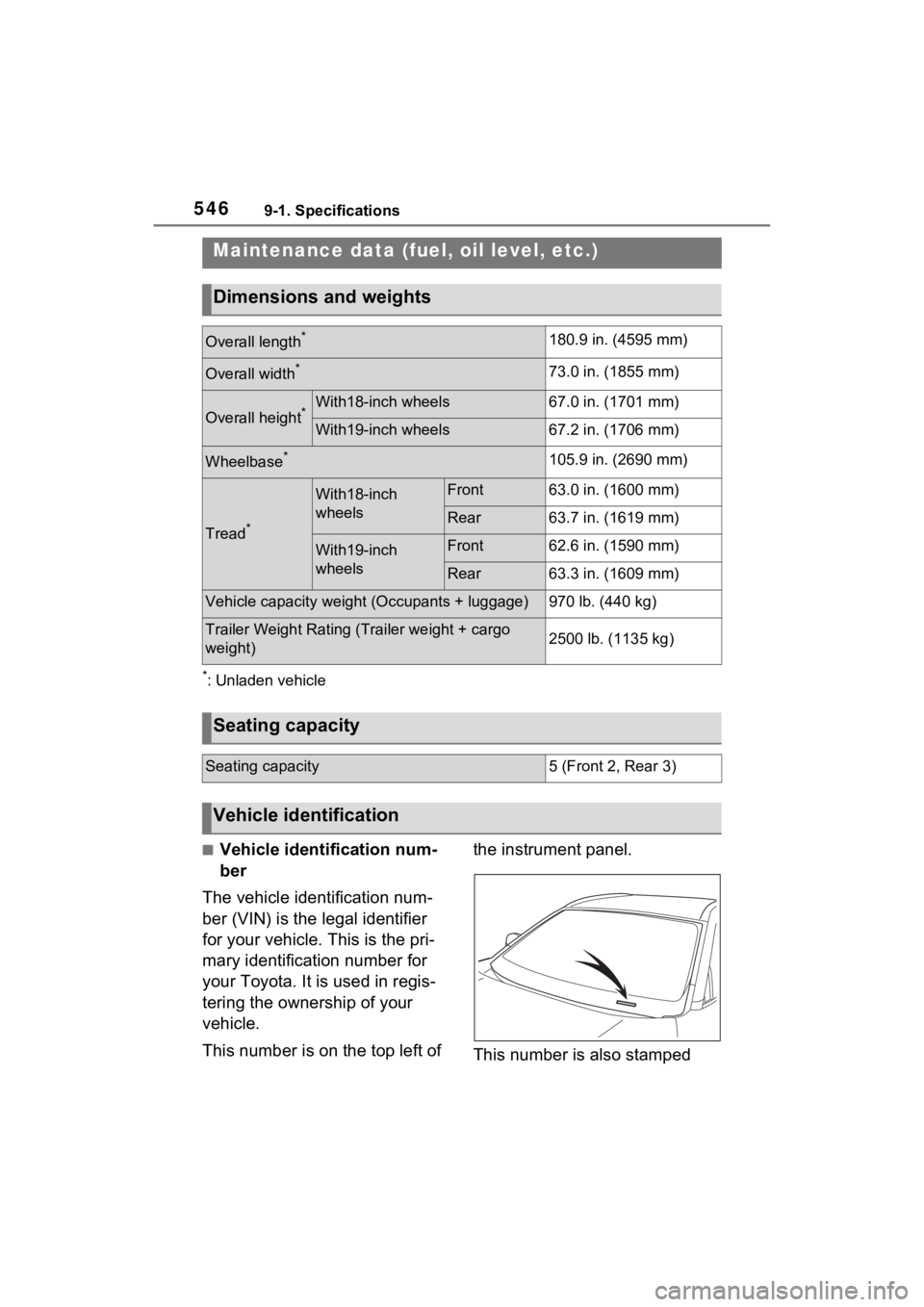
■Vehicle identification num-
ber
The vehicle identification num-
ber (VIN) is the legal identifier
for your vehicle. This is the pri-
mary identification number for
your Toyota. It is used in regis-
tering the ownership of your
vehicle.
This number is on the top left of the instrument panel.
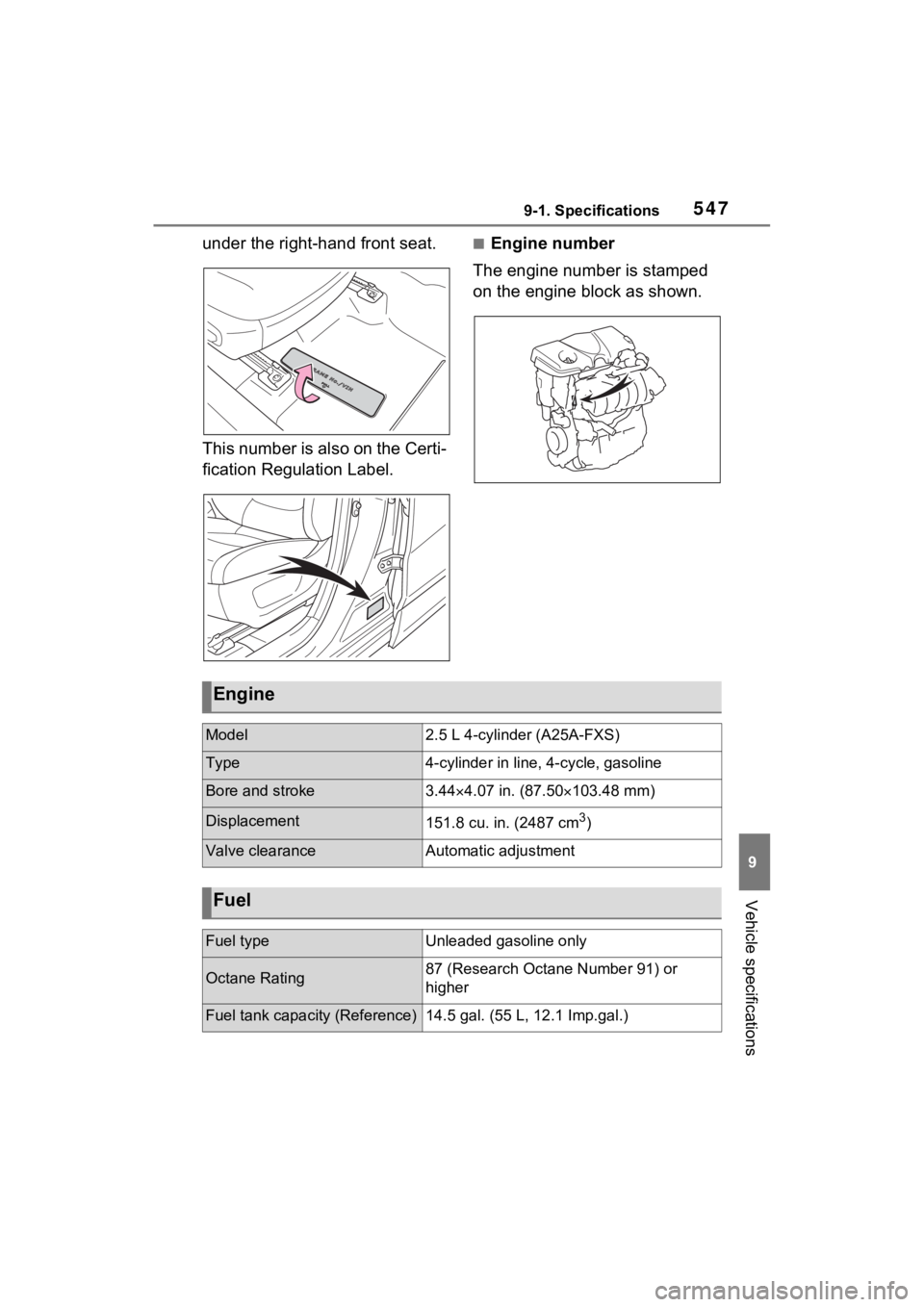
This number is also stamped
Maintenance data (fuel, oil level, etc.)
Dimensions and weights
Overall length*180.9 in. (4595 mm)
Overall width*73.0 in. (1855 mm)
Overall height*With18-inch wheels67.0 in. (1701 mm)
With19-inch wheels67.2 in. (1706 mm)
Wheelbase*105.9 in. (2690 mm)
Tread*
With18-inch
wheelsFront63.0 in. (1600 mm)
Rear63.7 in. (1619 mm)
With19-inch
wheelsFront62.6 in. (1590 mm)
Rear63.3 in. (1609 mm)
Vehicle capacity weight (Occupants + luggage)970 lb. (440 kg)
Trailer Weight Rating (T
railer weight + cargo
weight)2500 lb. (1135 kg)
Seating capacity
Seating capacity5 (Front 2, Rear 3)
Vehicle identification
Page 547 of 624
5479-1. Specifications
9
Vehicle specifications
under the right-hand front seat.
This number is also on the Certi-
fication Regulation Label.■Engine number
The engine number is stamped
on the engine block as shown.
Engine
Model2.5 L 4-cylinder (A25A-FXS)
Type4-cylinder in line , 4-cycle, gasoline
Bore and stroke3.444.07 in. (87.50 103.48 mm)
Displacement151.8 cu. in. (2487 cm3)
Valve clearanceAutomatic adjustment
Fuel
Fuel typeUnleaded gasoline only
Octane Rating87 (Research Octane Number 91) or
higher
Fuel tank capacity (Reference)14.5 gal. (55 L, 12.1 Imp.gal.)