oil TOYOTA RAV4 PRIME 2022 Owners Manual
[x] Cancel search | Manufacturer: TOYOTA, Model Year: 2022, Model line: RAV4 PRIME, Model: TOYOTA RAV4 PRIME 2022Pages: 624, PDF Size: 24.01 MB
Page 1 of 624

RAV4 PRIME_OM_OM42E33U_(U)
1
2
3
4
5
6
7
8
9
10
Pictorial indexSearch by illustration
For safety
and securityMake sure to read through them
(Main topics: Child seat, theft deterrent system)
Plug-in hybrid
systemPlug-in hybrid system features, charging method,
etc.
(Main topics: Driving tips, charging methods)
Vehicle status
information and
indicatorsReading driving-related information
(Main topics: Meters, multi-information display)
Before driving
Opening and closing the doors and windows,
adjustment before driving
(Main topics: Keys, doors, seats)
Driving
Operations and advice which are necessary for
driving
(Main topics: Starting hybrid system, refueling)
Interior featuresUsage of the interior features
(Main topics: Air conditioner, storage features)
Maintenance
and careCaring for your vehicle and maintenance
procedures
(Main topics: Interior and exterior, light bulbs)
When trouble
arisesWhat to do in case of malfunction and emergency
(Main topics: 12-volt battery discharge, flat tire)
Vehicle
specificationsVehicle specifications, customizable features
(Main topics: Fuel, oil, tire inflation pressure)
For ownersReporting safety defects for U.S. owners, and seat
belt, SRS airbag and headlight aim instructions for
Canadian owners
IndexSearch by symptom
Search alphabetically
Page 5 of 624
5TABLE OF CONTENTS
1
2
3
4
5
6
7
8
9
10
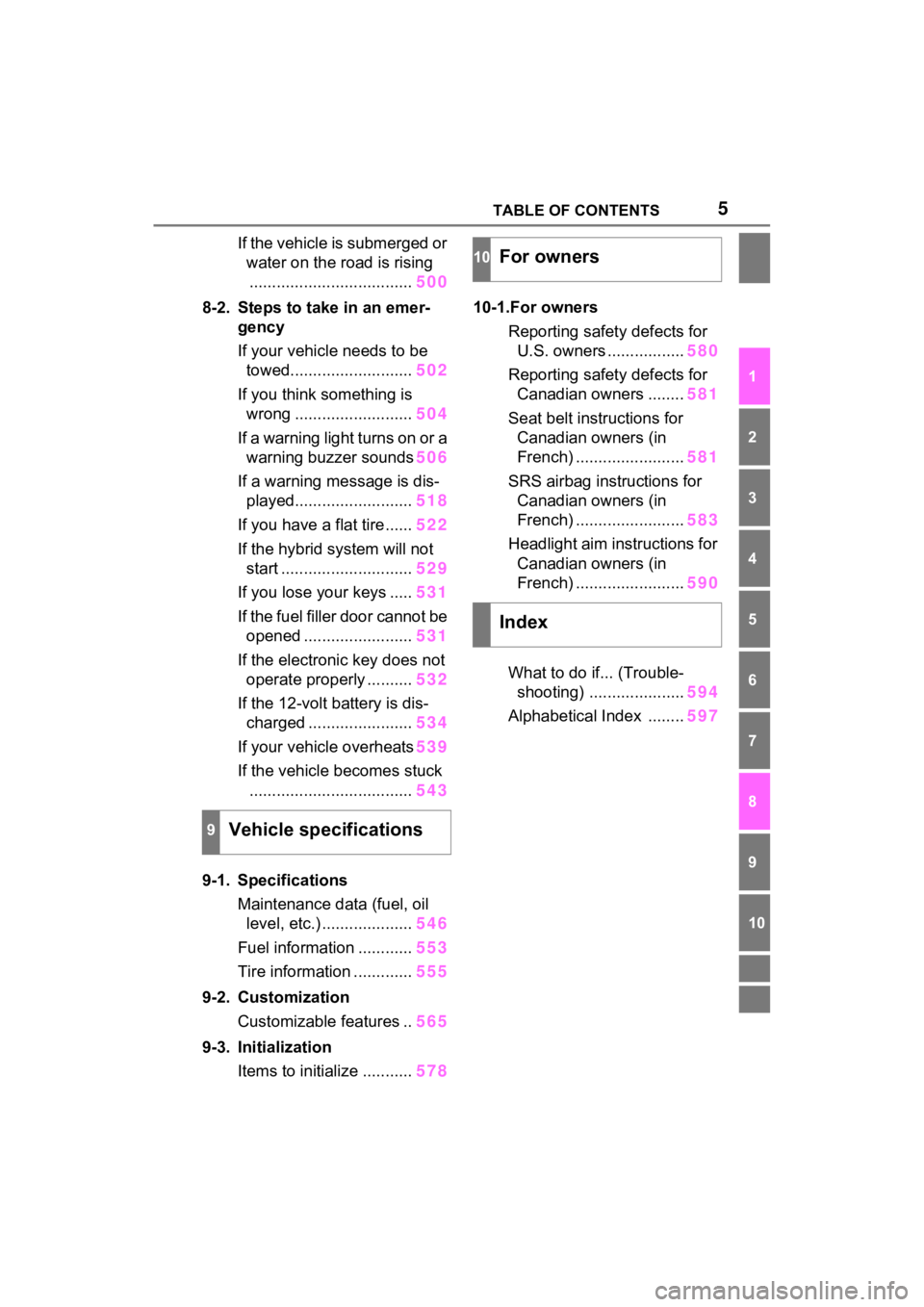
If the vehicle is submerged or water on the road is rising.................................... 500
8-2. Steps to take in an emer- gency
If your vehicle needs to be towed........................... 502
If you think something is wrong .......................... 504
If a warning light turns on or a warning buzzer sounds 506
If a warning message is dis- played.......................... 518
If you have a flat tire...... 522
If the hybrid system will not start ............................. 529
If you lose your keys ..... 531
If the fuel filler door cannot be opened ........................ 531
If the electronic key does not operate properly .......... 532
If the 12-volt battery is dis- charged ....................... 534
If your vehicle overheats 539
If the vehicle becomes stuck .................................... 543
9-1. Specifications Maintenance data (fuel, oil level, etc.) .................... 546
Fuel information ............ 553
Tire information ............. 555
9-2. Customization Customizable features .. 565
9-3. Initialization Items to initialize ........... 57810-1.For owners
Reporting safet y defects for
U.S. owners ................. 580
Reporting safet y defects for
Canadian owners ........ 581
Seat belt instructions for Canadian owners (in
French) ........................ 581
SRS airbag instructions for Canadian owners (in
French) ........................ 583
Headlight aim instructions for Canadian owners (in
French) ........................ 590
What to do if... (Trouble- shooting) ..................... 594
Alphabetical Index ........ 597
9Vehicle specifications
10For owners
Index
Page 15 of 624
15Pictorial index
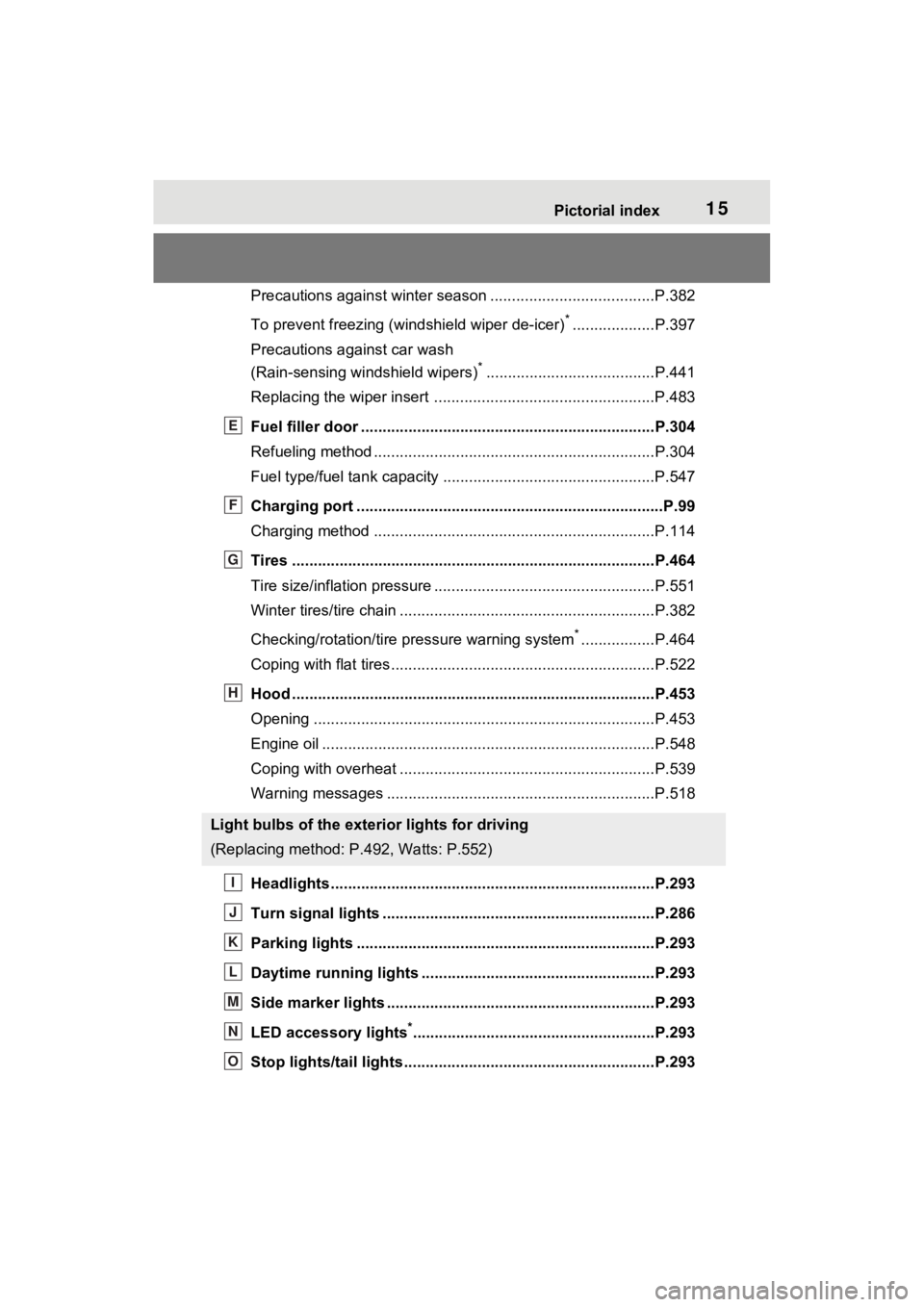
Precautions against winter season ......................................P.382
To prevent freezing (windshield wiper de-icer)
*...................P.397
Precautions against car wash
(Rain-sensing windshield wipers)
*.......................................P.441
Replacing the wiper insert .................................... ...............P.483
Fuel filler door ............................................... .....................P.304
Refueling method ............................................... ..................P.304
Fuel type/fuel tan k capacity .................................................P.547
Charging port .................................................. .....................P.99
Charging method ................................................ .................P.114
Tires ....................................................................................P.464
Tire size/inflation pressure ................................... ................P.551
Winter tires/tire chain ........................................ ...................P.382
Checking/rotation/tire pressure warning system
*.................P.464
Coping with flat tires......................................... ....................P.522
Hood ....................................................................................P.453
Opening ........................................................ .......................P.453
Engine oil ..................................................... ........................P.548
Coping with overheat ........................................... ................P.539
Warning messages ..............................................................P.518
Headlights..................................................... ......................P.293
Turn signal lights ...............................................................P.286
Parking lights .....................................................................P.293
Daytime running lights .. ....................................................P.293
Side marker lights ............................................. .................P.293
LED accessory lights
*........................................................P.293
Stop lights/tail lights ........................................ ..................P.293
Light bulbs of the exterior lights for driving
(Replacing method: P.492, Watts: P.552)
E
F
G
H
I
J
K
L
M
N
O
Page 161 of 624
1613-1. Instrument cluster
3
Vehicle status information and indicators
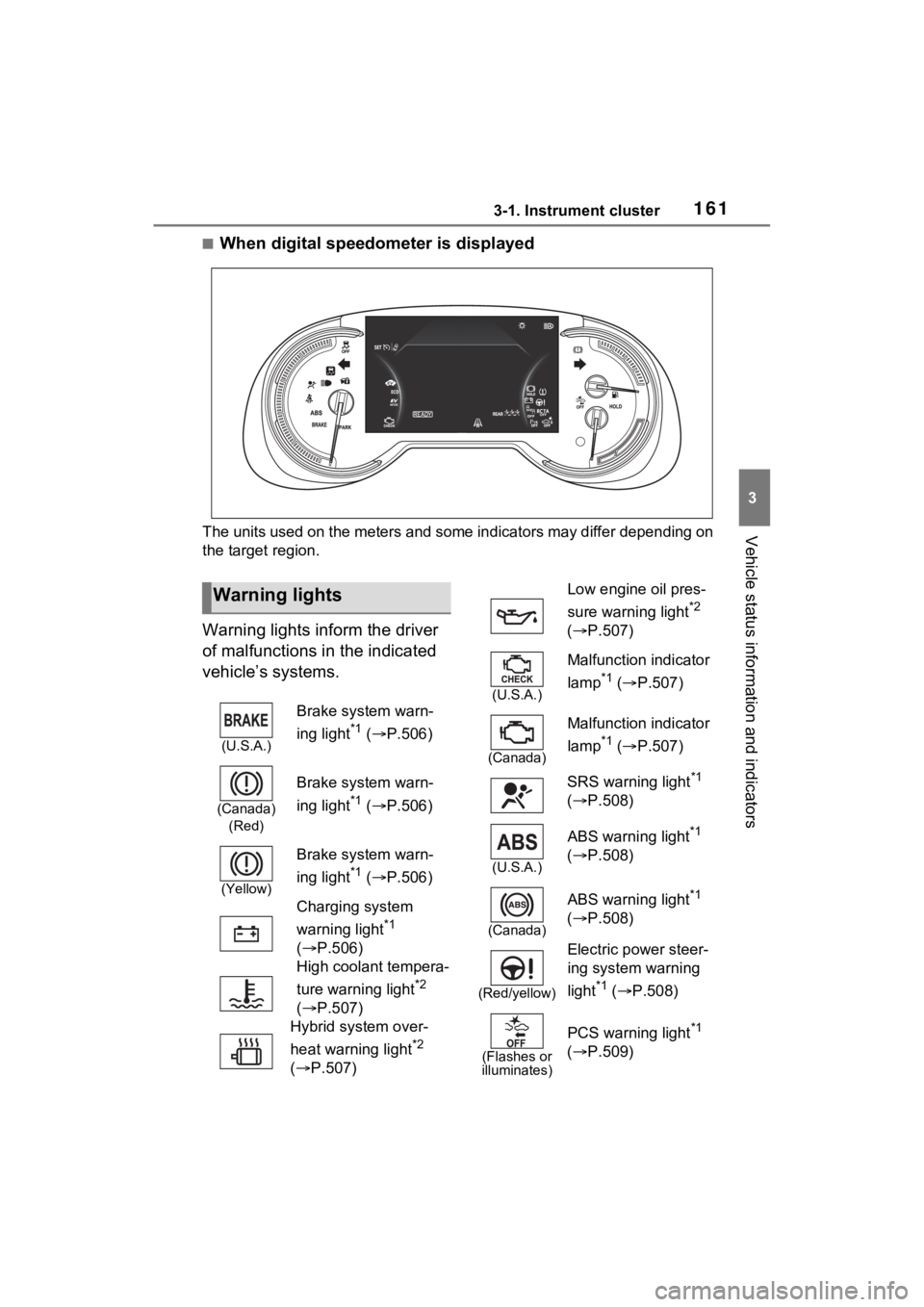
■When digital speedometer is displayed
The units used on the meters and some indicators may differ depending on
the target region.
Warning lights inform the driver
of malfunctions in the indicated
vehicle’s systems.
Warning lights
(U.S.A.)
Brake system warn-
ing light
*1 ( P.506)
(Canada)
(Red)
Brake system warn-
ing light
*1 ( P.506)
(Yellow)
Brake system warn-
ing light
*1 ( P.506)
Charging system
warning light
*1
( P.506)
High coolant tempera-
ture warning light
*2
( P.507)
Hybrid system over-
heat warning light
*2
( P.507)
Low engine oil pres-
sure warning light
*2
( P.507)
(U.S.A.)
Malfunction indicator
lamp
*1 ( P.507)
(Canada)
Malfunction indicator
lamp
*1 ( P.507)
SRS warning light
*1
( P.508)
(U.S.A.)
ABS warning light*1
( P.508)
(Canada)
ABS warning light*1
( P.508)
(Red/yellow)
Electric power steer-
ing system warning
light
*1 ( P.508)
(Flashes or
illuminates)
PCS warning light*1
( P.509)
Page 219 of 624

2194-2. Opening, closing and locking the doors
4
Before driving
control and immobilizer system from
operating properly.
●When the electronic key battery is
depleted
●Near a TV tower, electric power
plant, gas station, radio station,
large display, airpo rt or other facil-
ity that generates strong radio
waves or electrical noise
●When the electronic key is in con-
tact with, or is covered by the fol-
lowing metallic objects
• Cards to which al uminum foil is
attached
• Cigarette boxes that have alumi-
num foil inside
• Metallic wallets or bags
• Coins
• Hand warmers made of metal
• Media such as CDs and DVDs
●When other wireless key (that
emits radio waves) is being used
nearby
●When carrying the electronic key
together with the following devices
that emit radio waves
• Portable radio, cellular phone, cordless phone or other wireless
communication devices
• Another electronic key or a wire- less key that emits radio waves
• Personal computers or personal digital assistants (PDAs)
• Digital audio players
• Portable game systems
●If window tint with a metallic con-
tent or metallic objects are
attached to the rear window
●When the electronic key is placed
near a battery charger or elec-
tronic devices
●When the vehicle is parked in a
pay parking spot where radio
waves are emitted.
If the doors cannot be
locked/unlocked using the smart key
system, lock/unlock the doors by
performing any of the following:
●Bring the electronic key close to either front door handle and oper-
ate the entry function.
●Operate the wireless remote con-
trol. If the doors cannot be
locked/unlocked using the above
methods, use the mechanical key.
(
P.196)
If the hybrid system cannot be
started using the smart key system,
refer to P.533.
■Note for the entry function
●Even when the electronic key is
within the effective range (detec-
tion areas), the system may not
operate properly in the following
cases:
• The electronic key is too close to the window or outside door han-
dle, near the ground, or in a high
place when the doors are locked
or unlocked.
• The electronic key is on the instru-
ment panel, luggage cover or
floor, or in the door pockets or
glove box when the hybrid system
is started or power switch modes
are changed.
●Do not leave the electronic key on
top of the instrument panel or near
the door pockets when exiting the
vehicle. Depending on the radio
wave reception conditions, it may
be detected by the antenna out-
side the cabin and the door will
become lockable from the outside,
possibly trapping the electronic
key inside the vehicle.
●As long as the electronic key is
within the effective range, the
doors may be locked or unlocked
by anyone. However, only the
doors detecting the electronic key
can be used to lo ck or unlock the
vehicle. (For vehicles equipped
with sensors on the rear door han-
dles, it is possible to lock (but not
unlock) all the doors using a door
handle that is not being detected
by the electronic key.)
●Even if the electro nic key is not
Page 262 of 624
2625-1. Before driving
When the following unusual
operation is performed with the
accelerator pedal depressed,
the hybrid system output may be
restrained.
• When the shift lever is shifted to R
*.
• When the shift lever is shifted from P or R to forward drive
shift position such as D
*.
When the system op erates, a mes-
sage appears on the multi-informa-
tion display. Read the message and follow the instruction.
*: Depending on the situation, the
shift position may not be
changed.
■Drive-Start Control (DSC)
●When the TRAC is turned off
( P.377), sudden start restraint
control also does not operate. If
your vehicle have trouble escap-
ing from the mud or fresh snow
due to sudden star t restraint con-
trol operation, deactivate TRAC
( P.377) so that the vehicle may
become able to e scape from the
mud or fresh snow.
Also, sudden start restraint control
will not operate in the following con-
ditions:
• When Trail Mode is turned on
NOTICE
In the event that you drive on a
flooded road and the vehicle is
flooded, be sure to have your
Toyota dealer c heck the following:
●Brake function
●Changes in quantity and quality
of oil and fluid used for the
engine, hybrid transaxle (front
and rear), etc.
●Lubricant condition for the bear-
ings and suspension joints
(where possible), and the func-
tion of all joints, bearings, etc.
●Components connected to the
traction battery.
■When parking the vehicle
Always set the parking brake, and
shift the shift lever to P. Failure to
do so may cause the vehicle to
move or the vehi cle may acceler-
ate suddenly if the accelerator
pedal is accidentally depressed.
Sudden start restraint
control (Drive-Start Con-
trol [DSC])
Page 321 of 624
3215-5. Using the driving support systems
5
Driving
LTA (Lane Tracing
Assist)
While driving on a road with
clear white (yellow) lane
lines, the LTA system warns
the driver if the vehicle may
deviate from the current
lane or course
*, and also
can slightly operate the
steering wheel to help avoid
deviation from the lane or
course
*. Also, while the
dynamic radar cruise con-
trol with full-speed range is
operating, this system will
operate the steering wheel
to maintain the vehicle’s
lane position.
The LTA system recognizes
white (yellow) lane lines or a
course
* using the front cam-
era. Additionally, it detects
preceding vehicles using
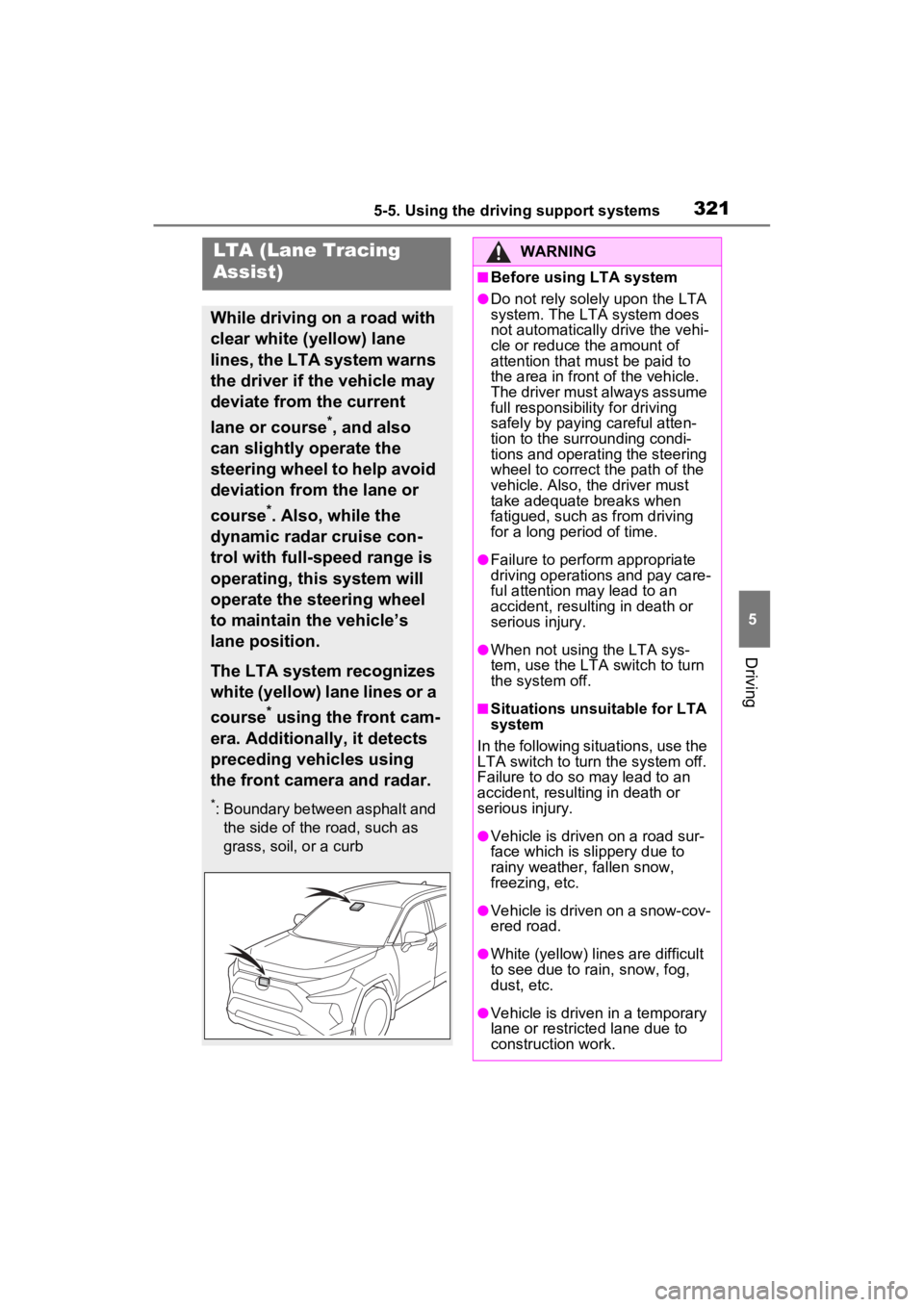
the front camera and radar.
*: Boundary between asphalt and the side of the road, such as
grass, soil, or a curb
WARNING
■Before using LTA system
●Do not rely solely upon the LTA
system. The LTA system does
not automatically drive the vehi-
cle or reduce the amount of
attention that m ust be paid to
the area in front of the vehicle.
The driver must always assume
full responsibilit y for driving
safely by paying careful atten-
tion to the surrounding condi-
tions and operating the steering
wheel to correct the path of the
vehicle. Also, the driver must
take adequate breaks when
fatigued, such as from driving
for a long period of time.
●Failure to perform appropriate
driving operations and pay care-
ful attention may lead to an
accident, resulting in death or
serious injury.
●When not using the LTA sys-
tem, use the LTA switch to turn
the system off.
■Situations unsuitable for LTA
system
In the following situations, use the
LTA switch to turn the system off.
Failure to do so may lead to an
accident, resulting in death or
serious injury.
●Vehicle is driven on a road sur-
face which is slippery due to
rainy weather, fallen snow,
freezing, etc.
●Vehicle is driven on a snow-cov-
ered road.
●White (yellow) lin es are difficult
to see due to rain, snow, fog,
dust, etc.
●Vehicle is driven in a temporary
lane or restricted lane due to
construction work.
Page 324 of 624
3245-5. Using the driving support systems
■Lane departure alert func-
tion
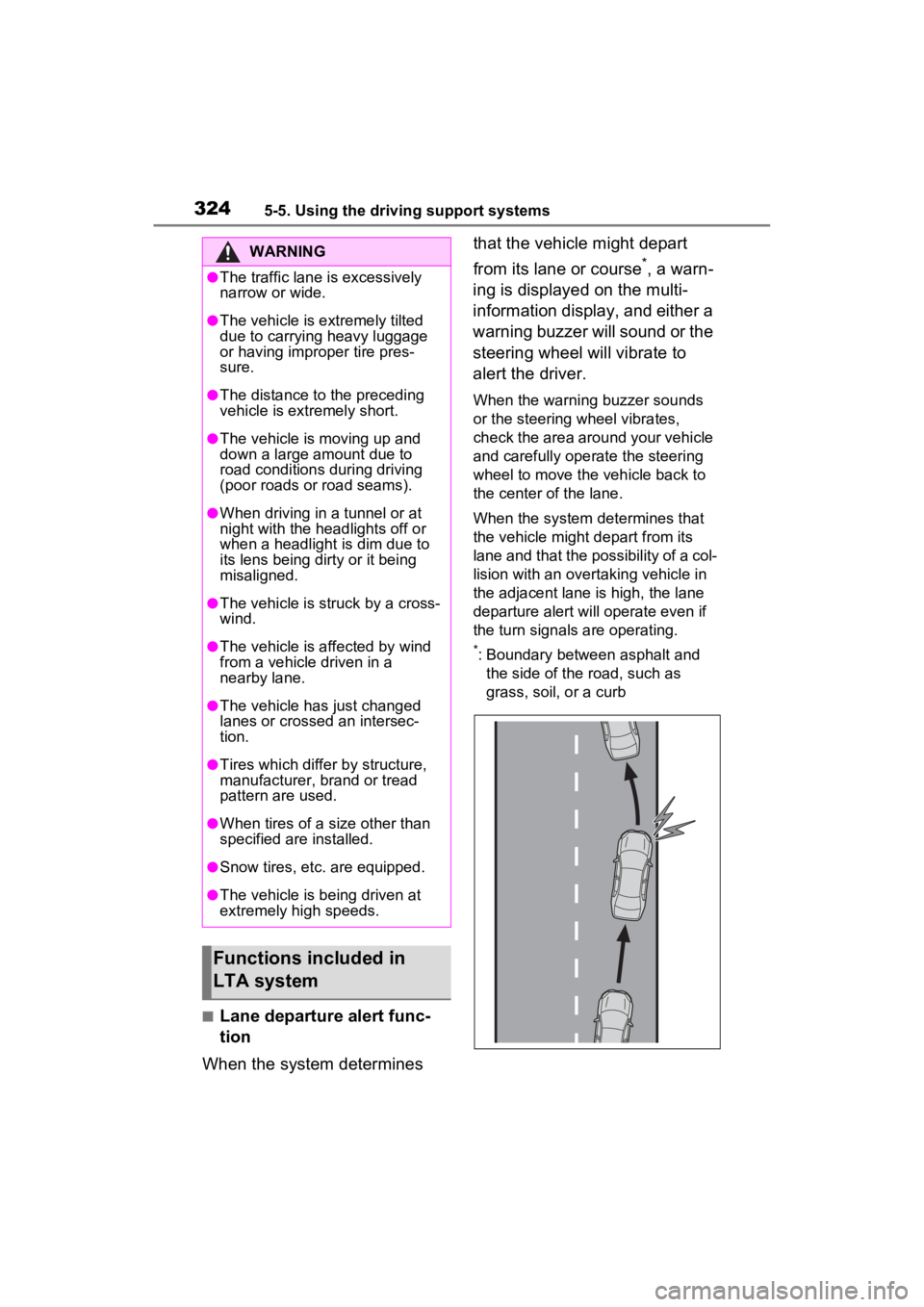
When the system determines that the vehicle might depart
from its lane or course
*, a warn-
ing is displayed on the multi-
information display, and either a
warning buzzer will sound or the
steering wheel will vibrate to
alert the driver.
When the warning buzzer sounds
or the steering wheel vibrates,
check the area around your vehicle
and carefully operate the steering
wheel to move the vehicle back to
the center of the lane.
When the system determines that
the vehicle might depart from its
lane and that the possibility of a col-
lision with an overta king vehicle in
the adjacent lane is high, the lane
departure alert will operate even if
the turn signals are operating.
*: Boundary between asphalt and the side of the road, such as
grass, soil, or a curb
WARNING
●The traffic lane is excessively
narrow or wide.
●The vehicle is extremely tilted
due to carrying heavy luggage
or having improper tire pres-
sure.
●The distance to the preceding
vehicle is extremely short.
●The vehicle is moving up and
down a large amount due to
road conditions during driving
(poor roads or road seams).
●When driving in a tunnel or at
night with the headlights off or
when a headlight is dim due to
its lens being dirty or it being
misaligned.
●The vehicle is struck by a cross-
wind.
●The vehicle is affected by wind
from a vehicle driven in a
nearby lane.
●The vehicle has just changed
lanes or crossed an intersec-
tion.
●Tires which differ by structure,
manufacturer, b rand or tread
pattern are used.
●When tires of a size other than
specified are installed.
●Snow tires, etc. are equipped.
●The vehicle is being driven at
extremely high speeds.
Functions included in
LTA system
Page 325 of 624
3255-5. Using the driving support systems
5
Driving
■Steering assist function
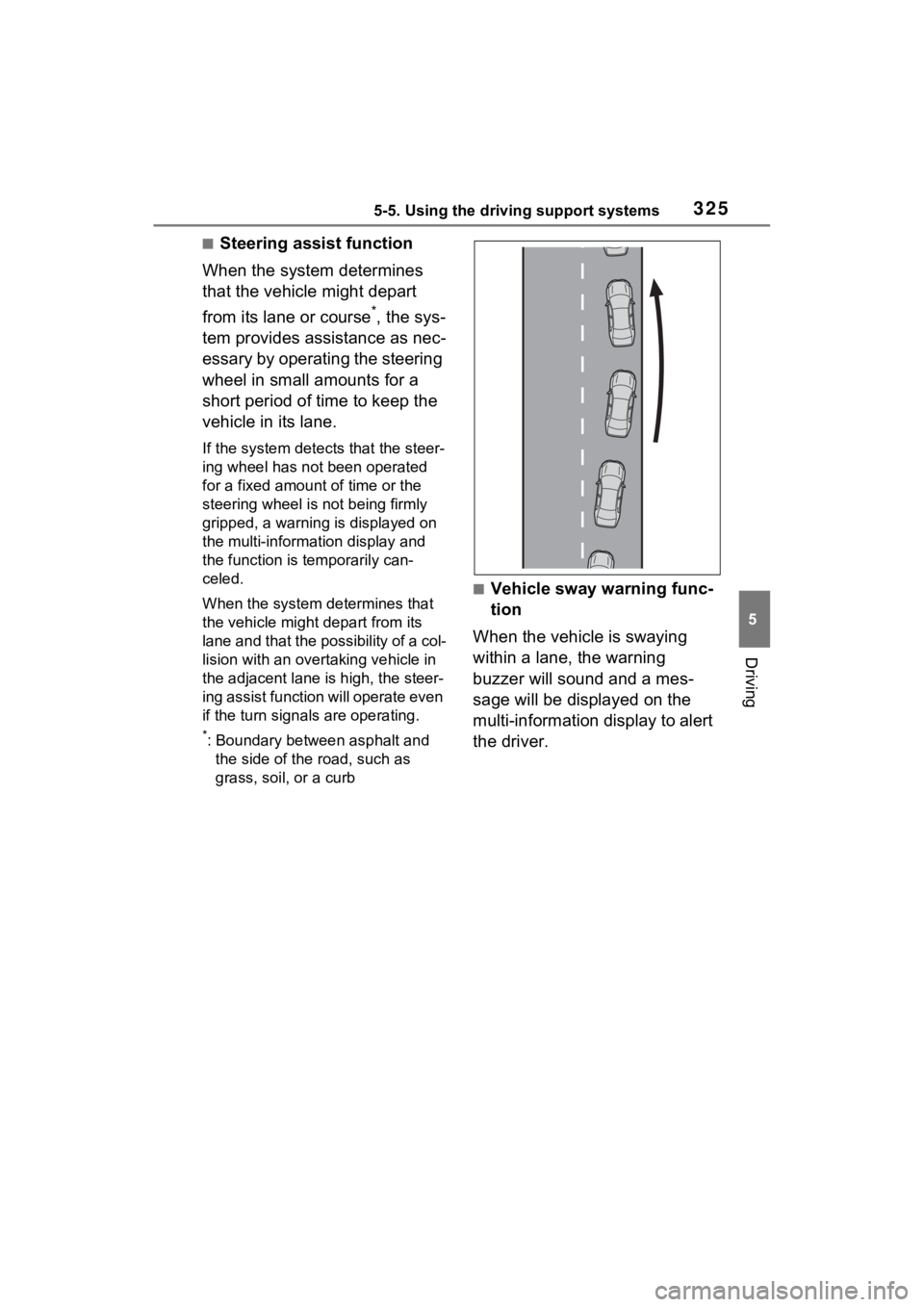
When the system determines
that the vehicle might depart
from its lane or course
*, the sys-
tem provides assistance as nec-
essary by operating the steering
wheel in small amounts for a
short period of time to keep the
vehicle in its lane.
If the system detects that the steer-
ing wheel has not been operated
for a fixed amount of time or the
steering wheel is not being firmly
gripped, a warning is displayed on
the multi-information display and
the function is t emporarily can-
celed.
When the system de termines that
the vehicle might depart from its
lane and that the possibility of a col-
lision with an over taking vehicle in
the adjacent lane is high, the steer-
ing assist function will operate even
if the turn signals are operating.
*: Boundary between asphalt and
the side of the road, such as
grass, soil, or a curb
■Vehicle sway warning func-
tion
When the vehicle is swaying
within a lane, the warning
buzzer will sound and a mes-
sage will be displayed on the
multi-information display to alert
the driver.
Page 328 of 624
3285-5. Using the driving support systems
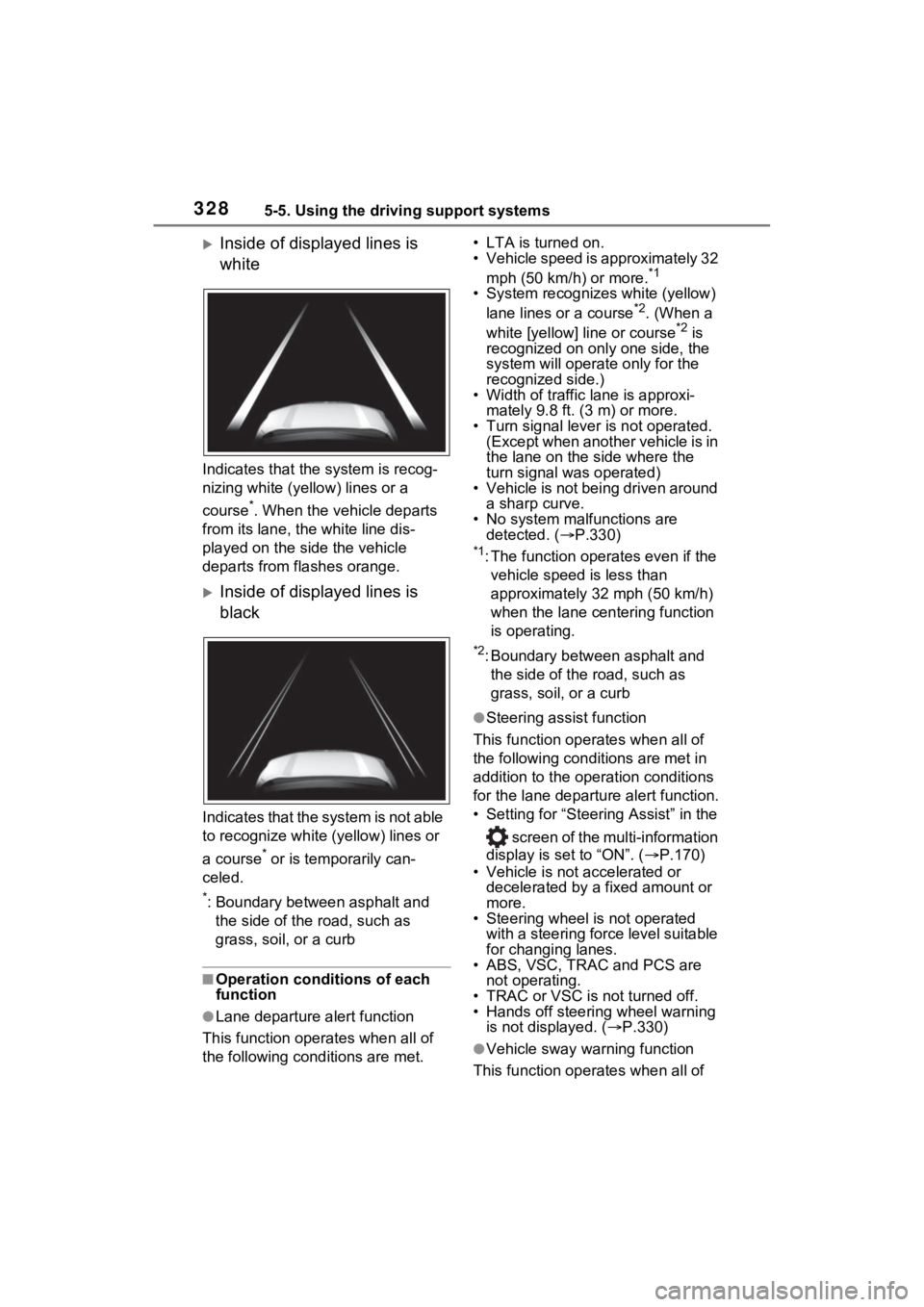
Inside of displayed lines is
white
Indicates that the system is recog-
nizing white (yellow) lines or a
course
*. When the vehicle departs
from its lane, the white line dis-
played on the si de the vehicle
departs from flashes orange.
Inside of displayed lines is
black
Indicates that the system is not able
to recognize white (yellow) lines or
a course
* or is temporarily can-
celed.
*: Boundary between asphalt and the side of the road, such as
grass, soil, or a curb
■Operation conditions of each
function
●Lane departure alert function
This function oper ates when all of
the following cond itions are met. • LTA is turned on.
• Vehicle speed is approximately 32
mph (50 km/h) or more.
*1
• System recognizes white (yellow) lane lines or a course*2. (When a
white [yellow] line or course*2 is
recognized on only one side, the
system will operate only for the
recognized side.)
• Width of traffic lane is approxi-
mately 9.8 ft. (3 m) or more.
• Turn signal lever is not operated. (Except when another vehicle is in
the lane on the side where the
turn signal was operated)
• Vehicle is not being driven around
a sharp curve.
• No system malfunctions are detected. ( P.330)
*1: The function oper ates even if the
vehicle speed is less than
approximately 32 mph (50 km/h)
when the lane centering function
is operating.
*2: Boundary between asphalt and the side of the road, such as
grass, soil, or a curb
●Steering assist function
This function operates when all of
the following conditions are met in
addition to the operation conditions
for the lane departure alert function.
• Setting for “Steering Assist” in the
screen of the multi-information
display is set to “ON”. ( P.170)
• Vehicle is not accelerated or decelerated by a fixed amount or
more.
• Steering wheel is not operated with a steering force level suitable
for changing lanes.
• ABS, VSC, TRAC and PCS are
not operating.
• TRAC or VSC is not turned off.
• Hands off steering wheel warning
is not displayed. ( P.330)
●Vehicle sway warning function
This function operates when all of