fuel pressure TOYOTA RAV4 PRIME 2023 Owners Manual
[x] Cancel search | Manufacturer: TOYOTA, Model Year: 2023, Model line: RAV4 PRIME, Model: TOYOTA RAV4 PRIME 2023Pages: 662, PDF Size: 25.4 MB
Page 1 of 662
RAV4 PRIME_OM_OM42E79U_(U)
1
2
3
4
5
6
7
8
9
10
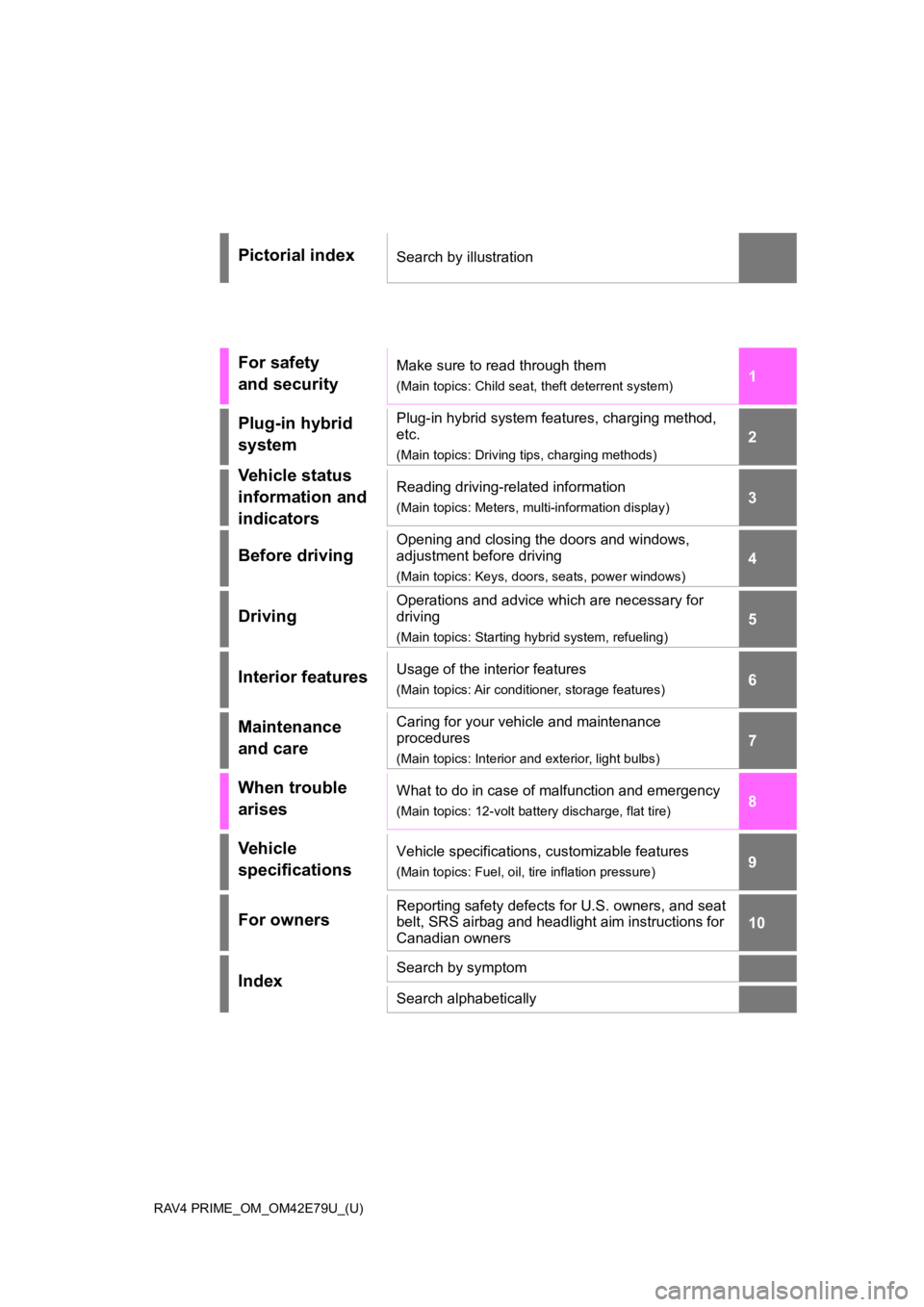
Pictorial indexSearch by illustration
For safety
and securityMake sure to read through them
(Main topics: Child seat, theft deterrent system)
Plug-in hybrid
systemPlug-in hybrid system features, charging method,
etc.
(Main topics: Driving tips, charging methods)
Vehicle status
information and
indicatorsReading driving-related information
(Main topics: Meters, multi-information display)
Before driving
Opening and closing the doors and windows,
adjustment before driving
(Main topics: Keys, doors, seats, power windows)
Driving
Operations and advice which are necessary for
driving
(Main topics: Starting hybrid system, refueling)
Interior featuresUsage of the interior features
(Main topics: Air conditioner, storage features)
Maintenance
and careCaring for your vehicle and maintenance
procedures
(Main topics: Interior and exterior, light bulbs)
When trouble
arisesWhat to do in case of malfunction and emergency
(Main topics: 12-volt battery discharge, flat tire)
Vehicle
specificationsVehicle specifications, customizable features
(Main topics: Fuel, oil, tire inflation pressure)
For ownersReporting safety defects for U.S. owners, and seat
belt, SRS airbag and headlight aim instructions for
Canadian owners
IndexSearch by symptom
Search alphabetically
Page 15 of 662
15Pictorial index
To prevent freezing (windshield wiper de-icer)*...................P.429
Precautions against car wash
(Rain-sensing windshield wipers)
*.......................................P.473
Replacing the wiper insert .................................... ...............P.519
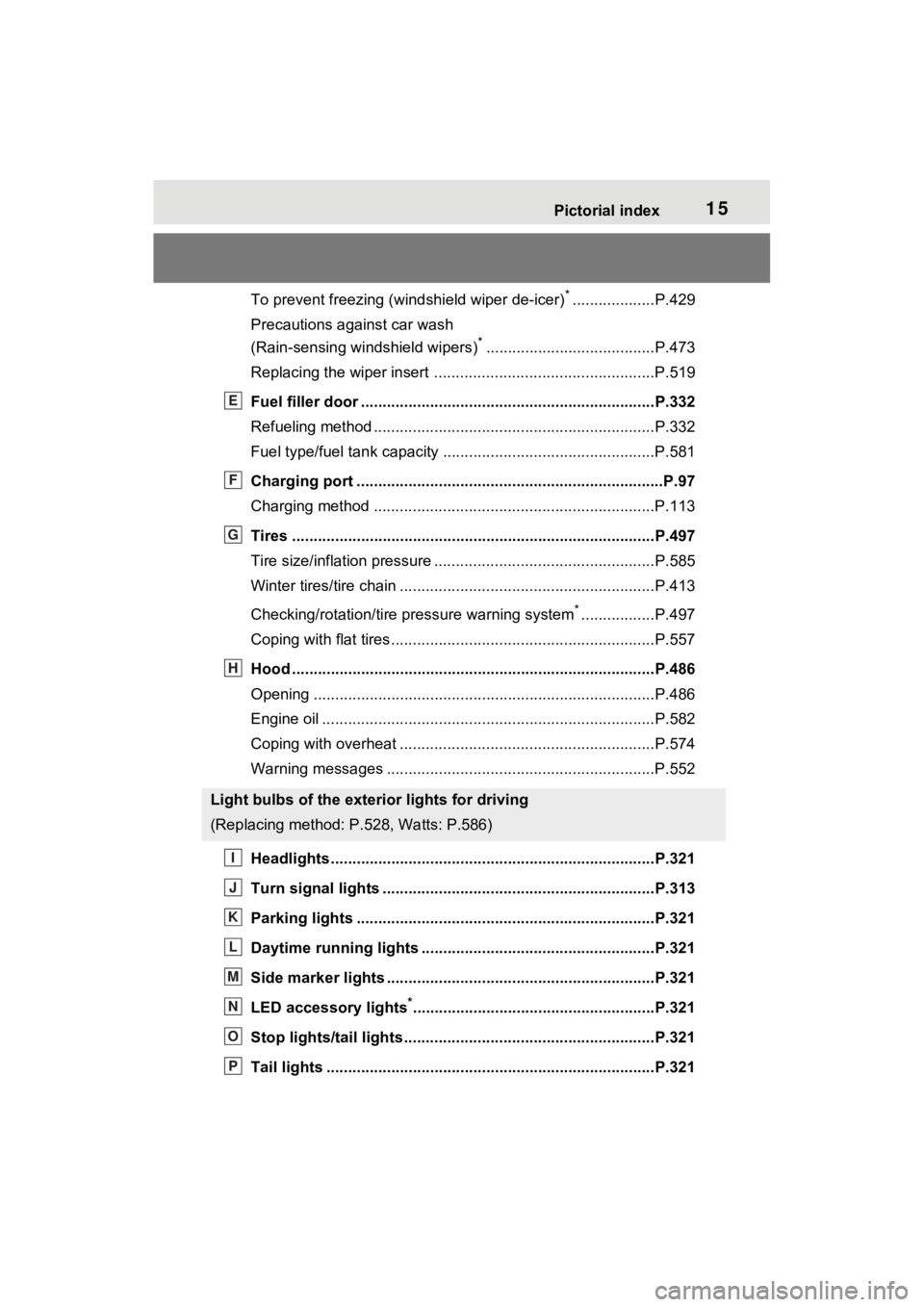
Fuel filler door ............................................... .....................P.332
Refueling method ............................................... ..................P.332
Fuel type/fuel tan k capacity .................................................P.581
Charging port .................................................. .....................P.97
Charging method ................................................ .................P.113
Tires ....................................................................................P.497
Tire size/inflation pressure ................................... ................P.585
Winter tires/tire chain ........................................ ...................P.413
Checking/rotation/tire pressure warning system
*.................P.497
Coping with flat tires......................................... ....................P.557
Hood ....................................................................................P.486
Opening ........................................................ .......................P.486
Engine oil ..................................................... ........................P.582
Coping with overheat ........................................... ................P.574
Warning messages ..............................................................P.552
Headlights..................................................... ......................P.321
Turn signal lights ...............................................................P.313
Parking lights .....................................................................P.321
Daytime running lights .. ....................................................P.321
Side marker lights ............................................. .................P.321
LED accessory lights
*........................................................P.321
Stop lights/tail lights ........................................ ..................P.321
Tail lights .................................................... ........................P.321
Light bulbs of the exterior lights for driving
(Replacing method: P.528, Watts: P.586)
E
F
G
H
I
J
K
L
M
N
O
P
Page 92 of 662
922-1. Plug-in hybrid system
HV mode while on the free-
way and change to EV mode
or AUTO EV/HV mode after
leaving the freeway. (P.76)
Turn the “A/C” switch off
when it is not needed. Doing
so can help reduce excessive
electricity and fuel consump-
tion.
In summer: When the ambient tem-
perature is high, use the recircu-
lated air mode. Doing so will help to
reduce the burden on the air condi-
tioning system and reduce electric-
ity and fuel consumption as well.
In winter: Avoid excessive and
unnecessary use o f the heater.
Usage of the heated steering wheel
(if equipped) and seat heaters are
effective. ( P.433)
Using the Remote Air Condi-
tioning System ( P.431)
while the AC charging cable is
connected to the vehicle can
reduce electricity consump-
tion immediately after starting
off by operating air condition-
ing mainly using electricity
from an external power
source.
When setting the charging
schedule, setting the charging
mode to “Departure” or
“Departure time” and “Climate
Prep” or “Climate preparation”
to on can reduce electricity
consumption immediately after starting off by operating
air conditioning before
charging is completed.
(
P.128)
Make sure to check the tire infla-
tion pressure frequently. If there
is improper tire inflation pres-
sure in the tires, the EV driving
range will become shorter, and
fuel consumption when in HV
mode will increase.
Also, as snow tires can cause
large amounts of friction, their
use on dry roads can lead to
increased fuel and electricity
consumption.
Carrying heavy luggage will lead
to poor fuel economy. Avoid car-
rying unnecessary luggage.
Installing a large roof rack will
also cause poor fuel economy.
Since the gasoline engine starts
up and cuts out automatically,
warming up is not necessary.
Air conditioningChecking tire inflation
pressure
Luggage
Warming up before driv-
ing
Page 95 of 662
952-1. Plug-in hybrid system
2
Plug-in hybrid system
When eco air conditioning mode
is used, the air conditioning con-
trol is switched automatically to
a lower setting. (P.423)
The heated steering wheel (if
equipped) and seat heaters are
efficient heating device that
directly warm the body using
less electric power.
When used togethe r with the air
conditioning system, a low tem-
perature setting can be used to
improve electrical and fuel effi-
ciency.
■Check the tire pressure
If the tire pressure is lower than
the specified value, it will
worsen the electrical and fuel
efficiency.
A pressure level 7 psi (50 kPa, 0.5
kgf/cm
2 or bar) lower than the spec-
ified value will cause a worsening of
several percentage points.
■When driving on highways,
use the EV/HV mode selec-
tion switch to drive in HV
mode
The power consumption will
increase significantly if the vehi-
cle is driven in EV mode on
highways.
■Do not load unnecessary
objects in the vehicle
Driving with objects weighing
220 lb. (100 kg) in the vehicle
will worsen the electrical and
fuel efficiency by approximately
3%. Air resistance also greatly
affects electrical and fuel effi-
ciency. Remove any exterior
accessories such as a roof lug-
gage carrier when they are not
being used.
The running resistance of snow
tires is high and they will worsen
electrical and fuel efficiency.
Replace them with standard
tires as soon as they are no lon-
ger needed.
■Know your vehicle’s electri-
cal and fuel efficiency
If you know your vehicle’s daily
electrical and fuel efficiency, you
will understand the benefits of
Eco drive.
Use the Power Consump-
tion/Fuel Economy, ECO Accel-
erator Guidance/“Eco Score”
and other data displayed on the
multi-information display.
The following indicate that
charging has been carried out
properly.
The charging indicator of the
charging port turns off
“Charging Complete” is dis-
played on the multi-informa-
tion display when a door is
opened with the power switch
off ( P.117)
Regardless of the type of power
Display when c harging is
completed
Page 169 of 662
1693-1. Instrument cluster
3
Vehicle status information and indicators
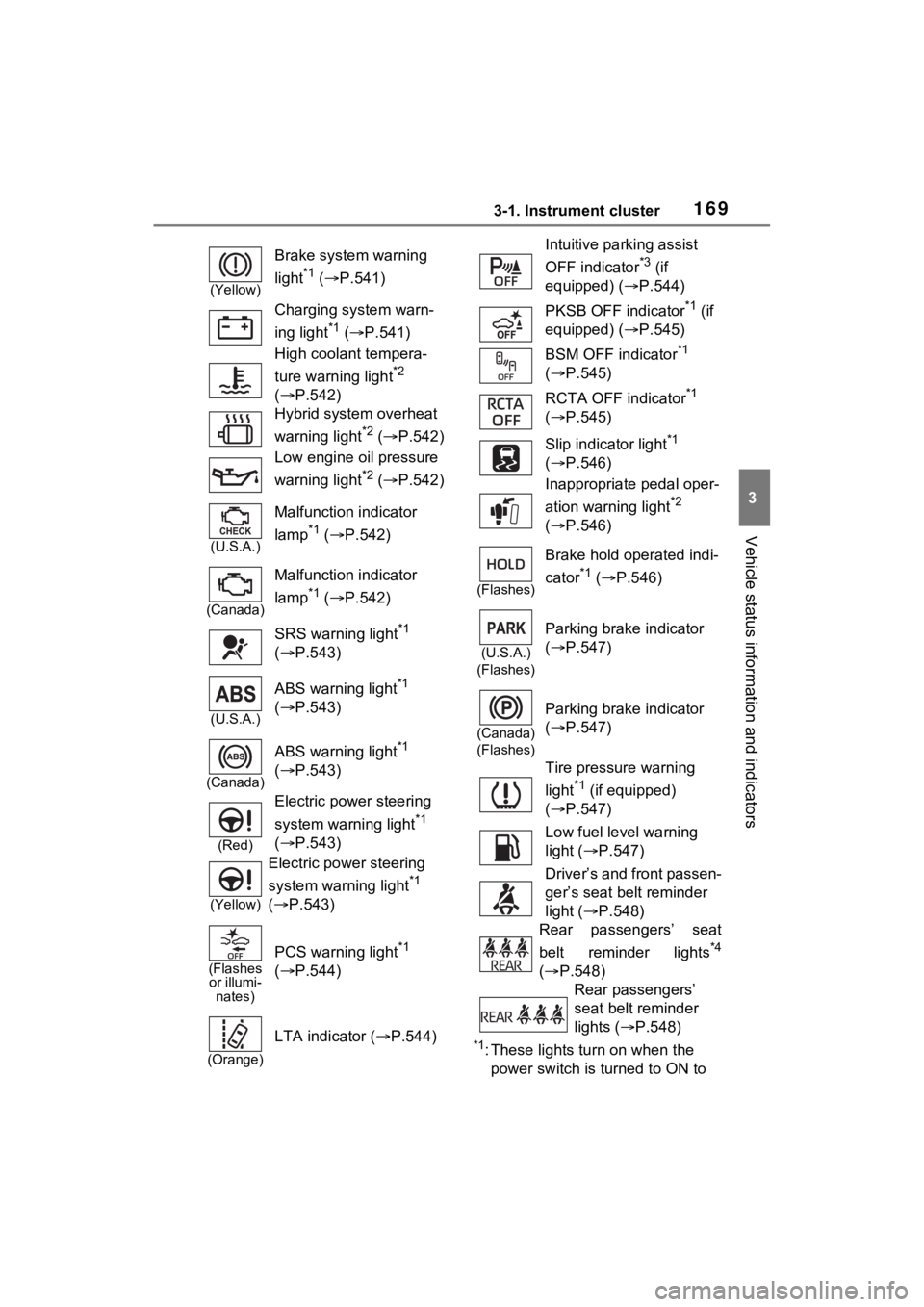
*1: These lights turn on when the
power switch is turned to ON to
(Yellow)
Brake system warning
light
*1 ( P.541)
Charging system warn-
ing light
*1 ( P.541)
High coolant tempera-
ture warning light
*2
( P.542)
Hybrid system overheat
warning light
*2 ( P.542)
Low engine oil pressure
warning light
*2 ( P.542)
(U.S.A.)
Malfunction indicator
lamp
*1 ( P.542)
(Canada)
Malfunction indicator
lamp
*1 ( P.542)
SRS warning light
*1
( P.543)
(U.S.A.)
ABS warning light*1
( P.543)
(Canada)
ABS warning light*1
( P.543)
(Red)
Electric power steering
system warning light
*1
( P.543)
(Yellow)
Electric power steering
system warning light
*1
( P.543)
(Flashes
or illumi- nates)
PCS warning light*1
( P.544)
(Orange)
LTA indicator ( P.544)
Intuitive parking assist
OFF indicator
*3 (if
equipped) ( P.544)
PKSB OFF indicator
*1 (if
equipped) ( P.545)
BSM OFF indicator
*1
( P.545)
RCTA OFF indicator
*1
( P.545)
Slip indicator light
*1
( P.546)
Inappropriate pedal oper-
ation warning light
*2
( P.546)
(Flashes)
Brake hold operated indi-
cator
*1 ( P.546)
(U.S.A.)
(Flashes)
Parking brake indicator
( P.547)
(Canada)
(Flashes)
Parking brake indicator
( P.547)
Tire pressure warning
light
*1 (if equipped)
( P.547)
Low fuel level warning
light ( P.547)
Driver’s and front passen-
ger’s seat belt reminder
light ( P.548)
Rear passengers’ seat
belt reminder lights
*4
( P.548)
Rear passengers’
seat belt reminder
lights ( P.548)
Page 195 of 662
1953-1. Instrument cluster
3
Vehicle status information and indicators
power back door system operates.
*: Vehicles with Hands Free Power Back Door
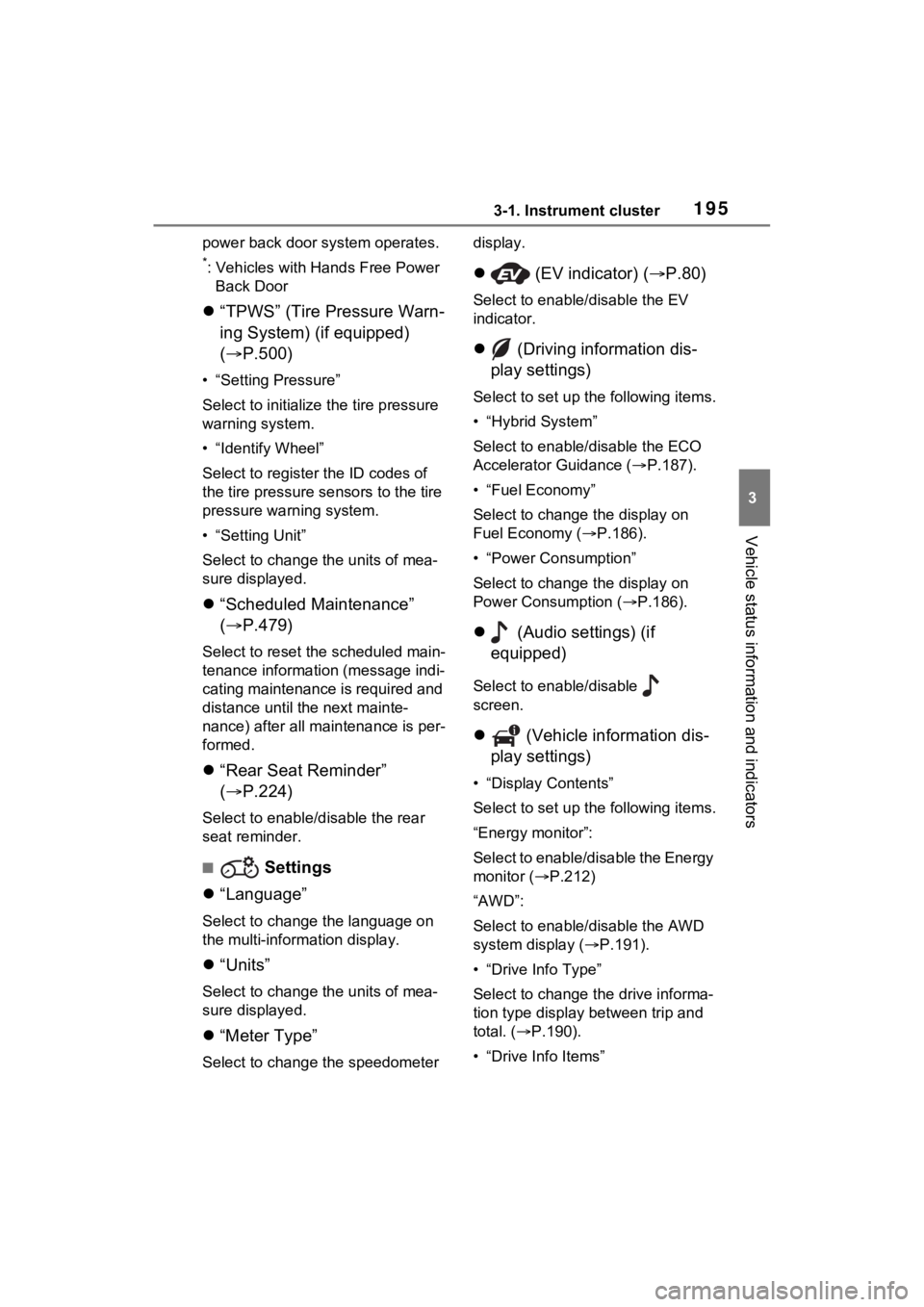
“TPWS” (Tire Pressure Warn-
ing System) (if equipped)
( P.500)
• “Setting Pressure”
Select to initialize the tire pressure
warning system.
• “Identify Wheel”
Select to register the ID codes of
the tire pressure s ensors to the tire
pressure warning system.
• “Setting Unit”
Select to change t he units of mea-
sure displayed.
“Scheduled Maintenance”
( P.479)
Select to reset the scheduled main-
tenance information (message indi-
cating maintenance is required and
distance until the next mainte-
nance) after all maintenance is per-
formed.
“Rear Seat Reminder”
( P.224)
Select to enable/disable the rear
seat reminder.
■ Settings
“Language”
Select to change the language on
the multi-inform ation display.
“Units”
Select to change t he units of mea-
sure displayed.
“Meter Type”
Select to change the speedometer display.
(EV indicator) ( P.80)
Select to enable/disable the EV
indicator.
(Driving information dis-
play settings)
Select to set up t he following items.
• “Hybrid System”
Select to enable/disable the ECO
Accelerator Guidance (P.187).
• “Fuel Economy”
Select to change the display on
Fuel Economy ( P.186).
• “Power Consumption”
Select to change the display on
Power Consumption ( P.186).
(Audio settings) (if
equipped)
Select to enable/disable
screen.
(Vehicle information dis-
play settings)
• “Display Contents”
Select to set up t he following items.
“Energy monitor”:
Select to enable/disable the Energy
monitor ( P.212)
“AWD”:
Select to enable /disable the AWD
system display ( P.191).
• “Drive Info Type”
Select to change the drive informa-
tion type display between trip and
total. ( P.190).
• “Drive Info Items”
Page 206 of 662
2063-1. Instrument cluster
when the system recognizes
excess speed and Do Not Enter
sign.
“Notification Level”
Select to change e ach notification
level used to notify the driver when
the system recognizes a speed limit
sign.
■ Vehicle Settings
“Charging Settings”
Select to set up the following items.
• “Charging Schedule”
Select to register or change the
charging schedule. ( P.128)
• “Charging Current”
Select to change the charging cur-
rent. ( P.111)
• “Battery Cooler”
Select to enable/disable the bat-
tery cooler. ( P.114)
• “Battery Heater”
Select to enable/disable the bat-
tery heater. ( P.113)
DRCC
Select to change the curve speed
reduction function setting.
PBD (Power Back Door)
( P.229)
Select to set up the following items.
• System settings
Select to enable/disable the power
back door system.
• “Hands Free”
Select to enable/disable the Hands
Free Power Back Door.
• “Opening Adjustment” Select the open position when
power back door is fully open.
•“Volume”
Select to set the volume of the
buzzer which sounds when the
power back door system operates.
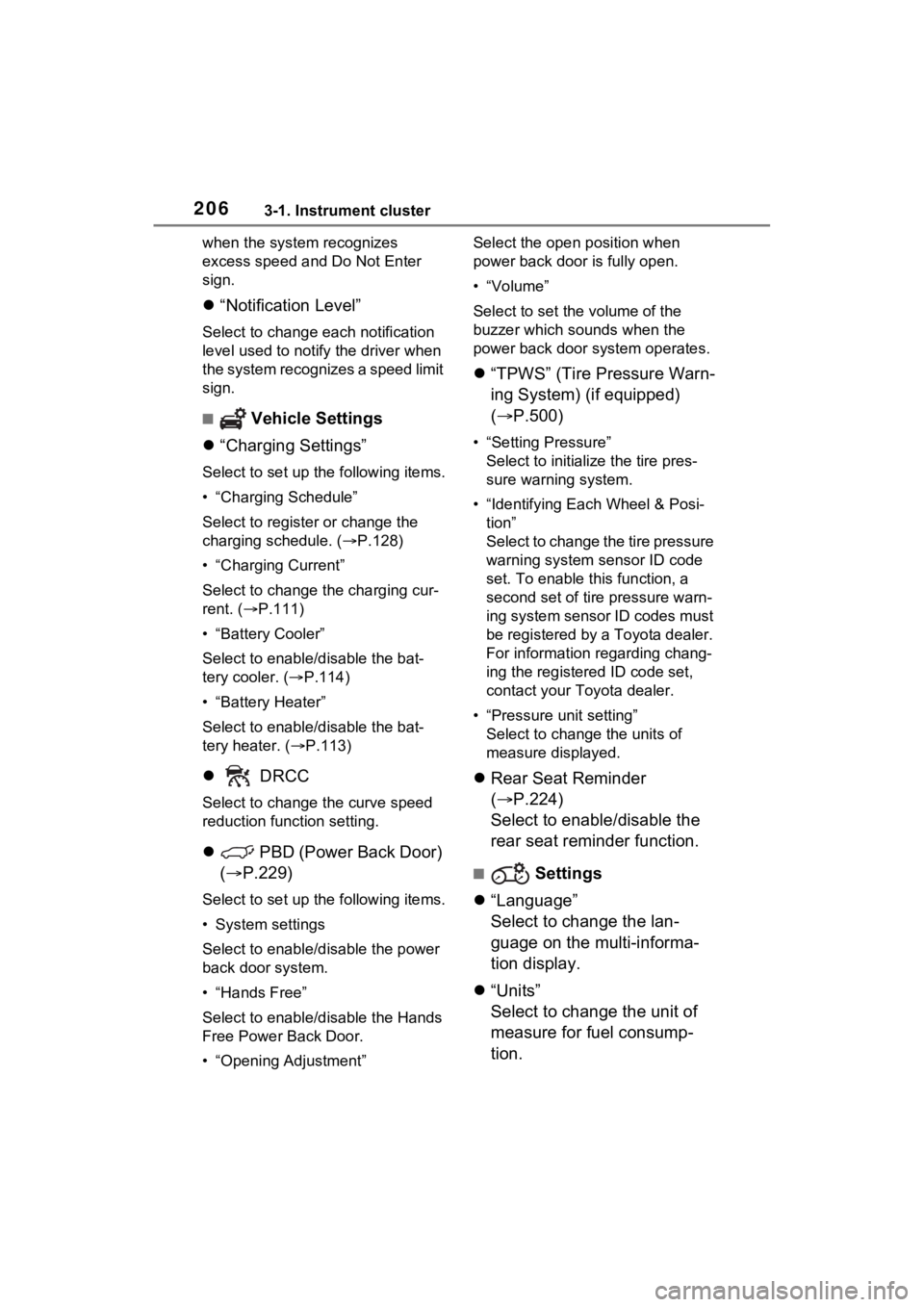
“TPWS” (Tire Pressure Warn-
ing System) (if equipped)
( P.500)
• “Setting Pressure”
Select to initialize the tire pres-
sure warning system.
• “Identifying Each Wheel & Posi- tion”
Select to change the tire pressure
warning system sensor ID code
set. To enable this function, a
second set of tire pressure warn-
ing system sensor ID codes must
be registered by a Toyota dealer.
For information regarding chang-
ing the registered ID code set,
contact your Toyota dealer.
• “Pressure unit setting” Select to change the units of
measure displayed.
Rear Seat Reminder
( P.224)
Select to enable/disable the
rear seat reminder function.
■ Settings
“Language”
Select to change the lan-
guage on the multi-informa-
tion display.
“Units”
Select to change the unit of
measure for fuel consump-
tion.
Page 330 of 662
3325-4. Refueling
5-4.Refueling
Close all the doors and win-
dows, and turn the power
switch to OFF.
Confirm the type of fuel.
■Fuel types
P.587
■Fuel tank opening for unleaded
gasoline
To help prevent incorrect fueling,
your vehicle has a fuel tank opening
that only accommodates the spe-
cial nozzle on unle aded fuel pumps.
Opening the fuel tank
cap
The fuel tank of your vehicle
has a special structure,
which requires a reduction
in fuel tank pressure before
refueling. After the opener
switch has been pressed, it
will take several seconds
until the vehicle is ready for
refueling.
Before refueling the vehi-
cle
WARNING
■When refueling the vehicle
Observe the following precautions
while refueling the vehicle. Failure
to do so may result in death or
serious injury.
●After exiting the vehicle and
before opening the fuel door,
touch an unpainted metal sur-
face to discharge any static
electricity. It is important to dis-
charge static electricity before
refueling because sparks result-
ing from static electricity can
cause fuel vapors to ignite while
refueling.
●Always hold the grips on the
fuel tank cap and turn it slowly
to remove it.
A whooshing sound may be
heard when the f uel tank cap is
loosened. Wait until the sound
cannot be heard before fully
removing the cap. In hot
weather, pressurized fuel may
spray out of the filler neck and
cause injury.
●Do not allow anyone that has
not discharged static electricity
from their body to come close to
an open fuel tank.
●Do not inhale vaporized fuel.
Fuel contains substances that
are harmful if inhaled.
●Do not smoke while refueling
the vehicle.
Doing so may cause the fuel to
ignite and cause a fire.
●Do not return to the vehicle or
touch any person or object that
is statically charged. This may
cause static electricity to build
up, resulting in a possible igni-
tion hazard.
Page 470 of 662
4727-1. Maintenance and care
7-1.Maintenance and care
Working from top to bottom,
liberally apply water to the
vehicle body, wheel wells and
underside of the vehicle to
remove any dirt and dust.
Wash the vehicle body using
a sponge or soft cloth, such
as a chamois.
For hard-to-remove marks,
use car wash soap and rinse
thoroughly with water.
Wipe away any water.
Wax the vehicle when the
waterproof coating deterio-
rates.
If water does not bead on a clean
surface, apply wax when the vehi-
cle body is cool.
■Before car washes
Check that the fuel filler door and
charging port lid on your vehicle are
closed properly.
■Automatic car washes
●Before washing the vehicle:
• Fold the mirrors
• Turn off the power back door (if
equipped) Start washing from the front of the
vehicle. Make sure to extend the
mirrors before driving.
●Brushes used in automatic car
washes may scratch the vehicle
surface, parts (wheel, etc.) and
harm your vehicle’s paint.
●Rear spoiler may not be washable
in some automatic car washes.
There may also be an increased
risk of damage to vehicle.
■High pressure car washes
As water may enter the cabin, do
not bring the nozzle tip near the
gaps around the doors or perimeter
of the windows, or spray these
areas continuously.
■Note for a smart key system
If the door handle becomes wet
while the electronic key is within the
effective range, t he door may lock
and unlock repeatedly. In that case,
follow the following correction pro-
cedures to wash the vehicle:
●Place the key in a position 6 ft. (2
m) or more separate from the
vehicle while the vehicle is being
washed. (Take care to ensure that
the key is not stolen.)
●Set the electronic key to battery-
saving mode to disable the smart
key system. ( P.242)
■Wheels and wheel ornaments
●Remove any dirt immediately by
using a neutral detergent.
●Wash detergent off with water
immediately after use.
●To protect the paint from damage,
make sure to obs erve the follow-
ing precautions.
• Do not use acidic, alkaline or abrasive detergent
• Do not use hard brushes
• Do not use detergent on the
wheels when they are hot, such
as after driving or parking in hot
weather
Cleaning a nd protect-
ing the vehicle exte-
rior
Perform the following to
protect the vehicle and
maintain it in prime condi-
tion:
Cleaning instructions
Page 480 of 662
4827-2. Maintenance
The OBD system determines
that a problem exists some-
where in the emission control
system. Your vehicle may not
pass the I/M test and may need
to be repaired. Contact your
Toyota dealer to service the
vehicle.
When the 12-volt battery is
disconnected or discharged
Readiness codes that are set
during ordinary driving are
erased.
Also, depending on your driv-
ing habits, the readiness
codes may not be completely
set.
When the fuel tank cap is
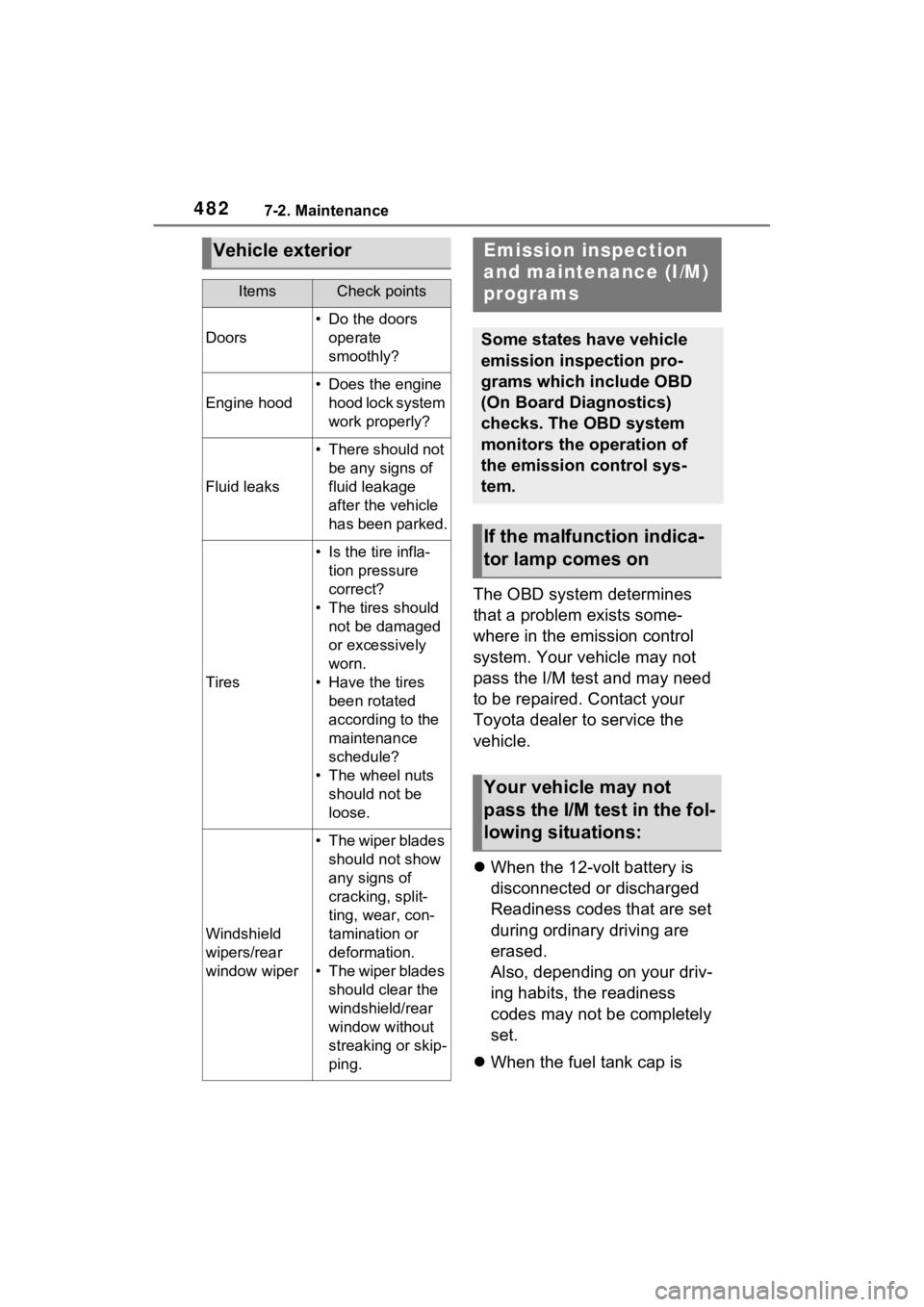
Vehicle exterior
ItemsCheck points
Doors
• Do the doors
operate
smoothly?
Engine hood
• Does the engine hood lock system
work properly?
Fluid leaks
• There should not be any signs of
fluid leakage
after the vehicle
has been parked.
Tires
• Is the tire infla-tion pressure
correct?
• The tires should not be damaged
or excessively
worn.
• Have the tires been rotated
according to the
maintenance
schedule?
• The wheel nuts should not be
loose.
Windshield
wipers/rear
window wiper
• The wiper blades should not show
any signs of
cracking, split-
ting, wear, con-
tamination or
deformation.
• The wiper blades should clear the
windshield/rear
window without
streaking or skip-
ping.
Emission inspection
and maintenance (I/M)
programs
Some states have vehicle
emission inspection pro-
grams which include OBD
(On Board Diagnostics)
checks. The OBD system
monitors the operation of
the emission control sys-
tem.
If the malfunction indica-
tor lamp comes on
Your vehicle may not
pass the I/M test in the fol-
lowing situations: