reset TOYOTA RAV4 PRIME 2023 Owners Manual
[x] Cancel search | Manufacturer: TOYOTA, Model Year: 2023, Model line: RAV4 PRIME, Model: TOYOTA RAV4 PRIME 2023Pages: 662, PDF Size: 25.4 MB
Page 153 of 662
1532-2. Charging
2
Plug-in hybrid system
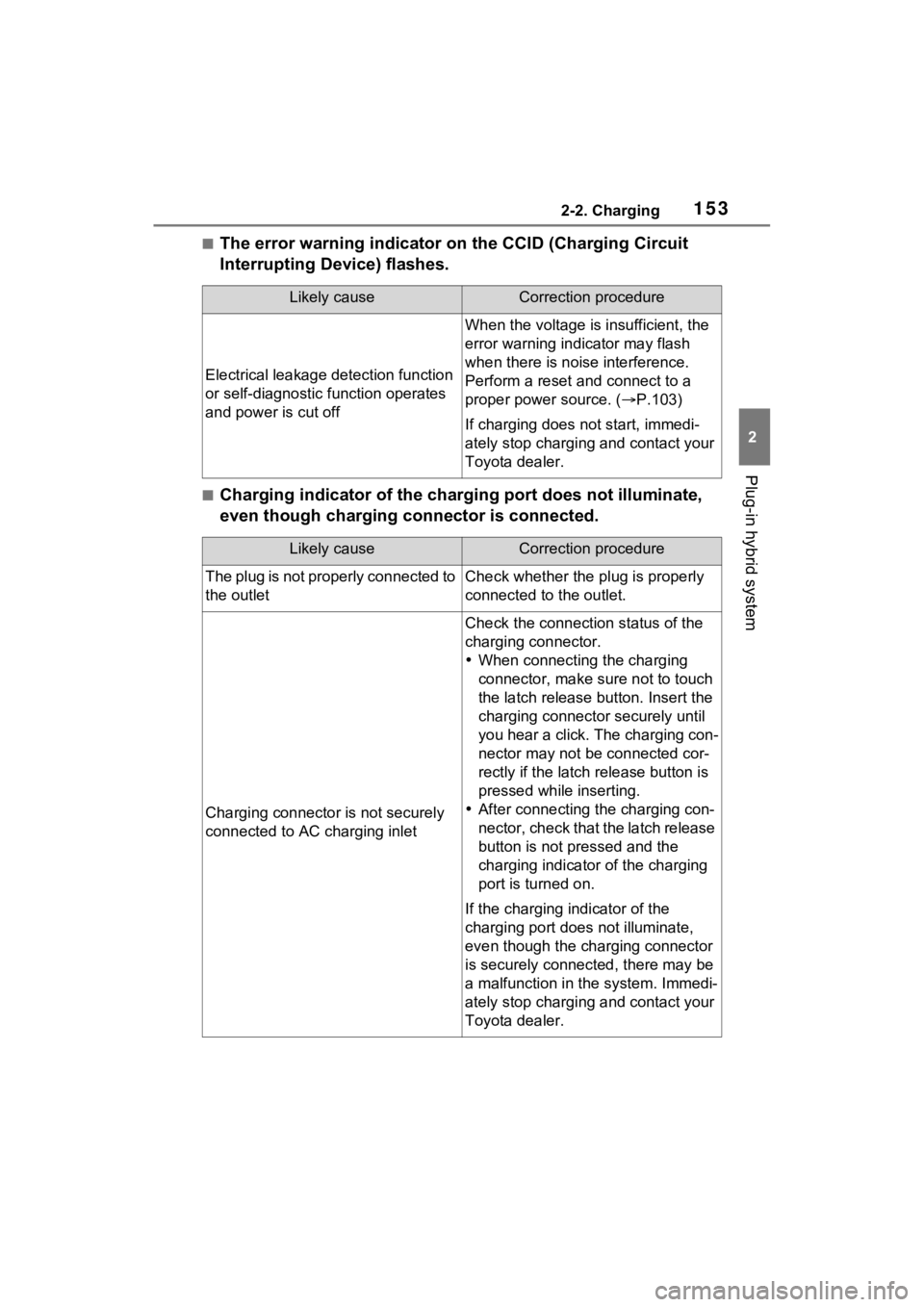
■The error warning indicator on the CCID (Charging Circuit
Interrupting Device) flashes.
■Charging indicator of the charging port does not illuminate,
even though charging connector is connected.
Likely causeCorrection procedure
Electrical leakage detection function
or self-diagnostic function operates
and power is cut off
When the voltage is insufficient, the
error warning indi cator may flash
when there is noise interference.
Perform a reset and connect to a
proper power source. ( P.103)
If charging does not start, immedi-
ately stop charging and contact your
Toyota dealer.
Likely causeCorrection procedure
The plug is not properly connected to
the outletCheck whether the plug is properly
connected to the outlet.
Charging connector is not securely
connected to AC charging inlet
Check the connection status of the
charging connector.
When connecting the charging
connector, make su re not to touch
the latch release button. Insert the
charging connector securely until
you hear a click. The charging con-
nector may not be connected cor-
rectly if the latch release button is
pressed while inserting.
After connecting the charging con-
nector, check that the latch release
button is not pressed and the
charging indicator of the charging
port is turned on.
If the charging indicator of the
charging port does not illuminate,
even though the charging connector
is securely connec ted, there may be
a malfunction in the system. Immedi-
ately stop charging and contact your
Toyota dealer.
Page 174 of 662
1743-1. Instrument cluster
gauge is in the blue zone, EV driving is no longer possible (in this situation,
the vehicle switches to HV mode) . Charge the hybrid battery (traction bat-
tery) to allow EV driving.
Odometer and trip meter
Odometer:
Displays the total distance th at the vehicle has been driven
Trip meter:
Displays the distance the vehicle has been driven since the meter was last
reset. Trip meters “A” and “B” c an be used to record and display different
distances independently.
Outside temperature ( P.176)
Multi-information display
Presents the driver with a variety of driving-related data ( P.185)
Displays warning messages if a malfunction occurs (P.552)
Shift position and shift range indicator
Displays the selected shift posit ion or selected shift range (P.309)
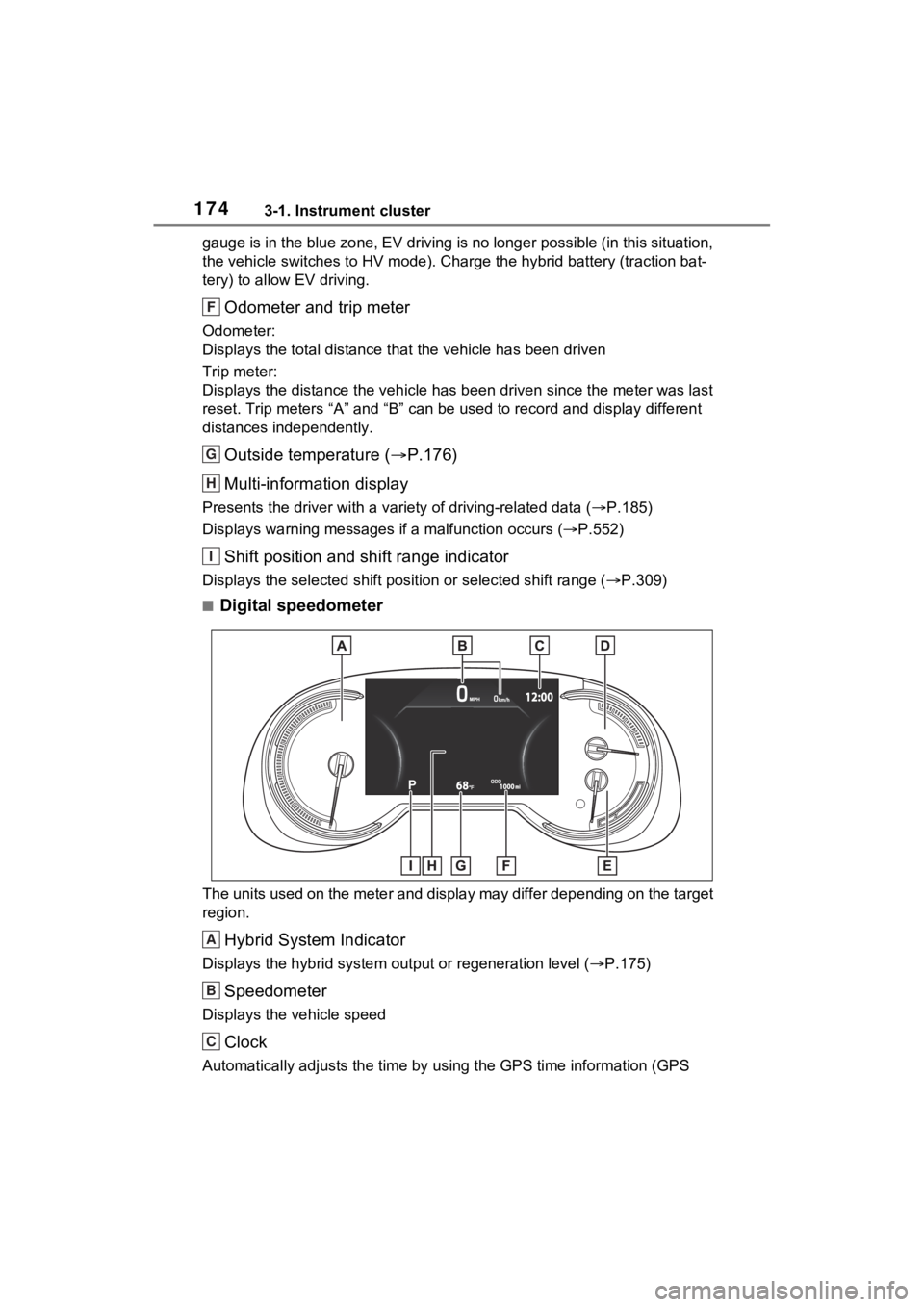
■Digital speedometer
The units used on the meter and display may differ depending on the target
region.
Hybrid System Indicator
Displays the hybrid system output or regeneration level ( P.175)
Speedometer
Displays the vehicle speed
Clock
Automatically adjusts the time by using the GPS time informatio n (GPS
F
G
H
I
A
B
C
Page 175 of 662
1753-1. Instrument cluster
3
Vehicle status information and indicators
clock).
For details, refer to “MULTIMEDIA OWNER’S MANUAL”.
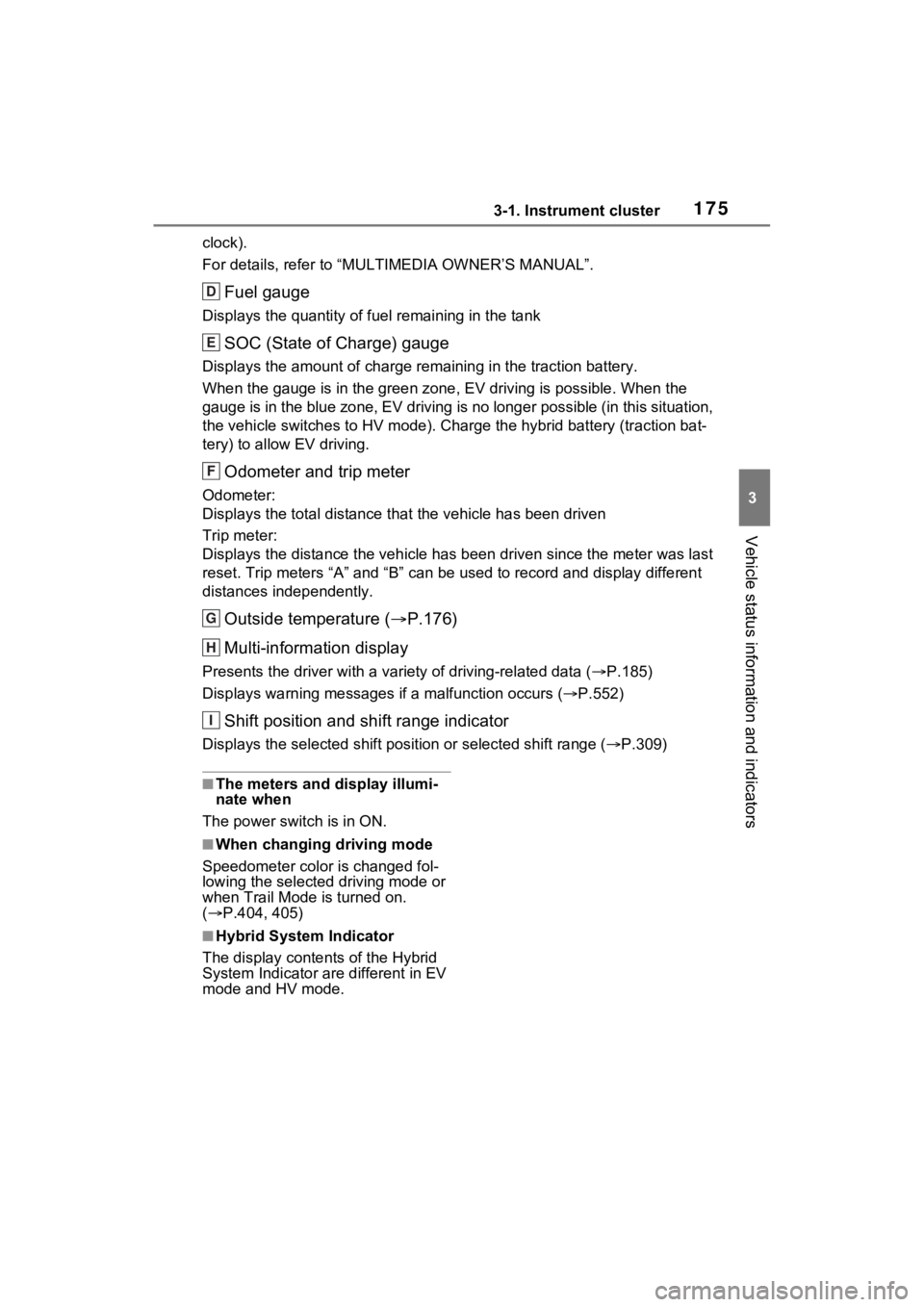
Fuel gauge
Displays the quantity of fuel remaining in the tank
SOC (State of Charge) gauge
Displays the amount of charge rem aining in the traction battery.
When the gauge is in the green zo ne, EV driving is possible. When the
gauge is in the blue zone, EV driving is no longer possible (in this situation,
the vehicle switches to HV mode) . Charge the hybrid battery (traction bat-
tery) to allow EV driving.
Odometer and trip meter
Odometer:
Displays the total distance th at the vehicle has been driven
Trip meter:
Displays the distance the vehicle has been driven since the meter was last
reset. Trip meters “A” and “B” c an be used to record and display different
distances independently.
Outside temperature ( P.176)
Multi-information display
Presents the driver with a variety of driving-related data ( P.185)
Displays warning messages if a malfunction occurs (P.552)
Shift position and shift range indicator
Displays the selected shift posit ion or selected shift range (P.309)
■The meters and display illumi-
nate when
The power swit ch is in ON.
■When changing driving mode
Speedometer color is changed fol-
lowing the selected driving mode or
when Trail Mode is turned on.
( P.404, 405)
■Hybrid System Indicator
The display content s of the Hybrid
System Indicator are different in EV
mode and HV mode.
D
E
F
G
H
I
Page 177 of 662
1773-1. Instrument cluster
3
Vehicle status information and indicators
●Displays the outside temperature
within the range of -40°F (-40°C)
to 122°F (50°C).
●When the outside temperature is
approximately 37°F (3°C) or
lower, the indicator will flash
for approximately 10 seconds,
then stay on.
■Liquid crystal display
P.185
■Customization
Settings (e. g. meter display) can be
changed on the screen of the
multi-informat ion display. (P.191)
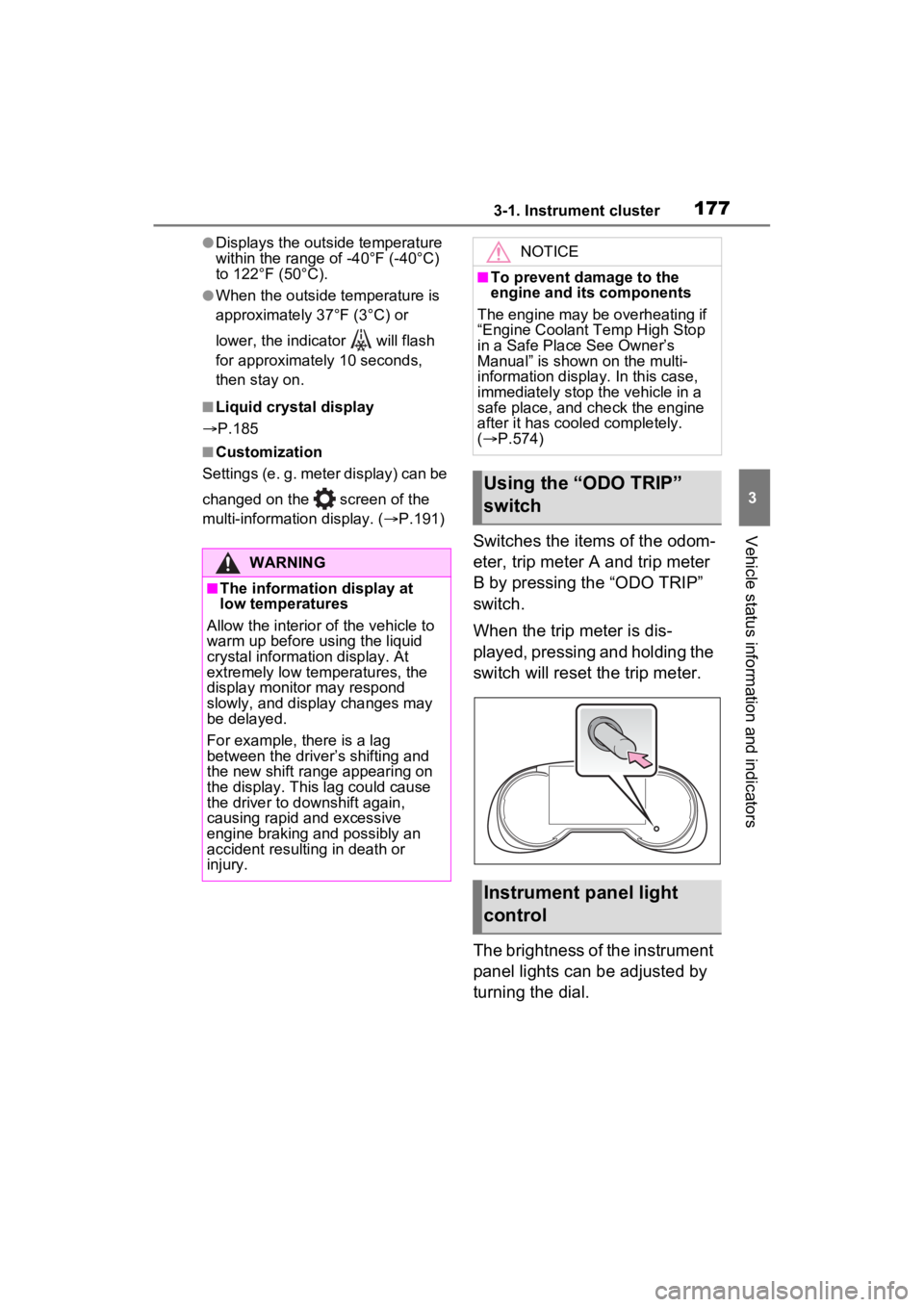
Switches the items of the odom-
eter, trip meter A and trip meter
B by pressing the “ODO TRIP”
switch.
When the trip meter is dis-
played, pressing and holding the
switch will reset the trip meter.
The brightness of the instrument
panel lights can be adjusted by
turning the dial.
WARNING
■The information display at
low temperatures
Allow the interior of the vehicle to
warm up before u sing the liquid
crystal informat ion display. At
extremely low temperatures, the
display monitor may respond
slowly, and display changes may
be delayed.
For example, there is a lag
between the driver’s shifting and
the new shift range appearing on
the display. This lag could cause
the driver to downshift again,
causing rapid and excessive
engine braking and possibly an
accident resulting in death or
injury.
NOTICE
■To prevent damage to the
engine and its components
The engine may be overheating if
“Engine Coolant Temp High Stop
in a Safe Place See Owner’s
Manual” is shown on the multi-
information displa y. In this case,
immediately stop the vehicle in a
safe place, and c heck the engine
after it has cooled completely.
( P.574)
Using the “ODO TRIP”
switch
Instrument panel light
control
Page 185 of 662
1853-1. Instrument cluster
3
Vehicle status information and indicators■Display items
Odometer
Displays the total distance the vehi-
cle has been driven.
Trip meter A/trip meter B
Displays the distan ce the vehicle
has been driven si nce the meter
was last reset. Trip meters A and B
can be used to record and display
different distances independently.
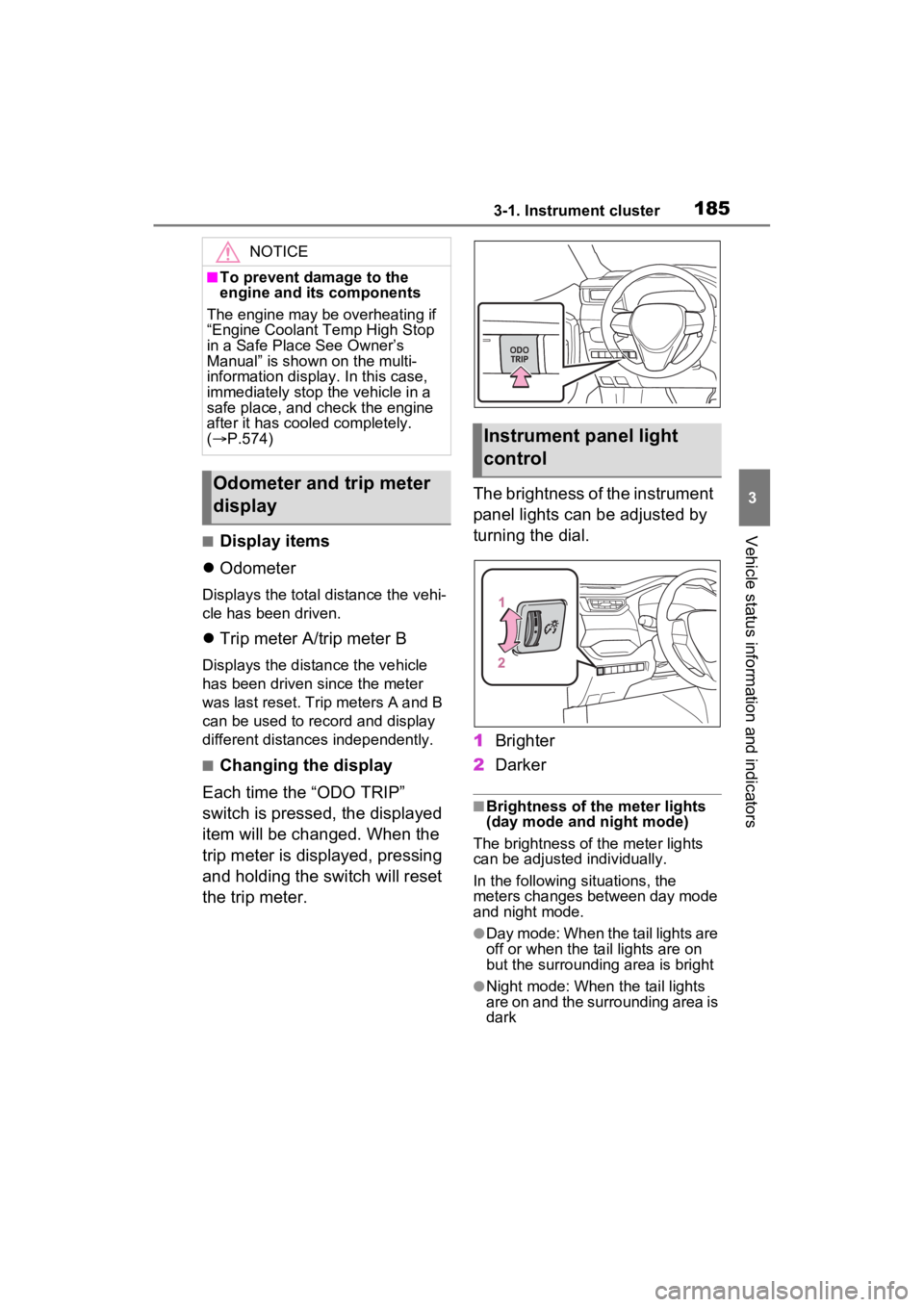
■Changing the display
Each time the “ODO TRIP”
switch is pressed, the displayed
item will be changed. When the
trip meter is displayed, pressing
and holding the switch will reset
the trip meter. The brightness of the instrument
panel lights can be adjusted by
turning the dial.
1
Brighter
2 Darker
■Brightness of the meter lights
(day mode and night mode)
The brightness of the meter lights
can be adjusted individually.
In the following si tuations, the
meters changes between day mode
and night mode.
●Day mode: When the tail lights are
off or when the ta il lights are on
but the surrounding area is bright
●Night mode: When the tail lights
are on and the surrounding area is
dark
NOTICE
■To prevent damage to the
engine and its components
The engine may be overheating if
“Engine Coolant Temp High Stop
in a Safe Place See Owner’s
Manual” is shown on the multi-
information display. In this case,
immediately stop the vehicle in a
safe place, and check the engine
after it has cooled completely.
( P.574)
Odometer and trip meter
display
Instrument panel light
control
Page 187 of 662
1873-1. Instrument cluster
3
Vehicle status information and indicators
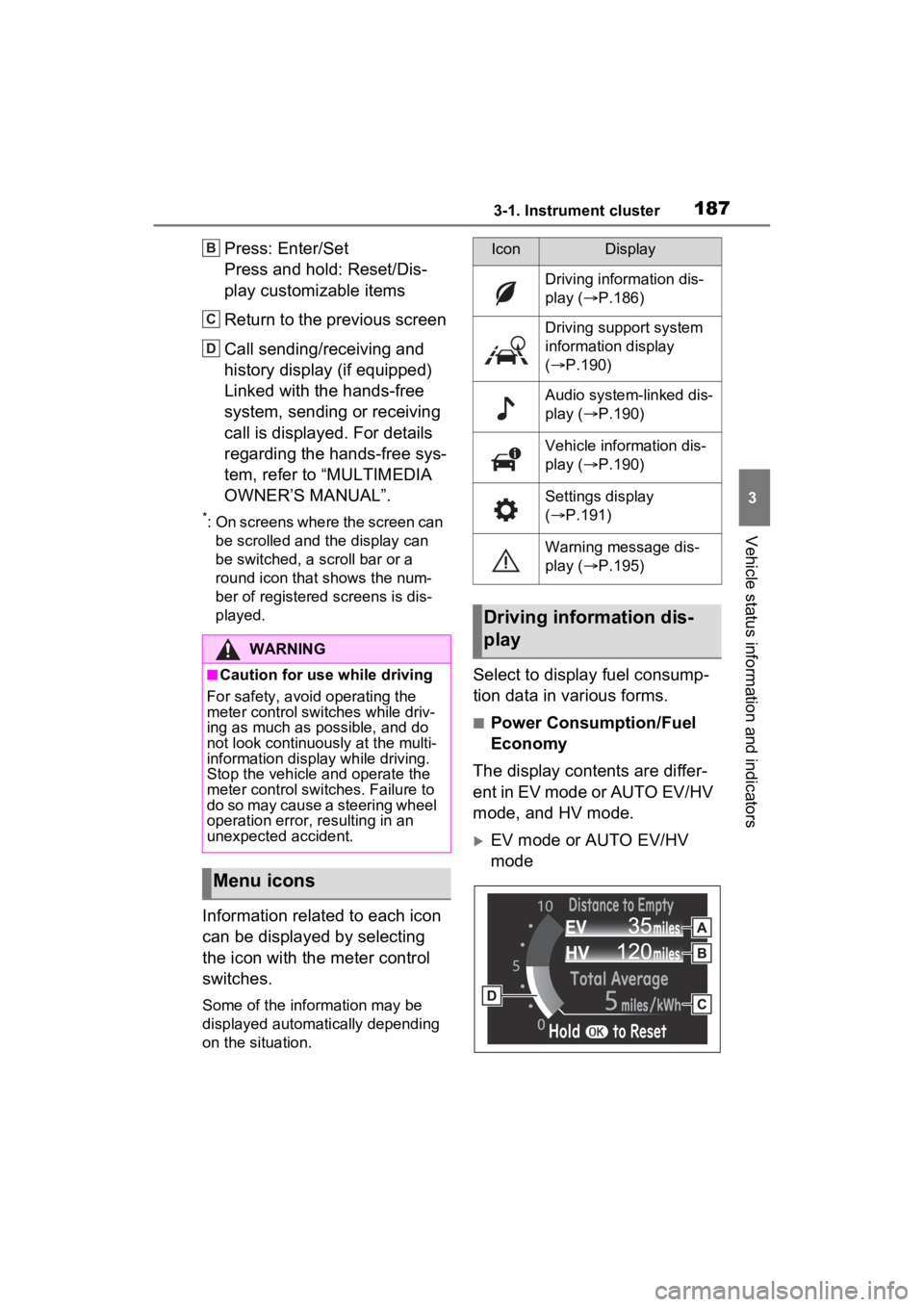
Press: Enter/Set
Press and hold: Reset/Dis-
play customizable items
Return to the previous screen
Call sending/receiving and
history display (if equipped)
Linked with the hands-free
system, sending or receiving
call is displayed. For details
regarding the hands-free sys-
tem, refer to “MULTIMEDIA
OWNER’S MANUAL”.
*: On screens where the screen can be scrolled and the display can
be switched, a scroll bar or a
round icon that shows the num-
ber of registered screens is dis-
played.
Information related to each icon
can be displayed by selecting
the icon with the meter control
switches.
Some of the information may be
displayed automatically depending
on the situation.
Select to display fuel consump-
tion data in various forms.
■Power Consumption/Fuel
Economy
The display contents are differ-
ent in EV mode or AUTO EV/HV
mode, and HV mode.
EV mode or AUTO EV/HV
mode
WARNING
■Caution for use while driving
For safety, avoid operating the
meter control swit ches while driv-
ing as much as possible, and do
not look continuously at the multi-
information display while driving.
Stop the vehicle and operate the
meter control swit ches. Failure to
do so may cause a steering wheel
operation error, resulting in an
unexpected accident.
Menu icons
B
C
D
IconDisplay
Driving information dis-
play ( P.186)
Driving support system
information display
( P.190)
Audio system-linked dis-
play ( P.190)
Vehicle information dis-
play ( P.190)
Settings display
( P.191)
Warning message dis-
play ( P.195)
Driving information dis-
play
Page 188 of 662
1883-1. Instrument cluster
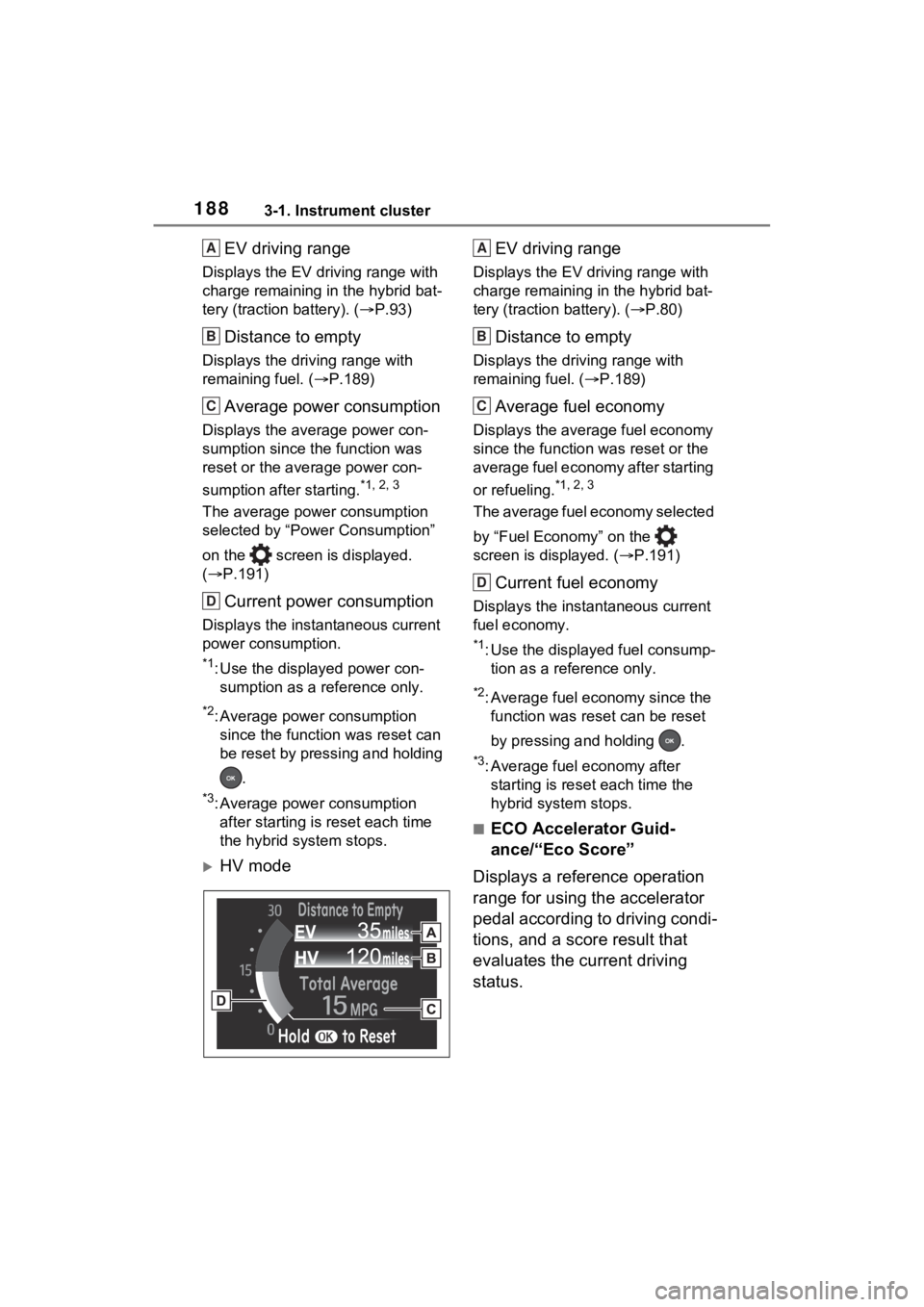
EV driving range
Displays the EV driving range with
charge remaining in the hybrid bat-
tery (traction battery). (P.93)
Distance to empty
Displays the driving range with
remaining fuel. ( P.189)
Average power consumption
Displays the aver age power con-
sumption since the function was
reset or the average power con-
sumption after starting.
*1, 2, 3
The average power consumption
selected by “Power Consumption”
on the screen is displayed.
( P.191)
Current power consumption
Displays the instantaneous current
power consumption.
*1: Use the displayed power con-
sumption as a reference only.
*2: Average power consumption since the function was reset can
be reset by pressing and holding
.
*3: Average power consumption after starting is reset each time
the hybrid system stops.
HV mode EV driving range
Displays the EV driving range with
charge remaining in the hybrid bat-
tery (traction
battery). (P.80)
Distance to empty
Displays the driving range with
remaining fuel. ( P.189)
Average fuel economy
Displays the average fuel economy
since the function was reset or the
average fuel economy after starting
or refueling.
*1, 2, 3
The average fuel economy selected
by “Fuel Economy” on the
screen is displayed. ( P.191)
Current fuel economy
Displays the instantaneous current
fuel economy.
*1: Use the displayed fuel consump-
tion as a reference only.
*2: Average fuel economy since the function was res et can be reset
by pressing and holding .
*3: Average fuel economy after starting is reset each time the
hybrid system stops.
■ECO Accelerator Guid-
ance/“Eco Score”
Displays a reference operation
range for using the accelerator
pedal according to driving condi-
tions, and a score result that
evaluates the current driving
status.
A
B
C
D
A
B
C
D
Page 190 of 662
1903-1. Instrument cluster
After starting off, “Eco Score” dis-
play does not start until the vehicle
speed exceeds approximately
19mph (30km/h).
The “Eco Score” is reset each time
the vehicle starts off to start a new
evaluation.
When the hybrid system stops, the
current total score result is dis-
played.
*
*
: The score result is displayed only when “Eco Score” is selected for
“Closing Display”. ( P.191)
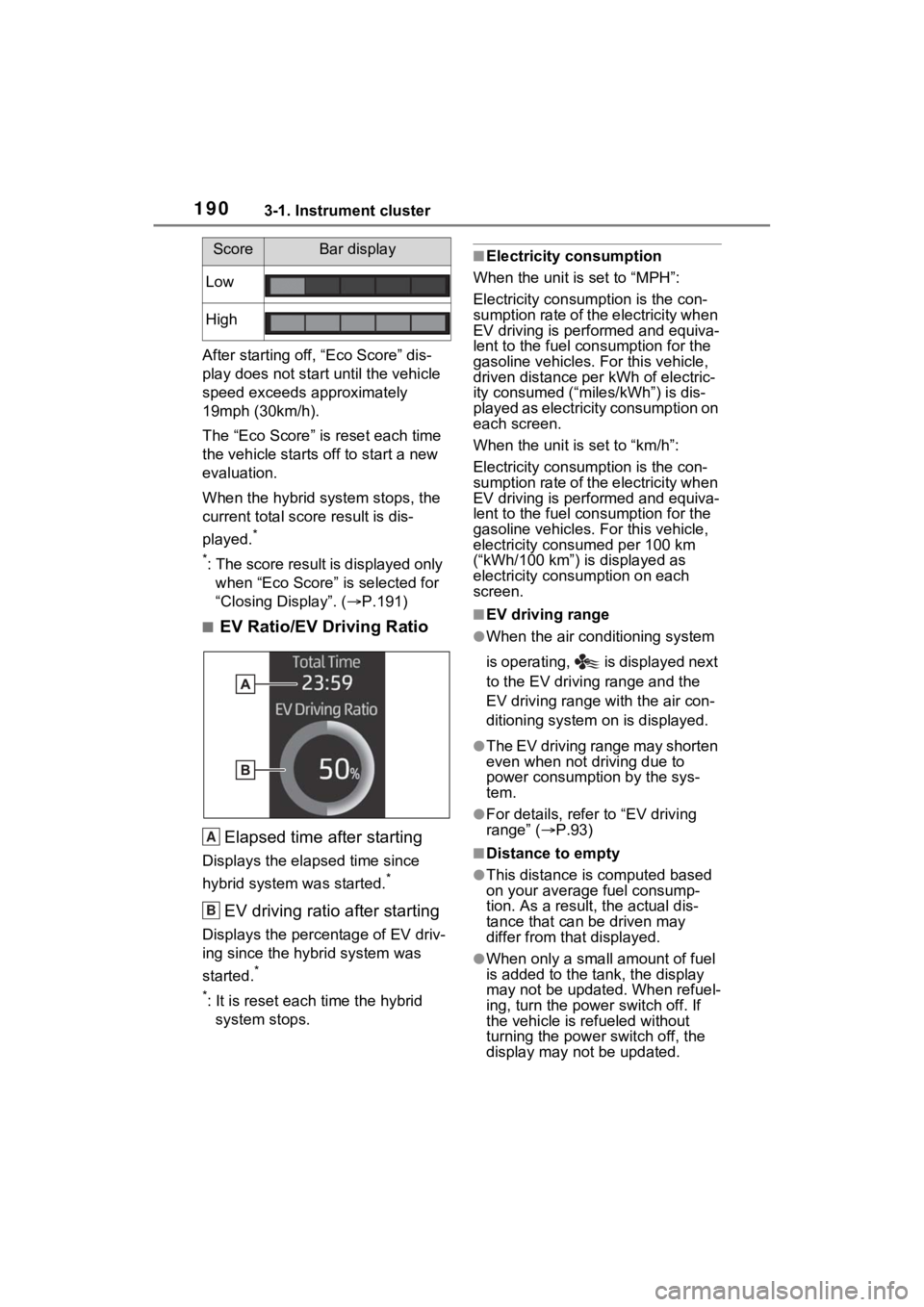
■EV Ratio/EV Driving Ratio
Elapsed time after starting
Displays the elapsed time since
hybrid system was started.
*
EV driving ratio after starting
Displays the percen tage of EV driv-
ing since the hybrid system was
started.
*
*
: It is reset each time the hybrid system stops.
■Electricity consumption
When the unit is set to “MPH”:
Electricity consumption is the con-
sumption rate of the electricity when
EV driving is performed and equiva-
lent to the fuel consumption for the
gasoline vehicles. For this vehicle,
driven distance per kWh of electric-
ity consumed (“mile s/kWh”) is dis-
played as electric ity consumption on
each screen.
When the unit is set to “km/h”:
Electricity consumption is the con-
sumption rate of the electricity when
EV driving is performed and equiva-
lent to the fuel consumption for the
gasoline vehicles. For this vehicle,
electricity consumed per 100 km
(“kWh/100 km”) is displayed as
electricity consumption on each
screen.
■EV driving range
●When the air conditioning system
is operating, is displayed next
to the EV driving range and the
EV driving range with the air con-
ditioning system on is displayed.
●The EV driving range may shorten
even when not driving due to
power consumption by the sys-
tem.
●For details, refe r to “EV driving
range” ( P.93)
■Distance to empty
●This distance is computed based
on your average fuel consump-
tion. As a result, the actual dis-
tance that can be driven may
differ from that displayed.
●When only a small amount of fuel
is added to the tank, the display
may not be updated. When refuel-
ing, turn the power switch off. If
the vehicle is refueled without
turning the power switch off, the
display may not be updated.
Low
High
ScoreBar display
A
B
Page 191 of 662
1913-1. Instrument cluster
3
Vehicle status information and indicators
●When “Refuel” is displayed, the
remaining fuel amount is low and
the distance that can be driven
with the remaining fuel cannot be
calculated.
Refuel immediately.
■ECO Accelerator Guid-
ance/“Eco Score” will not oper-
ate when
The ECO Accelerator Guid-
ance/“Eco Score” will not operate in
the following situations:
●The Hybrid System Indicator is not
operating.
●The vehicle is being driven using
the dynamic radar cruise control
with full-speed range.
■Driving support system
information display
Select to display the operational
status of the following systems:
LTA (Lane Tracing Assist)
( P.351)
Dynamic radar cruise control
with full-speed range
( P.366)
■Navigation system-linked
display (if equipped)
Select to display the following
navigation system-linked infor-
mation.
Route guidance
Compass display Select to enable selection of an
audio source or track on the dis-
play.
■Drive information
2 items that are selected using
the “Drive Info Items” setting
(average speed, distance and
total time) can be displayed ver-
tically.
The displayed information
changes according to the “Drive
Info Type” setting (since the sys-
tem was started or between
resets). ( P.191)
Use the displayed information as a
reference only.
Following items will be displayed.
“Trip”
• “Average Speed”: Displays the
average vehicle speed since
hybrid system start
*
• “Distance”: Displ ays the distance
driven since hybrid system start
*
• “Total Time”: Displays the elapsed time since hybrid system
start
*
*
: These items are r eset each time
the hybrid system stops.
“Total”
• “Average Speed”: Displays the
average vehicle speed since the
Driving support system
information display
Audio system-linked dis-
play
Vehicle information dis-
play
Page 192 of 662
1923-1. Instrument cluster
display was reset*
• “Distance”: Displays the distance
driven since the display was
reset
*
• “Total Time”: Displays the elapsed time since the display
was reset
*
*
: To reset, display the desired item and press and hold .
■Energy monitor
P.212
■Tire pressure
P.500
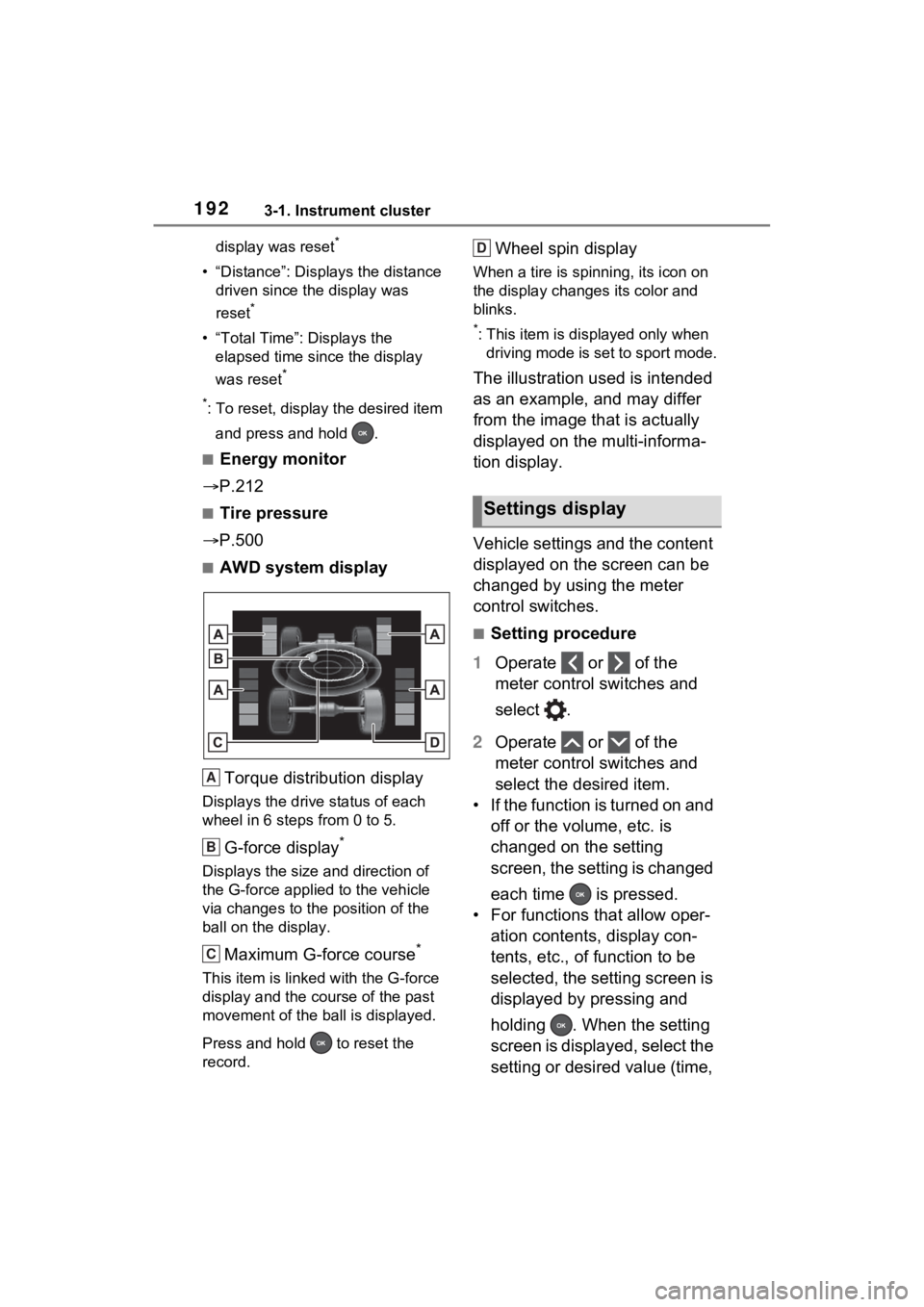
■AWD system display
Torque distribution display
Displays the drive status of each
wheel in 6 steps from 0 to 5.
G-force display*
Displays the size and direction of
the G-force applie d to the vehicle
via changes to the position of the
ball on the display.
Maximum G-force course*
This item is linke d with the G-force
display and the course of the past
movement of the ball is displayed.
Press and hold to reset the
record.
Wheel spin display
When a tire is spi nning, its icon on
the display changes its color and
blinks.
*: This item is displayed only when driving mode is set to sport mode.
The illustration used is intended
as an example, and may differ
from the image that is actually
displayed on the multi-informa-
tion display.
Vehicle settings and the content
displayed on the screen can be
changed by using the meter
control switches.
■Setting procedure
1 Operate or of the
meter control switches and
select .
2 Operate or of the
meter control switches and
select the desired item.
• If the function is turned on and off or the volume, etc. is
changed on the setting
screen, the setting is changed
each time is pressed.
• For functions that allow oper- ation contents, display con-
tents, etc., of function to be
selected, the setting screen is
displayed by pressing and
holding . When the setting
screen is displayed, select the
setting or desired value (time,
A
B
C
Settings display
D