change time TOYOTA SEQUOIA 2009 2.G User Guide
[x] Cancel search | Manufacturer: TOYOTA, Model Year: 2009, Model line: SEQUOIA, Model: TOYOTA SEQUOIA 2009 2.GPages: 612
Page 305 of 612
305
3-2. Using the audio system
3
Interior features
Using the steering wheel audio switches (if equipped)
Turning on the powerPress when the audio system is turned off.
The audio system can be turned off by holding the switch down until the
system turns off.
Changing the audio sourcePress when the audio system is turned on. The audio source
changes as follows, each time is pressed.
CD player without changer:
FM1 FM2 CD AUX AM
CD player with changer:
FM1 FM2 CD changer AUX AMSAT1* SAT2* SAT3*
*
: Type B and C
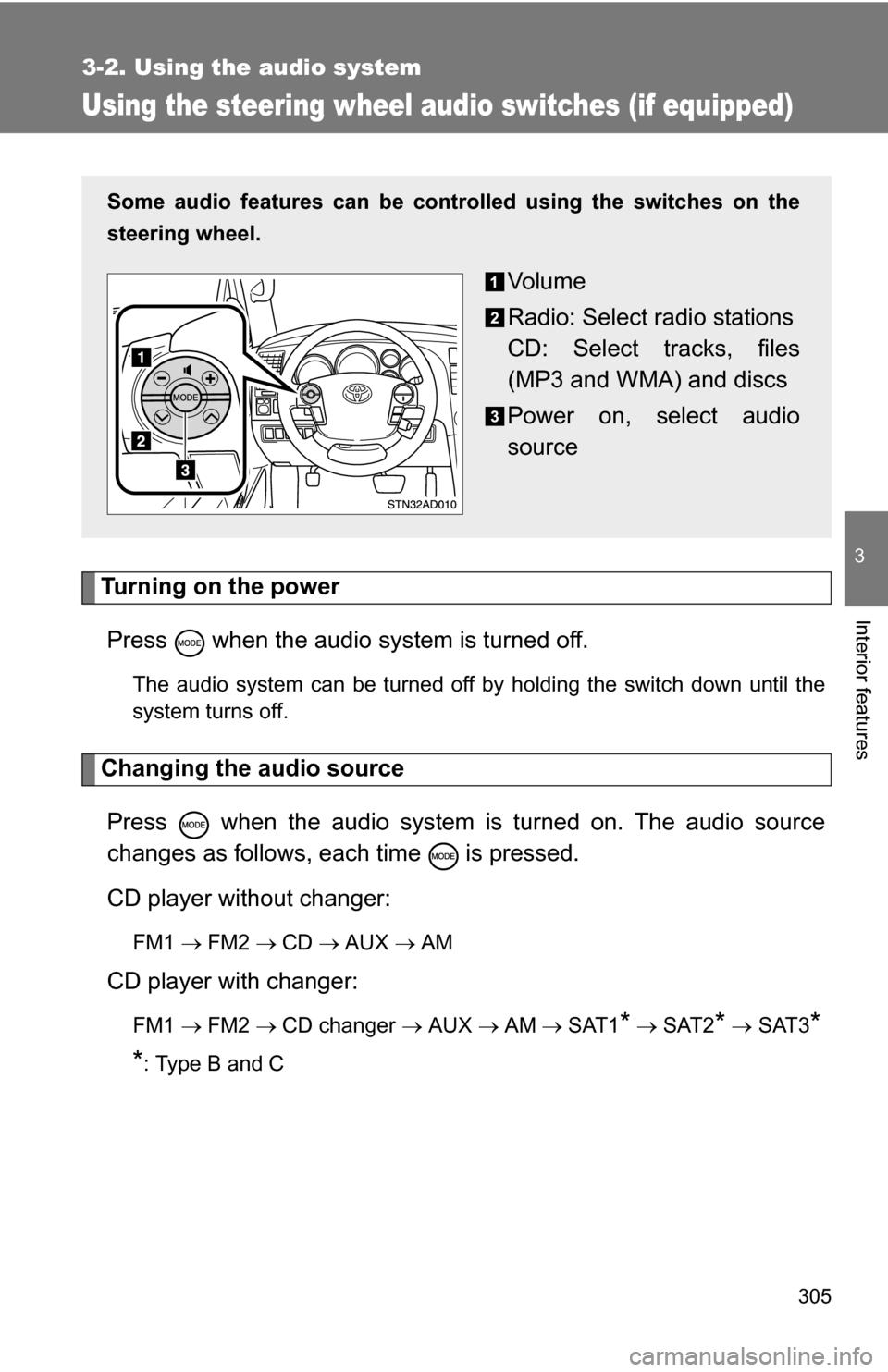
Some audio features can be cont rolled using the switches on the
steering wheel.
Vo l u m e
Radio: Select radio stations
CD: Select tracks, files
(MP3 and WMA) and discs
Power on, select audio
source
Page 319 of 612
319
3-3. Using the rear audio/video system
3
Interior features
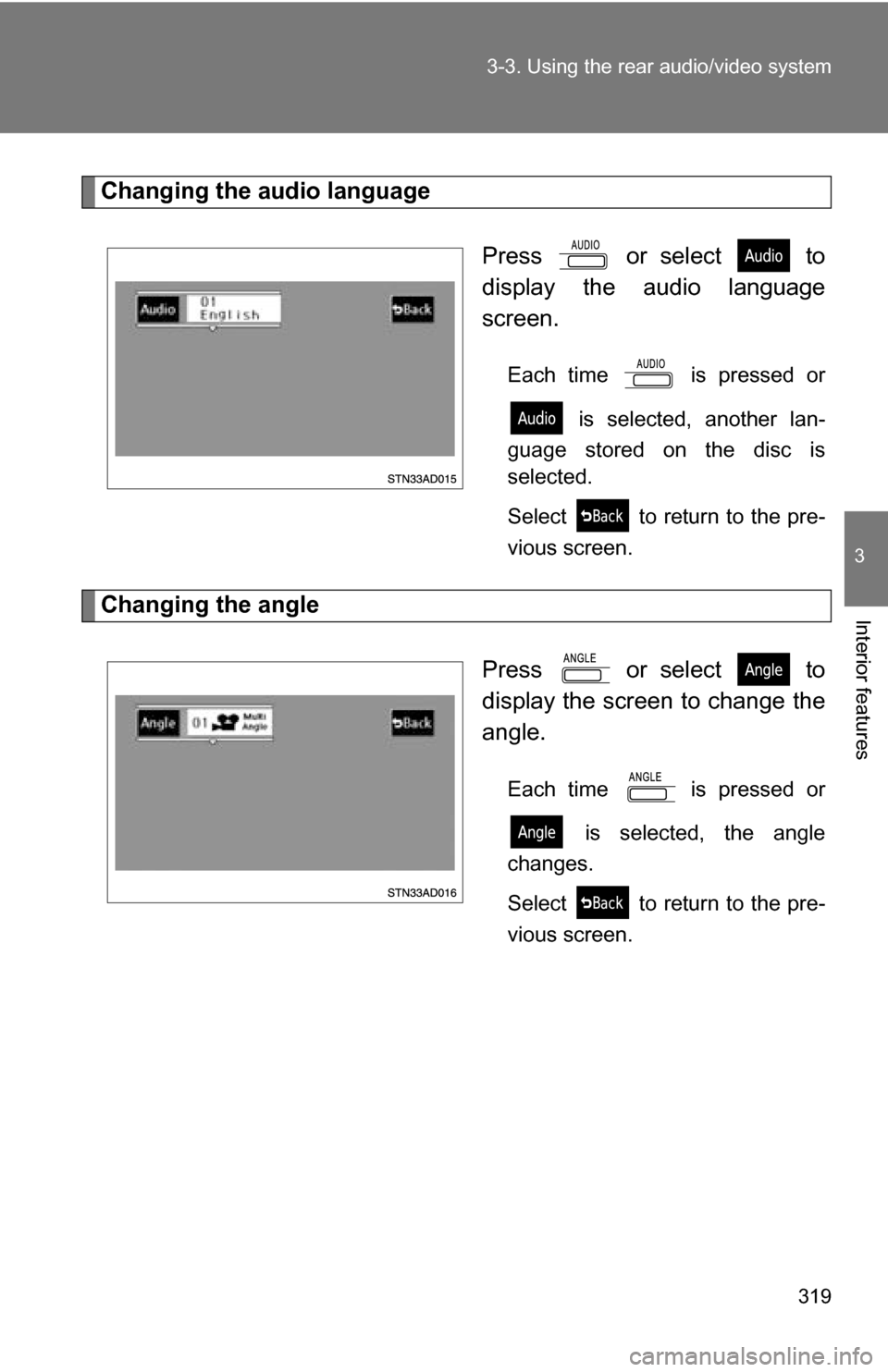
Changing the audio language
Press or select to
display the audio language
screen.
Each time is pressed or is selected, another lan-
guage stored on the disc is
selected.
Select to return to the pre-
vious screen.
Changing the angle
Press or select to
display the screen to change the
angle.
Each time is pressed or is selected, the angle
changes.
Select to return to the pre-
vious screen.
Page 372 of 612
372 3-5. Using the interior lights
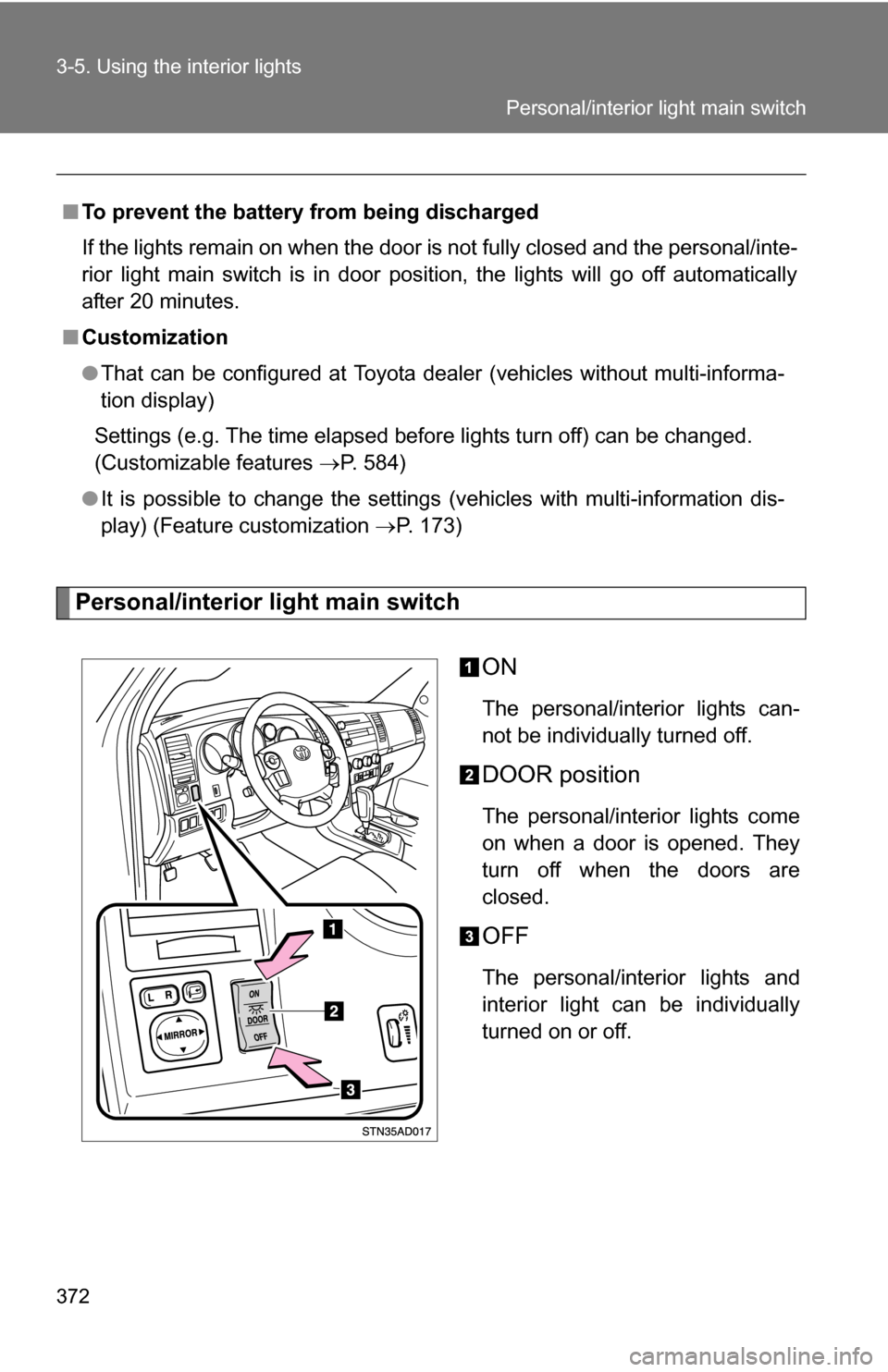
Personal/interior light main switchON
The personal/interior lights can-
not be individually turned off.
DOOR position
The personal/interior lights come
on when a door is opened. They
turn off when the doors are
closed.
OFF
The personal/interior lights and
interior light can be individually
turned on or off.
■
To prevent the battery from being discharged
If the lights remain on when the door is not fully closed and the personal/inte-
rior light main switch is in door position, the lights will go off automatically
after 20 minutes.
■ Customization
●That can be configured at Toyota dealer (vehicles without multi-informa-
tion display)
Settings (e.g. The time elapsed before lights turn off) can be changed.
(Customizable features P. 584)
● It is possible to change the settings (vehicles with multi-information dis-
play) (Feature customization P. 173)
Personal/interior light main switch
Page 538 of 612
538 5-2. Steps to take in an emergency
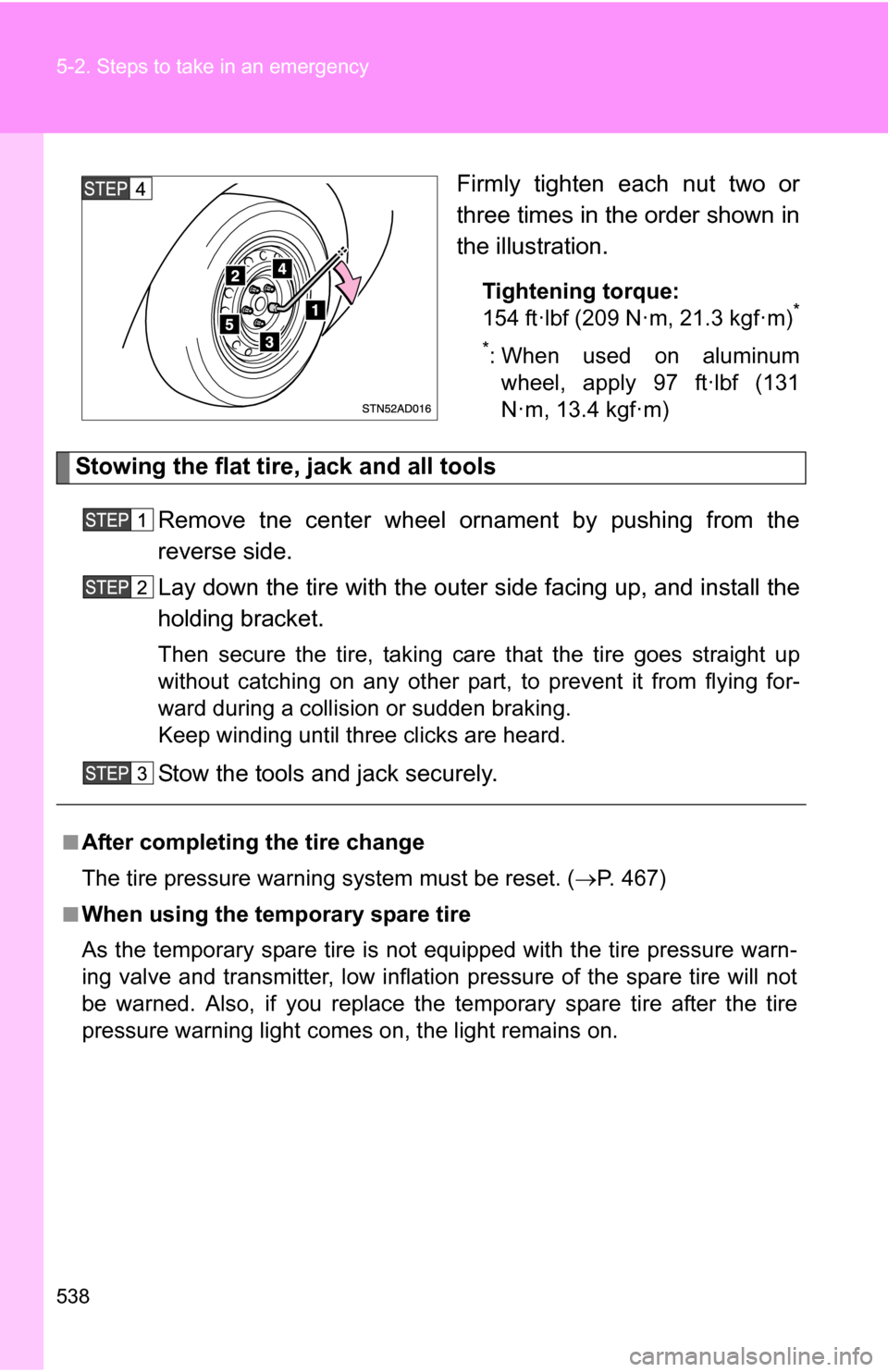
Firmly tighten each nut two or
three times in the order shown in
the illustration.
Tightening torque:
154 ft·lbf (209 N·m, 21.3 kgf·m)*
*
: When used on aluminum wheel, apply 97 ft·lbf (131
N·m, 13.4 kgf·m)
Stowing the flat tire, jack and all tools
Remove tne center wheel ornament by pushing from the
reverse side.
Lay down the tire with the outer side facing up, and install the
holding bracket.
Then secure the tire, taking care that the tire goes straight up
without catching on any other part, to prevent it from flying for-
ward during a collisi on or sudden braking.
Keep winding until three clicks are heard.
Stow the tools and jack securely.
■After completing the tire change
The tire pressure warnin g system must be reset. ( P. 467)
■When using the temporary spare tire
As the temporary spare tire is not equipped with the tire pressure warn-
ing valve and transmitter, low inflation pressure of the spare tire will not
be warned. Also, if you replace the temporary spare tire after the tire
pressure warning light comes on, the light remains on.
Page 584 of 612
584
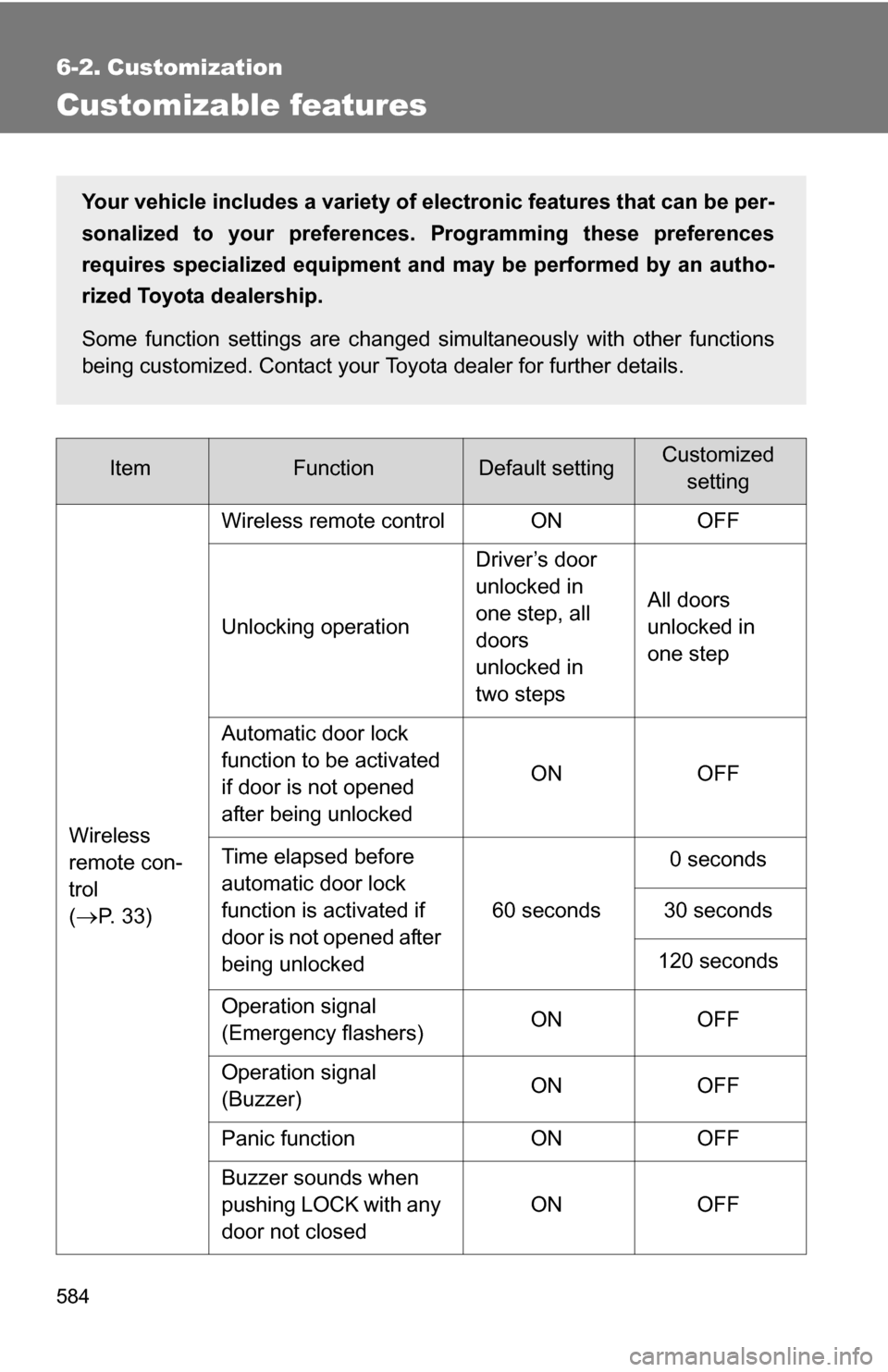
6-2. Customization
Customizable features
ItemFunctionDefault settingCustomizedsetting
Wireless
remote con-
trol
(
P. 33) Wireless remote control ON OFF
Unlocking operation
Driver’s door
unlocked in
one step, all
doors
unlocked in
two stepsAll doors
unlocked in
one step
Automatic door lock
function to be activated
if door is not opened
after being unlocked ON OFF
Time elapsed before
automatic door lock
function is activated if
door is not opened after
being unlocked 60 seconds
0 seconds
30 seconds
120 seconds
Operation signal
(Emergency flashers) ON OFF
Operation signal
(Buzzer) ON OFF
Panic function ON OFF
Buzzer sounds when
pushing LOCK with any
door not closed ON OFF
Your vehicle includes a variety of electronic features that can be per-
sonalized to your preferences.
Programming these preferences
requires specialized equipment and may be performed by an autho-
rized Toyota dealership.
Some function settings are changed simultaneously with other functions
being customized. Contact your Toyota dealer for further details.
Page 599 of 612
599
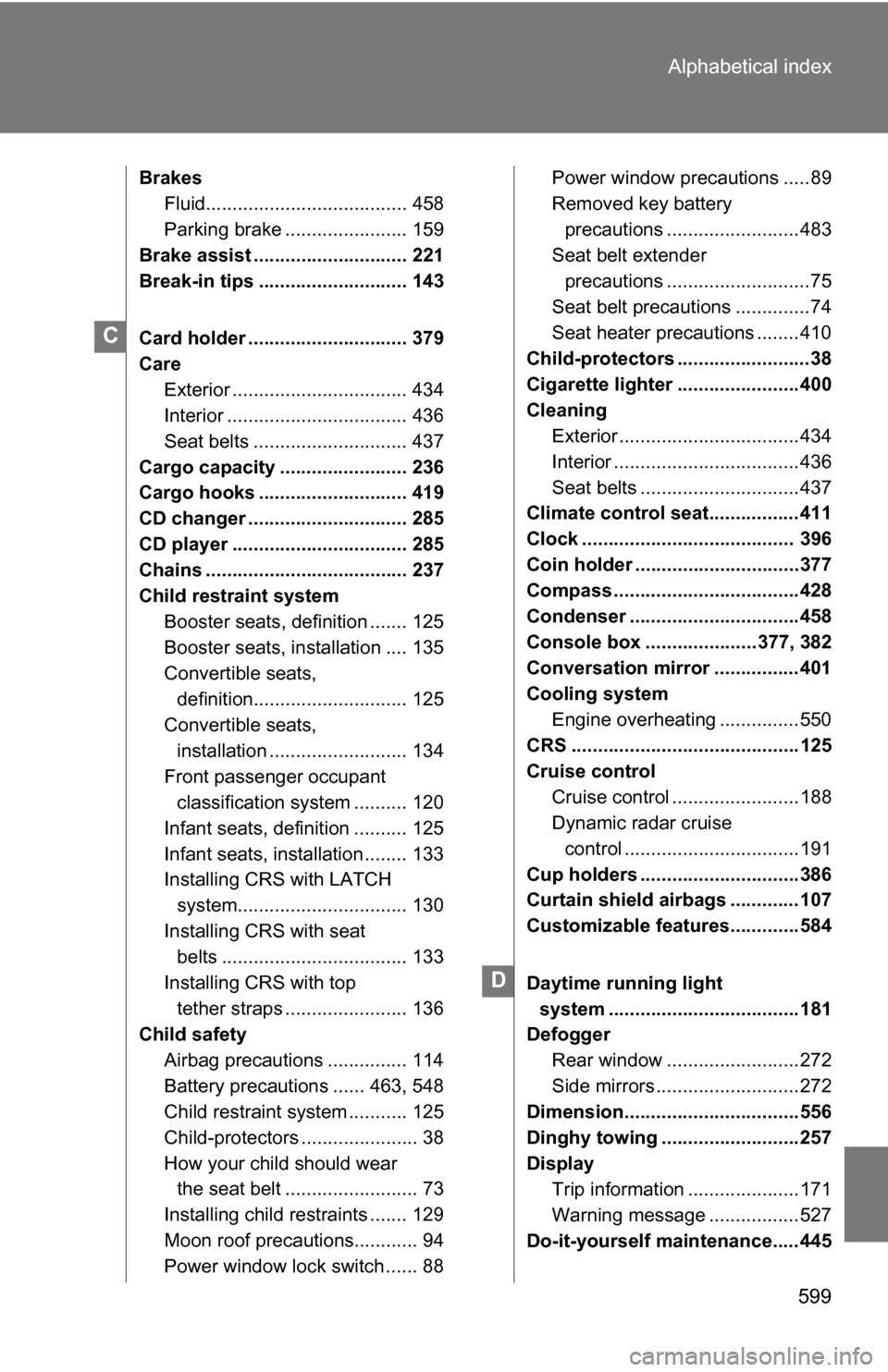
Alphabetical index
Brakes
Fluid...................................... 458
Parking brake ....................... 159
Brake assist ............................. 221
Break-in tips ............................ 143
Card holder .............................. 379
Care Exterior ................................. 434
Interior .................................. 436
Seat belts ............................. 437
Cargo capacity ........................ 236
Cargo hooks ............................ 419
CD changer .............................. 285
CD player ................................. 285
Chains ...................................... 237
Child restraint system Booster seats, definition ....... 125
Booster seats, installation .... 135
Convertible seats, definition............................. 125
Convertible seats,
installation .......................... 134
Front passenger occupant classification system .......... 120
Infant seats, definition .......... 125
Infant seats, installation ........ 133
Installing CRS with LATCH system................................ 130
Installing CRS with seat belts ................................... 133
Installing CRS with top tether straps ....................... 136
Child safety
Airbag precautions ............... 114
Battery precautions ...... 463, 548
Child restraint system ........... 125
Child-protectors ...................... 38
How your child should wear the seat belt ......................... 73
Installing child restraints ....... 129
Moon roof precautions............ 94
Power window lock switch ...... 88 Power window precautions .....89
Removed key battery
precautions .........................483
Seat belt extender precautions ...........................75
Seat belt precautions ..............74
Seat heater precautions ........410
Child-protectors .........................38
Cigarette lighter .......................400
Cleaning Exterior ..................................434
Interior ...................................436
Seat belts ..............................437
Climate control seat.................411
Clock ........................................ 396
Coin holder ...............................377
Compass ...................................428
Condenser ................................458
Console box .....................377, 382
Conversation mirror ................401
Cooling system
Engine overheating ...............550
CRS ...........................................125
Cruise control
Cruise control ........................188
Dynamic radar cruise control .................................191
Cup holders ..............................386
Curtain shield airbags .............107
Customizable features.............584
Daytime running light system ....................................181
Defogger
Rear window .........................272
Side mirrors ...........................272
Dimension.................................556
Dinghy towing ..........................257
Display Trip information .....................171
Warning message .................527
Do-it-yourself main tenance.....445
C
D