light TOYOTA SEQUOIA 2009 2.G Manual PDF
[x] Cancel search | Manufacturer: TOYOTA, Model Year: 2009, Model line: SEQUOIA, Model: TOYOTA SEQUOIA 2009 2.GPages: 612
Page 259 of 612
Interior features3
259
3-5. Using the interior lights ............................. 371
Interior lights list ............... 371
• Personal/interior light main switch .................... 372
• Personal/interior lights ... 373
• Interior light .................... 374
3-6. Using the storage features ......................... 375
List of storage features .... 375
• Glove boxes ................... 376
• Coin holder .................... 377
• Front console box .......... 377
• Card holder .................... 379
• Map holder ..................... 380
• Pen holder ..................... 381
• Tissue pocket................. 382
• Rear console box ........... 382
• Overhead console.......... 385
• Cup holders ................... 386
• Bottle holders ................. 391
• Auxiliary boxes............... 392 3-7. Other interior
features ......................... 394
Sun visors ........................ 394
Vanity mirrors ................... 395
Clock ................................ 396
Outside temperature display............................ 397
Portable ashtray ............... 399
Cigarette lighter................ 400
Conversation mirror ......... 401
Power outlets ................... 402
Seat heaters..................... 408
Seat heaters and ventilators ...................... 411
Armrests........................... 413
Rear side sunshades ....... 414
Seatback table ................. 416
Floor mat .......................... 417
Luggage compartment features .......................... 418
Garage door opener ........ 423
Compass .......................... 428
Page 291 of 612
291
3-2. Using the audio system
3
Interior features
NOTICE
■
CD player precautions
Failure to follow the precautions below may result in serious damage to the
CDs or the player itself.
●Do not insert anything other than CDs into the CD slot.
● Do not apply oil to the CD player.
● Store CDs away from direct sunlight.
● Never try to disassemble any part of the CD player.
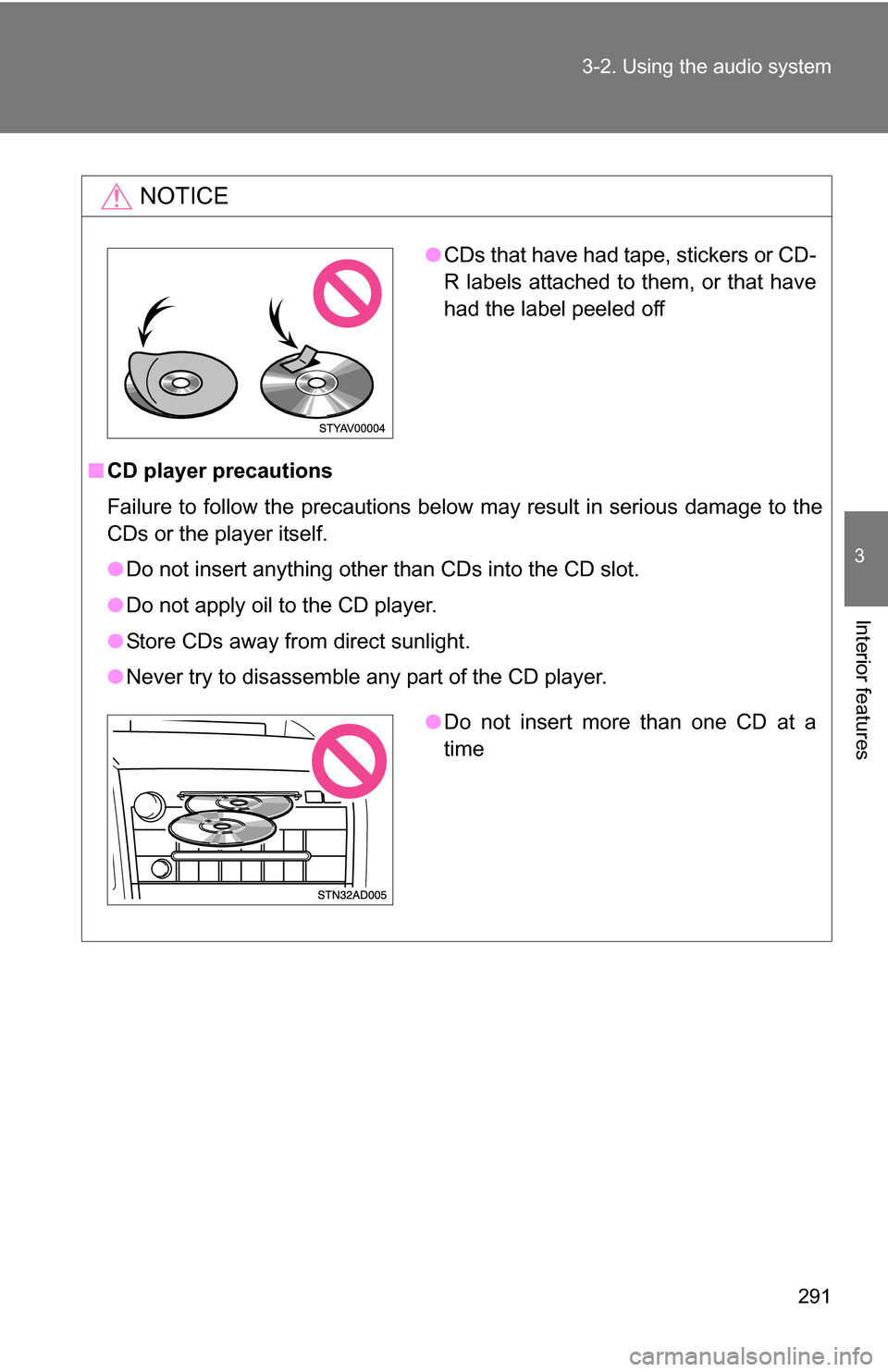
●CDs that have had tape, stickers or CD-
R labels attached to them, or that have
had the label peeled off
●Do not insert more than one CD at a
time
Page 304 of 612
304 3-2. Using the audio system
■Operating portable audio devices connected to the audio system
The volume can be adjusted using the vehicle’s audio controls. All other
adjustments must be made on the portable audio device itself.
■ When using a portable audio device connected to the power outlet or
cigarette lighter
Noise may occur during playback. Use the battery power source of the por-
table audio device to reduce noise.
Page 308 of 612
308 3-3. Using the rear audio/video system
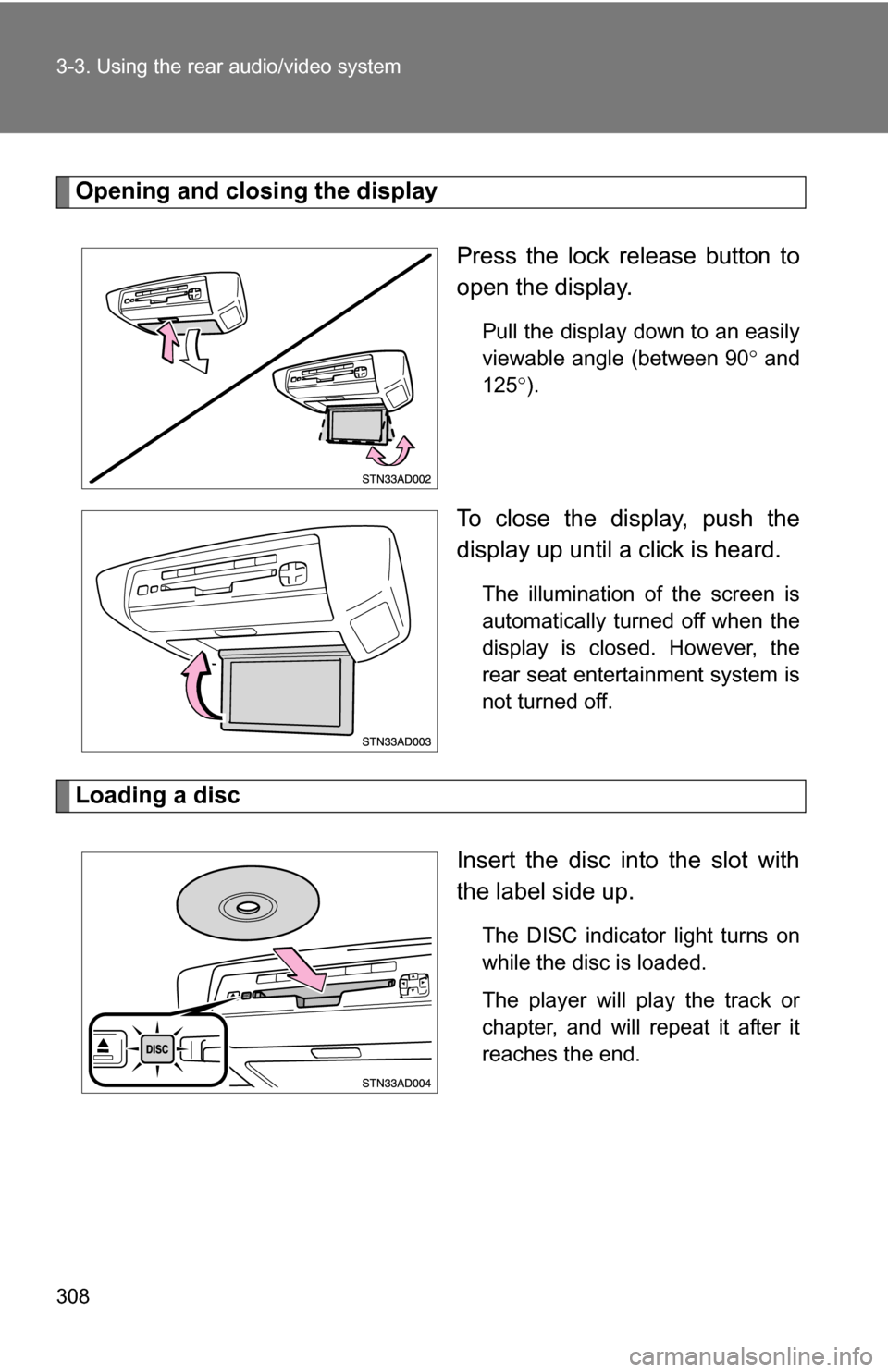
Opening and closing the displayPress the lock release button to
open the display.
Pull the display down to an easily
viewable angle (between 90 and
125 ).
To close the display, push the
display up until a click is heard.
The illumination of the screen is
automatically turned off when the
display is closed. However, the
rear seat entertainment system is
not turned off.
Loading a disc
Insert the disc into the slot with
the label side up.
The DISC indicator light turns on
while the disc is loaded.
The player will play the track or
chapter, and will repeat it after it
reaches the end.
Page 317 of 612
317
3-3. Using the rear audio/video system
3
Interior features
Turning on/off the control icon screen
Press or to turn on the control icon screen.
Press or once again or select to turn off the control
icon screen.
Turning on the title selection screenPress or select to turn on the title selection screen. For
the operation of the title selectio n screen, see the separate manual
for the DVD disc.
Turning on the menu screen
Press or select to turn on the menu screen. For the oper-
ation of the menu screen, see the separate manual for the DVD disc.
NOTICE
■Cleaning the screen
Wipe the screen with a dry soft cloth.
If the screen is wiped with a rough cloth, the surface of the screen may be
scratched.
■ To prevent damage to the remote controller
●Keep the remote controller away from direct sunlight, heat and high
humidity.
● Do not drop or knock the remote controller against hard objects.
● Do not sit on or place heavy objects on the remote controller.
■ DVD player
Never try to disassemble or oil any part of the DVD player. Do not insert any-
thing other than a disc into the slot.
Page 371 of 612
371
3
Interior features
3-5. Using the interior lights
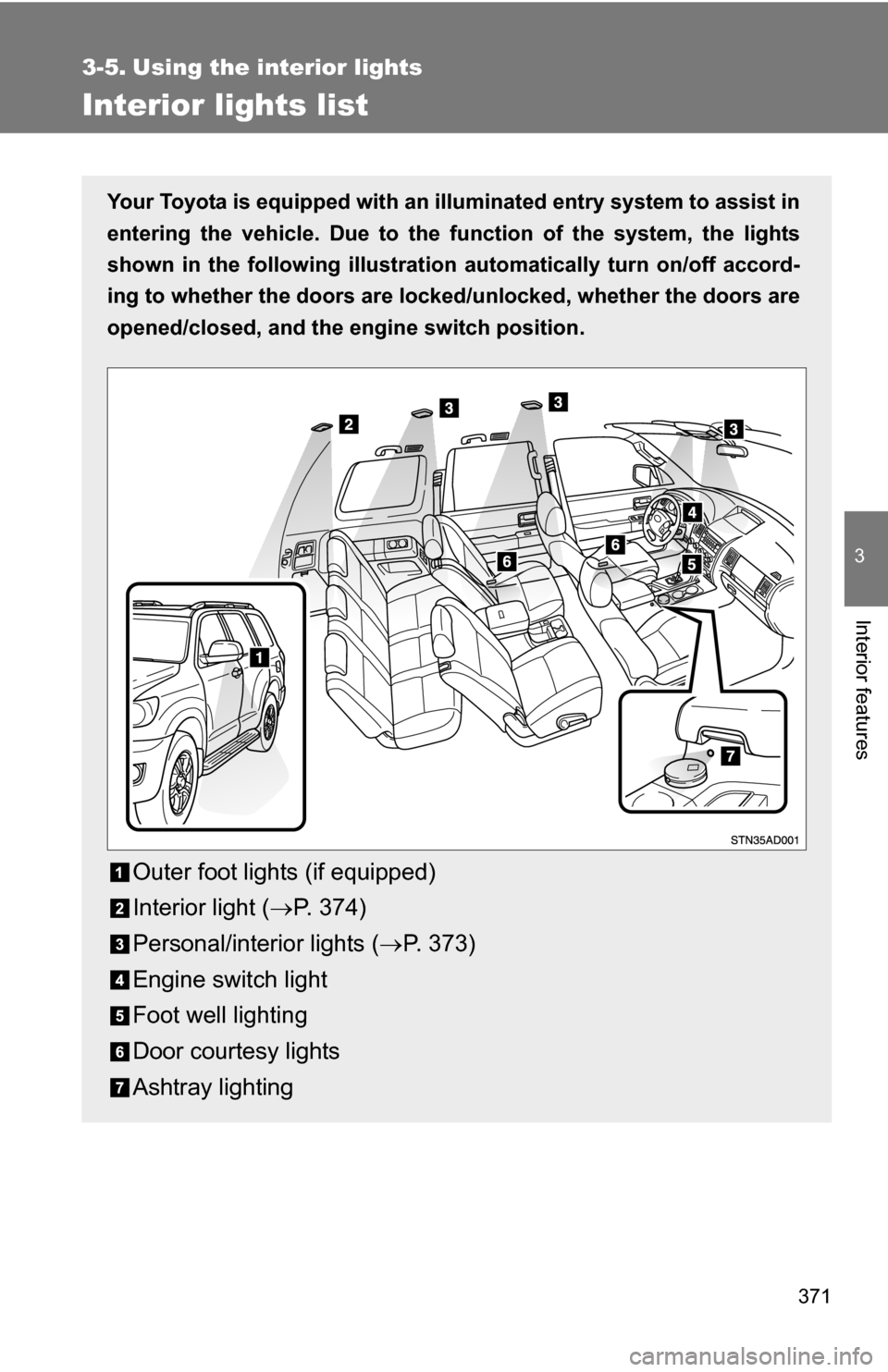
Interior lights list
Your Toyota is equipped with an illuminated entry system to assist in
entering the vehicle. Due to the function of the system, the lights
shown in the following illustration automatically turn on/off accord-
ing to whether the doo rs are locked/unlocked, whether the doors are
opened/closed, and the en gine switch position.
Outer foot lights (if equipped)
Interior light (P. 374)
Personal/interior lights ( P. 373)
Engine switch light
Foot well lighting
Door courtesy lights
Ashtray lighting
Page 372 of 612
372 3-5. Using the interior lights
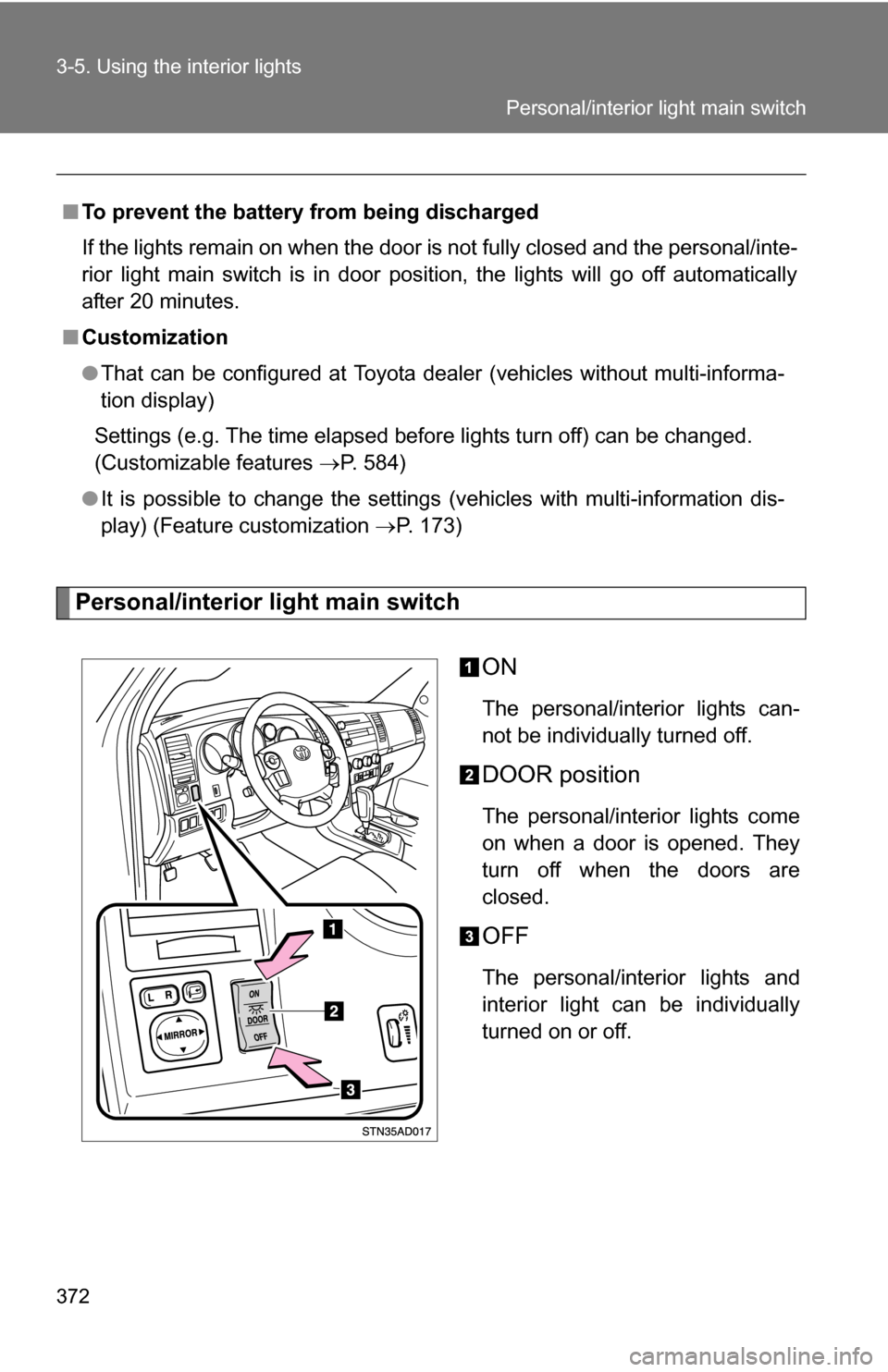
Personal/interior light main switchON
The personal/interior lights can-
not be individually turned off.
DOOR position
The personal/interior lights come
on when a door is opened. They
turn off when the doors are
closed.
OFF
The personal/interior lights and
interior light can be individually
turned on or off.
■
To prevent the battery from being discharged
If the lights remain on when the door is not fully closed and the personal/inte-
rior light main switch is in door position, the lights will go off automatically
after 20 minutes.
■ Customization
●That can be configured at Toyota dealer (vehicles without multi-informa-
tion display)
Settings (e.g. The time elapsed before lights turn off) can be changed.
(Customizable features P. 584)
● It is possible to change the settings (vehicles with multi-information dis-
play) (Feature customization P. 173)
Personal/interior light main switch
Page 373 of 612
373
3-5. Using the interior lights
3
Interior features
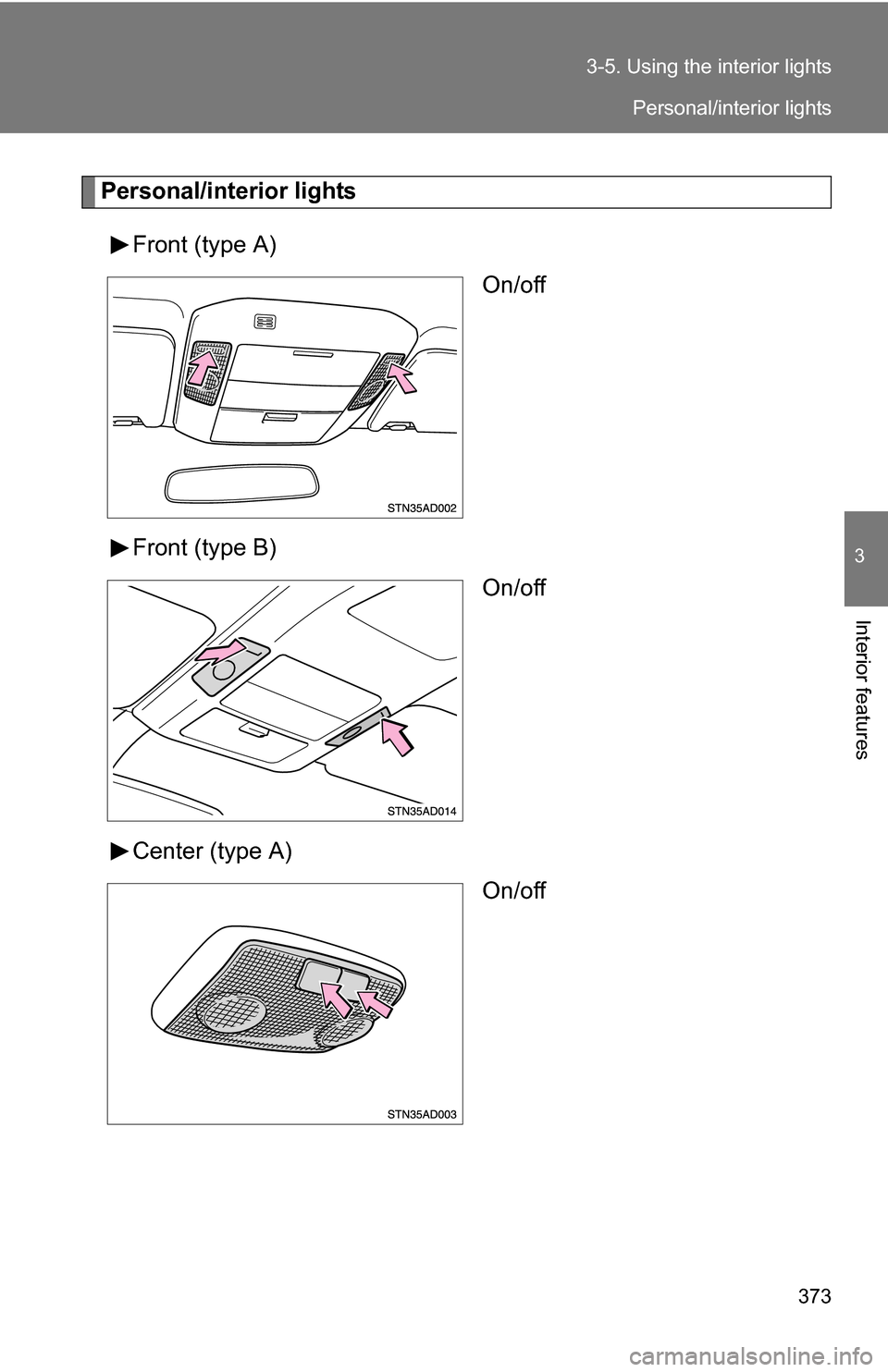
Personal/interior lights
Front (type A) On/off
Front (type B) On/off
Center (type A) On/off
Personal/interior lights
Page 374 of 612
374 3-5. Using the interior lights
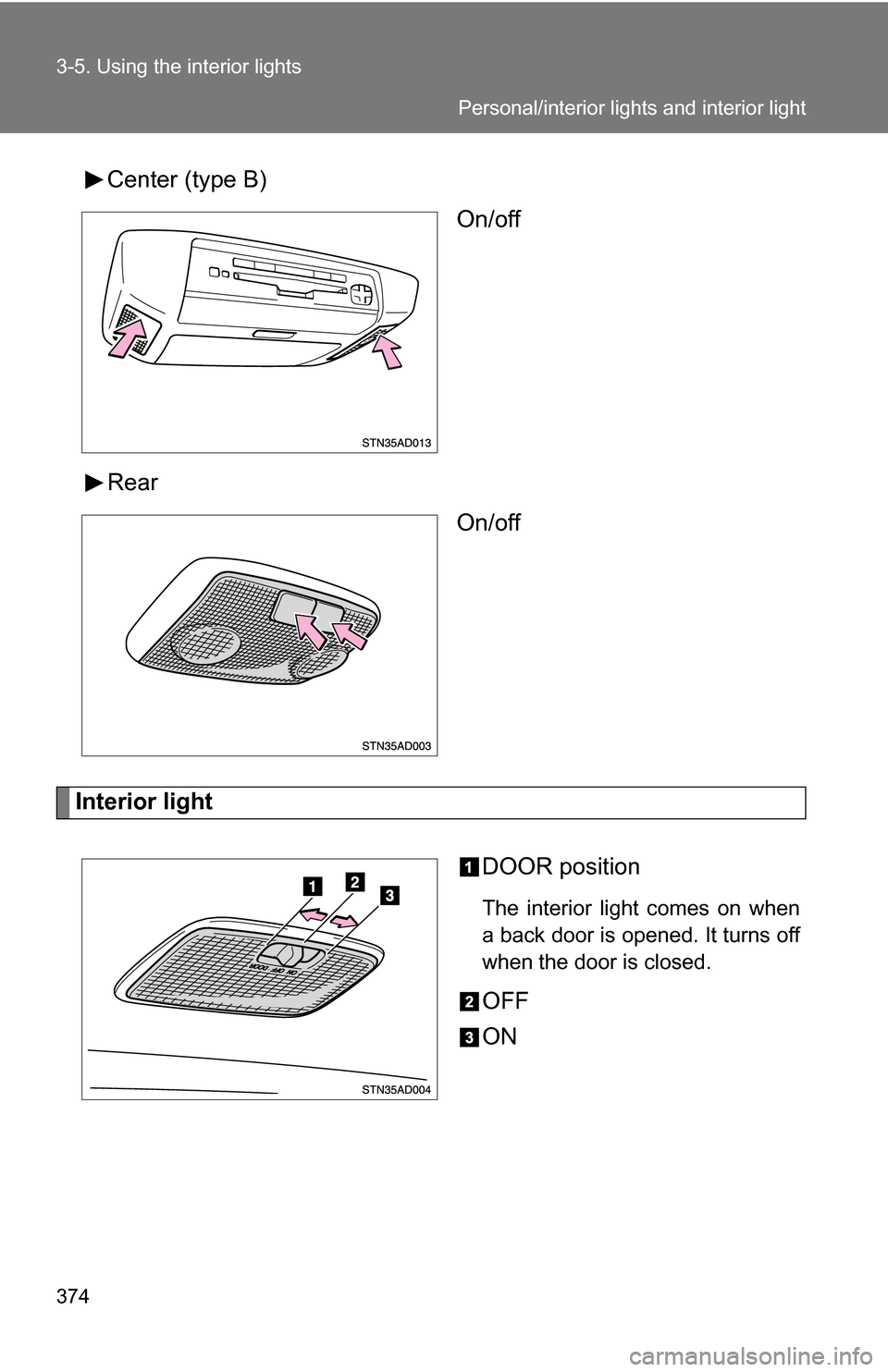
Center (type B)On/off
Rear On/off
Interior light
DOOR position
The interior light comes on when
a back door is opened. It turns off
when the door is closed.
OFF
ON
Personal/interior lights and interior light
Page 386 of 612
386 3-6. Using the storage features
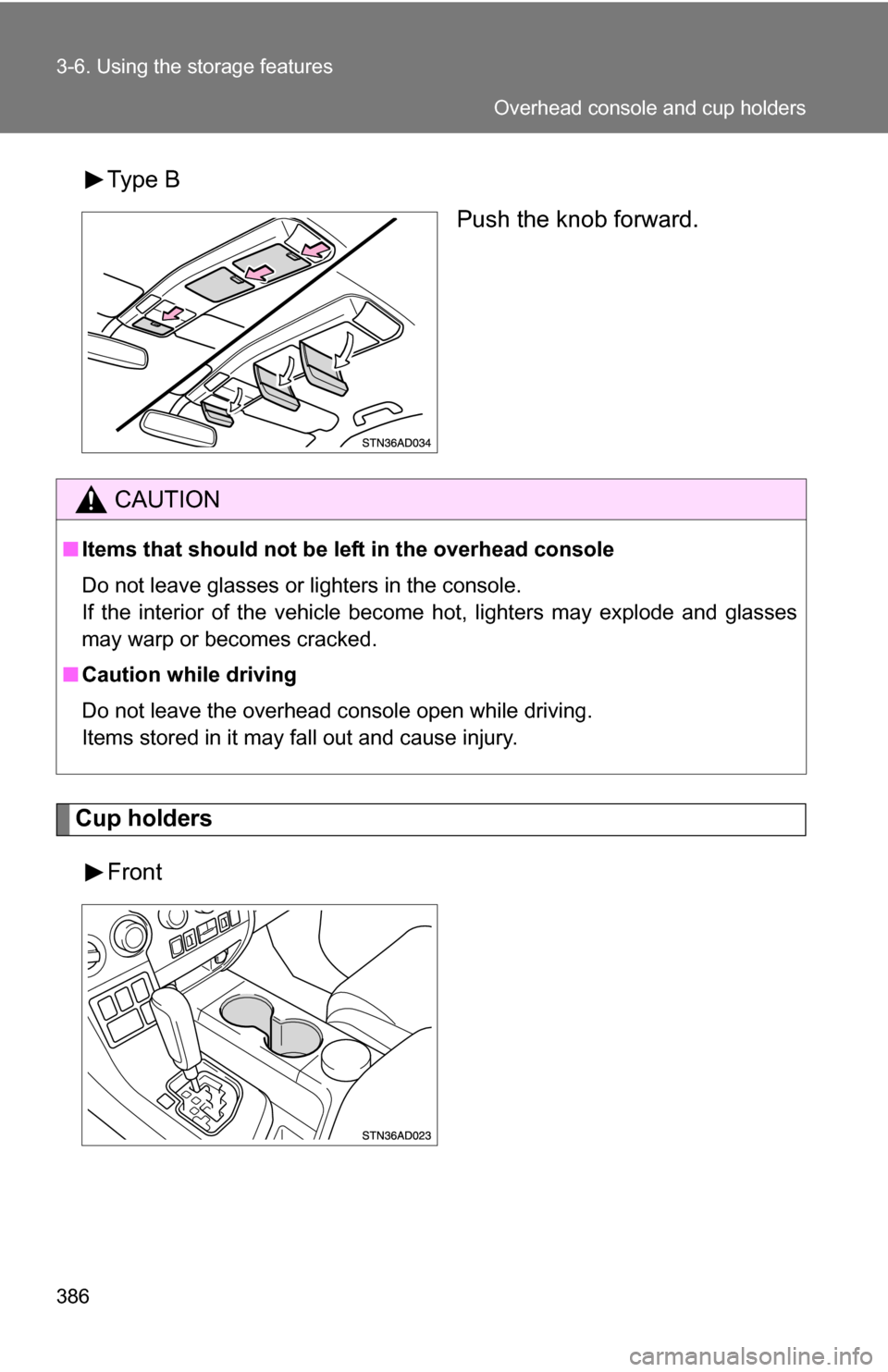
Type BPush the knob forward.
Cup holders
Front
CAUTION
■Items that should not be le ft in the overhead console
Do not leave glasses or lighters in the console.
If the interior of the vehicle become hot, lighters may explode and glasses
may warp or becomes cracked.
■ Caution while driving
Do not leave the overhead console open while driving.
Items stored in it may fall out and cause injury.
Overhead console and cup holders