audio TOYOTA SEQUOIA 2010 2.G User Guide
[x] Cancel search | Manufacturer: TOYOTA, Model Year: 2010, Model line: SEQUOIA, Model: TOYOTA SEQUOIA 2010 2.GPages: 660, PDF Size: 12.29 MB
Page 288 of 660
288 3-2. Using the audio system
CAUTION
■For vehicles sold in U.S.A. and Canada
●Part 15 of the FCC Rules
FCC Warning:
Any unauthorized changes or modifications to this equipment will void the
user’s authority to operate this device.
● Laser products
• Do not take this unit apart or attempt to make any changes yourself.
This is an intricate unit that uses a laser pickup to retrieve information
from the surface of compact discs. The laser is carefully shielded so
that its rays remain inside the cabinet. Therefore, never try to disas-
semble the player or alter any of its parts since you may be exposed to
laser rays and dangerous voltages.
• This product utilizes a laser. Use of controls or adjustments or performance of procedures other
than those specified herein may result in hazardous radiation expo-
sure.
NOTICE
■ To prevent battery discharge
Do not leave the audio system on longer than necessary with the engine o\
ff.
■ To avoid damaging the audio system
Take care not to spill drinks or other fluids over the audio system.
Page 289 of 660
289
3-2. Using the audio system
3
Interior features
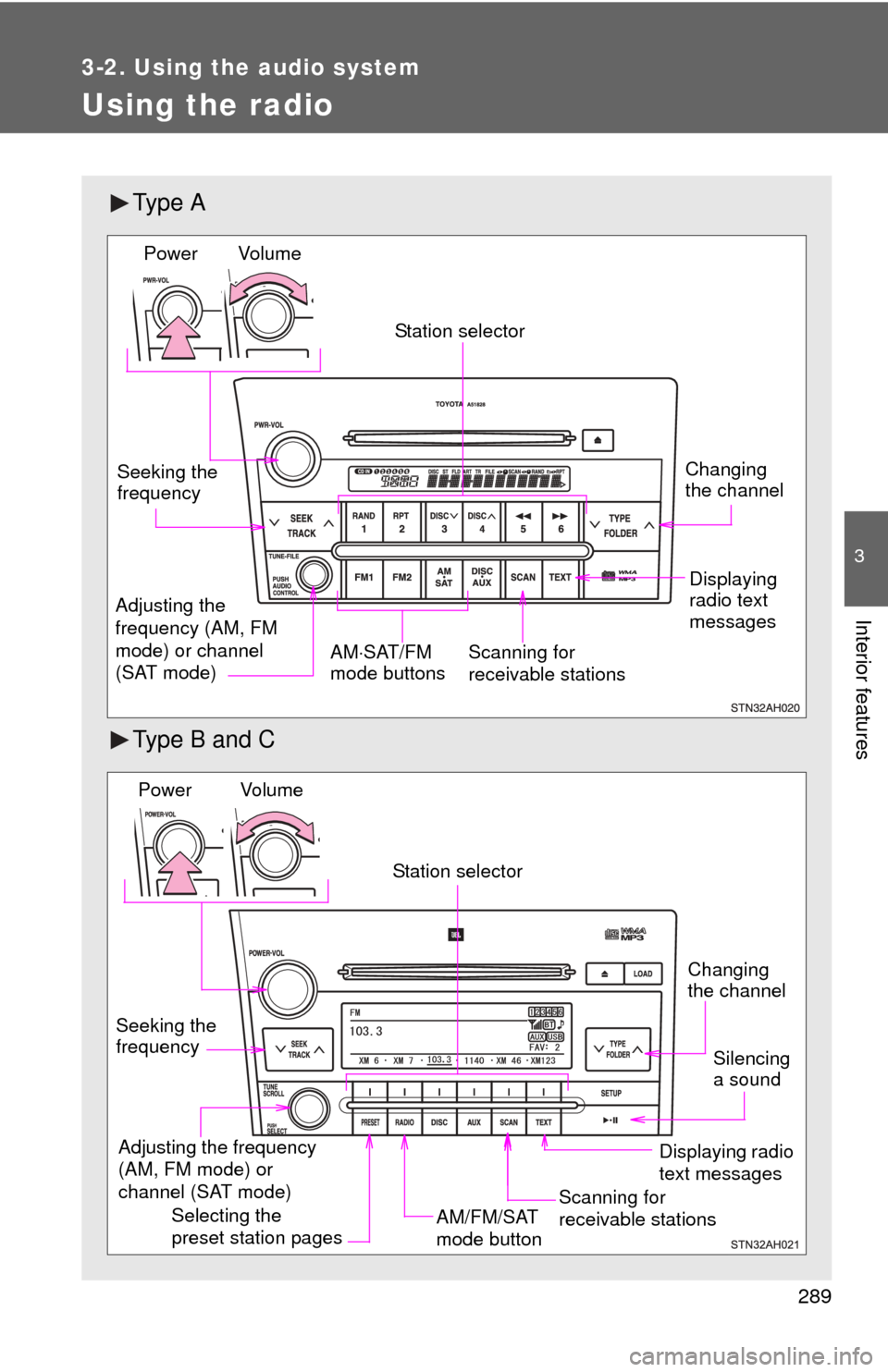
Using the radio
Ty p e A
Type B and C
Vol u m eScanning for
receivable stations
Station selector
Seeking the
frequency
Adjusting the
frequency (AM, FM
mode) or channel
(SAT mode) AM
SAT/FM
mode buttonsPower
Displaying
radio text
messages
Changing
the channel
AM/FM/SAT
mode button
Station selector
Seeking the
frequency Adjusting the frequency
(AM, FM mode) or
channel (SAT mode)
Displaying radio
text messages
Changing
the channel
Scanning for
receivable stations
Vo l u m e
Power
Silencing
a sound
Selecting the
preset station pages
Page 290 of 660
290 3-2. Using the audio system
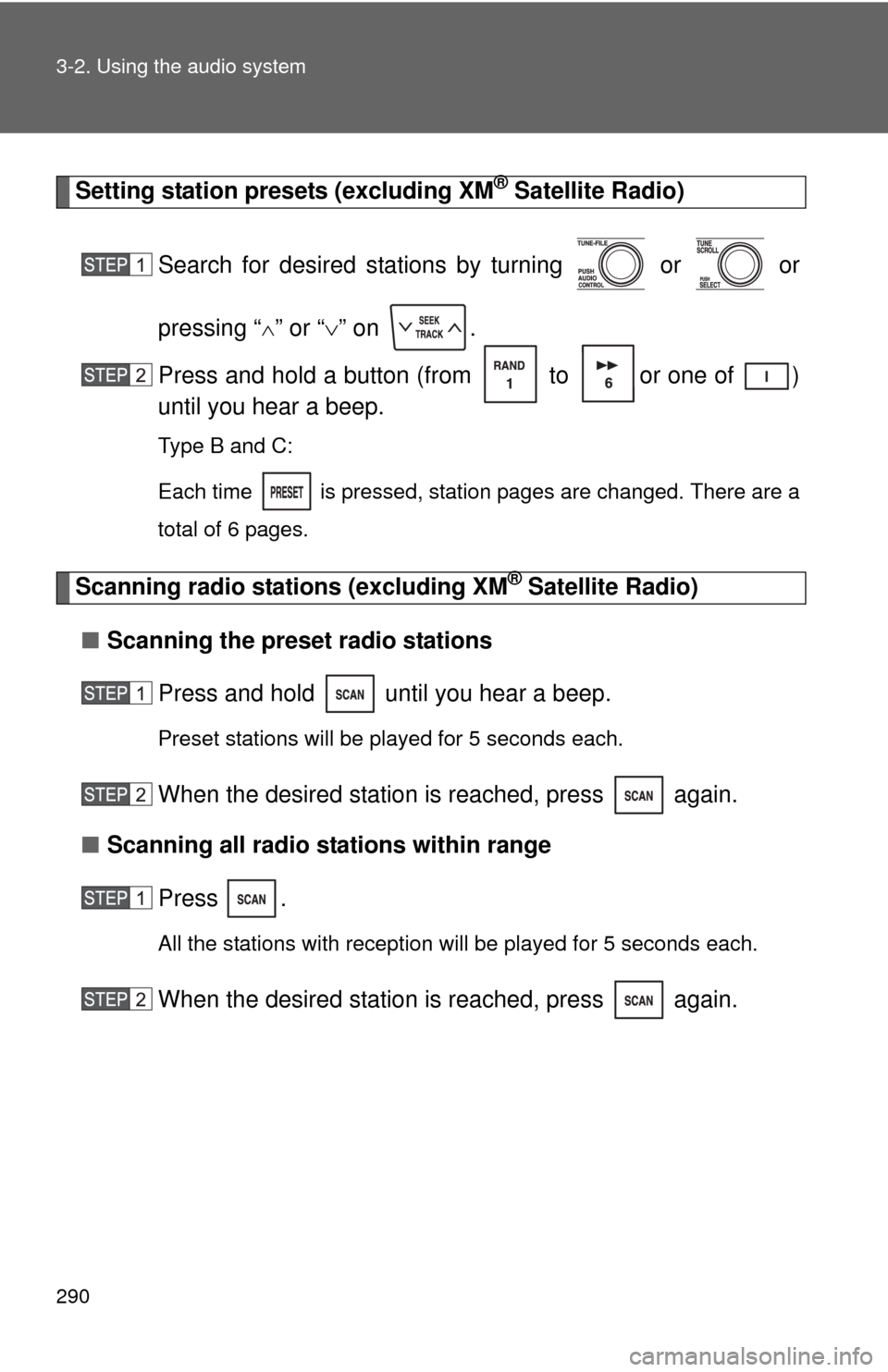
Setting station presets (excluding XM® Satellite Radio)
Search for desired stations by turning or or
pressing “
” or “ ” on .
Press and hold a button (from to or one of )
until you hear a beep.
Type B and C:
Each time
is pressed, station pages are changed. There are a
total of 6 pages.
Scanning radio stations (excluding XM® Satellite Radio)
■ Scanning the preset radio stations
Press and hold until you hear a beep.
Preset stations will be played for 5 seconds each.
When the desired station is reached, press again.
■ Scanning all radio stations within range
Press
.
All the stations with reception will be played for 5 seconds each.
When the desired station is reached, press again.
Page 291 of 660
291
3-2. Using the audio system
3
Interior features
■
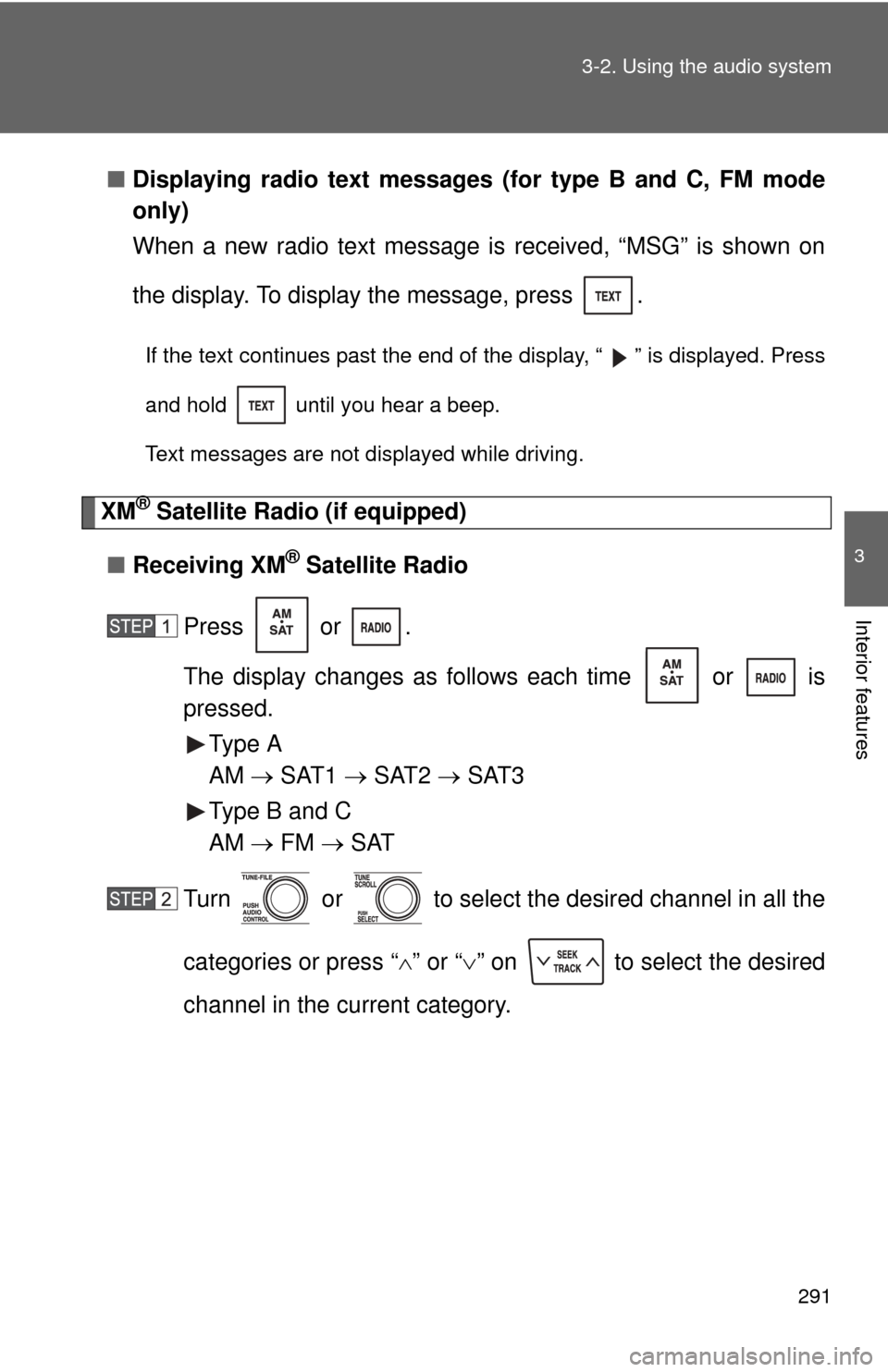
Displaying radio text messages (for type B and C, FM mode
only)
When a new radio text message is received, “MSG” is shown on
the display. To display the message, press .
If the text continues past the end of the display, “ ” is displayed. Press
and hold until you hear a beep.
Text messages are not displayed while driving.
XM® Satellite Radio (if equipped)
■ Receiving XM
® Satellite Radio
Press or .
The display changes as follows each time or is
pressed. Type A
AM SAT1 SAT2 SAT3
Type B and C
AM FM SAT
Turn or to select the desired channel in all the
categories or press “ ” or “ ” on to select the desired
channel in the current category.
Page 292 of 660
292 3-2. Using the audio system
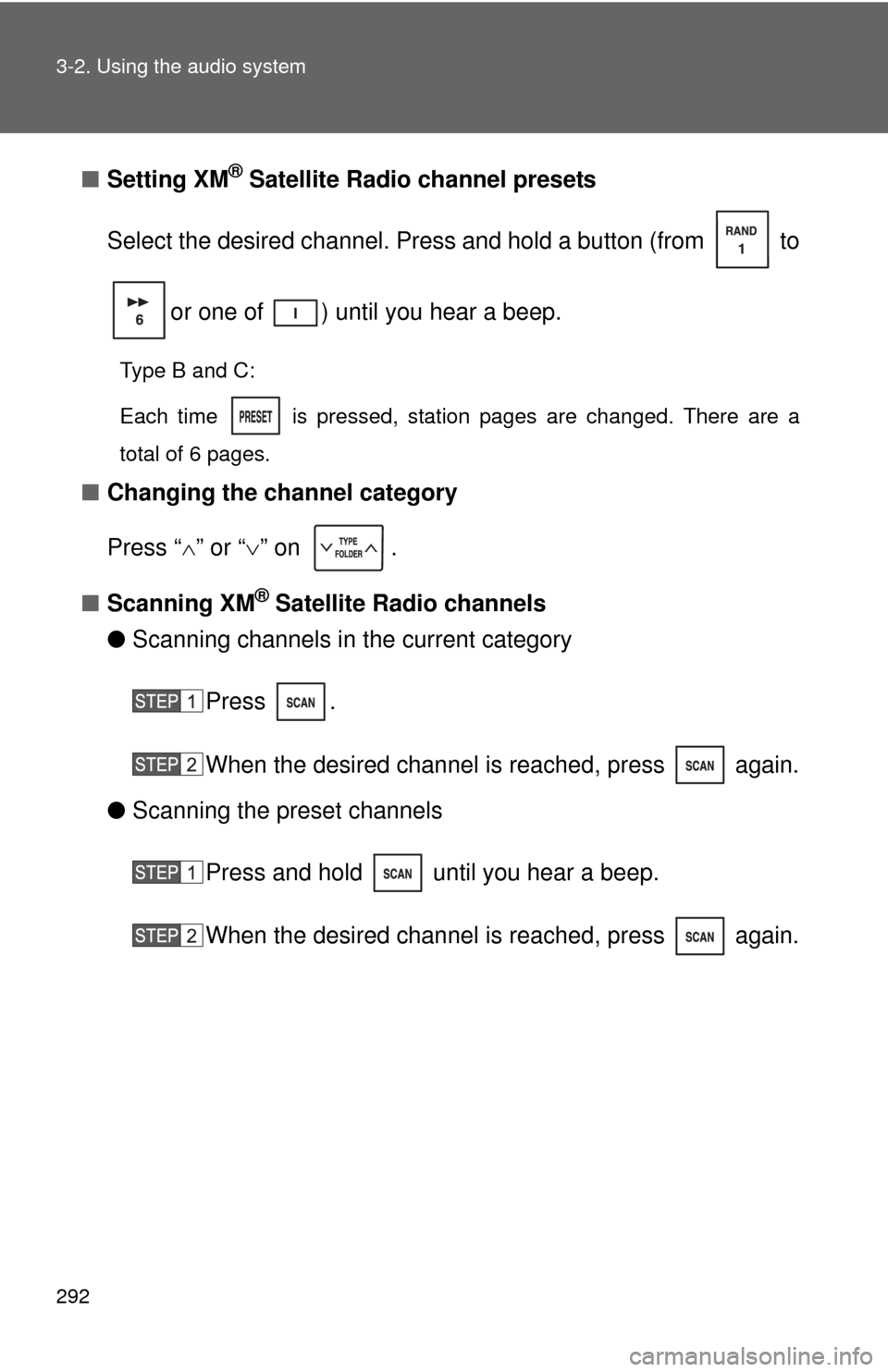
■Setting XM® Satellite Radio channel presets
Select the desired channel. Press and hold a button (from to
or one of ) until you hear a beep.
Type B and C:
Each time
is pressed, station pages are changed. There are a
total of 6 pages.
■ Changing the channel category
Press “ ” or “ ” on .
■ Scanning XM
® Satellite Radio channels
● Scanning channels in the current category
Press .
When the desired channel is reached, press again.
● Scanning the preset channels
Press and hold until you hear a beep.
When the desired channel is reached, press again.
Page 293 of 660
293
3-2. Using the audio system
3
Interior features
■
Displaying text information
Press .
Each time is pressed, the display changes in the following order:
Type A
Channel name Title (song/program title) Name (artist name/feature)
Channel number.
Type B and C
Title (song/program title) Title (song/program title) Name (artist name/
feature).
Page 294 of 660
294 3-2. Using the audio system
■When the battery is disconnected
All preset stations are erased. (type A only)
■ Reception sensitivity
●Cargo loaded on the roof luggage carrier, especially metal objects, may
adversely affect the reception of XM
® Satellite Radio.
● Maintaining perfect radio reception at all times is difficult due to the con-
tinually changing position of the antenna, differences in signal strength
and surrounding objects, such as trains, transmitters, etc.
● The radio antenna is mounted inside the rear quarter windows. To main-
tain clear radio reception, do not attach metallic window tinting or other
metallic objects to the antenna wire mounted inside the rear quarter win-
dows.
■ XM
® Satellite Radio
An XM
® Satellite Radio is a tuner designed exclusively to receive broadcasts
provided under a separate subscription. Availability is limited to the 48 con-
tiguous states and 10 Canadian provinces.
● XM
® subscriptions
For detailed information about XM® Satellite Radio or to subscribe:
U.S.A.
Visit on the web at www.xmradio.com
or call 1-800-967-2346.
Canada
Visit on the web at www.xmradio.ca
or call 1-877-438-9677.
● Radio ID
You will need the radio ID when activating XM
® service or reporting a
problem. Select “CH000” using
or , and the receiver’s
8-character ID number will appear.
● Satellite tuner
The tuner supports only Audio Services (Music and Talk) and the accom-
panying Text Information of XM
® Satellite Radio.
Page 295 of 660
295
3-2. Using the audio system
3
Interior features
■
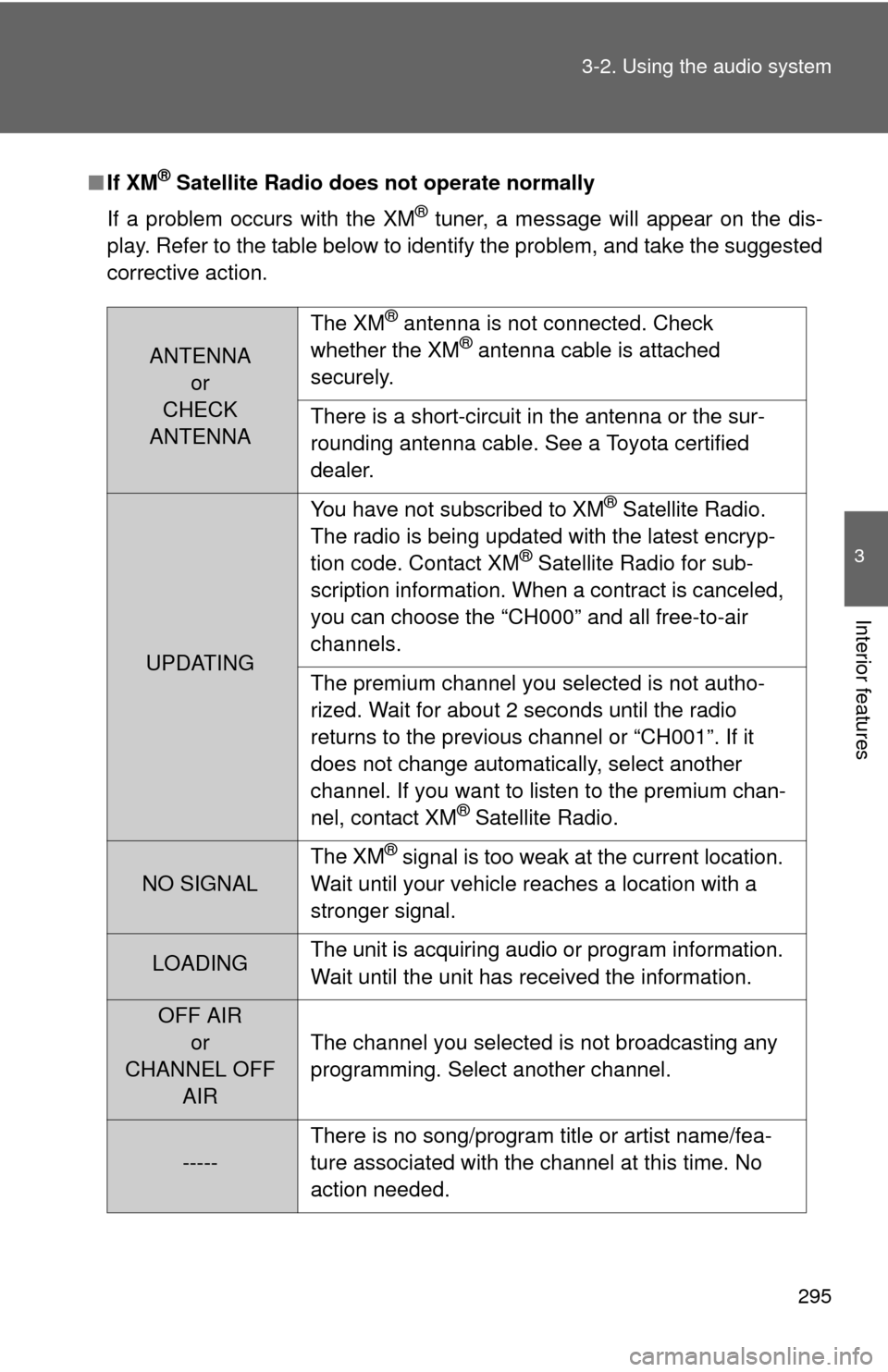
If XM® Satellite Radio does not operate normally
If a problem occurs with the XM
® tuner, a message will appear on the dis-
play. Refer to the table below to identify the problem, and take the suggested
corrective action.
ANTENNA or
CHECK
ANTENNA The XM
® antenna is not connected. Check
whether the XM® antenna cable is attached
securely.
There is a short-circuit in the antenna or the sur-
rounding antenna cable. See a Toyota certified
dealer.
UPDATING You have not subscribed to XM
® Satellite Radio.
The radio is being updated with the latest encryp-
tion code. Contact XM
® Satellite Radio for sub-
scription information. When a contract is canceled,
you can choose the “CH000” and all free-to-air
channels.
The premium channel you selected is not autho-
rized. Wait for about 2 seconds until the radio
returns to the previous channel or “CH001”. If it
does not change automatically, select another
channel. If you want to listen to the premium chan-
nel, contact XM
® Satellite Radio.
NO SIGNAL The XM
® signal is too weak at the current location.
Wait until your vehicle reaches a location with a
stronger signal.
LOADING The unit is acquiring audio or program information.
Wait until the unit has received the information.
OFF AIR
or
CHANNEL OFF AIR The channel you selected is not broadcasting any
programming. Select another channel.
-----
There is no song/program title or artist name/fea-
ture associated with the channel at this time. No
action needed.
Page 296 of 660
296 3-2. Using the audio system
Contact the XM® Listener Care Center at 1-800-967-2346 (U.S.A.) or 1-877-
438-9677 (Canada)
■ Certifications for the radio tuner
This equipment has been tested and found to comply with the limits for a
class B digital device, pursuant to Part 15 of the FCC Rules. These limits are
designed to provide reasonable protection against harmful interference in a
residential installation. This equipment generates, uses and can radiate
radio frequency energy and, if not installed and used in accordance with the
instructions, may cause harmful interference to radio communications. How-
ever, there is no guarantee that interference will not occur in a particular
installation.
If this equipment does cause harmful interference to radio or television
reception, which can be determined by turning the equipment off and on, the
user is encouraged to try to correct the interference by trying one or more of
the following:
●Reorienting or relocating the receiving antenna.
● Increasing the separation between the equipment and receiver.
● Connecting the equipment into an outlet on a circuit different from that to
which the receiver is connected.
● Consulting the dealer or an experienc ed radio/TV technician for help.
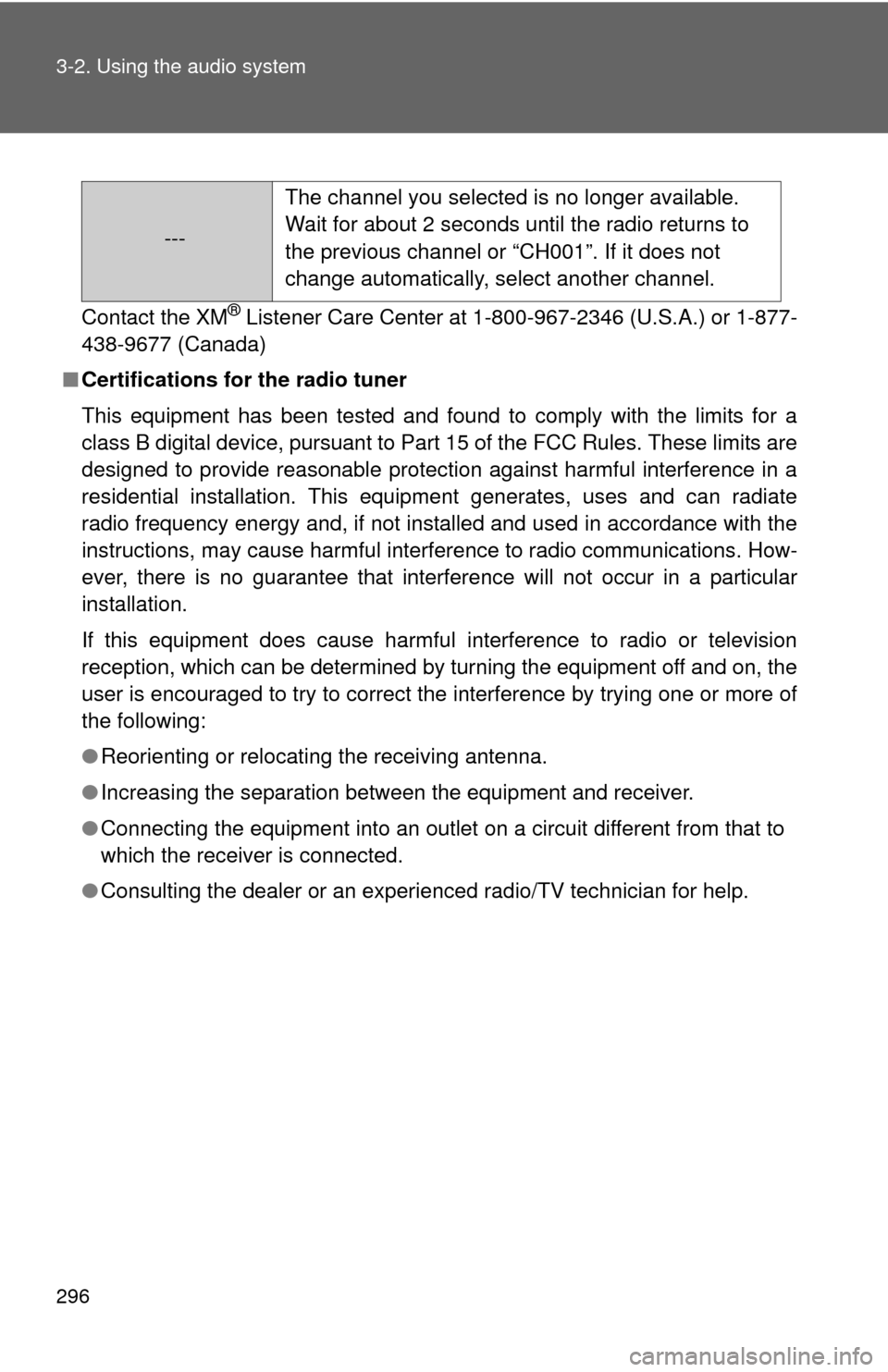
---The channel you selected is no longer available.
Wait for about 2 seconds until the radio returns to
the previous channel or “CH001”. If it does not
change automatically, select another channel.
Page 297 of 660
297
3-2. Using the audio system
3
Interior features
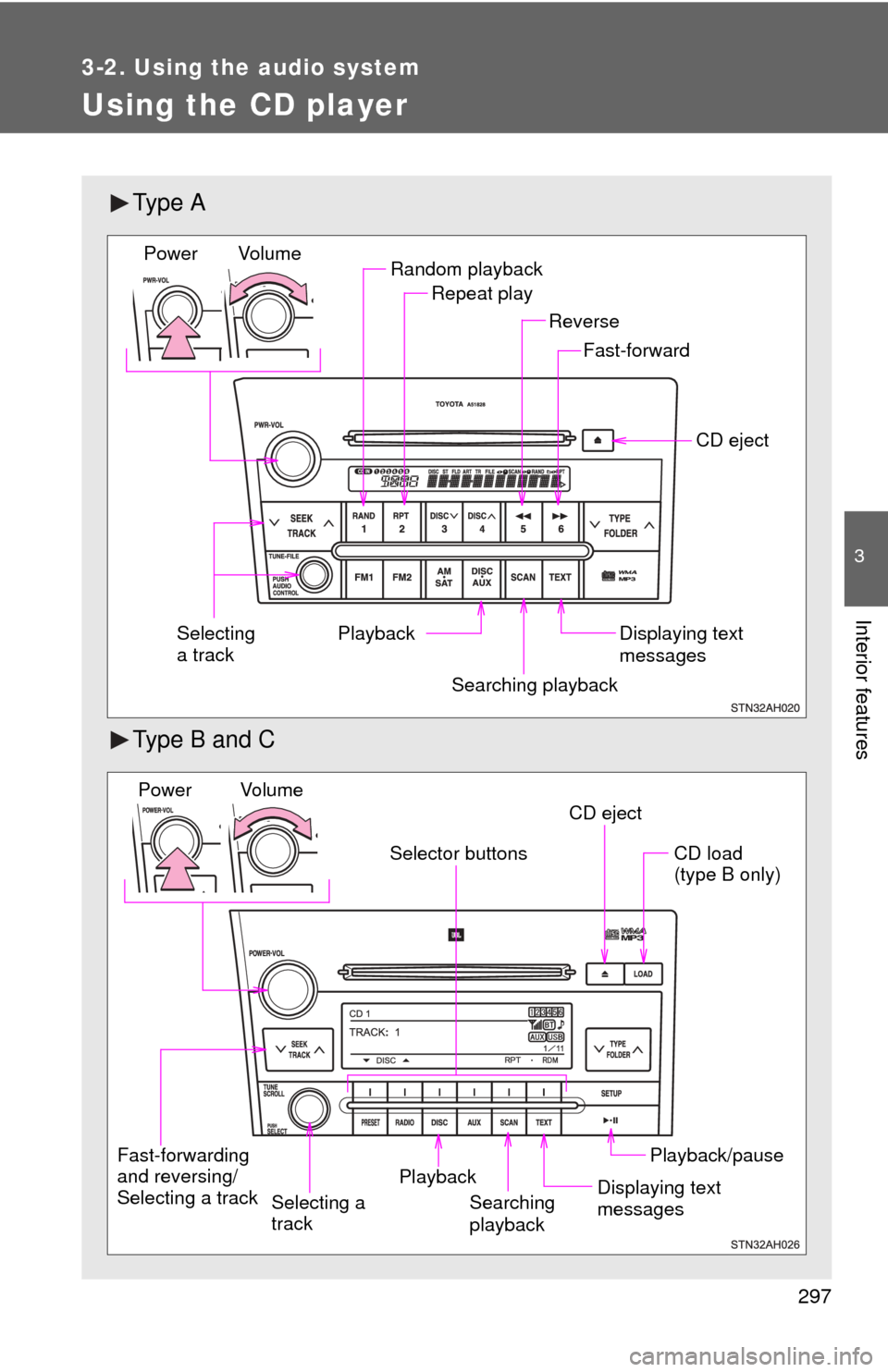
Using the CD player
Ty p e A
Type B and C
Random playbackRepeat play
Playback CD eject
Displaying text
messages
Selecting
a track
Fast-forward
Reverse
Searching playback
Vol u m e
Power
CD eject
Fast-forwarding
and reversing/
Selecting a track Searching
playbackCD load
(type B only)
Playback/pause
Displaying text
messages
Selector buttons
Playback
Vo l u m e
Power
Selecting a
track