brakes TOYOTA SEQUOIA 2020 (in English) User Guide
[x] Cancel search | Manufacturer: TOYOTA, Model Year: 2020, Model line: SEQUOIA, Model: TOYOTA SEQUOIA 2020Pages: 588, PDF Size: 12.33 MB
Page 211 of 588
2114-1. Before driving
4
Driving
SEQUOIA_OM_USA_OM0C021U_20MY
WARNING
●Do not apply the brakes suddenly as you may skid, resulting in jackknifing
and loss of vehicle control. This is especially true on wet or slippery sur-
faces.
● Do not exceed the trailer hitch assembly weight, gross vehicle weight,
gross axle weight and trailer tongue weight capacities.
● Do not use cruise control when towing.
● Slow down and downshift before descending steep or long downhill
grades. Do not make sudden downshifts while descending steep or long
downhill grades.
● Vehicle-trailer instability is more likely on steep long downhi lls. Before
descending steep or long downhill grades, slow down and downshi ft. Do
not make sudden downshifts when descending steep or long downhi ll
grades. Avoid holding the brake pedal down too long or applying the
brakes too frequently. This could cause the brakes to overheat and result
in reduced braking efficiency.
● Do not tow a trailer when the temporary spare tire is installed on your vehi-
cle.
■ Hitch
Trailer hitch assemblies have different weight capacities estab lished by the
hitch manufacturer. Even though the vehicle may be physically capable of
towing a higher weight, the operator must determine the maximum weight
rating of the particular hitch assembly and never exceed the ma ximum
weight rating specified for the trailer-hitch. Exceeding the ma ximum weight
rating set by the trailer-hitch manufacturer can cause an accid ent resulting
in death or serious personal injuries.
Page 212 of 588

2124-1. Before driving
SEQUOIA_OM_USA_OM0C021U_20MY
WARNING
■When towing a trailer
Toyota recommends trailers with brakes that conform to any appl icable fed-
eral and state/provincial regulations.
● If the gross trailer weight exceeds unbraked TWR, trailer brake s are
required. Toyota recommends trailers with brakes that conform t o all appli-
cable federal and state/provincial regulations.
● Never tap into your vehicle’s hydraulic system, as this will lo wer the vehi-
cle’s braking effectiveness.
● Never tow a trailer without using a safety chain securely attac hed to both
the trailer and the vehicle. If damage occurs to the coupling u nit or hitch
ball, there is danger of the trailer wandering into another lan e.
NOTICE
■When installing a trailer hitch
Use only the position recommended by your Toyota dealer. Do not install
the trailer hitch on the bumper; this may cause body damage.
■ Do not directly splice trailer lights
Do not directly splice trailer lights. Directly splicing traile r lights may damage
your vehicle’s electrical system and cause a malfunction.
Page 254 of 588
2544-5. Using the driving support systems
SEQUOIA_OM_USA_OM0C021U_20MY
PCS (Pre-Collision System)
The pre-collision system uses a radar sensor and camera sen-
sor to detect vehicles and pedest rians in front of your vehicle.
When the system determines that t he possibility of a frontal col-
lision with a vehicle or pedest rian is high, a warning operates to
urge the driver to take evasive action and the potential brake
pressure is increased to help the driver avoid the collision. If the
system determines that the possi bility of a frontal collision with
a vehicle or pedestrian is extremely high, the brakes are auto-
matically applied to help avoid the collision or help reduce th e
impact of the collision.
The pre-collision system can b e disabled/enabled and the warnin g
timing can be changed. ( P. 2 5 8 )
Page 255 of 588
2554-5. Using the driving support systems
4
Driving
SEQUOIA_OM_USA_OM0C021U_20MY
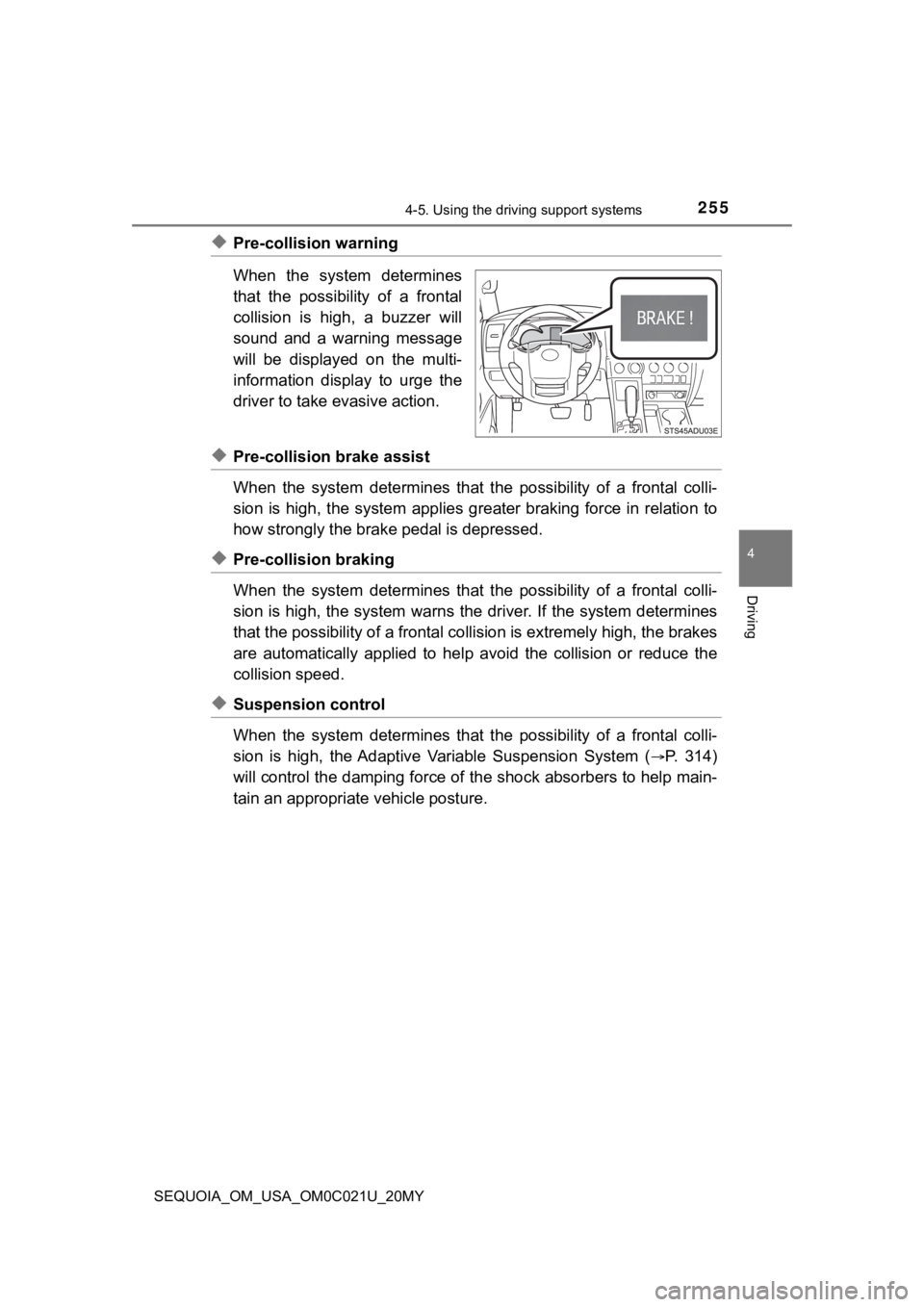
◆Pre-collision warning
When the system determines
that the possibility of a frontal
collision is high, a buzzer will
sound and a warning message
will be displayed on the multi-
information display to urge the
driver to take evasive action.
◆Pre-collision brake assist
When the system determines that the possibility of a frontal colli-
sion is high, the system applies greater braking force in relat ion to
how strongly the brake pedal is depressed.
◆Pre-collision braking
When the system determines that the possibility of a frontal colli-
sion is high, the system warns the driver. If the system determ ines
that the possibility of a frontal collision is extremely high, the brakes
are automatically applied to hel p avoid the collision or reduce the
collision speed.
◆Suspension control
When the system determines that the possibility of a frontal colli-
sion is high, the Adaptive Variable Suspension System (
P. 3 1 4 )
will control the damping force of the shock absorbers to help m ain-
tain an appropriat e vehicle posture.
Page 266 of 588

2664-5. Using the driving support systems
SEQUOIA_OM_USA_OM0C021U_20MY●
In some situations such as the following, sufficient braking fo rce may not be
obtained, preventing the system from performing properly:
• If the braking functions cannot operate to their full extent, such as when
the brake parts are extremely cold, extremely hot, or wet
• If the vehicle is not properly maintained (brakes or tires are excessively
worn, improper tire inflation pressure, etc.)
• When the vehicle is being driven on a gravel road or other sli ppery sur-
face
● Some pedestrians such as the following may not be detected by t he radar
sensor and camera sensor, preventing the system from operating properly:
• Pedestrians shorter than approximately 3.2 ft. (1 m) or taller than approx-
imately 6.5 ft. (2 m)
• Pedestrians wearing oversized clothing (a rain coat, long skir t, etc.), mak-
ing their silhouette obscure
• Pedestrians who are carrying large baggage, holding an umbrella, etc., hiding part of their body
• Pedestrians who are bending forward or squatting
• Pedestrians who are pushing a stroller, wheelchair, bicycle or other vehi-
cle
• Groups of pedestrians which are close together
• Pedestrians who are wearing white and look extremely bright
• Pedestrians in the dark, such as at night or while in a tunnel
• Pedestrians whose clothing appears to be nearly the same color or
brightness as their surroundings
• Pedestrians near walls, fences, guardrails, or large objects
• Pedestrians who are on a metal object (manhole cover, steel plate, etc.)
on the road
• Pedestrians who are walking fast
• Pedestrians who are changing speed abruptly
• Pedestrians running out from behind a vehicle or a large objec t
• Pedestrians who are extremely close to the side of the vehicle (outside
rear view mirror, etc.)
Page 280 of 588

2804-5. Using the driving support systems
SEQUOIA_OM_USA_OM0C021U_20MY
Example of constant speed cruising
When there are no vehicles ahead
The vehicle travels at the speed set by the driver. The desired vehicle-to-
vehicle distance can also be set by operating the vehicle-to-ve hicle dis-
tance switch.
Example of deceleration crui sing and follow-up cruising
When a preceding vehicle driving slower than the set speed
appears
When a vehicle is detected running ahead of you, the system automatically
decelerates your vehicle. When a greater reduction in vehicle s peed is
necessary, the system applies the brakes (the stop lights will come on at
this time). The system will respond to changes in the speed of the vehicle
ahead in order to maintain the vehicle-to-vehicle distance set by the driver.
Approach warning warns you when the system cannot decelerate su ffi-
ciently to prevent your vehicle fr om closing in on the vehicle ahead.
Example of acceleration
When there are no longer any preceding vehicles driving slower
than the set speed
The system accelerates until the set speed is reached. The syst em then
returns to constant speed cruising.
Page 287 of 588

2874-5. Using the driving support systems
4
Driving
SEQUOIA_OM_USA_OM0C021U_20MY■
Automatic cancelation of c onstant speed control mode
Constant speed control mode is automatically canceled in the following situa-
tions:
● Actual vehicle speed is more than approximately 10 mph (16 km/h ) below
the set vehicle speed.
● Actual vehicle speed falls below approximately 25 mph (40 km/h) .
● VSC is activated.
● TRAC is activated for a period of time.
● When the VSC or TRAC system is turned off.
● Pre-collision braking is activated.
● The operation cannot be switched for 5 seconds or more after operating the
four-wheel drive control or the center differential lock switch . (4WD models)
If constant speed control mode is automatically canceled for an y other rea-
son, there may be a malfunction in the system. Contact your Toyota dealer.
■ Brake system operation sound
If the brakes are applied automatically while the vehicle is in vehicle-to-vehi-
cle distance control mode, a brake system operation sound may b e heard.
This does not indicate a malfunction.
■ Warning messages and buzzers for d ynamic radar cruise control
Warning messages and buzzers are used to indicate a system malfunction or
to inform the driver of the need for caution while driving. If a warning message
is shown on the multi-information display, read the message and follow the
instructions.
■ When the sensor may not be correctly detect ing the vehicle ahead
In the case of the following and depending on the conditions, o perate the
brake pedal when deceleration of the system is insufficient or operate the
accelerator pedal when acceleration is required.
As the sensor may not be able to correctly detect these types o f vehicles, the
approach warning ( P. 284) may not be activated.
● Vehicles that cut in suddenly
● Vehicles traveling at low speeds
● Vehicles that are not moving in the same lane
Page 293 of 588

2934-5. Using the driving support systems
4
Driving
SEQUOIA_OM_USA_OM0C021U_20MY■
Limitations of the sensors
●The detection areas of the sensors are limited to the areas aro und the vehi-
cle’s front corners and the rear bumpers.
● Certain vehicle conditions and surrounding environments, such a s the fol-
lowing, may affect the ability of the sensors to correctly dete ct objects. Pay
particular attention in the following situations. Failure to do so may result in
the vehicle being driven unsafely, possibly leading to an accident.
• When there is dirt, snow or ice on a sensor (Cleaning the sens or will
resolve this problem.)
• When the sensor is frozen (Thawing the area will resolve this problem.)
In especially cold weather, if a sensor is frozen the screen ma y show an
abnormal display, or objects may not be detected
• When a sensor is covered in any way
• When the vehicle is leaning considerably to one side
• When driving on an extremely bumpy road, incline, gravel, or g rass
• When the vicinity of the vehicle is noisy due to vehicle horns , motorcycle
engines, air brakes of large vehicles, or other loud noises pro ducing ultra-
sonic waves
• When there is another vehicle equipped with parking assist sen sor in the
vicinity
• When the sensor is coated with a sheet of spray or heavy rain
• When the vehicle is equipped with a fender pole or wireless an tenna
• When a towing eyelet is installed
• When a bumper or sensor receives a strong impact
• A backlit license plate, license plate holder, etc., are insta lled.
• When the vehicle is approaching a tall or curved curb
• When driving in harsh sunlight or intense cold weather
• When an object is directly under a bumper
• When objects become too close to the sensors
• When a non-genuine Toyota suspension (lowered suspension, etc. ) is
installed
In addition to the situations above, there are instances in which, because of
their shape, signs and other objects may be judged by the senso r to be
closer than they are.
Page 322 of 588
3224-5. Using the driving support systems
SEQUOIA_OM_USA_OM0C021U_20MY
Driving assist systems
◆ABS (Anti-lock Brake System)
Helps to prevent wheel lock when the brakes are applied suddenl y,
or if the brakes are applied while driving on a slippery road surface
◆Brake assist
Generates an increased level of braking force after the brake p edal
is depressed when the system de tects a panic stop situation
◆VSC (Vehicle Stability Control)
Helps the driver to control skidding when swerving suddenly or
turning on slippery road surfaces
◆Trailer Sway Control
Helps the driver to control trailer sway by selectively applying brake
pressure for individual wheels and reducing driving torque when
trailer sway is detected.
◆TRAC (Traction Control)
Helps to maintain drive power and prevent the drive wheels from
spinning when starting the vehicl e or accelerating on slippery roads
◆Hill-start assist control
Helps to reduce the backward movement of the vehicle when start -
ing on an uphill
To keep driving safety and perf ormance, the following systems
operate automatically in respon se to various driving situations.
Be aware, however, that these systems are supplementary and
should not be relied upon too heav ily when operating the vehi-
cle.
Page 328 of 588
3284-5. Using the driving support systems
SEQUOIA_OM_USA_OM0C021U_20MY
WARNING
■When the TRAC/VSC/Trailer Sway Control systems is turned off
Be especially careful and drive at a speed appropriate to the r oad condi-
tions. As these are the systems to help ensure vehicle stabilit y and driving
force, do not turn the TRAC/VSC/Trailer Sway Control systems of f unless
necessary.
■ Replacing tires
Make sure that all tires are of the specified size, brand, trea d pattern and
total load capacity. In addition, make sure that the tires are inflated to the
recommended tire inflation pressure level.
The ABS, TRAC, Trailer Sway Control and VSC systems will not function
correctly if different tires are installed on the vehicle.
Contact your Toyota dealer for further information when replaci ng tires or
wheels.
■ Handling of tires and the suspension
Using tires with any kind of problem or modifying the suspensio n will affect
the driving assist systems, and may cause a system to malfuncti on.
■ Trailer Sway Control precaution
The Trailer Sway Control system is not able to reduce trailer sway in all situ-
ations. Depending on many factors such as the conditions of the vehicle,
trailer, road surface, and driving environment, the Trailer Swa y Control sys-
tem may not be effective. Refer to your trailer owner’s manual for informa-
tion on how to tow your trailer properly.
■ If trailer sway occurs
Observe the following precautions.
Failing to do so may cause death or serious injury.
● Firmly grip the steering wheel. Steer straight ahead.
Do not try to control trailer swaying by turning the steering w heel.
● Begin releasing the accelerator pedal immediately but very grad ually to
reduce speed.
Do not increase speed. Do not apply vehicle brakes.
If you make no extreme correction with the steering or brakes, your vehicle
and trailer should stabilize. ( P. 209)