air conditioning TOYOTA SEQUOIA 2022 Owners Manual
[x] Cancel search | Manufacturer: TOYOTA, Model Year: 2022, Model line: SEQUOIA, Model: TOYOTA SEQUOIA 2022Pages: 592, PDF Size: 10.82 MB
Page 4 of 592

TABLE OF CONTENTS4
SEQUOIA_OM_USA_OM0C047U5-1. Using the air conditioning
system and defogger
Front air conditioning system............................. 342
Rear air conditioning system............................. 350
Seat heaters/ seat ventilators ................ 354
5-2. Using the interior lights Interior lights list ................ 357
• Personal/interior light main switch ................... 358
• Personal/interior lights ............................. 359
• Interior light ................... 360
5-3. Using the storage features
List of storage features...... 361
• Glove boxes .................. 362
• Front console box ......... 363
• Card holder ................... 364
• Map holder (center console) ............ 365
• Rear console box .......... 365
• Overhead console ......... 367
• Cup holders .................. 368
• Bottle holders ................ 371
• Auxiliary boxes .............. 372
Luggage compartment features ........................... 373 5-4. Other interior features
Other interior features........ 377
• Sun visors ..................... 377
• Vanity mirrors ................ 378
• Power outlets ................ 379
• USB charging ports ....... 382
• Armrest (second seats)............... 384
• Rear side sunshades .... 385
• Assist grips .................... 386
Garage door opener .......... 387
Compass ........................... 395
5Interior features
Page 5 of 592
5
1
8 7
6
5
4
3
2
9
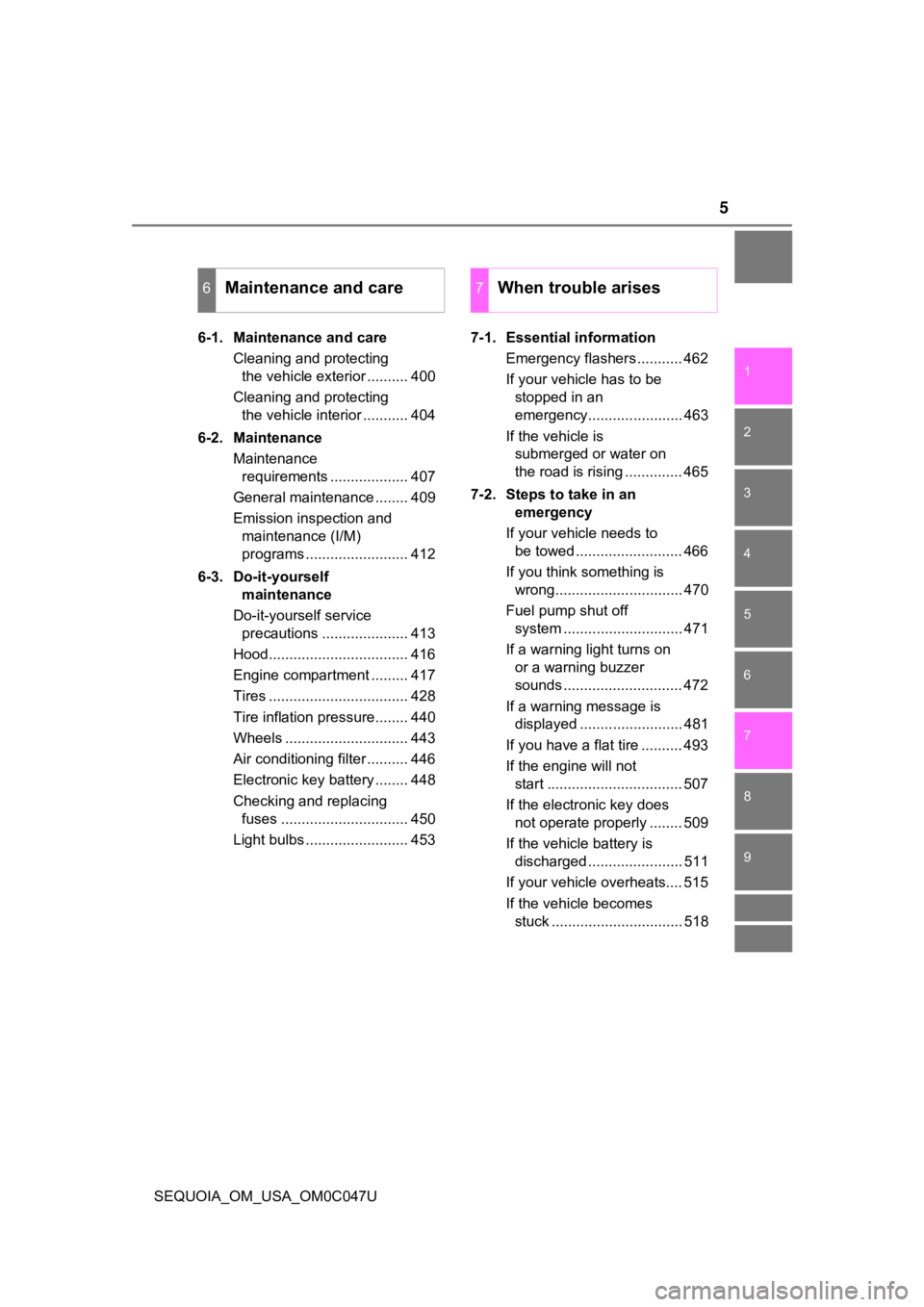
SEQUOIA_OM_USA_OM0C047U6-1. Maintenance and care
Cleaning and protecting the vehicle exterior .......... 400
Cleaning and protecting the vehicle interior ........... 404
6-2. Maintenance Maintenance requirements ................... 407
General maintenance ........ 409
Emission inspection and maintenance (I/M)
programs ......................... 412
6-3. Do-it-yourself maintenance
Do-it-yourself service precautions ..................... 413
Hood.................................. 416
Engine compartment ......... 417
Tires .................................. 428
Tire inflation pressure........ 440
Wheels .............................. 443
Air conditioning filter .......... 446
Electronic key battery ........ 448
Checking and replacing fuses ............................... 450
Light bulbs ......................... 453 7-1. Essential information
Emergency flashers ........... 462
If your vehicle has to be stopped in an
emergency....................... 463
If the vehicle is submerged or water on
the road is rising .............. 465
7-2. Steps to take in an emergency
If your vehicle needs to be towed .......................... 466
If you think something is wrong............................... 470
Fuel pump shut off system ............................. 471
If a warning light turns on or a warning buzzer
sounds ............................. 472
If a warning message is displayed ......................... 481
If you have a flat tire .......... 493
If the engine will not start ................................. 507
If the electronic key does not operate properly ........ 509
If the vehicle battery is discharged ....................... 511
If your vehicle overheats.... 515
If the vehicle becomes stuck ................................ 518
6Maintenance and care7When trouble arises
Page 19 of 592
19Pictorial index
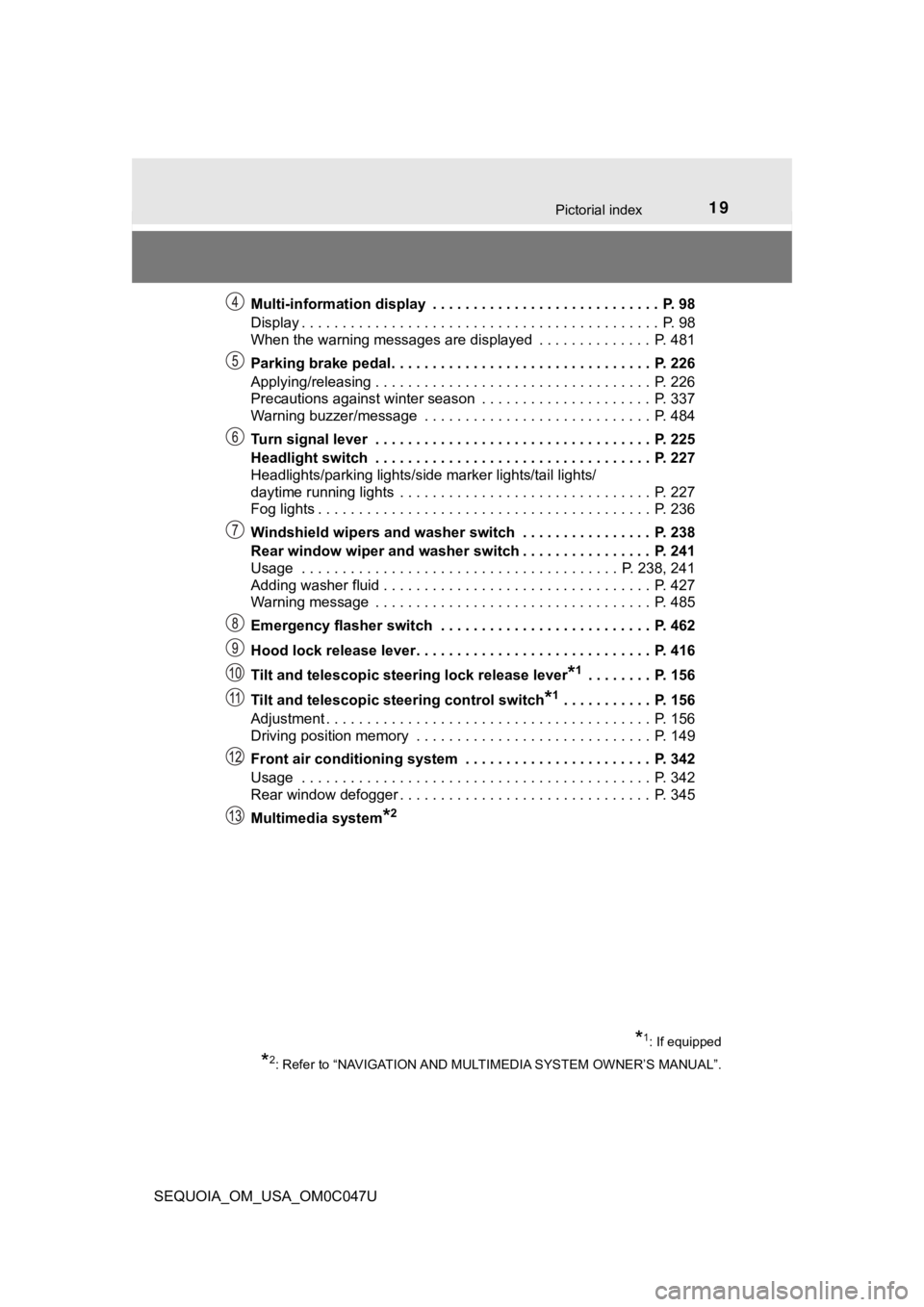
SEQUOIA_OM_USA_OM0C047UMulti-information display . . . . . . . . . . . . . . . . . . . . . . . . . . . . P. 98
Display . . . . . . . . . . . . . . . . . . . . . . . . . . . . . . . . . . . . . . . . . . . . P. 98
When the warning messages are displayed . . . . . . . . . . . . . . P. 481
Parking brake pedal. . . . . . . . . . . . . . . . . . . . . .
. . . . . . . . . . P. 226
Applying/releasing . . . . . . . . . . . . . . . . . . . . . . . . . . . . . . . . . . P. 226
Precautions against winter season . . . . . . . . . . . . . . . . . . . . . P. 337
Warning buzzer/message . . . . . . . . . . . . . . . . . . . . . . . . . . . . P. 484
Turn signal lever . . . . . . . . . . . . . . . . . . . . . . . . . . . . . . . . . . P. 225
Headlight switch . . . . . . . . . . . . . . . . . . . . . . . . . . . . . . . . . . P. 227
Headlights/parking lights/side marker lights/tail lights/
daytime running lights . . . . . . . . . . . . . . . . . . . . . . . . . . . . . . . P. 227
Fog lights . . . . . . . . . . . . . . . . . . . . . . . . . . . . . . . . . . . . . . . . . P. 236
Windshield wipers and washer switch . . . . . . . . . . . . . . . . P. 238
Rear window wiper and washer switch . . . . . . . . . . . . . . . . P. 241
Usage . . . . . . . . . . . . . . . . . . . . . . . . . . . . . . . . . . . . . . . P. 238, 241
Adding washer fluid . . . . . . . . . . . . . . . . . . . . . . . . . . . . . . . . . P. 427
Warning message . . . . . . . . . . . . . . . . . . . . . . . . . . . . . . . . . . P. 485
Emergency flasher switch . . . . . . . . . . . . . . . . . . . . . . . . . . P. 462
Hood lock release lever. . . . . . . . . . . . . . . . . . . . . . . . . . . . . P. 416
Tilt and telescopic steering lock release lever
*1 . . . . . . . . P. 156
Tilt and telescopic steering control switch
*1 . . . . . . . . . . . P. 156
Adjustment . . . . . . . . . . . . . . . . . . . . . . . . . . . . . . . . . . . . . . . . P. 156
Driving position memory . . . . . . . . . . . . . . . . . . . . . . . . . . . . . P. 149
Front air conditioning system . . . . . . . . . . . . . . . . . . . . . . . P. 342
Usage . . . . . . . . . . . . . . . . . . . . . . . . . . . . . . . . . . . . . . . . . . . P. 342
Rear window defogger . . . . . . . . . . . . . . . . . . . . . . . . . . . . . . . P. 345
Multimedia system
*2
*1: If equipped
*2: Refer to “NAVIGATION AND MULT IMEDIA SYSTEM OWNER’S MANUAL”.
Page 253 of 592
2534-5. Using the driving support systems
4
Driving
SEQUOIA_OM_USA_OM0C047U■
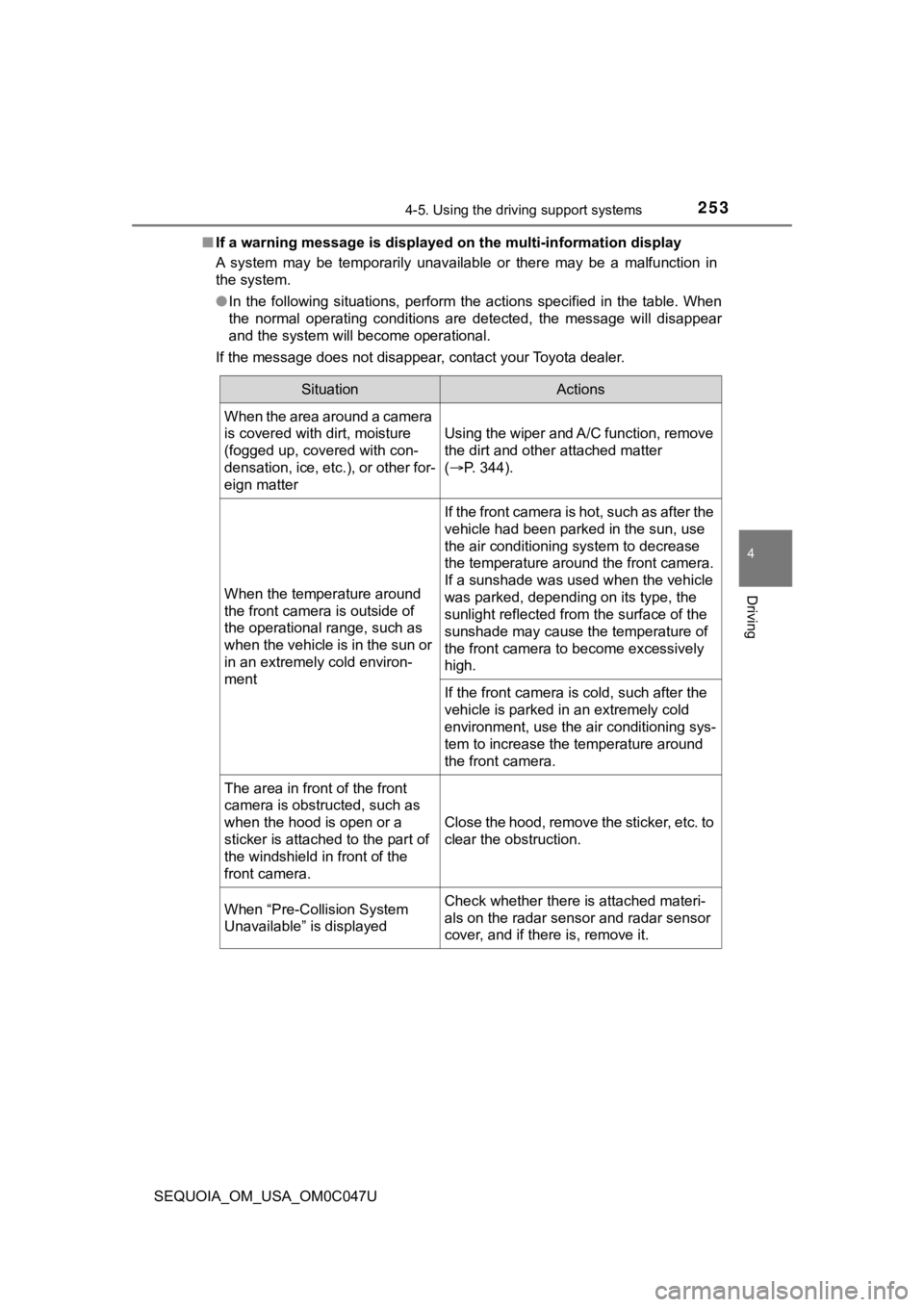
If a warning message is displayed on the multi-information disp lay
A system may be temporarily unavailable or there may be a malfu nction in
the system.
● In the following situations, perform the actions specified in t he table. When
the normal operating conditions are detected, the message will disappear
and the system will become operational.
If the message does not disappear, contact your Toyota dealer.
SituationActions
When the area around a camera
is covered with dirt, moisture
(fogged up, covered with con-
densation, ice, etc.), or other for-
eign matter
Using the wiper and A/C function, remove
the dirt and other attached matter
( P. 344).
When the temperature around
the front camera is outside of
the operational range, such as
when the vehicle is in the sun or
in an extremely cold environ-
ment
If the front camera is hot, such as after the
vehicle had been parked in the sun, use
the air conditioning system to decrease
the temperature around the front camera.
If a sunshade was used when the vehicle
was parked, depending on its type, the
sunlight reflected from the surface of the
sunshade may cause the temperature of
the front camera to become excessively
high.
If the front camera is cold, such after the
vehicle is parked in an extremely cold
environment, use the air conditioning sys-
tem to increase the temperature around
the front camera.
The area in front of the front
camera is obstructed, such as
when the hood is open or a
sticker is attached to the part of
the windshield in front of the
front camera.
Close the hood, remove the sticker, etc. to
clear the obstruction.
When “Pre-Collision System
Unavailable” is displayedCheck whether there is attached materi-
als on the radar sensor and radar sensor
cover, and if there is, remove it.
Page 292 of 592
2924-5. Using the driving support systems
SEQUOIA_OM_USA_OM0C047U
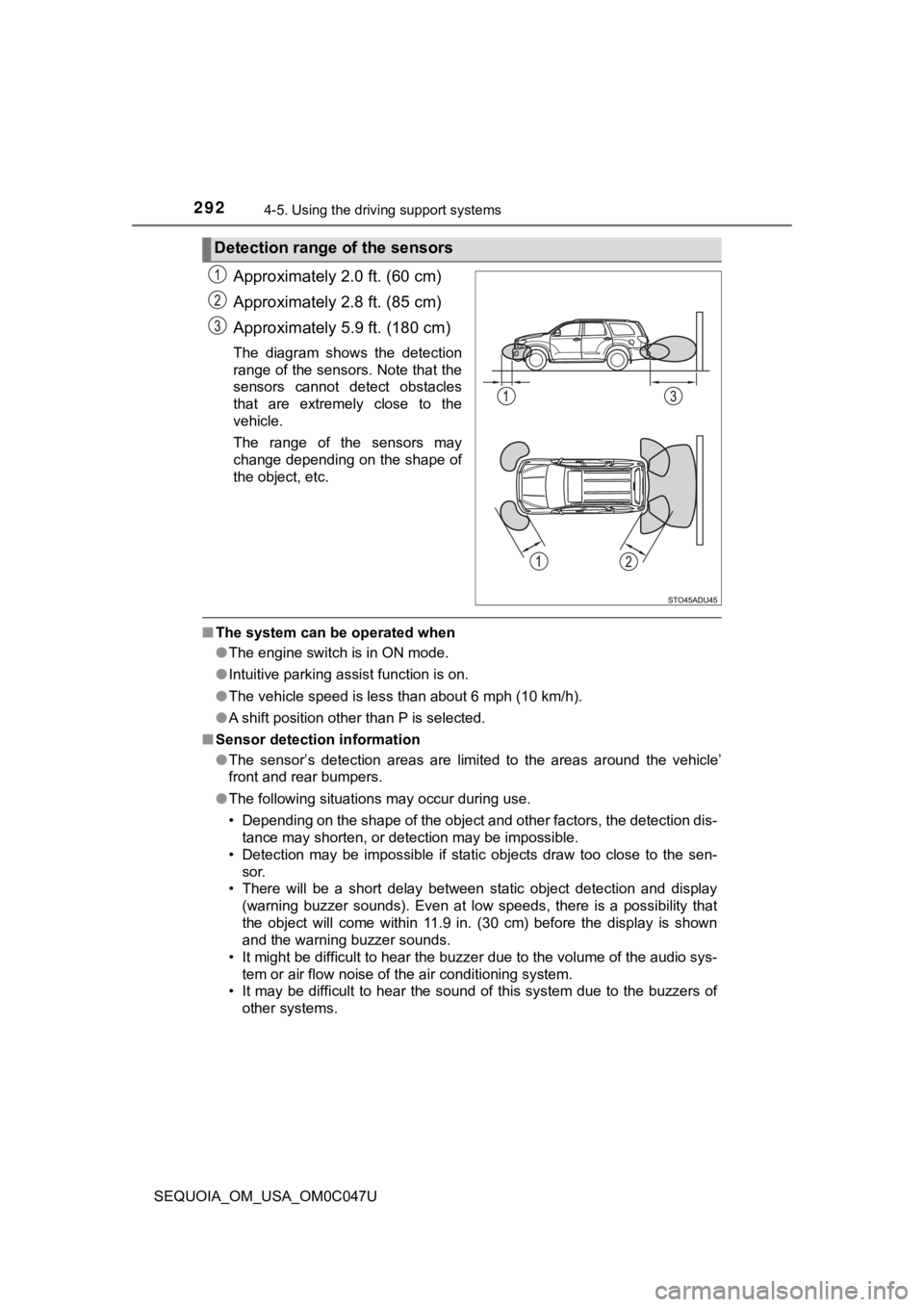
Approximately 2.0 ft. (60 cm)
Approximately 2.8 ft. (85 cm)
Approximately 5.9 ft. (180 cm)
The diagram shows the detection
range of the sensors. Note that the
sensors cannot detect obstacles
that are extremely close to the
vehicle.
The range of the sensors may
change depending on the shape of
the object, etc.
■The system can be operated when
●The engine switch is in ON mode.
● Intuitive parking assist function is on.
● The vehicle speed is less than about 6 mph (10 km/h).
● A shift position other than P is selected.
■ Sensor detection information
●The sensor’s detection areas are limited to the areas around th e vehicle’
front and rear bumpers.
● The following situations may occur during use.
• Depending on the shape of the object and other factors, the de tection dis-
tance may shorten, or detection may be impossible.
• Detection may be impossible if static objects draw too close to the sen- sor.
• There will be a short delay between static object detection an d display
(warning buzzer sounds). Even at low speeds, there is a possibi lity that
the object will come within 11.9 in. (30 cm) before the display is shown
and the warning buzzer sounds.
• It might be difficult to hear the buzzer due to the volume of the audio sys- tem or air flow noise of the air conditioning system.
• It may be difficult to hear the sound of this system due to the buzzers of
other systems.
Detection range of the sensors
Page 310 of 592
3104-5. Using the driving support systems
SEQUOIA_OM_USA_OM0C047U●
When there are spinning objects near your vehicle such as the f an of an air
conditioning unit
● When water is splashed or sprayed toward the rear bumper, such as from a
sprinkler
● Moving objects (flags, exhaust fumes, large rain droplets or snowflakes, rain
water on the road surface, etc.)
● When the distance between your vehicle and a guardrail, wall, etc., that
enters the detection area is short
● Gratings and gutters
● When a sensor or the area around a sensor is extremely hot or c old
● If the suspension has been modified or tires of a size other th an specified
are installed
● If the front of the vehicle is raised or lowered due to the car ried load
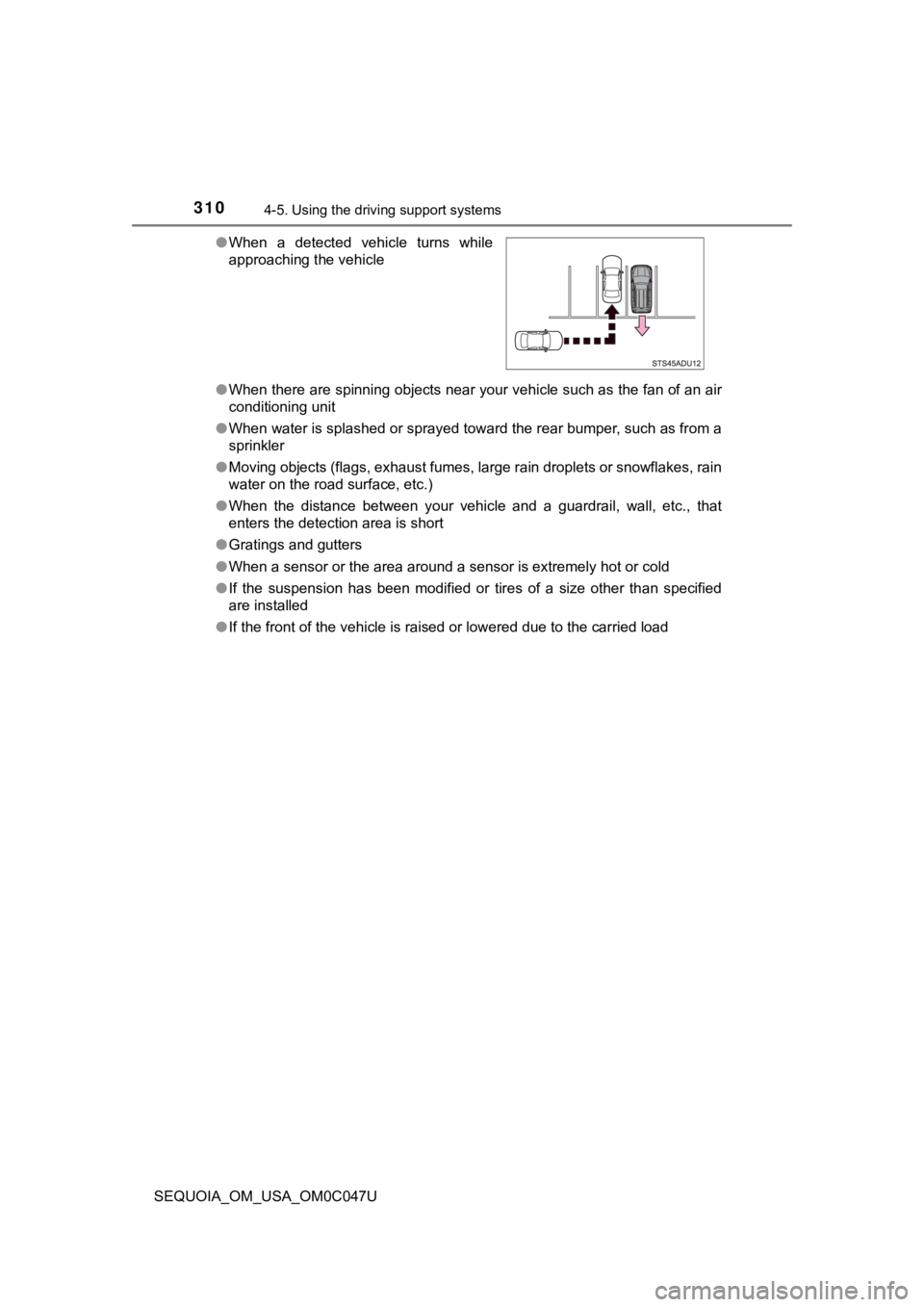
●
When a detected vehicle turns while
approaching the vehicle
Page 341 of 592

341
Interior features5
SEQUOIA_OM_USA_OM0C047U5-1. Using the
air conditioning system
and defogger
Front air conditioning system............................. 342
Rear air conditioning system............................. 350
Seat heaters/ seat ventilators ................ 354
5-2. Using the interior lights Interior lights list ................ 357
• Personal/interior light main switch ................... 358
• Personal/interior lights ............................. 359
• Interior light ................... 360
5-3. Using the storage features
List of storage features ..... 361
• Glove boxes .................. 362
• Front console box ......... 363
• Card holder ................... 364
• Map holder (center console) ............ 365
• Rear console box .......... 365
• Overhead console......... 367
• Cup holders .................. 368
• Bottle holders ................ 371
• Auxiliary boxes.............. 372
Luggage compartment features ........................... 373 5-4. Other interior features
Other interior features ....... 377
• Sun visors ..................... 377
• Vanity mirrors................ 378
• Power outlets ................ 379
• USB charging ports....... 382
• Armrest (second seats) .............. 384
• Rear side sunshades .... 385
• Assist grips ................... 386
Garage door opener.......... 387
Compass ........................... 395
Page 342 of 592
3425-1. Using the air conditioning system and defogger
SEQUOIA_OM_USA_OM0C047U
Front air conditioning system
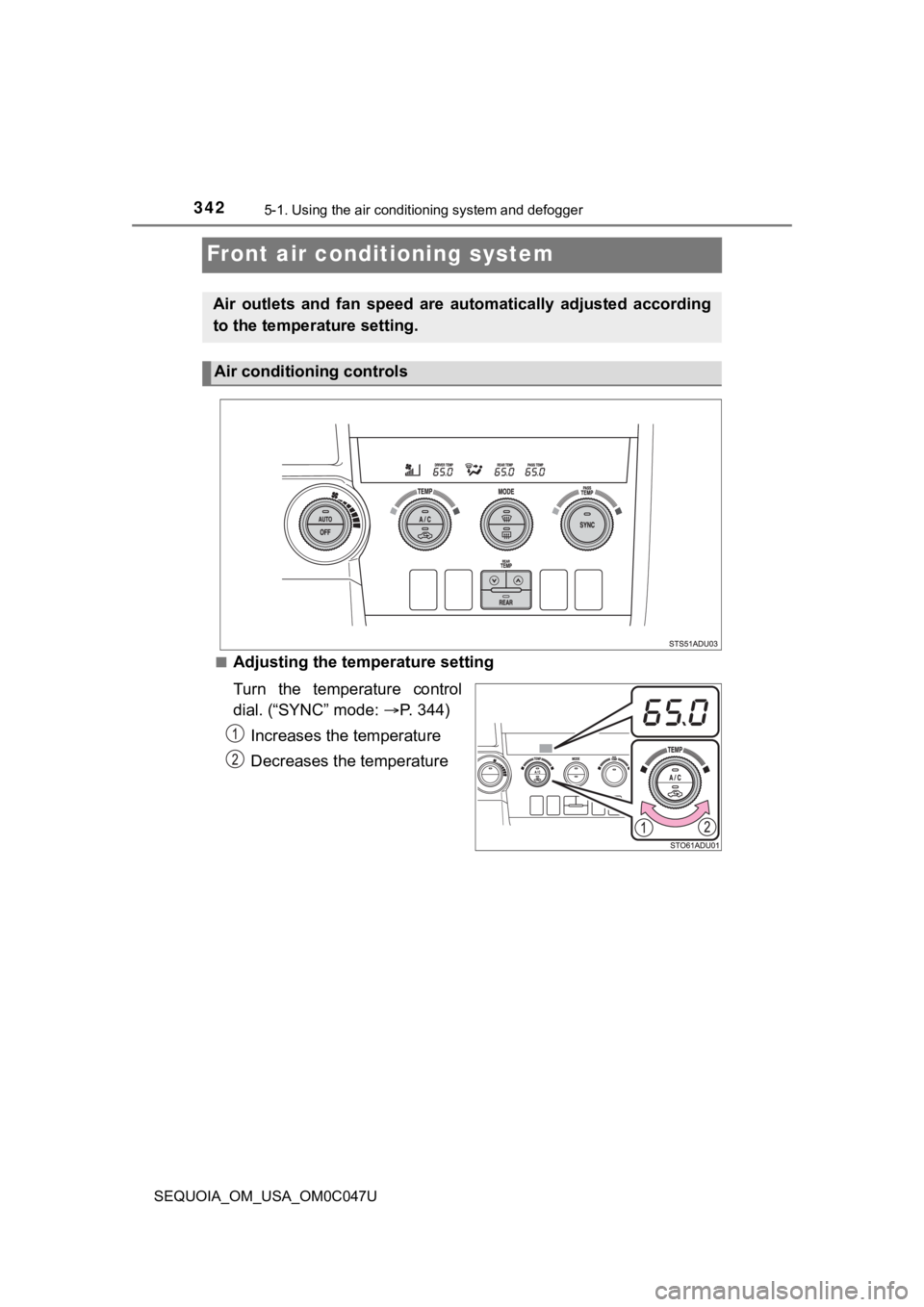
■Adjusting the temperature setting
Turn the temperature control
dial. (“SYNC” mode: P. 344)
Increases the temperature
Decreases the temperature
Air outlets and fan speed are automatically adjusted according
to the temperature setting.
Air conditioning controls
Page 343 of 592
3435-1. Using the air conditioning system and defogger
5
Interior features
SEQUOIA_OM_USA_OM0C047U■
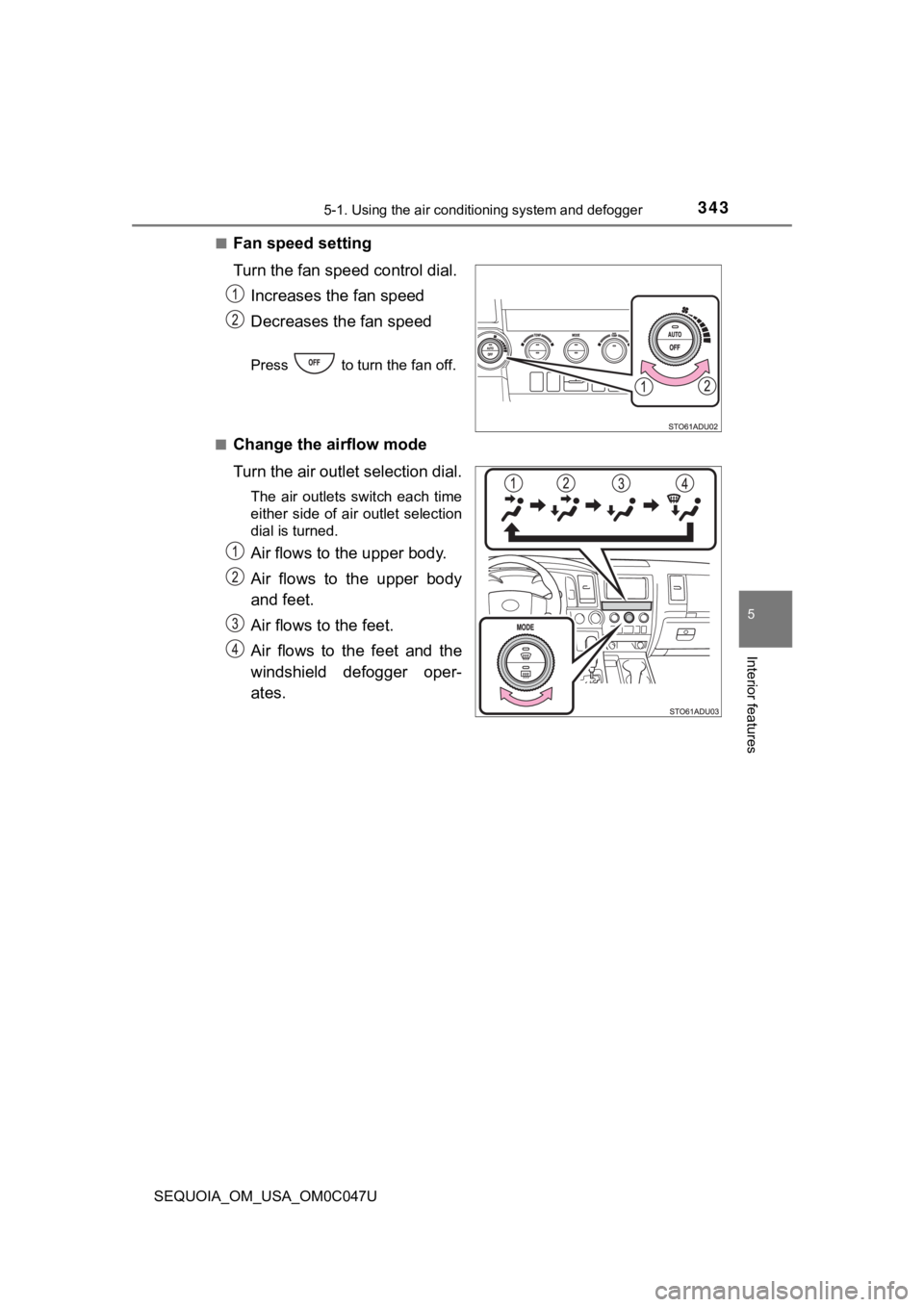
Fan speed setting
Turn the fan speed
control dial.
Increases the fan speed
Decreases the fan speed
Press to turn the fan off.
■
Change the airflow mode
Turn the air outlet selection dial.
The air outlets switch each time
either side of air outlet selection
dial is turned.
Air flows to the upper body.
Air flows to the upper body
and feet.
Air flows to the feet.
Air flows to the feet and the
windshield defogger oper-
ates.
Page 344 of 592
3445-1. Using the air conditioning system and defogger
SEQUOIA_OM_USA_OM0C047U
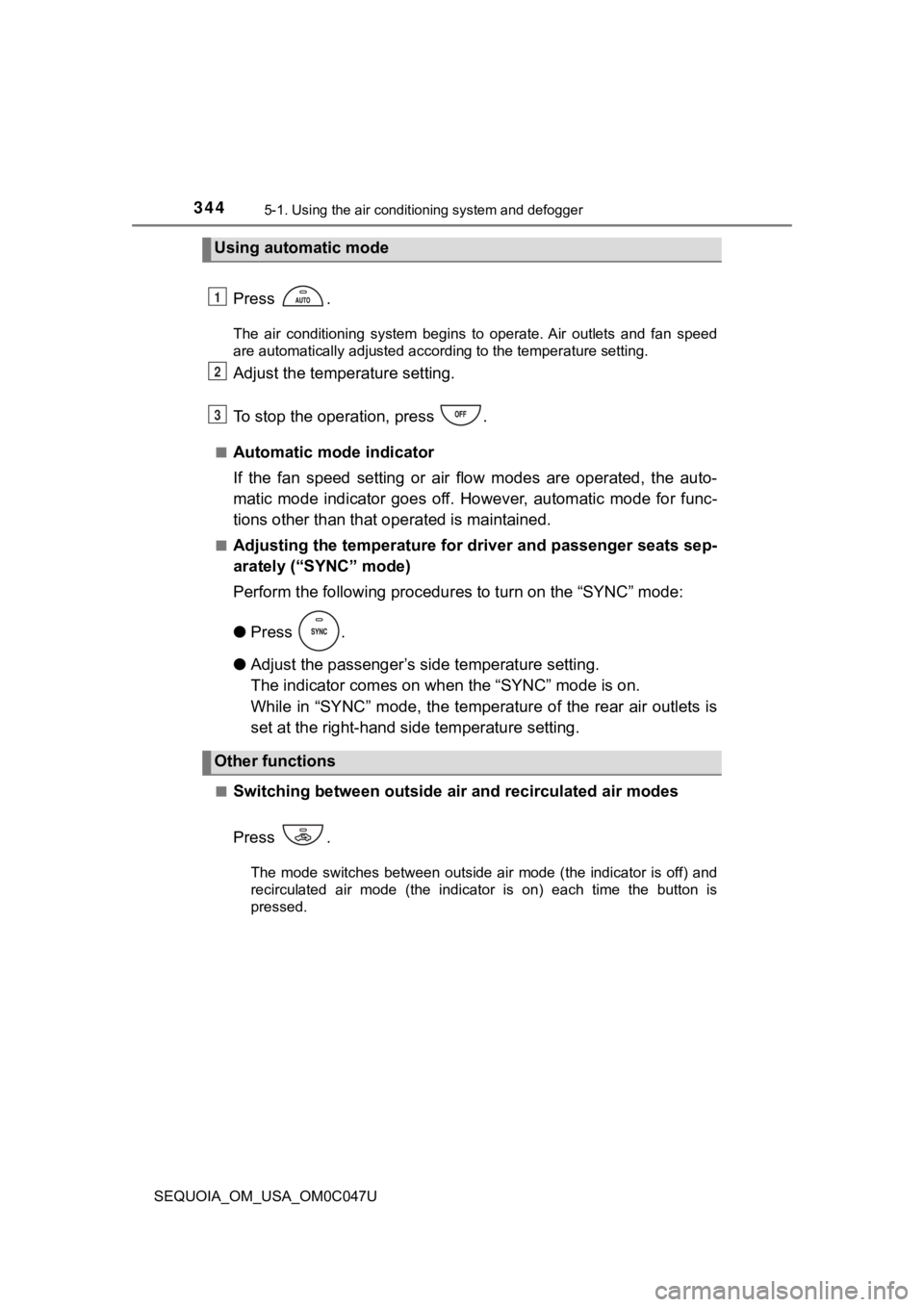
Press .
The air conditioning system begins to operate. Air outlets and fan speed
are automatically adjusted according to the temperature setting .
Adjust the temperature setting.
To stop the operation, press .
■Automatic mode indicator
If the fan speed setting or air flow modes are operated, the au to-
matic mode indicator goes off. However, automatic mode for func -
tions other than that o perated is maintained.
■Adjusting the temperature for driver and passenger seats sep-
arately (“SYNC” mode)
Perform the following procedures to turn on the “SYNC” mode:
●Press .
● Adjust the passenger’s side temperature setting.
The indicator comes on w hen the “SYNC” mode is on.
While in “SYNC” mode, the temperature of the rear air outlets i s
set at the right-hand side temperature setting.
■Switching between outside air and recirculated air modes
Press .
The mode switches between outside air mode (the indicator is of f) and
recirculated air mode (the indicator is on) each time the butto n is
pressed.
Using automatic mode
Other functions
1
2
3