battery TOYOTA SEQUOIA HYBRID 2023 Owner's Guide
[x] Cancel search | Manufacturer: TOYOTA, Model Year: 2023, Model line: SEQUOIA HYBRID, Model: TOYOTA SEQUOIA HYBRID 2023Pages: 628, PDF Size: 14.27 MB
Page 240 of 628

2404-3. Operating the lights and wipers
Owners Manual_USA_M0C043_en
■Reverse-linked function
When the shift lever is shifted to R
when the front wipers are operating,
the rear window wiper will operate
once.
■Customization
Some functions can be customized.
(Customizable features: P.570)
NOTICE
■When the washer fluid tank is
empty
Do not operate the switch continu-
ally as the washer fluid pump may
overheat.
■When a nozzle becomes
blocked
In this case, contact your Toyota
dealer.
Do not try to clear it with a pin or
other object. The nozzle will be
damaged.
■To prevent battery discharge
Do not leave the wiper on longer
than necessary when the engine
is not running.
Page 254 of 628
2544-5. Using the driving support systems
Owners Manual_USA_M0C043_en
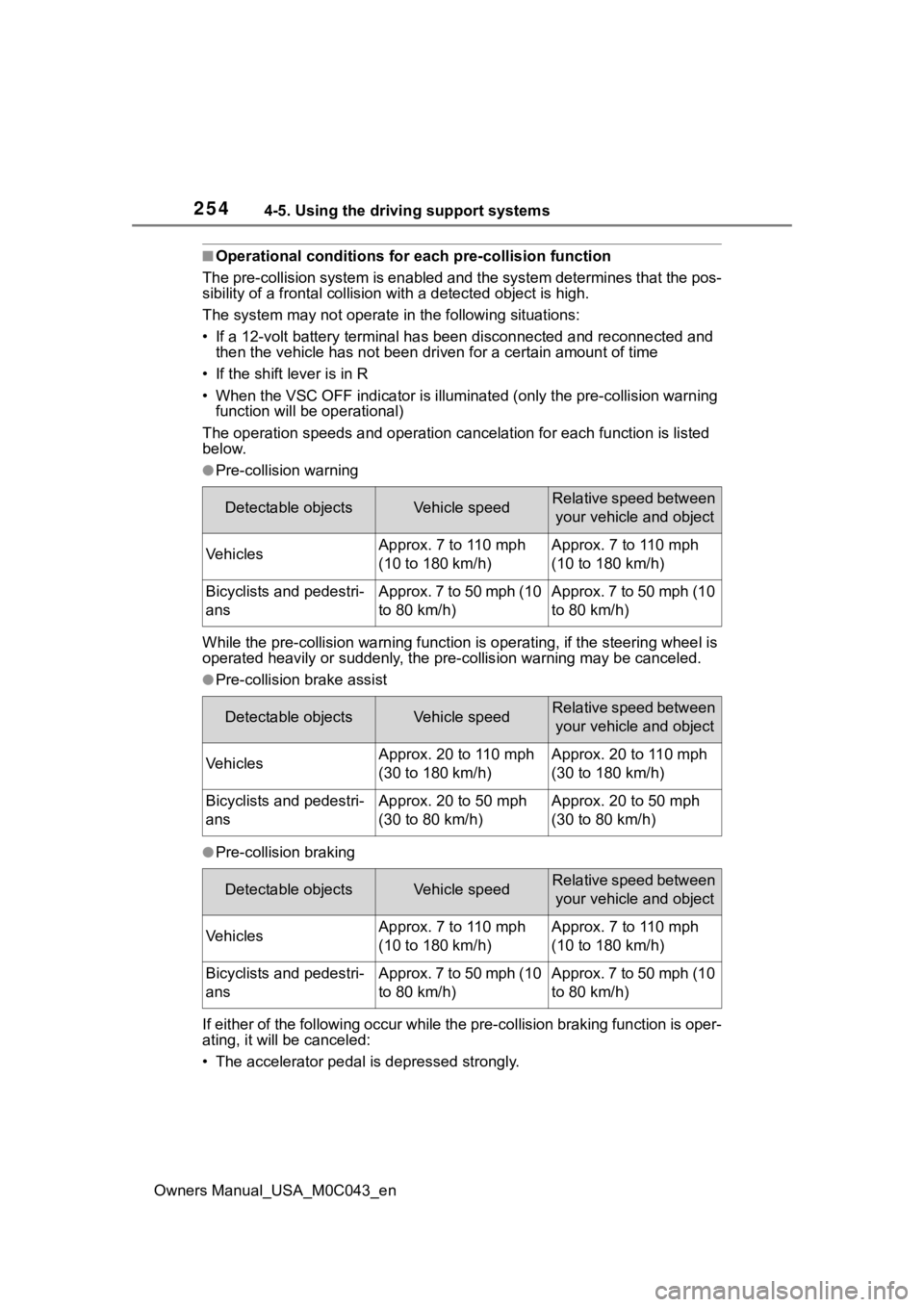
■Operational conditions for each pre-collision function
The pre-collision syst em is enabled and the system determines t hat the pos-
sibility of a frontal c ollision with a detected object is high.
The system may not operate in the following situations:
• If a 12-volt battery terminal has been di sconnected and reconn ected and
then the vehicle has not been dr iven for a certain amount of time
• If the shift lever is in R
• When the VSC OFF indicator is illuminated (only the pre-collision warning
function will be operational)
The operation speeds and operati on cancelation for each function is listed
below.
●Pre-collision warning
While the pre-collision warning function is operating, if the steering wheel is
operated heavily or suddenly, the pre-collis ion warning may be canceled.
●Pre-collision brake assist
●Pre-collision braking
If either of the following occur while the pre-collision braking function is oper-
ating, it will be canceled:
• The accelerator pedal is depressed strongly.
Detectable objectsVehicle speedRelative speed between
your vehicle and object
VehiclesApprox. 7 to 110 mph
(10 to 180 km/h)Approx. 7 to 110 mph
(10 to 180 km/h)
Bicyclists and pedestri-
ansApprox. 7 to 50 mph (10
to 80 km/h)Approx. 7 to 50 mph (10
to 80 km/h)
Detectable objectsVehicle speedRelative speed between your vehicle and object
VehiclesApprox. 20 to 110 mph
(30 to 180 km/h)Approx. 20 to 110 mph
(30 to 180 km/h)
Bicyclists and pedestri-
ansApprox. 20 to 50 mph
(30 to 80 km/h)Approx. 20 to 50 mph
(30 to 80 km/h)
Detectable objectsVehicle speedRelative speed between your vehicle and object
VehiclesApprox. 7 to 110 mph
(10 to 180 km/h)Approx. 7 to 110 mph
(10 to 180 km/h)
Bicyclists and pedestri-
ansApprox. 7 to 50 mph (10
to 80 km/h)Approx. 7 to 50 mph (10
to 80 km/h)
Page 311 of 628

3114-5. Using the driving support systems
Owners Manual_USA_M0C043_en
4
Driving
Brake control begins operat-
ing (System determines that
possibility of collision with
detected object is extremely
high)
■If the Parking Support Brake
has operated
If the vehicle is stopped due to oper-
ation of the Parki ng Support Brake,
the Parking Suppor t Brake will be
disabled and the PKSB OFF indica-
tor will illuminate. If the Parking Sup-
port Brake operates unnecessarily,
brake control can be canceled by
depressing the brake pedal or wait-
ing for approximately 2 seconds for
it to automatically be canceled.
Then, the vehicle can be operated
by depressing the accelerator pedal.
■Re-enabling the Parking Sup-
port Brake
To re-enable the Parking Support
Brake when it has been disabled
due to operation of the Parking Sup-
port Brake, either enable the system
again ( P.308), or turn the power
switch off and then back to ON.
Additionally, if any of the following
conditions are me t, the system will
be re-enabled automatically and the
PKSB OFF indicato r will turn off:
●The P shift position is selected
●The object is no longer detected in
the traveling direction of the vehi-
cle
●The traveling direction of the vehi-
cle changes
■If “PKSB Unavailable” is dis-
played on the multi-information
display and the PKSB OFF indi-
cator is on
If the vehicle is stopped due to oper-
ation of the Parki ng Support Brake,
the Parking Suppor t Brake will be
disabled and the PKSB OFF indica-
tor will illuminate.
●A sensor may be covered with
water drops, ice , snow, dirt, etc.
Remove the water drops, ice,
snow, dirt, etc., from the sensor to
return the system to normal.
Also, due to ice fo rming on a sen-
sor at low temperatures, a warn-
ing message may be displayed or
the sensor may not be able to
detect an object. Once the ice
melts, the system will return to
normal.
●If this message continues to be
displayed even after cleaning the
sensor, or is displayed even
though the sensor is clean, have
the vehicle inspected by your Toy-
ota dealer.
■If a 12-volt battery terminal has
been disconnected and recon-
nected
The system needs to be initialized.
To initialize the system, drive the
vehicle straight ahead for 5 seconds
or more at a speed of approximately
22 mph (35 km/h) or more.
Page 351 of 628
3514-5. Using the driving support systems
Owners Manual_USA_M0C043_en
4
Driving
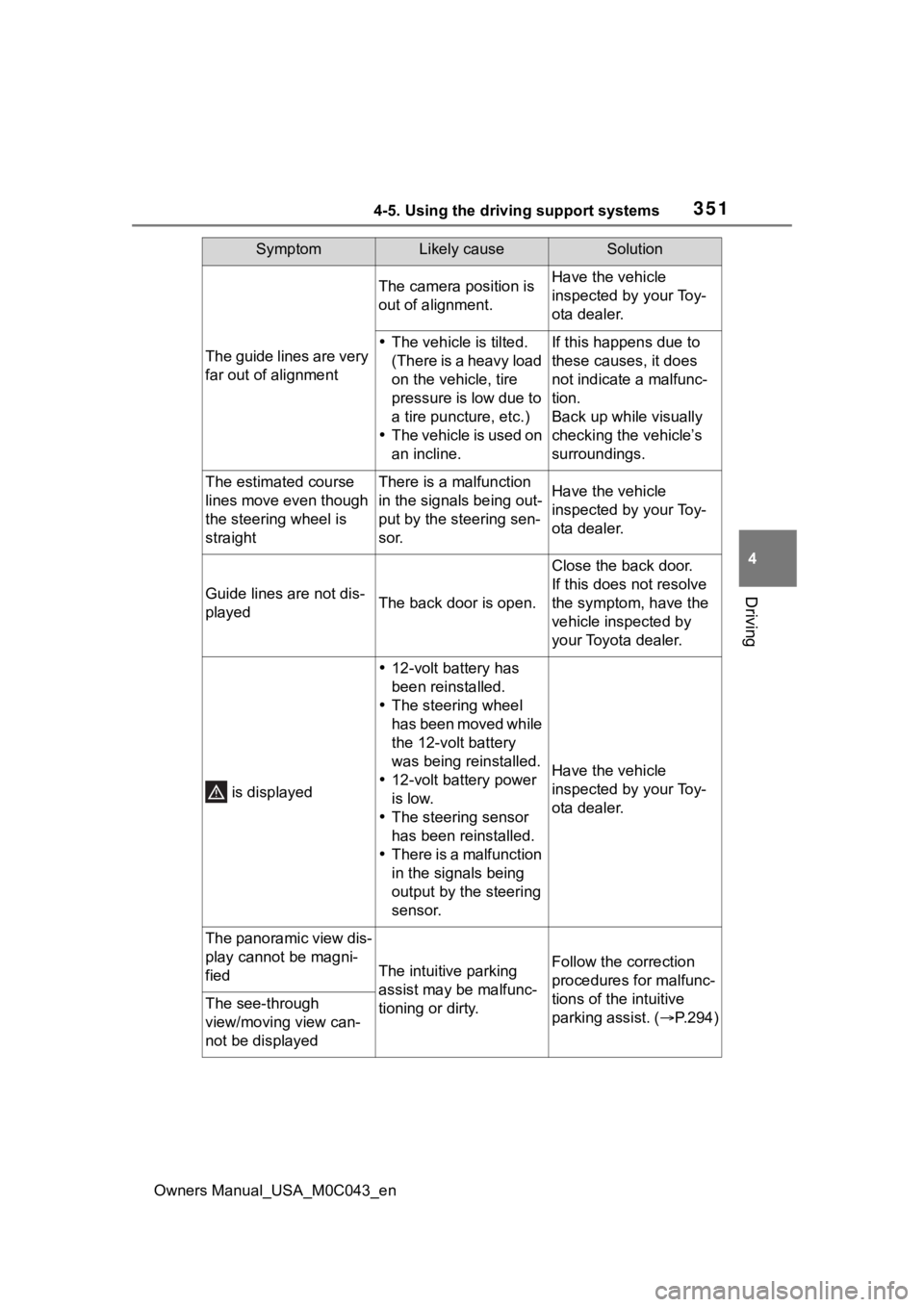
The guide lines are very
far out of alignment
The camera position is
out of alignment.Have the vehicle
inspected by your Toy-
ota dealer.
The vehicle is tilted.
(There is a heavy load
on the vehicle, tire
pressure is low due to
a tire puncture, etc.)
The vehicle is used on
an incline.If this happens due to
these causes, it does
not indicate a malfunc-
tion.
Back up while visually
checking the vehicle’s
surroundings.
The estimated course
lines move even though
the steering wheel is
straightThere is a malfunction
in the signals being out-
put by the steering sen-
sor.Have the vehicle
inspected by your Toy-
ota dealer.
Guide lines are not dis-
playedThe back door is open.
Close the back door.
If this does not resolve
the symptom, have the
vehicle inspected by
your Toyota dealer.
is displayed
12-volt battery has
been reinstalled.
The steering wheel
has been moved while
the 12-volt battery
was being reinstalled.
12-volt battery power
is low.
The steering sensor
has been reinstalled.
There is a malfunction
in the signals being
output by the steering
sensor.
Have the vehicle
inspected by your Toy-
ota dealer.
The panoramic view dis-
play cannot be magni-
fied
The intuitive parking
assist may be malfunc-
tioning or dirty.Follow the correction
procedures for malfunc-
tions of the intuitive
parking assist. ( P.294)
The see-through
view/moving view can-
not be displayed
SymptomLikely causeSolution
Page 390 of 628
3904-5. Using the driving support systems
Owners Manual_USA_M0C043_en
8For confirmation, repeat
steps 6 and 7 until desired
“gain” setting is reached (just
below point of trailer wheel
lock-up).
■When setting the “gain”
Wheel lock-up occurs when the
trailer wheel squeals or tire smoke
occurs. Trailer wheels may not lock-
up while driving heavily loaded
trailer. During this case, adjust the
Trailer “gain” to the highest allow-
able setting for the towing condition.
■When disconnecting and recon-
necting 12-volt battery termi-
nals
The “gain” setting data will be reset.
■Trailer Sway Control Function
Helps suppress trailer sway at an
early stage by using the trailer brake
control system to operate the trailer
brakes.
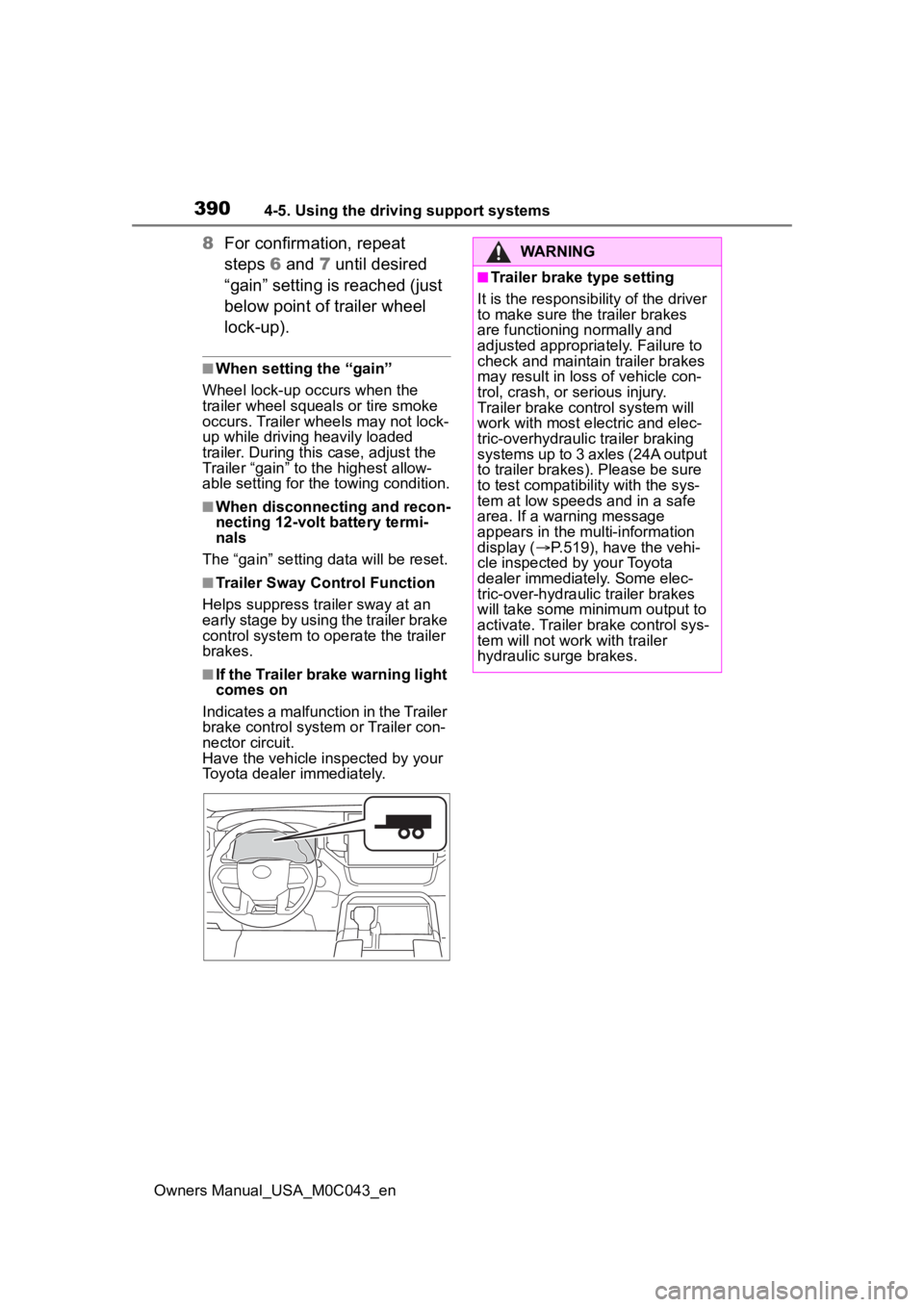
■If the Trailer brake warning light
comes on
Indicates a malfunction in the Trailer
brake control system or Trailer con-
nector circuit.
Have the vehicle inspected by your
Toyota dealer immediately.
WARNING
■Trailer brake type setting
It is the responsibility of the driver
to make sure the trailer brakes
are functioning normally and
adjusted appropriately. Failure to
check and maintain trailer brakes
may result in loss of vehicle con-
trol, crash, or serious injury.
Trailer brake control system will
work with most electric and elec-
tric-overhydraulic trailer braking
systems up to 3 axles (24A output
to trailer brakes). Please be sure
to test compatibility with the sys-
tem at low speeds and in a safe
area. If a warning message
appears in the multi-information
display ( P.519), have the vehi-
cle inspected by your Toyota
dealer immediately. Some elec-
tric-over-hydraulic trailer brakes
will take some minimum output to
activate. Trailer brake control sys-
tem will not work with trailer
hydraulic surge brakes.
Page 396 of 628
3964-6. Driving tips
Owners Manual_USA_M0C043_en
4-6.Driving tips
When using Eco drive mode, the
torque corresponding to the
accelerator pedal depression
amount can be generated more
smoothly than it is in normal
conditions. In addition, the oper-
ation of the air conditioning sys-
tem (heating/cooling) will be
minimized, improving the fuel
economy. (P.366)
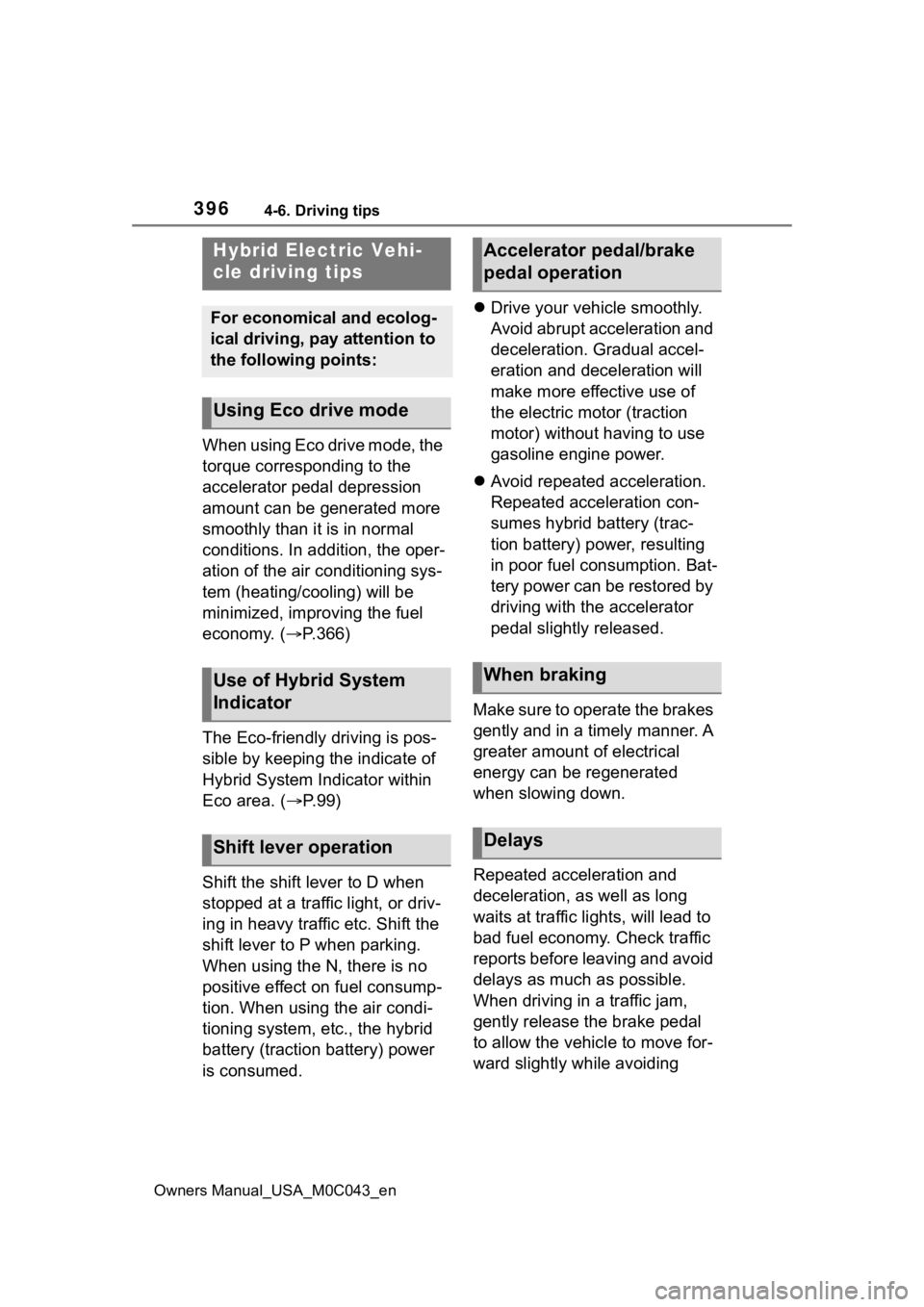
The Eco-friendly driving is pos-
sible by keeping the indicate of
Hybrid System Indicator within
Eco area. ( P.99)
Shift the shift lever to D when
stopped at a traffic light, or driv-
ing in heavy traffic etc. Shift the
shift lever to P when parking.
When using the N, there is no
positive effect on fuel consump-
tion. When using the air condi-
tioning system, etc., the hybrid
battery (traction battery) power
is consumed.
Drive your vehicle smoothly.
Avoid abrupt acceleration and
deceleration. Gradual accel-
eration and deceleration will
make more effective use of
the electric motor (traction
motor) without having to use
gasoline engine power.
Avoid repeated acceleration.
Repeated acceleration con-
sumes hybrid battery (trac-
tion battery) power, resulting
in poor fuel consumption. Bat-
tery power can be restored by
driving with the accelerator
pedal slightly released.
Make sure to operate the brakes
gently and in a timely manner. A
greater amount of electrical
energy can be regenerated
when slowing down.
Repeated acceleration and
deceleration, as well as long
waits at traffic lights, will lead to
bad fuel economy. Check traffic
reports before leaving and avoid
delays as much as possible.
When driving in a traffic jam,
gently release the brake pedal
to allow the vehicle to move for-
ward slightly while avoiding
Hybrid Electric Vehi-
cle driving tips
For economical and ecolog-
ical driving, pay attention to
the following points:
Using Eco drive mode
Use of Hybrid System
Indicator
Shift lever operation
Accelerator pedal/brake
pedal operation
When braking
Delays
Page 401 of 628
4014-6. Driving tips
Owners Manual_USA_M0C043_en
4
Driving
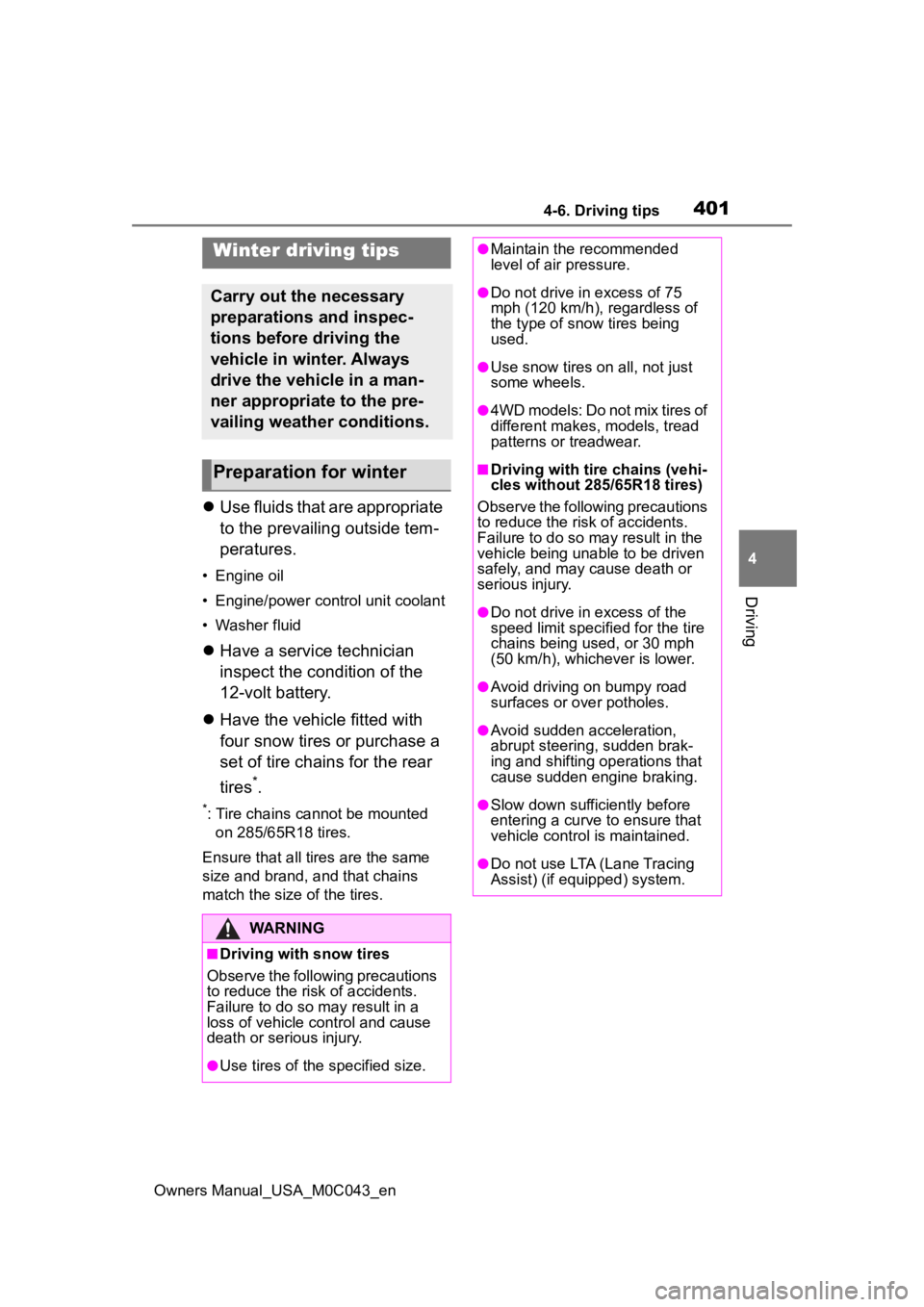
Use fluids that are appropriate
to the prevailing outside tem-
peratures.
• Engine oil
• Engine/power control unit coolant
• Washer fluid
Have a service technician
inspect the condition of the
12-volt battery.
Have the vehicle fitted with
four snow tires or purchase a
set of tire chains for the rear
tires
*.
*: Tire chains cannot be mounted
on 285/65R18 tires.
Ensure that all tires are the same
size and brand, and that chains
match the size of the tires.
Winter driving tips
Carry out the necessary
preparations and inspec-
tions before driving the
vehicle in winter. Always
drive the vehicle in a man-
ner appropriate to the pre-
vailing weather conditions.
Preparation for winter
WARNING
■Driving with snow tires
Observe the following precautions
to reduce the risk of accidents.
Failure to do so m ay result in a
loss of vehicle control and cause
death or serious injury.
●Use tires of the specified size.
●Maintain the recommended
level of air pressure.
●Do not drive in excess of 75
mph (120 km/h), regardless of
the type of snow tires being
used.
●Use snow tires on all, not just
some wheels.
●4WD models: Do not mix tires of
different makes, models, tread
patterns or treadwear.
■Driving with tire chains (vehi-
cles without 285/65R18 tires)
Observe the following precautions
to reduce the risk of accidents.
Failure to do so may result in the
vehicle being unable to be driven
safely, and may cause death or
serious injury.
●Do not drive in excess of the
speed limit specifi ed for the tire
chains being used, or 30 mph
(50 km/h), whichever is lower.
●Avoid driving on bumpy road
surfaces or over potholes.
●Avoid sudden acceleration,
abrupt steering, sudden brak-
ing and shifting operations that
cause sudden engine braking.
●Slow down sufficiently before
entering a curve to ensure that
vehicle control is maintained.
●Do not use LTA (Lane Tracing
Assist) (if equipped) system.
Page 409 of 628
4095-1. Using the air conditioning system and defogger
Owners Manual_USA_M0C043_en
5
Interior features
culation throughout the vehicle,
helping to reduce odors that occur
when starting the vehicle.
■Air conditioning filter
P. 4 8 7
■Air conditioning system refrig-
erant
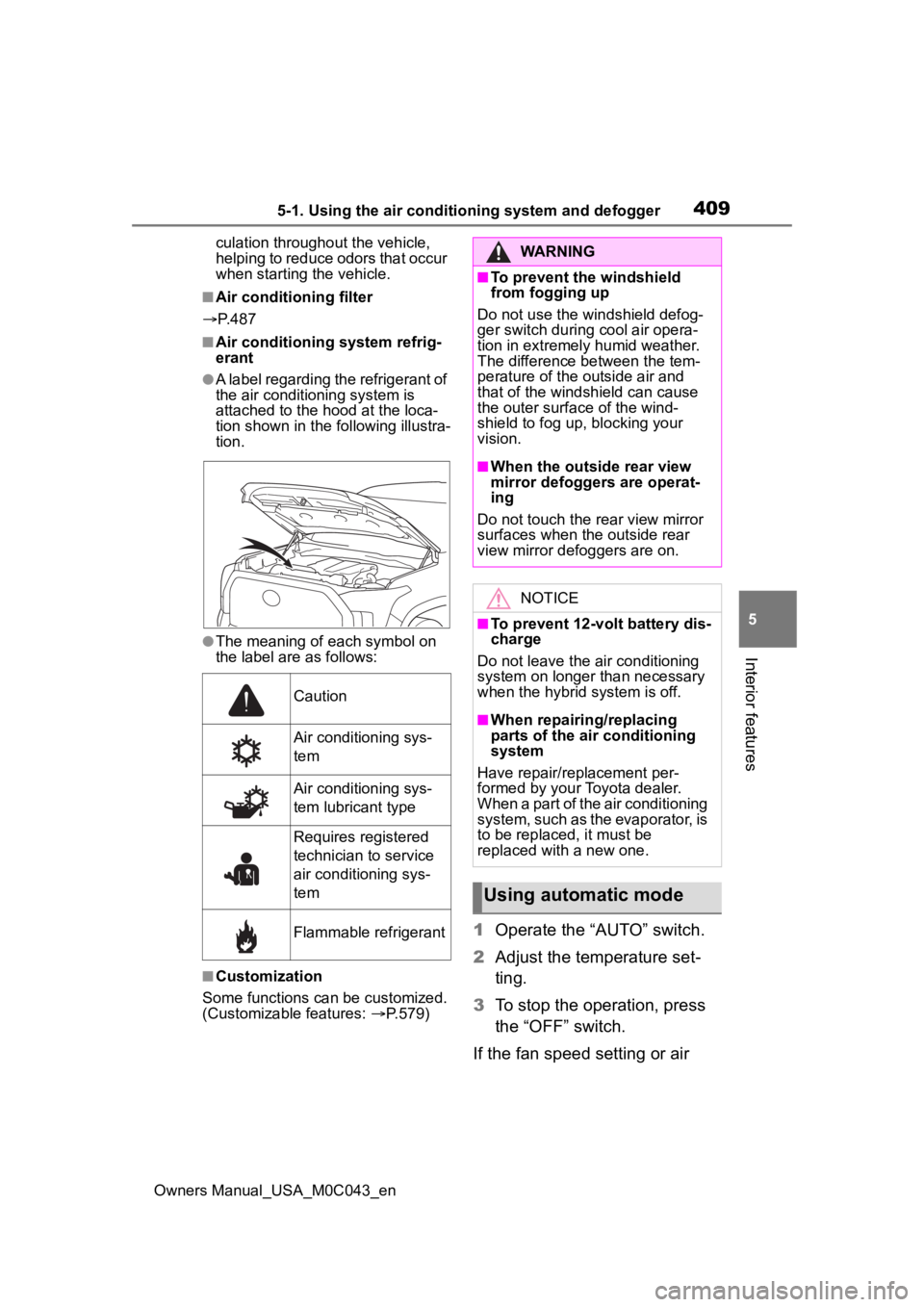
●A label regarding the refrigerant of
the air conditioning system is
attached to the ho od at the loca-
tion shown in the f ollowing illustra-
tion.
●The meaning of each symbol on
the label are as follows:
■Customization
Some functions can be customized.
(Customizable features: P.579)
1 Operate the “AUTO” switch.
2 Adjust the temperature set-
ting.
3 To stop the operation, press
the “OFF” switch.
If the fan speed setting or air
Caution
Air conditioning sys-
tem
Air conditioning sys-
tem lubricant type
Requires registered
technician to service
air conditioning sys-
tem
Flammable refrigerant
WARNING
■To prevent the windshield
from fogging up
Do not use the windshield defog-
ger switch during cool air opera-
tion in extremely humid weather.
The difference between the tem-
perature of the outside air and
that of the windshield can cause
the outer surface of the wind-
shield to fog up, blocking your
vision.
■When the outside rear view
mirror defoggers are operat-
ing
Do not touch the rear view mirror
surfaces when the outside rear
view mirror def oggers are on.
NOTICE
■To prevent 12-volt battery dis-
charge
Do not leave the air conditioning
system on longer than necessary
when the hybrid system is off.
■When repairing/replacing
parts of the air conditioning
system
Have repair/replacement per-
formed by your Toyota dealer.
When a part of the air conditioning
system, such as the evaporator, is
to be replaced, it must be
replaced with a new one.
Using automatic mode
Page 414 of 628
4145-1. Using the air conditioning system and defogger
Owners Manual_USA_M0C043_en
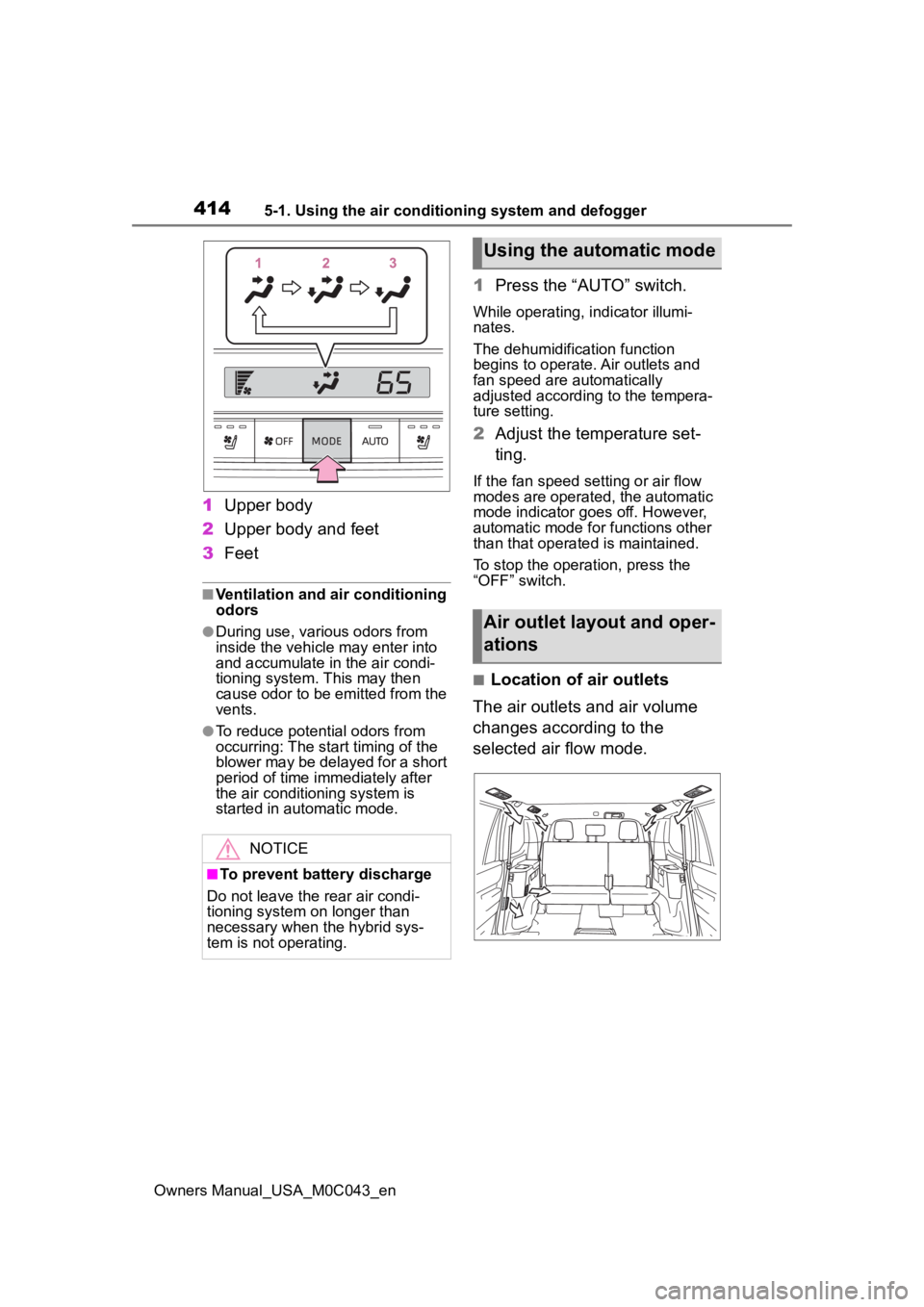
1Upper body
2 Upper body and feet
3 Feet
■Ventilation and air conditioning
odors
●During use, various odors from
inside the vehicle may enter into
and accumulate in the air condi-
tioning system. This may then
cause odor to be emitted from the
vents.
●To reduce potential odors from
occurring: The start timing of the
blower may be delayed for a short
period of time immediately after
the air conditioning system is
started in automatic mode.
1Press the “AUTO” switch.
While operating, indicator illumi-
nates.
The dehumidification function
begins to operate. Air outlets and
fan speed are automatically
adjusted according to the tempera-
ture setting.
2Adjust the temperature set-
ting.
If the fan speed se tting or air flow
modes are operated, the automatic
mode indicator goes off. However,
automatic mode for functions other
than that operated is maintained.
To stop the operation, press the
“OFF” switch.
■Location of air outlets
The air outlets and air volume
changes according to the
selected air flow mode.
NOTICE
■To prevent battery discharge
Do not leave the rear air condi-
tioning system on longer than
necessary when the hybrid sys-
tem is not operating.
Using the automatic mode
Air outlet layout and oper-
ations
Page 416 of 628
4165-1. Using the air conditioning system and defogger
Owners Manual_USA_M0C043_en
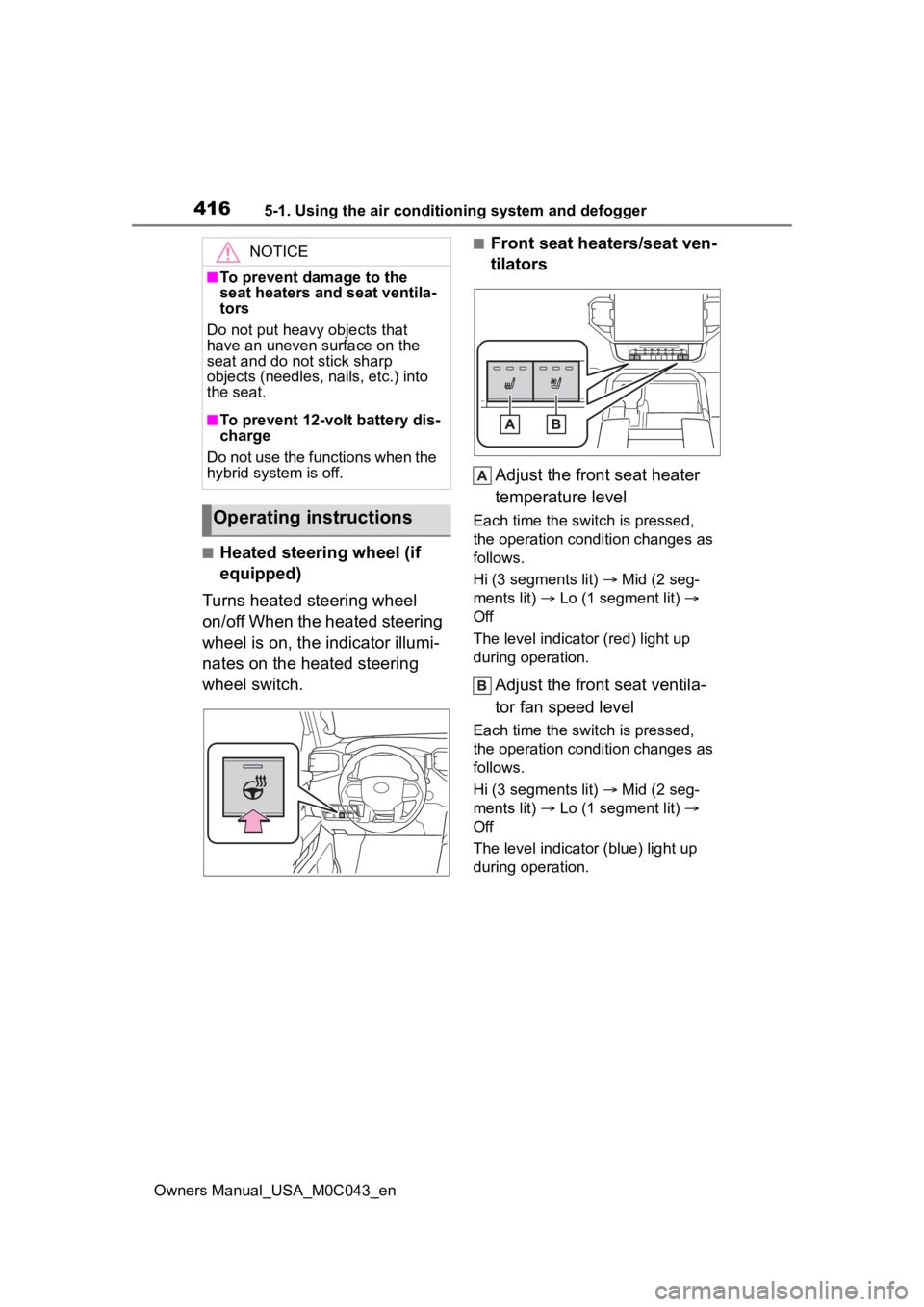
■Heated steering wheel (if
equipped)
Turns heated steering wheel
on/off When the heated steering
wheel is on, the indicator illumi-
nates on the heated steering
wheel switch.
■Front seat heaters/seat ven-
tilators
Adjust the front seat heater
temperature level
Each time the switch is pressed,
the operation condition changes as
follows.
Hi (3 segments lit) Mid (2 seg-
ments lit) Lo (1 segment lit)
Off
The level indicator (red) light up
during operation.
Adjust the front seat ventila-
tor fan speed level
Each time the switch is pressed,
the operation condition changes as
follows.
Hi (3 segments lit) Mid (2 seg-
ments lit) Lo (1 segment lit)
Off
The level indicato r (blue) light up
during operation.
NOTICE
■To prevent damage to the
seat heaters and seat ventila-
tors
Do not put heavy objects that
have an uneven surface on the
seat and do not stick sharp
objects (needles, nails, etc.) into
the seat.
■To prevent 12-volt battery dis-
charge
Do not use the functions when the
hybrid system is off.
Operating instructions