door lock TOYOTA SIENNA 2009 XL20 / 2.G Owners Manual
[x] Cancel search | Manufacturer: TOYOTA, Model Year: 2009, Model line: SIENNA, Model: TOYOTA SIENNA 2009 XL20 / 2.GPages: 592, PDF Size: 12.86 MB
Page 1 of 592
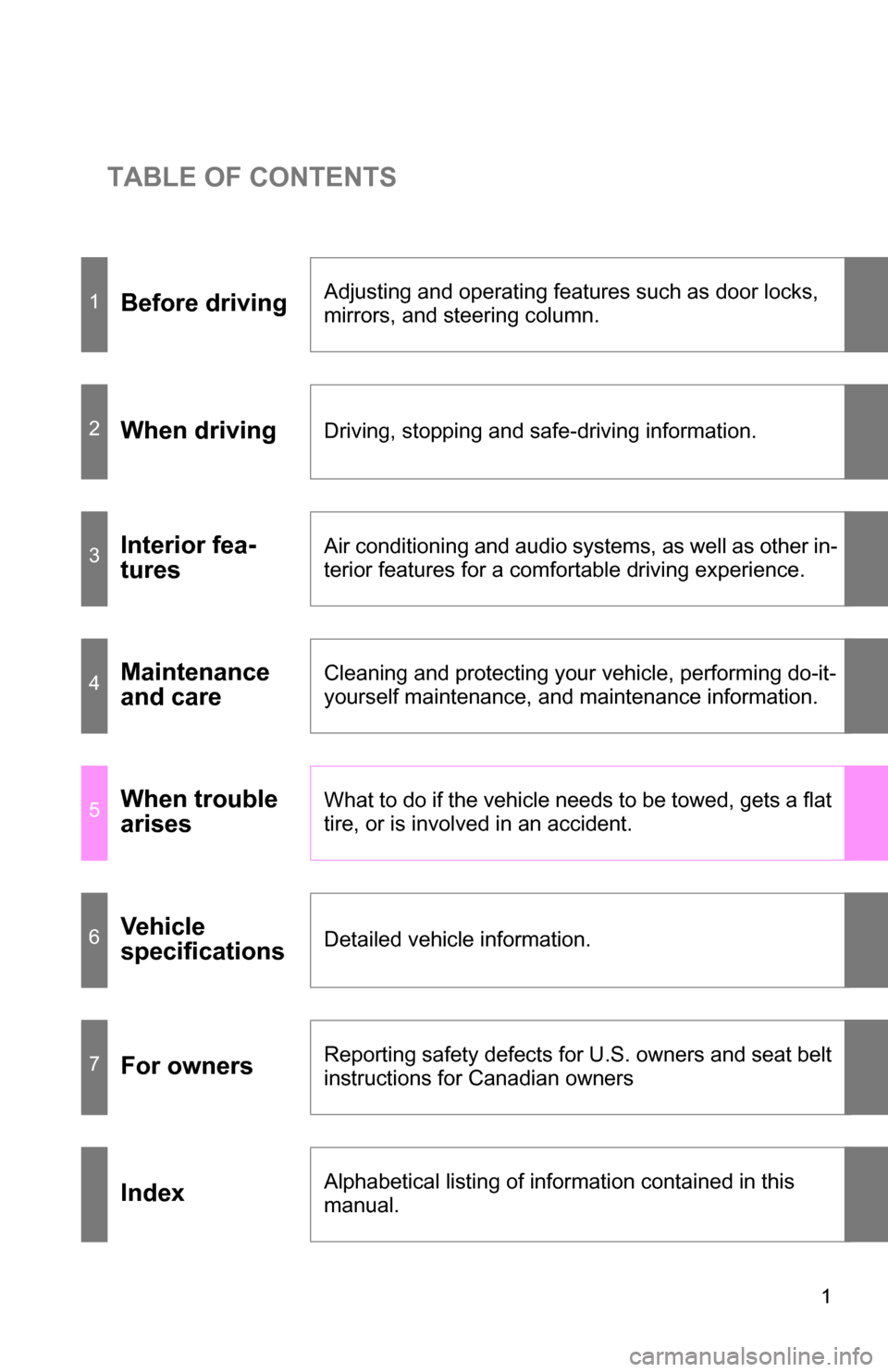
TABLE OF CONTENTS
1
1Before drivingAdjusting and operating features such as door locks,
mirrors, and steering column.
2When drivingDriving, stopping and safe-driving information.
3Interior fea-
turesAir conditioning and audio systems, as well as other in-
terior features for a comfortable driving experience.
4Maintenance
and careCleaning and protecting your vehicle, performing do-it-
yourself maintenance, and maintenance information.
5When trouble
arisesWhat to do if the vehicle needs to be towed, gets a flat
tire, or is involved in an accident.
6Vehicle
specificationsDetailed vehicle information.
7For ownersReporting safety defects for U.S. owners and seat belt
instructions for Canadian owners
IndexAlphabetical listing of information contained in this
manual.
Page 2 of 592
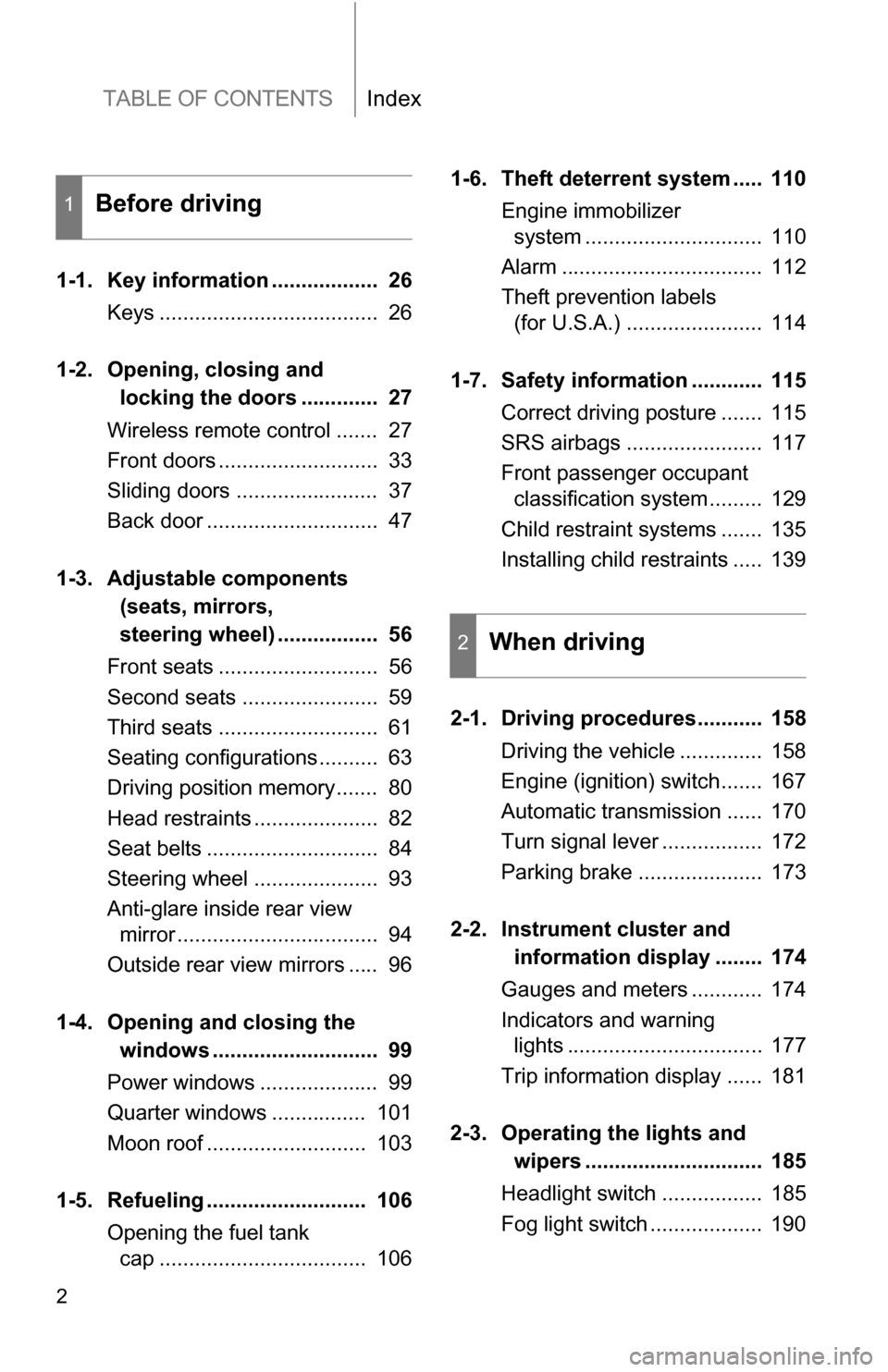
TABLE OF CONTENTSIndex
2
1-1. Key information .................. 26Keys ..................................... 26
1-2. Opening, closing and
locking the doors ............. 27
Wireless remote control ....... 27
Front doors ........................... 33
Sliding doors ........................ 37
Back door ............................. 47
1-3. Adjustable components
(seats, mirrors,
steering wheel) ................. 56
Front seats ........................... 56
Second seats ....................... 59
Third seats ........................... 61
Seating configurations.......... 63
Driving position memory....... 80
Head restraints ..................... 82
Seat belts ............................. 84
Steering wheel ..................... 93
Anti-glare inside rear view mirror .................................. 94
Outside rear view mirrors ..... 96
1-4. Opening a nd closing the
window s ............................ 99
Power windows .................... 99
Quarter windows ................ 101
Moon roof ........................... 103
1-5. Refueling ........................... 106 Opening the fuel tank cap ................................... 106 1-6. Theft deterrent system ..... 110
Engine immobilizer system .............................. 110
Alarm .................................. 112
Theft prevention labels (for U.S.A.) ....................... 114
1-7. Safety information ............ 115 Correct driving posture ....... 115
SRS airbags ....................... 117
Front passenger occupant classification system ......... 129
Child restraint systems ....... 135
Installing child restraints ..... 139
2-1. Driving procedures........... 158 Driving the vehicle .............. 158
Engine (ignition) switch....... 167
Automatic transmission ...... 170
Turn signal lever ................. 172
Parking brake ..................... 173
2-2. Instrument cl uster and
information display ........ 174
Gauges and meters ............ 174
Indicators and warning lights ................................. 177
Trip information display ...... 181
2-3. Operating the li ghts and
wipers .............................. 185
Headlight switch ................. 185
Fog light switch ................... 190
1Before driving
2When driving
Page 4 of 592
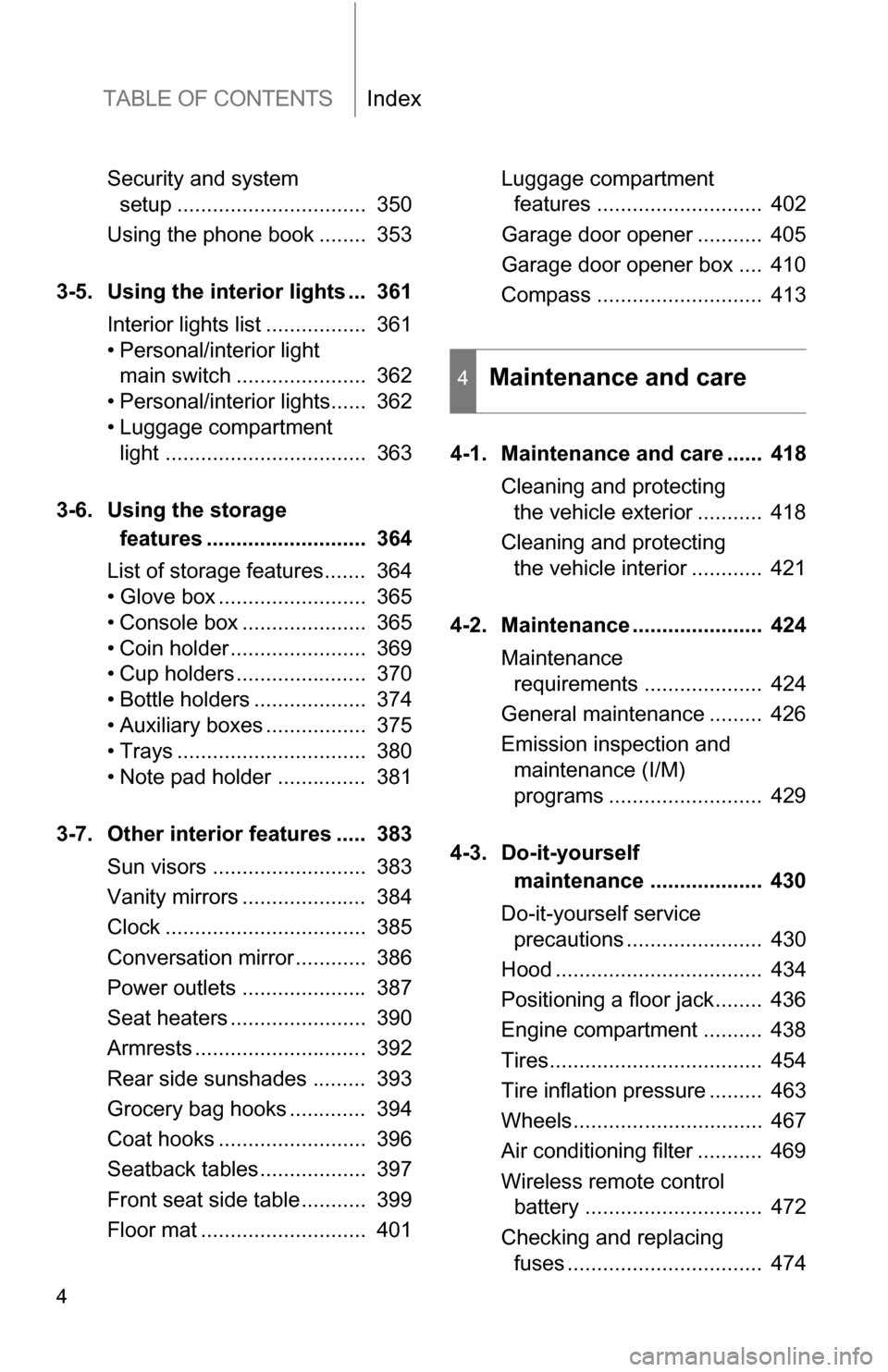
TABLE OF CONTENTSIndex
4
Security and system setup ................................ 350
Using the phone book ........ 353
3-5. Using the interior lights ... 361 Interior lights list ................. 361
• Personal/interior light main switch ...................... 362
• Personal/interior lights...... 362
• Luggage compartment light .................................. 363
3-6. Using the storage features ........................... 364
List of storage features....... 364
• Glove box ......................... 365
• Console box ..................... 365
• Coin holder ....................... 369
• Cup holders ...................... 370
• Bottle holders ................... 374
• Auxiliary boxes ................. 375
• Trays ................................ 380
• Note pad holder ............... 381
3-7. Other interior features ..... 383 Sun visors .......................... 383
Vanity mirrors ..................... 384
Clock .................................. 385
Conversation mirror............ 386
Power outlets ..................... 387
Seat heaters ....................... 390
Armrests ............................. 392
Rear side sunshades ......... 393
Grocery bag hooks ............. 394
Coat hooks ......................... 396
Seatback tables.................. 397
Front seat side table........... 399
Floor mat ............................ 401 Luggage compartment
features ............................ 402
Garage door opener ........... 405
Garage door opener box .... 410
Compass ............................ 413
4-1. Maintenance and care ...... 418 Cleaning and protecting the vehicle exterior ........... 418
Cleaning and protecting the vehicle interior ............ 421
4-2. Maintenance ...................... 424 Maintenance requirements .................... 424
General maintenance ......... 426
Emission inspection and maintenance (I/M)
programs .......................... 429
4-3. Do-it-yourself maintenance ................... 430
Do-it-yourself service precautions ....................... 430
Hood ................................... 434
Positioning a floor jack........ 436
Engine compartment .......... 438
Tires.................................... 454
Tire inflation pressure ......... 463
Wheels................................ 467
Air conditioning filter ........... 469
Wireless remote control battery .............................. 472
Checking and replacing fuses ................................. 474
4Maintenance and care
Page 11 of 592
11
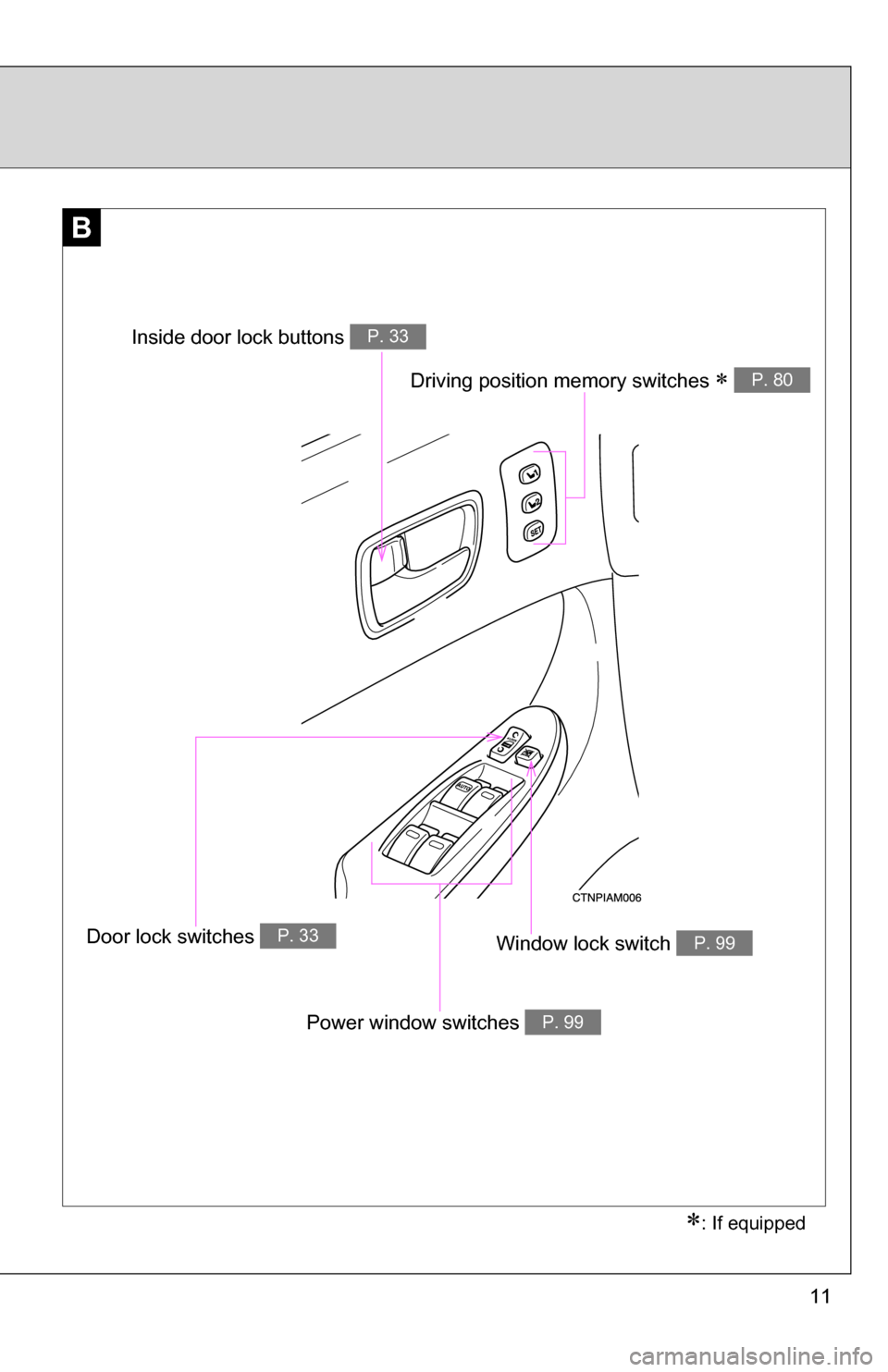
B
Window lock switch P. 99
Power window switches P. 99
Door lock switches P. 33
Inside door lock buttons P. 33
: If equipped
Driving position memory switches P. 80
Page 14 of 592
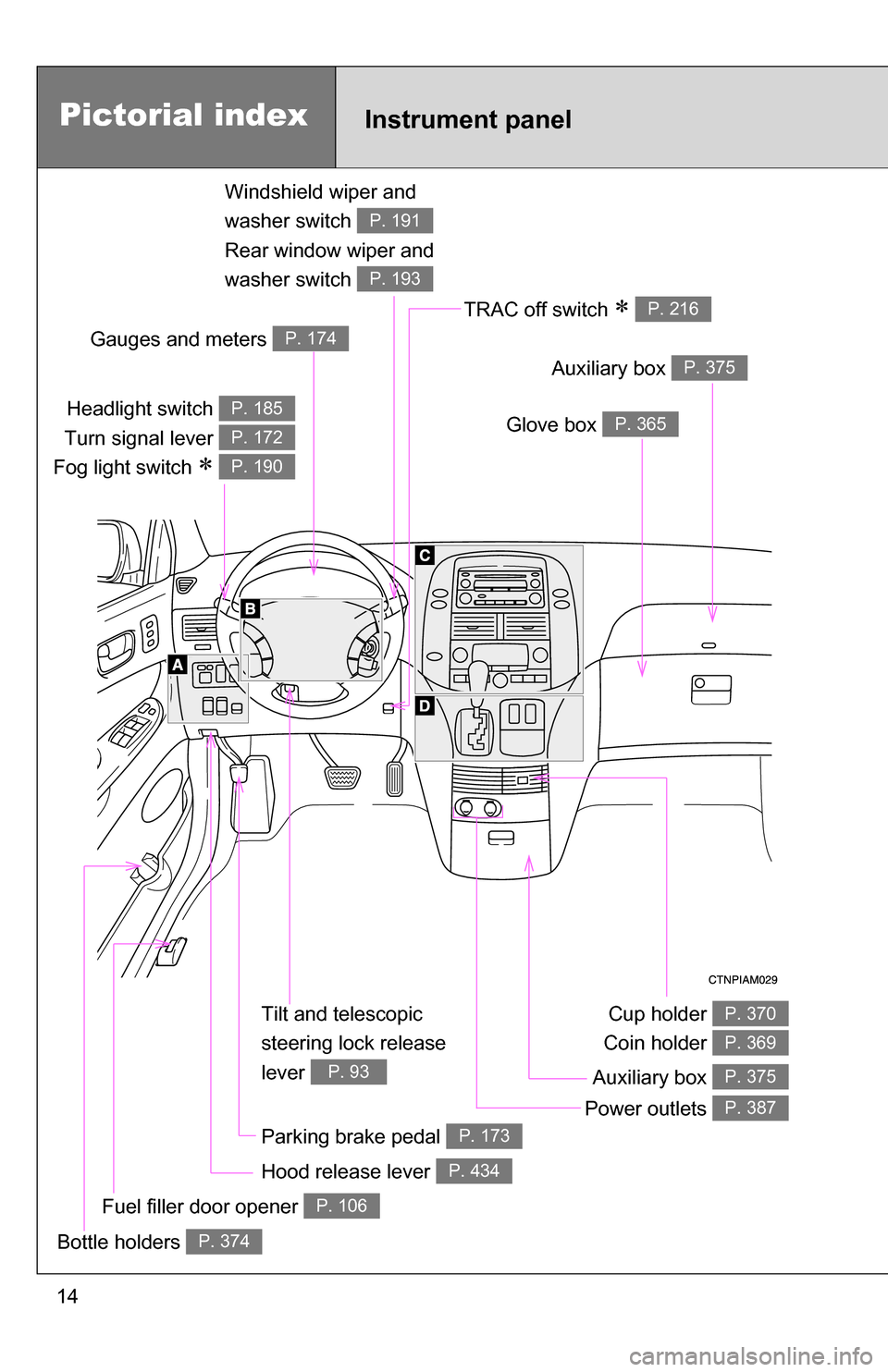
14
Tilt and telescopic
steering lock release
lever
P. 93
Pictorial index
Headlight switch
Turn signal lever
Fog light switch
P. 185
P. 172
P. 190
Instrument panel
Glove box P. 365
Windshield wiper and
washer switch
Rear window wiper and
washer switch
P. 191
P. 193
Auxiliary box P. 375
Power outlets P. 387
Fuel filler door opener P. 106
Gauges and meters P. 174
TRAC off switch P. 216
Cup holder
Coin holder P. 370
P. 369
Auxiliary box P. 375
Parking brake pedal P. 173
Bottle holders P. 374
Hood release lever P. 434
Page 25 of 592
Before driving1
25
1-1. Key information................ 26Keys ................................... 26
1-2. Opening, closing and locking the doors ........... 27
Wireless remote control ..... 27
Front doors......................... 33
Sliding doors ...................... 37
Back door ........................... 47
1-3. Adjustable components (seats, mirrors,
steering wheel)............... 56
Front seats ......................... 56
Second seats ..................... 59
Third seats ......................... 61
Seating configurations ....... 63
Driving position memory .... 80
Head restraints................... 82
Seat belts ........................... 84
Steering wheel ................... 93
Anti-glare inside rear view mirror ............................... 94
Outside rear view mirrors ... 96 1-4. Opening and closing the
windows.......................... 99
Power windows .................. 99
Quarter windows .............. 101
Moon roof ......................... 103
1-5. Refueling......................... 106 Opening the fuel tank cap ................................. 106
1-6. Theft deterrent system .......................... 110
Engine immobilizer system ........................... 110
Alarm................................ 112
Theft prevention labels (for U.S.A.) ..................... 114
1-7. Safety information ......... 115 Correct driving posture..... 115
SRS airbags ..................... 117
Front passenger occupant classification system ...... 129
Child restraint systems..... 135
Installing child restraints ........................ 139
Page 27 of 592

27
1
Before driving
1-2. Opening, closing and locking the doors
Wireless remote control
The wireless remote control can be used to lock and unlock the vehi-
cle from outside the vehicle.
Ty p e A
Locks all doors
Unlocks all doors
Pressing the button unlocks
the driver’s door. Pressing the
button again within 3 seconds
unlocks the other doors.
Pushing and holding:
Sounds alarm
Pushing and holding:
Opens and closes the right
side power sliding door (if
equipped)
Page 28 of 592
28 1-2. Opening, closing and locking the doors
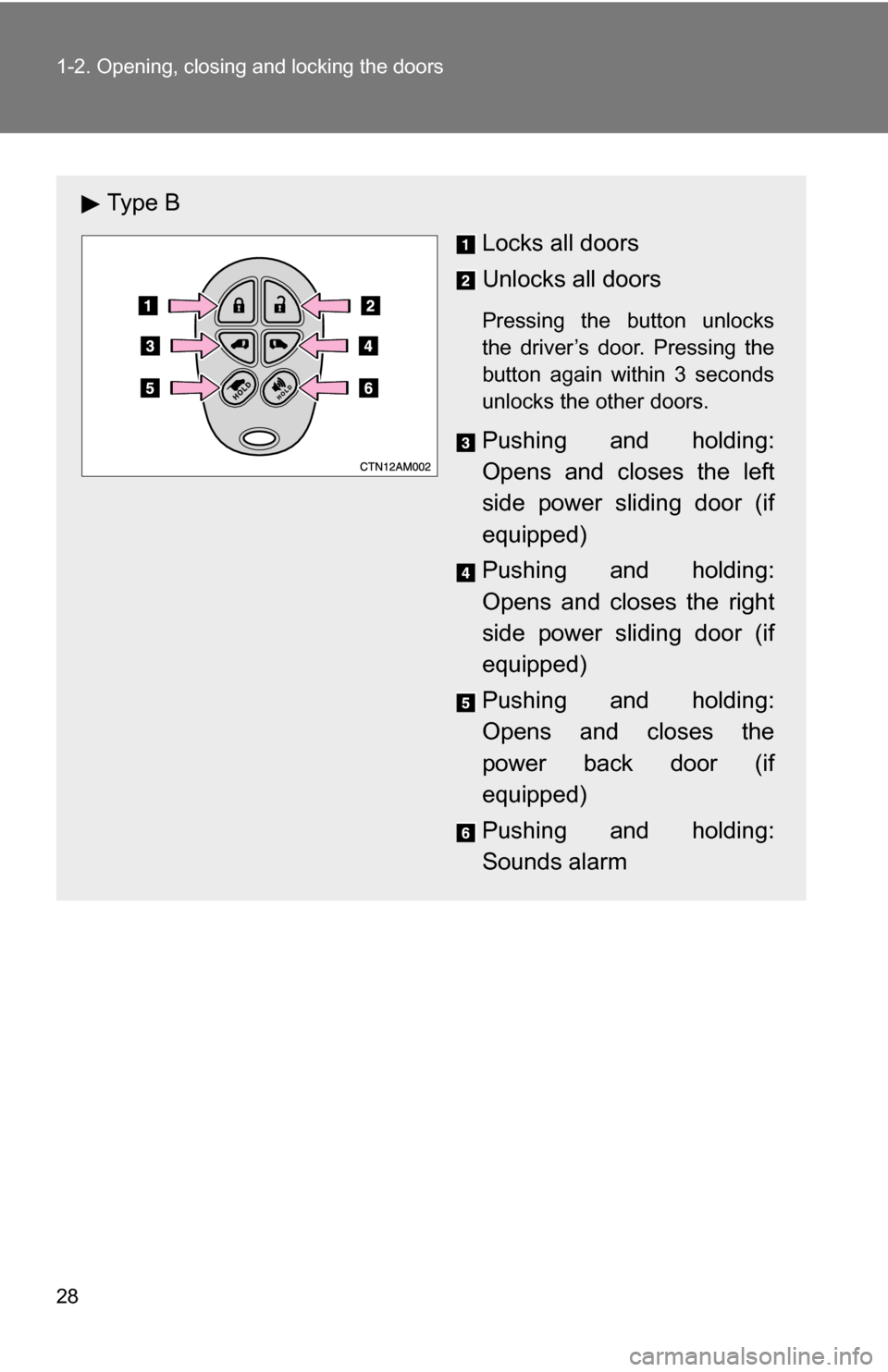
Ty p e BLocks all doors
Unlocks all doors
Pressing the button unlocks
the driver’s door. Pressing the
button again within 3 seconds
unlocks the other doors.
Pushing and holding:
Opens and closes the left
side power sliding door (if
equipped)
Pushing and holding:
Opens and closes the right
side power sliding door (if
equipped)
Pushing and holding:
Opens and closes the
power back door (if
equipped)
Pushing and holding:
Sounds alarm
Page 29 of 592

29
1-2. Opening, closing and locking the doors
1
Before driving
■
Operation signals
Doors: A buzzer sounds and the emergency flashers flash to indicate that
the doors have been locked/unlocked. (Locked: Once; Unlocked:
Twice)
Back door (type B only): A buzzer sounds and the emergency flashers flash twice to indicate that the back door has been
opened/closed.
■ Door lock buzzer
If a door is not fully closed, a buzzer sounds continuously for 10 seconds if
an attempt to lock the door is made. Fully close the door to stop the buzzer,
and lock the vehicle once more.
■ Panic mode
■ Wireless remote control battery depletion
If the wireless remote control function does not operate, the battery may be
depleted. Replace the battery when necessary. ( P. 472)
■ Security feature
If a door is not opened within approximately 60 seconds after the vehicle is
unlocked, the security feature automatically locks the vehicle again.
When is pressed for longer
than about one second, an alarm will
sound intermittently and the vehicle
lights will flash to deter any person from
trying to break into or damage your
vehicle.
To stop the alarm, press any button on
the wireless remote control.
Page 30 of 592

30 1-2. Opening, closing and locking the doors
■Conditions affecting operation
The wireless remote control function may not operate normally in the follow-
ing situations.
●Near a TV tower, radio station, electr ic power plant, airport or other facil-
ity that generates strong radio waves
● When carrying a portable radio, cell ular phone or other wireless commu-
nication devices
● When multiple wireless remote control are in the vicinity
● When the wireless remote control is in contact with, or is covered by, a
metallic object
● When a wireless remote control (that emits radio waves) is being used
nearby
● When the wireless remote control has been left near an electrical appli-
ance such as a personal computer
● If window tint with a metallic content or metallic objects is attached to the
rear window
■ Customization that can be co nfigured at Toyota dealer
Settings (e.g. operation signal) can be changed.
(Customizable features P. 565)