Headlight TOYOTA SIENNA 2012 XL30 / 3.G User Guide
[x] Cancel search | Manufacturer: TOYOTA, Model Year: 2012, Model line: SIENNA, Model: TOYOTA SIENNA 2012 XL30 / 3.GPages: 860, PDF Size: 15.08 MB
Page 270 of 860
270 2-3. Operating the lights and wipers
SIENNA_U (OM45477U)
■Daytime running light system (if equipped)
● To make your vehicle more visible to other drivers, the headlights turn on
automatically (at a reduced intensity) whenever the engine is started and
the parking brake is released. Daytime running lights are not designed for
use at night.
For the U.S.A.: Daytime running lights can be turned off by operating the
headlight switch.
● Compared to turning on the headlights, the daytime running light system
offers greater durability and consumes less electricity, so it can help
improve fuel economy.
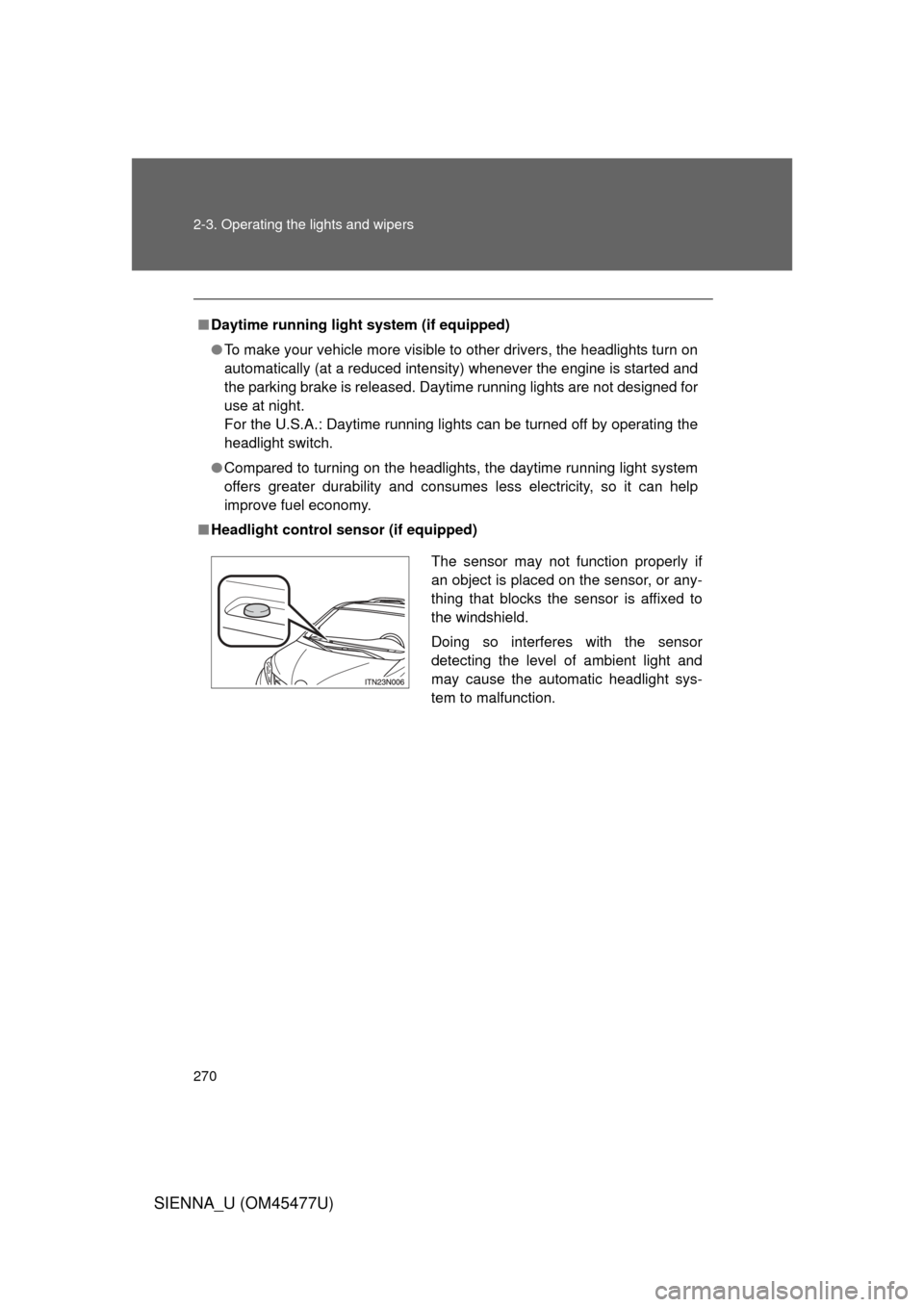
■ Headlight control sensor (if equipped)
The sensor may not function properly if
an object is placed on the sensor, or any-
thing that blocks the sensor is affixed to
the windshield.
Doing so interferes with the sensor
detecting the level of ambient light and
may cause the automatic headlight sys-
tem to malfunction.
Page 271 of 860
271
2-3. Operating the lights and wipers
2
When driving
SIENNA_U (OM45477U)
■
Automatic light off system
Vehicles without a smart key system
● When the headlights are on: The headlights and tail lights turn off 30 sec-
onds after a door is opened and closed if the engine switch is turned to
the “ACC” or “LOCK” position. (The lights turn off immediately if
on the key is pressed after all the doors are locked.)
● When only the tail lights are on: The tail lights turn off automatically if the
engine switch is turned to the “ACC” or “LOCK” position and the driver’s
door is opened.
To turn the lights on again, turn the engine switch to the “ON” position, or
turn the light switch off once and then back to the
or .
Vehicles with a smart key system
● When the headlights are on: The headlights and tail lights turn off 30 sec-
onds after a door is opened and closed if the “ENGINE START STOP”
switch is turned to ACCESSORY mode or turned off. (The lights turn off
immediately if on the key is pressed after all the doors are
locked.)
● When only the tail lights are on: The tail lights turn off automatically if the
“ENGINE START STOP” switch is turned to ACCESSORY mode or
turned off and the driver’s door is opened.
To turn the lights on again, turn the “ENGINE START STOP” switch to IGNI-
TION ON mode, or turn the light switch off and then back to or
.
Page 273 of 860
273
2-3. Operating the lights and wipers
2
When driving
SIENNA_U (OM45477U)
Automatic High Beam
: If equipped
The Automatic High Beam uses an in-vehicle camera sensor to
assess the brightness of streetligh ts, the lights of oncoming and
preceding vehicles, etc., and automatically turns high beam on or off
as necessary.
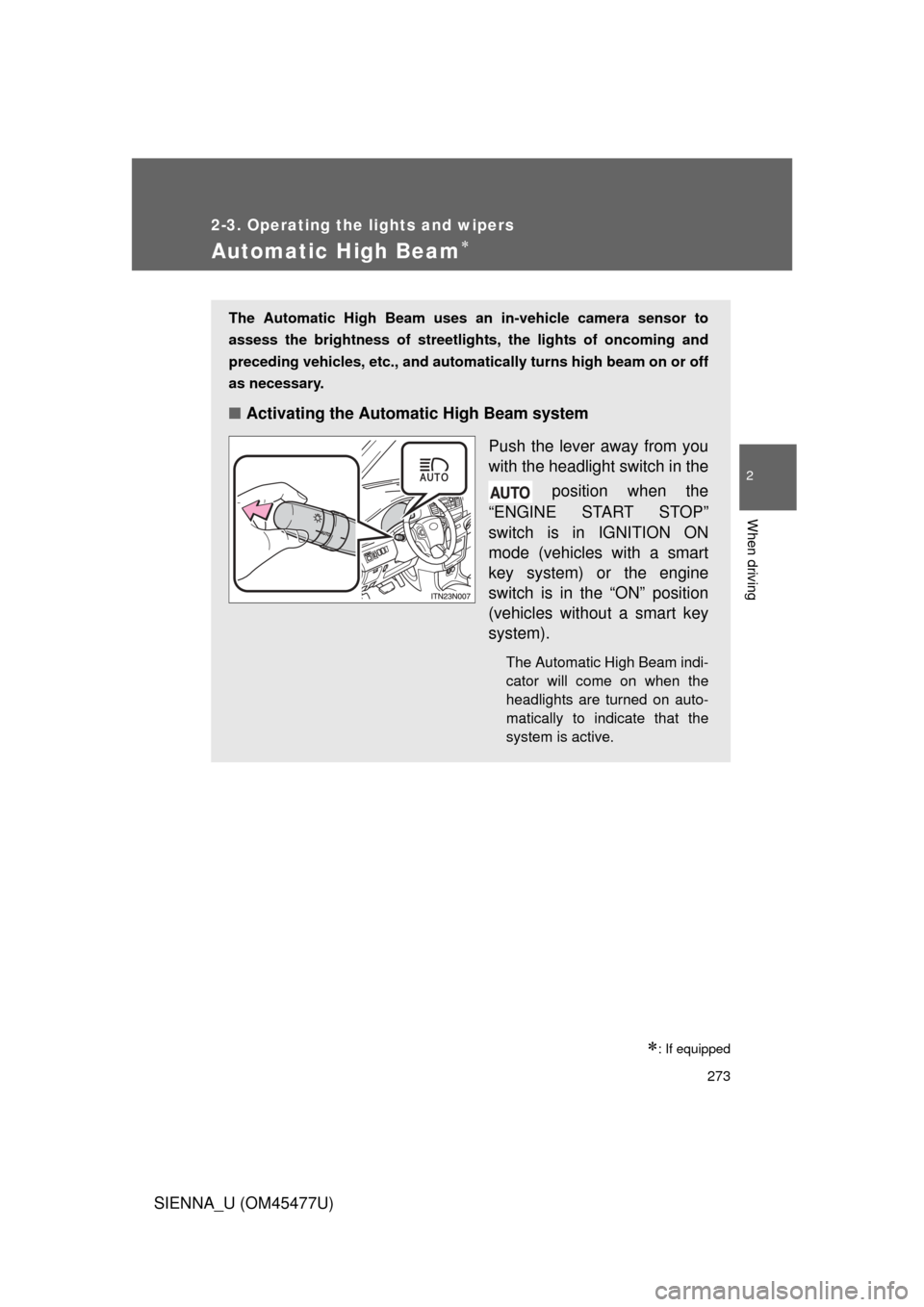
■ Activating the Automatic High Beam system
Push the lever away from you
with the headlight switch in the position when the
“ENGINE START STOP”
switch is in IGNITION ON
mode (vehicles with a smart
key system) or the engine
switch is in the “ON” position
(vehicles without a smart key
system).
The Automatic High Beam indi-
cator will come on when the
headlights are turned on auto-
matically to indicate that the
system is active.
Page 275 of 860

275
2-3. Operating the lights and wipers
2
When driving
SIENNA_U (OM45477U)
■
High beam automatic turning on or off conditions
When all of the following conditio ns are fulfilled, high beam will be
automatically turned on (aft er approximately 1 second):
● Vehicle speed is above approximately 20 mph (32 km/h).
● The area ahead of the vehicle is dark.
● There are no oncoming or preceding vehicles with headlights or
tail lights turned on.
If any of the following conditions are fulfilled, high beam will be
automatically turned off:
● Vehicle speed drops below approximately 20 mph (32 km/h).
● The area ahead of the vehicle is not dark.
● Oncoming or preceding vehicles have headlights or tail lights
turned on.
Page 276 of 860

276 2-3. Operating the lights and wipers
SIENNA_U (OM45477U)
■Limitations of the Automatic High Beam
Do not rely on the Automatic High Beam. Always drive safely, taking care to
observe your surroundings and turning high beam on or off manually if nec-
essary.
■ Camera sensor detection information
● High beam may not be automatically turned off in the following situations:
• When oncoming vehicles suddenly appear from a curve.
• When the vehicle is cut in front of by another.
● High beam may be turned off if an oncoming vehicle that is using fog
lights without using the headlights is detected.
● Houselights, streetlights, red traffic signals, and illuminated billboards or
signs may cause the high beam to turn off.
● The following factors may affect the amount of time taken to turn high
beam on or off:
• The brightness of headlights, fog lights, and tail lights of oncoming and
preceding vehicles
• Road conditions (wetness, ice, snow etc.)
• The number of passengers and amount of baggage
● High beam may be turned on or off when unexpected by the driver.
Page 277 of 860

277
2-3. Operating the lights and wipers
2
When driving
SIENNA_U (OM45477U)
●
In the situations below, the system may not be able to correctly detect the
surrounding brightness levels, and may flash or expose nearby pedestri-
ans to the high beam. Therefore, you should consider turning the high
beam on or off manually rather than relying on the Automatic High Beam
system.
• In bad weather (rain, snow, fog, sandstorms etc.)
• The windshield is obscured by fog, mist, ice, dirt etc.
• The windshield is cracked or damaged.
• The inside rear view mirror or ca mera sensor is deformed or dirty.
• Surrounding brightness levels are equal to those of headlights, tail lights or fog lights.
• Vehicles ahead have headlights that are either switched off, dirty, are changing color, or are not aimed properly.
• When driving through an area of intermittently changing brightness and darkness
• When frequently and repeatedly driving ascending/descending roads, or roads with rough, bumpy or uneven surfaces (such as stone-paved
roads, gravel tracks etc.)
• When frequently and repeatedly taking curves or driving on a winding road
• There is a highly reflective object ahead of the vehicle, such as a sign or a mirror.
• The vehicle’s headlights are damaged or dirty.
• The vehicle is lifting or tilting, due to a flat tire, a trailer being towed etc.
• The Automatic High Beam indicator is flashing.
• The high beam and low beam are repeatedly being switched between in an abnormal manner.
• The driver believes that the high beam may be causing problems or distress to other drivers or pedestrians nearby.
Page 279 of 860
279
2-3. Operating the lights and wipers
2
When driving
SIENNA_U (OM45477U)
NOTICE
■
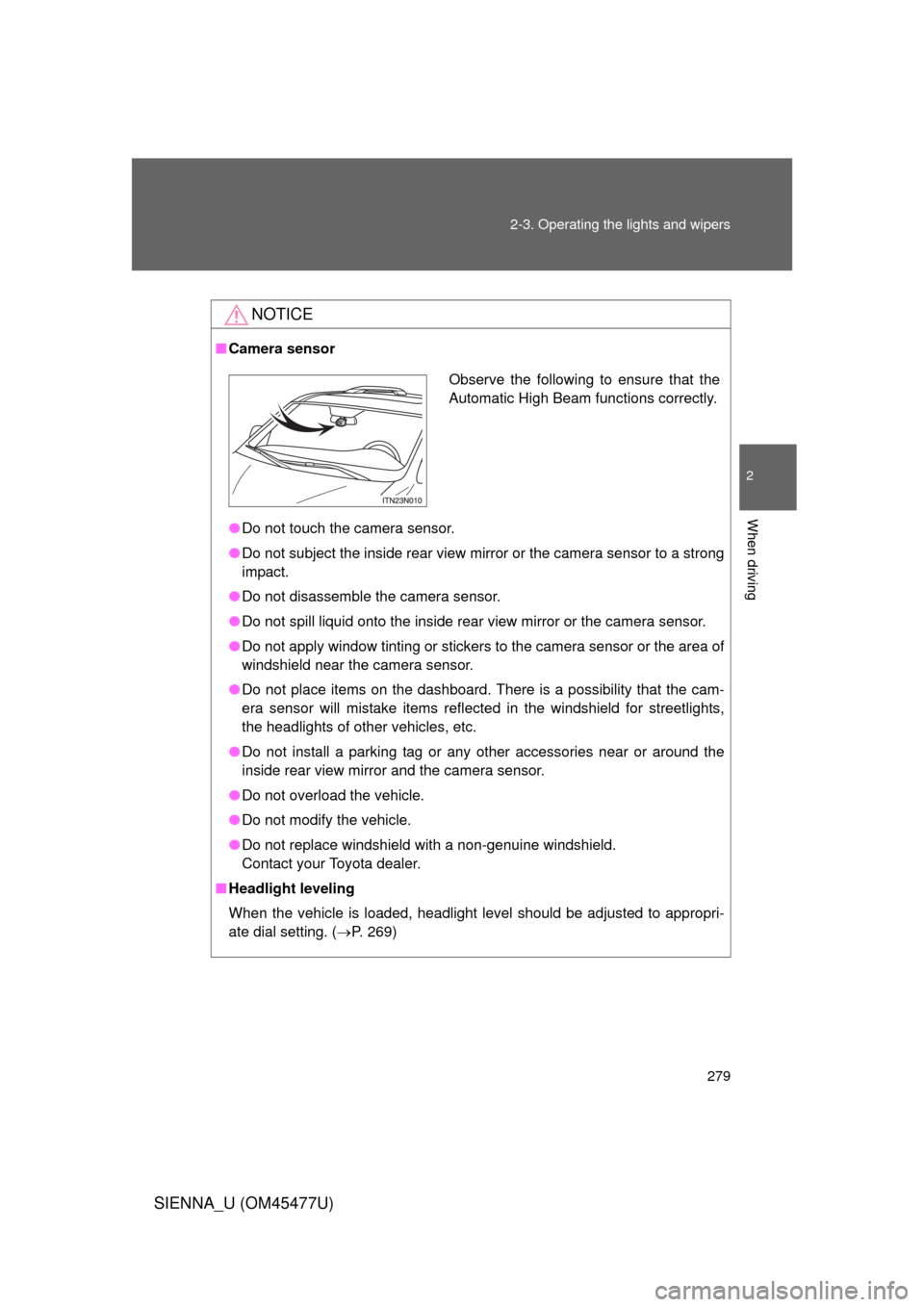
Camera sensor
● Do not touch the camera sensor.
● Do not subject the inside rear view mirror or the camera sensor to a strong
impact.
● Do not disassemble the camera sensor.
● Do not spill liquid onto the inside rear view mirror or the camera sensor.
● Do not apply window tinting or stickers to the camera sensor or the area of
windshield near the camera sensor.
● Do not place items on the dashboard. There is a possibility that the cam-
era sensor will mistake items reflected in the windshield for streetlights,
the headlights of other vehicles, etc.
● Do not install a parking tag or an y other accessories near or around the
inside rear view mirror and the camera sensor.
● Do not overload the vehicle.
● Do not modify the vehicle.
● Do not replace windshield with a non-genuine windshield.
Contact your Toyota dealer.
■ Headlight leveling
When the vehicle is loaded, headlight level should be adjusted to appropri-
ate dial setting. ( P. 269)
Observe the following to ensure that the
Automatic High Beam functions correctly.
Page 281 of 860
281
2-3. Operating the lights and wipers
2
When driving
SIENNA_U (OM45477U)
■
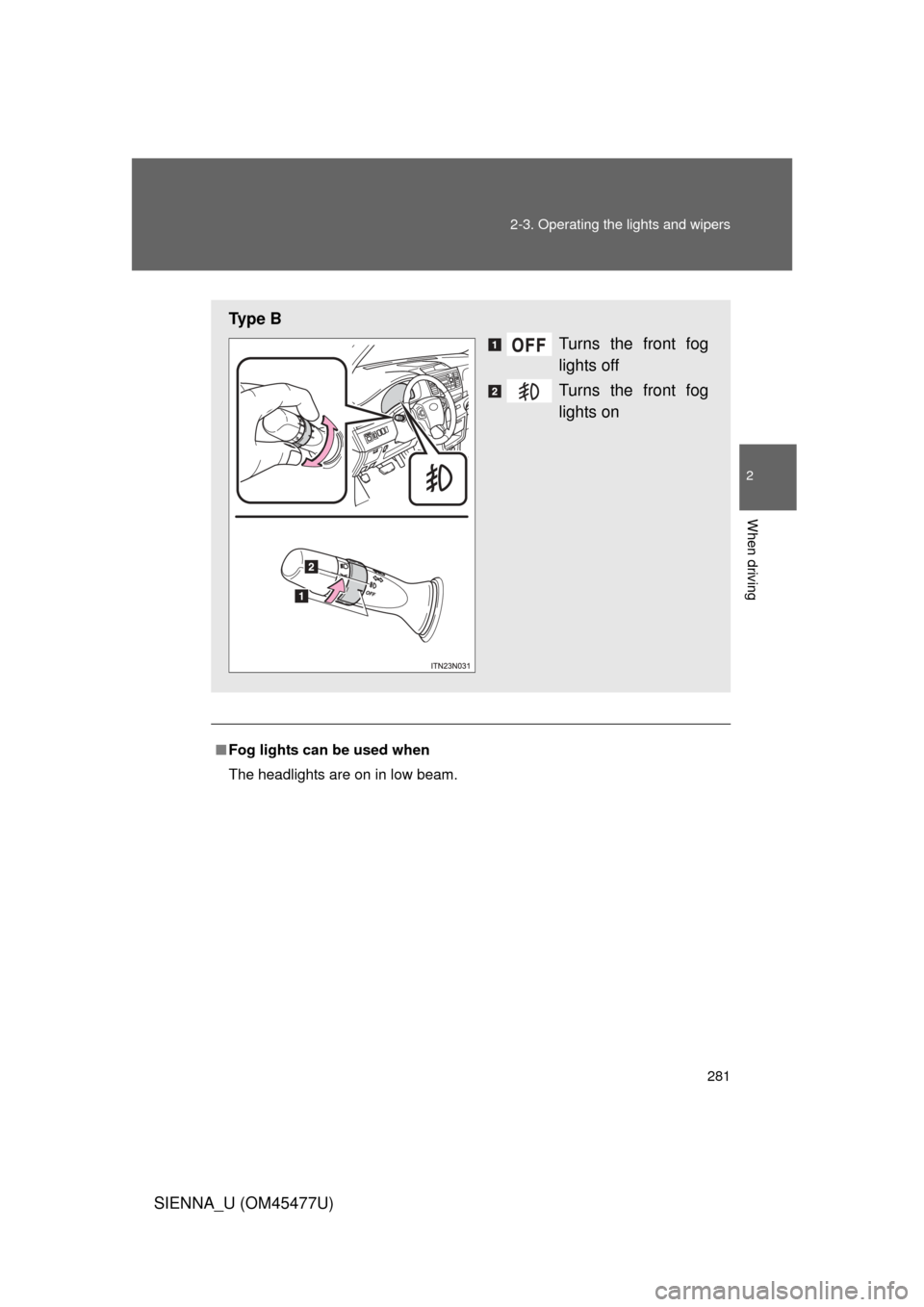
Fog lights can be used when
The headlights are on in low beam.
Ty p e B
Turns the front fog
lights off
Turns the front fog
lights on
Page 323 of 860
323
2-4. Using other
driving systems
2
When driving
SIENNA_U (OM45477U)
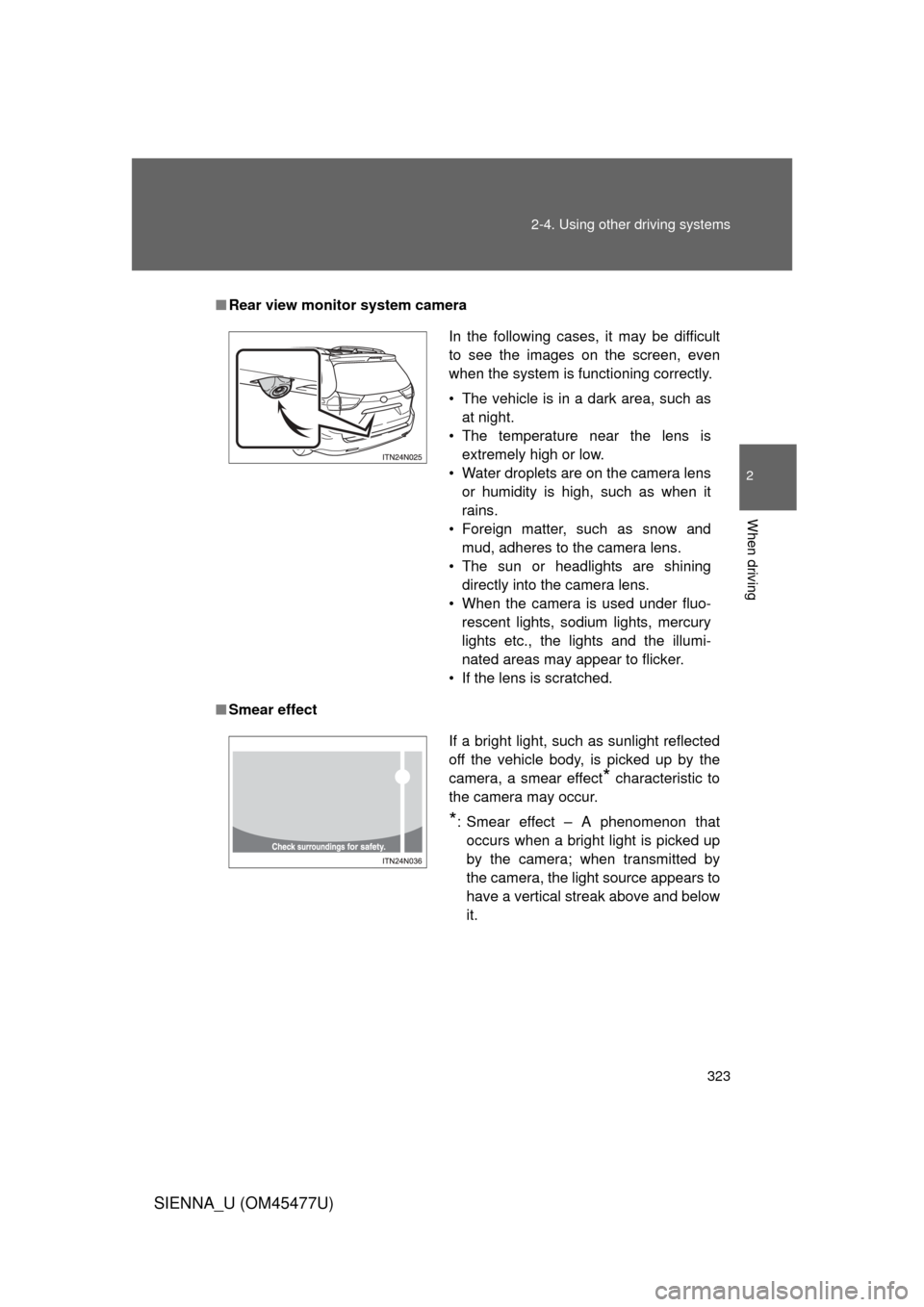
■Rear view monitor system camera
■ Smear effect
In the following cases, it may be difficult
to see the images on the screen, even
when the system is functioning correctly.
• The vehicle is in a dark area, such as
at night.
• The temperature near the lens is extremely high or low.
• Water droplets are on the camera lens or humidity is high, such as when it
rains.
• Foreign matter, such as snow and mud, adheres to the camera lens.
• The sun or headlights are shining directly into the camera lens.
• When the camera is used under fluo- rescent lights, sodium lights, mercury
lights etc., the lights and the illumi-
nated areas may appear to flicker.
• If the lens is scratched.
If a bright light, such as sunlight reflected
off the vehicle body, is picked up by the
camera, a smear effect
* characteristic to
the camera may occur.
*: Smear effect – A phenomenon that occurs when a bright light is picked up
by the camera; when transmitted by
the camera, the light source appears to
have a vertical streak above and below
it.
Page 576 of 860
576 3-7. Using the storage features
SIENNA_U (OM45477U)
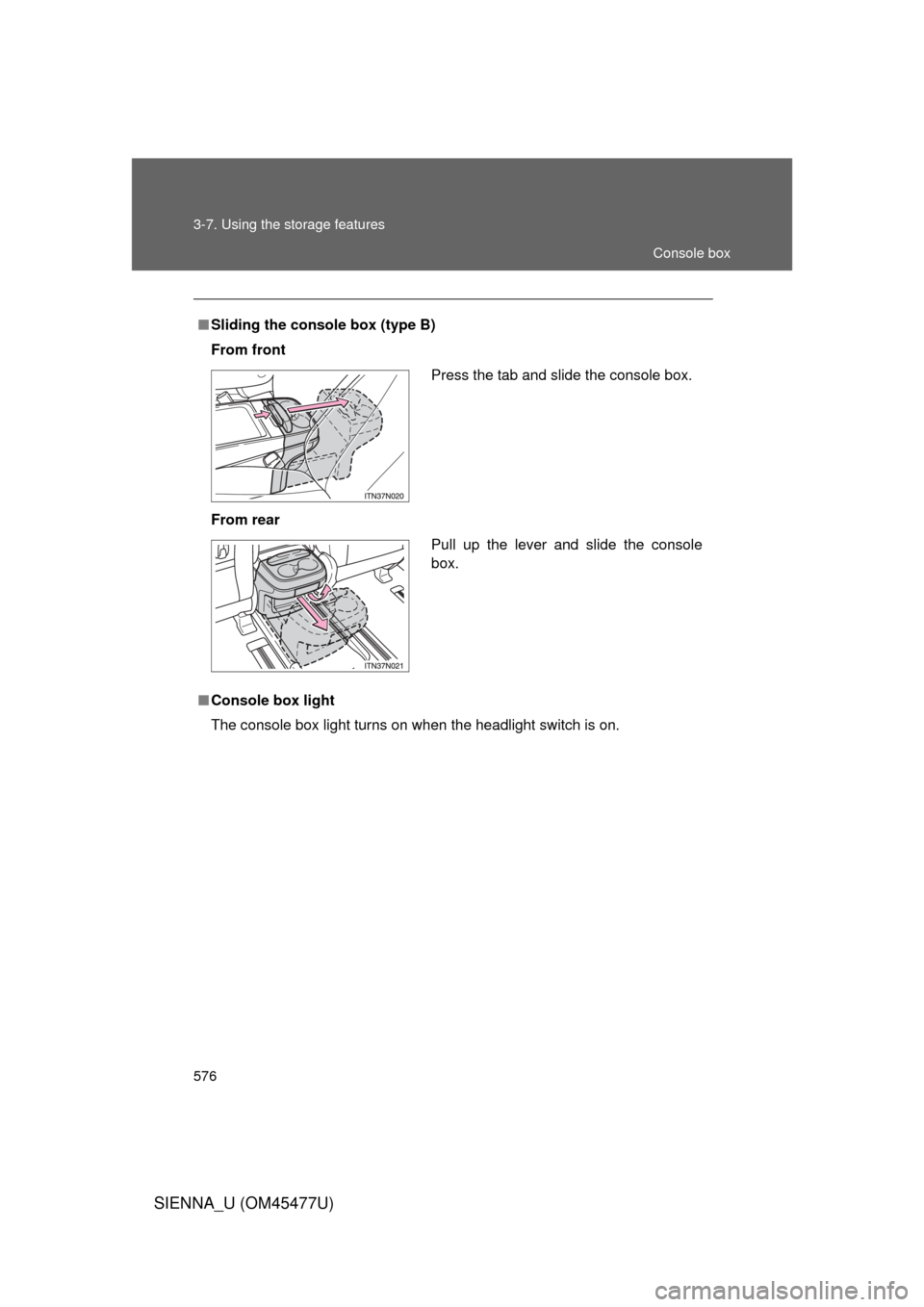
■Sliding the console box (type B)
From front
From rear
■ Console box light
The console box light turns on when the headlight switch is on.
Press the tab and slide the console box.
Pull up the lever and slide the console
box.
Console box