remote start TOYOTA SIENNA 2018 Owners Manual (in English)
[x] Cancel search | Manufacturer: TOYOTA, Model Year: 2018, Model line: SIENNA, Model: TOYOTA SIENNA 2018Pages: 584, PDF Size: 14.47 MB
Page 5 of 584
5
1
8 7
6
5
4
3
2
SIENNA_OM_OM08019U_(U)
9
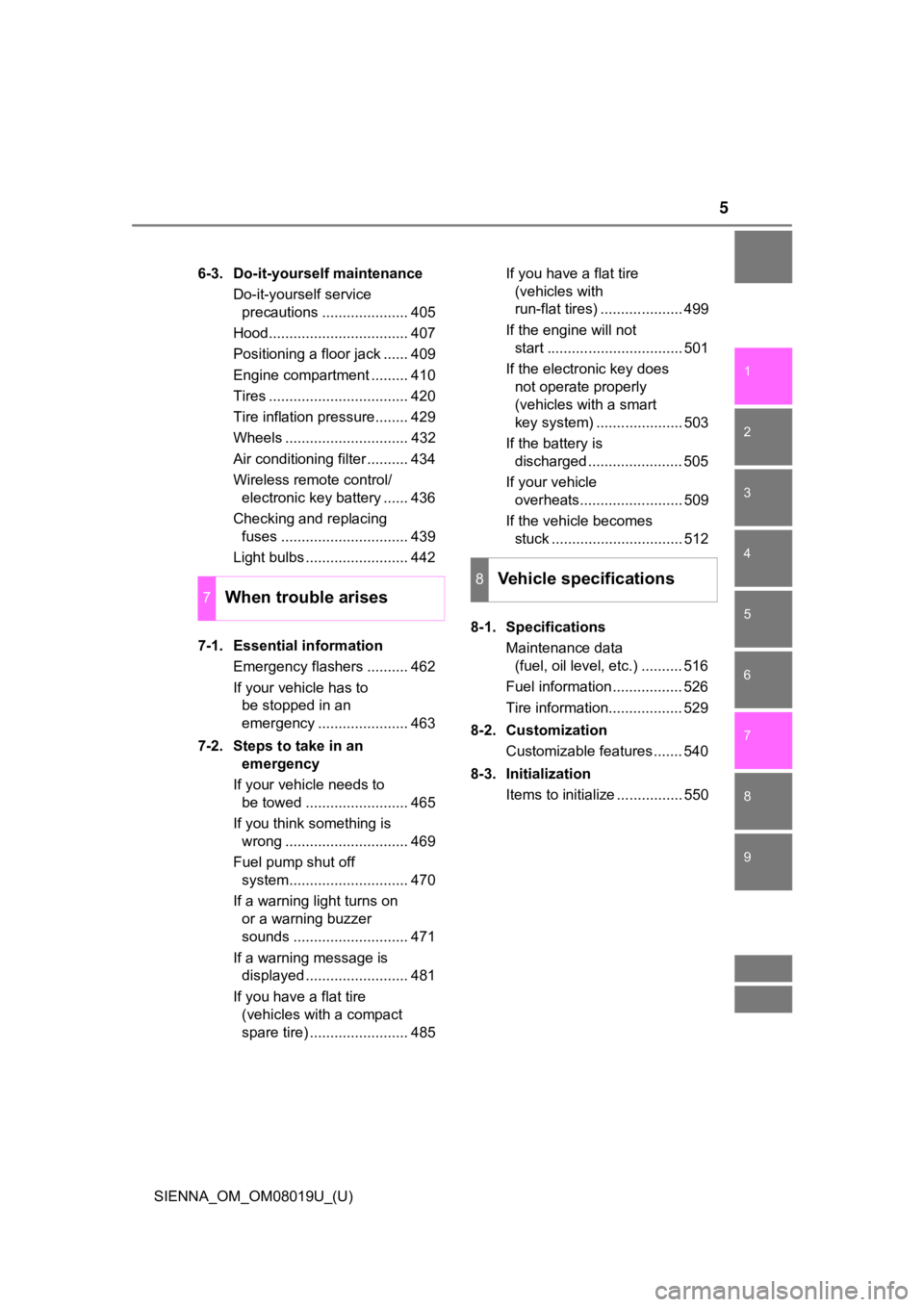
6-3. Do-it-yourself maintenanceDo-it-yourself service precautions ..................... 405
Hood.................................. 407
Positioning a floor jack ...... 409
Engine compartment ......... 410
Tires .................................. 420
Tire inflation pressure........ 429
Wheels .............................. 432
Air conditioning filter .......... 434
Wireless remote control/ electronic key battery ...... 436
Checking and replacing fuses ............................... 439
Light bulbs ......................... 442
7-1. Essential information Emergency flashers .......... 462
If your vehicle has to be stopped in an
emergency ...................... 463
7-2. Steps to take in an emergency
If your vehicle needs to be towed ......................... 465
If you think something is wrong .............................. 469
Fuel pump shut off system............................. 470
If a warning light turns on or a warning buzzer
sounds ............................ 471
If a warning message is displayed ......................... 481
If you have a flat tire (vehicles with a compact
spare tire) ........................ 485 If you have a flat tire
(vehicles with
run-flat tires) .................... 499
If the engine will not start ................................. 501
If the electronic key does not operate properly
(vehicles with a smart
key system) ..................... 503
If the battery is discharged ....................... 505
If your vehicle overheats......................... 509
If the vehicle becomes stuck ................................ 512
8-1. Specifications Maintenance data (fuel, oil level, etc.) .......... 516
Fuel information ................. 526
Tire information.................. 529
8-2. Customization Customizable features ....... 540
8-3. Initialization Items to initialize ................ 550
7When trouble arises
8Vehicle specifications
Page 11 of 584
SIENNA_OM_OM08019U_(U)
11
The SRS airbag and seat belt pretensioner devices in your Toyota contain
explosive chemicals. If the vehicle is scrapped with the airbag s and seat belt
pretensioners left as they are, this may cause an accident such as fire. Be
sure to have the systems of the SRS airbag and seat belt preten sioner
removed and disposed of by a qualified service shop or by your Toyota dealer
before you scrap your vehicle.
Special handling may apply,
See www.dtsc.ca.gov/hazardouswaste/perchlorate.
Your vehicle has components that may contain perchlorate. These compo-
nents may include airbag, seat belt pretensioners, and wireless remote con-
trol batteries.
Scrapping of your Toyota
Perchlorate Material
WARNING
■ General precautions while driving
Driving under the influence: Never drive your vehicle when unde r the influ-
ence of alcohol or drugs that have impaired your ability to operate your vehi-
cle. Alcohol and certain drugs delay reaction time, impair judg ment and
reduce coordination, which could lead to an accident that could result in
death or serious injury.
Defensive driving: Always drive defensively. Anticipate mistake s that other
drivers or pedestrians might make and be ready to avoid acciden ts.
Driver distraction: Always give your full attention to driving. Anything that
distracts the driver, such as adjusting controls, talking on a cellular phone or
reading can result in a collision with resulting death or serio us injury to you,
your occupants or others.
■ General precaution regar ding children’s safety
Never leave children unattended in the vehicle, and never allow children to
have or use the key.
Children may be able to start the vehicle or shift the vehicle into neutral.
There is also a danger that children may injure themselves by p laying with
the windows, the moon roof, or other features of the vehicle. In addition,
heat build-up or extremely cold temperatures inside the vehicle can be fatal
to children.
Page 79 of 584
791-2. Theft deterrent system
SIENNA_OM_OM08019U_(U)
1
For safety and security
Alar m
The alarm uses light and sound to give an alert when an intrusion is
detected.
The alarm is triggered in the following situations when the ala rm is
set:
● A locked door is unlocked or opened in any way other than using
the entry function (vehicles with a smart key system) or wireless
remote control. (The doors wi ll lock again automatically.)
● The hood is opened.
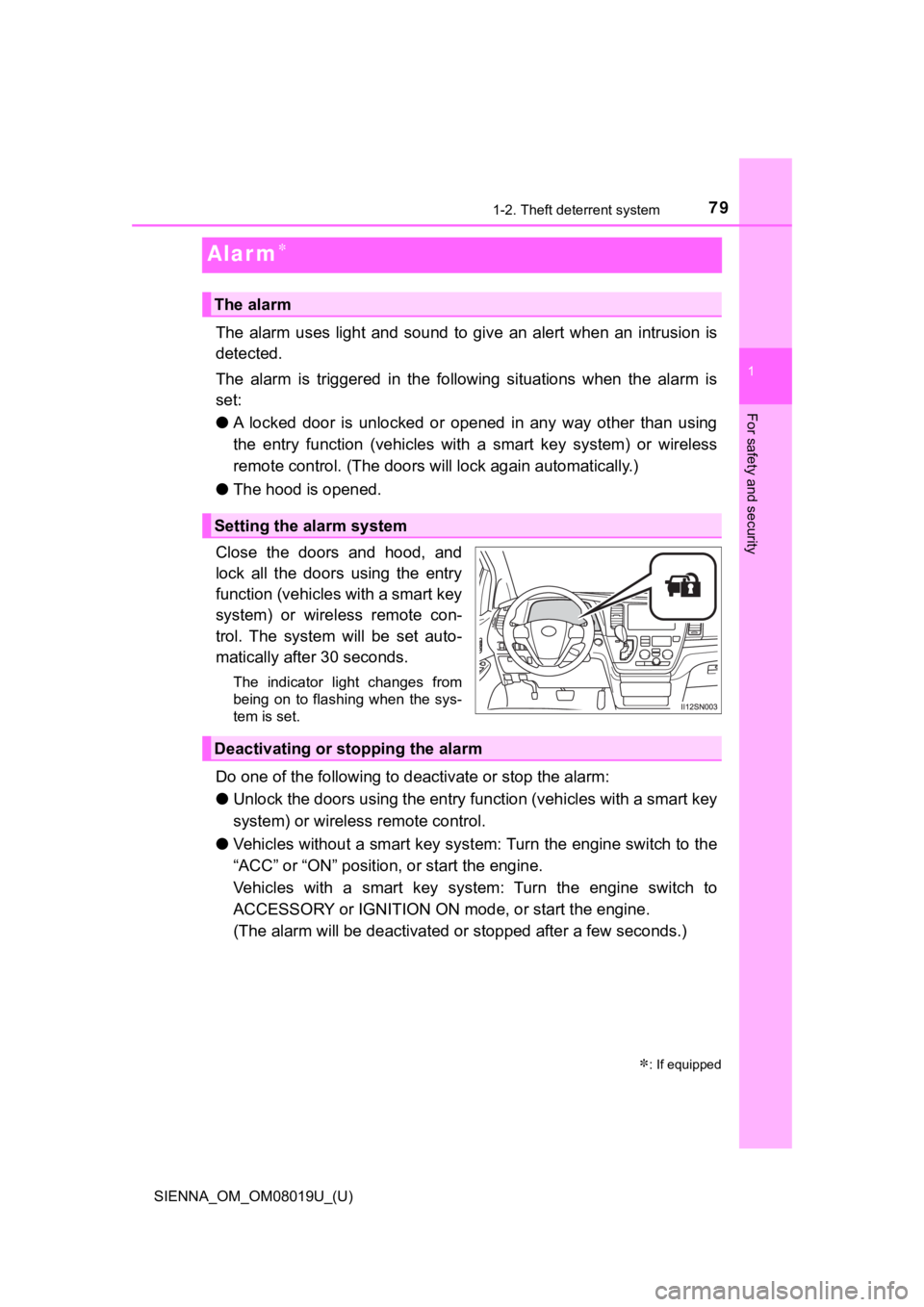
Close the doors and hood, and
lock all the doors using the entry
function (vehicles with a smart key
system) or wireless remote con-
trol. The system will be set auto-
matically after 30 seconds.
The indicator light changes from
being on to flashing when the sys-
tem is set.
Do one of the following to d eactivate or stop the alarm:
● Unlock the doors using the entry function (vehicles with a smart key
system) or wireless remote control.
● Vehicles without a smart key sys tem: Turn the engine switch to the
“ACC” or “ON” position, or start the engine.
Vehicles with a smart key system: Turn the engine switch to
ACCESSORY or IGNITION ON m ode, or start the engine.
(The alarm will be deactivated or stopped after a few seconds.)
: If equipped
The alarm
Setting the alarm system
Deactivating or stopping the alarm
Page 124 of 584
124
SIENNA_OM_OM08019U_(U)
3-2. Opening, closing and locking the doors
◆Wireless remote control (vehicles with power sliding doors)
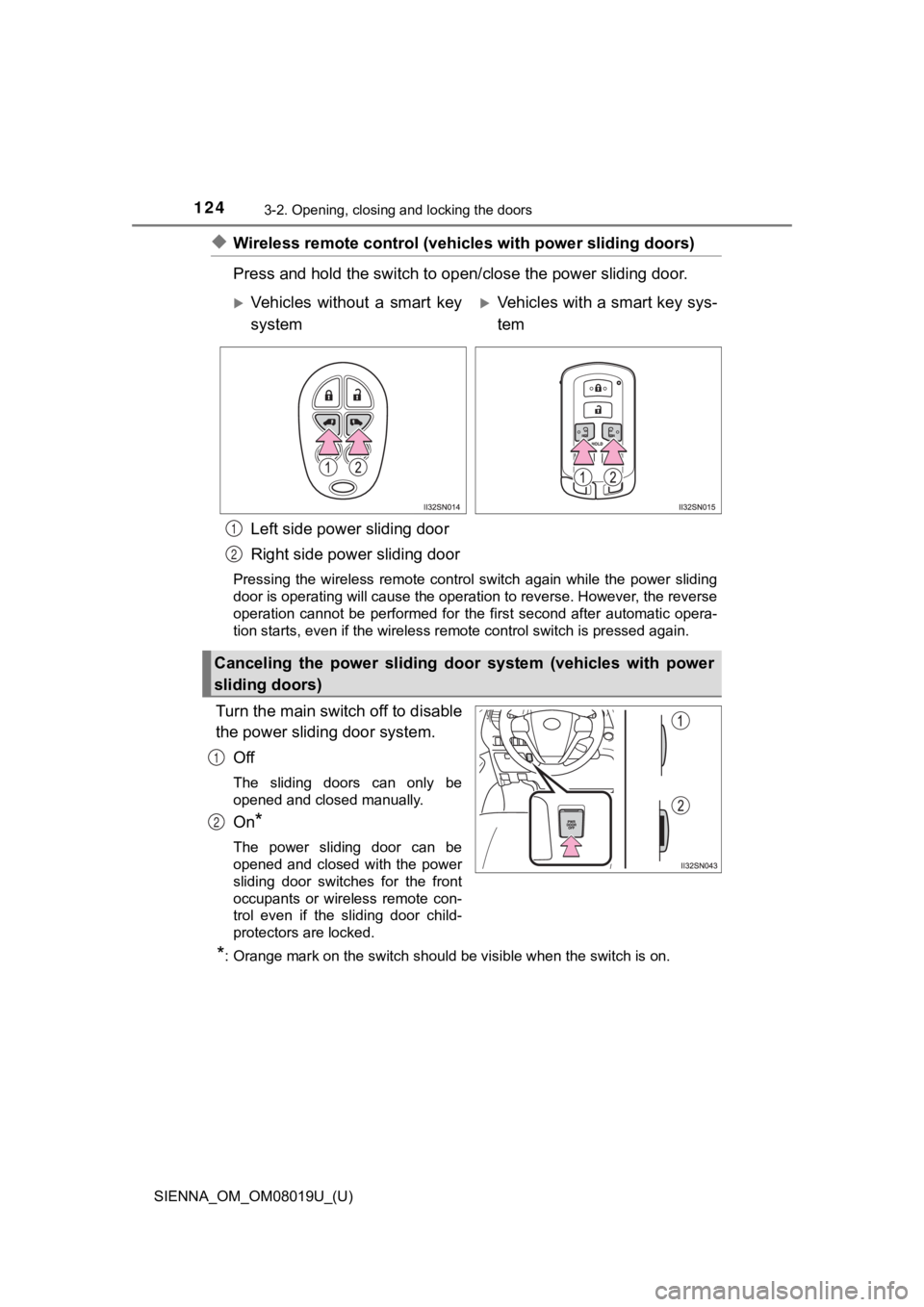
Press and hold the sw itch to open/close the power sliding door.
Left side power sliding door
Right side power sliding door
Pressing the wireless remote control switch again while the pow er sliding
door is operating will cause the operation to reverse. However, the reverse
operation cannot be performed for the first second after automa tic opera-
tion starts, even if the wireless remote control switch is pres sed again.
Turn the main switch off to disable
the power sliding door system.
Off
The sliding doors can only be
opened and closed manually.
On*
The power sliding door can be
opened and closed with the power
sliding door switches for the front
occupants or wireless remote con-
trol even if the sliding door child-
protectors are locked.
*: Orange mark on the switch should be visible when the switch is on.
Vehicles without a smart key
systemVehicles with a smart key sys-
tem
Canceling the power sliding door system (vehicles with power
sliding doors)
1
2
1
2
Page 126 of 584
126
SIENNA_OM_OM08019U_(U)
3-2. Opening, closing and locking the doors
■Power sliding doors
●If the power sliding door outside handle is pulled while the power sliding
door is opening or closing, the door will reverse the operation direction.
● During opening operation:
Stroking the power sliding door handle forward will reverse the direction and
start closing.
Stroking the handle backward will continue opening.
During closing operation:
Stroking the power sliding door handle backward will reverse th e direction
and start opening.
Stroking the handle forward will continue closing.
● The power sliding doors can be opened/closed manually when the power
sliding door function is canceled with the main switch.
● A buzzer sounds if you put the shift lever out of P with the en gine switch in
the “ON” position (vehicles without a smart key system) or IGNI TION ON
mode (vehicles with a smart key system) and the sliding door no t completely
closed.
● Vehicles with AUTO ACCESS SEAT : If the AUTO ACCESS SEAT has not
been locked in place after being stowed, the right-hand sliding door will not
close and a beep will sound twice.
For details, refer to “AUTO ACCESS SEAT OWNER’S MANUAL”.
● In an emergency, power slide door operation can be stopped by any of the
following:
• Pulling the outside handle three consecutive times
• During opening operation, sliding the inside handle forward th ree consec-
utive times
• During closing operation, sliding the inside handle backward t hree con-
secutive times
• Pressing the power sliding door switch three consecutive times
• Pressing the power sliding door button on wireless remote cont rol three
consecutive times ( P. 124)
After stopping, power sliding door brake function will be activ ated (P. 127)
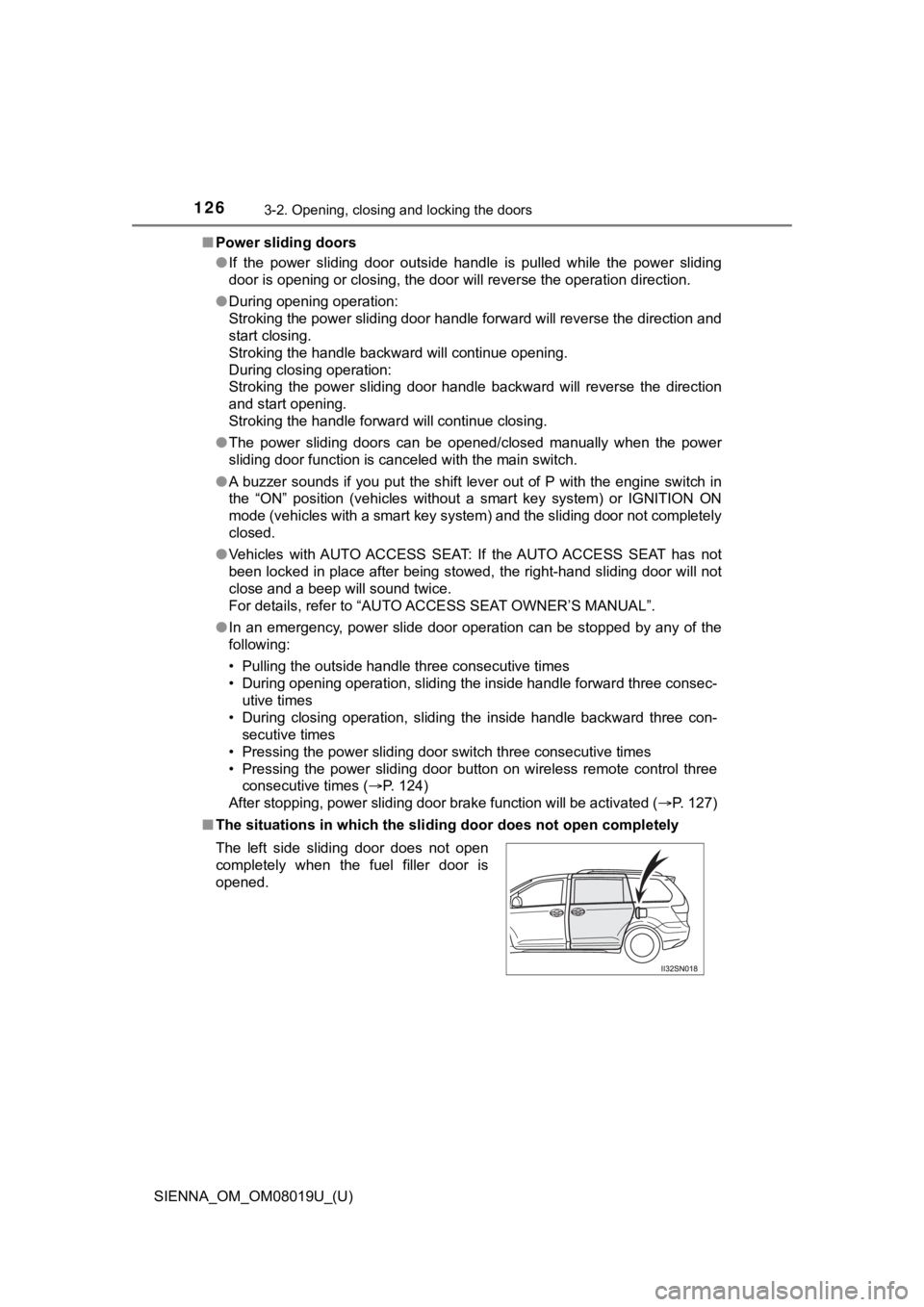
■ The situations in which the sliding door does not open complete ly
The left side sliding door does not open
completely when the fuel filler door is
opened.
Page 127 of 584
SIENNA_OM_OM08019U_(U)
1273-2. Opening, closing and locking the doors
3
Operation of each component
■Jam protection function (vehicles with power sliding doors)
●If anything obstructs the power sliding door while it is closin g or opening, the
power sliding door will automatically operate in the opposite direction.
● If the jam protection function operates during two consecutive operations,
the power sliding door will be stopped at that position and the power sliding
door system will be canceled.
■ Power sliding door brake function (vehicles with power sliding doors)
When the power sliding door detects an abnormality and stops op erating,
power sliding door brake function may be activated. When brake function is
activated, door movement is restricted by the brake and motion may appear
to be not smooth. This is not malfunction. Move the door to ful ly closed posi-
tion to reset the system and normal power sliding door function will resume.
■ Sliding door closer (if equipped)
In the event that the sliding door is left slightly open, the s liding door closer
will automatically close it to the fully closed position.
■ Power sliding door operation (ve hicles with power sliding door)
Wireless remote control: Even if the door is locked, pressing a nd holding the
sliding door buttons will unlock all doors and start open opera tion.
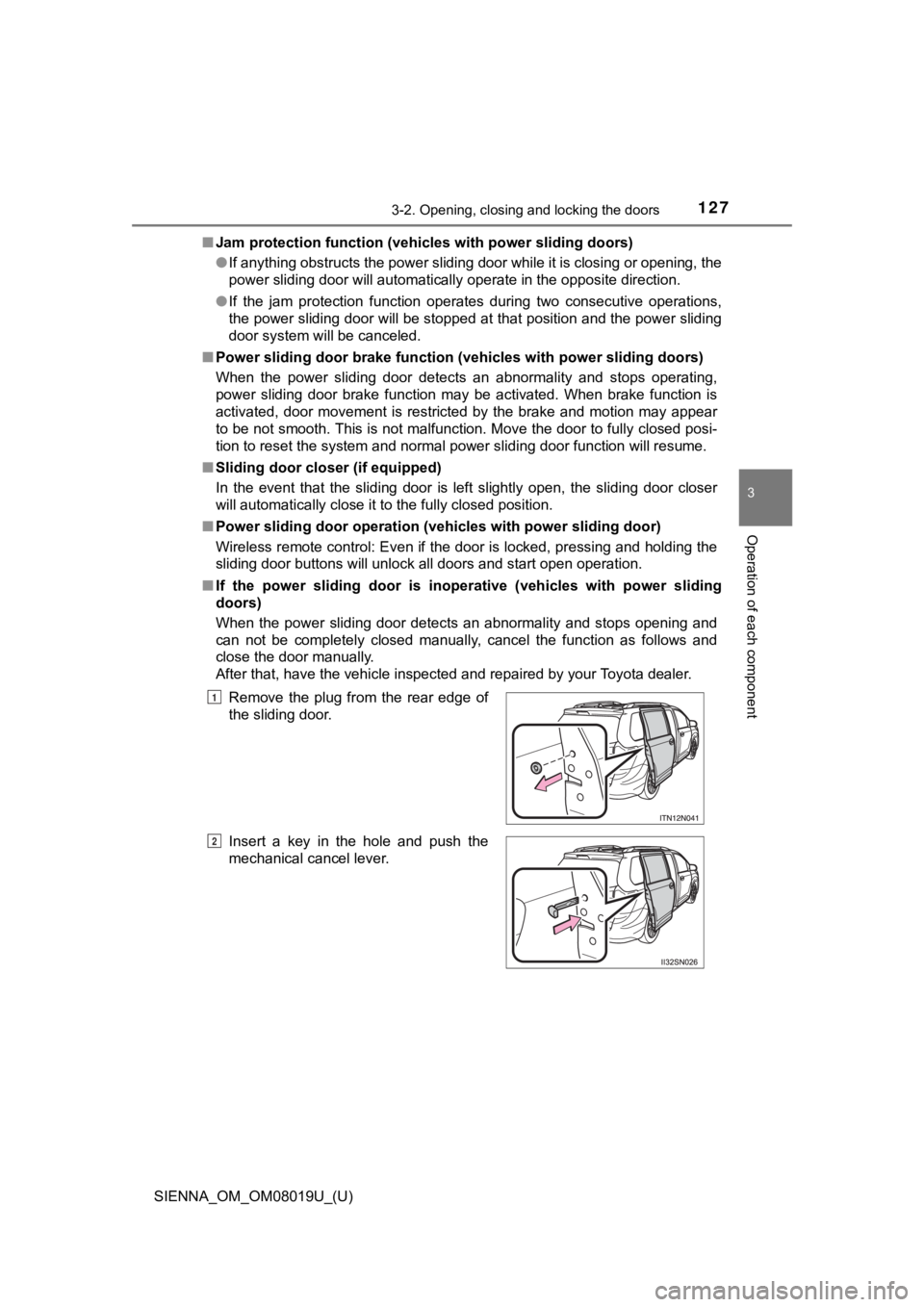
■ If the power sliding door is inop erative (vehicles with power sliding
doors)
When the power sliding door detects an abnormality and stops opening and
can not be completely closed manually, cancel the function as f ollows and
close the door manually.
After that, have the vehicle inspected and repaired by your Toy ota dealer.
Remove the plug from the rear edge of
the sliding door.
Insert a key in the hole and push the
mechanical cancel lever.
1
2
Page 135 of 584
SIENNA_OM_OM08019U_(U)
1353-2. Opening, closing and locking the doors
3
Operation of each component
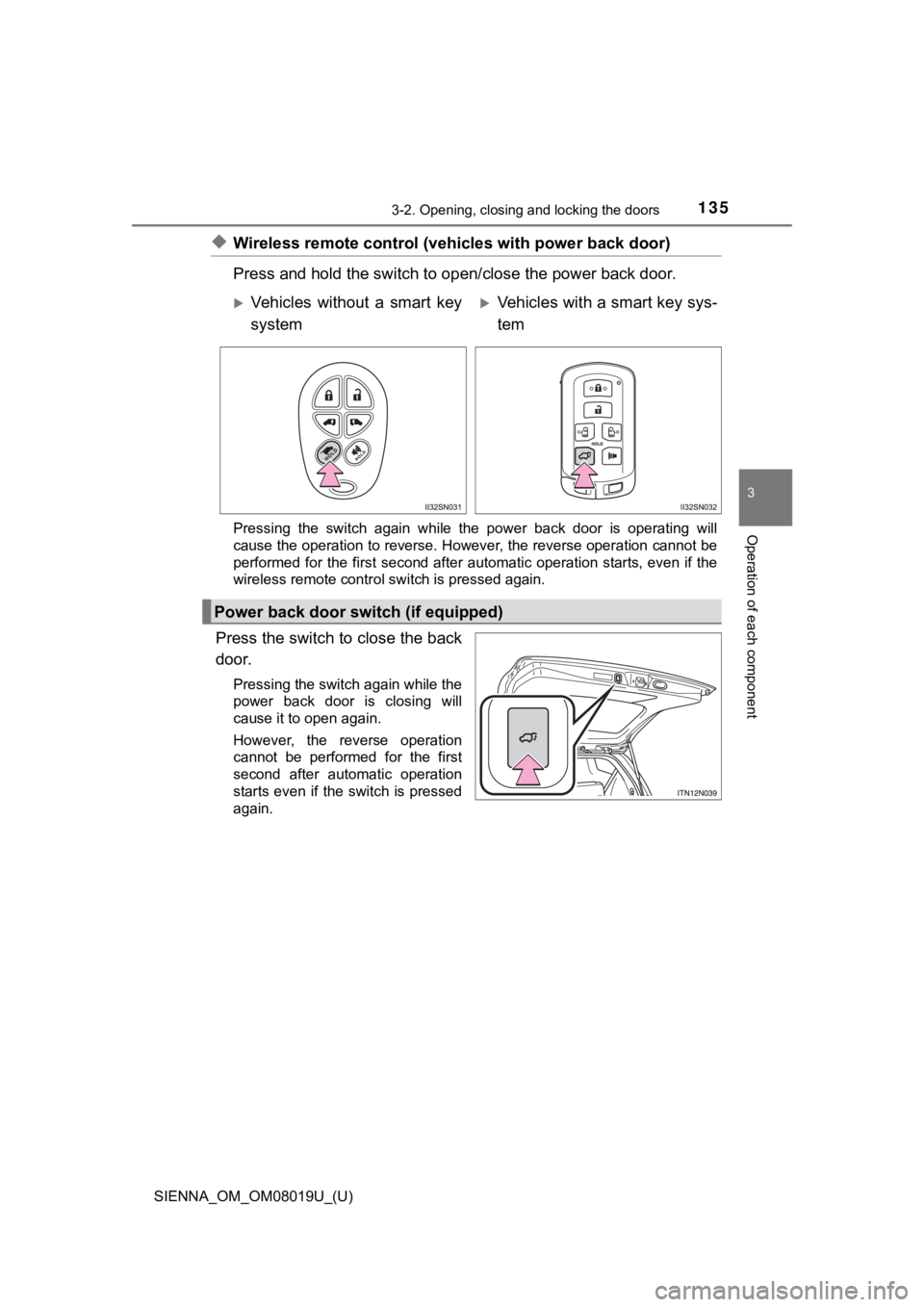
◆Wireless remote control (vehicles with power back door)
Press and hold the sw itch to open/close the power back door.
Pressing the switch again while the power back door is operatin g will
cause the operation to reverse. However, the reverse operation cannot be
performed for the first second after automatic operation starts, even if the
wireless remote control switch is pressed again.
Press the switch to close the back
door.
Pressing the switch again while the
power back door is closing will
cause it to open again.
However, the reverse operation
cannot be performed for the first
second after automatic operation
starts even if the switch is pressed
again.
Vehicles without a smart key
systemVehicles with a smart key sys-
tem
Power back door switch (if equipped)
Page 145 of 584
SIENNA_OM_OM08019U_(U)
1453-2. Opening, closing and locking the doors
3
Operation of each component
■Battery-saving function
In the following circumstances, the entry function is disabled in order to pre-
vent the vehicle battery from discharging and the electronic ke y battery from
discharging.
● When the entry function has not been used for 5 days or more
● When the electronic key has been left within approximately 6 ft. (2 m) of the
vehicle for 10 minutes or more
● If the entry function has not been used for 14 days or more, th e vehicle can-
not be unlocked by a door other than the driver’s door. To unlock the vehicle,
grip the driver’s door handle or use the wireless remote contro l or the
mechanical key.
The system will resume operation when...
● The vehicle is locked using the lock sensor when carrying the electronic key
on your person.
● The vehicle is locked/unlocked using the wireless remote contro l. (P. 1 1 1 )
● The vehicle is locked/unlocked using the mechanical key. ( P. 503)
■ Conditions affecting operation
P. 119
■ Notes for the entry function
●Even when the electronic key is within the effective range (det ection areas),
the system may not operate properly in the following cases.
• The electronic key is too close to the window or outside door handle, near
the ground, or in a high place when the doors are locked or unl ocked.
• The electronic key is on the instrument panel, floor or in the glove box
when the engine is started or engine switch modes are changed.
● Do not leave the electronic key on top of the instrument panel or near the
door pockets when exiting the vehicle. Depending on the radio w ave recep-
tion conditions, it may be detected by the antenna outside the cabin and the
door will become lockable from the outside, possibly trapping the electronic
key inside the vehicle.
● As long as the electronic key is within the effective range, th e doors may be
locked or unlocked by anyone. However, only the doors detecting the elec-
tronic key can be used to unlock the vehicle.
● The doors may unlock or lock if a large amount of water splashe s on the
door handle, such as in the rain or in a car wash when the elec tronic key is
within the effective range. (The doors will automatically be lo cked after
approximately 60 seconds if the doors are not opened and closed.)
● If the wireless remote control is used to lock the doors when t he electronic
key is near the vehicle, there is a possibility that the door m ay not be
unlocked by the smart key system. (Use the wireless remote cont rol to
unlock the doors.)
● If power slide door is unable to operate due to prohibition by the power slid-
ing door main switch, the door unlock and open operation will n ot be per-
formed. ( P. 124)
Page 148 of 584

148
SIENNA_OM_OM08019U_(U)
3-2. Opening, closing and locking the doors
■Customization
Settings (e.g. smart key system) can be changed.
(Customizable features: P. 543, 544)
■ If the smart key system has been d eactivated in a customized setting
● Locking and unlocking the doors:
Use the wireless remote control or mechanical key. ( P. 111, 503)
● Starting the engine and changing engine switch modes: P. 503
● Stopping the engine: P. 229
WARNING
■Caution regarding interfer ence with electronic devices
● People with implantable cardiac pacemakers, cardiac resynchroni zation
therapy-pacemakers or implantable cardioverter defibrillators s hould keep
away from the smart key system antennas. ( P. 143)
The radio waves may affect the operation of such devices. If ne cessary,
the entry function can be disabled. Ask your Toyota dealer for details, such
as the frequency of radio waves and timing of the emitted radio waves.
Then, consult your doctor to see if you should disable the entr y function.
● Users of any electrical medical device other than implantable c ardiac
pacemakers, cardiac resynchronization therapy-pacemakers or implant-
able cardioverter defibrillators should consult the manufacture r of the
device for information about its operation under the influence of radio
waves. Radio waves could have unexpected effects on the operati on of
such medical devices.
Ask your Toyota dealer for details for disabling the entry func tion.
Page 417 of 584
SIENNA_OM_OM08019U_(U)
4176-3. Do-it-yourself maintenance
6
Maintenance and care
■Before recharging
When recharging, the battery produces hydrogen gas which is flammable and
explosive. Therefore, observe the following before recharging:
●If recharging with the battery installed on the vehicle, be sur e to disconnect
the ground cable.
● Make sure the power switch on the charger is off when connectin g and dis-
connecting the charger cables to the battery.
■ After recharging/reconnecting the battery (vehicles with a smar t key sys-
tem)
● Unlocking the doors using the smart key system may not be possi ble imme-
diately after reconnecting the battery. If this happens, use the wireless
remote control or the mechanical key to lock/unlock the doors.
● Start the engine with the engine switch in ACCESSORY mode. The engine
may not start with the engine switch turned off. However, the e ngine will
operate normally from the second attempt.
● The engine switch mode is recorded by the vehicle. If the batte ry is recon-
nected, the vehicle will return the engine switch mode to the s tatus it was in
before the battery was disconnected. Make sure to turn off the engine
before disconnecting the battery. Take extra care when connecti ng the bat-
tery if the engine switch mode prior to discharge is unknown.
If the system will not start even after multiple attempts, cont act your Toyota
dealer.
■ Disconnecting the batt ery (vehicles with an AUTO ACCESS SEAT)
Do not disconnect the battery while operating the AUTO ACCESS S EAT. The
AUTO ACCESS SEAT will become inoperable.
For details, refer to “AUTO ACCESS SEAT OWNER’S MANUAL”.