remote control TOYOTA SIENNA 2019 Accessories, Audio & Navigation (in English)
[x] Cancel search | Manufacturer: TOYOTA, Model Year: 2019, Model line: SIENNA, Model: TOYOTA SIENNA 2019Pages: 441, PDF Size: 9.89 MB
Page 8 of 441

TABLE OF CONTENTS
8
SIENNA_Navi+MM_OM08027U_(U)
18.05.08 11:51
1. BASIC FUNCTION........................... 12
BUTTONS OVERVIEW ......................... 12
“Menu” SCREEN.................................... 15
HOME SCREEN .................................... 17
2. QUICK REFERENCE....................... 21
“Setup” SCREEN ................................... 21
3. NAVIGATION OPERATION ............ 23
REGISTERING HOME .......................... 23
REGISTERING FAVORITE DESTINATIONS .................................. 24
OPERATION FLOW: ROUTE GUIDANCE ............................ 25
SETTING HOME AS THE DESTINATION .................................... 26
4. FUNCTION INDEX ..... ...................... 27
FUNCTION INDEX ................................ 27
1. BASIC INFORMATION BEFORE
OPERATION .................................. 30
INITIAL SCREEN ................................... 30
TOUCH SCREEN GESTURES ............. 32
TOUCH SCREEN OPERATION ............ 33
HOME SCREEN OPERATION .............. 35
ENTERING LETTERS AND NUMBERS/
LIST SCREEN OPERATION............... 36
SCREEN ADJUSTMENT ....................... 40
LINKING MULTI-INFORMATION DISPLAY AND THE SYSTEM............. 42
2. CONNECTIVITY SETTINGS ........... 43
REGISTERING/CONNECTING A Bluetooth® DEVICE ............................. 43
SETTING Bluetooth® DETAILS ............. 49
Wi-Fi® Hotspot ....................................... 58
Apple CarPlay ........................................ 62
3. OTHER SETTINGS ......................... 65
GENERAL SETTINGS ........................... 65
VOICE SETTINGS ................................. 71
VEHICLE SETTINGS ............................. 72
1. BASIC OPERATION ....................... 82
QUICK REFERENCE ............................. 82
SOME BASICS....................................... 84
2. RADIO OPERATION ....................... 91
AM/FM/SiriusXM (SXM) RADIO ............. 91
INTERNET RADIO ............................... 103
3. MEDIA OPERATION ..................... 104
CD ........................................................ 104
USB MEMORY ..................................... 107
iPod/iPhone .......................................... 110
Bluetooth
® AUDIO................................ 114
AUX ...................................................... 119
4. AUDIO/VISUAL REMOTE CONTROLS ................................. 122
STEERING SWITCHES ....................... 122
5. SETUP ........................................... 125
AUDIO SETTINGS ............................... 125
6. TIPS FOR O PERATING THE
AUDIO/VISUAL SYSTEM ............ 128
OPERATING INFORMATION .............. 128
1QUICK GUIDE
2BASIC FUNCTION
3AUDIO/VISUAL SYSTEM
Page 80 of 441
80
SIENNA_Navi+MM_OM08027U_(U)
18.05.08 11:51
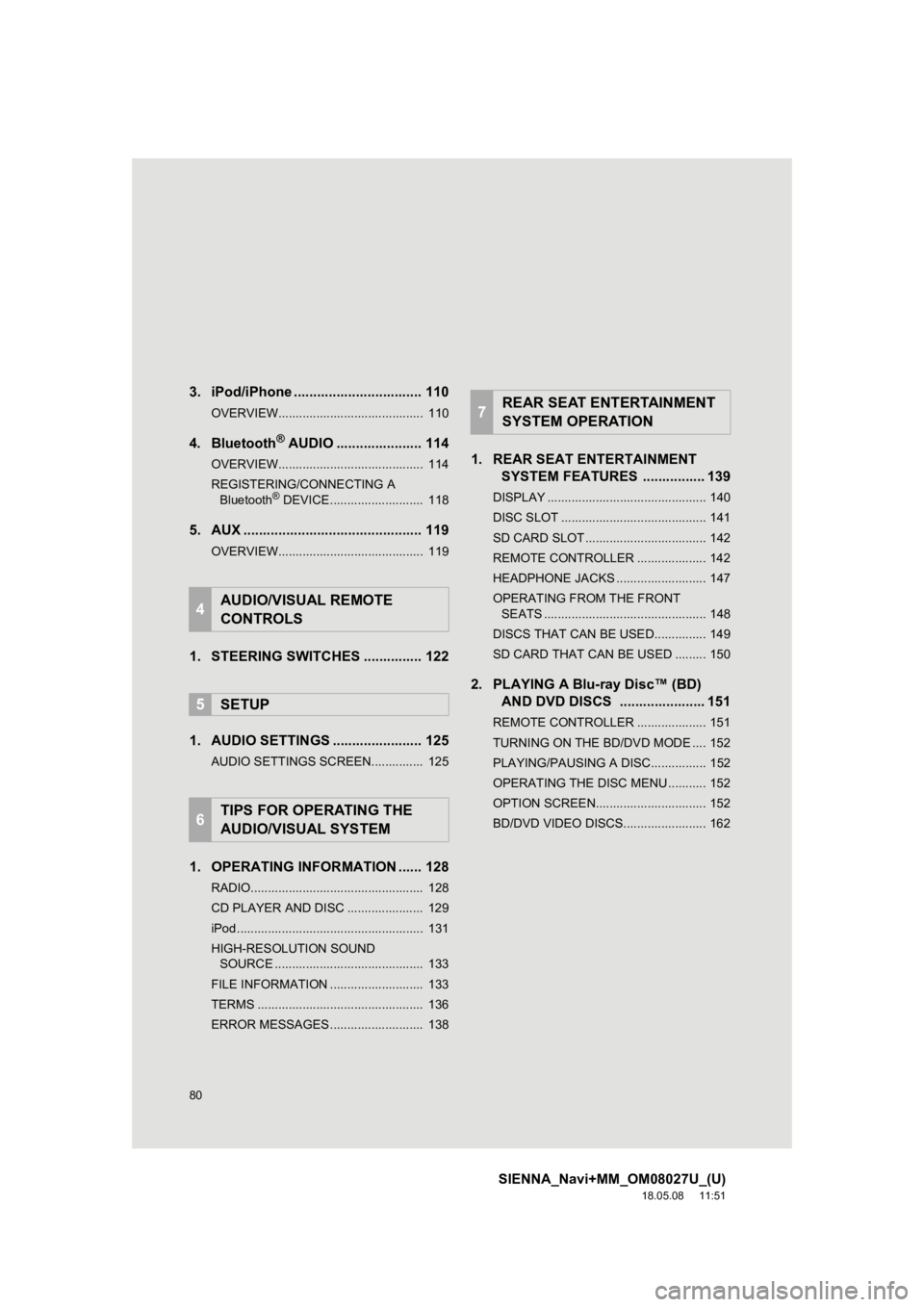
3. iPod/iPhone ................................. 110
OVERVIEW.......................................... 110
4. Bluetooth® AUDIO ...................... 114
OVERVIEW.......................................... 114
REGISTERING/CONNECTING A
Bluetooth
® DEVICE........................... 118
5. AUX .............................................. 119
OVERVIEW.......................................... 119
1. STEERING SWITCHES ............... 122
1. AUDIO SETTINGS ....................... 125
AUDIO SETTINGS SCREEN............... 125
1. OPERATING INFORMATION ...... 128
RADIO.................................................. 128
CD PLAYER AND DISC ...................... 129
iPod ...................................................... 131
HIGH-RESOLUTION SOUND SOURCE ........................................... 133
FILE INFORMATION ........................... 133
TERMS ................................................ 136
ERROR MESSAGES ........................... 138
1. REAR SEAT ENTERTAINMENT SYSTEM FEATURES . ............... 139
DISPLAY .............................................. 140
DISC SLOT .......................................... 141
SD CARD SLOT ................................... 142
REMOTE CONTROLLER .................... 142
HEADPHONE JACKS .......................... 147
OPERATING FROM THE FRONT
SEATS ............................................... 148
DISCS THAT CAN BE USED............... 149
SD CARD THAT CAN BE USED ......... 150
2. PLAYING A Blu-ray Disc™ (BD) AND DVD DISCS ...................... 151
REMOTE CONTROLLER .................... 151
TURNING ON THE BD/DVD MODE .... 152
PLAYING/PAUSING A DISC................ 152
OPERATING THE DISC MENU ........... 152
OPTION SCREEN................................ 152
BD/DVD VIDEO DISCS........................ 162
4AUDIO/VISUAL REMOTE
CONTROLS
5SETUP
6TIPS FOR OPERATING THE
AUDIO/VISUAL SYSTEM
7REAR SEAT ENTERTAINMENT
SYSTEM OPERATION
Page 81 of 441
81
SIENNA_Navi+MM_OM08027U_(U)
18.05.08 11:51
1
2
3
4
5
6
7
8
9
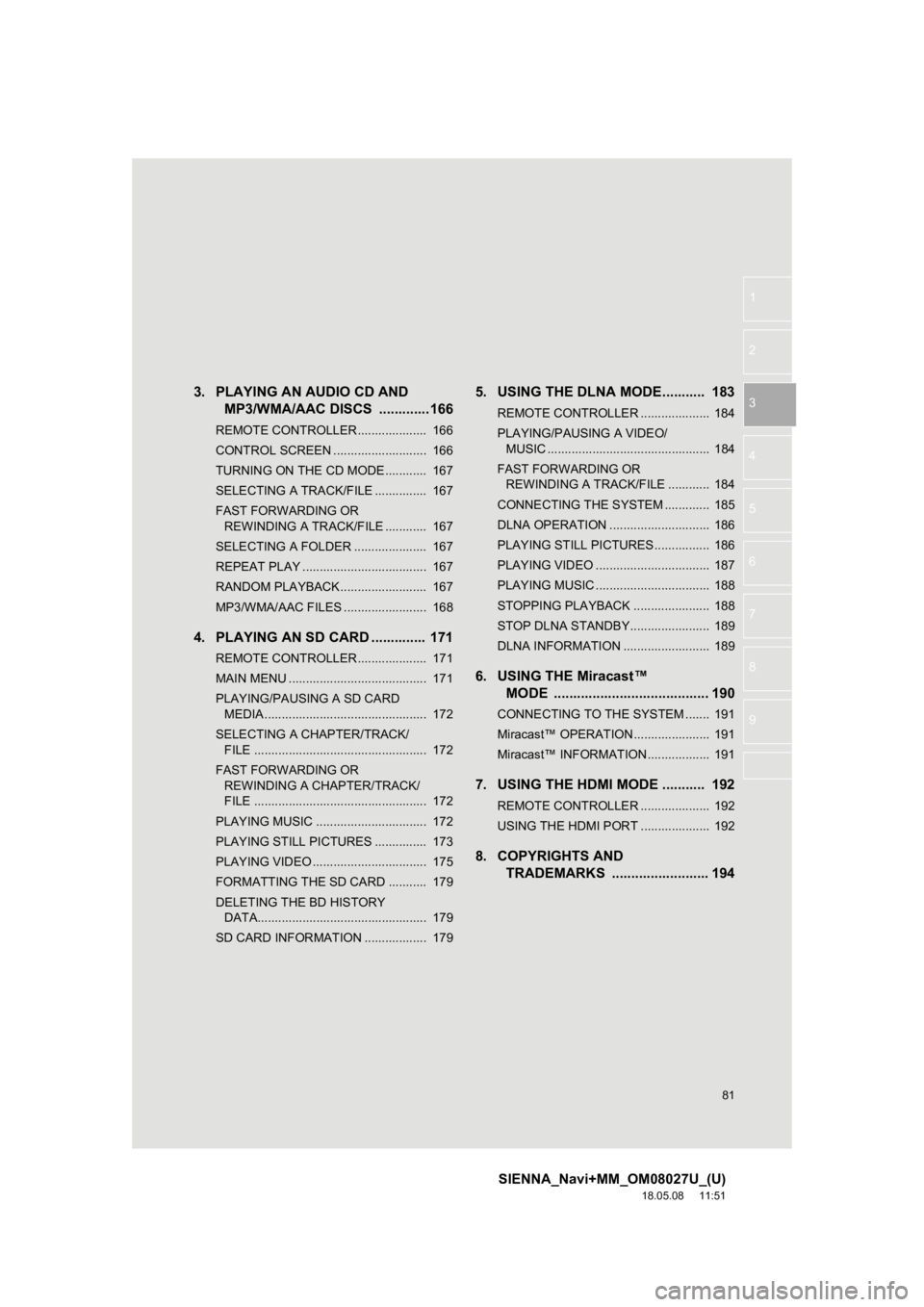
3. PLAYING AN AUDIO CD AND
MP3/WMA/AAC DISCS .............166
REMOTE CONTROLLER .................... 166
CONTROL SCREEN ........................... 166
TURNING ON THE CD MODE ............ 167
SELECTING A TRACK/FILE ............... 167
FAST FORWARDING OR
REWINDING A TRACK/FILE ............ 167
SELECTING A FOLDER ..................... 167
REPEAT PLAY .................................... 167
RANDOM PLAYBACK......................... 167
MP3/WMA/AAC FILES ........................ 168
4. PLAYING AN SD CARD .............. 171
REMOTE CONTROLLER .................... 171
MAIN MENU ........................................ 171
PLAYING/PAUSING A SD CARD MEDIA ............................................... 172
SELECTING A CHAPTER/TRACK/ FILE .................................................. 172
FAST FORWARDING OR REWINDING A CHAPTER/TRACK/
FILE .................................................. 172
PLAYING MUSIC ................................ 172
PLAYING STILL PICTURES ............... 173
PLAYING VIDEO ................................. 175
FORMATTING THE SD CARD ........... 179
DELETING THE BD HISTORY DATA................................................. 179
SD CARD INFORMATION .................. 179
5. USING THE DLNA MODE........... 183
REMOTE CONTROLLER .................... 184
PLAYING/PAUSING A VIDEO/ MUSIC ............................................... 184
FAST FORWARDING OR REWINDING A TRACK/FILE ............ 184
CONNECTING THE SYSTEM ............. 185
DLNA OPERATION ............................. 186
PLAYING STILL PICTURES................ 186
PLAYING VIDEO ................................. 187
PLAYING MUSIC ................................. 188
STOPPING PLAYBACK ...................... 188
STOP DLNA STANDBY....................... 189
DLNA INFORMATION ......................... 189
6. USING THE Miracast™ MODE ........................................ 190
CONNECTING TO THE SYSTEM ....... 191
Miracast™ OPERATION...................... 191
Miracast™ INFORMATION .................. 191
7. USING THE HDMI MODE ........... 192
REMOTE CONTROLLER .................... 192
USING THE HDMI PORT .................... 192
8. COPYRIGHTS AND TRADEMARKS ......... ................ 194
Page 122 of 441
122
SIENNA_Navi+MM_OM08027U_(U)
18.05.08 11:51
4. AUDIO/VISUAL REMOTE CONTROLS
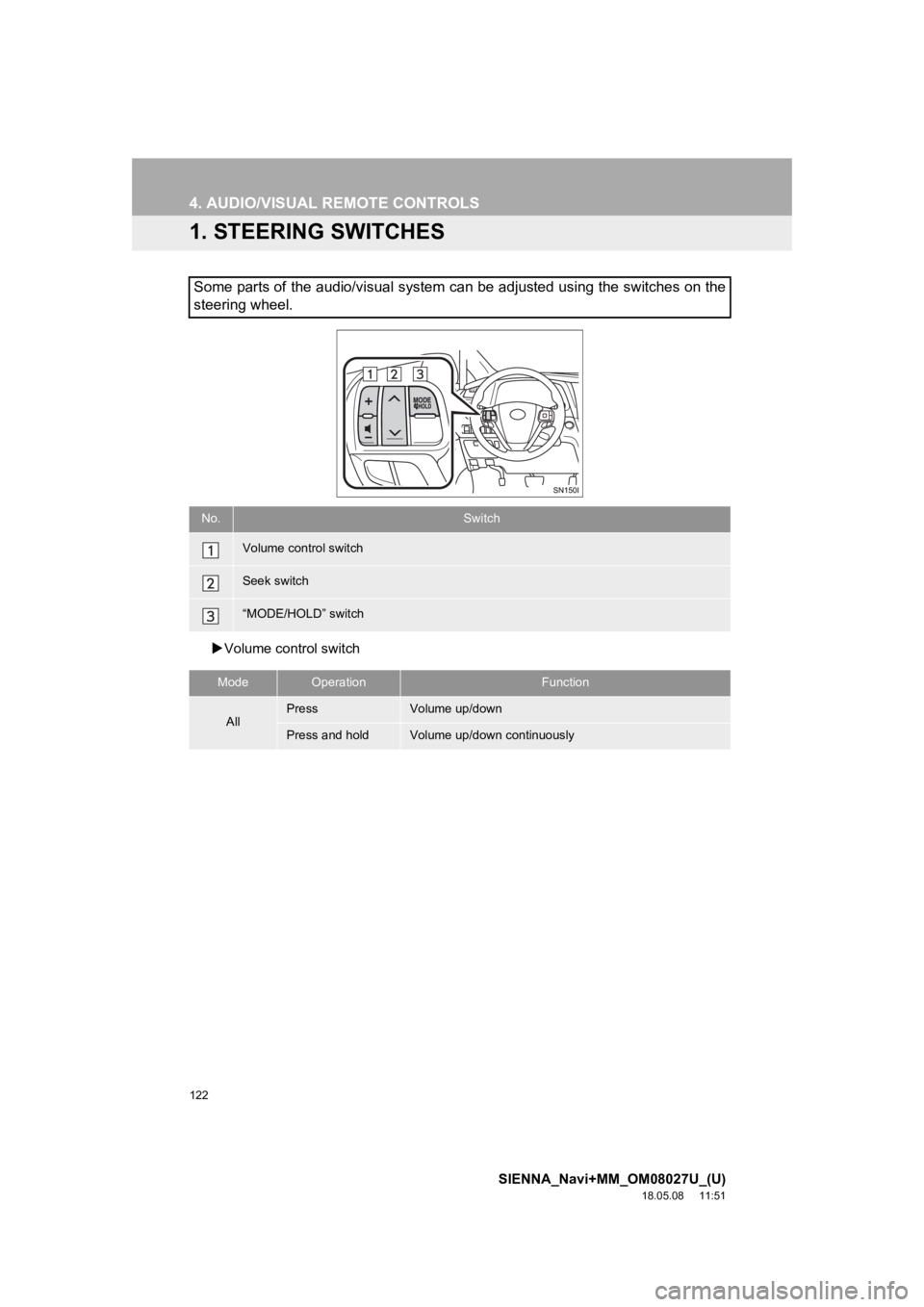
1. STEERING SWITCHES
Volume control switch
Some parts of the audio/visual system can be adjusted using the switches on the
steering wheel.
No.Switch
Volume control switch
Seek switch
“MODE/HOLD” switch
ModeOperationFunction
AllPressVolume up/down
Press and holdVolume up/down continuously
Page 123 of 441
123
4. AUDIO/VISUAL REMOTE CONTROLS
SIENNA_Navi+MM_OM08027U_(U)
18.05.08 11:51
AUDIO/VISUAL SYSTEM
3
Seek switch
ModeOperationFunction
AM, FM
PressPreset channel up/down
Press and hold
Seek up/down (0.8 sec. or more)
Seek up/down continuously while the switch is being
pressed (1.5 sec. or more)
SXM*1
PressPreset channel up/down
Press and hold
Seek for stations in the relevant program type/channel
category (0.8 sec. or more)
Fast channel up/down (1.5 sec. or more)
Audio CD/MP3/
WMA/AAC
disc*
1, USB*2,
iPod/iPhone,
Bluetooth
®
audio*2
PressTrack/file up/down
Press and holdFast forward/rewind
*
1: Entune Audio Plus/Entune Premium Audio only
*2: When an Apple CarPlay connection is established, this function will be unavailable.
Page 124 of 441
124
4. AUDIO/VISUAL REMOTE CONTROLS
SIENNA_Navi+MM_OM08027U_(U)
18.05.08 11:51
“MODE/HOLD” switch
ModeOperationFunction
AM, FM,
SXM*1, AUX
PressChange audio modes
Press and holdMute*2 (Press and hold again to resume the sound.)
Audio CD/
MP3/WMA/
AAC disc*
1,
USB*3,
iPod/
iPhone,
Bluetooth
®
audio*3,
APPS*3
PressChange audio modes
Press and holdPause (Press and hold again to resume the play mode.)
*
1: Entune Audio Plus/Entune Premium Audio only
*2: If cached radio is enabled, pres sing and holding the “MODE/HOL D” switch pauses the broad-
cast. (Press and hold again to play back the cached radio progr am.)
*
3: When an Apple CarPlay connection is established, this function will be unavailable.
INFORMATION
●In the APPS mode, some operation may be done on the screen depe nding on the
selected APPS.
Page 139 of 441
139
SIENNA_Navi+MM_OM08027U_(U)
18.05.08 11:51
AUDIO/VISUAL SYSTEM
3
7. REAR SEAT ENTERTAINMENT SYSTEM OPERATION
1. REAR SEAT ENTERTAINMENT SYSTEM FEATURES*
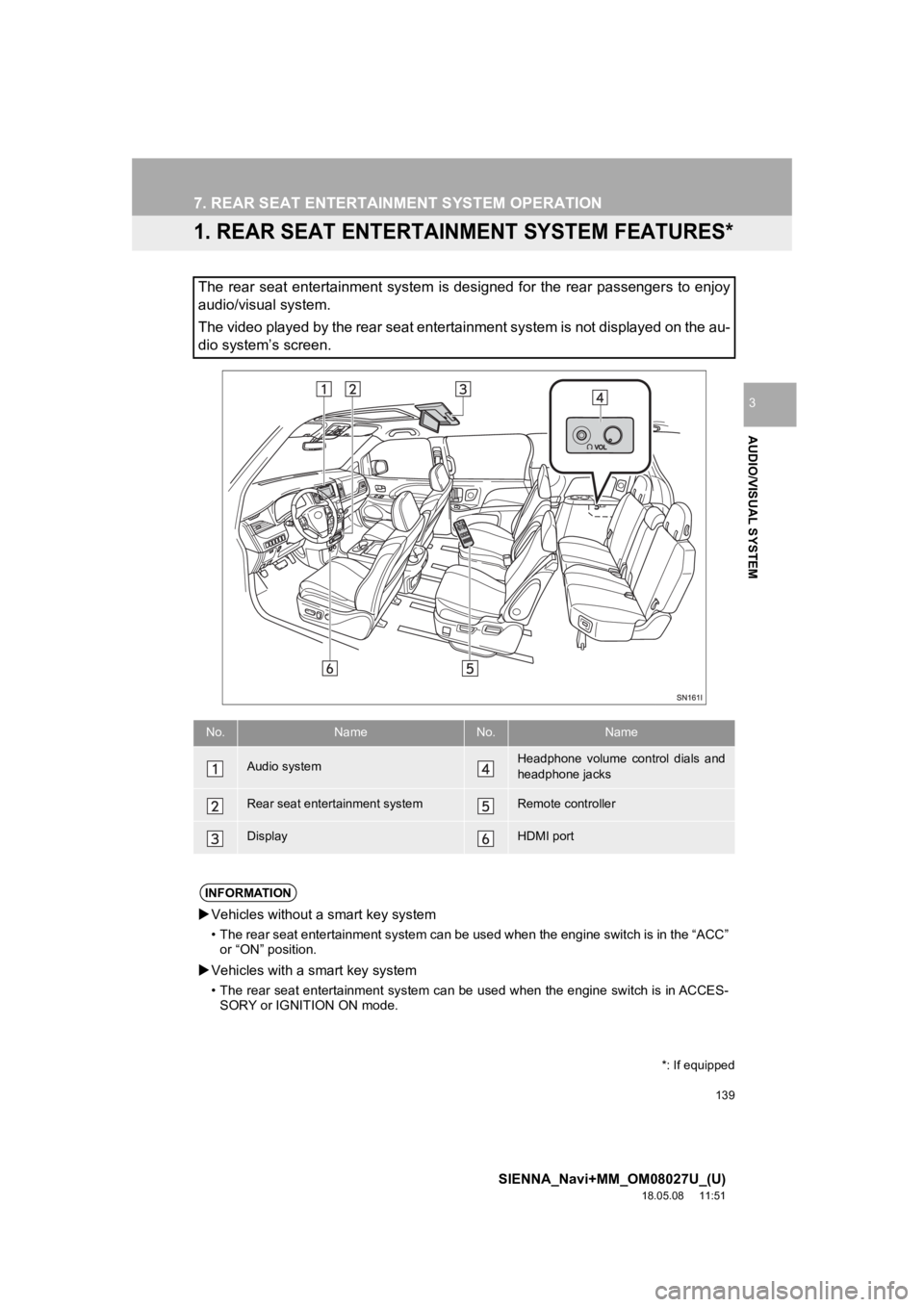
The rear seat entertainment system is designed for the rear passengers to enjoy
audio/visual system.
The video played by the rear seat entertainment system is not d isplayed on the au-
dio system’s screen.
*: If equipped
No.NameNo.Name
Audio systemHeadphone volume control dials and
headphone jacks
Rear seat entertainment systemRemote controller
DisplayHDMI port
INFORMATION
Vehicles without a smart key system
• The rear seat entertainment system can be used when the engine switch is in the “ACC”
or “ON” position.
Vehicles with a smart key system
• The rear seat entertainment system can be used when the engine switch is in ACCES-
SORY or IGNITION ON mode.
Page 142 of 441
142
7. REAR SEAT ENTERTAINMENT SYSTEM OPERATION
SIENNA_Navi+MM_OM08027U_(U)
18.05.08 11:51
1Insert the SD card with the label side
up, positioning the cut off corner to the
right.
To eject the SD card, push on the center
of the SD card. When it ejects slightly pull
it straight out.
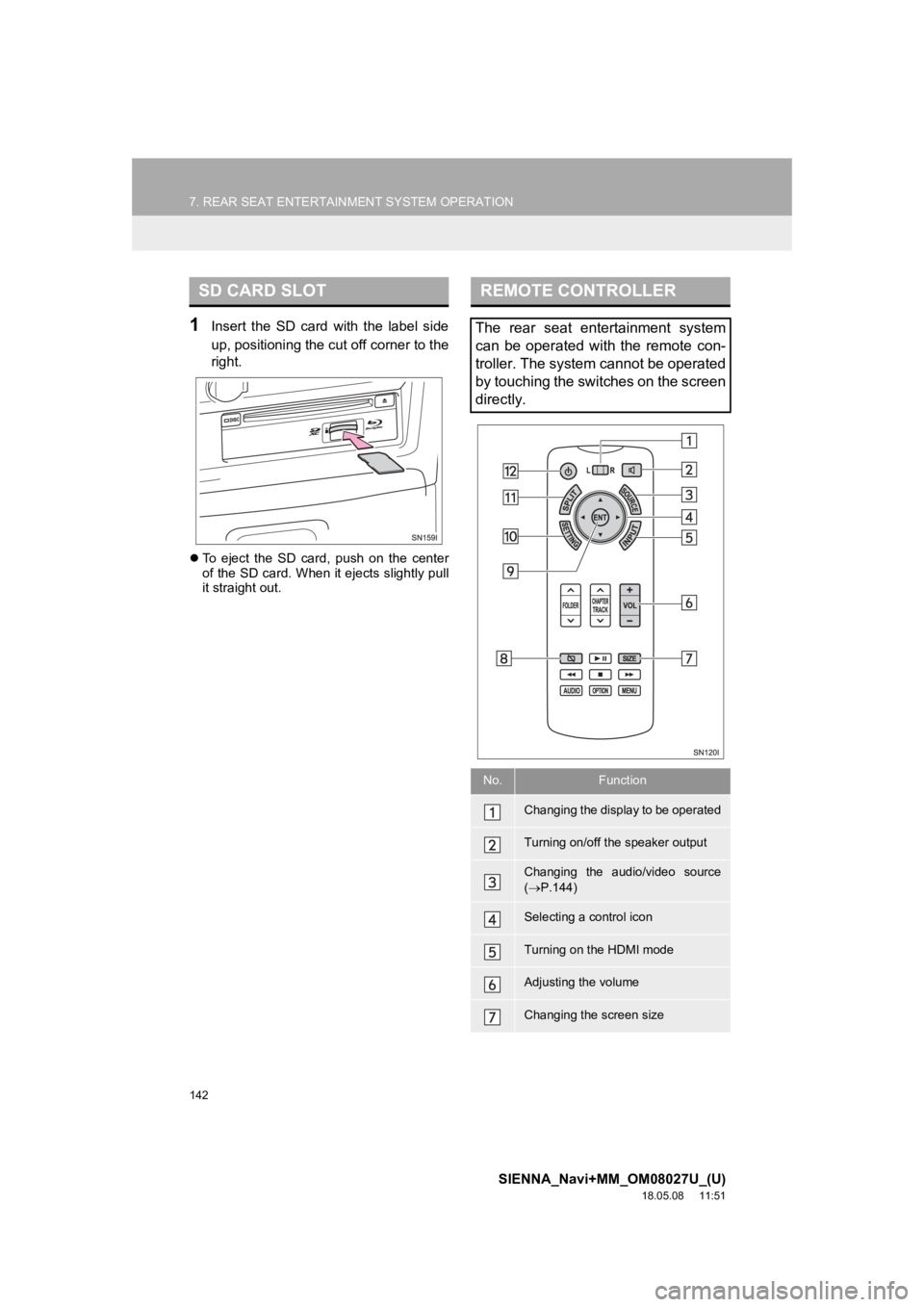
SD CARD SLOTREMOTE CONTROLLER
The rear seat entertainment system
can be operated with the remote con-
troller. The system cannot be operated
by touching the switches on the screen
directly.
No.Function
Changing the display to be operated
Turning on/off the speaker output
Changing the audio/video source
( P.144)
Selecting a control icon
Turning on the HDMI mode
Adjusting the volume
Changing the screen size
Page 143 of 441
143
7. REAR SEAT ENTERTAINMENT SYSTEM OPERATION
SIENNA_Navi+MM_OM08027U_(U)
18.05.08 11:51
AUDIO/VISUAL SYSTEM
3
1Press the button to turn on the
rear seat entertainment system.
Press the button once again to turn
off the system.
1Press “+” or “-” on the “VOL” button
to adjust the volume.
When the speaker output is off, the vol-
ume cannot be adjusted.
1Press the button to turn on/off
the speaker output.
On: The sound is available from both vehi-
cle speakers and headphones.
Off: The sound is available from the head-
phones only.
1Press the “SPLIT” button.
Every time “SPLIT” button is pressed, the
screen will be changed following order.
single screen mode split screen mode
switch right and left screen single
screen mode
When the screen is switched, the current
screen is displayed on the opposite side of
the screen that is set in the left (“L”) and
right (“R”) selector switch.
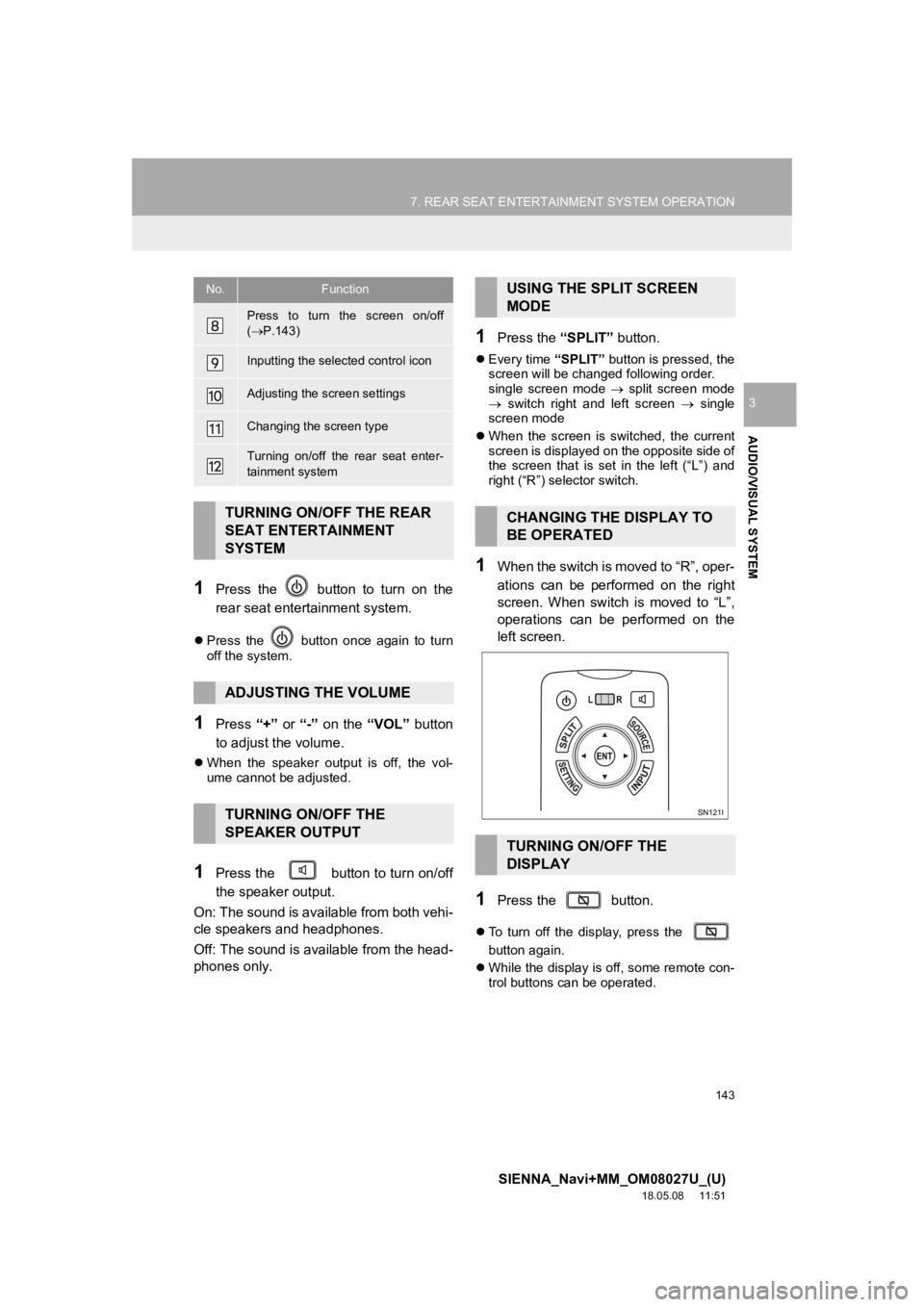
1When the switch is moved to “R”, oper-
ations can be performed on the right
screen. When switch is moved to “L”,
operations can be performed on the
left screen.
1Press the button.
To turn off the display, press the
button again.
While the display is off, some remote con-
trol buttons can be operated.
Press to turn the screen on/off
( P.143)
Inputting the selected control icon
Adjusting the screen settings
Changing the screen type
Turning on/off the rear seat enter-
tainment system
TURNING ON/OFF THE REAR
SEAT ENTERTAINMENT
SYSTEM
ADJUSTING THE VOLUME
TURNING ON/OFF THE
SPEAKER OUTPUT
No.FunctionUSING THE SPLIT SCREEN
MODE
CHANGING THE DISPLAY TO
BE OPERATED
TURNING ON/OFF THE
DISPLAY
Page 145 of 441
145
7. REAR SEAT ENTERTAINMENT SYSTEM OPERATION
SIENNA_Navi+MM_OM08027U_(U)
18.05.08 11:51
AUDIO/VISUAL SYSTEM
3
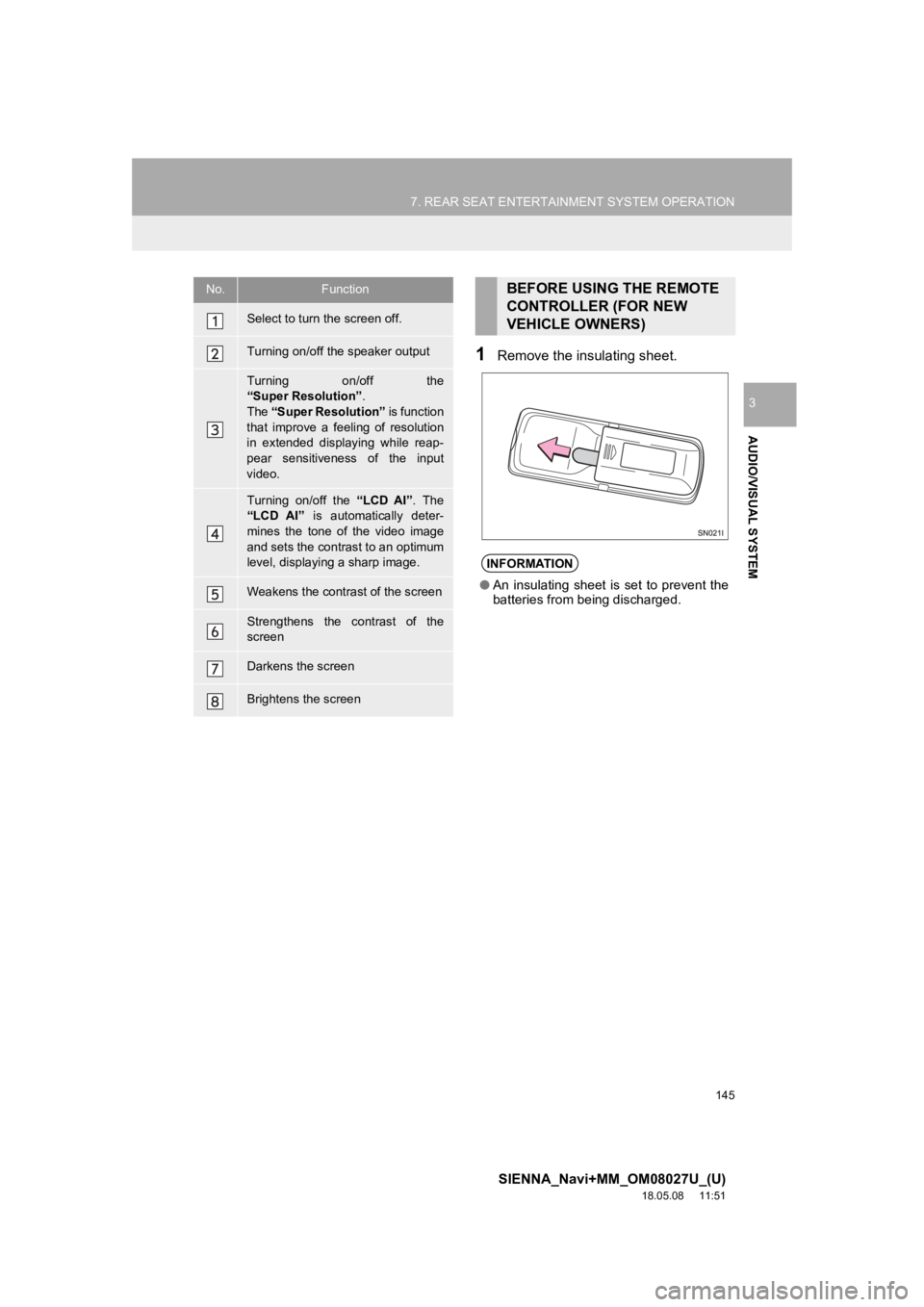
1Remove the insulating sheet.
No.Function
Select to turn the screen off.
Turning on/off the speaker output
Turning on/off the
“Super Resolution”.
The “Super Resolution” is function
that improve a feeling of resolution
in extended displaying while reap-
pear sensitiveness of the input
video.
Turning on/off the “LCD AI”. The
“LCD AI” is automatically deter-
mines the tone of the video image
and sets the contrast to an optimum
level, displaying a sharp image.
Weakens the contrast of the screen
Strengthens the contrast of the
screen
Darkens the screen
Brightens the screen
BEFORE USING THE REMOTE
CONTROLLER (FOR NEW
VEHICLE OWNERS)
INFORMATION
● An insulating sheet is set to prevent the
batteries from being discharged.