fuel consumption TOYOTA SIENNA HYBRID 2021 Accessories, Audio & Navigation (in English)
[x] Cancel search | Manufacturer: TOYOTA, Model Year: 2021, Model line: SIENNA HYBRID, Model: TOYOTA SIENNA HYBRID 2021Pages: 332, PDF Size: 11.73 MB
Page 14 of 332
141-1. Basic function
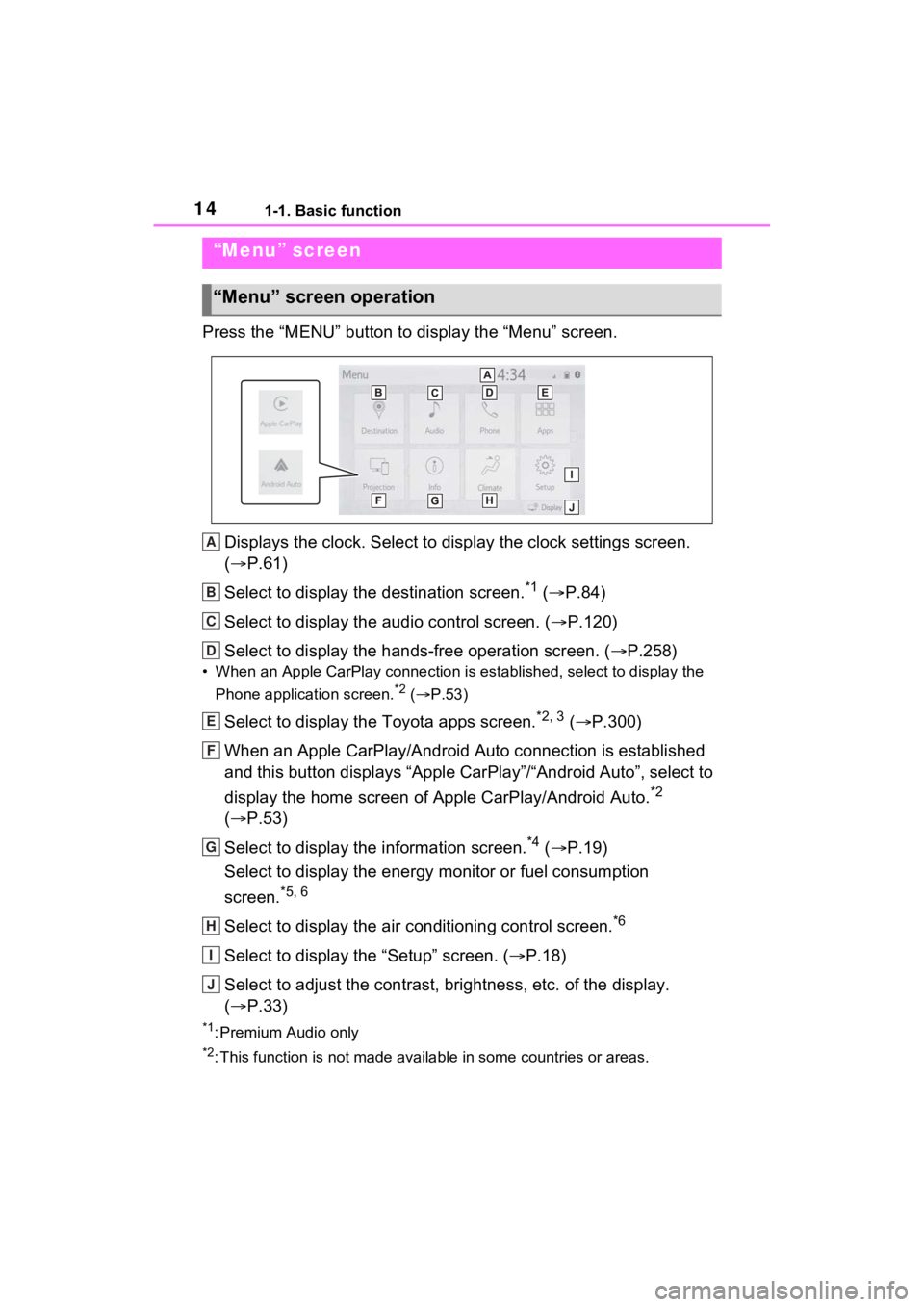
Press the “MENU” button to display the “Menu” screen.
Displays the clock. Select to display the clock settings screen.
( P.61)
Select to display the destination screen.
*1 ( P.84)
Select to display the audio control screen. ( P.120)
Select to display the hands-free operation screen. ( P.258)
• When an Apple CarPlay connection is established, select to display the
Phone application screen.
*2 ( P.53)
Select to display the Toyota apps screen.*2, 3 ( P.300)
When an Apple CarPlay/Android Auto connection is established
and this button displays “Apple CarPlay”/“Android Auto”, select to
display the home screen of Apple CarPlay/Android Auto.
*2
( P.53)
Select to display the information screen.
*4 ( P.19)
Select to display the energy monitor or fuel consumption
screen.
*5, 6
Select to display the air conditioning control screen.*6
Select to display the “Setup” screen. ( P.18)
Select to adjust the contrast, brightness, etc. of the display.
( P.33)
*1: Premium Audio only
*2: This function is not made available in some countries or areas .
“Menu” screen
“Menu” screen operation
A
B
C
D
E
F
G
H
I
J
Page 19 of 332
191-1. Basic function
1
Quick guide*: Vehicles equipped with DCM
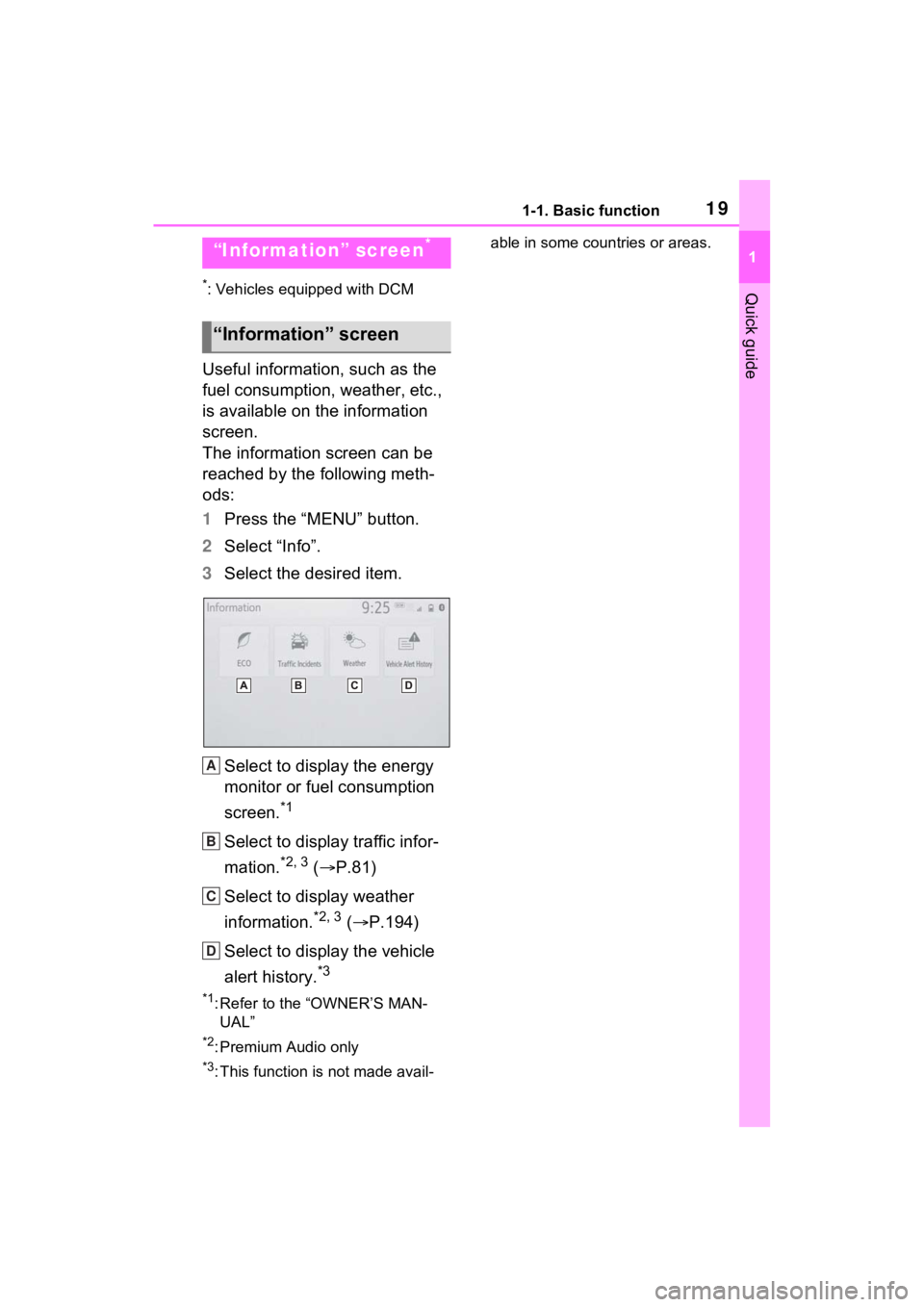
Useful information, such as the
fuel consumption, weather, etc.,
is available on the information
screen.
The information screen can be
reached by the following meth-
ods:
1Press the “MENU” button.
2 Select “Info”.
3 Select the desired item.
Select to display the energy
monitor or fuel consumption
screen.
*1
Select to display traffic infor-
mation.
*2, 3 ( P.81)
Select to display weather
information.
*2, 3 ( P.194)
Select to display the vehicle
alert history.
*3
*1: Refer to the “OWNER’S MAN- UAL”
*2: Premium Audio only
*3: This function is not made avail- able in some countries or areas.
“Information” screen*
“Information” screen
A
B
C
D
Page 60 of 332
602-4. Other settings
2-4.Other settings
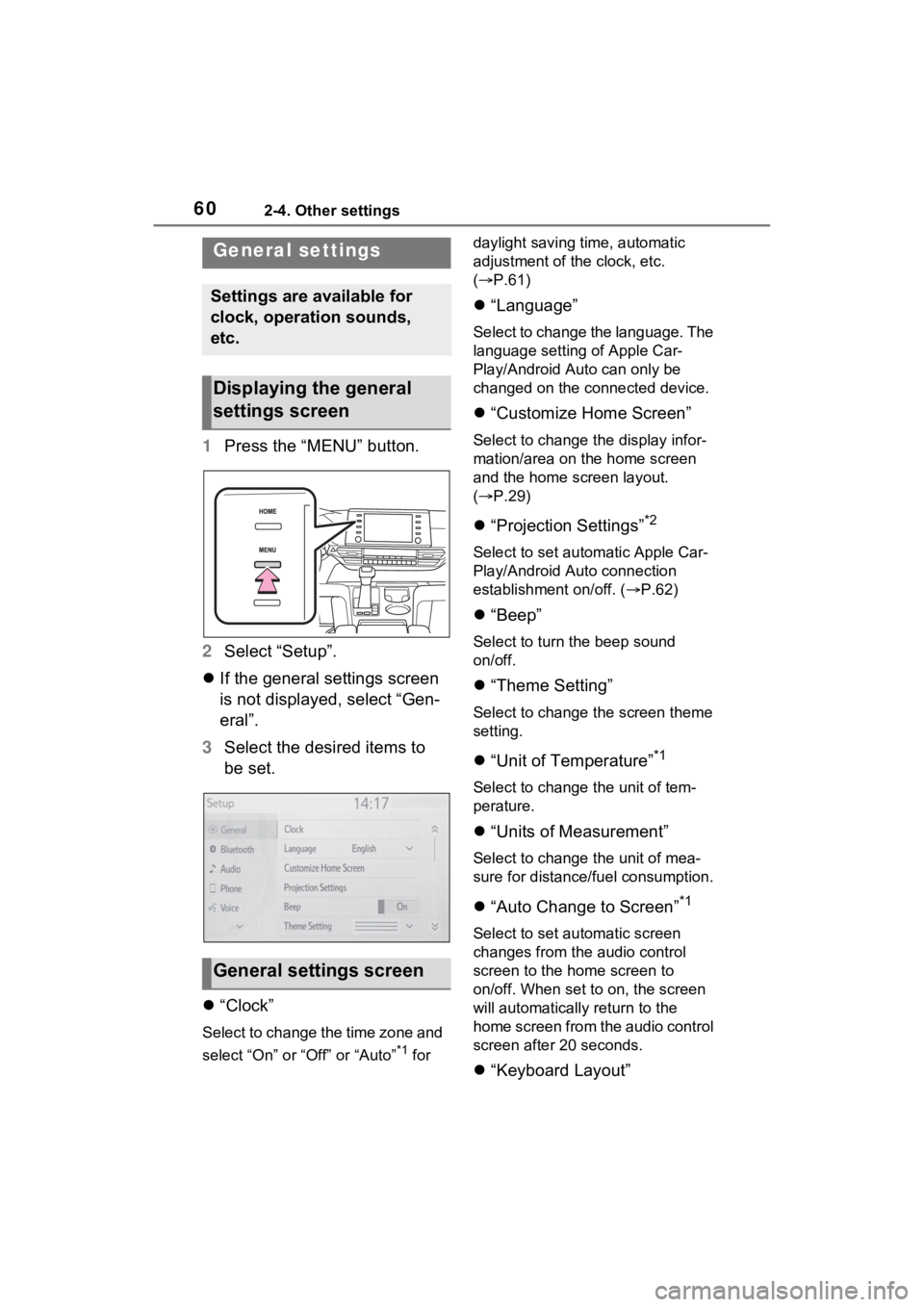
1Press the “MENU” button.
2 Select “Setup”.
If the general settings screen
is not displayed, select “Gen-
eral”.
3 Select the desired items to
be set.
“Clock”
Select to change the time zone and
select “On” or “Off” or “Auto”
*1 for daylight saving time, automatic
adjustment of the clock, etc.
(
P.61)
“Language”
Select to change the language. The
language setting of Apple Car-
Play/Android Auto can only be
changed on the connected device.
“Customize Home Screen”
Select to change the display infor-
mation/area on the home screen
and the home screen layout.
( P.29)
“Projection Settings”*2
Select to set automatic Apple Car-
Play/Android Auto connection
establishment on/off. ( P.62)
“Beep”
Select to turn the beep sound
on/off.
“Theme Setting”
Select to change the screen theme
setting.
“Unit of Temperature”*1
Select to change the unit of tem-
perature.
“Units of Measurement”
Select to change the unit of mea-
sure for distance/fuel consumption.
“Auto Change to Screen”*1
Select to set automatic screen
changes from the audio control
screen to the home screen to
on/off. When set to on, the screen
will automatically r eturn to the
home screen from the audio control
screen after 20 seconds.
“Keyboard Layout”
General settings
Settings are available for
clock, operation sounds,
etc.
Displaying the general
settings screen
General settings screen
Page 315 of 332
Alphabetical Index315
When folding the outside rear view mirrors .......................... 241Screen display...................... 241
Wi-Fi
® hotspot .......................... 48
Changing the Wi-Fi
® settings . 49
Connecting a device to the in- vehicle access point ............. 48
Wi-Fi
® function operating hints
............................................. 51
“Wi-Fi” button (“Setup” screen) ........................................... 18, 49
For more information about the following items, see
the “OWNER’S MANUAL”.
· Fuel consumption
· Energy monitor
· Vehicle customization set-
tings