automatic transmission TOYOTA SUPRA 2019 User Guide
[x] Cancel search | Manufacturer: TOYOTA, Model Year: 2019, Model line: SUPRA, Model: TOYOTA SUPRA 2019Pages: 456, PDF Size: 88.65 MB
Page 143 of 456
143
3
Supra Owner's Manual3-1. CONTROLS
CONTROLS
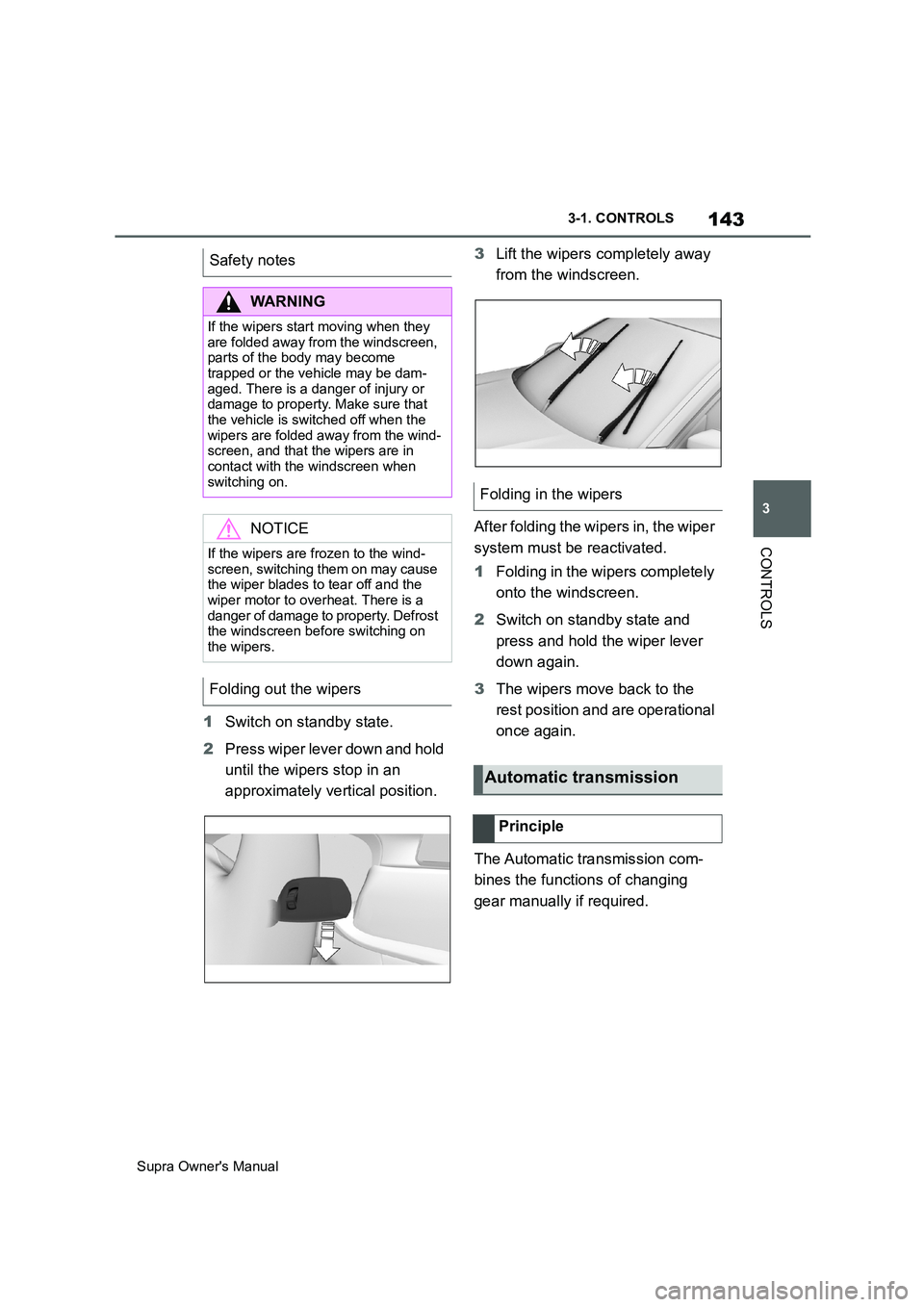
1Switch on standby state.
2Press wiper lever down and hold
until the wipers stop in an
approximately vertical position.3Lift the wipers completely away
from the windscreen.
After folding the wipers in, the wiper
system must be reactivated.
1Folding in the wipers completely
onto the windscreen.
2Switch on standby state and
press and hold the wiper lever
down again.
3The wipers move back to the
rest position and are operational
once again.
The Automatic transmission com-
bines the functions of changing
gear manually if required. Safety notes
WARNING
If the wipers start moving when they
are folded away from the windscreen,
parts of the body may become
trapped or the vehicle may be dam-
aged. There is a danger of injury or
damage to property. Make sure that
the vehicle is switched off when the
wipers are folded away from the wind-
screen, and that the wipers are in
contact with the windscreen when
switching on.
NOTICE
If the wipers are frozen to the wind-
screen, switching them on may cause
the wiper blades to tear off and the
wiper motor to overheat. There is a
danger of damage to property. Defrost
the windscreen before switching on
the wipers.
Folding out the wipers
Folding in the wipers
Automatic transmission
Principle
Page 144 of 456
144
Supra Owner's Manual3-1. CONTROLS
Selector lever position for all nor-
mal driving. All gears for forward
driving are selected automatically.
Only engage selector lever posi-
tion R when the vehicle is station-
ary.
In selector lever position N, the
vehicle can be pushed or can roll
without power from the engine, for
example in car washes, see page
145.
Selector lever position for parking
the vehicle, for example. In selector
lever position P, the transmission
blocks the drive wheels.
Only engage selector lever posi-
tion P when the vehicle is station-
ary.
■P is engaged automatically
Selector lever position P is auto-
matically engaged in the following
situations, for example:
After switching off drive-ready
state if selector lever position R,
D or M is engaged.
After switching off standby state
if selector lever position N is
engaged.
If, while the vehicle is at a stand-
still and selector lever position D,
M or R is engaged, the driver's
seat belt is unfastened, the
driver's door is opened and the
brake pedal is not depressed.
Apply the brakes until you are
ready to drive off, otherwise the
vehicle will move when a drive posi-
tion is selected.
The selector lever will only move
from position P to another selector
lever position if drive-ready state is
switched on and the brake pedal is
depressed.
Where applicable, selector lever
position P can only be changed
once all technical requirements are
fulfilled. Safety note
WARNING
An unsecured vehicle can start mov-
ing and rolling away. There is a dan-
ger of accidents. Before leaving the
vehicle, secure it to prevent it from
rolling away, for example by applying
the parking brake.
Selector lever positions
D drive position
R Reverse
N neutral
P Park
Engaging selector lever posi-
tions
General
Operating requirements
Page 146 of 456
146
Supra Owner's Manual3-1. CONTROLS
Irrespective of standby state, selec-
tor lever position P is engaged
automatically after approximately
35 minutes.
If there is a fault, it may not be pos-
sible to change the selector lever
position.
Unlock the transmission lockout
electronically if necessary, see
page 147.
Kick-down enables you to achieve
maximum performance.
Press the accelerator pedal down
beyond the regular full-throttle posi-
tion; resistance will be felt.
The gears can be changed manu-
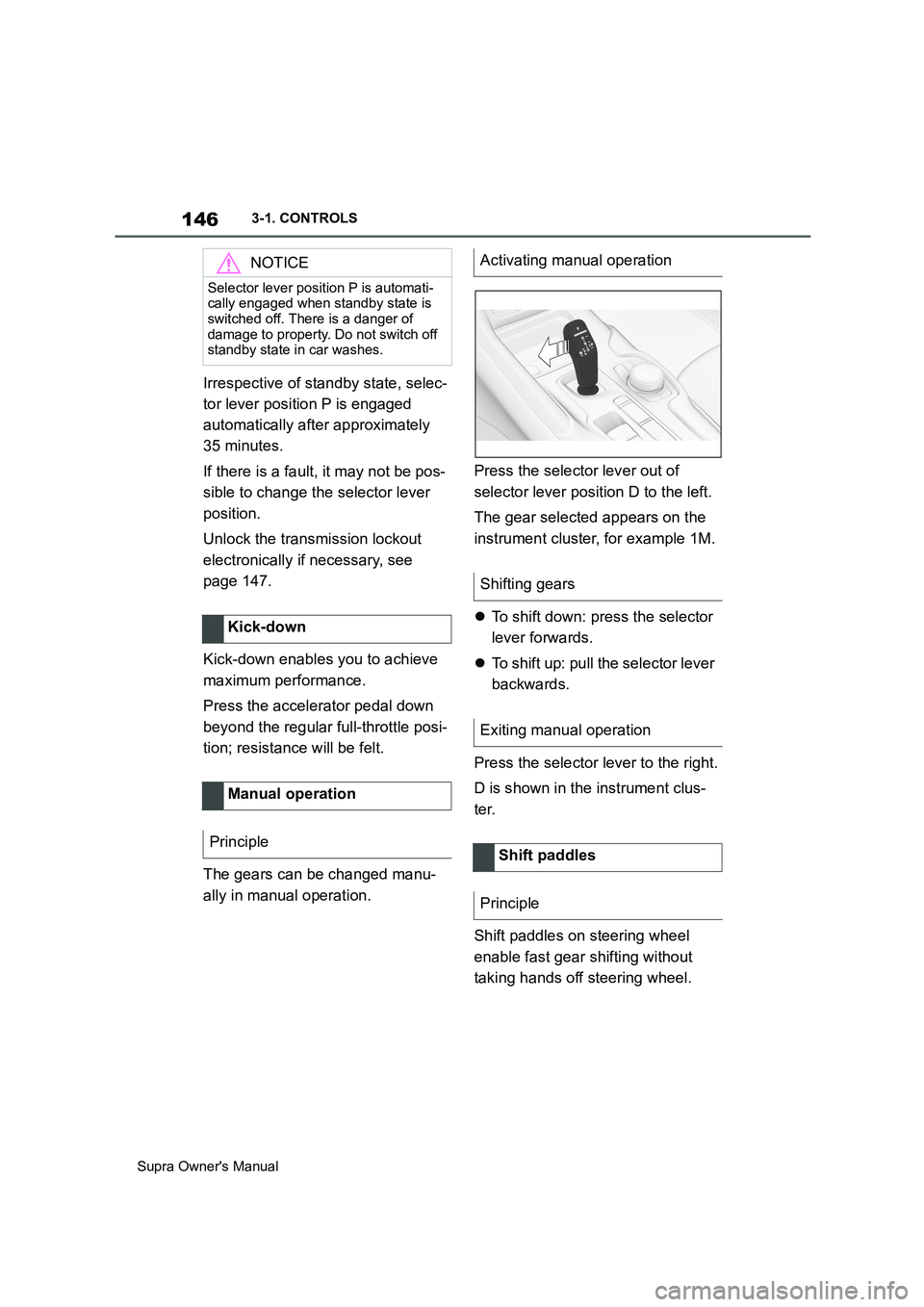
ally in manual operation.Press the selector lever out of
selector lever position D to the left.
The gear selected appears on the
instrument cluster, for example 1M.
To shift down: press the selector
lever forwards.
To shift up: pull the selector lever
backwards.
Press the selector lever to the right.
D is shown in the instrument clus-
ter.
Shift paddles on steering wheel
enable fast gear shifting without
taking hands off steering wheel.
NOTICE
Selector lever position P is automati-
cally engaged when standby state is
switched off. There is a danger of
damage to property. Do not switch off
standby state in car washes.
Kick-down
Manual operation
Principle
Activating manual operation
Shifting gears
Exiting manual operation
Shift paddles
Principle
Page 147 of 456
147
3
Supra Owner's Manual3-1. CONTROLS
CONTROLS
■Gearshift
Gear shifting is only carried out at
the appropriate engine RPM and
vehicle speed.
■Short-term manual operation
In selector lever position D, operat-
ing a shift paddle causes the sys-
tem to switch to manual operation
temporarily.
The gearbox reverts to automatic
operation from manual operation
after a certain period of time of
moderate driving without accelera-
tion or gear shifts using the shift
paddles.
Changing to automatic operation is
possible as follows:
Pull and hold right shift paddle.
In addition to briefly pulling right
shift paddle, briefly pull left shift
paddle.
■Permanent manual operation
In selector lever position M, operat-
ing a shift paddle causes the sys-
tem to switch permanently to
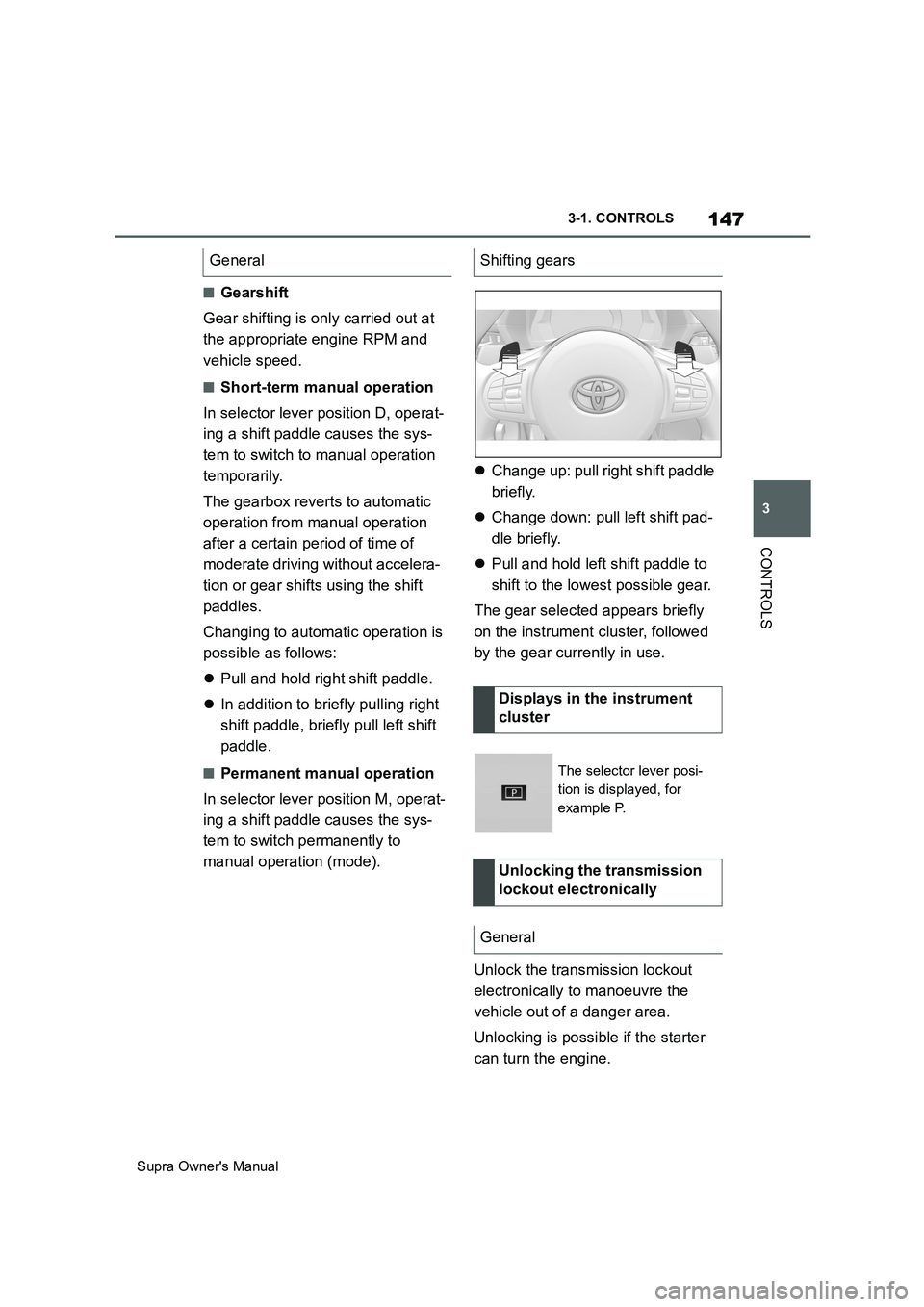
manual operation (mode).Change up: pull right shift paddle
briefly.
Change down: pull left shift pad-
dle briefly.
Pull and hold left shift paddle to
shift to the lowest possible gear.
The gear selected appears briefly
on the instrument cluster, followed
by the gear currently in use.
Unlock the transmission lockout
electronically to manoeuvre the
vehicle out of a danger area.
Unlocking is possible if the starter
can turn the engine. General
Shifting gears
Displays in the instrument
cluster
The selector lever posi-
tion is displayed, for
example P.
Unlocking the transmission
lockout electronically
General
Page 149 of 456
149
3
Supra Owner's Manual3-1. CONTROLS
CONTROLS
3 Press the button.
TRACTION will be displayed on the
instrument cluster and the VSC OFF
indicator lamp will illuminate.
4Select the D selector lever posi-
tion.
5Firmly depress the brake pedal
with your left foot.
6Fully depress and hold the
accelerator pedal at the kick-
down position.
A flag symbol will be shown in the
instrument cluster.
7The engine speed will be
adjusted for launching. Release
the brake pedal within 3 sec-
onds.
Once Launch Control has been
used, the transmission requires
approximately 5 minutes to cool
down before Launch Control can be
used again. Launch Control adapts
to the ambient conditions when
used again.
To support driving stability, re-acti-
vate Vehicle Stability Control, VSC
as soon as possible.
An experienced driver may be able
to achieve better acceleration val-
ues in VSC OFF mode.The sport mode switch influences
the driving dynamics characteristics
of the vehicle.
The following systems are influ-
enced, for example:
Engine characteristics.
Automatic transmission.
Adaptive variable suspension.
Steering.
Display in the instrument cluster.
Cruise Control.
Using again during a journey
After using Launch Control
System limits
Sport mode switch
Principle
General
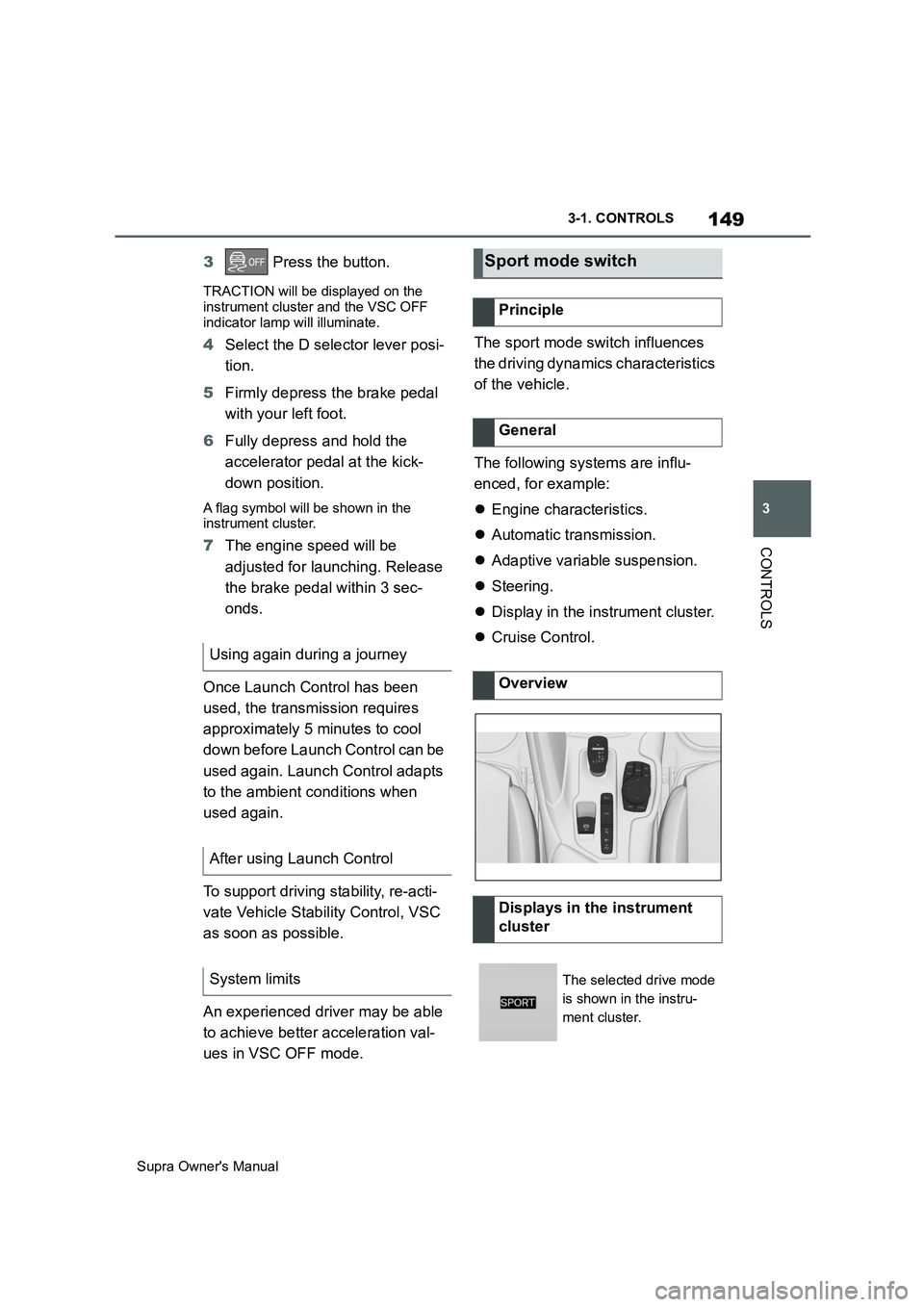
Overview
Displays in the instrument
cluster
The selected drive mode
is shown in the instru-
ment cluster.
Page 157 of 456
157
3
Supra Owner's Manual3-1. CONTROLS
CONTROLS
The current fill level of the fuel tank
is displayed.
The angle of the vehicle may cause
the display to fluctuate.
Notes on refuelling, see page 276.It is vital to avoid engine speeds in
the red warning zone. In this zone,
the fuel supply is interrupted to pro-
tect the engine.
Depending on the equipment, the
shift lights on the revolution counter
indicate the maximum shift point at
which the best possible accelera-
tion can be achieved.
When the selected driving mode is
sport mode, a shift light will be dis-
played.
1Select SPORT using the sport
mode switch.
2Activate manual mode of the
transmission. Automatic high-beam
Automatic high-beamis
switched on.
The high-beam head-
lights are switched on and
off automatically depend-
ing on the traffic situation.
Automatic high-beam, see
page 174.
Blue lights
High-beam headlights
The high-beam head-
lights are switched on.
High-beam headlights,
see page 139.
Fuel gauge
Principle
General
Display
An arrow next to the petrol
pump symbol shows
which side of the vehicle
the fuel filler flap is on.
Revolution counter
Shift lights
Principle
Operating requirements
Switching on Shift Lights
Page 160 of 456
160
Supra Owner's Manual3-1. CONTROLS
The system recommends the most
efficient gear for the current driving
situation.
Depending on the design and the
country specifications, the shift
point indicator is active in manual
mode of the automatic transmis-
sion.
Information on up or down shifting
are displayed in the instrument
cluster.
Speed Limit Info shows the cur-
rently applicable speed limit in the instrument cluster and the Head-Up
Display, as well as additional signs
where applicable, for example in
wet conditions.
The camera in the area of the inte-
rior rear-view mirror detects traffic
signs at the edge of the road as
well as variable overhead signs.
Road signs with additional instruc-
tions, for example restrictions appli-
cable in wet weather, are taken into
account and correlated with infor-
mation in the vehicle, such as the
windscreen wiper signal. The road
sign and corresponding additional
signs are then displayed in the
instrument cluster and the Head-Up
Display, if applicable, or ignored,
depending on the situation. Some
additional signs are taken into
account in the evaluation of the
speed limit, but are not displayed in
the instrument cluster.
The system considers the informa-
tion saved in the navigation system
as applicable and also displays the
speed limits present on unmarked
sections of road.
Overtaking restriction signs and
end of restriction signs that are
Shift point indicator
Principle
General
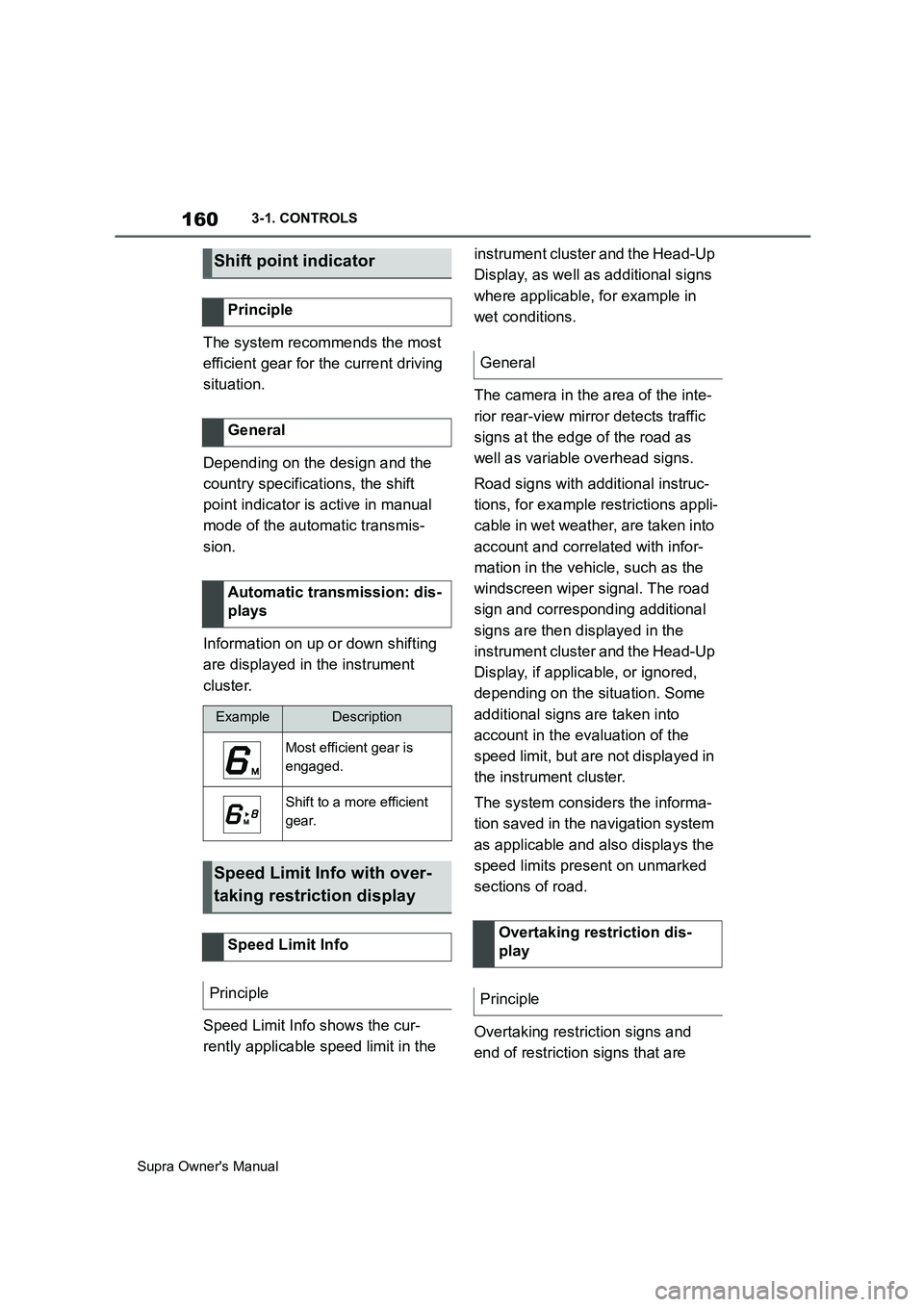
Automatic transmission: dis-
plays
ExampleDescription
Most efficient gear is
engaged.
Shift to a more efficient
gear.
Speed Limit Info with over-
taking restriction display
Speed Limit Info
Principle
General
Overtaking restriction dis-
play
Principle
Page 221 of 456
221
3
Supra Owner's Manual3-1. CONTROLS
CONTROLS
cally in the following situations, for
example:
When switching the engine off.
When switching on Cruise Con-
trol.
When activating sport mode
using the sport mode switch.
The displays turn off.
The system is interrupted when
reverse gear is engaged or the
transmission is in neutral.
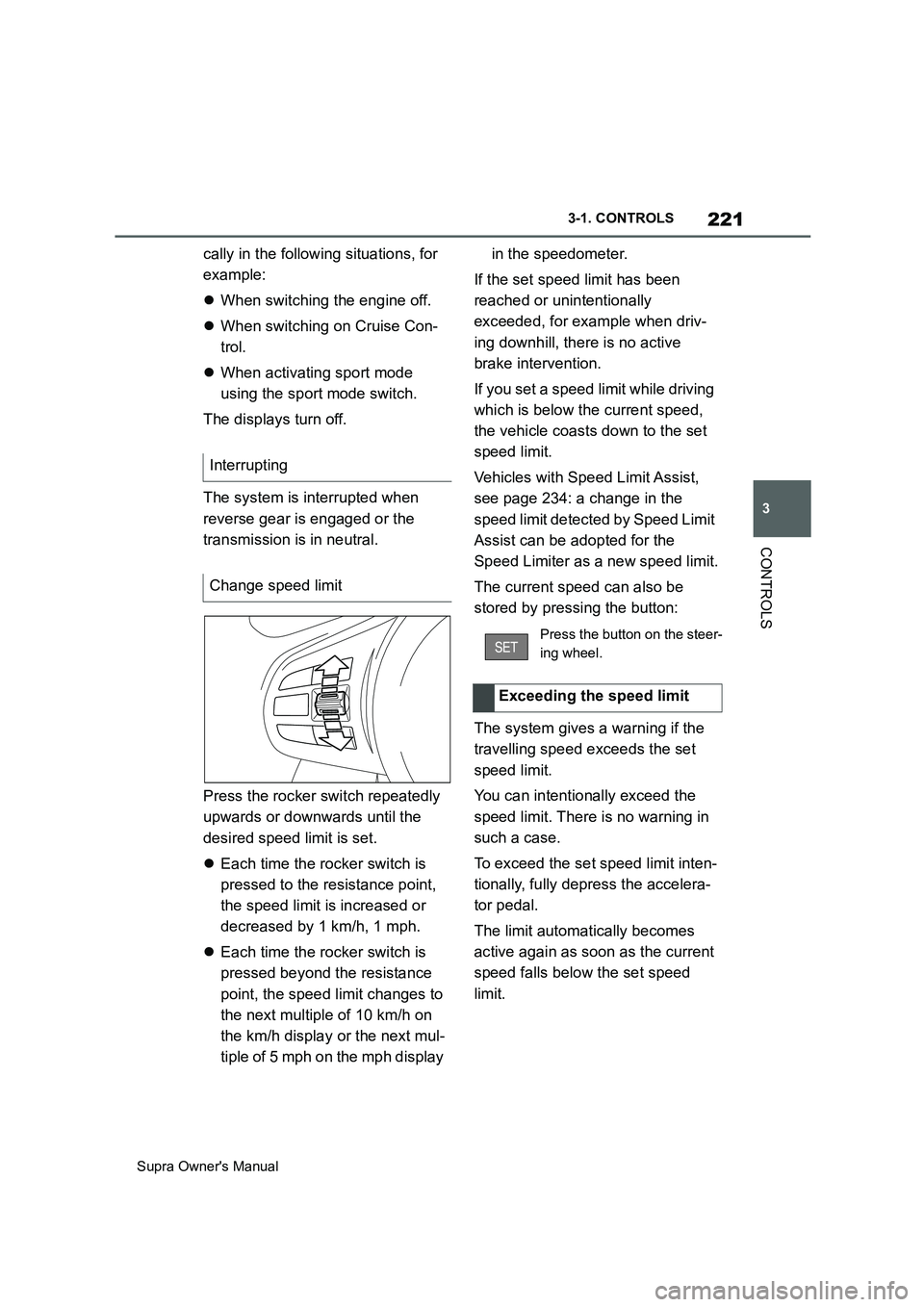
Press the rocker switch repeatedly
upwards or downwards until the
desired speed limit is set.
Each time the rocker switch is
pressed to the resistance point,
the speed limit is increased or
decreased by 1 km/h, 1 mph.
Each time the rocker switch is
pressed beyond the resistance
point, the speed limit changes to
the next multiple of 10 km/h on
the km/h display or the next mul-
tiple of 5 mph on the mph display in the speedometer.
If the set speed limit has been
reached or unintentionally
exceeded, for example when driv-
ing downhill, there is no active
brake intervention.
If you set a speed limit while driving
which is below the current speed,
the vehicle coasts down to the set
speed limit.
Vehicles with Speed Limit Assist,
see page 234: a change in the
speed limit detected by Speed Limit
Assist can be adopted for the
Speed Limiter as a new speed limit.
The current speed can also be
stored by pressing the button:
The system gives a warning if the
travelling speed exceeds the set
speed limit.
You can intentionally exceed the
speed limit. There is no warning in
such a case.
To exceed the set speed limit inten-
tionally, fully depress the accelera-
tor pedal.
The limit automatically becomes
active again as soon as the current
speed falls below the set speed
limit. Interrupting
Change speed limit
Press the button on the steer-
ing wheel.
Exceeding the speed limit
Page 223 of 456
223
3
Supra Owner's Manual3-1. CONTROLS
CONTROLS
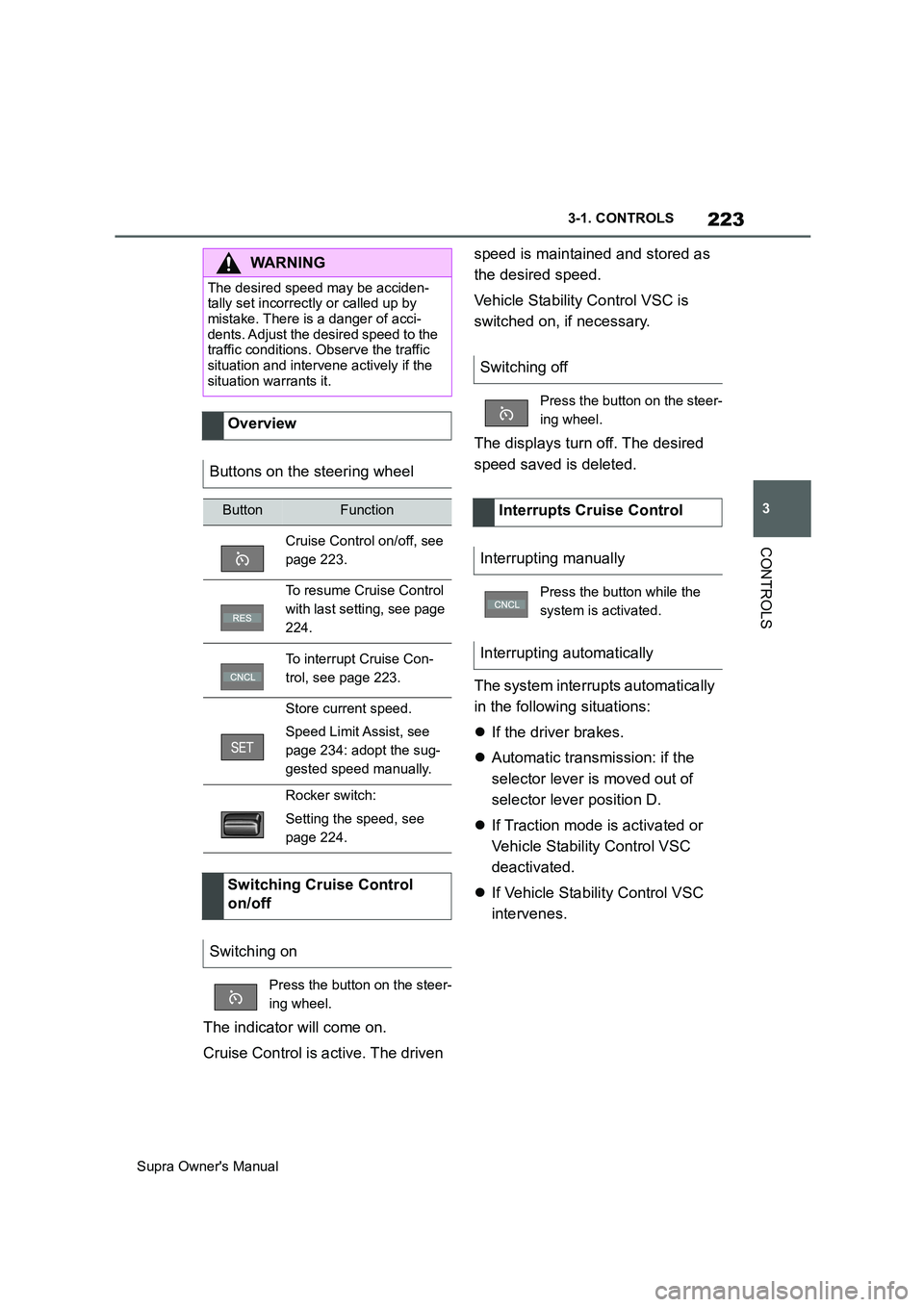
The indicator will come on.
Cruise Control is active. The driven speed is maintained and stored as
the desired speed.
Vehicle Stability Control VSC is
switched on, if necessary.
The displays turn off. The desired
speed saved is deleted.
The system interrupts automatically
in the following situations:
If the driver brakes.
Automatic transmission: if the
selector lever is moved out of
selector lever position D.
If Traction mode is activated or
Vehicle Stability Control VSC
deactivated.
If Vehicle Stability Control VSC
intervenes.
WARNING
The desired speed may be acciden-
tally set incorrectly or called up by
mistake. There is a danger of acci-
dents. Adjust the desired speed to the
traffic conditions. Observe the traffic
situation and intervene actively if the
situation warrants it.
Overview
Buttons on the steering wheel
ButtonFunction
Cruise Control on/off, see
page 223.
To resume Cruise Control
with last setting, see page
224.
To interrupt Cruise Con-
trol, see page 223.
Store current speed.
Speed Limit Assist, see
page 234: adopt the sug-
gested speed manually.
Rocker switch:
Setting the speed, see
page 224.
Switching Cruise Control
on/off
Switching on
Press the button on the steer-
ing wheel.
Switching off
Press the button on the steer-
ing wheel.
Interrupts Cruise Control
Interrupting manually
Press the button while the
system is activated.
Interrupting automatically
Page 239 of 456
239
3
Supra Owner's Manual3-1. CONTROLS
CONTROLS
in, an alternating continuous tone
sounds.
Automatic transmission: the inter-
mittent tone and the continuous
tone are switched off when selector
lever position P is engaged.
With the vehicle at a standstill, the
intermittent sound is switched off
after a short period of time.
■Volume control
The Parking Sensor acoustic signal
volume can be adjusted.
Via Toyota Supra Command:
1"My vehicle"
2"System settings"
3"Sounds"
4"Volume settings"
5"Parking Sensor"
6Set the desired value.
The setting is saved for the cur-
rently used driver profile.
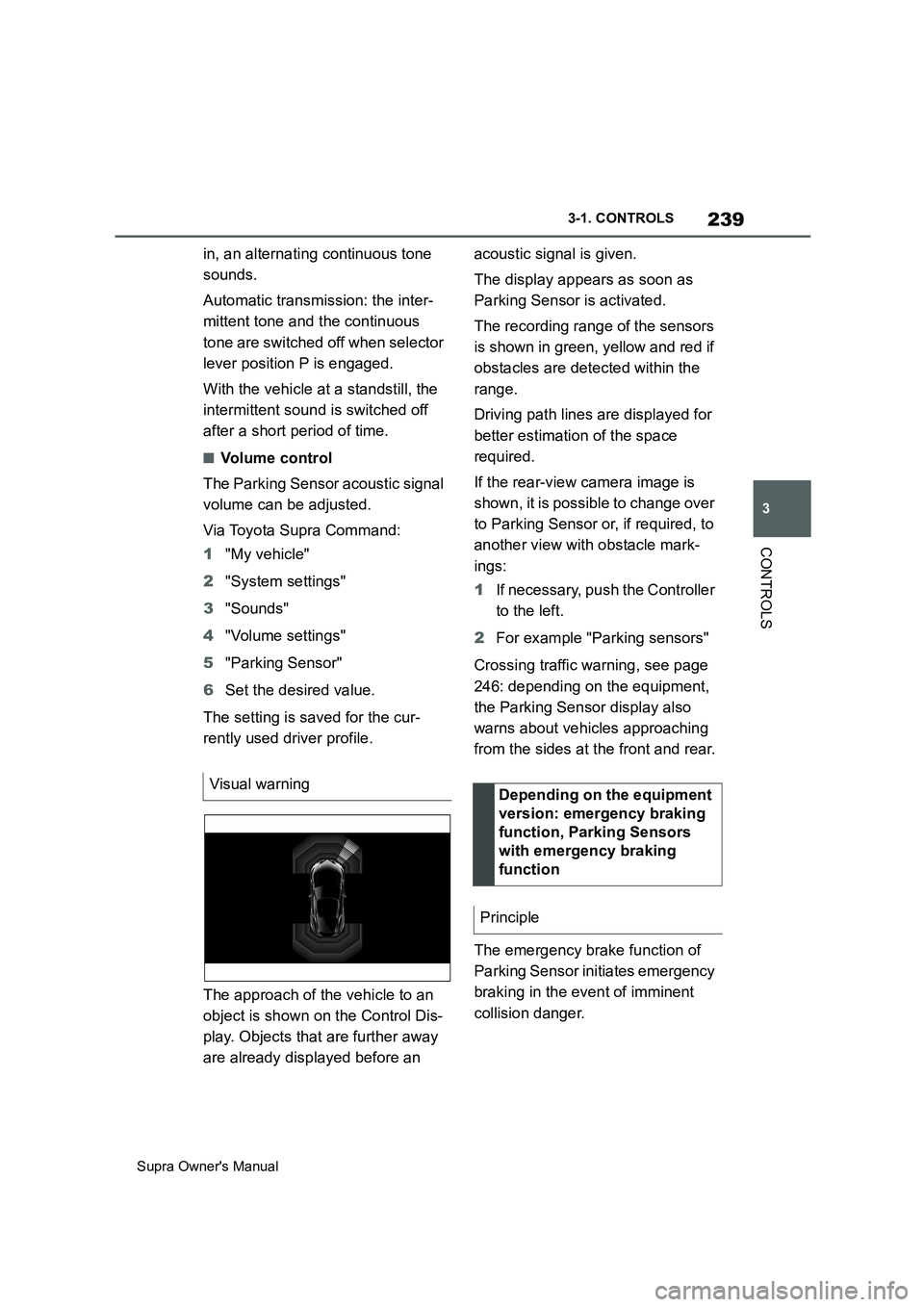
The approach of the vehicle to an
object is shown on the Control Dis-
play. Objects that are further away
are already displayed before an acoustic signal is given.
The display appears as soon as
Parking Sensor is activated.
The recording range of the sensors
is shown in green, yellow and red if
obstacles are detected within the
range.
Driving path lines are displayed for
better estimation of the space
required.
If the rear-view camera image is
shown, it is possible to change over
to Parking Sensor or, if required, to
another view with obstacle mark-
ings:
1If necessary, push the Controller
to the left.
2For example "Parking sensors"
Crossing traffic warning, see page
246: depending on the equipment,
the Parking Sensor display also
warns about vehicles approaching
from the sides at the front and rear.
The emergency brake function of
Parking Sensor initiates emergency
braking in the event of imminent
collision danger. Visual warning
Depending on the equipment
version: emergency braking
function, Parking Sensors
with emergency braking
function
Principle