steering TOYOTA SUPRA 2019 User Guide
[x] Cancel search | Manufacturer: TOYOTA, Model Year: 2019, Model line: SUPRA, Model: TOYOTA SUPRA 2019Pages: 456, PDF Size: 88.65 MB
Page 58 of 456
58
Supra Owner's Manual3-1. CONTROLS
This chapter describes all standard,
country-specific and special equip-
ment available for the model series.
It may therefore describe equip-
ment which is not installed in your
vehicle, for example on account of
the optional equipment selected or
the country specification. This also
applies to safety-relevant functions
and systems. Please comply with
the relevant laws and regulations
when using the corresponding func-
tions and systems.
The voice control system enables
most of the functions shown in the
Control Display to be operated by
spoken commands. The system
provides spoken announcements to
assist you with input.
• Functions that can only be used
when the vehicle is stationary
can only be operated via the
voice control system to a limited
extent.
• The system has a special micro-
phone on the driver's side.
• ›...‹ indicates commands for the
voice control system in the
Owner's Manual.• Commands, numbers and let-
ters should be spoken fluently,
with the usual emphasis and at a
normal volume and speed.
• Always say the commands in the
language of the voice control
system.
• When selecting the radio sta-
tion, use the customary pronun-
ciation of the station name as it is
displayed on the Control Display.
›[...] Station ...‹, for example,
Classic Radio station.
In order for the voice commands to
be detected, a language must be
set using Toyota Supra Command
that is supported by the voice con-
trol system.
Selecting the language, see page
61.
1 Press the button on the
steering wheel.
2Wait for the acoustic signal.
3Say the command.
It is possible that no further spoken
commands are available. In this
Voice control system
Vehicle equipment
Principle
General
Operating requirements
Saying voice commands
Activating the voice control
system
This symbol on the Control
Display shows that the voice
control system is active.
Page 59 of 456
59
3
Supra Owner's Manual3-1. CONTROLS
CONTROLS
case, switch to Toyota Supra Com-
mand to operate the function.
A smartphone connected to the
vehicle can be operated via voice
control.
To do this, activate voice control on
the smartphone.
1 Press and hold the but-
ton on the steering wheel for
approx. 3 seconds.
Voice control in the smartphone is acti-
vated.
2 Release the button.
If activation is successful, a confirma-
tion appears on the Control Display.
If it was not possible to activate
voice control, the list of Bluetooth
devices appears on the Control
Display.
Most of the menu items on the Con-
trol Display can be said as com-
mands.
Commands from other menus can be spoken as well.
Some list entries, for example tele-
phone book entries, can also be
selected using the voice control
system. When doing this, say the
list entries exactly as they are
shown in the relevant list.
The following is displayed in the
upper area of the Control Display:
• Some of the possible commands
for the current menu.
• Some of the possible commands
from other menus.
• Voice recognition status.
• Encrypted connection unavail-
able.
• To have possible voice com-
mands read aloud: ›Voice com-
mands‹.
• To have information about the
voice control system read aloud:
›General information on voice
control‹.
• To have help on the current
menu read aloud: ›Help‹.
The commands for the menu items
are spoken exactly as they are
selected using the Controller. Switching off the voice con-
trol system
Press the button on the steer-
ing wheel or say ›Cancel‹.
Operating a smartphone via
voice control
Possible commands
General
Displaying possible com-
mands
Help with the voice control
system
An example: calling up
sound settings
Page 60 of 456
60
Supra Owner's Manual3-1. CONTROLS
1If necessary, switch on enter-
tainment audio output.
2 Press the button on the
steering wheel.
3›Media and radio‹
4›Sound‹
You can select whether the system
uses the standard dialogue or the
short variant.
If the short variant is selected, the
system announcements are played
in shortened form.
Via Toyota Supra Command:
1"My Vehicle"
2"System settings"
3"Language"
4"Voice control:"
5Select the desired setting.
Voice recognition via server ena-
bles use of the dictation function,
natural input of destinations and
improves the quality of voice recog-
nition. To use it, data is sent across
an encrypted connection to a ser-
vice provider and stored locally
there.
Via Toyota Supra Command:1"My Vehicle"
2"System settings"
3"Language"
4"Server speech recognition"
It is possible to answer while the
voice control system is querying
your previous spoken instruction.
The function can be deactivated if
the queries are frequently cancelled
inadvertently, for example due to
background noise or speaking.
Via Toyota Supra Command:
1"My Vehicle"
2"System settings"
3"Language"
4"Speaking during voice output"
The language to be used for voice
control and system announcements
can be set.
Via Toyota Supra Command:
1"My Vehicle"
2"System settings"
3If applicable, "Language"
4"Language:"
5Select the desired language.
Turn the volume knob during the
spoken instructions until the
Settings
Setting the speech dialogue
Activating voice recognition
via server
Speaking during voice output
Selecting the language
Adjusting the volume
Page 79 of 456
79
3
Supra Owner's Manual3-1. CONTROLS
CONTROLS
vicinity of the remote control.
Do not transport the remote control
together with electronic devices.
• Interference with radio transmis-
sion caused by the charging of
mobile devices, for example a
mobile phone.
• The remote control is located in
the immediate vicinity of the
wireless charging dock. Place
the remote control somewhere
else.
If there is a malfunction, the vehicle
can be unlocked and locked from
the outside with the integrated key,
see page 79.
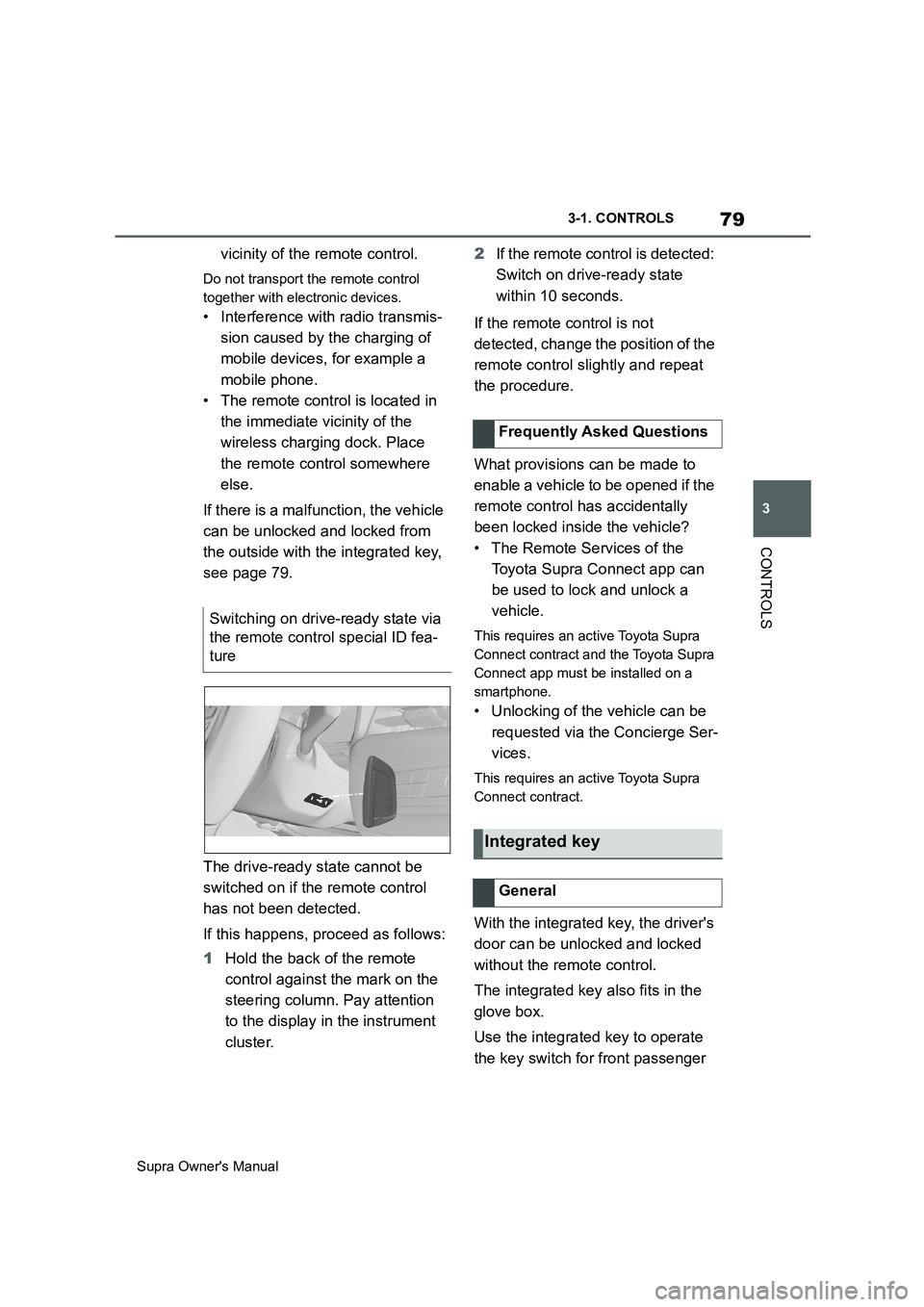
The drive-ready state cannot be
switched on if the remote control
has not been detected.
If this happens, proceed as follows:
1Hold the back of the remote
control against the mark on the
steering column. Pay attention
to the display in the instrument
cluster.2If the remote control is detected:
Switch on drive-ready state
within 10 seconds.
If the remote control is not
detected, change the position of the
remote control slightly and repeat
the procedure.
What provisions can be made to
enable a vehicle to be opened if the
remote control has accidentally
been locked inside the vehicle?
• The Remote Services of the
Toyota Supra Connect app can
be used to lock and unlock a
vehicle.
This requires an active Toyota Supra
Connect contract and the Toyota Supra
Connect app must be installed on a
smartphone.
• Unlocking of the vehicle can be
requested via the Concierge Ser-
vices.
This requires an active Toyota Supra
Connect contract.
With the integrated key, the driver's
door can be unlocked and locked
without the remote control.
The integrated key also fits in the
glove box.
Use the integrated key to operate
the key switch for front passenger Switching on drive-ready state via
the remote control special ID fea-
ture
Frequently Asked Questions
Integrated key
General
Page 101 of 456
101
3
Supra Owner's Manual3-1. CONTROLS
CONTROLS
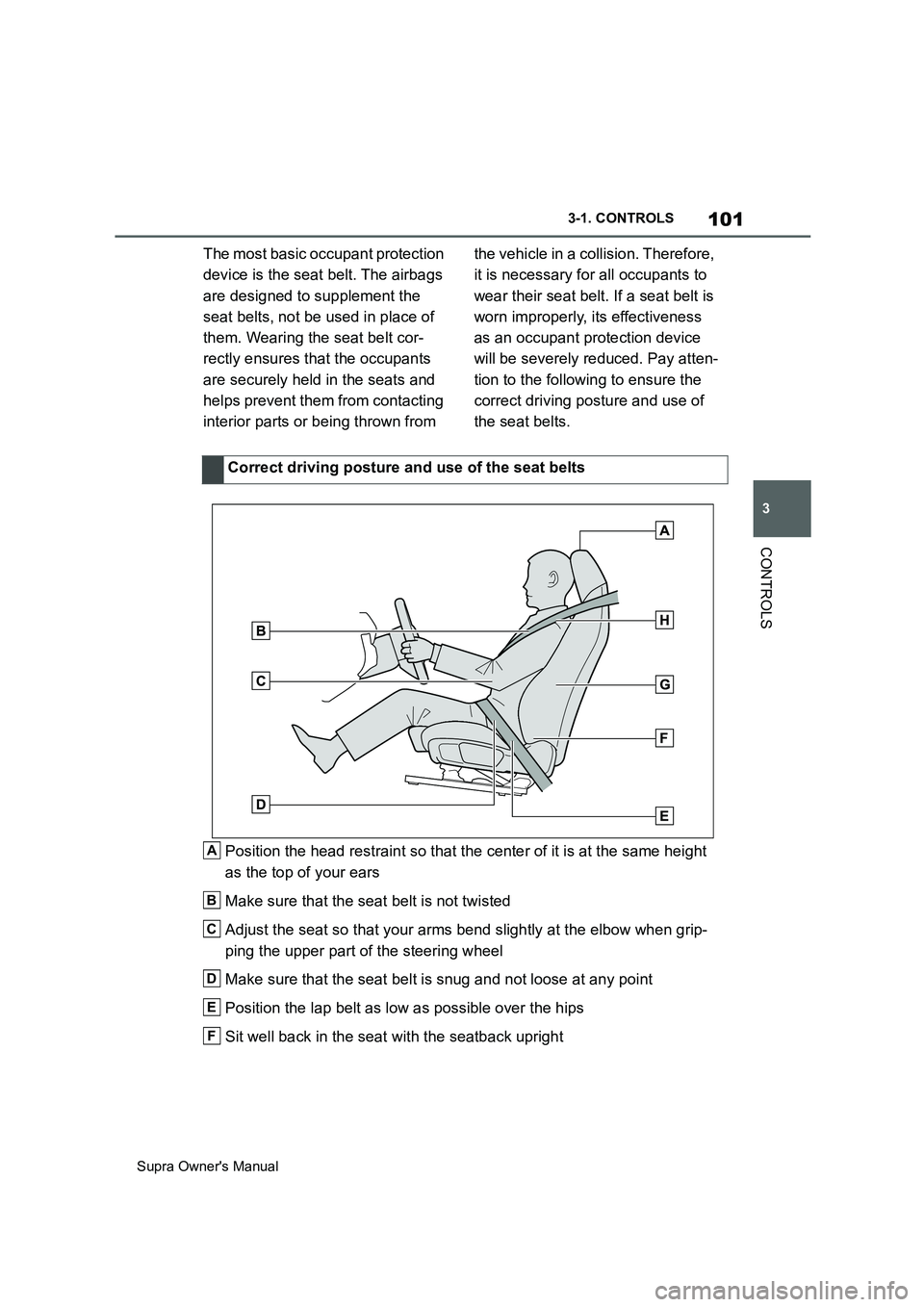
The most basic occupant protection
device is the seat belt. The airbags
are designed to supplement the
seat belts, not be used in place of
them. Wearing the seat belt cor-
rectly ensures that the occupants
are securely held in the seats and
helps prevent them from contacting
interior parts or being thrown from the vehicle in a collision. Therefore,
it is necessary for all occupants to
wear their seat belt. If a seat belt is
worn improperly, its effectiveness
as an occupant protection device
will be severely reduced. Pay atten-
tion to the following to ensure the
correct driving posture and use of
the seat belts.
Position the head restraint so that the center of it is at the same height
as the top of your ears
Make sure that the seat belt is not twisted
Adjust the seat so that your arms bend slightly at the elbow when grip-
ping the upper part of the steering wheel
Make sure that the seat belt is snug and not loose at any point
Position the lap belt as low as possible over the hips
Sit well back in the seat with the seatback uprightCorrect driving posture and use of the seat belts
A
B
C
D
E
F
Page 106 of 456
106
Supra Owner's Manual3-1. CONTROLS
• Keep the photocells clean.
• Do not obstruct the zone
between the rear-view mirror and
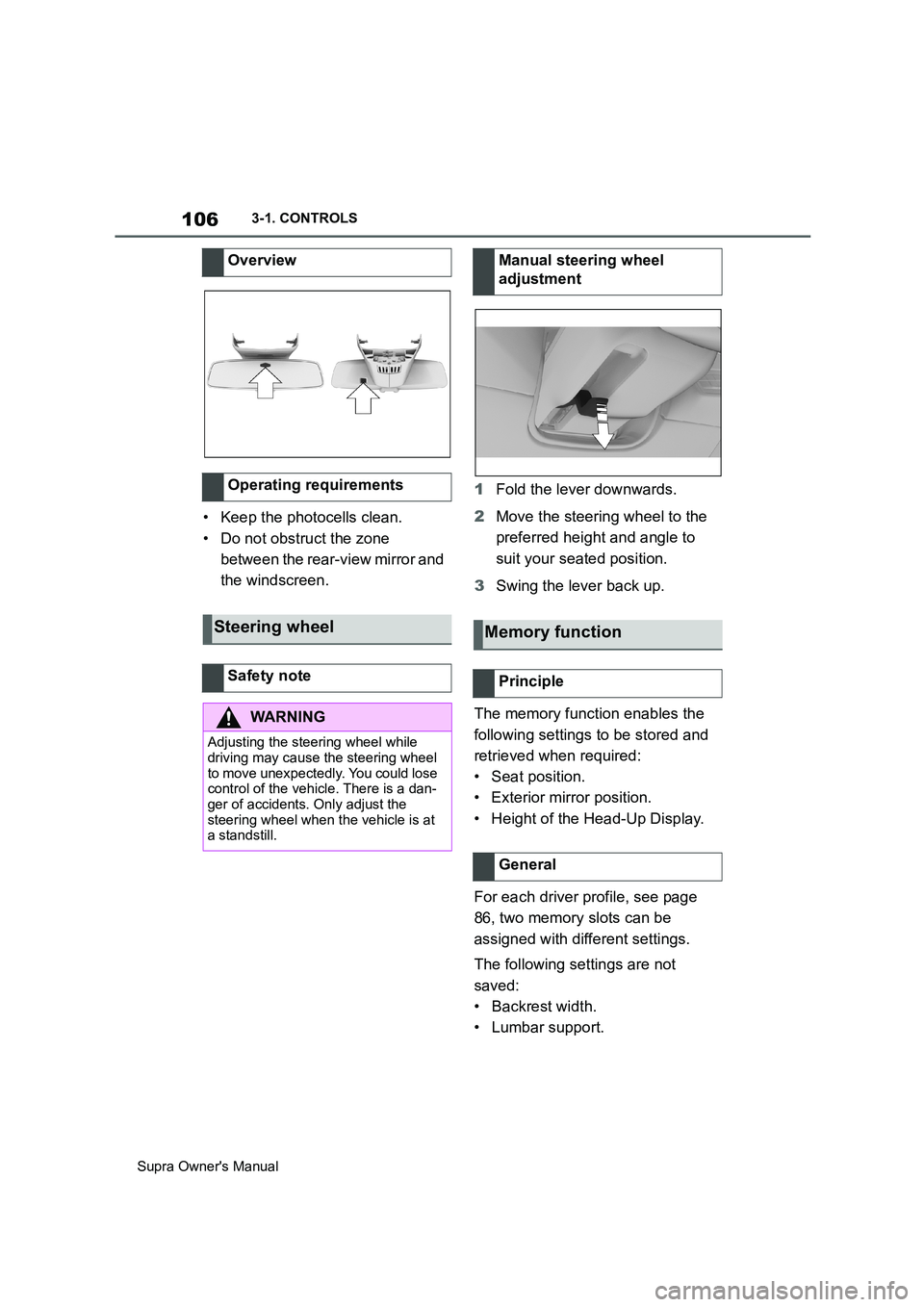
the windscreen.1Fold the lever downwards.
2Move the steering wheel to the
preferred height and angle to
suit your seated position.
3Swing the lever back up.
The memory function enables the
following settings to be stored and
retrieved when required:
• Seat position.
• Exterior mirror position.
• Height of the Head-Up Display.
For each driver profile, see page
86, two memory slots can be
assigned with different settings.
The following settings are not
saved:
• Backrest width.
• Lumbar support. Overview
Operating requirements
Steering wheel
Safety note
WARNING
Adjusting the steering wheel while
driving may cause the steering wheel
to move unexpectedly. You could lose
control of the vehicle. There is a dan-
ger of accidents. Only adjust the
steering wheel when the vehicle is at
a standstill.
Manual steering wheel
adjustment
Memory function
Principle
General
Page 107 of 456
107
3
Supra Owner's Manual3-1. CONTROLS
CONTROLS
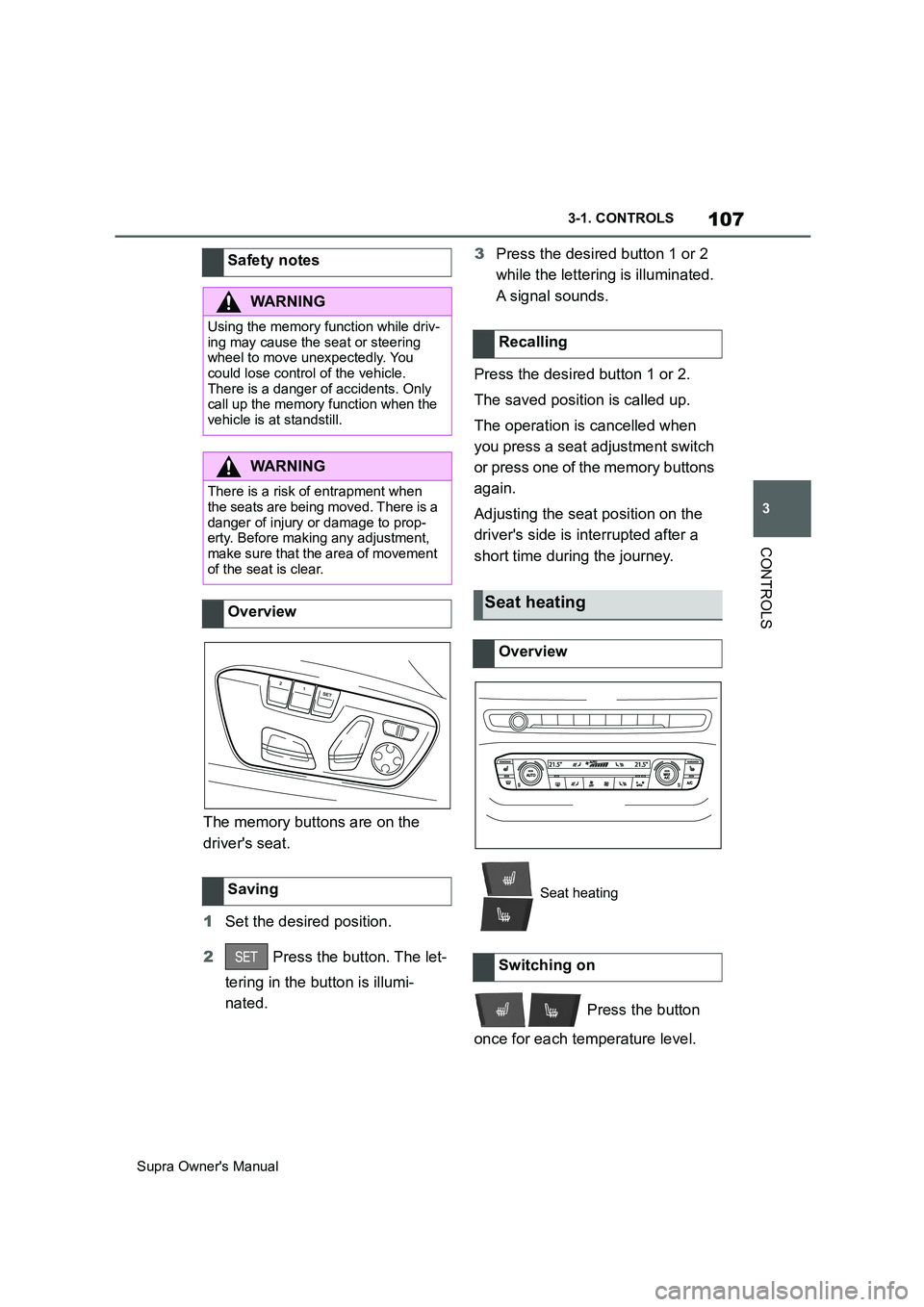
The memory buttons are on the
driver's seat.
1Set the desired position.
2 Press the button. The let-
tering in the button is illumi-
nated.3Press the desired button 1 or 2
while the lettering is illuminated.
A signal sounds.
Press the desired button 1 or 2.
The saved position is called up.
The operation is cancelled when
you press a seat adjustment switch
or press one of the memory buttons
again.
Adjusting the seat position on the
driver's side is interrupted after a
short time during the journey.
Press the button
once for each temperature level. Safety notes
WARNING
Using the memory function while driv-
ing may cause the seat or steering
wheel to move unexpectedly. You
could lose control of the vehicle.
There is a danger of accidents. Only
call up the memory function when the
vehicle is at standstill.
WARNING
There is a risk of entrapment when
the seats are being moved. There is a
danger of injury or damage to prop-
erty. Before making any adjustment,
make sure that the area of movement
of the seat is clear.
Overview
Saving
Recalling
Seat heating
Overview
Seat heating
Switching on
Page 135 of 456
135
3
Supra Owner's Manual3-1. CONTROLS
CONTROLS
If the engine was not switched off
automatically when the vehicle
came to a stop, it can be switched
off manually:
Rapidly press the brake pedal
from the current position.
Engaging the selector lever in
position P.
If all the operating requirements
have been met, the engine is shut
down.
The air flow rate of the air condi-
tioning system is reduced when the
engine is not running.
■General
The engine is not shut down auto-
matically in the following situations:On steep downward gradients.
Brake not pressed strongly
enough.
High outside temperature and
operation of the automatic air
conditioning.
Interior not heated or cooled to
the desired temperature.
Where there is a risk of conden-
sation when the automatic air
conditioning is switched on.
Engine or other parts not at oper-
ating temperature.
Engine cooling is required.
Sharp steering angle or steering
operation.
Vehicle battery is heavily dis-
charged.
At high altitudes.
Bonnet is unlocked.
Park Assistant is activated.
Stop-and-go traffic.
Automatic transmission: selector
lever position in N or R.
After reversing.
Use of fuel with high ethanol
content.
■Automatic transmission
For driving off, the engine automati-
cally starts under the following con- Automatic transmission: manual
engine stop
Air conditioning system when the
vehicle is parked
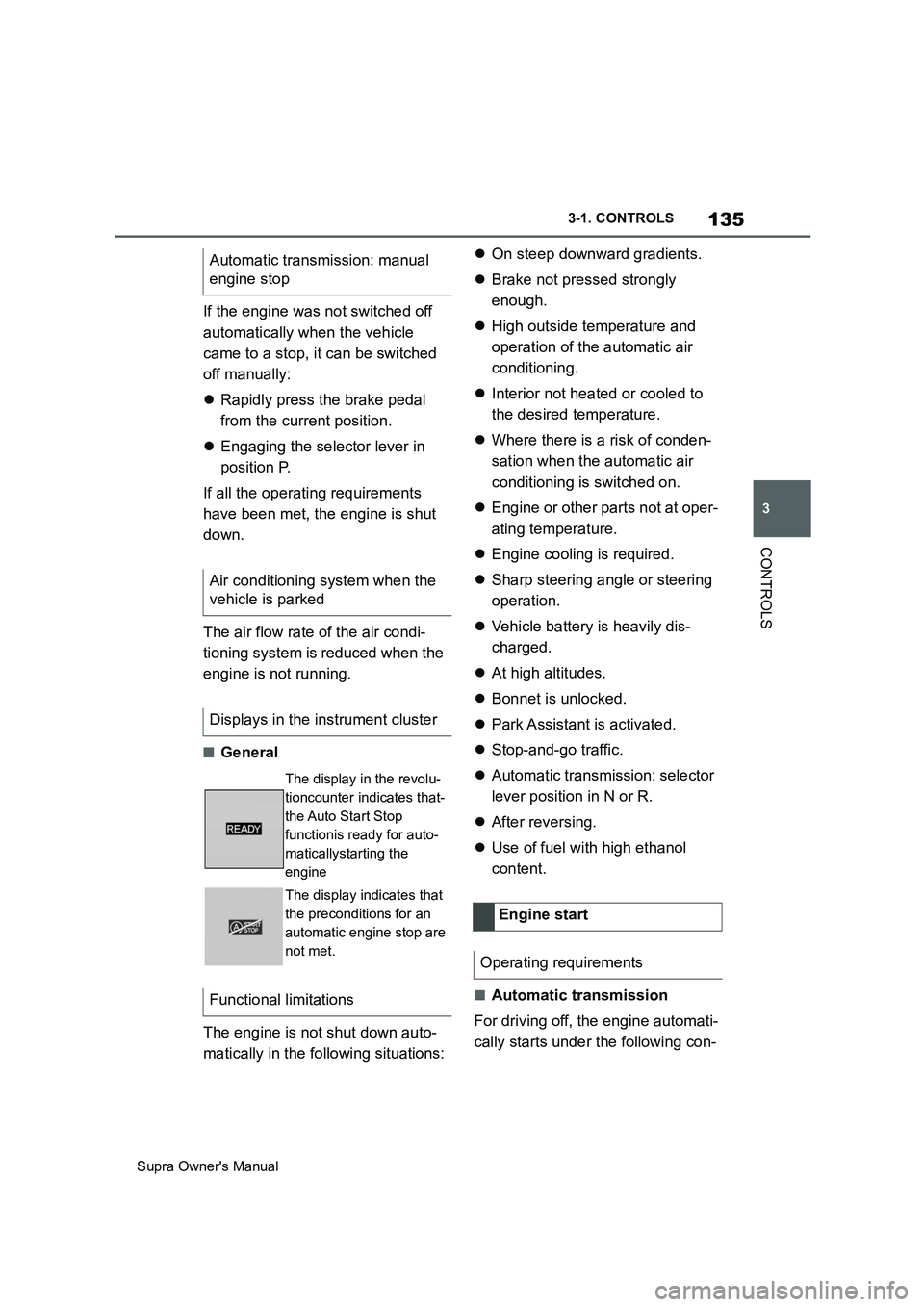
Displays in the instrument cluster
The display in the revolu-
tioncounter indicates that-
the Auto Start Stop
functionis ready for auto-
maticallystarting the
engine
The display indicates that
the preconditions for an
automatic engine stop are
not met.
Functional limitations
Engine start
Operating requirements
Page 136 of 456
136
Supra Owner's Manual3-1. CONTROLS
ditions:
By releasing the brake pedal.
After starting the engine, accelerate
as normal.
After an automatic shut down, the
engine will not restart automatically,
if one of the following conditions is
met:
Driver's seat belt unbuckled and
driver's door open.
Bonnet has been unlocked.
Several indicator lamps illuminate
for various lengths of time.
The engine can only be started
using the start/stop button.
Even if you do not want to drive off,
the engine restarts automatically in
the following situations:
Very high temperature in the
interior when the cooling function
is switched on.
Very low temperature in the inte-
rior when the heating is switched
on.
Where there is a risk of conden-
sation when the automatic air
conditioning is switched on.
The driver applies lock to the
steering wheel.Automatic transmission:
Shift from selector lever position D to N
or R.
Automatic transmission:
Shift from selector lever position P to N,
D or R.
Vehicle battery is heavily dis-
charged.
Start of an oil level measure-
ment.
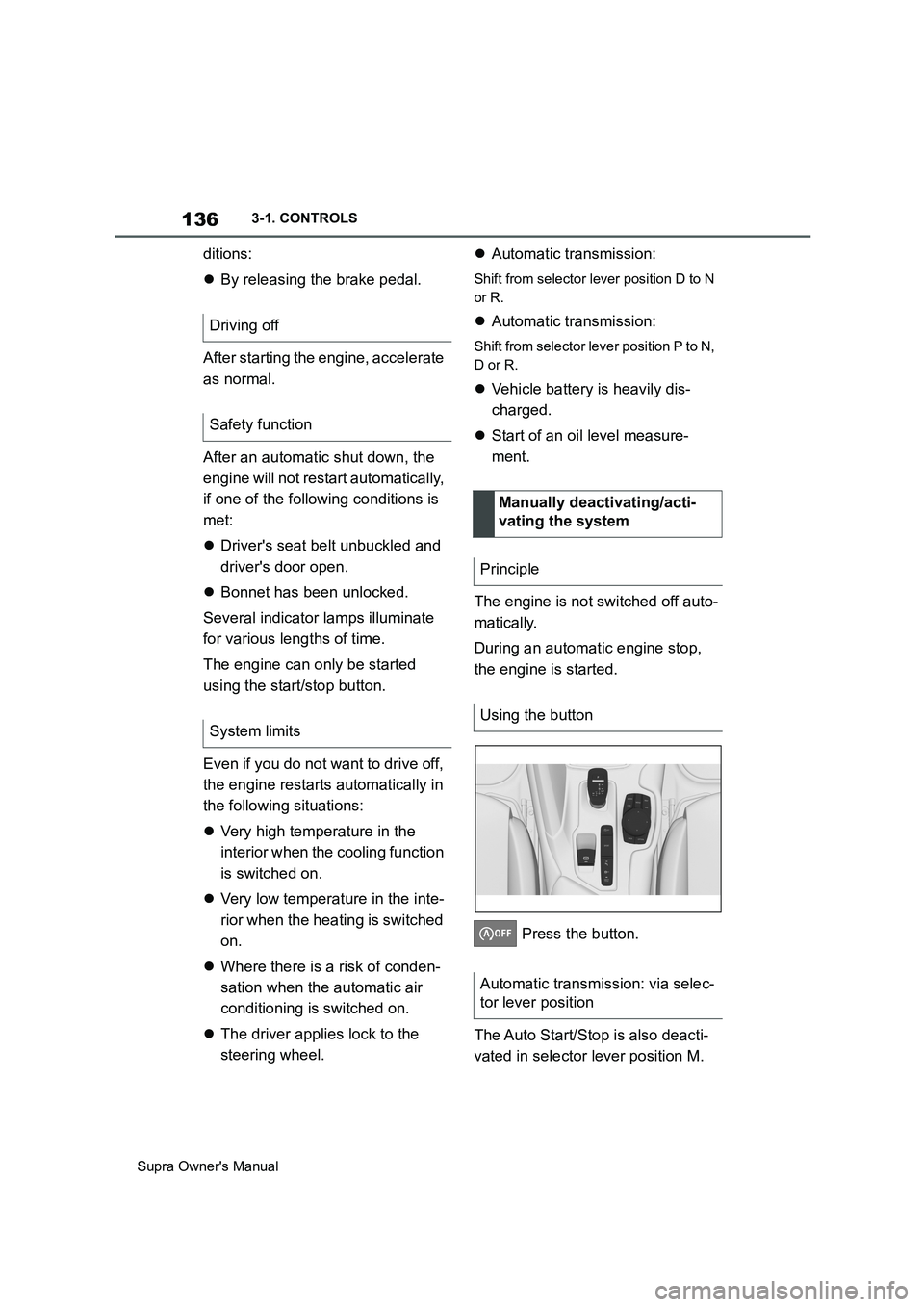
The engine is not switched off auto-
matically.
During an automatic engine stop,
the engine is started.
Press the button.
The Auto Start/Stop is also deacti-
vated in selector lever position M. Driving off
Safety function
System limits
Manually deactivating/acti-
vating the system
Principle
Using the button
Automatic transmission: via selec-
tor lever position
Page 146 of 456
146
Supra Owner's Manual3-1. CONTROLS
Irrespective of standby state, selec-
tor lever position P is engaged
automatically after approximately
35 minutes.
If there is a fault, it may not be pos-
sible to change the selector lever
position.
Unlock the transmission lockout
electronically if necessary, see
page 147.
Kick-down enables you to achieve
maximum performance.
Press the accelerator pedal down
beyond the regular full-throttle posi-
tion; resistance will be felt.
The gears can be changed manu-
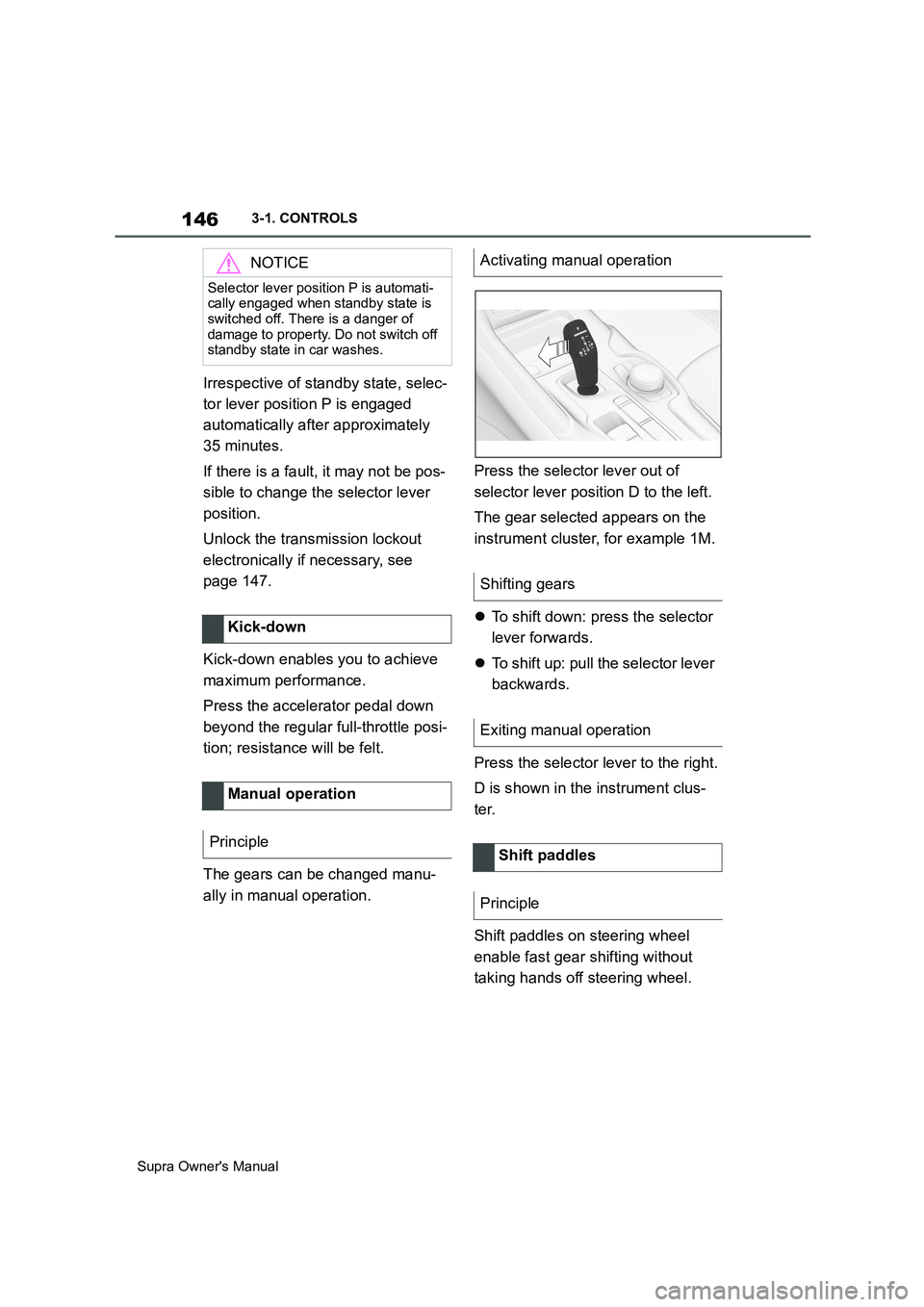
ally in manual operation.Press the selector lever out of
selector lever position D to the left.
The gear selected appears on the
instrument cluster, for example 1M.
To shift down: press the selector
lever forwards.
To shift up: pull the selector lever
backwards.
Press the selector lever to the right.
D is shown in the instrument clus-
ter.
Shift paddles on steering wheel
enable fast gear shifting without
taking hands off steering wheel.
NOTICE
Selector lever position P is automati-
cally engaged when standby state is
switched off. There is a danger of
damage to property. Do not switch off
standby state in car washes.
Kick-down
Manual operation
Principle
Activating manual operation
Shifting gears
Exiting manual operation
Shift paddles
Principle