key battery TOYOTA SUPRA 2019 Owners Manual
[x] Cancel search | Manufacturer: TOYOTA, Model Year: 2019, Model line: SUPRA, Model: TOYOTA SUPRA 2019Pages: 456, PDF Size: 88.65 MB
Page 9 of 456
9
1
Supra Owner's Manual1-1. NOTES
NOTES
This data includes, for example:
• Status messages of the vehicle
and its individual components,
for example wheel rotation
speed, wheel speed, decelera-
tion, lateral acceleration, fas-
tened seat belt indicator.
• Ambient conditions, for example
temperature, rain sensor signals.
The data is only processed within
the vehicle itself and is usually tran-
sient. The data is not saved after
the vehicle is switched off.
Electronic parts, for example con-
trol devices and vehicle keys, con-
tain components for saving
technical information. Information
on vehicle condition, component
load, maintenance requirements,
events or errors can be saved tem-
porarily or permanently.
This information generally docu-
ments the condition of a compo-
nent, a module, a system or its
environment, for example:
• Operating states of system com-
ponents, for example, fill levels,
tyre inflation pressure, battery
status.
• Malfunctions and faults of impor-
tant system components, for
example, lights and brakes.
• Responses of the vehicle to par-
ticular driving situations, for
example triggering of an airbag,
activation of the drive stability
control systems.
• Information on vehicle-damag-ing events.
The data is required so that the
control units can perform their func-
tions. It is also used for detecting
and rectifying malfunctions, and
helps the vehicle manufacturer to
optimise vehicle functions.
The majority of this data is transient
and is only processed within the
vehicle itself. Only a small propor-
tion of the data is stored in event or
error memories in response to spe-
cific circumstances.
When service work is being carried
out, for example repairs, service
operations, warranty work and
quality assurance measures, this
technical information can be read
out from the vehicle together with
the vehicle identification number.
Any authorized Toyota retailer or
Toyota authorized repairer, or any
reliable repairer can read out the
information. The legally required
on-board diagnostics (OBD) socket
in the vehicle is used to read out
the data.
The data is collected, processed
and used by the relevant organisa-
tions in the service network. The
data documents the technical con-
ditions of the vehicle and helps in
locating errors, complying with war-
ranty obligations and improving
quality.
Furthermore, the manufacturer has
product monitoring obligations to
meet in line with product liability
Page 45 of 456
45
3
Supra Owner's Manual3-1. CONTROLS
CONTROLS
The vehicle switches automatically
to idle state under the following
conditions:
• After a few minutes, if no opera-
tion is performed on the vehicle.
• When the battery state of charge
is low.
• When leaving the vehicle, if one
of the front doors is opened,
depending on the Toyota Supra
Command setting.
Idle state is not established auto-
matically during a telephone call.
Via Toyota Supra Command:
1"My Vehicle"
2"Vehicle setteing"
3"Doors/Key"
4"Switch off after door opening"
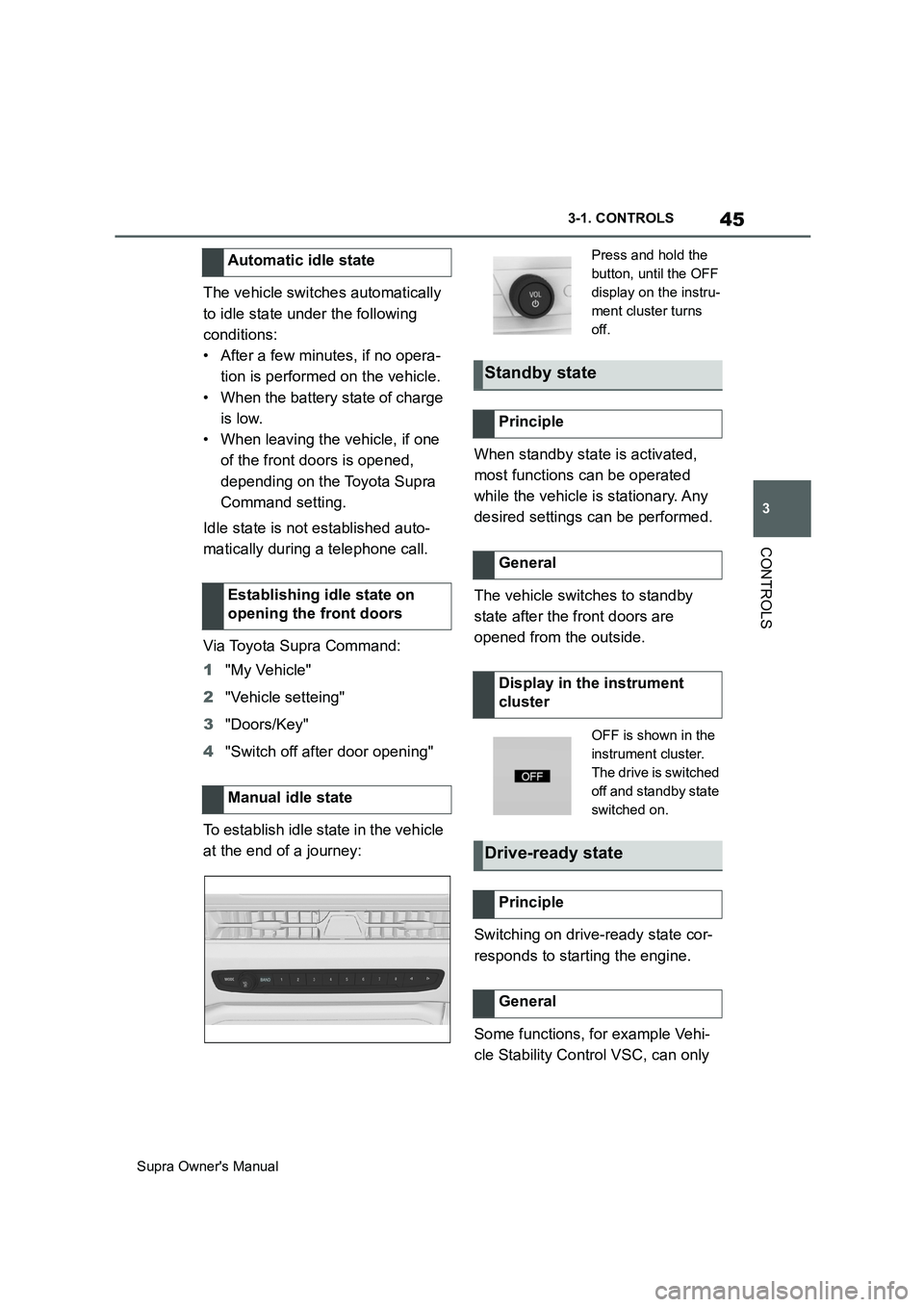
To establish idle state in the vehicle
at the end of a journey:When standby state is activated,
most functions can be operated
while the vehicle is stationary. Any
desired settings can be performed.
The vehicle switches to standby
state after the front doors are
opened from the outside.
Switching on drive-ready state cor-
responds to starting the engine.
Some functions, for example Vehi-
cle Stability Control VSC, can only Automatic idle state
Establishing idle state on
opening the front doors
Manual idle state
Press and hold the
button, until the OFF
display on the instru-
ment cluster turns
off.
Standby state
Principle
General
Display in the instrument
cluster
OFF is shown in the
instrument cluster.
The drive is switched
off and standby state
switched on.
Drive-ready state
Principle
General
Page 74 of 456
74
Supra Owner's Manual3-1. CONTROLS
This chapter describes all standard,
country-specific and special equip-
ment available for the model series.
It may therefore describe equip-
ment and functions which are not
installed in your vehicle, for exam-
ple on account of the optional
equipment selected or the country
specification. This also applies to
safety-relevant functions and sys-
tems. Please comply with the rele-
vant laws and regulations when
using the corresponding functions
and systems.
The delivery specification includes
two remote controls with integrated
keys.
Each remote control contains a
replaceable battery. Replacing the
battery, see page 77.
The button functions can be
assigned, depending on the equip-
ment and the country specifica-
tions. For settings, see page 89.
A driver profile, see page 86, with
personalised settings can be
assigned to a remote control.
To prevent the remote control from
being locked in, take it with you whenever you leave the vehicle.
Opening and closing
Vehicle equipment
Remote control
General
Safety notes
WARNING
Persons remaining in the vehicle or
pets left inside can lock the doors
from the inside and lock themselves
in. In this case, the vehicle cannot be
opened from the outside. There is a
danger of injury. Carry the remote
control with you so that you can open
the vehicle from the outside.
WARNING
With some country specifications,
unlocking from the inside is only pos-
sible with special knowledge.
There is a risk of injury or danger to
life if persons remain in the vehicle for
extended periods and are exposed to
extreme temperatures as a result. Do
not lock the vehicle from the outside
when there is someone inside it.
WARNING
Unsupervised children or pets in the
vehicle can set the vehicle in motion
and endanger themselves or other
road users, for example by the follow-
ing actions:
• Pressing the start/stop button.
• Release the parking brake.
• Opening and closing doors or win-
dows.
• Engaging selector lever position N.
• Operating vehicle equipment.
There is a risk of accidents or injury.
Do not leave children or pets unsu-
pervised in the vehicle. When leaving
the vehicle, take the remote control
with you and lock the vehicle.
Page 77 of 456
77
3
Supra Owner's Manual3-1. CONTROLS
CONTROLS
The exterior mirrors are folded in.
If the hazard warning lights are
switched on, the exterior mirrors
are not folded in.
The function is not available for the
first 10 seconds after locking.
• The interior light is switched on
unless it was switched off manu-
ally. Switching the interior light
on/off manually, see page 178.
• Depending on the settings, the
exterior lights, see page 173, are
switched on.
The light functions might be
dependent on the ambient bright-
ness.
To prevent the remote control from
being locked in, do not place the
remote control in the boot.
It is possible to set whether the
doors are unlocked when the boot
lid is opened with the remote con-
trol. For settings, see page 89.On some equipment versions, the
doors are also unlocked each time.
Setting the duration, see page 173.
1Remove the integrated key from
the remote control, see page 80.
2Place integrated key under the
battery compartment cover,
arrow 1, and pry off the cover Switching on the interior
light and exterior lights
With the vehicle locked,
press the button on the
remote control.
Boot lid
General
Safety notes
WARNING
Parts of the body can become
trapped when the boot lid is operated.
There is a danger of injury. When
opening and closing, make sure that
the area of movement of the boot lid
is kept clear.
NOTICE
The boot lid swings rearwards and
upwards when opened. There is a
danger of damage to property. When
opening and closing, make sure that
the area of movement of the boot lid
is kept clear.
Unlocking
Press and hold the button on
the remote control for approx-
imately 1 second.
Switching on the headlight
courtesy delay feature
Press and hold the button on
the remote control for approx-
imately 1 second.
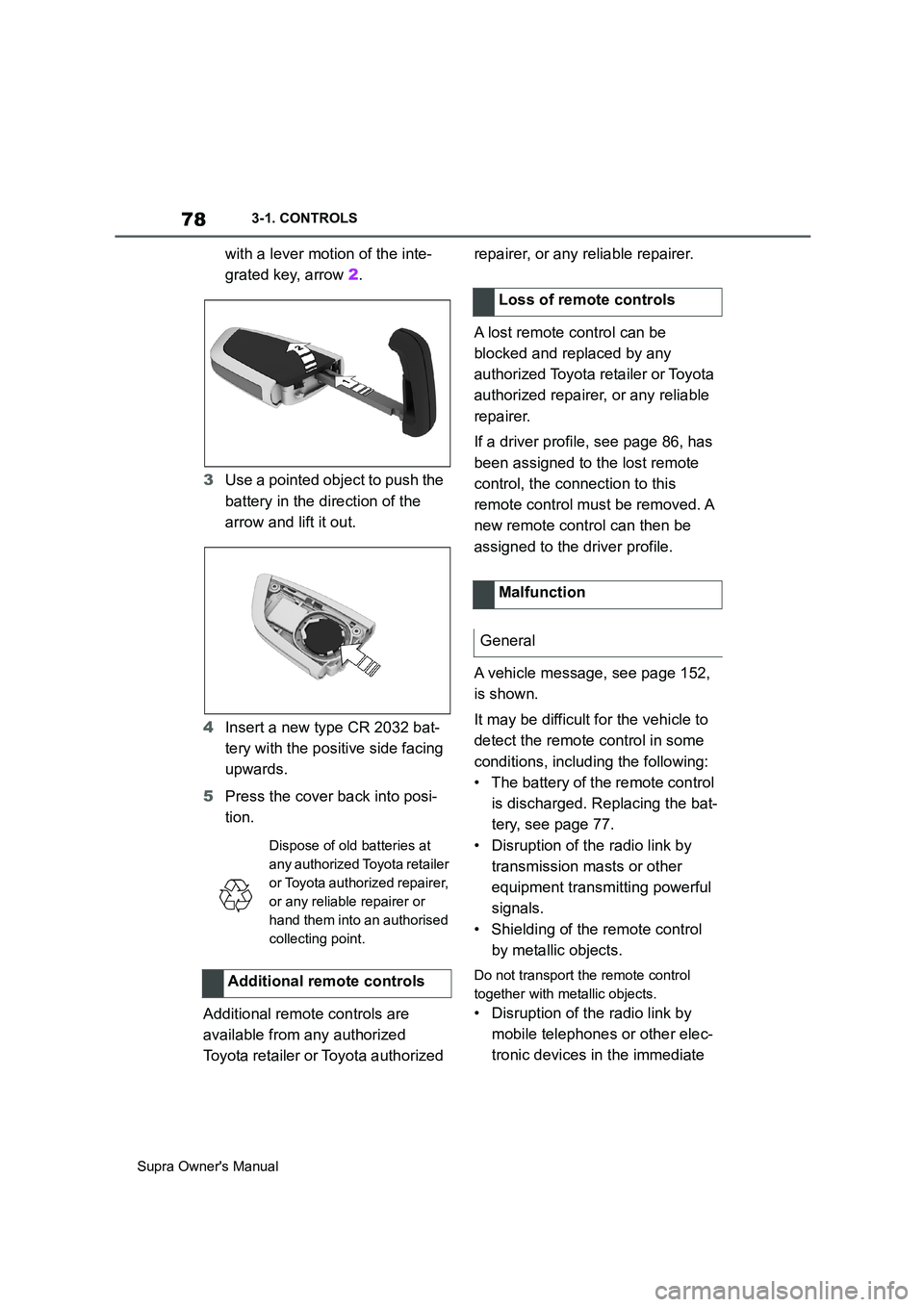
Replacing the battery
Page 78 of 456
78
Supra Owner's Manual3-1. CONTROLS
with a lever motion of the inte-
grated key, arrow 2.
3Use a pointed object to push the
battery in the direction of the
arrow and lift it out.
4Insert a new type CR 2032 bat-
tery with the positive side facing
upwards.
5Press the cover back into posi-
tion.
Additional remote controls are
available from any authorized
Toyota retailer or Toyota authorized repairer, or any reliable repairer.
A lost remote control can be
blocked and replaced by any
authorized Toyota retailer or Toyota
authorized repairer, or any reliable
repairer.
If a driver profile, see page 86, has
been assigned to the lost remote
control, the connection to this
remote control must be removed. A
new remote control can then be
assigned to the driver profile.
A vehicle message, see page 152,
is shown.
It may be difficult for the vehicle to
detect the remote control in some
conditions, including the following:
• The battery of the remote control
is discharged. Replacing the bat-
tery, see page 77.
• Disruption of the radio link by
transmission masts or other
equipment transmitting powerful
signals.
• Shielding of the remote control
by metallic objects.
Do not transport the remote control
together with metallic objects.
• Disruption of the radio link by
mobile telephones or other elec-
tronic devices in the immediate
Dispose of old batteries at
any authorized Toyota retailer
or Toyota authorized repairer,
or any reliable repairer or
hand them into an authorised
collecting point.
Additional remote controls
Loss of remote controls
Malfunction
General
Page 82 of 456
82
Supra Owner's Manual3-1. CONTROLS
This feature allows you to access
the vehicle without having to oper-
ate the remote control.
Simply having the remote control
with you, for example in your trou-
ser pocket, is sufficient.
The vehicle automatically recog-
nises the remote control when it is
in the immediate vicinity or inside
the vehicle.
Smart Key System supports the fol-
lowing functions:
• Unlocking and locking the vehi-
cle using the door handle.
• To lock, the remote control must
be located outside the vehicle in
the vicinity of the doors.
• The vehicle can only be
unlocked and locked again after
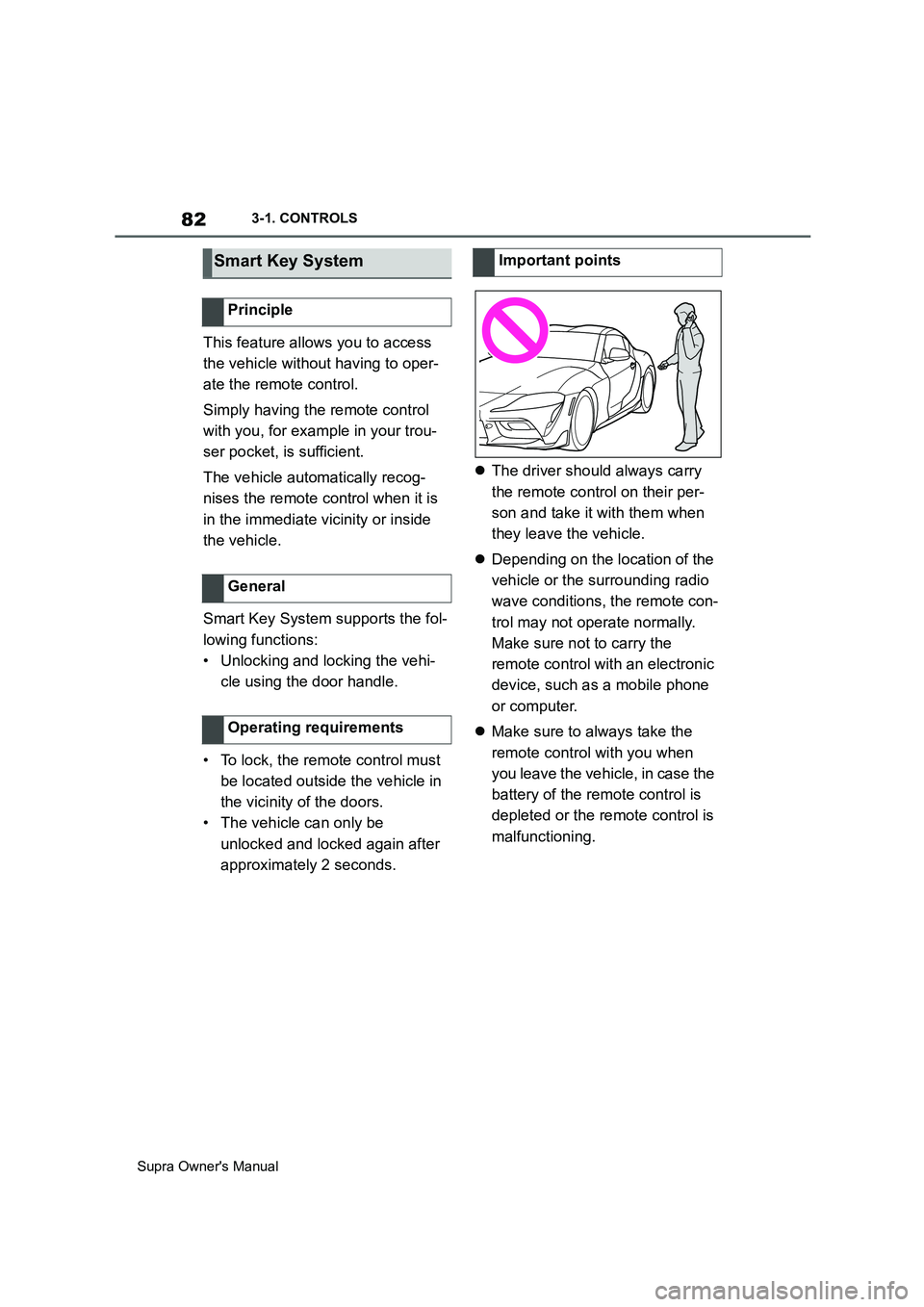
approximately 2 seconds.The driver should always carry
the remote control on their per-
son and take it with them when
they leave the vehicle.
Depending on the location of the
vehicle or the surrounding radio
wave conditions, the remote con-
trol may not operate normally.
Make sure not to carry the
remote control with an electronic
device, such as a mobile phone
or computer.
Make sure to always take the
remote control with you when
you leave the vehicle, in case the
battery of the remote control is
depleted or the remote control is
malfunctioning.
Smart Key System
Principle
General
Operating requirements
Important points
Page 91 of 456
91
3
Supra Owner's Manual3-1. CONTROLS
CONTROLS
The vehicle is automatically locked
again after a short while if no door is
opened after unlocking.
• "Lock after pulling away"
On driving off, the vehicle is locked
automatically.
Via Toyota Supra Command:
1"My Vehicle"
2"Vehicle settings"
3"Doors/Key"
4"Unlock at end of journey"
After the drive-ready state has been
switched off by pressing the start/stop
button, the locked vehicle is automati-
cally unlocked.
Via Toyota Supra Command:
1"My Vehicle"
2"Vehicle settings"
3"Doors/Key"
4"Fold mirrors in when locked"
When locking, the exterior mirrors are
automatically folded in, and when
unlocking they are automatically folded
out.
Via Toyota Supra Command:
1"My Vehicle"
2"Vehicle settings"
3"Doors/Key"4"Switch off after door opening"
Idle state, see page 44, is established
when the front doors are opened.
The alarm system responds to the
following changes when the vehicle
is locked:
• A door, the bonnet or the boot lid
is opened.
• Movements in the interior.
• The vehicle's incline changes, for
instance if an attempt is made to
jack it up and steal the wheels or
to raise it prior to towing away.
• There is an interruption in the
power supply from the battery.
• Improper use of the socket for
on-board diagnosis OBD.
The alarm system indicates the fol-
lowing changes visually and audi-
bly:
• Audible alarm: Depending on
local regulations, the acoustic
alarm may be suppressed.
• Visual alarm: By flashing the
exterior lights.
The alarm system is switched on
and off at the same time as the
vehicle is unlocked and locked via
the remote control or Smart Key
System. Automatic unlocking
Folding the mirrors automati-
cally
Establishing idle state after
opening the front doors
Alarm system
General
Switching on/off
Page 444 of 456
444
Supra Owner's ManualAlphabetical Index
Alphabetical Index
A
A/C button, see Cooling function 251
ABS, anti-lock braking system.... 215
ACC, see Adaptive Cruise Control
..................................................... 225
Acceleration assistant, see Launch
Control ........................................ 148
Accessories and parts ..................... 7
Acknowledgement signals of the
vehicle ........................................... 90
Activated carbon filter.................. 255
Activation, airbags ....................... 188
Active bonnet, see Active pedestrian
protection.................................... 190
Active Guard, see Toyota Supra
Safety .......................................... 191
Active pedestrian protection ....... 190
Adaptive brake assist .................. 216
Adaptive Cruise Control with Stop &
Go ACC........................................ 225
Adaptive variable suspension..... 248
Adaptive variable suspension, adap-
tive ............................................... 248
Additives, engine oil grades ........ 311
Adjustable speed limit, see Manual
Speed Limiter ............................. 220
Adjusting the headlights.............. 176
Age of tyres ................................... 281
Air conditioning ............................ 250
Air outlets, see Ventilation........... 255
Air pressure, tyres ........................ 278
Airbag switch, see Key switch for
front passenger airbags ............ 188
Airbags .......................................... 179
Airbags, indicator/warning lamp . 181
Alarm system .................................. 91
Alarm, false ..................................... 93
All-season tyres, see Winter tyres
..................................................... 283
Angle, backrest ............................... 98
Anti-lock braking system, ABS ... 215
Anti-theft alarm system, see Alarm
system ........................................... 91
Anti-theft system, locking.............. 76Anti-theft system, see Thiefproof
wheel studs ................................. 300
Anti-theft, wheel studs ................. 300
Anti-trap mechanism, windows ..... 94
Apple CarPlay, connection to the
vehicle ........................................... 70
Aquaplaning .................................. 269
AUTO programme, automatic air
conditioning ................................ 252
Auto Start Stop function .............. 134
Automatic air conditioning .......... 250
Automatic anti-glare control, see
Automatic high-beam................. 174
Automatic Cruise Control, see Adap-
tive Cruise Control ..................... 225
Automatic driving lights control . 171
Automatic emergency call ........... 338
Automatic high-beam ................... 174
Automatic locking........................... 90
Automatic parking function, exterior
mirror ........................................... 105
Automatic start-stop function ..... 134
Automatic transmission ............... 143
Automatic transmission, see Auto-
matic transmission..................... 143
Automatic unlocking ...................... 91
Avoiding false alarms..................... 93
Axle load limit ............................... 357
Axle loads, weight ........................ 357
B
Backrest angle ................................ 98
Backrest contour, see Lumbar sup-
port ................................................ 98
Backrest width ................................ 98
Backrest, seats ............................... 95
Bag holders ................................... 262
Bar for tow-starting/towing .......... 346
Battery, vehicle ............................. 327
Belts, see Seat belts ....................... 98
Black ice, see Outside temperature
warning........................................ 158
Blind spot monitor........................ 207
Bluetooth connection ..................... 67
Page 451 of 456
451
Supra Owner's ManualAlphabetical Index
Part replacement .......................... 326
Particle filter, see Exhaust gas parti-
cle filter ....................................... 267
Parts and accessories ..................... 7
Pedestrian protection, active ...... 190
Person warning with City light brak-
ing function................................. 198
Personal profile, see Driver profiles
....................................................... 86
Petrol ............................................. 307
Petrol grade .................................. 308
Petrol particle filter, see Exhaust gas
particle filter................................ 267
Place for children ......................... 109
Plastic parts, care......................... 353
Positioning, vehicle position ......... 63
Power display, see Sport displays
..................................................... 167
Power failure ................................. 329
Power window switches ................ 93
Pressure Monitor, see Tyre Pressure
Monitor ........................................ 290
Pressure, tyres ............................. 278
Prevention of rear collision ......... 211
Printed on-board literature ............ 18
Profiles, see Driver profiles ........... 86
Protection function, windows, see
Anti-trap mechanism ................... 94
R
Racing track driving ..................... 271
Radiator fan, see Exhaust gas parti-
cle filter ....................................... 267
Radio remote control, see Remote
control ........................................... 74
Rain sensor ................................... 141
Rear collision warning, see Preven-
tion of rear collision ................... 211
Rear fog light ................................ 176
Rear fog light, see Bulbs and lights
..................................................... 327
Rear light, see Bulbs and lights .. 327
Rear-view camera, without Sur-
round View .................................. 242Rear-view mirror, automatic-dim . 105
Recirculating air filter, see Microfil-
ter/activated carbon filter .......... 255
Recommended makes of tyre ...... 282
Recycling ....................................... 318
Refuelling ...................................... 276
Remedying flat tyres .................... 284
Remote control of the vehicle,
replacing the battery .................... 77
Remote control, additional ............ 78
Remote control, integrated key ..... 79
Remote control, loss ...................... 78
Remote control, malfunction ......... 78
Remote control, opening/closing .. 74
Replacement of parts ................... 326
Replacement of wheels/tyres ...... 282
Replacement wheel, see Emergency
wheel ........................................... 303
Replacing bulbs, see Bulbs and
lights ............................................ 327
Replacing LEDs, see Bulbs and
lights ............................................ 327
Replacing light-emitting diodes, see
Bulbs and lights ......................... 327
Replacing lights, see Bulbs and
lights ............................................ 327
Replacing parts ............................. 326
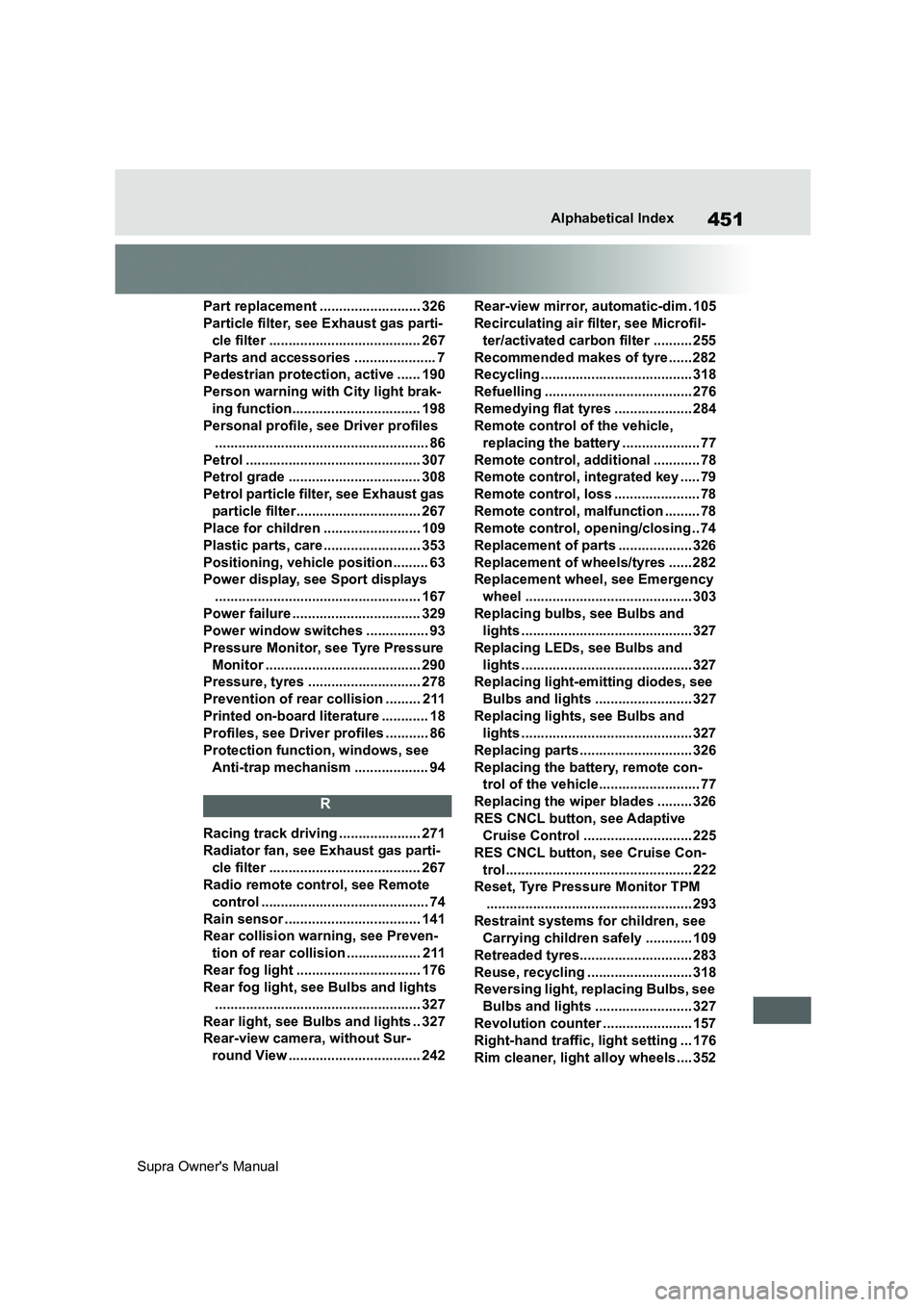
Replacing the battery, remote con-
trol of the vehicle.......................... 77
Replacing the wiper blades ......... 326
RES CNCL button, see Adaptive
Cruise Control ............................ 225
RES CNCL button, see Cruise Con-
trol................................................ 222
Reset, Tyre Pressure Monitor TPM
..................................................... 293
Restraint systems for children, see
Carrying children safely ............ 109
Retreaded tyres............................. 283
Reuse, recycling ........................... 318
Reversing light, replacing Bulbs, see
Bulbs and lights ......................... 327
Revolution counter ....................... 157
Right-hand traffic, light setting ... 176
Rim cleaner, light alloy wheels .... 352
Page 454 of 456
454
Supra Owner's ManualAlphabetical Index
Trailer tow hitch, rear-view camera
..................................................... 244
Transmission lockout, unlocking
electronically .............................. 147
Tread, tyres ................................... 280
Triple turn signal .......................... 139
Turn indicator, indicator lamp ..... 156
Turn indicators, replacing Bulbs, see
Bulbs and lights ......................... 327
Turning circle ................................ 356
Turning circle lines, rear-view cam-
era ................................................ 244
Tyre damage.................................. 281
Tyre inflation pressure ................. 278
Tyre makes, recommendation ..... 282
Tyre pressure ................................ 278
Tyre Pressure Monitor TPM ......... 290
Tyre repair kit, see Mobility System
..................................................... 285
Tyre replacement .......................... 282
Tyre sealant, see Mobility System
..................................................... 285
Tyre settings ................................. 291
Tyre tread ...................................... 280
Tyres and wheels .......................... 278
Tyres with emergency running prop-
erties............................................ 284
U
Units of measure ............................ 63
Unloaded weight ........................... 357
Unlock-button, Automatic transmis-
sion .............................................. 143
Unlocking the fuel filler flap manu-
ally ............................................... 277
Unlocking with the remote control 75
Unlocking, automatic ..................... 91
Unlocking, see Opening and closing
....................................................... 74
Unlocking, settings ........................ 89
USB connection.............................. 69
USB interface, position in the vehicle
..................................................... 259
Use, intended .................................... 6
V
Vanity mirror.................................. 257
Vehicle battery .............................. 327
Vehicle breakdown, see Breakdown
Assist........................................... 336
Vehicle care ................................... 350
Vehicle equipment ............................ 5
Vehicle identification number ........ 17
Vehicle key, see Remote control ... 74
Vehicle messages ......................... 152
Vehicle paintwork ......................... 350
Vehicle position, vehicle positioning
....................................................... 63
Vehicle Stability Control VSC ...... 216
Vehicle status ................................ 168
Vehicle wash ................................. 348
Vehicle, running in ........................ 266
Ventilation...................................... 255
VIN, see Vehicle identification num-
ber .................................................. 17
Voice control system ...................... 58
VSC Vehicle Stability Control ...... 216
W
Warning and indicator lamps, see
Vehicle messages....................... 152
Warning lamp in exterior mirror, see
Crossing traffic warning ............ 246
Warning messages, see Vehicle
messages .................................... 152
Warning of crossing traffic .......... 246
Warning triangle ........................... 336
Warranty ............................................6
Wash system ................................. 348
Washer jets, windows .................. 142
Washing, vehicle........................... 348
Water on roads.............................. 270
Water, see Condensation when vehi-
cle is parked................................ 271
Weights .......................................... 357
Welcome light when unlocking ..... 75
Welcome lights ............................. 173
Wheel change................................ 298