automatic transmission TOYOTA SUPRA 2020 Owners Manual (in English)
[x] Cancel search | Manufacturer: TOYOTA, Model Year: 2020, Model line: SUPRA, Model: TOYOTA SUPRA 2020Pages: 356, PDF Size: 6.04 MB
Page 27 of 356
272-1. QUICK REFERENCE
Supra Owner's Manual
2
QUICK REFERENCE
1 Engage selector lever posi-
tion P with the vehicle
stopped.
2 Press the Start/Stop button.
The engine is switched off.
3Set the parking brake.
The Auto Start/Stop function
switches the engine off automat-
ically while stationary to save
fuel. The engine starts automati-
cally under the following precon-
ditions:
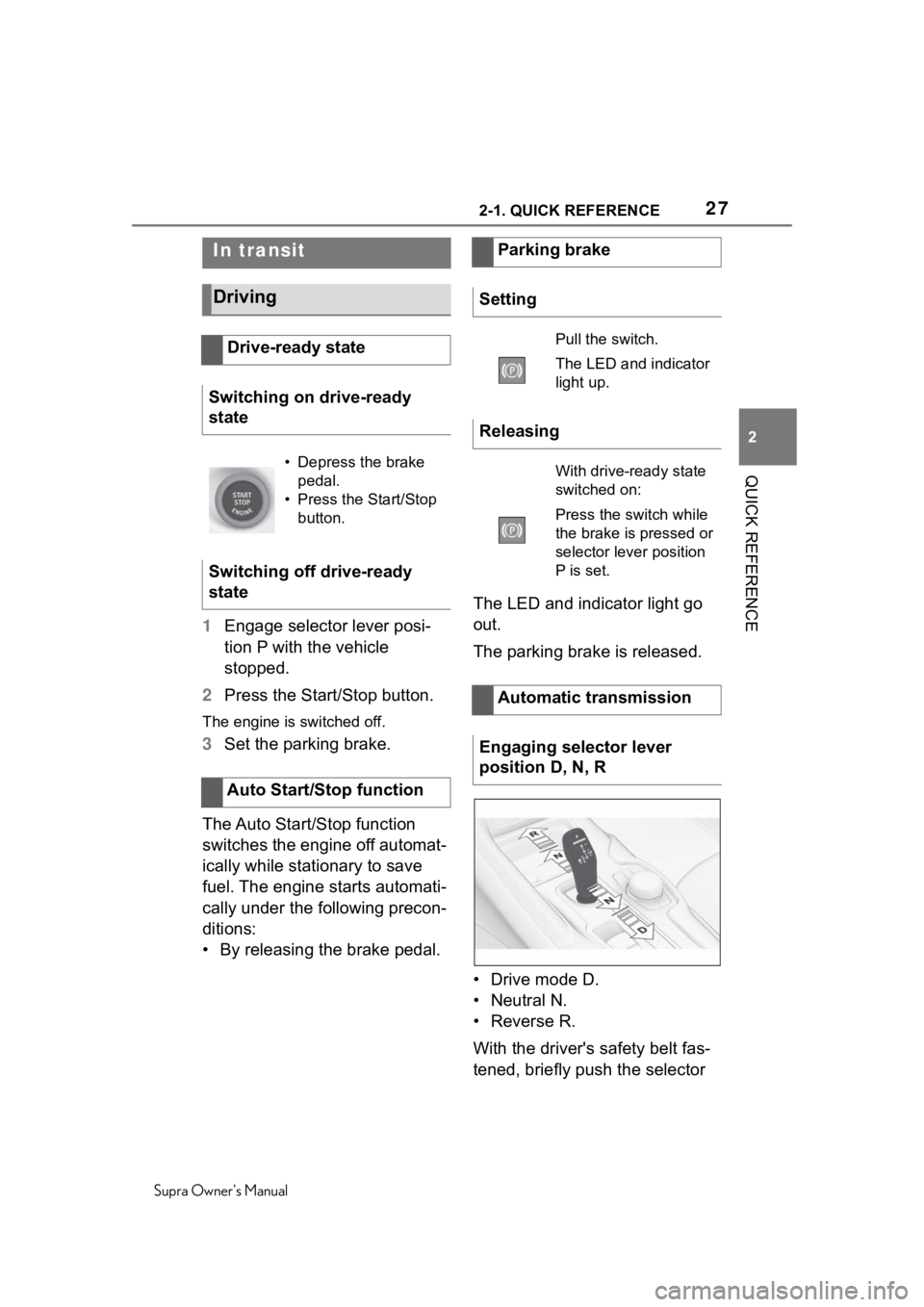
• By releasing the brake pedal. The LED and indicator light go
out.
The parking brake is released.
• Drive mode D.
• Neutral N.
•Reverse R.
With the driver's safety belt fas-
tened, briefly push the selector
In transit
Driving
Drive-ready state
Switching on drive-ready
state
• Depress the brake pedal.
• Press the Start/Stop button.
Switching off drive-ready
state
Auto Start/Stop function
Parking brake
Setting
Pull the switch.
The LED and indicator
light up.
Releasing
With drive-ready state
switched on:
Press the switch while
the brake is pressed or
selector lever position
P is set.
Automatic transmission
Engaging selector lever
position D, N, R
Page 28 of 356
282-1. QUICK REFERENCE
Supra Owner's Manual
lever in the desired direction,
past a resistance point, if
needed. The selector lever
returns to the center position in
each case.
To prevent the vehicle from
creeping after you select a drive
mode or reverse, maintain pres-
sure on the brake pedal until
you are ready to start.
A selector lever lock prevents
the inadvertent shifting to selec-
tor lever position R or the inad-
vertent shifting from selector
lever position P.
Engage selector lever position R
only when the vehicle is station-
ary.
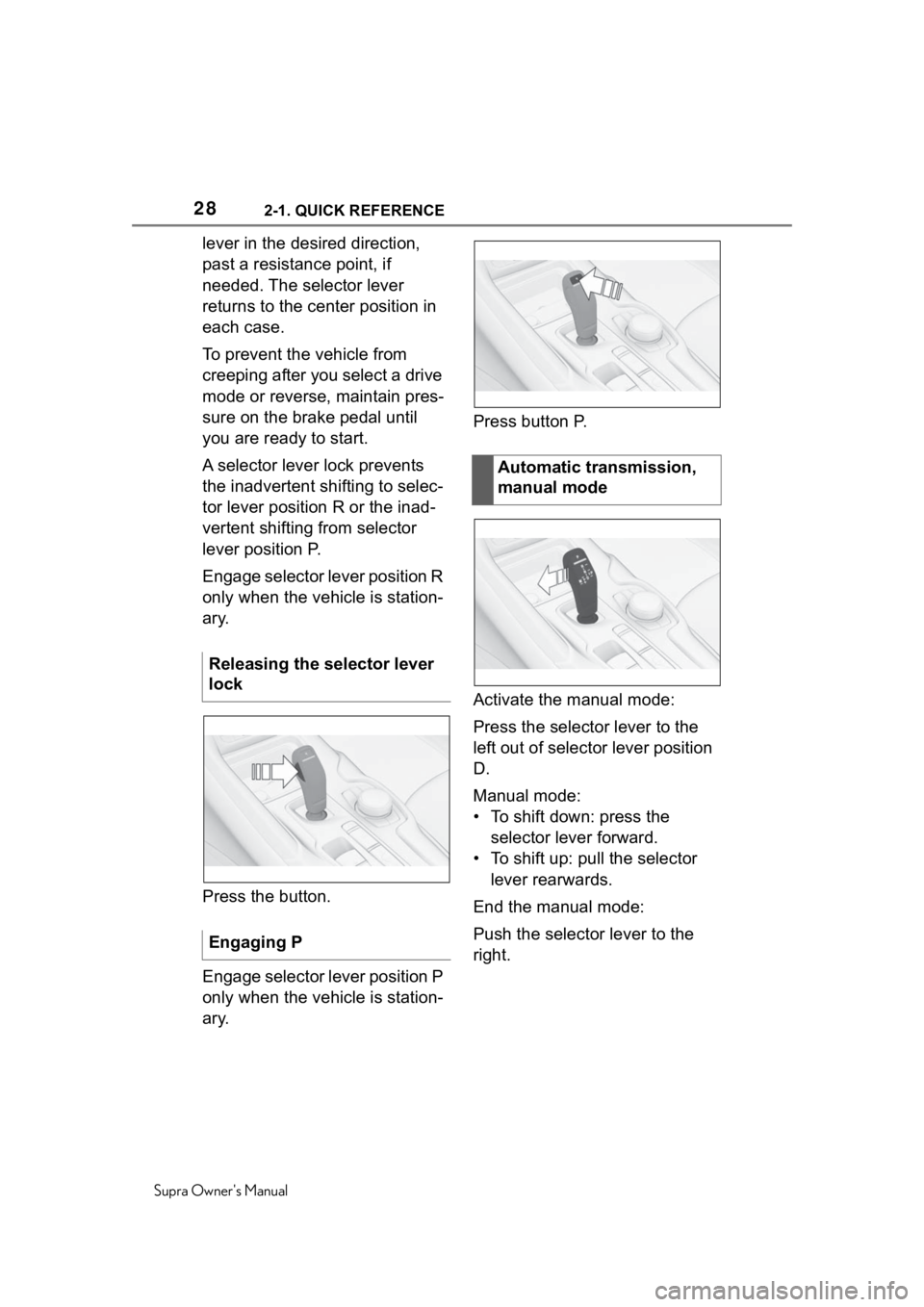
Press the button.
Engage selector lever position P
only when the vehicle is station-
ary.Press button P.
Activate the manual mode:
Press the selector lever to the
left out of selector lever position
D.
Manual mode:
• To shift down: press the
selector lever forward.
• To shift up: pull the selector lever rearwards.
End the manual mode:
Push the selector lever to the
right.
Releasing the selector lever
lock
Engaging P
Automatic transmission,
manual mode
Page 39 of 356
393-1. AT A GLANCE
Supra Owner's Manual
3
AT A GLANCE
9 Parking brake P.119
10 Automatic transmission
selector lever P.125 11
Switch drive-ready
state on/off P.115
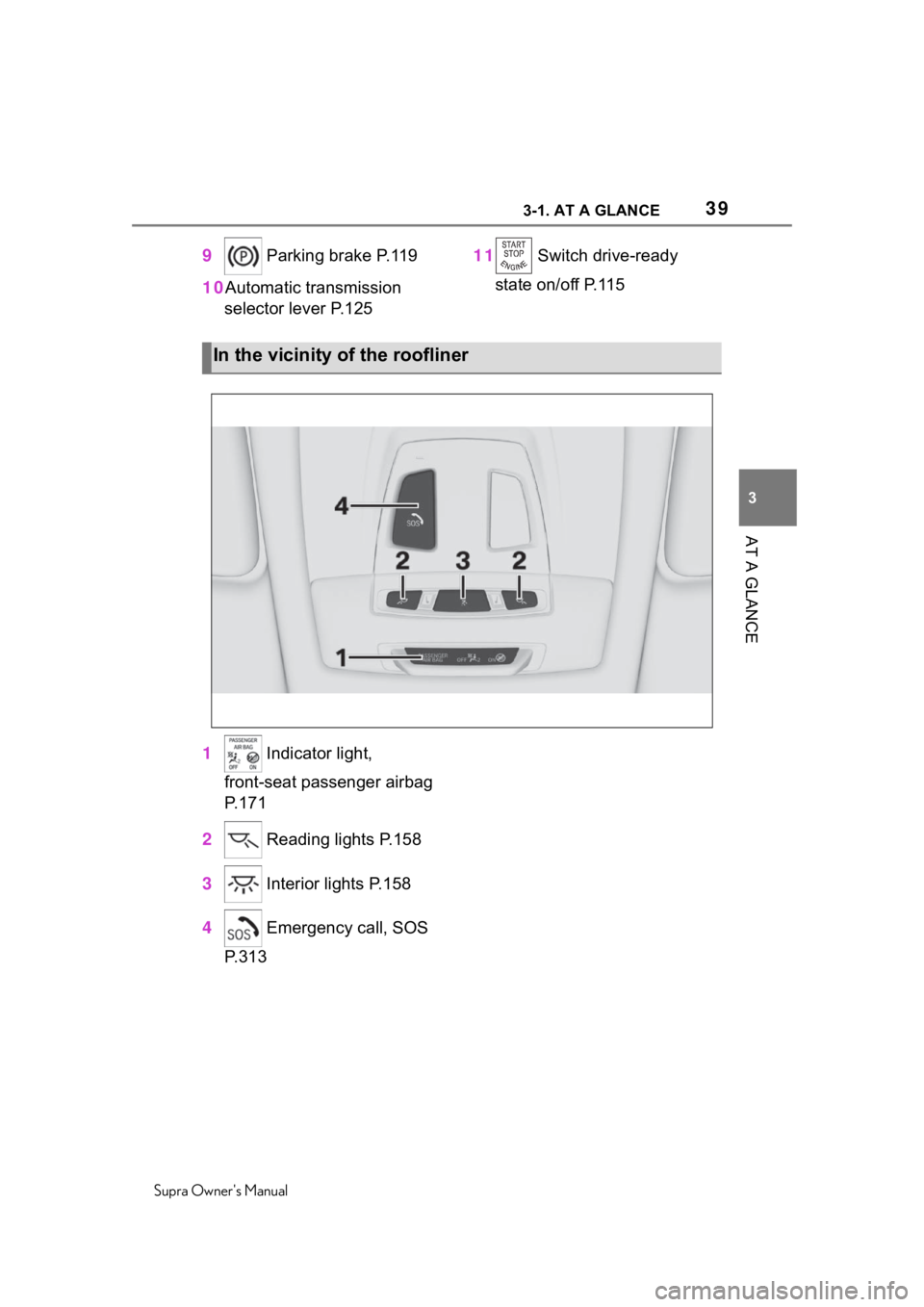
1 Indicator light,
front-seat passenger airbag
P.171
2 Reading lights P.158
3 Interior lights P.158
4 Emergency call, SOS
P.313
In the vicinity of the roofliner
Page 125 of 356
1254-1. CONTROLS
Supra Owner's Manual
4
CONTROLS
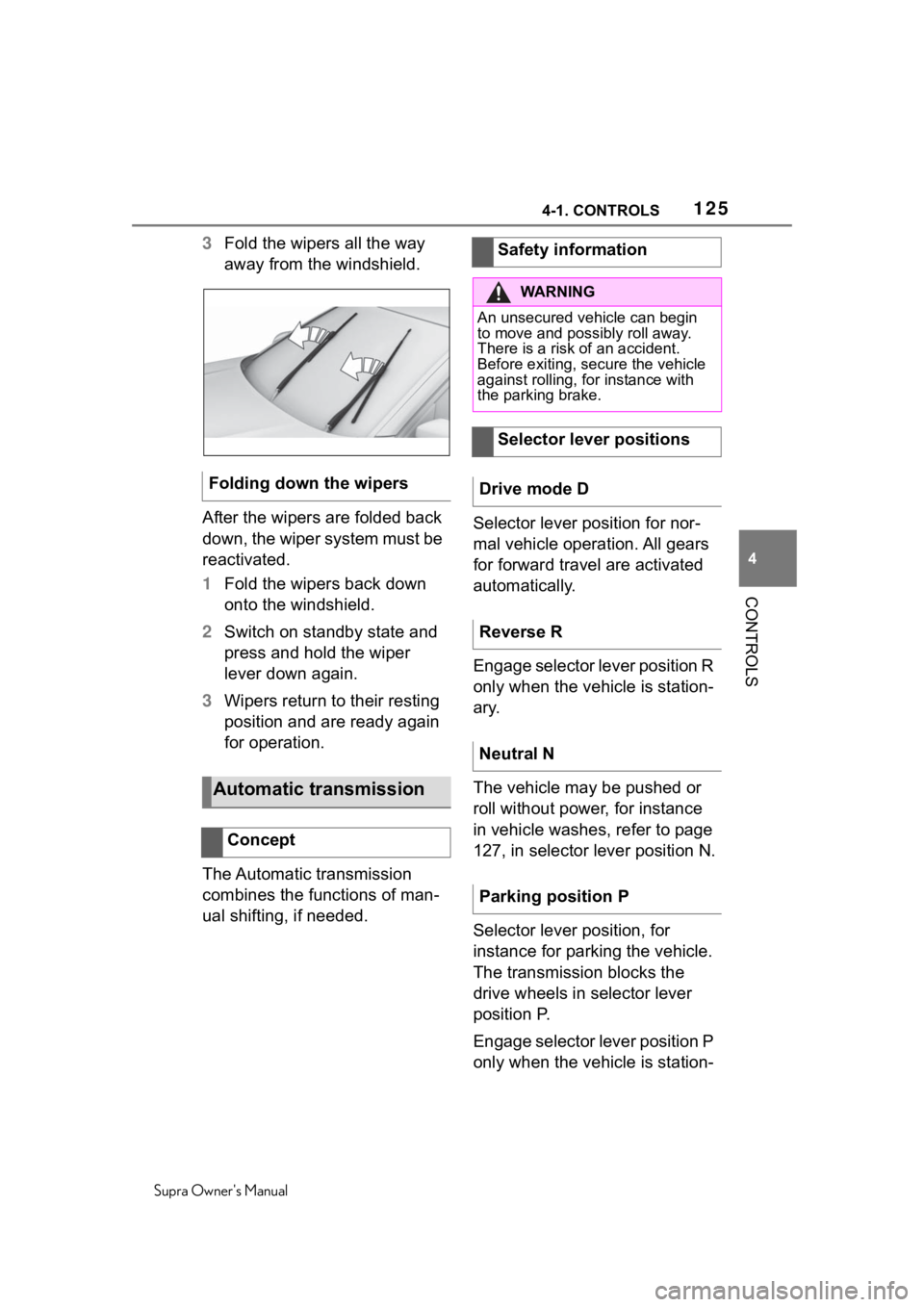
3 Fold the wipers all the way
away from the windshield.
After the wipers are folded back
down, the wiper system must be
reactivated.
1 Fold the wipers back down
onto the windshield.
2 Switch on standby state and
press and hold the wiper
lever down again.
3 Wipers return to their resting
position and are ready again
for operation.
The Automatic transmission
combines the functions of man-
ual shifting, if needed. Selector lever position for nor-
mal vehicle operation. All gears
for forward travel are activated
automatically.
Engage selector lever position R
only when the vehicle is station-
ary.
The vehicle may be pushed or
roll without power, for instance
in vehicle washes, refer to page
127, in selector lever position N.
Selector lever position, for
instance for parking the vehicle.
The transmission blocks the
drive wheels in selector lever
position P.
Engage selector lever position P
only when the vehicle is station-
Folding down the wipers
Automatic transmission
Concept
Safety information
WA R N I N G
An unsecured vehicle can begin
to move and possibly roll away.
There is a risk of an accident.
Before exiting, secure the vehicle
against rolling, f
or instance with
the parking brake.
Selector lever positions
Drive mode D
Reverse R
Neutral N
Parking position P
Page 128 of 356
1284-1. CONTROLS
Supra Owner's Manual
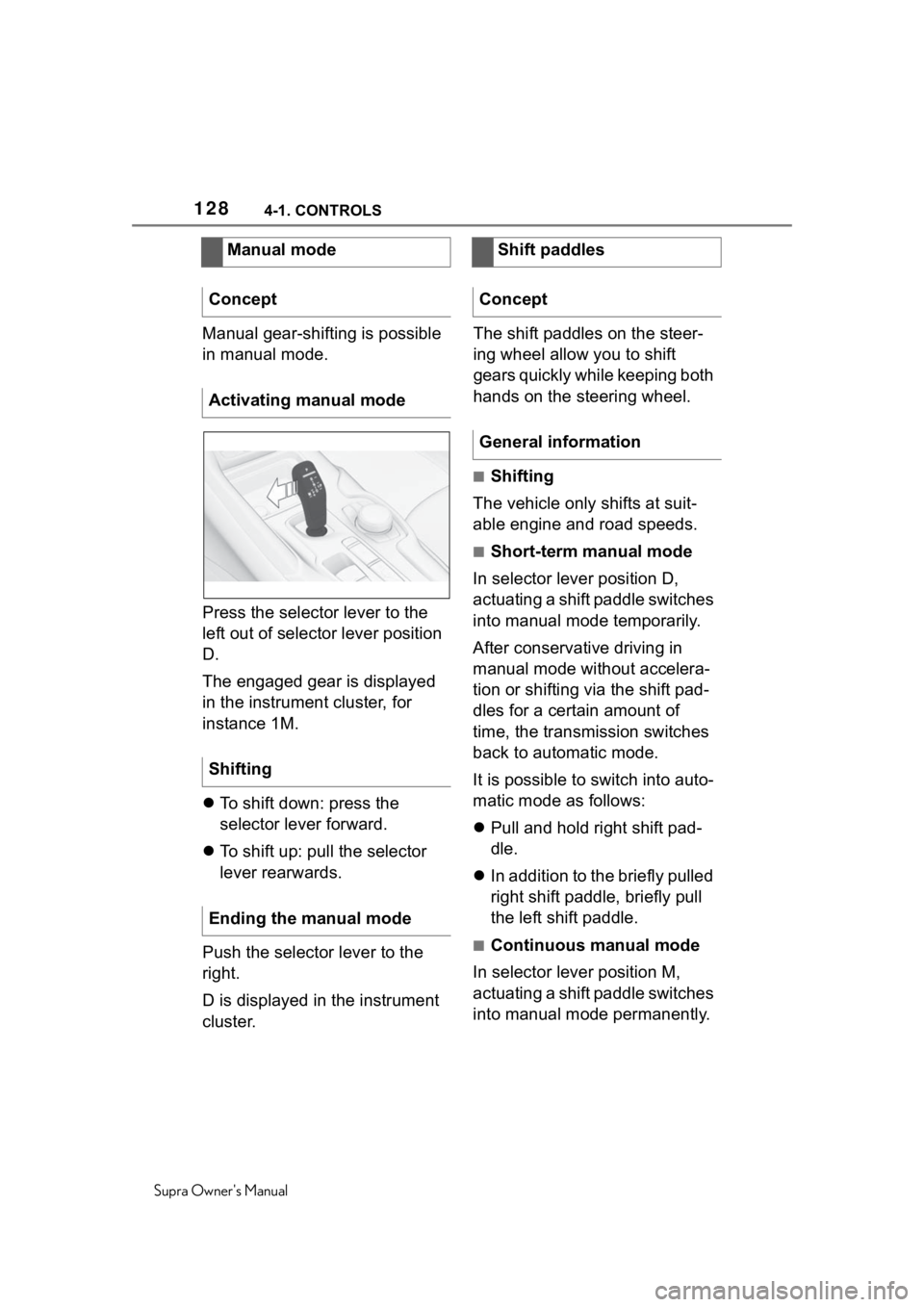
Manual gear-shifting is possible
in manual mode.
Press the selector lever to the
left out of selector lever position
D.
The engaged gear is displayed
in the instrument cluster, for
instance 1M.
To shift down: press the
selector lever forward.
To shift up: pull the selector
lever rearwards.
Push the selector lever to the
right.
D is displayed in the instrument
cluster. The shift paddles on the steer-
ing wheel allow you to shift
gears quickly while keeping both
hands on the steering wheel.
■Shifting
The vehicle only shifts at suit-
able engine and road speeds.
■Short-term manual mode
In selector lever position D,
actuating a shift paddle switches
into manual mode temporarily.
After conservative driving in
manual mode without accelera-
tion or shifting via the shift pad-
dles for a certain amount of
time, the transmission switches
back to automatic mode.
It is possible to switch into auto-
matic mode as follows:
Pull and hold right shift pad-
dle.
In addition to the briefly pulled
right shift paddle, briefly pull
the left shift paddle.
■Continuous manual mode
In selector lever position M,
actuating a shift paddle switches
into manual mode permanently.
Manual mode
Concept
Activating manual mode
Shifting
Ending the manual mode
Shift paddles
Concept
General information
Page 131 of 356
1314-1. CONTROLS
Supra Owner's Manual
4
CONTROLS
Control System again as soon
as possible.
An experienced driver may be
able to achieve better accelera-
tion values in VSC OFF mode.
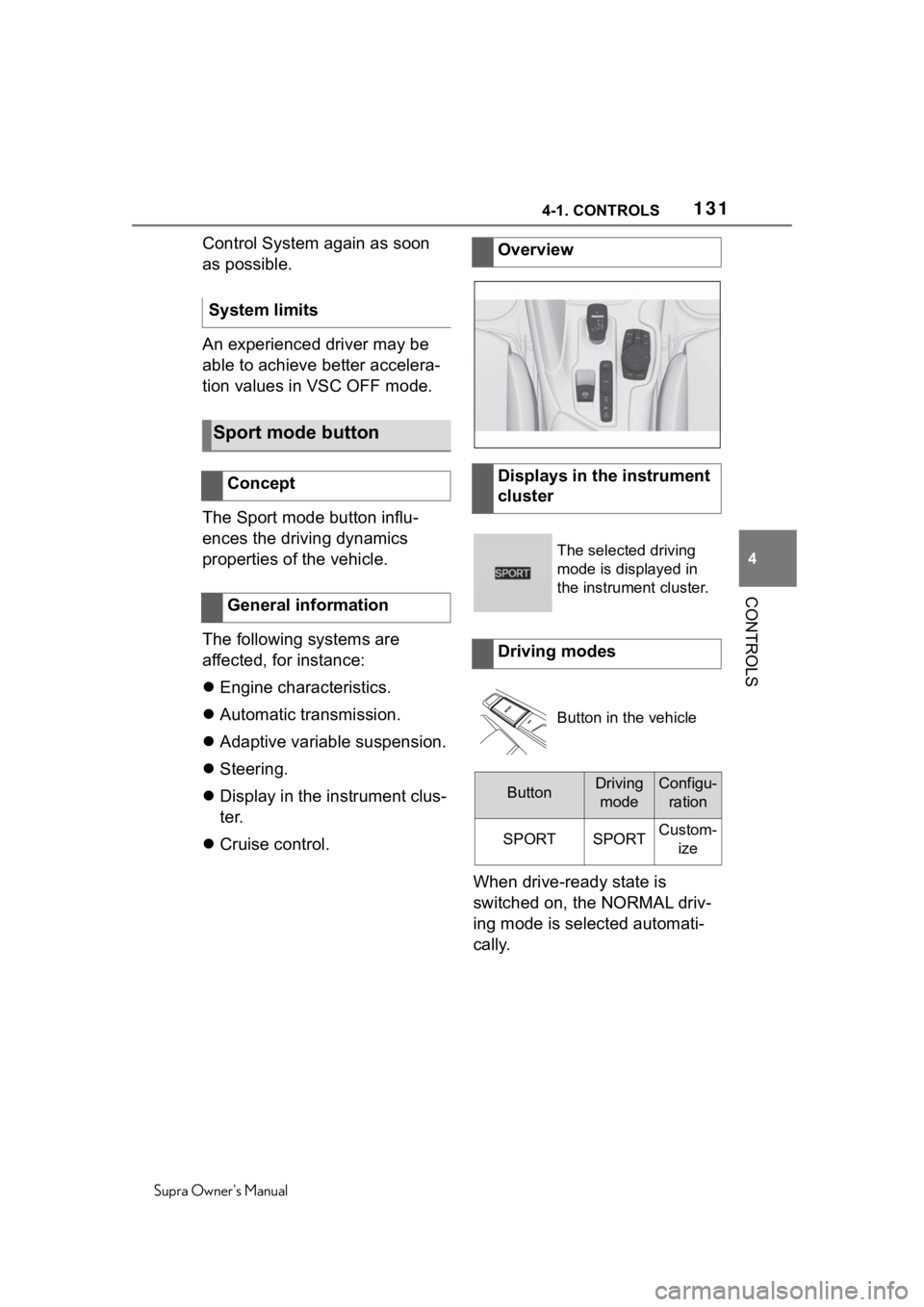
The Sport mode button influ-
ences the driving dynamics
properties of the vehicle.
The following systems are
affected, for instance:
Engine characteristics.
Automatic transmission.
Adaptive variable suspension.
Steering.
Display in the instrument clus-
ter.
Cruise control.
When drive-ready state is
switched on, the NORMAL driv-
ing mode is selected automati-
cally.
System limits
Sport mode button
Concept
General information
Overview
Displays in the instrument
cluster
The selected driving
mode is displayed in
the instrument cluster.
Driving modes
Button in the vehicle
ButtonDriving
modeConfigu- ration
SPORTSPORTCustom- ize
Page 142 of 356
1424-1. CONTROLS
Supra Owner's Manual
Enter the dates for the manda-
tory vehicle inspections.
Make sure that the vehicle's
date and time are set correctly.
Via Toyota Supra Command:
1"My vehicle"
2 "Vehicle status"
3 "Service required"
4 "Date:"
5 Select the desired setting.
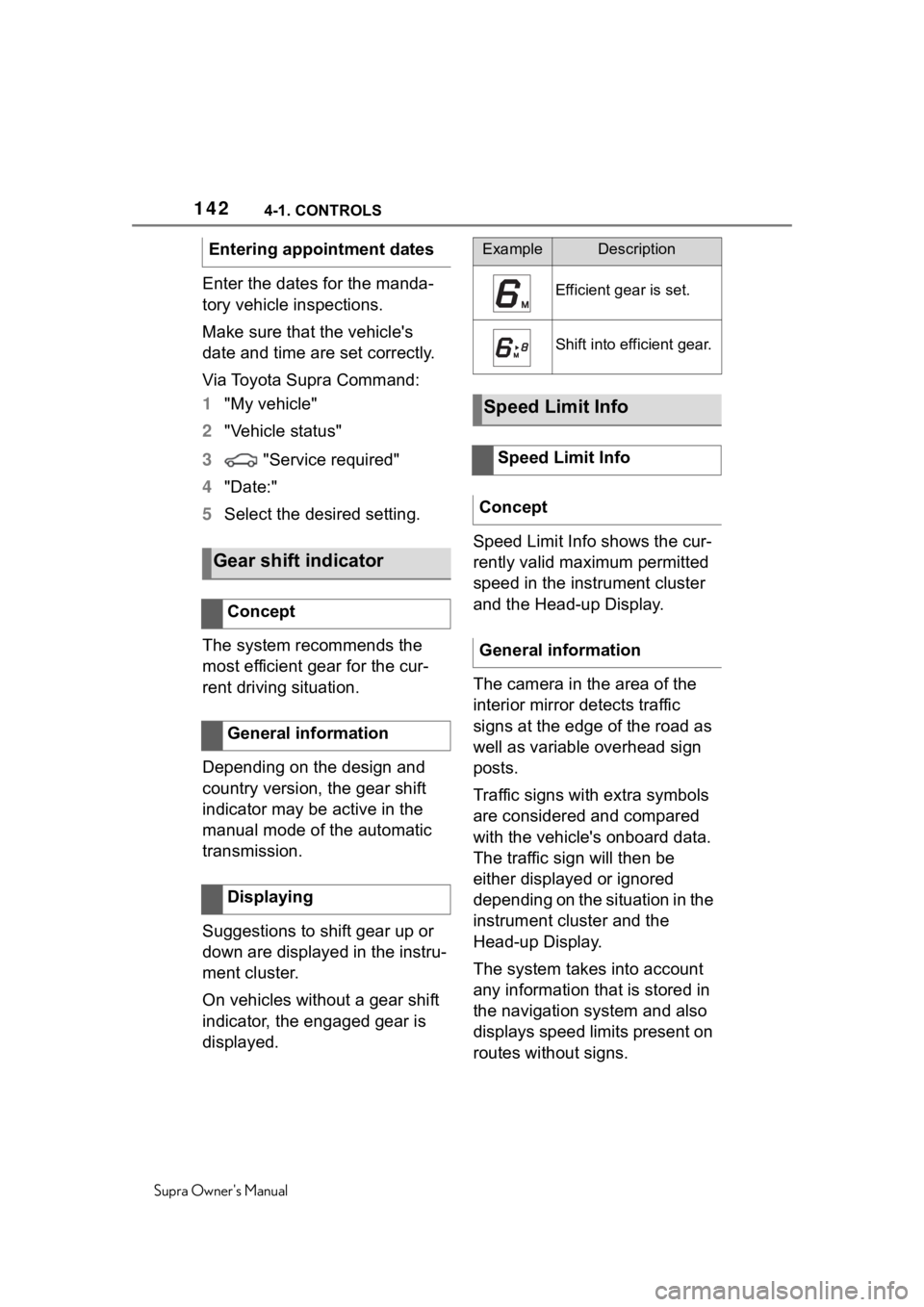
The system recommends the
most efficient gear for the cur-
rent driving situation.
Depending on the design and
country version, the gear shift
indicator may be active in the
manual mode of the automatic
transmission.
Suggestions to shift gear up or
down are displayed in the instru-
ment cluster.
On vehicles without a gear shift
indicator, the engaged gear is
displayed. Speed Limit Info shows the cur-
rently valid maximum permitted
speed in the instrument cluster
and the Head-up Display.
The camera in the area of the
interior mirror detects traffic
signs at the edge of the road as
well as variable overhead sign
posts.
Traffic signs with extra symbols
are considered and compared
with the vehicle's onboard data.
The traffic sign will then be
either displayed or ignored
depending on the situation in the
instrument cluster and the
Head-up Display.
The system takes into account
any information that is stored in
the navigation system and also
displays speed limits present on
routes without signs.
Entering appointment dates
Gear shift indicator
Concept
General information
Displaying
ExampleDescription
Efficient gear is set.
Shift into efficient gear.
Speed Limit Info
Speed Limit Info
Concept
General information
Page 329 of 356
3297-1. REFERENCE
Supra Owner's Manual
7
REFERENCE
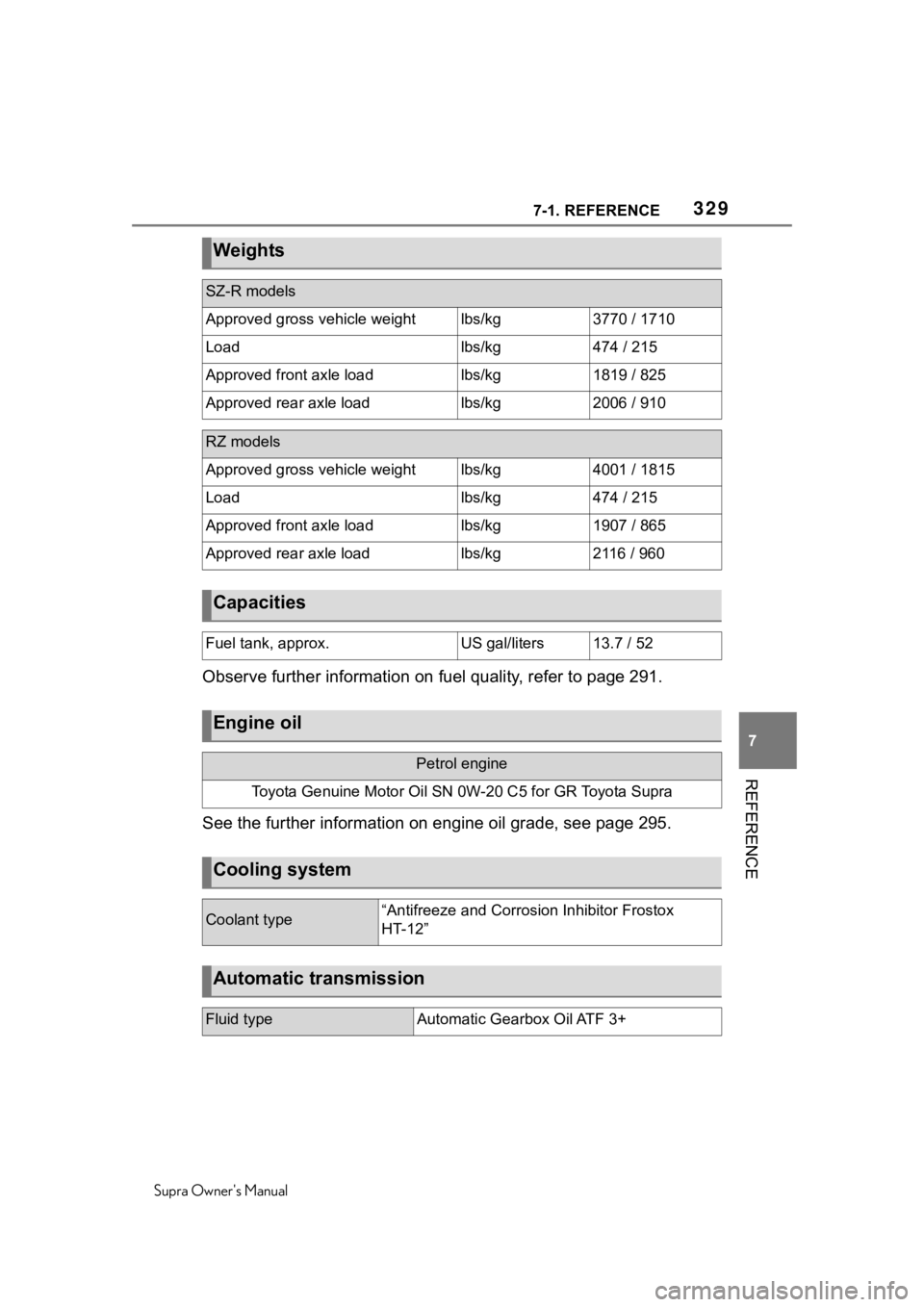
Observe further information on fuel quality, refer to page 291.
See the further information on engine oil grade, see page 295.
Weights
SZ-R models
Approved gross vehicle weightlbs/kg3770 / 1710
Loadlbs/kg474 / 215
Approved front axle loadlbs/kg1819 / 825
Approved rear axle loadlbs/kg2006 / 910
RZ models
Approved gross vehicle weightlbs/kg4001 / 1815
Loadlbs/kg474 / 215
Approved front axle loadlbs/kg1907 / 865
Approved rear axle loadlbs/kg2116 / 960
Capacities
Fuel tank, approx.US gal/liters13.7 / 52
Engine oil
Petrol engine
Toyota Genuine Motor Oil SN 0 W-20 C5 for GR Toyota Supra
Cooling system
Coolant type“Antifreeze and Corrosion Inhibitor Frostox
HT-12”
Automatic transmission
Fluid typeAutomatic Gearbox Oil ATF 3+
Page 342 of 356
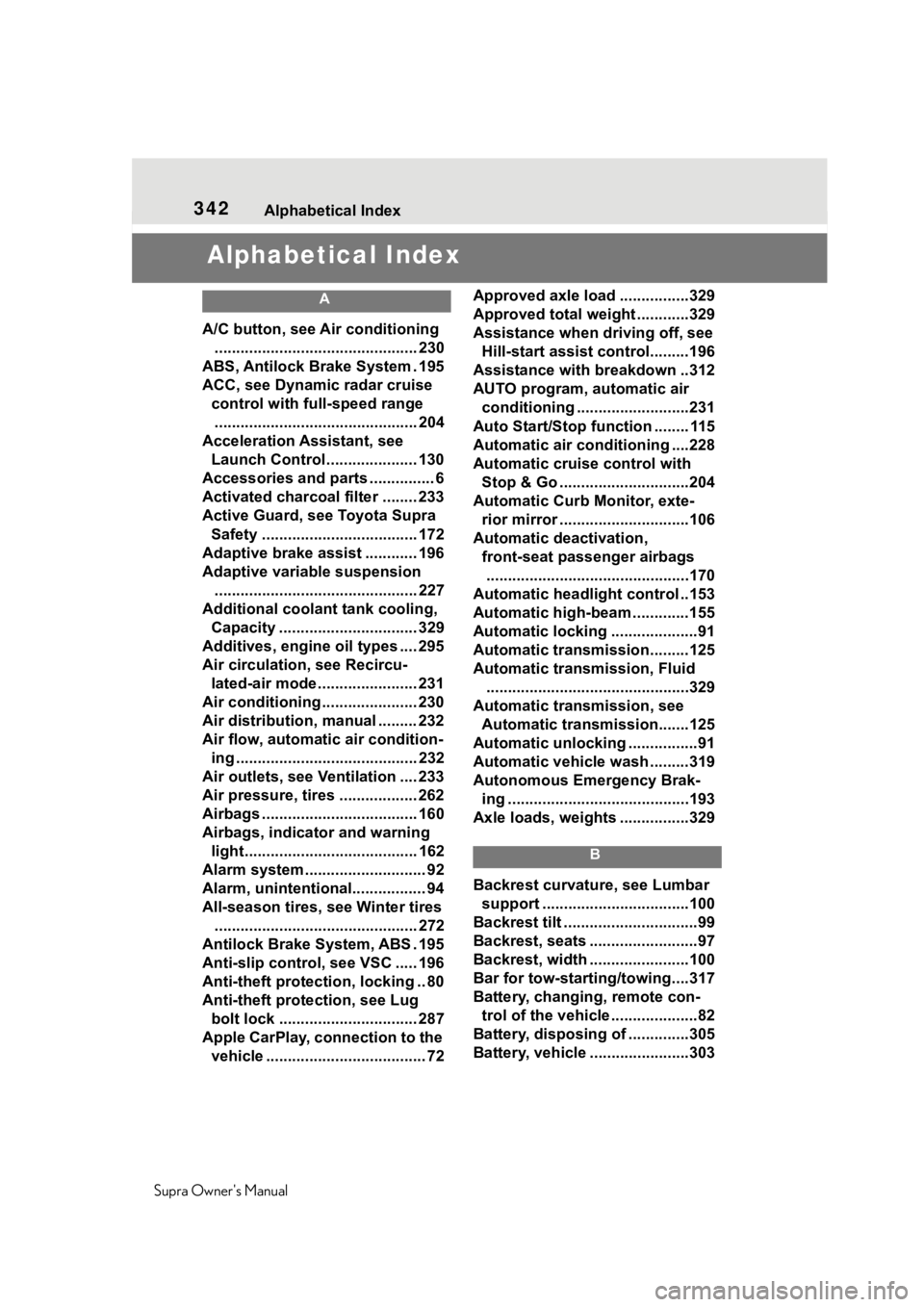
342Alphabetical Index
Supra Owner's Manual
Alphabetical Index
A
A/C button, see Air conditioning ............................................... 230
ABS, Antilock Brake System . 195
ACC, see Dynamic radar cruise control with fu ll-speed range
............................................... 204
Acceleration Assistant, see Launch Control..................... 130
Accessories and parts ............... 6
Activated charcoal filter ........ 233
Active Guard, see Toyota Supra Safety .................................... 172
Adaptive brake assist ............ 196
Adaptive variable suspension ............................................... 227
Additional coolant tank cooling, Capacity ................................ 329
Additives, engine oil types .... 295
Air circulation, see Recircu- lated-air mode....................... 231
Air conditioning ...................... 230
Air distribution, manual ......... 232
Air flow, automa tic air condition-
ing .......................................... 232
Air outlets, see Ventilation .... 233
Air pressure, tires .................. 262
Airbags .................................... 160
Airbags, indicator and warning light........................................ 162
Alarm system ............................ 92
Alarm, unintentional................. 94
All-season tires, see Winter tires ............................................... 272
Antilock Brake System, ABS . 195
Anti-slip control, see VSC ..... 196
Anti-theft protection, locking .. 80
Anti-theft protection, see Lug bolt lock ................................ 287
Apple CarPlay, connection to the vehicle ..................................... 72 Approved axle load ................329
Approved total weight ............329
Assistance when driving off, see
Hill-start assist control.........196
Assistance with breakdown ..312
AUTO program, automatic air conditioning ........ ..................231
Auto Start/Stop function ........ 115
Automatic air conditioning ....228
Automatic cruise control with Stop & Go ..............................204
Automatic Curb Monitor, exte- rior mirror ..............................106
Automatic deactivation, front-seat passenger airbags...............................................170
Automatic headlight control ..153
Automatic high-beam .............155
Automatic locking ....................91
Automatic transmission.........125
Automatic transmission, Fluid ...............................................329
Automatic transmission, see Automatic transm ission.......125
Automatic unlocking ................91
Automatic vehicle wash .........319
Autonomous Emergency Brak- ing ..........................................193
Axle loads, weights ................329
B
Backrest curvature, see Lumbar support ................ ..................100
Backrest tilt ...............................99
Backrest, seats .........................97
Backrest, width .......................100
Bar for tow-starting/towing....317
Battery, changing, remote con- trol of the vehicle ....................82
Battery, disposing of ..............305
Battery, vehicle .. .....................303
Page 352 of 356
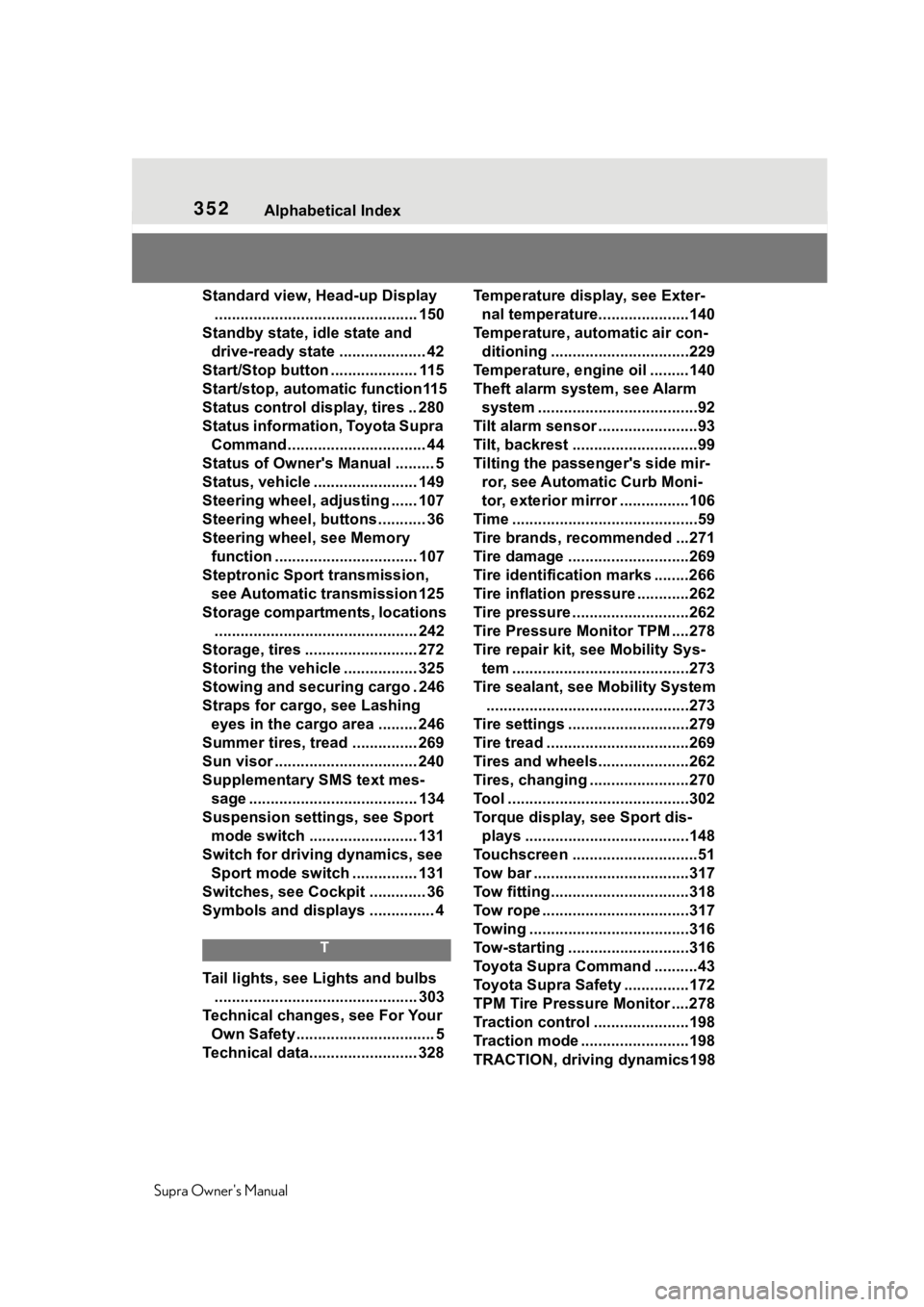
352Alphabetical Index
Supra Owner's Manual
Standard view, Head-up Display ............................................... 150
Standby state, idle state and drive-ready state .................... 42
Start/Stop button .................... 115
Start/stop, automatic function115
Status control display, tires .. 280
Status information, Toyota Supra Command................................ 44
Status of Owner's Manual ......... 5
Status, vehicle ........................ 149
Steering wheel, adjusting ...... 107
Steering wheel, buttons ........... 36
Steering wheel, see Memory function ................................. 107
Steptronic Sport transmission, see Automatic transmission 125
Storage compartments, locations ............................................... 242
Storage, tires .......................... 272
Storing the vehicle ................. 325
Stowing and securing cargo . 246
Straps for cargo, see Lashing eyes in the cargo area ......... 246
Summer tires, tread ............... 269
Sun visor ................................. 240
Supplementary SMS text mes- sage ....................................... 134
Suspension settings, see Sport mode switch ......................... 131
Switch for driving dynamics, see Sport mode switch ............... 131
Switches, see Cockpit ............. 36
Symbols and displays ............... 4
T
Tail lights, see Lights and bulbs ............................................... 303
Technical changes, see For Your Own Safety................................ 5
Technical data......................... 328 Temperature display, see Exter-
nal temperature... ..................140
Temperature, automatic air con- ditioning ................................229
Temperature, engine oil .........140
Theft alarm syste m, see Alarm
system .....................................92
Tilt alarm sensor .......................93
Tilt, backrest .............................99
Tilting the passenger's side mir- ror, see Automatic Curb Moni-
tor, exterior mirror ................106
Time ...........................................59
Tire brands, recommended ...271
Tire damage ............................269
Tire identification marks ........266
Tire inflation pres sure ............262
Tire pressure ...........................262
Tire Pressure Monitor TPM ....278
Tire repair kit, s ee Mobility Sys-
tem .........................................273
Tire sealant, se e Mobility System
...............................................273
Tire settings ............................279
Tire tread .................................269
Tires and wheels.....................262
Tires, changing .......................270
Tool ..........................................302
Torque display, see Sport dis- plays ......................................148
Touchscreen .............................51
Tow bar ....................................317
Tow fitting................................318
Tow rope ..................................317
Towing .....................................316
Tow-starting ............................316
Toyota Supra Command ..........43
Toyota Supra Safety ...............172
TPM Tire Pressure Monitor ....278
Traction control ......................198
Traction mode .........................198
TRACTION, driving dynamics198