steering wheel TOYOTA SUPRA 2020 (in English) Owner's Manual
[x] Cancel search | Manufacturer: TOYOTA, Model Year: 2020, Model line: SUPRA, Model: TOYOTA SUPRA 2020Pages: 360, PDF Size: 5.97 MB
Page 183 of 360
1834-1. CONTROLS
Supra Owner's Manual
4
CONTROLS
pedal to be depressed suffi-
ciently quickly and forcefully.
If there is a risk of collision, the
system may also assist with
braking.
When the vehicle is traveling at
a low speed, the vehicle may
come to a complete stop.
The driver may cancel the brak-
ing intervention by stepping on
the accelerator pedal or by
actively moving the steering
wheel.
The system’s ability to detect
objects may be limited in some
circumstances. Refer to the
information in this Owner’s Man-
ual regarding the limitations of
the system and actively inter-
vene as warranted.
The system responds to pedes- trians and cyclists when the
speed of the vehicle is below
approx. 53 mph/85 km/h.
The system's detection potential
is limited.
Thus, a warning might not be
issued or be issued late.
The following situations may not
be detected, for instance:
Partially covered pedestrians.
Pedestrians that are not
detected as such because of
the viewing angle or contour.
Pedestrians outside of the
detection range.
Pedestrians having a body
size less than 32 in/80 cm.
The system may not be fully
functional or may not be avail-
able in the following situations:
In heavy fog, wet conditions,
or snowfall.
In tight curves.
If the driving stability control
systems are deactivated, for
instance VSC OFF.
If the field of view of the cam-
era or the windshield is dirty
or covered in the area of the
interior mirror.
If the camera has overheated
System limits
Safety information
WARNING
The system is designed to oper-
ate in certain conditions and cir-
cumstances. Due to conditions or
other factors, the system may not
respond. There m ay be a risk of
accident or risk of damage to
property. Actively intervene as
warranted. Refer to the informa-
tion in this Owner’s Manual
regarding the scope of the sys-
tem’s operation and limitations.
Upper speed limit
Detection range
Functional limitations
Page 184 of 360
1844-1. CONTROLS
Supra Owner's Manual
and been temporarily
switched off due to exces-
sively high temperatures.
Depending on the equipment:
if the radar sensors are dirty
or covered.
Depending on the equipment
version: after improperly per-
formed work on the vehicle
paint.
Up to 10 seconds after the
start of the engine via the
Start/Stop button.
During calibration of the cam-
era immediately after vehicle
delivery.
If there are constant blinding
effects because of oncoming
light, for instance from the sun
low in the sky.
When it is dark outside.
The lane departure warning
alerts when the vehicle is about
to run off the road or exit the
lane.
This camera-based system
warns starting at a minimum
speed.
The minimum speed is coun-
try-specific and is displayed in the menu for the Toyota Supra
Safety systems.
Warnings are issued by means
of a steering wheel vibration.
The severity of the steering
wheel vibration can be adjusted.
The system does not provide a
warning if the turn signal is set in
the respective direction before
leaving the lane.
Depending on the equipment
version, if in the speed range up
to 130 mph/210 km/h a lane
marking is crossed, the system
may intervene with a brief active
steering intervention in addition
to vibrating. The system thus
helps keep the vehicle in the
lane.
Lane departure warning
Concept
General information
Safety information
WARNING
The system cannot serve as a
substitute for the driver’s personal
judgment in assessing road and
traffic safety. There is a risk of an
accident. Adjust d
riving style to
traffic conditions. Watch traffic
closely and actively intervene
where appropriate. Do not jerk the
steering wheel in response to a
warning.
Page 187 of 360
1874-1. CONTROLS
Supra Owner's Manual
4
CONTROLS
"Off": no warnings are issued.
The selected setting is stored for
the driver profile currently used.
Via Toyota Supra Command:
1 "My Vehicle"
2 "Vehicle settings"
3 "Steering wheel vibration"
4 Select the desired setting.
The setting is applied to all Toy-
ota Supra Safety systems and
stored for the driver profile cur-
rently used.
The steering intervention can be
switched on and off separately
for Blind spot monitor and lane
departure warning.
Via Toyota Supra Command:
1 "My Vehicle"
2 "Vehicle settings"
3 "Toyota Supra Safety"
4 "Steering intervention"
The selected setting is stored for
the driver profile currently used. If you leave the lane and if a
lane marking has been
detected, the steering wheel
vibrates in accordance with the
steering wheel vibration setting.
If the turn signal is switched on
before a lane change, a warning
is not issued.
Depending on the equipment
version: if, in the speed range
up to 130 mph/210 km/h a lane
marking is crossed, the system
may intervene with a brief active
steering intervention in addition
to vibrating. The steering inter-
vention helps keep the vehicle in
the lane. The steering interven-
tion can be noticed on the steer-
ing wheel and can be manually
overridden at any time. During
an active steering intervention,
the display in the instrument
cluster will blink.
Setting the force of the steer-
ing wheel vibration
Switching steering interven-
tion on/offDisplay in the instrument
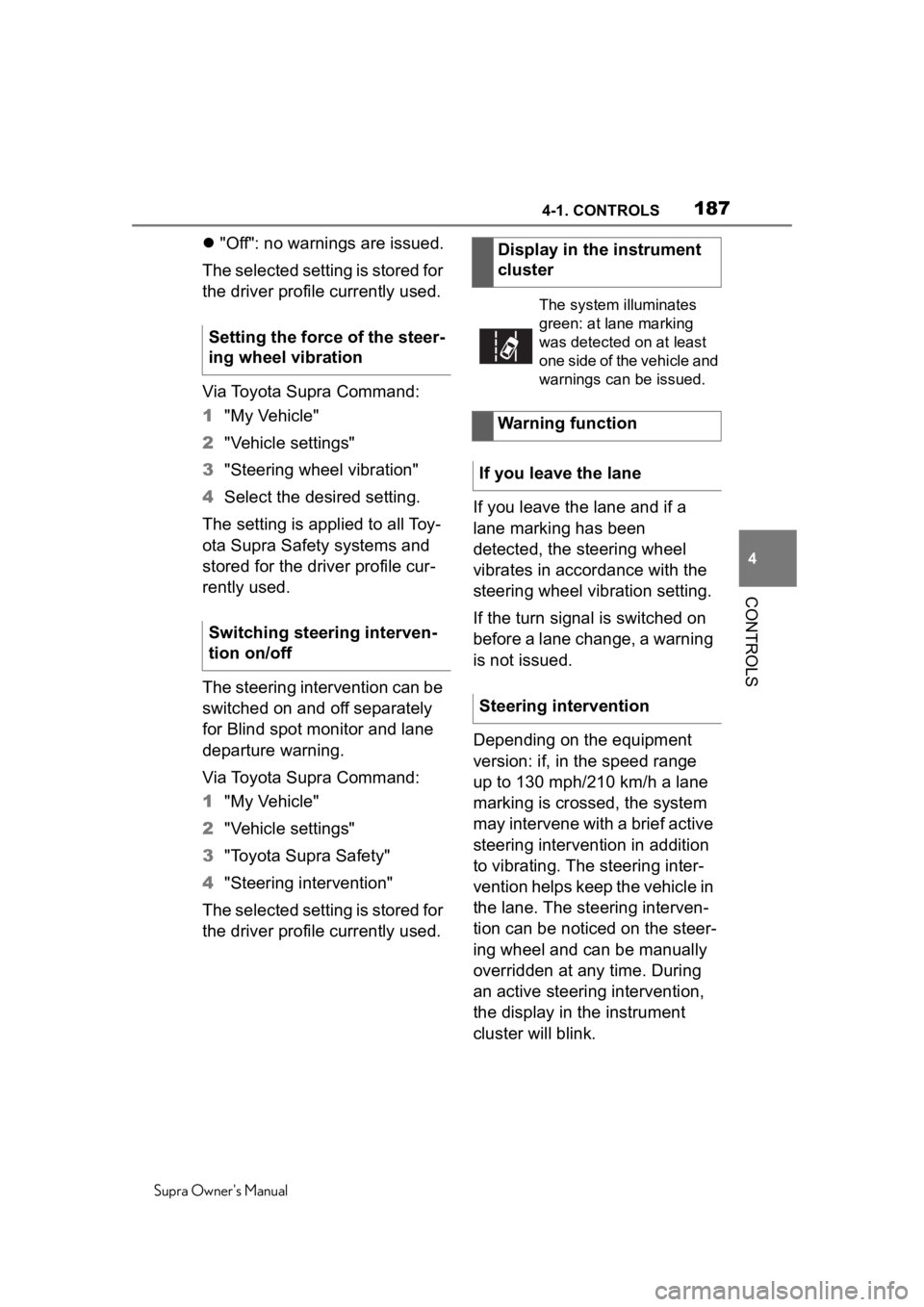
cluster
The system illuminates
green: at lane marking
was detected on at least
one side of the vehicle and
warnings can be issued.
Warning function
If you leave the lane
Steering intervention
Page 188 of 360
1884-1. CONTROLS
Supra Owner's Manual
Depending on the equipment, in
the event of multiple active
steering interventions by the
system within 3 minutes without
the driver's intervention at the
steering wheel, an acoustic
warning will sound. A short
warning signal will sound at the
second steering intervention.
Beginning with the third steering
intervention, an continuous
warning will sound.
In addition, a vehicle message is
displayed.
The warning signal and vehicle
message are an encouragement
to pay closer attention to the
lane.
For instance, the warning will be
canceled in the following situa-
tions:
Automatically after a few sec-
onds.
When returning to your own
lane.
When braking hard.
When using the turn signal.
If VSC Vehicle Stability Con-
trol System intervenes. The system may not be fully
functional in the following situa-
tions:
In heavy fog, wet conditions,
or snowfall.
In the event of missing, worn,
poorly visible, merging,
diverging, or multiple lane
markings such as in construc-
tion areas.
When lane markings are cov-
ered in snow, ice, dirt or
water.
In tight curves or on narrow
lanes.
When lane markings are cov-
ered by objects.
When driving very close to the
vehicle in front of you.
If there are constant blinding
effects because of oncoming
light, for instance from the sun
low in the sky.
Warning signal
End of warning
System limits
Safety information
WARNING
The system can react not at all,
too late, incorrectly, or without jus-
tification due to the system limits.
There is a risk of accidents or risk
of damage to property. Follow the
information regarding the system
limits and actively intervene if
needed.
Functional limitations
Page 189 of 360
1894-1. CONTROLS
Supra Owner's Manual
4
CONTROLS
If the field of view of the cam-
era or the windshield is dirty
or covered in the area of the
interior mirror.
If the camera has overheated
and been temporarily
switched off due to exces-
sively high temperatures.
Up to 10 seconds after the
start of the engine via the
Start/Stop button.
During calibration of the cam-
era immediately after vehicle
delivery.
A vehicle message may be dis-
played when the system is not
fully functional.
Blind spot monitor detects vehi-
cles in the blind spot or vehicles
approaching from behind in the
adjacent lane. A warning is
issued in various gradations in
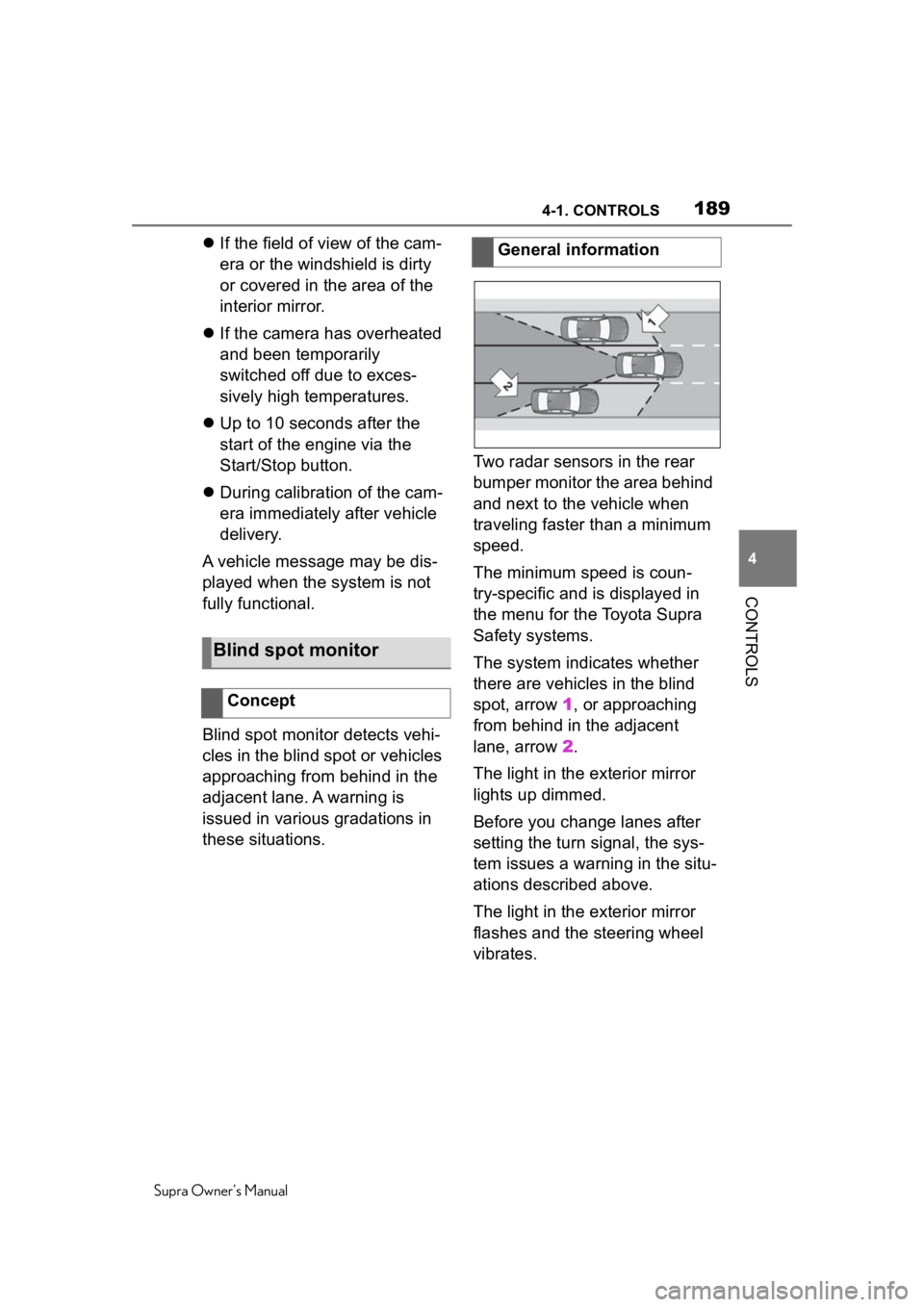
these situations. Two radar sensors in the rear
bumper monitor the area behind
and next to the vehicle when
traveling faster than a minimum
speed.
The minimum speed is coun-
try-specific and is displayed in
the menu for the Toyota Supra
Safety systems.
The system indicates whether
there are vehicles in the blind
spot, arrow 1, or approaching
from behind in the adjacent
lane, arrow
2.
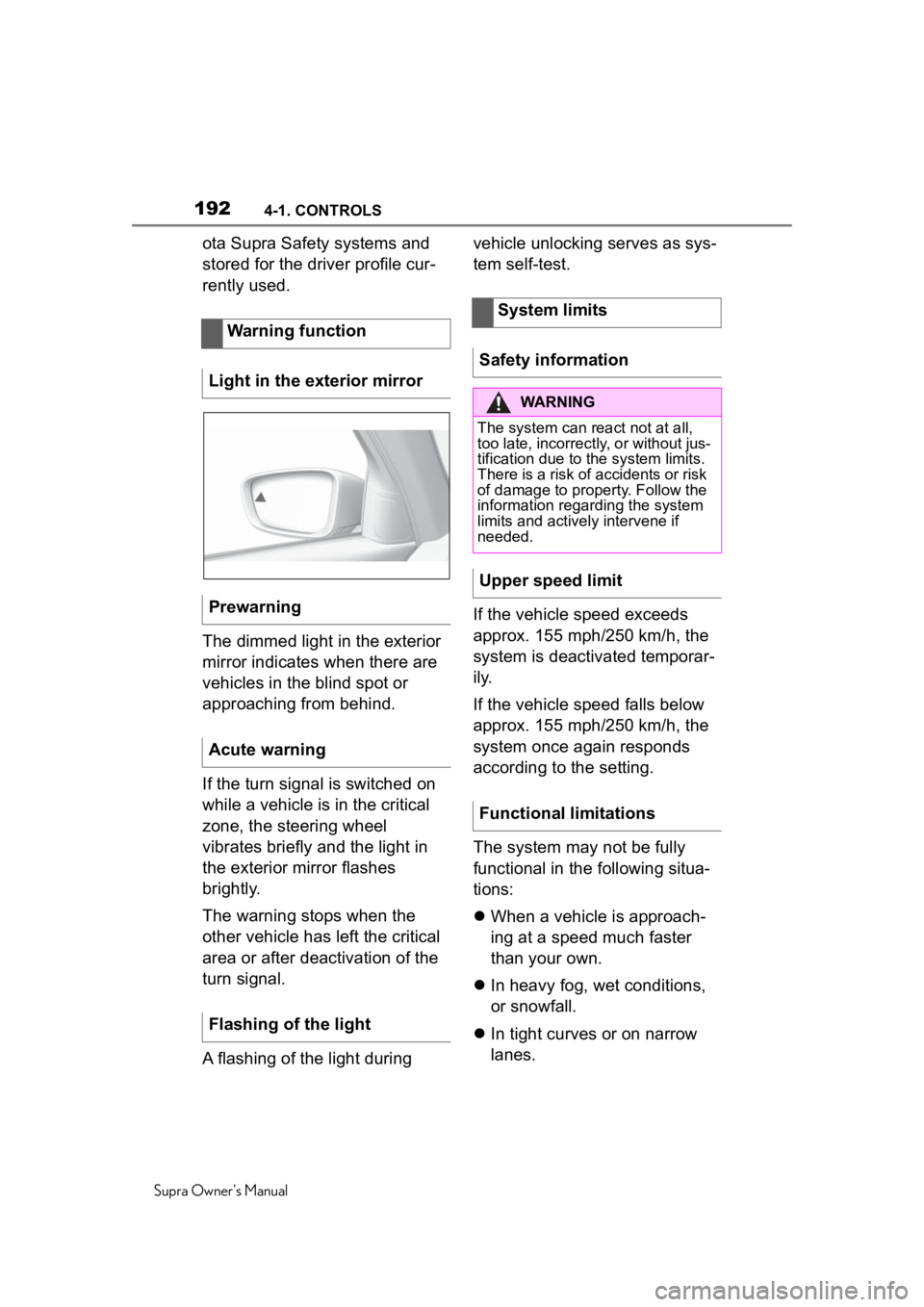
The light in the exterior mirror
lights up dimmed.
Before you change lanes after
setting the turn signal, the sys-
tem issues a warning in the situ-
ations described above.
The light in the exterior mirror
flashes and the steering wheel
vibrates.
Blind spot monitor
Concept
General information
Page 191 of 360

1914-1. CONTROLS
Supra Owner's Manual
4
CONTROLS
tems can be individually config-
ured. The individual settings are
activated and stored for the
driver profile currently used. As
soon as a setting is changed on
the menu, all settings of the
menu are activated.
The following settings are
switched between:
"ALL ON": all Toyota Supra
Safety systems are switched on.
Basic settings are activated for
the subfunctions.
"Customized": the Toyota Supra
Safety systems are switched on
according to the individual set-
tings.
Some Toyota Supra Safety sys-
tems cannot be individually
switched off.
All Toyota Supra Safety systems
are switched off. Via Toyota Supra Command:
1
"My Vehicle"
2 "Vehicle settings"
3 "Toyota Supra Safety"
4 "Blind spot monitor"
5 Select the desired setting.
"Off": with this setting, no warning is
output.
The setting is stored for the
driver profile currently used.
Via Toyota Supra Command:
1"My Vehicle"
2 "Vehicle settings"
3 "Steering wheel vibration"
4 Select the desired setting.
The setting is applied to all Toy-
Press the button repeat-
edly.
Press and hold this button.
ButtonStatus
Indicator lights up
green: all Toyota Supra
Safety systems are
switched on.
Indicator lights up
orange: some Toyota
Supra Safety systems
are switched off or cur-
rently unavailable.
Indicator does not light
up: all Toyota Supra
Safety systems are
switched off.
Setting the warning time
Setting the force of the steer-
ing wheel vibration
Page 192 of 360
1924-1. CONTROLS
Supra Owner's Manual
ota Supra Safety systems and
stored for the driver profile cur-
rently used.
The dimmed light in the exterior
mirror indicates when there are
vehicles in the blind spot or
approaching from behind.
If the turn signal is switched on
while a vehicle is in the critical
zone, the steering wheel
vibrates briefly and the light in
the exterior mirror flashes
brightly.
The warning stops when the
other vehicle has left the critical
area or after deactivation of the
turn signal.
A flashing of the light during vehicle unlocking serves as sys-
tem self-test.
If the vehicle speed exceeds
approx. 155 mph/250 km/h, the
system is deactivated temporar-
i l y.
If the vehicle speed falls below
approx. 155 mph/250 km/h, the
system once again responds
according to the setting.
The system may not be fully
functional in the following situa-
tions:
When a vehicle is approach-
ing at a speed much faster
than your own.
In heavy fog, wet conditions,
or snowfall.
In tight curves or on narrow
lanes.
Warning function
Light in the exterior mirror
Prewarning
Acute warning
Flashing of the light
System limits
Safety information
WARNING
The system can react not at all,
too late, incorrectly, or without jus-
tification due to the system limits.
There is a risk of accidents or risk
of damage to property. Follow the
information regarding the system
limits and actively intervene if
needed.
Upper speed limit
Functional limitations
Page 196 of 360
1964-1. CONTROLS
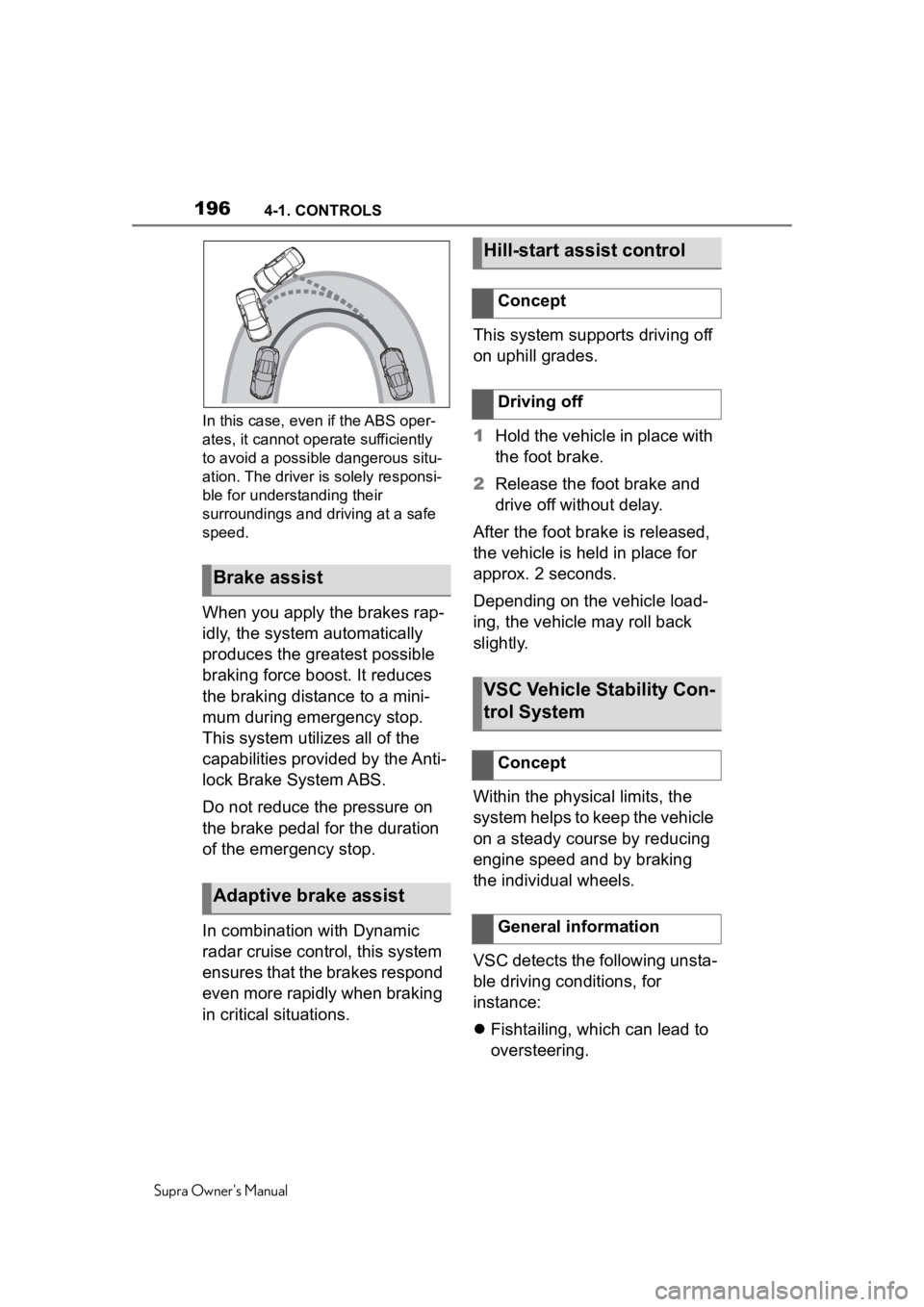
Supra Owner's ManualIn this case, even if the ABS oper-
ates, it cannot oper
ate sufficiently
to avoid a possible dangerous situ-
ation. The driver is solely responsi-
ble for understanding their
surroundings and driving at a safe
speed.
When you apply the brakes rap-
idly, the system automatically
produces the greatest possible
braking force boost. It reduces
the braking distance to a mini-
mum during emergency stop.
This system utilizes all of the
capabilities provided by the Anti-
lock Brake System ABS.
Do not reduce the pressure on
the brake pedal for the duration
of the emergency stop.
In combination with Dynamic
radar cruise control, this system
ensures that the brakes respond
even more rapidly when braking
in critical situations. This system supports driving off
on uphill grades.
1
Hold the vehicle in place with
the foot brake.
2 Release the foot brake and
drive off without delay.
After the foot brake is released,
the vehicle is held in place for
approx. 2 seconds.
Depending on the vehicle load-
ing, the vehicle may roll back
slightly.
Within the physical limits, the
system helps to keep the vehicle
on a steady course by reducing
engine speed and by braking
the individual wheels.
VSC detects the following unsta-
ble driving conditions, for
instance:
Fishtailing, which can lead to
oversteering.
Brake assist
Adaptive brake assist
Hill-start assist control
Concept
Driving off
VSC Vehicle Stability Con-
trol System
Concept
General information
Page 197 of 360
1974-1. CONTROLS
Supra Owner's Manual
4
CONTROLS
Loss of traction of the front
wheels, which can lead to
understeering.
When VSC is deactivated, driv-
ing stability is reduced during
acceleration and when driving in
curves.
To increase vehicle stability,
activate VSC again as soon as
possible.
When VSC is deactivated, VSC
OFF is displayed in the instru-
ment cluster.
Safety information
WARNING
The system cannot serve as a
substitute for the driver’s personal
judgment in assessing the traffic
situation. Based on the limits of
the system, it cannot inde-
pendently react to all traffic situa-
tions. There i
s a risk of an
accident. Adjust driving style to
traffic conditions. Watch traffic
closely and actively intervene
where appropriate.
WARNING
When driving with a roof load, for
instance with roof-mounted lug-
gage rack, the vehicle's center of
gravity is higher, which increases
the risk of the vehicle tipping in
critical driving situations. There is
a risk of accidents or risk of dam-
age to property. Do not deactivate
VSC Vehicle Stability Control Sys-
tem when driving with roof load.
Overview
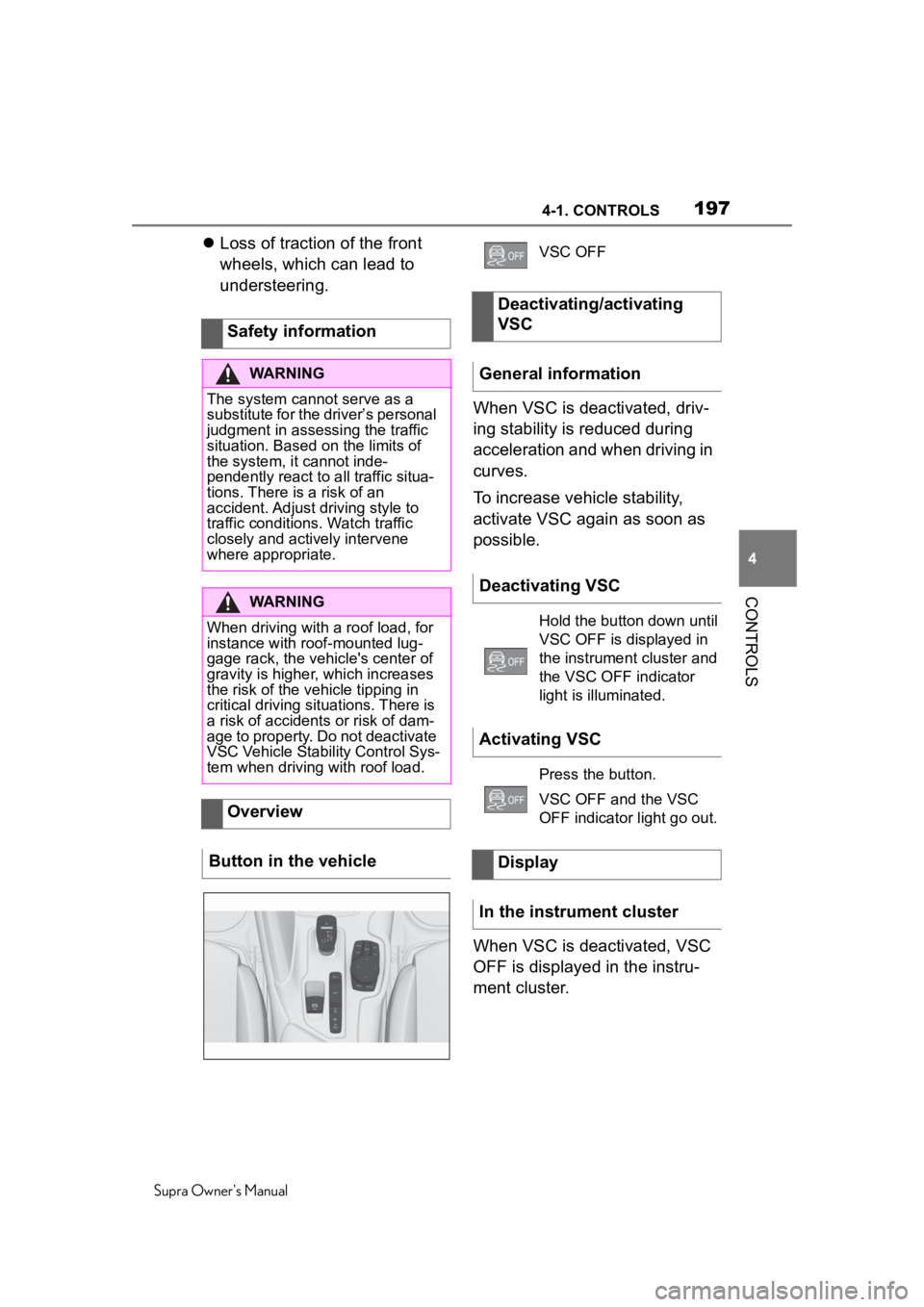
Button in the vehicle
VSC OFF
Deactivating/activating
VSC
General information
Deactivating VSC
Hold the button down until
VSC OFF is displayed in
the instrument cluster and
the VSC OFF indicator
light is illuminated.
Activating VSC
Press the button.
VSC OFF and the VSC
OFF indicator light go out.
Display
In the instrument cluster
Page 200 of 360
2004-1. CONTROLS
Supra Owner's Manual
This chapter describes all stan-
dard, country-specific and
optional features offered with
the series. It also describes fea-
tures and functions that are not
necessarily available in your
vehicle, e.g., due to the selected
options or country versions. This
also applies to safety-related
functions and systems. When
using these functions and sys-
tems, the applicable laws and
regulations must be observed.
Using this system, a desired
speed can be adjusted using the
buttons on the steering wheel.
The system maintains the
desired speed. The system
accelerates and brakes auto-
matically as needed.
Depending on the vehicle set-
tings, the characteristics of the
Cruise Control may change.
Driver assistance sys-
tems
Vehicle features and
options
Cruise control
Concept
General information
Safety information
WARNING
The system cannot serve as a
substitute for the driver’s personal
judgment in assessing the traffic
situation. Based on the limits of
the system, it cannot inde-
pendently react to all traffic situa-
tions. There is a risk of an
accident. Adjust driving style to
traffic conditions. Watch traffic
closely and actively intervene
where appropriate.
WARNING
The use of the system can lead to
an increased risk of accidents in
the following si tuations, for
instance:
●On winding roads.
There is a risk of accidents or risk
of damage to property. Only use
the system if driving at constant
speed is possible.
●In heavy traffic.
●On slippery roads, in fog, snow,
or wet conditions, or on a loose
road surface.
WARNING
The desired speed can be incor-
rectly adjusted or called up by
mistake. There is a risk of an acci-
dent. Adjust the desired speed to
the traffic conditions. Watch traf-
fic closely and actively intervene
where appropriate.