wheel TOYOTA SUPRA 2020 Owners Manual (in English)
[x] Cancel search | Manufacturer: TOYOTA, Model Year: 2020, Model line: SUPRA, Model: TOYOTA SUPRA 2020Pages: 360, PDF Size: 5.97 MB
Page 2 of 360
2
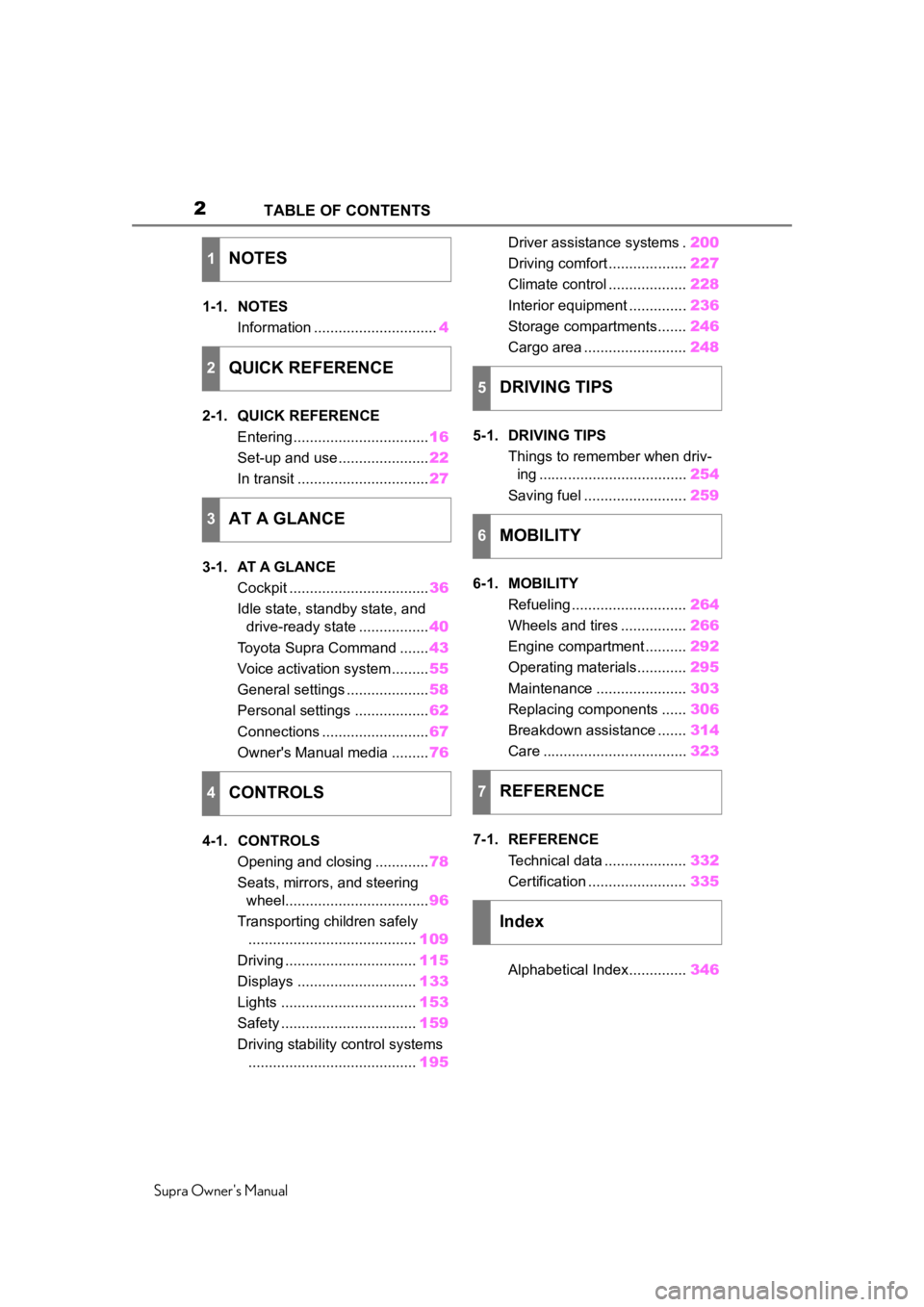
Supra Owner's ManualTABLE OF CONTENTS
1-1. NOTES
Information .............................. 4
2-1. QUICK REFERENCE Entering ................................. 16
Set-up and use ...................... 22
In transit ................................ 27
3-1. AT A GLANCE Cockpit .................................. 36
Idle state, standby state, and drive-ready state ................. 40
Toyota Supra Command ....... 43
Voice activation system ......... 55
General settings .................... 58
Personal settings .................. 62
Connections .......................... 67
Owner's Manual media ......... 76
4-1. CONTROLS Opening and closing ............. 78
Seats, mirrors, and steering wheel................................... 96
Transporting children safely ......................................... 109
Driving ................................ 115
Displays ............................. 133
Lights ................................. 153
Safety ................................. 159
Driving stability control systems ......................................... 195Driver assistance systems .
200
Driving comfort ................... 227
Climate control ................... 228
Interior equipment .............. 236
Storage compartments....... 246
Cargo area ......................... 248
5-1. DRIVING TIPS Things to remember when driv-ing .................................... 254
Saving fuel ......................... 259
6-1. MOBILITY Refueling ............................ 264
Wheels and tires ................ 266
Engine compartment .......... 292
Operating materials............ 295
Maintenance ...................... 303
Replacing components ...... 306
Breakdown assistance ....... 314
Care ................................... 323
7-1. REFERENCE Technical data .................... 332
Certification ........................ 335
Alphabetical Index.............. 346
1NOTES
2QUICK REFERENCE
3AT A GLANCE
4CONTROLS
5DRIVING TIPS
6MOBILITY
7REFERENCE
Index
Page 8 of 360
81-1. NOTES
Supra Owner's Manual
Maintenance system.
"Owner's Warranty Informa-
tion Booklet" or "Owner's
Manual Supplement".
If the vehicle is not maintained
according to these specifica-
tions, this could result in serious
damage to the vehicle. Such
damage is not covered by the
warranty.
Electronic control devices are
installed in the vehicle. Elec-
tronic control units process data
they receive from vehicle sen-
sors, self-generate or exchange
with each other. Some control
units are necessary for the vehi-
cle to function safely or provide
assistance during driving, for
instance driver assistance sys-
tems. Furthermore, control
devices facilitate comfort or info-
tainment functions.
Information about stored or
exchanged data can be
requested from the manufac-
turer of the vehicle, in a sepa-
rate booklet, for example.
Each vehicle is marked with a
unique vehicle identification
number. Depending on the country, the vehicle owner can
be identified with the vehicle
identification number, license
plate and corresponding authori-
ties. In addition, there are other
options to track data collected in
the vehicle to the driver or vehi-
cle owner, e.g. via the Toyota
Supra Connect account that is
used.
Control units process data to
operate the vehicle.
For example, this includes:
• Status messages for the vehi-
cle and its Customize compo-
nents, e.g., wheel rotational
speed, wheel speed, deceler-
ation, transverse acceleration,
engaged safety belt indicator.
• Ambient conditions, e.g., tem- perature, rain sensor signals.
The processed data is only pro-
cessed in the vehicle itself and
generally volatile. The data is
not stored beyond the operating
period.
Electronic components, e.g.
control units and ignition keys,
contain components for storing
technical information. Informa-
tion about the vehicle condition,
component usage, mainte-
nance requirements or faults
can be stored temporarily or
permanently.
Data memory
General information
Personal reference
Operating data in the vehi-
cle
Page 20 of 360
202-1. QUICK REFERENCE
Supra Owner's Manual
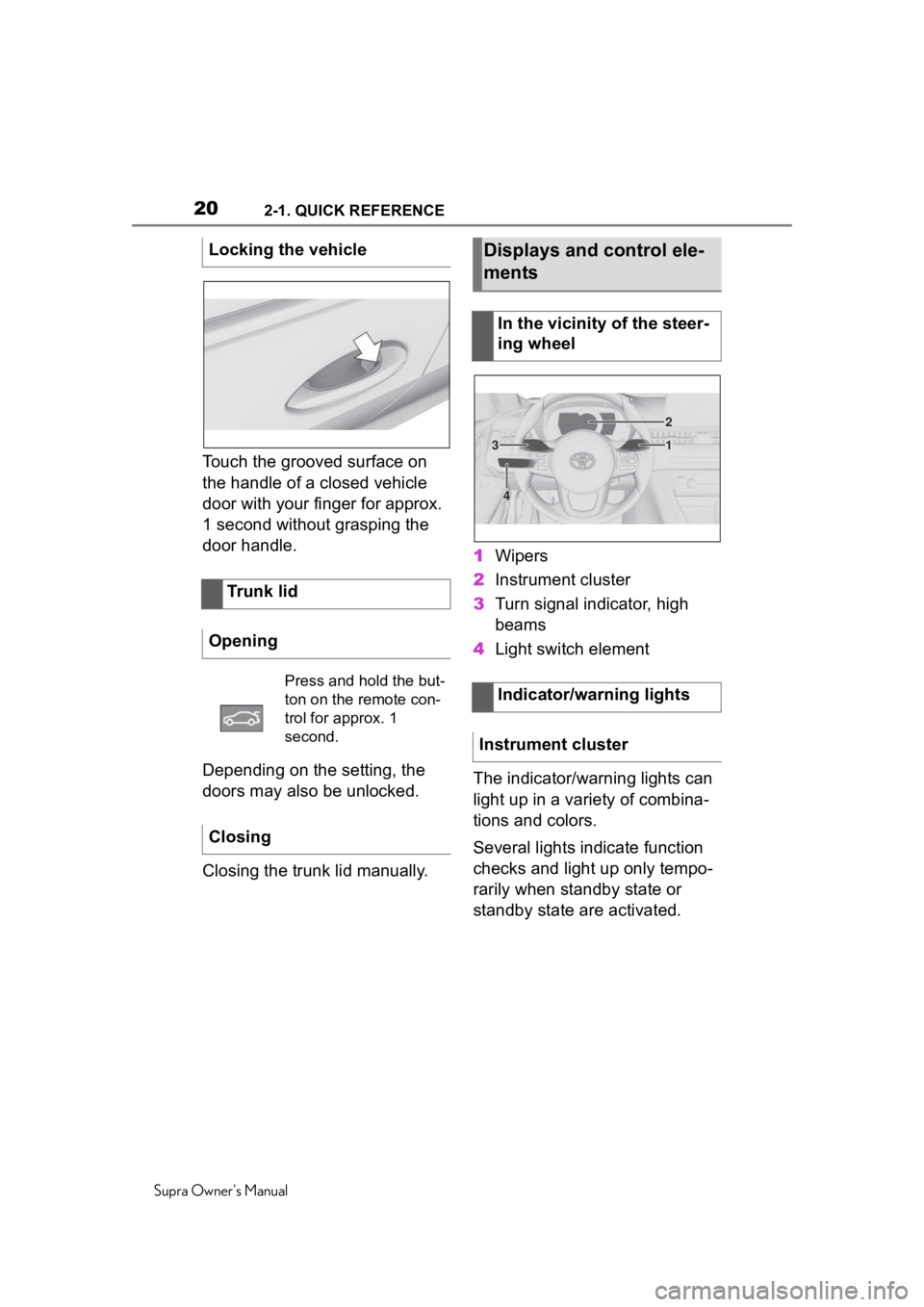
Touch the grooved surface on
the handle of a closed vehicle
door with your finger for approx.
1 second without grasping the
door handle.
Depending on the setting, the
doors may also be unlocked.
Closing the trunk lid manually.1
Wipers
2 Instrument cluster
3 Turn signal indicator, high
beams
4 Light switch element
The indicator/warning lights can
light up in a variety of combina-
tions and colors.
Several lights indicate function
checks and light up only tempo-
rarily when standby state or
standby state are activated.
Locking the vehicle
Trunk lid
Opening
Press and hold the but-
ton on the remote con-
trol for approx. 1
second.
Closing
Displays and control ele-
ments
In the vicinity of the steer-
ing wheel
Indicator/warning lights
Instrument cluster
1
2
3
4
Page 22 of 360
222-1. QUICK REFERENCE
Supra Owner's Manual
■Activating the voice activa-
tion system
1 Press the button on the
steering wheel.
2 Wait for the signal.
3 Say the command.
If no other commands are possi-
ble, operate the function via Toy-
ota Supra Command.
■Terminating the voice acti-
vation system 1
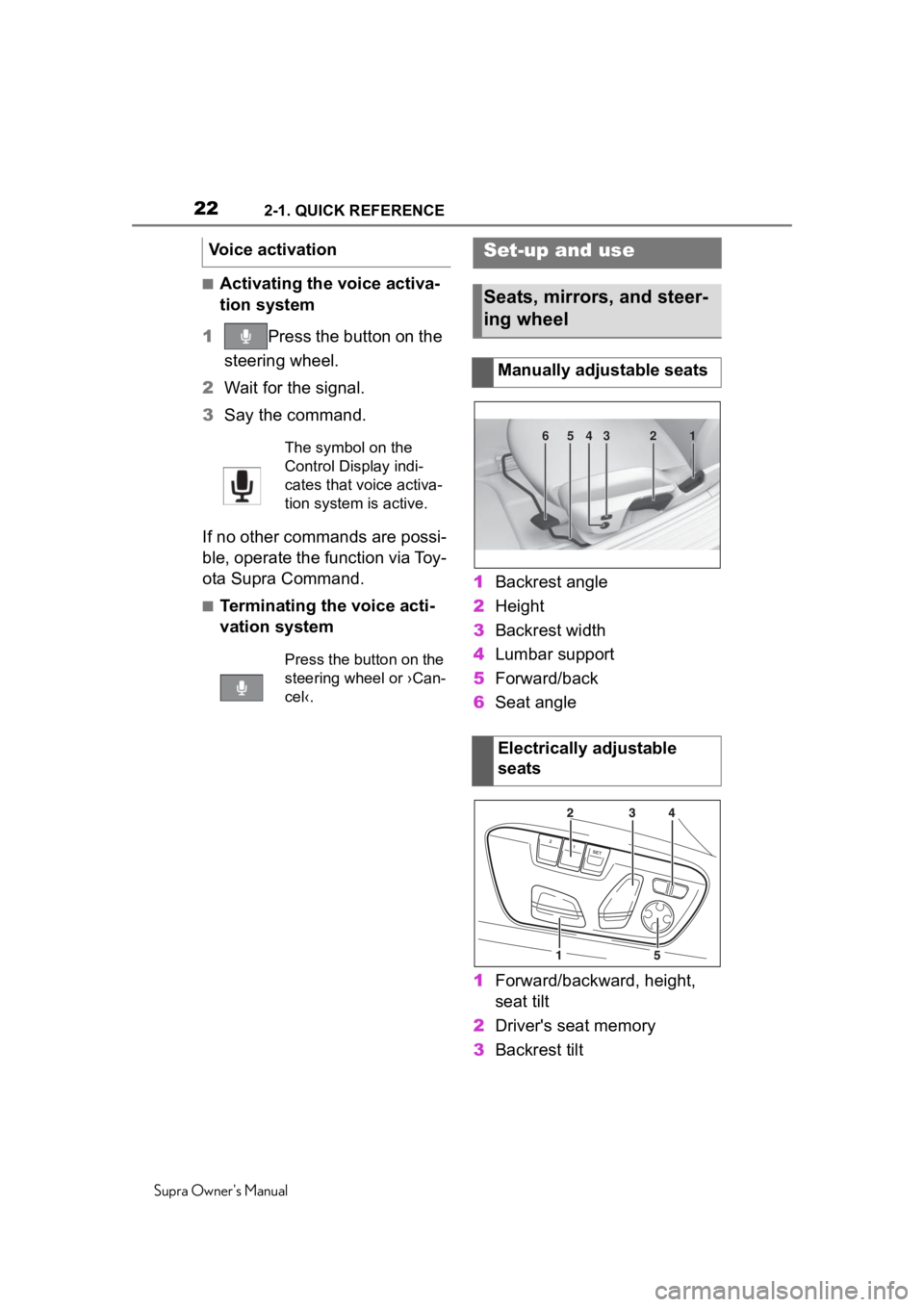
Backrest angle
2 Height
3 Backrest width
4 Lumbar support
5 Forward/back
6 Seat angle
1 Forward/backward, height,
seat tilt
2 Driver's seat memory
3 Backrest tilt
Voice activation
The symbol on the
Control Display indi-
cates that voice activa-
tion system is active.
Press the button on the
steering wheel or ›Can-
cel‹.
Set-up and use
Seats, mirrors, and steer-
ing wheel
Manually adjustable seats
Electrically adjustable
seats
654321
Page 23 of 360
232-1. QUICK REFERENCE
Supra Owner's Manual
2
QUICK REFERENCE
4 Backrest width
5 Lumbar support
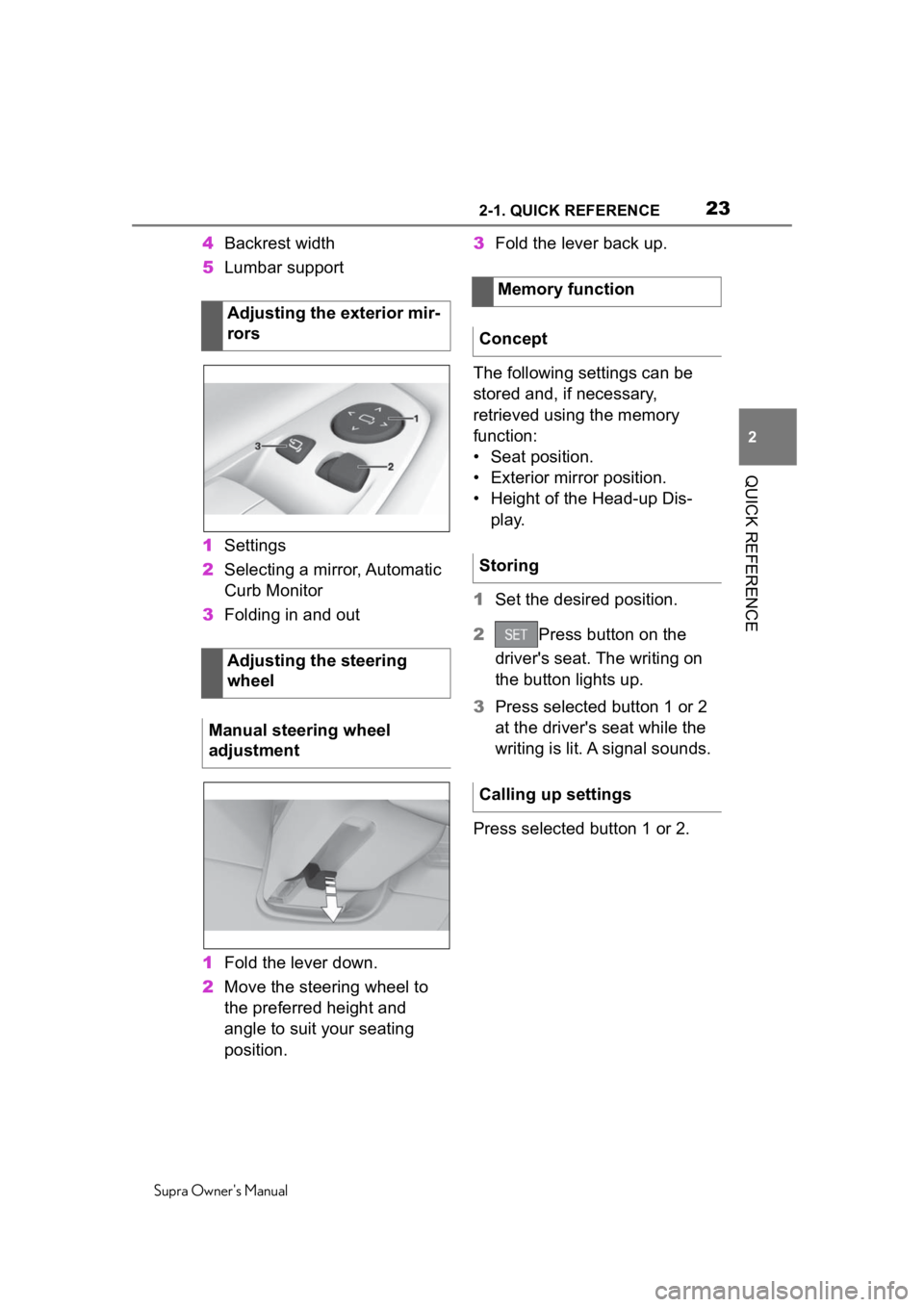
1 Settings
2 Selecting a mirror, Automatic
Curb Monitor
3 Folding in and out
1 Fold the lever down.
2 Move the steering wheel to
the preferred height and
angle to suit your seating
position. 3
Fold the lever back up.
The following settings can be
stored and, if necessary,
retrieved using the memory
function:
• Seat position.
• Exterior mirror position.
• Height of the Head-up Dis- play.
1 Set the desired position.
2 Press button on the
driver's seat. The writing on
the button lights up.
3 Press selected button 1 or 2
at the driver's seat while the
writing is lit. A signal sounds.
Press selected button 1 or 2.
Adjusting the exterior mir-
rors
Adjusting the steering
wheel
Manual steering wheel
adjustment
Memory function
Concept
Storing
Calling up settings
Page 25 of 360
252-1. QUICK REFERENCE
Supra Owner's Manual
2
QUICK REFERENCE
the steering wheel buttons and
voice activation.
Via Toyota Supra Command:
1 "My Vehicle"
2 "System settings"
3 "Mobile devices"
4 "Connect new device"
5 Select the functions for which
the mobile phone is to be
used.
The Bluetooth name of the vehicle
is displayed on the Control Display.
6To perform additional steps
on the mobile phone, refer to
the mobile phone owner's
manual: e.g., search for or
connect the Bluetooth device
or a new device.
The Bluetooth name of the vehicle
appears on the mobile phone dis-
play. Select the Bl uetooth name of
the vehicle.
7 Depending on the mobile
device, a control number is
displayed or the control num-
ber must be entered.
• Compare the control number displayed on the Control Dis-
play with the control number
on the display of the device.
Confirm the control number on the
device and on the Control Display.
• Enter and confirm the same control number on the device
and via Toyota Supra Com- mand.
The device is connected and
displayed in the device list.
Incoming calls can be answered
in several ways.
• Via Toyota Supra Command:
"Accept"
• Press the button on the steering wheel.
• Via the selection list in the instrument cluster:
Use the thumbwheel on the steer-
ing wheel to select: "Accept"
Via Toyota Supra Command:
1 "Communication"
2 "Dial number"
3 Enter the numbers.
4 Select the symbol. The
connection is established via
the mobile phone to which
this function has been
assigned.
Establish the connection via the
additional phone:
1 Press the button.
2 "Call via"
Connecting the mobile
phone via Bluetooth
Using the phone
Accepting a call
Dialing a number
Page 30 of 360
302-1. QUICK REFERENCE
Supra Owner's Manual
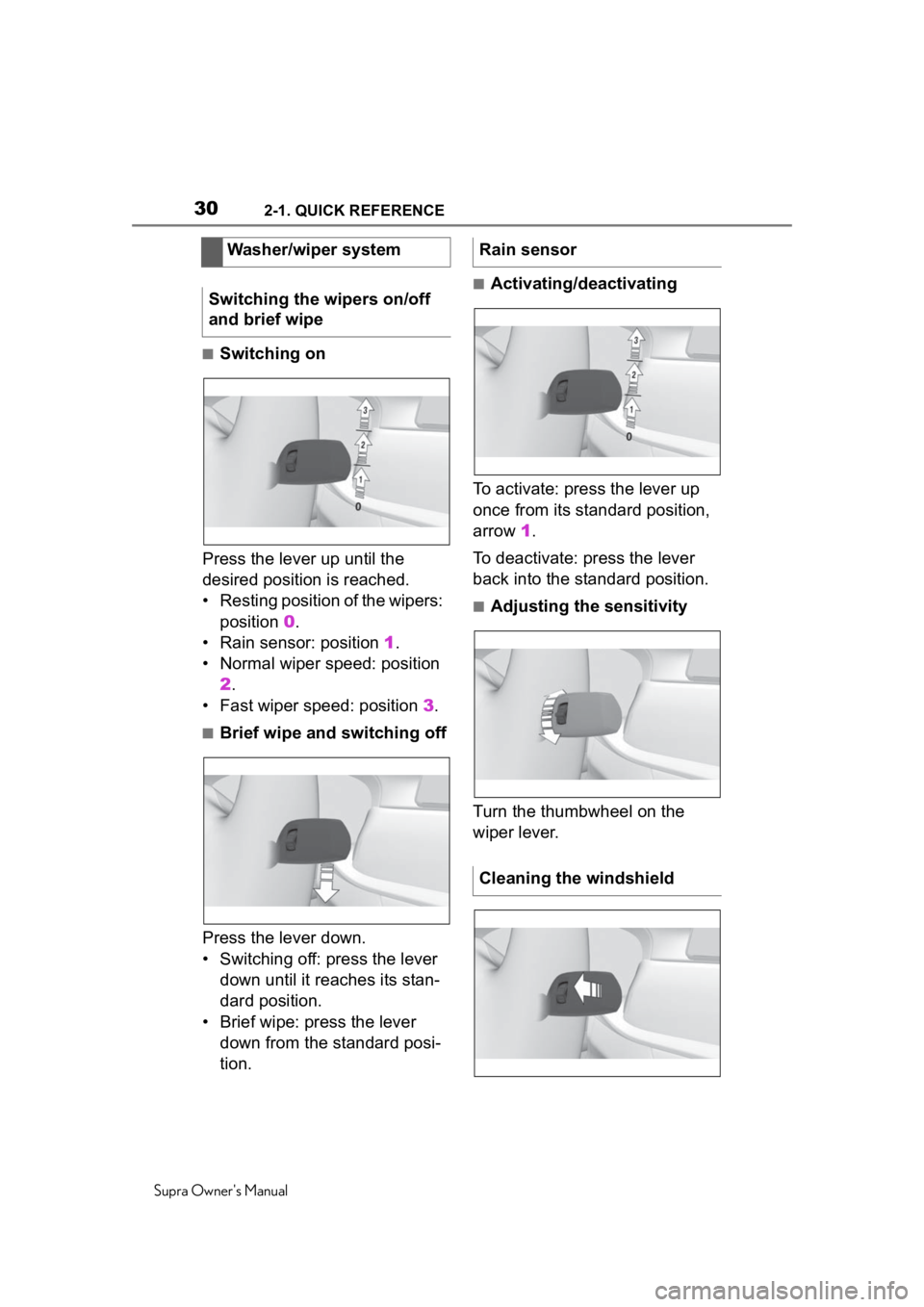
■Switching on
Press the lever up until the
desired position is reached.
• Resting position of the wipers: position 0.
• Rain sensor: position 1.
• Normal wiper speed: position 2.
• Fast wiper speed: position 3.
■Brief wipe and switching off
Press the lever down.
• Switching off: press the lever down until it reaches its stan-
dard position.
• Brief wipe: press the lever down from the standard posi-
tion.
■Activating/deactivating
To activate: press the lever up
once from its standard position,
arrow 1.
To deactivate: press the lever
back into the standard position.
■Adjusting the sensitivity
Turn the thumbwheel on the
wiper lever.
Washer/wiper system
Switching the wipers on/off
and brief wipe
Rain sensor
Cleaning the windshield
Page 32 of 360
322-1. QUICK REFERENCE
Supra Owner's Manual
gasoline should be sulfur-free or
very low in sulfur content.
Fuels that are marked on the
gas pump as containing metal
must not be used. P.295
The tire inflation pressure speci-
fications can be found in the tire
inflation pressure table in the
printed Owner's Manual.
With Tire Pressure Monitor
TPM:
With tires that cannot be found
in the tire pressure values on
the Control Display, reset the
Tire Pressure Monitor TPM.
Regularly check the tire inflation
pressure and correct it as
needed:
• At least twice a month.
• Before embarking on an extended trip.
The friction during hard braking
may produce brake dust and make the rims dirty. Brake dust
can be removed by cleaning the
rims. Toyota recommends using
vehicle care and cleaning prod-
ucts from Toyota.
A current measured value is
available after approx. 30 min-
utes of normal driving.
Via Toyota Supra Command:
1
"My Vehicle"
2 "Vehicle status"
3 "Engine oil level"
Different messages appear on
the Control Display depending
on the engine oil level. Pay
attention to these messages.
Safely park the vehicle and
switch off drive-ready state
before adding engine oil.
Wheels and tires
Tire inflation pressure speci-
fications
After correcting the tire infla-
tion pressure
Checking the tire inflation
pressure
Cleaning the wheels
Electronic oil measure-
ment
Functional requirements
Displaying the engine oil
level
Adding engine oil
General information
Page 36 of 360
363-1. AT A GLANCE
Supra Owner's Manual
3-1.AT A GLANCE
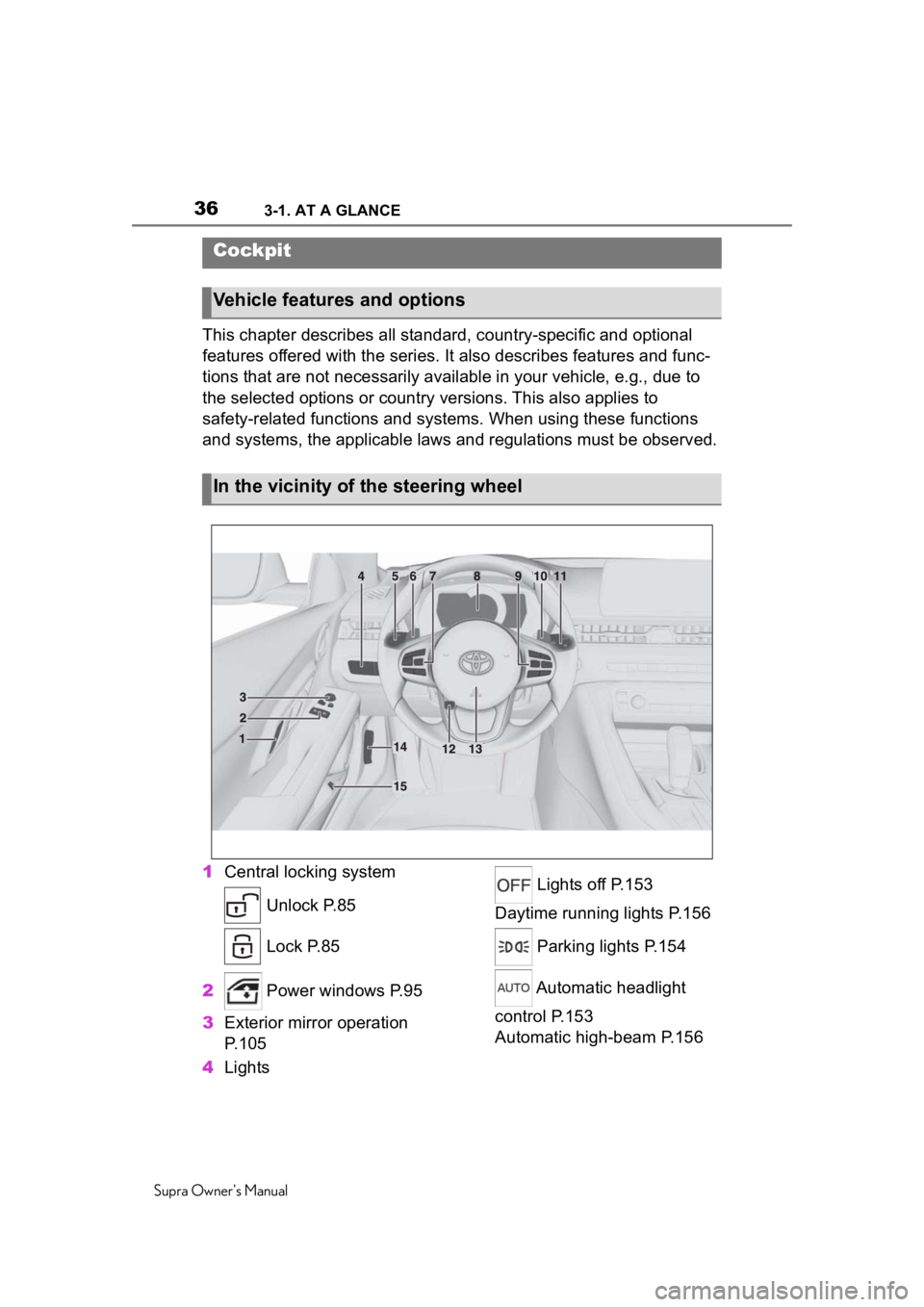
This chapter describes all standard, country-specific and optional
features offered with the series . It also describes features and func-
tions that are not necessarily available in your vehicle, e.g., due to
the selected options or country versions. This also applies to
safety-related functions and systems. When using these functions
and systems, the applicable laws and regulations must be observ ed.
1 Central locking system
Unlock P.85
Lock P.85
2 Power windows P.95
3 Exterior mirror operation
P.105
4 Lights Lights off P.153
Daytime running lights P.156
Parking lights P.154
Automatic headlight
control P.153
Automatic high-beam P.156
Cockpit
Vehicle features and options
In the vicinity of the steering wheel
Page 37 of 360
373-1. AT A GLANCE
Supra Owner's Manual
3
AT A GLANCE
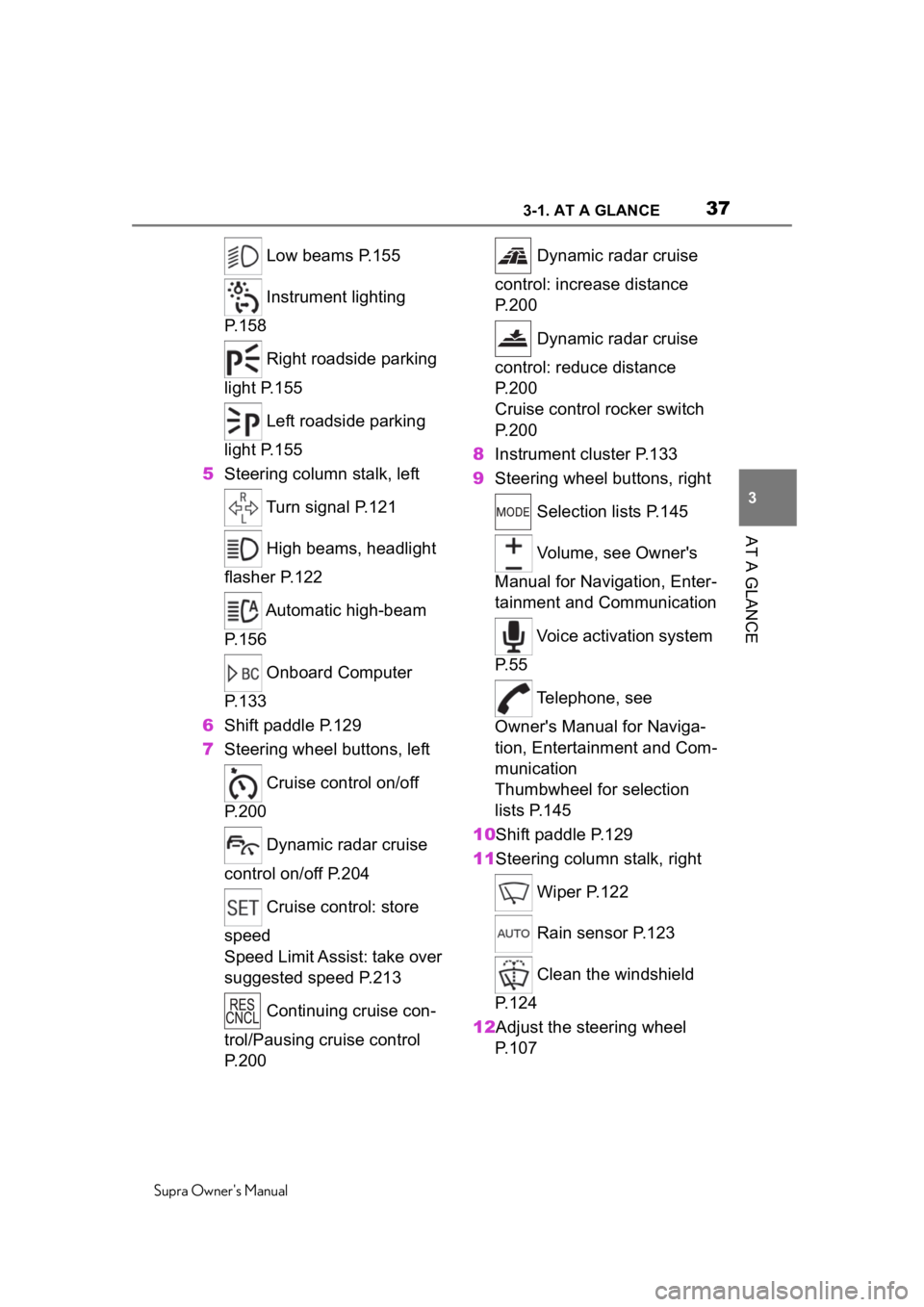
Low beams P.155
Instrument lighting
P.158
Right roadside parking
light P.155
Left roadside parking
light P.155
5 Steering column stalk, left
Turn signal P.121
High beams, headlight
flasher P.122
Automatic high-beam
P.156
Onboard Computer
P.133
6 Shift paddle P.129
7 Steering wheel buttons, left
Cruise control on/off
P.200
Dynamic radar cruise
control on/off P.204
Cruise control: store
speed
Speed Limit Assist: take over
suggested speed P.213
Continuing cruise con-
trol/Pausing cruise control
P.200 Dynamic radar cruise
control: increase distance
P. 2 0 0
Dynamic radar cruise
control: reduce distance
P. 2 0 0
Cruise control rocker switch
P. 2 0 0
8 Instrument cluster P.133
9 Steering wheel buttons, right
Selection lists P.145
Volume, see Owner's
Manual for Navigation, Enter-
tainment and Communication
Voice activation system
P. 5 5
Telephone, see
Owner's Manual for Naviga-
tion, Entertainment and Com-
munication
Thumbwheel for selection
lists P.145
10Shift paddle P.129
11Steering column stalk, right
Wiper P.122
Rain sensor P.123
Clean the windshield
P. 1 2 4
12Adjust the steering wheel P. 1 0 7