change key battery TOYOTA SUPRA 2020 Owners Manual (in English)
[x] Cancel search | Manufacturer: TOYOTA, Model Year: 2020, Model line: SUPRA, Model: TOYOTA SUPRA 2020Pages: 360, PDF Size: 5.97 MB
Page 83 of 360
834-1. CONTROLS
Supra Owner's Manual
4
CONTROLS
ing the battery, refer to page
82.
• Interference of the radio con- nection from transmission
towers or other equipment
with high transmitting power.
• Shielding of the remote con- trol due to metal objects.
Do not transport the remote control
together with metal objects.
• Interference of the radio con-nection from mobile phones
or other electronic devices in
direct proximity to the remote
control.
Do not transport the remote control
together with elec tronic devices.
• Interference of radio transmis-
sion by a charging process of
mobile devices, for instance
charging of a mobile phone.
• The remote control is in direct proximity of the wireless
charging tray.
Place the remote control down at a
different location.
In the case of interference, the
vehicle can be unlocked and
locked from the outside with the
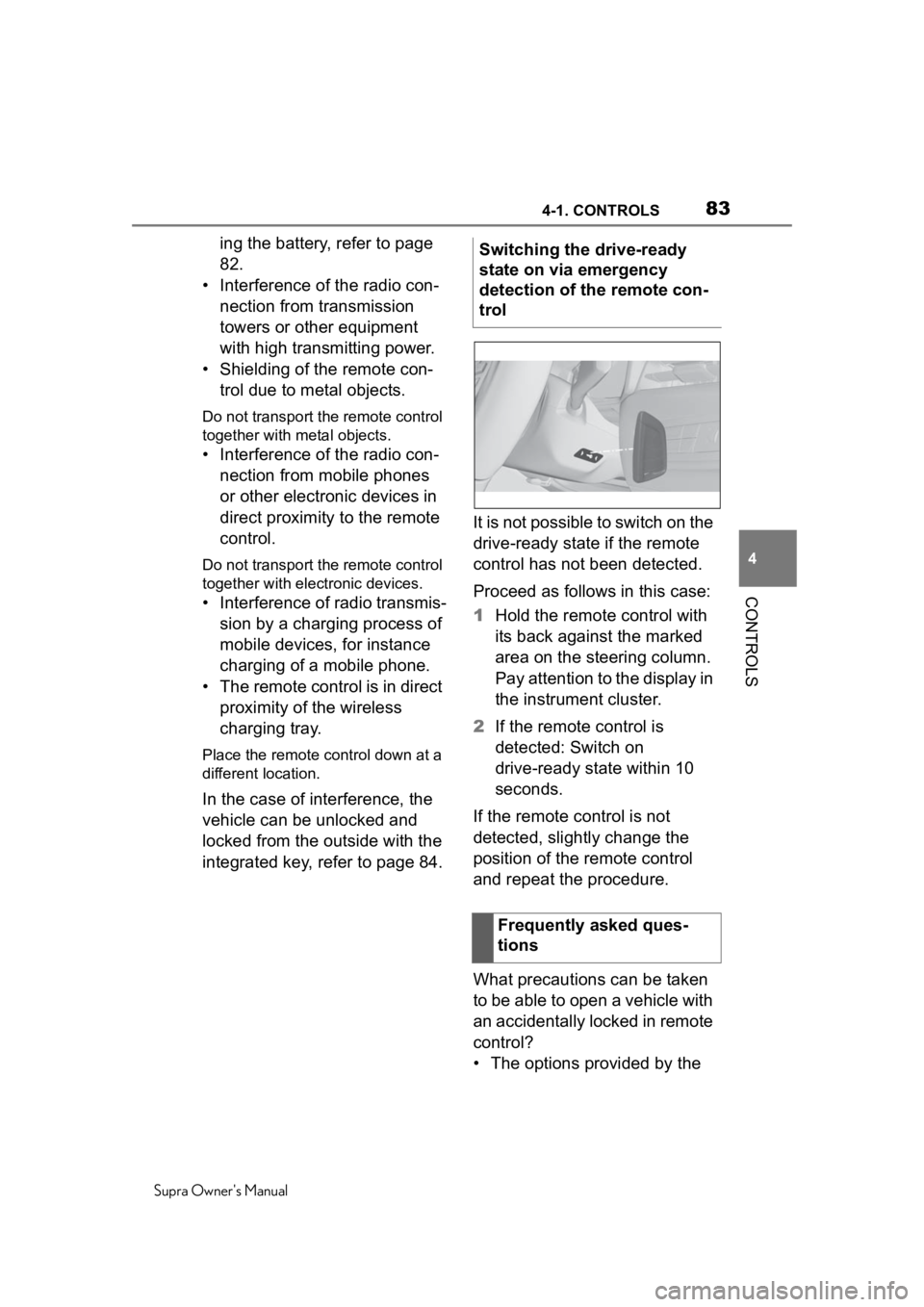
integrated key, refer to page 84. It is not possible to switch on the
drive-ready state if the remote
control has not been detected.
Proceed as follows in this case:
1
Hold the remote control with
its back against the marked
area on the steering column.
Pay attention to the display in
the instrument cluster.
2 If the remote control is
detected: Switch on
drive-ready state within 10
seconds.
If the remote control is not
detected, slightly change the
position of the remote control
and repeat the procedure.
What precautions can be taken
to be able to open a vehicle with
an accidentally locked in remote
control?
• The options provided by the Switching the drive-ready
state on via emergency
detection of the remote con-
trol
Frequently asked ques-
tions
Page 92 of 360
924-1. CONTROLS
Supra Owner's Manual
3"Doors/Key"
4 "Unlock at end of trip"
After drive-ready state is switched
off by pressing t he Start/Stop but-
ton, the locked ve hicle is automati-
cally unlocked.
Via Toyota Supra Command:
1 "My Vehicle"
2 "Vehicle settings"
3 "Doors/Key"
4 "Fold mirrors in when locked"
The exterior mirro rs are automati-
cally folded in during locking.
Via Toyota Supra Command:
1 "My Vehicle"
2 "Vehicle settings"
3 "Doors/Key"
4 "Turn off after door opening"
Opening the front doors establishes
the idle state, refer to page 40.
When the vehicle is locked, the
vehicle alarm system reacts to
the following changes:
• Opening a door, the hood or
the trunk lid. • Movements in the car's inte-
rior.
• Changes in the vehicle tilt, e. g., during attempts at stealing
a wheel or when towing the
vehicle.
• Disconnected battery voltage.
• Improper use of the socket for OBD Onboard Diagnosis.
• Locking the vehicle while a device is connected to the
socket for the OBD Onboard-
Diagnosis. For socket for the
OBD Onboard Diagnosis,
refer to page 304
The alarm system signals the
following changes visually and
acoustically:
• Acoustic alarm: Depending on local regulations, the acoustic
alarm may be suppressed.
• Visual alarm: By flashing of the hazard warning system
and headlights, where
required.
Do not modify the system to
ensure function of the alarm
system.
When you unlock and lock the
vehicle, either with the remote
control or with Comfort entry, the
alarm system is switched off and
on at the same time.
Folding mirrors automati-
cally
Establishing idle state
after opening the front
doors
Alarm system
General information
Switching on/off